1
14
CNC-Calc v2
Menus
Most of the CNC-Calc v2 functions that are accessed through the CNCCalc menu, but there are a few that are accessed through the File menu.
File menu
Close closes the active file. If the active file has been modified, then the
user will be prompted to save it. Close can also be accessed
with Ctrl-F4.
Close All closes all open files. If any files have been modified, then the
user will be prompted to save them.
Save saves the drawing to your hard disk. If it is the first time you save
the drawing, you will be prompted for a file location and name.
Save can also be accessed with Ctrl-S.
Save As will save the drawing under a different name.
Exit closes CIMCO Edit v5, and thus also CNC-Calc v2. If any files have
been modified, then the user will be prompted to save them. Exit
can also be accessed with Alt-F4 (Alt-F4 is a Windows
standard).
CNC-Calc menu
New Drawing will clear the graphics area (you will get a chance to save
any unsaved changes). New can also be accessed with Ctrl-N.
Open Drawing will open an existing CNC-Calc v2 file. Open can also be
accessed with Ctrl-O.
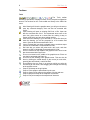
Draw Points / Lines
Point will draw a point at the selected position
Between 2 points will draw a line between the two selected
points.