1
SECTION 4: Connecting the Instruments and Verifying Operation
4-7
Changing the Baud Rate
To select a different baud rate:
1
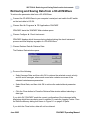
Choose Start ➤ Programs ➤ FSI Applications ➤ 3DACM97.
3DACM97 starts and the 3DACM97 Main window opens.
2
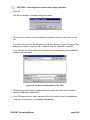
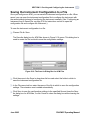
Choose Communications ➤ Communications Window.
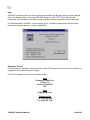
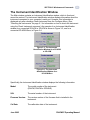
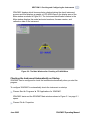
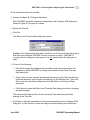
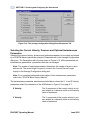
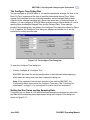
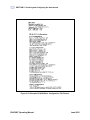
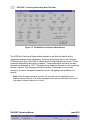
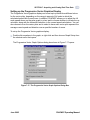
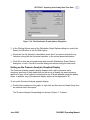
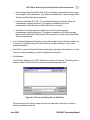
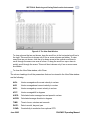
The Communications Window shown in Figure 4-4 opens.
Figure 4-4: The Communications Window
3
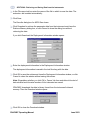
Type ***O, and then press Enter.
This places the instrument in Open mode. To verify this, press Enter again.
The words “OPEN MODE” should be displayed.
4
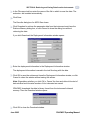
Do one of the following to select the baud rate of the instrument:
•
Type SB30, and then press Enter to set the baud rate to 300 bits/sec.
•
Type SB30, and then press Enter to set the baud rate to 300 bits/sec.
•
Type SB96, and then press Enter to set the baud rate to 9600 bits/sec.
•
Type SB19, and then press Enter to set the baud rate to 19200 bits/sec.
June 2003
3DACM97 Operating Manual