1
3.
4.
5.
6.
7.
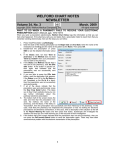
For Description: enter a further description of the report, such as "patients with ischemic heart
disease".
For What to Search By, you can use the default settings unless you wish to restrict it to
certain subgroups of patients.
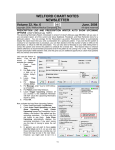
On the Terms to Search For page, you
could previously enter as Term 1),
ISCHEMIC HEART DISEASE, but now
instead, you can type in for Terms 1):
“410-414.9”
If you want to find patients who have
any Diagnosis within more than one
range of ICD-9 codes, you can enter
more than one range into a Term box, separated by spaces or semicolons. For example, to
find patients who have either ischemic heart disease OR cardiomyopathy (425.0-425.9), you
could type in “410.0-414.9 425.0-425.9” or “410.0-414.9;425.0-425.9” in the Terms box.
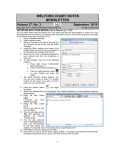
Click on the What to Include in Report page, select the items of information you would like to
see in the report, then press RUN to run the report.
If you want to find patients who simultaneously have 2 diagnoses, enter the first range of ICD Codes in the
Terms 1 box, and the second range of ICD Codes in the Terms 2 box. For example, if you want to find all of
the patients who have both ischemic heart disease AND cardiomyopathy, enter “410-414.9” for Terms 1,
select AND following Terms 1, and enter “425.0-425.9” in the Terms 2 box. (You can do the same thing with
the Terms 3 box to look for 3 diagnoses simultaneously). You can also mix and match using ICD9 codes
and words in the different Terms boxes, but you cannot combine ICD9 codes and words in a single Term
box. You can also enter a single ICD9 code instead of a range of ICD9 codes in any of the Term boxes.
Note that the Generic Report Generator runs more quickly if you enter words into the Terms boxes and
search By List, rather than searching by ICD9 codes. This is because the program is already indexed by the
terms, but not by the ICD9 codes. However, using the ICD9 codes gives you greater flexibility in locating
patients with a specific diagnosis. On the other hand, searching by ICD9 codes only works if you have been
consistently entering the ICD9 codes into the Diagnosis Editor for each patient.
RETRIEVE THE TEXT OF PATIENT VISITS (User’s Manual, pg. 1031)
You can retrieve the text of a patient's visits inside the Writer or the Generic Report Generator Other field,
using the @AllVisits @function. Each visit is preceded by its date, time, and location.
If you only want visits over a particular period of time, you can use one of the following:
•
@AllVisitsSince<date>: all of the visits for the patient starting at <date> and ending today.
•
@AllVisitsFrom<StartDate>To<EndDate>: all the visits for the patient starting on <StartDate> and
ending on <EndDate>.
<date> can be written in mmddyyyy or mm-dd-yyyy format. You can separate the words with underscores,
or just run them together.
For example, to obtain all of the visits that the patient had during 2007, you could write
@AllVisitsFrom01012007To12312007,
or
@AllVisits_From_1-1-2007_To_12-31-2007,
or
@AllVisits_From01012007To12-31-2007.
If you only want the text of the patient's most recent visit, use @LastVisitText instead.
SEND US YOUR TIPS
If you have tips, shortcuts, questions, or suggestions for future newsletter topics, please send them to us at:
Welford Medical Computing, Inc.
or
MEDCOM Information Systems
3779 Hermitage Trail
2117 Stonington Avenue
Rockford, IL 61114
Hoffman Estates, IL 60169
8