1
3-14
OPERATION
ORBAN MODEL 6300
You can save user presets from the 6300 PC Remote application. (See
Using the 6300 PC Remote Control Software on page 3-57.) Please note
that when you save presets from the PC Remote application, you save
them in the 6300’s memory (as if you had saved them from the 6300’s
front panel). The PC Remote application also allows you to archive presets to your computer’s hard drive (or other storage device) and to restore them. However, archiving a preset is not the same as saving it. Archived presets reside on a storage medium supported by your computer,
while saved presets reside in the 6300’s local non-volatile memory. You
cannot archive a preset until you have saved it. (See To back up user presets, system files, and automation files onto your computer’s hard drive
on page 3-60.)
Note that if, for some reason, you wish to save an unmodified preset (either Factory or user) under a new name, you must temporarily make an
arbitrary edit to that preset in order to make the SAVE PRESET button appear. After you have saved the preset, reverse the edit and save the preset again.
About the Processing Structures
If you want to create your own User Presets, the following detailed discussion of the
processing structures is important to understand. If you only use Factory Presets or if
you only modify them with LESS-MORE, you may still find the material interesting
but you do not need to understand it to get excellent sound from the 6300. We
have carefully designed the 6300’s factory presets and most users will not need to go
beyond these.
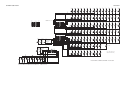
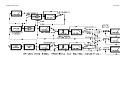
In the 6300, a processing structure is a program that operates as a complete audio
processing system. Only one processing structure can be active at a time. Just as
there are many possible ways of configuring a processing system using analog components (like equalizers, compressors, limiters, and clippers), the 6300’s DSP hardware could realize several possible processing structures that. Unlike an analog system, where creating a complete processing system involves physically wiring its various components together, the 6300 realizes its processing structures as a series of
high-speed mathematical computations made by Digital Signal Processing (DSP) integrated circuit chips.
There are two basic structures: 2-band and 5-band. To select a structure, choose a
factory preset having the desired structure, and, if you wish, edit it to create a user
preset. To put a given structure on the air, recall a factory or user preset associated
with that structure.
5-band: The 5-band structure is very flexible, enabling you to fine-tune your sound.
There are several basic Factory Presets for the 5-band structure. Each of these presets
can be edited with the LESS-MORE control.
This control affects the sound-for-picture-oriented presets differently than it does
the music presets. When a sound-for-picture-oriented preset is on the air, the LESSMORE control adjusts the average amount of gain reduction by adjusting the drive
level to the 5-band structure's input. This also adjusts the idle gain—the amount of