1
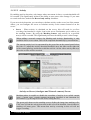
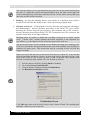
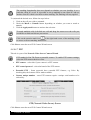
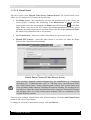
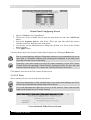
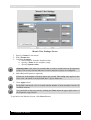
WebCCTV User Manual 143 4.3.5.4 Checking Digital Signature The latest generation of networked systems promises a much easier and faster way of moving video around (e.g. police, court room…), by simply sending it over the Internet. A public network like the Internet is not exactly the safest when talking about transport. However, digital video can be digitally secured and the possibility to trace the video back to its origin is now a reality. This technology is called digitally signing the video. A digital signature is a cryptographically encoded text that contains information about the exported movie file that was signed and about the entity that created the signature. Each export file has its own signature. A certificate is again a cryptographically protected text that contains the electronic key with which the owner of the certificate can sign digital documents or content. This certificate is only valuable if it is trusted by the authorities. The following diagram shows how a digital signature is used in the video authentication process: Video Authentication Process Step 1 - Recording Video from the camera is recorded in a standard ASF movie file. Step 2 - Export When a relevant piece of video is exported, information about that video (e.g. the timestamp, camera name, recorder information and the user who performed the export) is gathered in a signature message. This message is encrypted by the certificate, unique to each recorder, to form a digital signature. WebCCTV supports two formats of digital signature: .eml – S/MIME standard message like used in digitally signed emails. .p7m – true PKCS #7 standard signature message. It can be opened by specialized viewers like Cryptigo’s P7MViewer (http://www.cryptigo.com). Version 5.4 Series





















![[MANUAL] WebCCTV User Manual 4.4.0.0](http://vs1.manualzilla.com/store/data/005886634_1-9e25e0c8c7fa6f72c2b69bbb4cc67aa8-150x150.png)

![[MANUAL] WebCCTV Installation Manual 4.4.0.0](http://vs1.manualzilla.com/store/data/005935803_1-1275fe61ae4b5b7c0ce4f62506e594f6-150x150.png)

![[MANUAL] GuardNVR Installation Manual 4.4.0.0](http://vs1.manualzilla.com/store/data/005799040_1-22ffd5d438f0b0c95843f8ff9431bc2d-150x150.png)