1
Condition-Handling Routines and Services
9.11 Displaying Messages
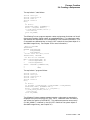
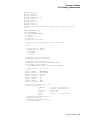
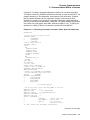
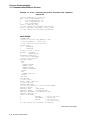
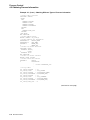
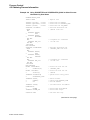
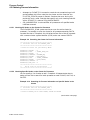
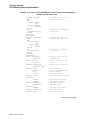
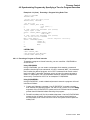
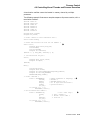
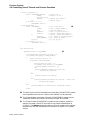
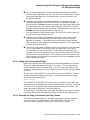
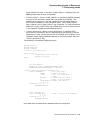
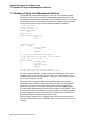
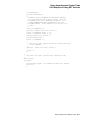
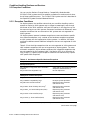
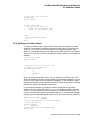
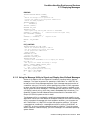
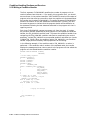
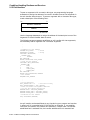
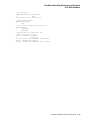
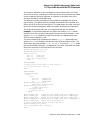
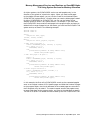
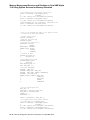
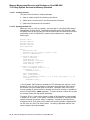
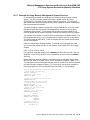
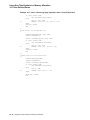
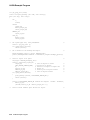
ERR.FOR
INTEGER FUNCTION ERRLOG (SIGARGS,
2
MECHARGS)
! Writes the message to file opened on the
! logical unit named in the per-process common block
! Define the dummy arguments
INTEGER SIGARGS(*),
2
MECHARGS(*)
INCLUDE ’($SSDEF)’
EXTERNAL PUT_LINE
INTEGER PUT_LINE
! Pass signal array and PUT_LINE routine to SYS$PUTMSG
SIGARGS(1) = SIGARGS(1) - 2 ! Subtract PC/PSL from signal array
CALL SYS$PUTMSG (SIGARGS,
2
PUT_LINE, )
SIGARGS(1) = SIGARGS(1) + 2 ! Replace PC/PSL
ERRLOG = SS$_RESIGNAL
END
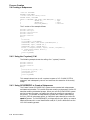
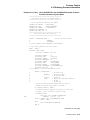
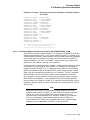
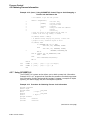
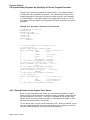
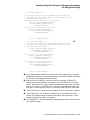
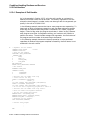
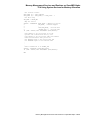
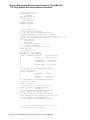
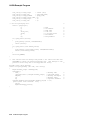
PUT_LINE.FOR
INTEGER FUNCTION PUT_LINE (LINE)
! Writes the formatted message in LINE to
! the file opened on the logical unit named
! in the per-process common block
! Dummy argument
CHARACTER*(*) LINE
! Logical unit number
CHARACTER*4 LOGICAL_UNIT
INTEGER UNIT_NUM
! Indicates that SYS$PUTMSG is not to display the message
PUT_LINE = 0
! Get logical unit number and change to integer
STATUS = LIB$GET_COMMON (LOGICAL_UNIT)
READ (UNIT = LOGICAL_UNIT,
2
FMT = ’(I4)’) UNIT_NUMBER
! The main program opens the error log
WRITE (UNIT = UNIT_NUMBER,
2
FMT = ’(A)’) LINE
END
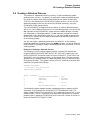
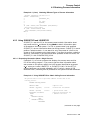
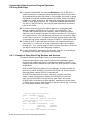
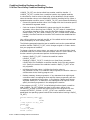
9.11.3 Using the Message Utility to Signal and Display User-Defined Messages
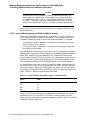
Section 9.11 explains how the OpenVMS Condition Handling facility displays
messages. The signal argument list passed to LIB$SIGNAL or LIB$STOP can
be seen as one or more message sequences. Each message sequence consists of
a condition value, an FAO count, which specifies the number of FAO arguments
to come, and the FAO arguments themselves. (The FAO count is omitted in the
case of system and RMS messages.) The message text definition itself is actually
a SYS$FAO control string, which may contain embedded $FAO directives. The
OpenVMS System Services Reference Manual describes the Formatted ASCII
Output (SYS$FAO) system service in detail.
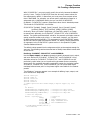
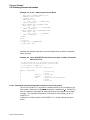
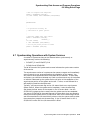
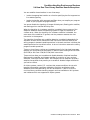
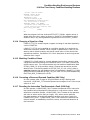
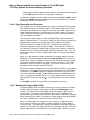
The Message utility is provided for compiling message sequences specific to your
application. When you have defined an exception condition and used the Message
utility to associate a message with that exception condition, your program can
call LIB$SIGNAL or LIB$STOP to signal the exception condition. You signal
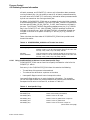
a message that is defined in a message source file by calling LIB$SIGNAL or
LIB$STOP, as for any software-detected exception condition. Then the system
default condition handlers display your error message in the standard operating
system format.
Condition-Handling Routines and Services 9–57