1
Synchronizing Access to Resources
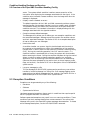
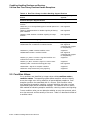
7.2 Concepts of Resources and Locks
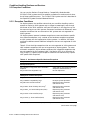
7.2.2 Resource Domains
Because resource names are arbitrary names chosen by applications, one
application may interfere (either intentionally or unintentionally) with another
application. Unintentional interference can be easily avoided by careful design,
such as by using a registered facility name as a prefix for all root resource names
used by an application.
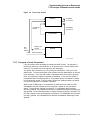
Intentional interference can be prevented by using resource domains. A
resource domain is a namespace for root resource names and is identified by
a number. Resource domain 0 is used as a system resource domain. Usually,
other resource domains are used by the UIC group corresponding to the domain
number.
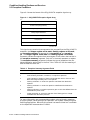
By using the SYS$SET_RESOURCE_DOMAIN system service, a process can gain
access to any resource domain subject to normal operating system access control.
By default, each resource domain allows read, write, and lock access by members
of the corresponding UIC group. See the OpenVMS Guide to System Security for
more information about access control.
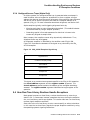
7.2.3 Resource Names
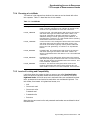
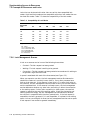
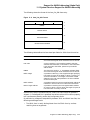
The lock management system services refer to each resource by a name composed
of the following four parts:
•
A name specified by the caller
•
The caller’s access mode
•
The caller’s UIC group number (unless the resource is systemwide)
•
The identification of the lock’s parent (optional)
For two resources to be considered the same, these four parts must be identical
for each resource.
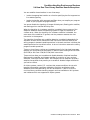
The name specified by the process represents the resource being locked. Other
processes that need to access the resource must refer to it using the same name.
The correlation between the name and the resource is a convention agreed upon
by the cooperating processes.
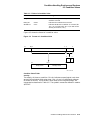
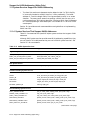
The access mode is determined by the caller’s access mode unless a less privileged
mode is specified in the call to the SYS$ENQ system service. Access modes, their
numeric values, and their symbolic names are discussed in the OpenVMS Calling
Standard.
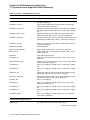
The default resource domain is selected by the UIC group number for the process.
You can access the system domain by setting the LCK$M_SYSTEM when you
request a new root lock. Other domains can be accessed using the optional
RSDM_ID parameter to SYS$ENQ. You need the SYSLCK user privilege to
request systemwide locks from user or supervisor mode. No additional privilege
is required to request systemwide locks from executive or kernel mode.
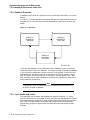
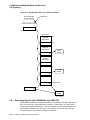
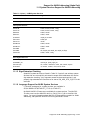
When a lock request is queued, it can specify the identification of a parent lock,
at which point it becomes a sublock (see Section 7.4.8). However, the parent lock
must be granted, or the lock request is not accepted. This enables a process to
lock a resource at different degrees of granularity.
7–4 Synchronizing Access to Resources