1
Overview of Manuals and Introduction to Development on OpenVMS Systems
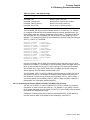
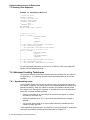
1.10 Managing Data
RMS is a higher level interface to the file system and OpenVMS I/O subsystem.
It is used by all products that run on OpenVMS VAX and OpenVMS Alpha for file
and record operations. A subset of RMS services permit network file operations
that are generally transparent to the user.
On OpenVMS Alpha systems, RMS supports I/O operations to and from 64-bit
addressable space.
1.10.1 RMS Files and Records
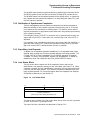
RMS supports a variety of file organizations, record formats, and record-access
modes. RMS supports sequential, relative, and indexed disk file organizations,
and fixed- and variable-length records. It supports a number of record-access
modes: sequential, by key value, by relative record number, or by record file
address. RMS is designed primarily for mass storage devices (disks and tapes),
but also supports unit-record devices such as terminals or printers.
RMS routines assist user programs in processing and managing files and their
contents. RMS routines perform these services for application programs:
•
Creating new files, accessing existing files, extending disk space for files,
closing files, and obtaining file characteristics
•
Getting, locating, inserting, updating, and deleting records in files
RMS promotes safe and efficient file sharing by providing multiple access modes,
automatic record locking when applicable, and optional buffer sharing by multiple
processes.
1.10.2 RMS Utilities
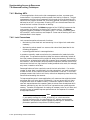
RMS file utilities allow users to analyze the internal structure of an RMS file and
to determine the most appropriate set of parameters to tune an RMS file. RMS
utilities can also be used to create, efficiently load, and reclaim space in an RMS
file.
RMS file maintenance utilities include the following:
•
Analyze/RMS_File utility
•
File Definition Language utilities (Create/FDL and Edit/FDL)
•
Convert and Convert/Reclaim utilities
The Analyze/RMS_File utility allows the programmer to analyze the internal
structure of an OpenVMS RMS file and generate a report on its structure and
use, as well as interactively explore the file’s structure. The utility can generate
an FDL file from an RMS file for use with the Edit/FDL utility to optimize the
data file.
File Definition Language (FDL) is a special-purpose language for specifying file
characteristics; it is useful with higher level languages or for ensuring that files
are properly tuned. FDL makes use of RMS control blocks: the file access block
(FAB), the record access block (RAB), and the extended attribute block (XAB).
The Edit/FDL utility creates a new FDL file according to user specifications. The
Create/FDL utility uses the specifications of an existing FDL file to create a new
empty data file.
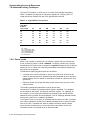
You can use the Convert utility to copy records from one file to another, while
changing the record format and file organization, and to append records to an
existing file. The Convert/Reclaim utility reclaims empty bucket space in an
indexed file to allow new records to be written to it.
Overview of Manuals and Introduction to Development on OpenVMS Systems 1–21