1
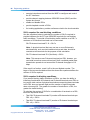
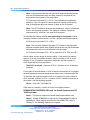
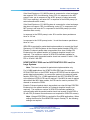
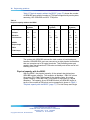
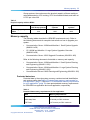
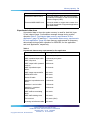
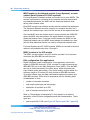
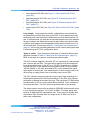
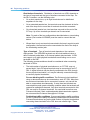
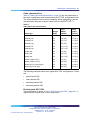
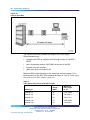
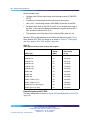
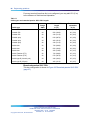
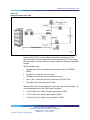
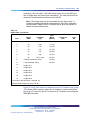
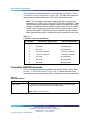
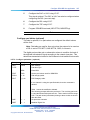
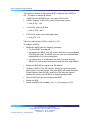
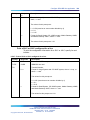
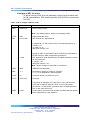
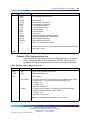
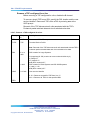
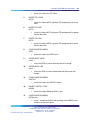
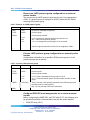
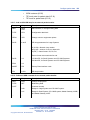
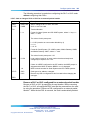
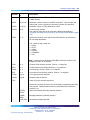
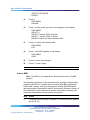
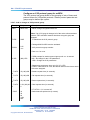
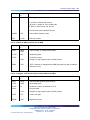
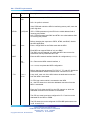
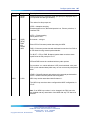
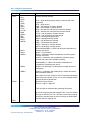
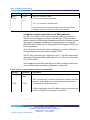
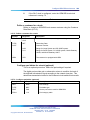
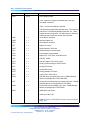
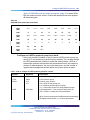
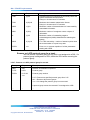
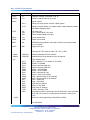
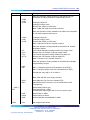
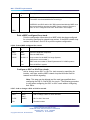
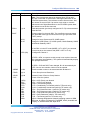
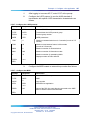
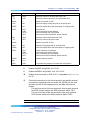
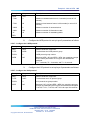
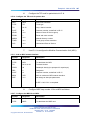
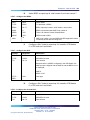
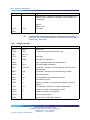
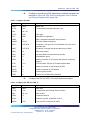
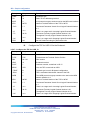
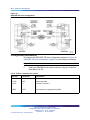
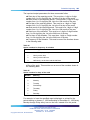
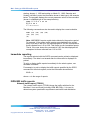
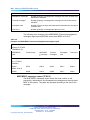
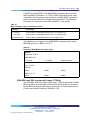
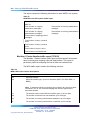
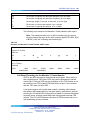
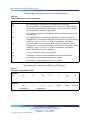
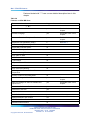
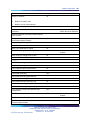
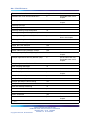
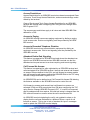
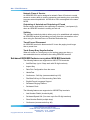
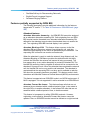
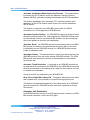
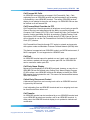
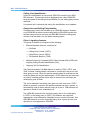
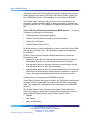
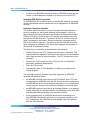
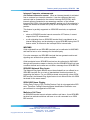
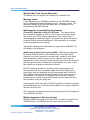
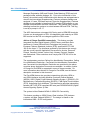
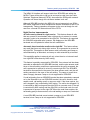
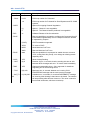
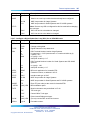
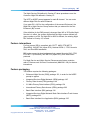
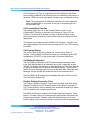
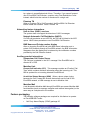
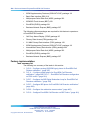
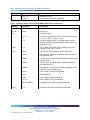
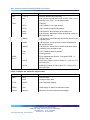
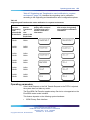
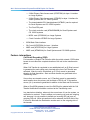
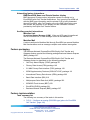
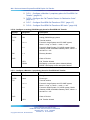
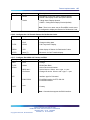
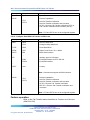
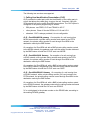
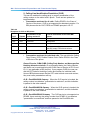
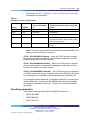
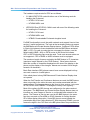
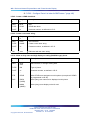
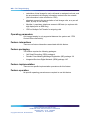
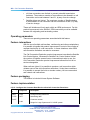
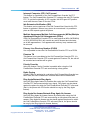
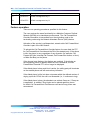
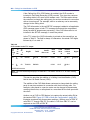
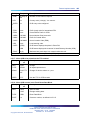
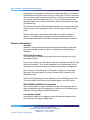
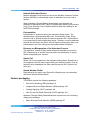
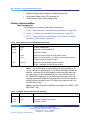
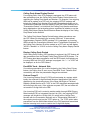
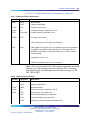
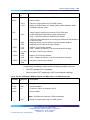
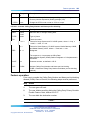
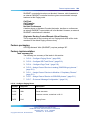
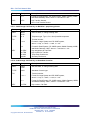
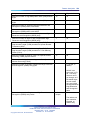
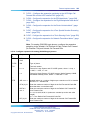
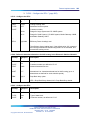
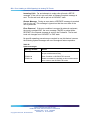
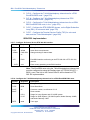
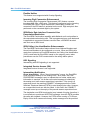
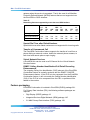
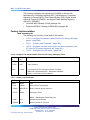
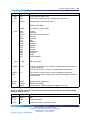
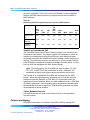
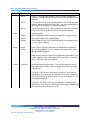
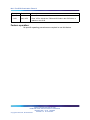
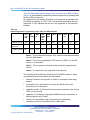
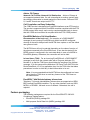
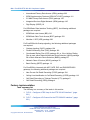
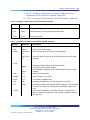
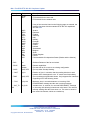
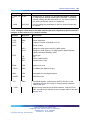
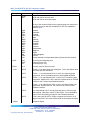
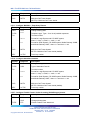
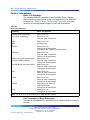
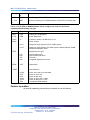
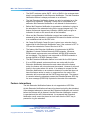
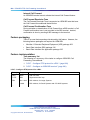
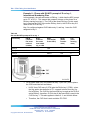
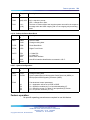
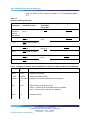
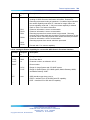
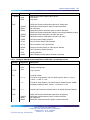
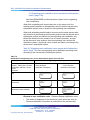
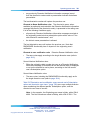
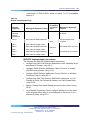
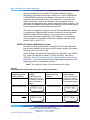
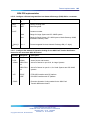
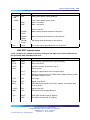
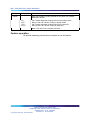
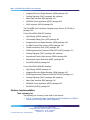
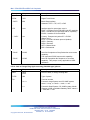
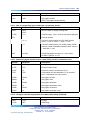
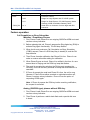
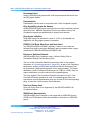
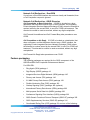
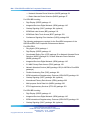
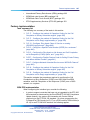
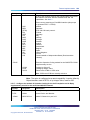
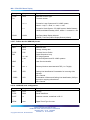
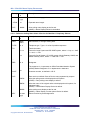
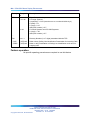
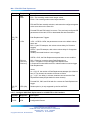
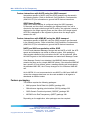
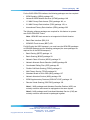
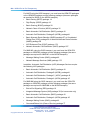
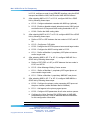
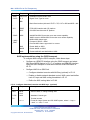
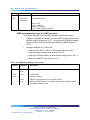
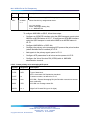
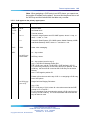
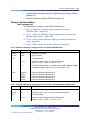
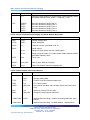
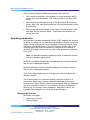
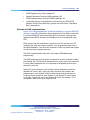
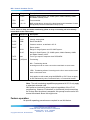
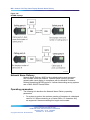
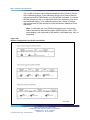
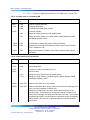
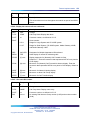
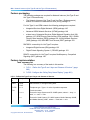
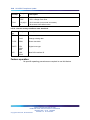
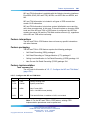
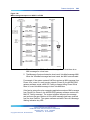
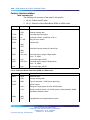
Example 1: Configure a line application
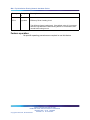
Prompt
Response
Description
MCAL
4
Maximum number of calls
CLIP
YES
Calling party number displayed on the called party terminal
PRES
YES
Displays DN to the called party on outgoing calls
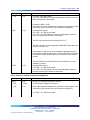
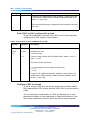
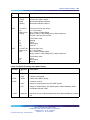
FEAT
HTA
FNA
CFTA
SFD
MWA
Class of Service Hunt allowed
Call Forward No Answer allowed
Call Forward by Call Type allowed
Second level Call Forward No Answer denied
Message waiting allowed
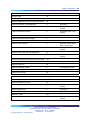
DN
<cr>
DFDN
5432
Default directory number
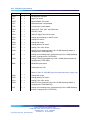
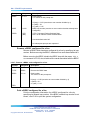
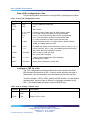
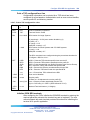
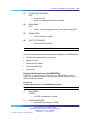
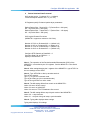
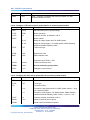
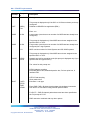
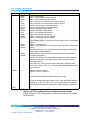
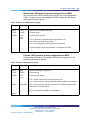
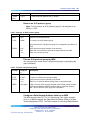
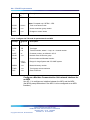
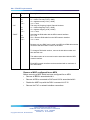
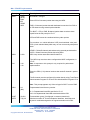
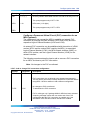
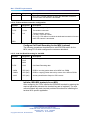
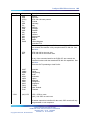
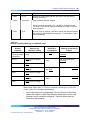
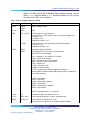
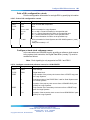
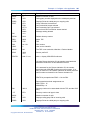
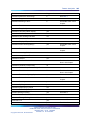
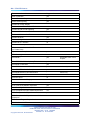
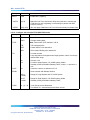
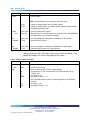
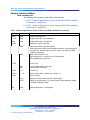
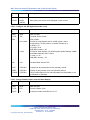
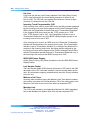
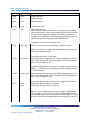
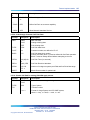
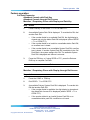
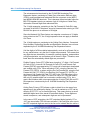
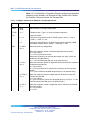
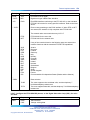
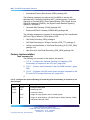
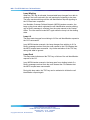
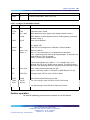
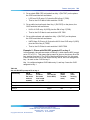
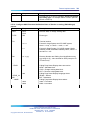
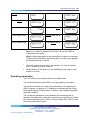
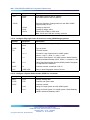
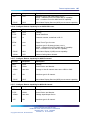
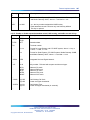
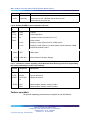
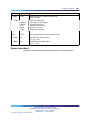
REQ
NEW
Add a TSP
TYPE
TSP
TSP
DSL
24 0 0 1
DSL location
USID
2
User service identifier
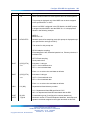
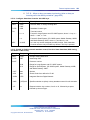
MPHC
NO
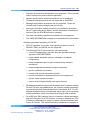
The TSP is not used with a Meridian 1 Packet Handler.
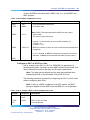
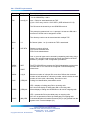
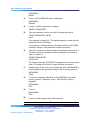
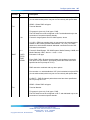
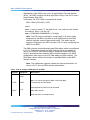
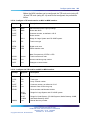
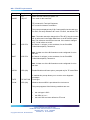
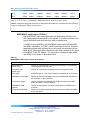
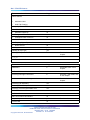
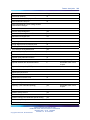
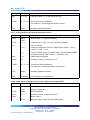
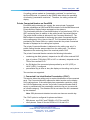
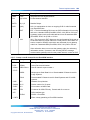
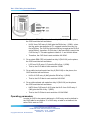
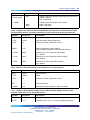
SPID
3000
<cr>
Service profile ID
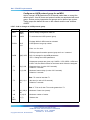
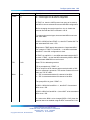
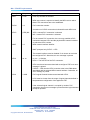
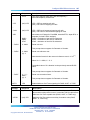
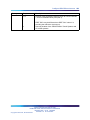
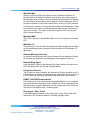
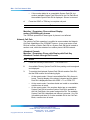
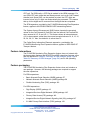
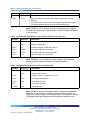
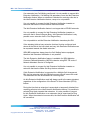
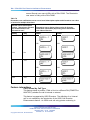
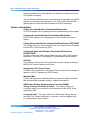
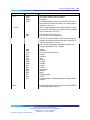
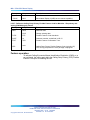
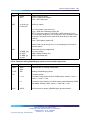
FEATID
A06 15 <cr>
A06 = a 6-party ISDN BRI Conference
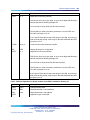
261
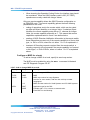
15 is the Feature Activation ID, the number associated with
ISDN BRI Conference on this ISDN BRI terminal.
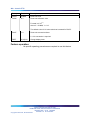
15 is assumed for the Feature Indication ID, the number
associated with ISDN BRI Conference on this system. If no
entry is made for it, the Feature Indication ID number uses the
same number as entered for the Feature Activation ID.
FEATID is prompted when PRID = 6 in the DSL.
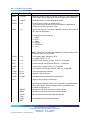
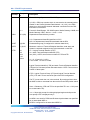
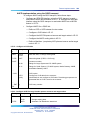
Recommended terminal assignments are:
M5317TDX = 15
M5209TDcp = 9
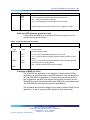
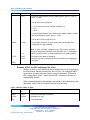
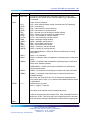
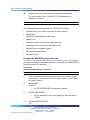
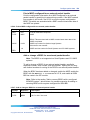
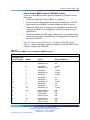
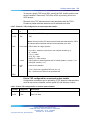
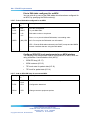
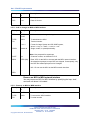
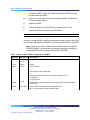
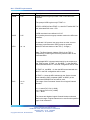
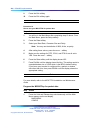
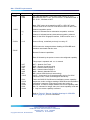
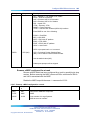
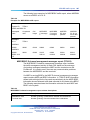
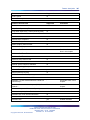
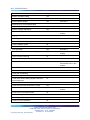
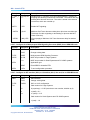
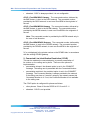
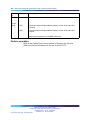
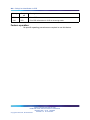
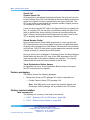
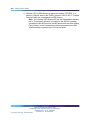
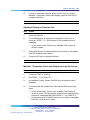
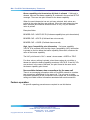
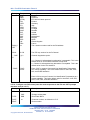
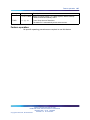
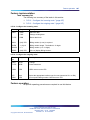
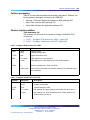
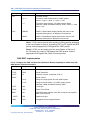
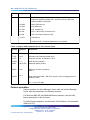
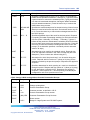
DN
3001 3
Directory number to be associated with the TSP, and the CLID
entry.
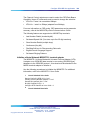
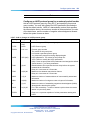
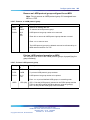
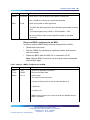
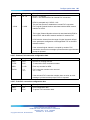
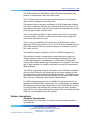
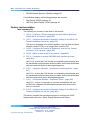
- CT
DTA
Directory number call type is data
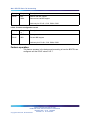
MCAL
1
Maximum number of calls
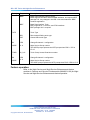
CLIP
YES
Displays calling party DN on incoming calls
PRES
YES
Displays DN to the called party on outgoing calls
Nortel Communication Server 1000
ISDN Basic Rate Interface Feature Fundamentals
NN43001-580 01.02 Standard
Release 5.0 20 June 2007
Copyright © 2003-2007, Nortel Networks
.