1
CHAPTER 16. PROTEIN ANALYSES
256
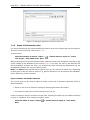
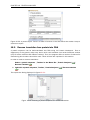
If a sequence was selected before choosing the Toolbox action, the sequence is now listed in
the Selected Elements window of the dialog. Use the arrows to add or remove sequences or
sequence lists from the selected elements. You can translate several protein sequences at a
time.
Click Next to adjust the parameters for the translation.
16.9.1
Reverse translation parameters
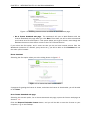
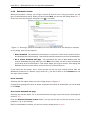
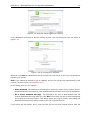
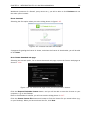
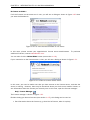
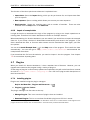
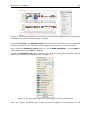
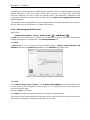
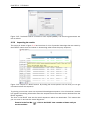
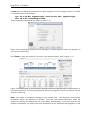
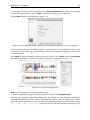
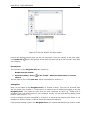
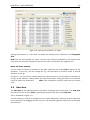
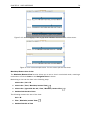
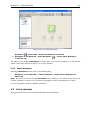
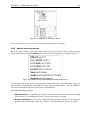
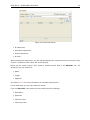
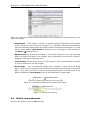
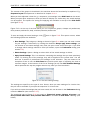
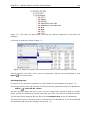
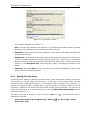
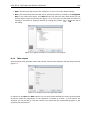
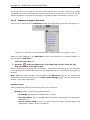
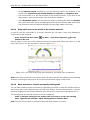
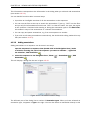
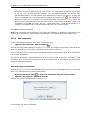
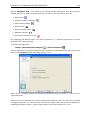
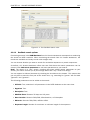
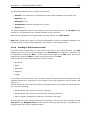
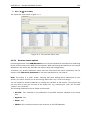
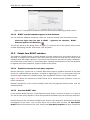
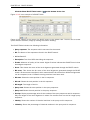
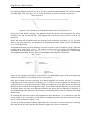
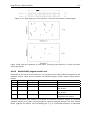
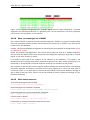
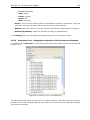
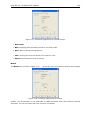
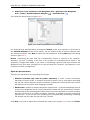
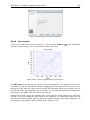
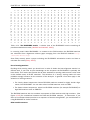
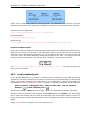
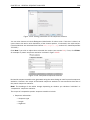
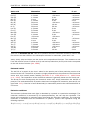
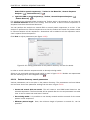
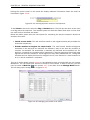
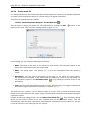
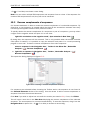
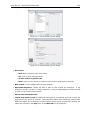
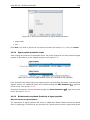
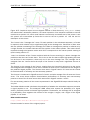
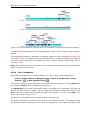
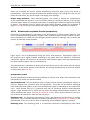
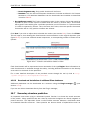
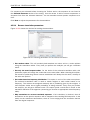
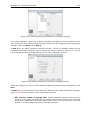
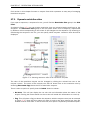
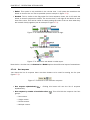
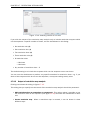
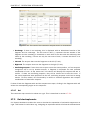
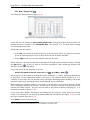
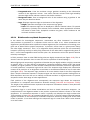
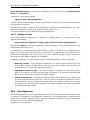
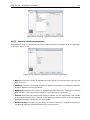
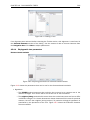
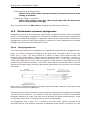
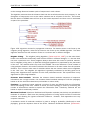
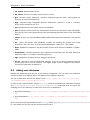
Figure 16.22 shows the choices for making the translation.
Figure 16.22: Choosing parameters for the reverse translation.
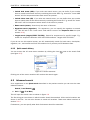
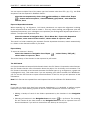
• Use random codon. This will randomly back-translate an amino acid to a codon without
using the translation tables. Every time you perform the analysis you will get a different
result.
• Use only the most frequent codon. On the basis of the selected translation table, this
parameter/option will assign the codon that occurs most often. When choosing this option,
the results of performing several reverse translations will always be the same, contrary to
the other two options.
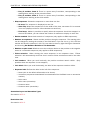
• Use codon based on frequency distribution. This option is a mix of the other two options.
The selected translation table is used to attach weights to each codon based on its
frequency. The codons are assigned randomly with a probability given by the weights. A
more frequent codon has a higher probability of being selected. Every time you perform
the analysis, you will get a different result. This option yields a result that is closer to the
translation behavior of the organism (assuming you choose an appropriate codon frequency
table).
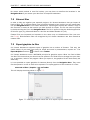
• Map annotations to reverse translated sequence. If this checkbox is checked, then all
annotations on the protein sequence will be mapped to the resulting DNA sequence. In the
tooltip on the transferred annotations, there is a note saying that the annotation derives
from the original sequence.