1
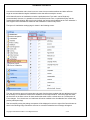
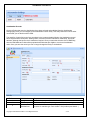
AutoNumber User Manual AutoNumber AutoNumber is an add-on product that can create a unique, easy to read reference number for records in the CRM system. This tool allows system customizers to add AutoNumbering to CRM entities that are not supported by the built-in numbering system. It makes it easy to create an AutoNumber that can be used by users to uniquely identify a record in the system without referencing another field or the GUID. The AutoNumber can be used to link the CRM record with other systems – a back office system or accounting applications or even paper files. AutoNumber supports all custom entities and systems entities that users are permitted to create new attributes. Feature Recap: • • • • • • • • • • • • • • • • Supports records generated by Workflow. An AutoNumber can also be applied to entities that have a numbering system already such as Contracts, Cases, Articles, Quotes, Orders, Invoices, and Campaigns. AutoNumber field can be set to be read only or does not even have to be published to the form There can be more than one AutoNumber for a record (i.e. multiple fields) Customizable prefix and suffix for each entity including setting the length of the prefix and/or suffix. Starting AutoNumber can be set by the user The AutoNumber can be incremented or decremented The amount of increment can be set by the user. AutoNumbers can be of various format types: Integer Floating point Fixed length (padded left) Decimal value Positive or negative values At anytime the admin can stop, reset or restart the AutoNumber parameters Records created prior to starting the AutoNumber system can be numbered by the AutoNumber add-in. Preview the format of the AutoNumber Supports online and offline users. (AutoNumbers are added to records when the user goes back online) AutoNumbers will never be duplicated or re-used. The system is enterprise class as there is no possibility of using the same number for 2 different records. If a record is deleted or deactivated it’s number will not be used again. “AutoNumber Settings” page: A CRM user that has been granted rights to the Settings page will be able to enable AutoNumbers for any custom and customizable entities. The user can enable the entities for which they require to provide the AutoNumbers. Only entities enabled here and published would be displayed in the CRM Entity picklist in the AutoNumber entity. NOTE: The only Attribute type that is eligible to receive an AutoNumber is a nvarchar type. AutoNumbers are not generated for ‘numeric’ attributes. Therefore the only attributes that will appear in the CRM Attribute Picklist in the AutoNumber entity will be nvarchar (text field). Therefore if you need to create a new attribute Copyright © 2009 CRM Innovation LLC All Rights Reserved 2 of 9