1
DonorPerfect Online
Introduction
Introduction
Email Receipting allows you to send receipts and acknowledgments to your donors via
email. This can be done instead of regular letter-style receipts generated through mail
merges, or in combination with letter receipts.
Note: Consolidated receipting users please refer to the DonorPerfect Online User Manual or
the online help for instructions on using email receipting with consolidated receipting.
Choosing Email and/or Letter Receipting
You can select receipting options at the system, donor and gift levels.
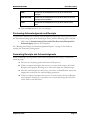
In the Acknowledgments/Receipts parameters screen, the Default Donor Receipt
Delivery Method parameter sets whether receipts & acknowledgments will be sent via mail,
letter, email AND letter, or not at all. This is the default setting for your entire DonorPerfect
Online system.
For each donor in the system, you can choose whether you want to send their
receipts/acknowledgments via email, or letter, both, or not at all. This option can be set in
the Main Entry Screen once email receipting is activated. The donor level setting overrides
the system level setting.
Lastly, you can also select email receipting, letter receipting, both, or none when you enter a
gift. The gift level setting overrides the system and donor level settings.
Workflow
The basic workflow for email receipting is as follows:
1. Set up receipting and activate email receipting.
2. Set up email templates for your receipts and acknowledgments.
3. Set receipting preferences for donors.
4. Select receipting preferences when entering gifts.
5. Preview your acknowledgments and receipts, if desired.
6. Generate email receipts and acknowledgments.
7. Generate mail merge data files for letter receipts and acknowledgments.
8. Update the batch number.
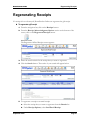
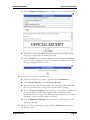
Regenerating Official Receipts
If need be, you can regenerate an official email receipt like you would do for an official letter
receipt.
September 2010
Page 3