1
DonorPerfect Online
Email Receipting
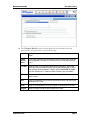
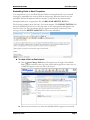
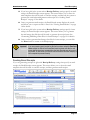
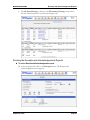
4. The Message Body section is where you can enter the text that will appear in
the body of the email message. At the bottom of the screen, you can select
whether to format the body of the message as Rich HTML, which allows you
to format the text in a variety of ways using the toolbar at the top of the text
field, or as Plain Text, which has no formatting.
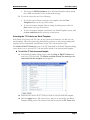
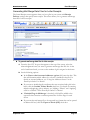
5. If desired, you can also embed DonorPerfect Online fields in your email
message. Embedded fields have an appearance like
%%BIO.AVAILABILITY_DAY%%. When the email is sent, the embedded
field will be replaced with the contents of that field in the current record. See
“Embedding Fields in Email Templates” on page 8 for details.
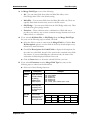
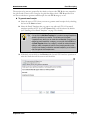
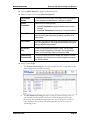
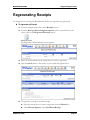
6. The Official Receipt and PDF Attachment sections are used for email
receipting. When email receipting is activated, two emails will be sent to each
donor: the standard email, and a second email consisting of the following:
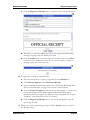
•
The headings will be the same as for the first message, except that “Official
Receipt” will be appended to the Subject line.
•
The text in the Official Receipt tab of the Email Template will form the
body of the message.
September 2010
Page 7