1
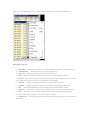
Chart autoscroll - disables/enables chart autoscroll to the left once a new quote is received. You can
also press the
button on the "Charts" toolbar or use the Charts -> Autoscroll menu sequence.
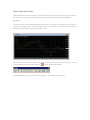
How to Open/Close a position
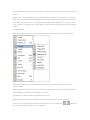
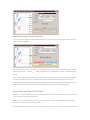
In order to enable the "Order" window:
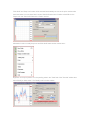
1. Right-click on the "Market Watch" window or on the "Trade" tab of the ‘Terminal' window and select
New order from the context menu; or
2. Use the Tools -> New Order menu sequence; or
3. Right click on the chart window and select Trading -> New Order from the context menu; or
4. Double click on the currency pair in the "Market Watch" window.
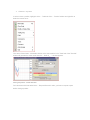
The Order Window
In MetaTrader4 there are two ways of making deals: ‘Instant Execution' and ‘Request Execution'.
Instant Execution
Instant Execution means that you do not have to request quotes as you see real-time dealable prices in
the ‘Order' window and in the ‘Market Watch' window. Once you have decided to buy or sell at the
current price press the "Buy" or "Sell" buttons to open a long or short position. For the instruments
which are traded in the ‘Instant Execution' mode all quotes which are in the "Market Watch" window
are executable, not indicative.
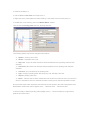
For the instruments traded in the "Request Execution" mode all quotes in the ‘Market Watch' window
are indicative and the "Buy" and "Sell" buttons are inactive. In order to make a deal you should request
the quote from MetaTrader by pressing the "Request" button: