1
QL9600 Universal Programmer User Manual Rev. A
Quick Start
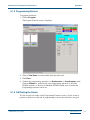
5.1.5 Programming Devices
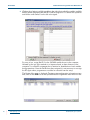
To program the devices:
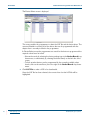
1. Click on Program.
The Program Function screen is displayed.
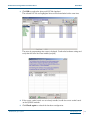
2. Click on Task Name to review details about the active task.
3. Click Close.
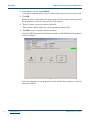
4. Conduct the programming operation in a Synchronous or Asynchronous mode.
Click on All Start to synchronously start programming operation on all of the
QL9600 modules, or click on an individual QL9600 module icon to activate the
programming operation in that site.
5.1.6 QA/Testing the Device
The QA screen looks similar to the Programming Function screen. Use this screen to
perform a similar test at the end of programming to ensure that the devices are good.
© 2004 QuickLogic Corporation
www.quicklogic.com
•
• 21
•
•
•
•