1
SECTION 4
“APMDEC” WINDOWS BASED
SETUP PROGRAM REFERENCE
________________________________________________________
4.3.2 SETUP COMM PORT
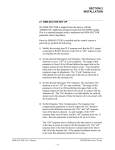
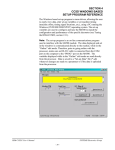
This function allows the user to specify the serial communications
port and rate to talk to the M4503. The programming port of the
M4503 is set to 9600 baud.
Once selected, a dialog box requesting the user to select a “Comm
Port” and “Baud Rate” will be displayed. The default setting is
COM1 at 9600 baud. The option to select the 19200 baud rate is to
allow the user to communicate with the processor via the S4516 serial
communications board.
In most cases, the user will only need to specify the communications
port and leave the baud rate at 9600. If communication problems
occur, make sure there is a secure connection from the PC to the PLC.
Then check the Comm port. In most cases, the user will only need to
select a new Comm port. If communication problems persist, there
may be another program causing a conflict with the port. Check the
port configuration from the “Settings” folder.
HSL-DC6 User’s Manual
SYSTEMS Electronics Group
- 50 -