1
Communication
USB Communication
First ensure that the appropriate drivers have been installed. In order to communicate with your 3Space Embedded Sensor over USB, the following steps should be taken:
1.
2.
3.
4.
Ensure that the power switch is in the off position.
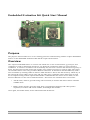
Ensure that the TSS-EM module is correctly installed in the socket.
Ensure that jumper JP2 is set to position 1.
Connect the mini USB connector to an available USB port on the host system using an
appropriate cable.
5. Power the Embedded Development Kit on. The TSS-EM module will enumerate and
create a virtual COM port to facilitate communication. Refer to the TSS-EM User's
Manual for detailed information describing the TSS-EM module communication
protocol.
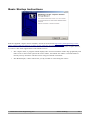
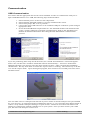
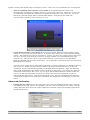
If you are performing these steps for the first time, the “Found New Hardware” wizard will appear:
Select “No, not this time” and then “Install the software automatically”. Two more “Found New
Hardware Wizards” may appear, select the same options on these. After a moment the installation
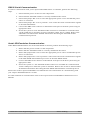
should finish. We may now check to ensure the 3-space sensor is working. The easiest way to do this
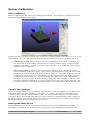
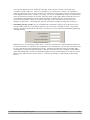
is to run the 3 Space Suite. Upon running this program, there will be a list of COM ports in the lower
left hand corner.
You can either select a COM port from this list if you are aware of which COM port was just installed
for your sensor(i.e. it wasn't there before installing the sensor), or you can hit the Auto-Detect button in
order to verify which COM ports belong to 3-space sensors. Please be aware that Auto-Detect will
attempt to communicate with all COM devices on your system. Once you have chosen your COM
port, the suite will attempt to connect to it.
©2007-2011 Yost Engineering, Inc.
Patent Pending
3/8