1
6/392
MxCC User Manual
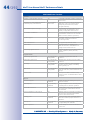
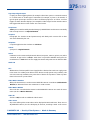
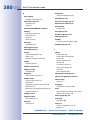
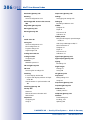
4.8 Security Considerations
220
4.8.1 General Thoughts On Network Security
4.8.2 Restricting Public Access To The Cameras
4.8.3 Securing The MxControlCenter Workstation
4.8.4 Using Encrypted Connections To Access Cameras
4.8.5 Signing The Recorded Video Data
4.8.6 Configuring And Monitoring The Action Log
4.8.7 Monitoring Camera Connections
4.8.8 Configuring The Dead Man’s Switch
220
220
222
223
226
229
230
231
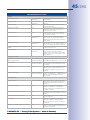
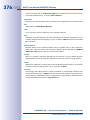
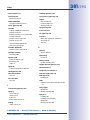
4.9 Working With MxControlCenter Configurations
232
4.9.1 Automatically Loading Program Settings
4.9.2 Saving Program Settings And Exporting Installations
4.9.3 Using Different MxControlCenter Configurations
232
232
234
5
Enhanced Features
5.1
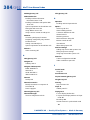
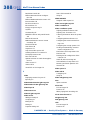
Update Assistant - Software Updates And More
236
236
5.1.1 Elements Of The Update Assistant Dialog
5.1.2 Update Assistant Toolbar Buttons
5.1.3 Getting Started With Update Assistant
5.1.4 Checking The Camera Connection Status
5.1.5 Updating The Software Of MOBOTIX Cameras
5.1.6 Installing MOBOTIX Application Software
5.1.7 Saving And Uploading Settings Of One Or More Cameras
5.1.8 Backing Up And Restoring The Entire System
5.1.9 Changing The Configuration Of Many Cameras At Once
5.1.10 Using Update Assistant As A Stand-Alone Application
237
238
238
241
242
245
245
248
248
249
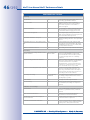
5.2 Using Snap Server NAS Systems
251
5.2.1 Adding Overland Storage Snap Servers
5.2.2 Configuring And Editing Snap Server Settings
251
252
5.3 Connecting Remote Cameras Using DynDNS
253
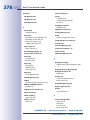
5.4 Using Pan/Tilt Heads, Third-Party Cameras and Joysticks
259
5.4.1 Using MOBOTIX Cameras With Pan/Tilt Heads
5.4.2 Integrating Third-Party IP PTZ Dome Cameras
5.4.3 Integrating Analog Third-Party PTZ Cameras
259
262
265
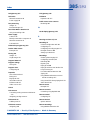
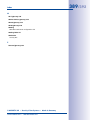
5.5 MxServer - Integrating Third-Party Cameras
269
5.5.1 Introduction To MxServer
5.5.2 MxServer - System Requirements And Installation
5.5.3 Connecting An Analog PTZ Camera To MxServer
5.5.4 Connecting A Third-Party IP Camera To MxServer
5.5.5 Setting Up Recording In MxServer
5.5.6 Automatically Starting MxServer On The Computer
269
270
273
274
274
275
© MOBOTIX AG • Security-Vision-Systems • Made in Germany
www.mobotix.com • [email protected]