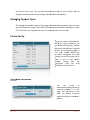
1
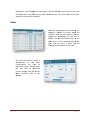
You’ll find informative reports, including sales and inventory reports in the reports tab. The Marketing Center has everything you’ll need to effectively market your restaurant. Menu‘s Explained Your menu is all of your items available for order in your POS. In order to set up your menu, you need to understand the war Rely POS categorizes items and options for your menu items. There are seven layers in the Rely POS menu system. The first layer is the menu. Menus can be programmed to display during certain times, no other layer has this feature. The next layer is Category, you will need to put your categories in menus for them to display. If you have a category but it’s not inside a menu, it won’t display. That is true for every layer in the menu system. The next layer is the Sub‐Category. After Subcategory is the Item layer. The item layer in what you are ordering so it will require a price. You’re not actually ordering menus categories or subcategories; these ate just for organizing your POS. You can add preparation preferences to your items, for example if you had eggs you may want preparations such as scrambled, or sunny side up. Your Items can also have sides associated with it. The last layer is Side Preparation. Display Menu The Display Menu Page allows you to see the hierarchy of the Menus, Categories, Subcategories, items, Preparations, sides and side preparations you have created. This page can help you by showing you your menu as it is currently configured. If you see problems here, you can go to the area you need to change and make the changes, then come back to the Display Items page and verify the changes you made were correct. Rely POS Page 18