1
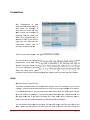
F.A.Q. How do I…… Create Special Orders Make Multiple Payments With Rely POS you can make multiple payments on a Guest Check. First sign in the find your check through Open Checks or Pickup Table, next you will land on the Order Screen, next you’ll need to enter the payment screen. On the Payment screen you will see multiple payment options. You can pay by Cash, Check, or Credit Card; you can even post partial payments by credit card. To view your payments, and change them, press Rely POS Page 43