1
Visual MODFLOW 3.1 Tutorial
Table of Contents
Introduction to Visual MODFLOW 3.1
About the Visual MODFLOW 3.1 Demo
What’s New in Visual MODFLOW
New Features In Visual MODFLOW 3.1
New Features In Visual MODFLOW 3.0
Visual MODFLOW 3.0 Demo Installation
Hardware Requirements
Installing Visual MODFLOW
Starting Visual MODFLOW
About the Interface
Getting Around In Visual MODFLOW
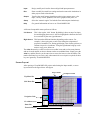
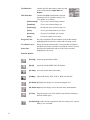
Screen Layout
3
5
5
7
9
9
9
10
10
10
11
Visual MODFLOW Pro Tutorial
14
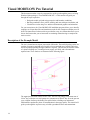
Description of the Example Model
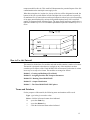
How to Use this Tutorial
Terms and Notations
Getting Started
14
15
15
16
Module I: Creating and Defining a Flow Model
16
Section 1: Generating a New Model
Section 2: Refining the Model Grid
Section 3: Adding Pumping Wells
Section 4: Assigning Flow Properties
Section 5: Assigning Flow Boundary Conditions
Assigning Aquifer Recharge to the Model
Assigning Constant Head Boundary Conditions
Assigning River Boundary Conditions
Section 6: Particle Tracking
16
21
27
28
35
35
36
40
42
Module II: The Contaminant Transport Model
43
Section 7: Setting Up the Transport Model
Section 8: Contaminant Transport Properties
Viewing Sorption Properties
Assigning Dispersion Coefficients
Section 9: Transport Boundary Conditions
Section 10: Adding Observation Wells
43
45
46
46
47
48
Module III: Running Visual MODFLOW
50
Section 11: MODFLOW Run Options
MODFLOW Solver Options
Dry Cell Wetting Options
Section 12: MT3DMS Run Options
MT3DMS Solver Settings
2
3
51
51
51
52
52