1
UDP Commander
Sommario
1
Notes, Terms and Warnings ...................................................................................................................................... 7
2
Product description ................................................................................................................................................... 9
2.1
Main features .................................................................................................................................................... 9
2.2
Minimum system requirements........................................................................................................................ 9
3
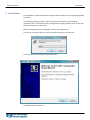
Installation .............................................................................................................................................................. 11
4
Operativeness ......................................................................................................................................................... 17
4.1
Main window .................................................................................................................................................. 18
4.1.1
Change settings ....................................................................................................................................... 18
4.1.2
New configuration file............................................................................................................................. 18
4.1.3
Connect ................................................................................................................................................... 19
4.1.4
Change drive configuration ..................................................................................................................... 19
4.1.5
Update drive firmware ............................................................................................................................ 19
4.1.6
LAM Technologies ................................................................................................................................... 19
4.1.7
Program Quit ........................................................................................................................................... 19
4.2
xS10 series drive configuration window ......................................................................................................... 19
4.2.1
New configuration file............................................................................................................................. 20
4.2.2
Open configuration file ........................................................................................................................... 20
4.2.3
Save configuration file ............................................................................................................................ 21
4.2.4
Back to program selection form.............................................................................................................. 21
4.2.5
Configure drive ........................................................................................................................................ 21
4.2.6
Change the phase current waveform ..................................................................................................... 21
4.2.7
LAM Technologies ................................................................................................................................... 22
4.2.8
Program Quit ........................................................................................................................................... 22
4.2.9
Setting ..................................................................................................................................................... 22
4.2.10
Advanced functionalities ......................................................................................................................... 25
4.2.11
Information and diagnostics ................................................................................................................... 26
4.3
DS30 and DS5x series drive setting and programming window ..................................................................... 27
4.3.1
New application program ....................................................................................................................... 29
4.3.2
Open the application program ................................................................................................................ 29
4.3.3
Save the application program ................................................................................................................. 29
4.3.4
Export application program in text format ............................................................................................. 29
4.3.5
Copy and remove the selected block ...................................................................................................... 29
4.3.6
Import application program in text format ............................................................................................ 29
4.3.7
Copy the selected block .......................................................................................................................... 29
4.3.8
Insert the copied block............................................................................................................................ 29