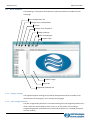
1
Operativeness
UDP Commander
4.2.6.1 Standard
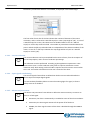
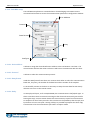
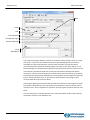
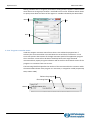
The Standard option is selected by default and indicates that the waveform of the current
supplied by the drive to the motor is a pure sinusoidal wave.
4.2.6.2 Custom
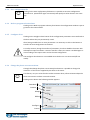
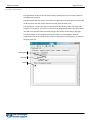
Selecting the Custom option the Shape and Offset cursor keys are activated and allow to
personalize the current waveform.
4.2.6.3 Shape
The Shape cursor key acts on the harmonic content of the current supplied to the drive.
The optimal regulation value must be found experimentally and depends to the type of
motor. For LAM Technologies motors this value is usually included between 0 and -4.
4.2.6.4 Offset
The Offset cursor key allows to operate on the current offset in respect to the 0.
Usually this parameter does not need to be modified and can be left at the default value
(zero).
4.2.6.5 Configure
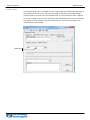
Clicking on the Configure button the settings are transferred to the drive.
!
For safety reasons, during the transfer of parameters, the drive disables the motor with
subsequent torque annulment. Once the transfer is done, the motor is enabled again or
not according to the inputs status and to the new configuration.
The Configure button is not available when the drive is not connected (off-line mode).
4.2.6.6 Cancel
Clicking on the Cancel button the page of the current waveform setting is closed.
4.2.7
LAM Technologies
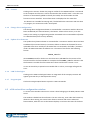
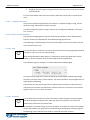
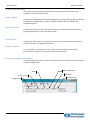
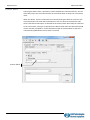
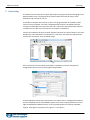
Clicking on the LAM Technologies button an image with all the company contacts will
appear (press ESC key on the keyboard to close).
4.2.8
Program Quit
Click on the Program Quit button to quit the UDP Commander.
4.2.9
Setting
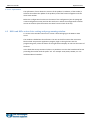
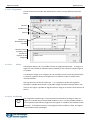
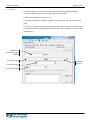
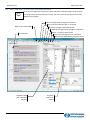
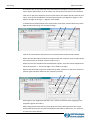
The Setting frame includes all the controls that allow to better adapt the drive to the
application requirements.
☺
22
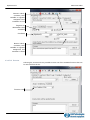
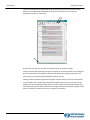
Thanks to the several and accurate regulations, impossible to be obtained through the
common dip-switches, it is possible to set the drive to adapt itself to the control system
signals, to the type of motor used, etc. without the need to add external components as
resistors, etc.