1
$ ln filename linkname
creates another directory entry for filename called linkname (i.e. linkname is a hard
link). Both directory entries appear identical (and both now have a link count of 2).
If either filename or linkname is modified, the change will be reflected in the other
file (since they are in fact just two different directory entries pointing to the same
file).
$ ln -s filename linkname
creates a shortcut called linkname (i.e. linkname is a soft link). The shortcut
appears as an entry with a special type ('l'):
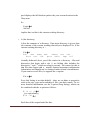
$ ln -s hello.txt bye.txt
$ ls -l bye.txt
lrwxrwxrwx
1 will finance 13 bye.txt -> hello.txt
$
The link count of the source file remains unaffected. Notice that the permission
bits on a symbolic link are not used (always appearing as rwxrwxrwx). Instead the
permissions on the link are determined by the permissions on the target
(hello.txt in this case).
2.6 Specifying multiple filenames
Multiple filenames can be specified using special pattern-matching characters. The
rules are:
•
•
•
•
'?' matches any single character in that position in the filename.
'*' matches zero or more characters in the filename. A '*' on its own
will match all files. '*.*' matches all files with containing a '.'.
Characters enclosed in square brackets ('[' and ']') will match any
filename that has one of those characters in that position.
A list of comma separated strings enclosed in curly braces ("{" and
"}") will be expanded as a Cartesian product with the surrounding
characters.
For example:
Oyelade, O. J. and Isewon I – H3AbioNet Postgraduate course, 2014
Page 11