1
Bravo Express
5.1.2 On the AS/400
O
Obbjjeecctt P
Paarraam
meetteerrss
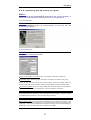
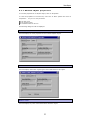
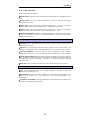
Object name: enter the name of the object to be searched for. Wildcards may be
used.
Library name: enter the name of the library in which to carry out the search.
Wildcards may not be used.
Object type: specify which type of object to search for. If you do not want to
search by object type, leave the default *ALL. Wildcards maynot be used.
Owner: specify the owner of the object to search for. If you do not want to
search by owner, leave the default *ALL. Wildcards may be used.
Extended attributes: specify the extended attributes of the object to search for.
If you do not want to search by extended attributes, leave the default *ALL.
Wildcards may be used.
Save date: enter in this tab the date the files to be searched for were saved.
A
Addvvaanncceedd
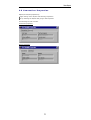
Size: select whether the size of the objects defined to the right is either the
minimum or the maximum size.
System level: enter the version of OS/400 for the system corresponding to the
objects to be searched for.
This must be in the format VxxRxxMxx, e.g.:
V04R03M00.
Containing description: enter the description associated with the object to be
searched for. Wildcards can be used.
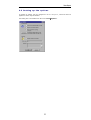
Note: If a search is to long, it may be stopped by clicking on the "Stop" button.
30