1
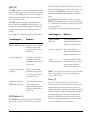
For example, the following searches really mean:
Searching For ...
Returns ...
Administrator
carbon NOT
diamond
the word carbon, but not
the word diamond
anywhere in the document’s text.
carbon ~ diamond
the word carbon, but not
the word diamond
anywhere in the document’s text.
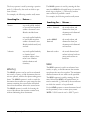
For example, the following searches really mean:
Searching For ...
carbon OR diamond the words carbon,
diamond, or both anywhere
in the document’s text.
carbon | diamond
carbon NOT
(diamond OR
graphite)
the word carbon, but not
the word diamond or
graphite anywhere in the
document’s text.
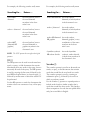
NOTE: The NOT operator does not affect other logical
operators.
620•SearchingCambridgeSoft
the words carbon,
diamond, or both anywhere
in the document’s text.
carbon OR diamond the words carbon,
OR graphite
diamond, graphite, or any
combination of the terms
anywhere in the document’s text
thymidine synthesis
OR carbon dioxide
OR (|)
The OR operator can be used in an advanced text
search, or query, to find documents that contain
information about any words in the query, but not
necessarily all words in the query. The OR operator
is used by, entering the first term, followed by the
word OR in all capital letters (or enter the pipe (|)),
followed by another term on which the search is to
be performed.
Use the OR operator to search for documents that
contain at least one occurrence of any of the query
terms.
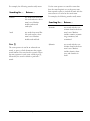
Returns ...
the words thymidine
synthesis, carbon dioxide,
or both terms anywhere in
the document’s text.
Soundex (!)
The soundex operator is used in an advanced text
search, or query, to find documents that contain
words that sound like the word used in a search.
The soundex operator is used by, entering an
exclamation point (!), followed by the word on
which to perform a search.
Use the soundex (!) operator to expand queries to
include words that have similar sounds; that is,
words that sound like other words. This function
allows comparison of words that are spelled differently, but sound alike in English.