1
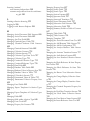
Contents
NOTE: This manual begins on page 503 because page numbering is the same as in the ChemOffice 2006 complete manual.
Likewise, the chapter numbering begins with 26.
Chapter 26: Introducing E-Notebook 10.0
New Features . . . . . . . . . . . . . . . . . . . . . . . . . . . . . .
Terminology . . . . . . . . . . . . . . . . . . . . . . . . . . . . . . .
About the E-Notebook Guide . . . . . . . . . . . . . . .
Getting Started in E-Notebook . . . . . . . . . . . . . .
Logging In . . . . . . . . . . . . . . . . . . . . . . . . . . . . . . .
Start Menu Login. . . . . . . . . . . . . . . . . . . . . . . . . . .
Logging in with Internet Explorer . . . . . . . .
Navigation Overview . . . . . . . . . . . . . . . . . . . . .
Security Overview . . . . . . . . . . . . . . . . . . . . . . . .
503
504
506
506
506
506
506
507
507
E-Notebook Overview . . . . . . . . . . . . . . . . . . . . . 508
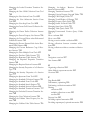
Chapter 27: Working with E-Notebook
Notebooks, Pages, Experiments, and Other
Collections . . . . . . . . . . . . . . . . . . . . . . . . . . . . . . . .
Working with the User Collection . . . . . . . . . .
Adding a New Collection to the User
Collection . . . . . . . . . . . . . . . . . . . . . . . . . . . . .
Adding a Reference within the User
Collection . . . . . . . . . . . . . . . . . . . . . . . . . . . . .
Browsing up to the User Group . . . . . . . . . .
Working with Notebooks. . . . . . . . . . . . . . . . . .
Creating a Notebook . . . . . . . . . . . . . . . . . . . .
Working with Pages and Experiments . . . . . .
Creating a Page or Experiment . . . . . . . . . . .
Creating a Page or Experiment from a
Template . . . . . . . . . . . . . . . . . . . . . . . . . . . . .
Closing and Reopening Pages and
Experiments . . . . . . . . . . . . . . . . . . . . . . . . . .
Working with the Inbox . . . . . . . . . . . . . . . . . . .
Working with Folders . . . . . . . . . . . . . . . . . . . . .
Creating a Folder . . . . . . . . . . . . . . . . . . . . . . .
Adding a Reference to the Folder . . . . . . . .
Working with the User Configuration Folder
Working with Reactants Collections . . . . . . . .
Adding a New Reactant to an Existing
E-Notebook 10
511
511
512
512
512
512
513
513
513
514
514
514
514
514
514
515
515
Reactant Collection . . . . . . . . . . . . . . . . . . . . . 515
Adding a New Reactant Collection . . . . . . . . 516
Working with Table of Contents . . . . . . . . . . . . 516
Hiding Columns . . . . . . . . . . . . . . . . . . . . . . . . 516
Showing Columns . . . . . . . . . . . . . . . . . . . . . . 516
Sorting Items in the TOC . . . . . . . . . . . . . . . . 517
Working with Templates. . . . . . . . . . . . . . . . . . . . . 517
Working with MS Office Sections,
Reactions, and other Sections . . . . . . . . . . . . . . 518
Reaction Sections . . . . . . . . . . . . . . . . . . . . . . . 518
Captured Image Sections . . . . . . . . . . . . . . . . 518
Ancillary Data Sections . . . . . . . . . . . . . . . . . . 518
Table Sections . . . . . . . . . . . . . . . . . . . . . . . . . . 519
Spectrum and Spectra Sections . . . . . . . . . . . 519
MS Word Sections . . . . . . . . . . . . . . . . . . . . . . 519
MS Excel Spreadsheet Sections . . . . . . . . . . . 519
Send2ENotebook and Send2File . . . . . . . . . . . . . 519
Working with Send2ENotebook . . . . . . . . . . . . 520
Working with Send2File . . . . . . . . . . . . . . . . . . . 521
Working Offline . . . . . . . . . . . . . . . . . . . . . . . . . . . . 522
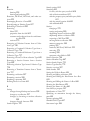
Chapter 28: E-Notebook Features
Browsing the Collection Tree . . . . . . . . . . . . . . . . 525
Showing and Hiding Collections . . . . . . . . . . . . 525
Hiding the Collection Tree . . . . . . . . . . . . . . . . . 525
Limiting Collection Browsing. . . . . . . . . . . . . . . 525
Browsing from Home . . . . . . . . . . . . . . . . . . . . . 526
Browsing at a Higher Level. . . . . . . . . . . . . . . . . 526
Browsing the Entire Collection Tree . . . . . . . . 527
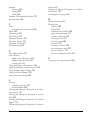
E-Notebook Workflows . . . . . . . . . . . . . . . . . . . . . 527
Reactions in E-Notebook . . . . . . . . . . . . . . . . . . 528
Drawing and Analyzing Reactions . . . . . . . . 528
Drawing a Structure or Reaction . . . . . . . . . . 528
Expanding the Drawing Window . . . . . . . . . 528
Working with ISIS/ Draw . . . . . . . . . . . . . . . . . 528
Drawing a Structure or Reaction . . . . . . . . . . 529
Contents