1
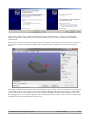
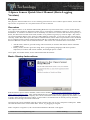
Select “No, not this time” and then “Install the software automatically”. Two more “Found New
Hardware Wizards” will appear, select the same options on these. After a moment the installation
should finish.
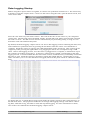
We may now check to ensure the 3-Space Sensor is working. The easiest way to do this is to run the 3Space Suite. Upon running this program, there will be a list of COM ports in the lower left hand
corner.
Select the COM port from the list which corresponds to your sensor. If you are unsure as to which port
corresponds to your sensor, look to see if one of them is labeled with your type of sensor. Alternately,
you can check the list of COM ports with your sensor unplugged, and then recheck the list once you
have plugged it in. If a new port appears, this corresponds to your sensor. Once you have chosen your
COM port, the suite will attempt to connect to it.
©2007-2013 Yost Engineering, Inc.
Patent Pending
2/7