1
Table of Contents
The Wizard Test Maker™
Technical Support Resources
iv
1 - Getting Started
Requirements
Installation Under Windows 3.x and 95/98 Using CD
Launching Wizard Test Maker™
Signing on for the First Time
Registering Your Computer and Databases
1
1
2
2
2
2 - Managing User Accounts
Modifying the Master Account
Adding a New User
Deleting an Account
3
3
3
3 - Creating a Test
1) By Using the Catalogue
2) By Random Selection
3) By Browsing the Topics
4
4-5
5
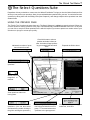
4 - The Select Questions Suite
Using the Preview Page
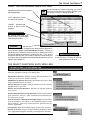
Using the Expandable Question Grid
The Select Questions Suite Menu Bar
6
7
7
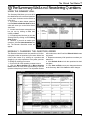
5 - The Summary Wall and Reordering Questions
Using the Summary Wall
Manually Changing the Question Order
8
8
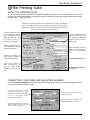
6 - The Printing Suite
Using the Printing Suite
Formatting Your Exam and Adjusting Headers
Print Options Menu
Multiple Versions Print
9
9
10
10
7 - Saving Exams and The Vault
Saving Your Exam to the Vault
Saving Your Exam to Disk/Drive
The Vault
Adding, Renaming, and Deleting a Test
Retrieving a Saved Exam from the Vault
Retrieving a Saved Exam from Disk/Drive
11
11
11
12
12
12
8 - The Editing Suite
Using the Editing Suite
Steps to Editing or Adding Text to a Question
Adding Pictures Using the Editing Suite
Editing a Picture
Using the Family Tree
Classifying or Reclassifying a Question
Adding, Renaming, and Deleting a Classification
Setting Type Styles
Using Special Characters
13
13
14
14
15
15
15-16
16
16
9 - Special Options
Printing and Updating Question Catalogues
Classroom Review of Test Questions
17
17
10 - Appendix
The Shuffling Option
Preview Screens
Reclassifying Questions
Printing on Legal Size Paper (Windows 95/98)
NYS Regents Exams
18
18
18
18
18
iii