1
104
Chapter 6. Toolbar Reference
6.8 Paste
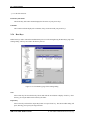
Select the Paste option to add previously copied text or files or folders into a new location.
If you are pasting text (in the terminal window), the text that was copied earlier into the clipboard will be
inserted in the cursor location. You can paste text that was copied from the terminal window or any other
Windows text window.
If you are pasting files (in the File Transfer window), an Upload dialog is displayed when the files are pasted
to the new location. This resembles using the Windows clipboard: You can copy files to a temporary storage
and paste them later into another location. The file names of the pasted files and folders do not change during
the operation. Therefore it is not possible to paste files or folders several times into one location.
Note that the paste operation is not available until you have previously copied something in the clipboard.
You can do a paste operation also by using the keyboard shortcut Shift-Insert on the keyboard. This shortcut
is available in both Terminal and File Transfer windows.
6.9 Paste Selection
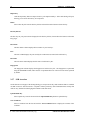
Select the Paste Selection option to paste text into the terminal window without first copying anything to the
clipboard. The Paste Selection operation copies whatever is currently selected in the terminal window to the
present cursor position. If no text is selected, Paste Selection pastes the single character in the current cursor
position.
This function is almost like having two different clipboards available at the same time. Paste Selection is
especially useful for quick copying of text from the output of previous commands.
The Paste Selection toolbar button is available only in the terminal window.
6.10 Find
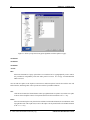
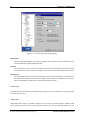
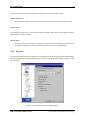
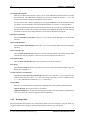
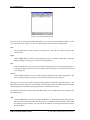
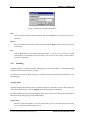
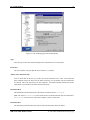
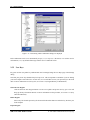
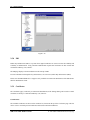
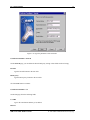
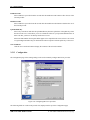
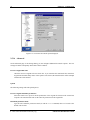
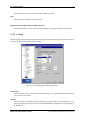
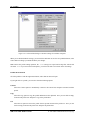
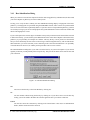
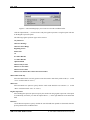
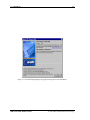
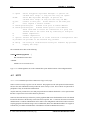
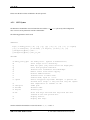
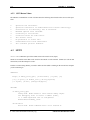
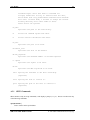
Select the Find option to locate text (or any other characters) from the scrollback buffer. Regular expressions
can be used to select characters matching a specific pattern.
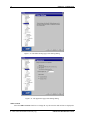
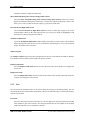
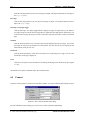
Find what
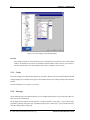
Type in the characters that you want to search for in the Find what field. If you want to use regular
expressions to define the search term, select the Regular expression option, or select a ready defined
regular expression by clicking the ellipsis button (...) on the right hand side of the Find what field.
...
c 2001 SSH Communications Security Oyj
SSH Secure Shell Windows Client