1
2.4. Profile Settings
27
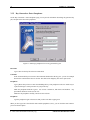
Up
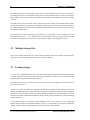
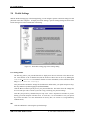
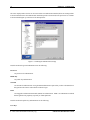
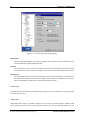
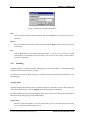
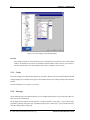
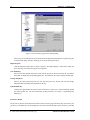
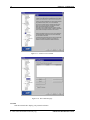
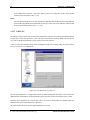
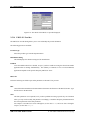
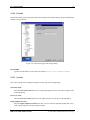
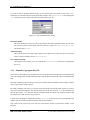
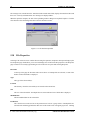
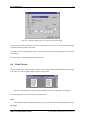
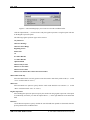
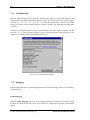
You can give a cipher a higher priority by clicking it with the mouse, and then clicking the Up button.
The marked algorithms that are located on the top of the list are preferred.
SSH Secure Shell will try to use the first marked algorithm in the connection. If that algorithm is not
supported by the remote host computer, the client software will try the next marked algorithm on the
list, and so on.
Down
To give a cipher a lower priority rating, select it with the mouse, and then click the Down button.
Click the check box next to each algorithm to include or exclude it in the list of available custom algorithms.
An algorithm marked with a check mark is available for use.
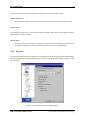
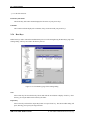
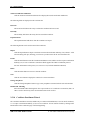
To use your customized list of preferred encryption algorithms, select Cipher List as the encryption algorithm on the Connection page of the Settings dialog. For more information, see section 2.4.1 (Connection).
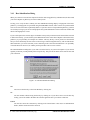
2.4.4 Colors
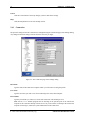
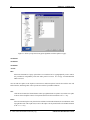
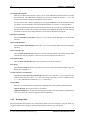
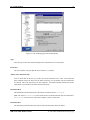
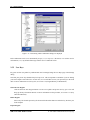
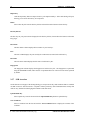
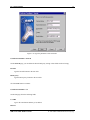
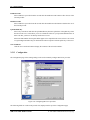
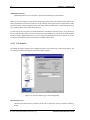
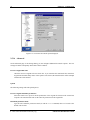
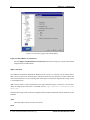
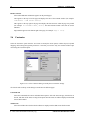
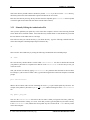
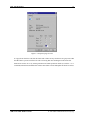
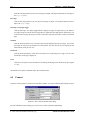
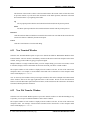
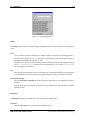
The colors used in the terminal window can be selected using the Colors page of the Settings dialog. The new
color settings are active immediately when you click the OK button. Note that changing the terminal colors
does not affect what is already visible on the terminal window, but the text output from this point onwards
will use the set color scheme.
To discard the changes, click the Cancel button.
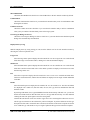
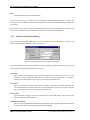
Use Global Colors
Select the Use Global Colors check box if you want to use the same color settings for each connection.
If the check box is selected, you cannot specify different color settings for each connection profile (the
other color settings are grayed out).
The Use Global Colors check box is visible only on the Colors page that is located under Profile
Settings in the Settings dialog.
Text Colors
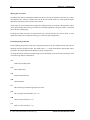
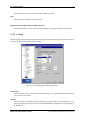
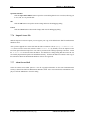
The text colors affect the terminal window background color and the color of text in both a connected window
and a disconnected window.
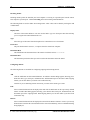
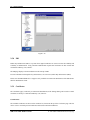
Foreground
Select the desired foreground color from the dropdown menu. Foreground color is used for text in a
window that has a connection to a remote host computer. Sixteen colors are available for your selection.
Black is the default foreground color.
SSH Secure Shell Windows Client
c 2001 SSH Communications Security Oyj