1
The following setup instructions are for installing View Touch 2.0 on Windows 2000 & XP.
Warning: Do not install View Touch 2.0 on Windows 98 because DirectX 9 is not compatible with Win98.
1. Please read the instructions carefully.
Improper installation may cause permanent damages, which may not be covered by the warranty.
2. Check all the parts in the package against the following parts list.
One Digital Light Sensor (Part No. VT-DC1)
One Dual Level Laser Pen (Part No. VT-LP1)
One Tabletop Tripod (Part No. VT-TP1)
One Installation CD (VT-CD1)
One User’s Manual (Part No. VT-UM1)
Two AA Batteries
One Warranty Card
3. Minimum System Requirements:
PIII 850MHz CPU , 128MB RAM, CD ROM, 1 Mb Hard Drive Space, USB port, Windows 2000/XP.
4. Software Installation:
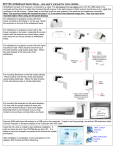
4.1. Insert the installation CD into your computer’s CD ROM. If you have downloaded View Touch 2.0 from website, run setup.exe.
Click Install View Touch.
Click Yes or No depending on your preference.
Installation starts.
Click Next.