1
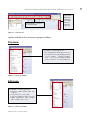
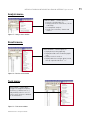
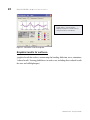
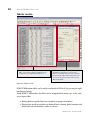
10 METHODS OF WORKING WITH ROBOT MILLENNIUM INTERFACE | System menu View menu: VIEW MENU – contains options for: 2D/3D view management of a structure’s model (Dynamic View, Zoom, Pan etc, Work in 3D) Structure attributes to be presented on the screen (Display); definition of grid parameters (Grid) Selection of tables with data or results (Tables) and saving defined views of a structure (History) Figure 6.4 - View menu window Geometry menu: GEOMETRY MENU - contains options to: Select or modify a type of a structure Define a model construction axis (Axis Definition) Define structural data - nodes, bars, panels and auxiliary objects Define materials Define bar profiles and their orientation and direction of local coordinate system Define supports and many other structural items Figure 6.5 - Geometry menu window Loads menu: LOADS MENU – contains options to define load cases and combinations Figure 6.6 - Loads menu window ROBOT Millennium - Getting Started Guide