1
Vivado Design Suite
Reference Guide
Model-Based DSP Design
using System Generator
UG958 (v2012.3) November 16, 2012
This document applies to the following software versions: Vivado Design Suite 2012.3 and 2012.4
Notice of Disclaimer
The information disclosed to you hereunder (the “Materials”) is provided solely for the selection and use of Xilinx products. To the maximum
extent permitted by applicable law: (1) Materials are made available "AS IS" and with all faults, Xilinx hereby DISCLAIMS ALL WARRANTIES
AND CONDITIONS, EXPRESS, IMPLIED, OR STATUTORY, INCLUDING BUT NOT LIMITED TO WARRANTIES OF MERCHANTABILITY,
NON-INFRINGEMENT, OR FITNESS FOR ANY PARTICULAR PURPOSE; and (2) Xilinx shall not be liable (whether in contract or tort, including
negligence, or under any other theory of liability) for any loss or damage of any kind or nature related to, arising under, or in connection with,
the Materials (including your use of the Materials), including for any direct, indirect, special, incidental, or consequential loss or damage
(including loss of data, profits, goodwill, or any type of loss or damage suffered as a result of any action brought by a third party) even if such
damage or loss was reasonably foreseeable or Xilinx had been advised of the possibility of the same. Xilinx assumes no obligation to correct
any errors contained in the Materials or to notify you of updates to the Materials or to product specifications. You may not reproduce,
modify, distribute, or publicly display the Materials without prior written consent. Certain products are subject to the terms and conditions
of the Limited Warranties which can be viewed at http://www.xilinx.com/warranty.htm; IP cores may be subject to warranty and support
terms contained in a license issued to you by Xilinx. Xilinx products are not designed or intended to be fail-safe or for use in any application
requiring fail-safe performance; you assume sole risk and liability for use of Xilinx products in Critical Applications:
http://www.xilinx.com/warranty.htm#critapps.
© Copyright 2012 Xilinx, Inc. Xilinx, the Xilinx logo, Artix, ISE, Kintex, Spartan, Virtex, Vivado, Zynq, and other designated brands included
herein are trademarks of Xilinx in the United States and other countries. All other trademarks are the property of their respective owners.
Revision History
The following table shows the revision history for this document.
Date
Version
10/16/12
2012.3
Revision
Initial Xilinx release.
Vivado: Designing with System Generator
UG958 (v2012.3) November 16, 2012
www.xilinx.com
2
Chapter 1: Xilinx Blockset
Organization of Blockset Libraries . . . . . . . . . . . . . . . . . . . . . . . . . . . . . . . . . . . . . . . . . . . . . . . . . . . 16
AXI4 Blocks . . . . . . . . . . . . . . . . . . . . . . . . . . . . . . . . . . . . . . . . . . . . . . . . . . . . . . . . . . . . . . . . . . . . . . . . . . . . . . .17
Basic Element Blocks . . . . . . . . . . . . . . . . . . . . . . . . . . . . . . . . . . . . . . . . . . . . . . . . . . . . . . . . . . . . . . . . . . . . . . .18
Communication Blocks . . . . . . . . . . . . . . . . . . . . . . . . . . . . . . . . . . . . . . . . . . . . . . . . . . . . . . . . . . . . . . . . . . . . .21
Control Logic Blocks . . . . . . . . . . . . . . . . . . . . . . . . . . . . . . . . . . . . . . . . . . . . . . . . . . . . . . . . . . . . . . . . . . . . . . .21
Data Type Blocks . . . . . . . . . . . . . . . . . . . . . . . . . . . . . . . . . . . . . . . . . . . . . . . . . . . . . . . . . . . . . . . . . . . . . . . . . .23
DSP Blocks . . . . . . . . . . . . . . . . . . . . . . . . . . . . . . . . . . . . . . . . . . . . . . . . . . . . . . . . . . . . . . . . . . . . . . . . . . . . . . .24
Floating‐Point Blocks . . . . . . . . . . . . . . . . . . . . . . . . . . . . . . . . . . . . . . . . . . . . . . . . . . . . . . . . . . . . . . . . . . . . . . .25
Index Blocks . . . . . . . . . . . . . . . . . . . . . . . . . . . . . . . . . . . . . . . . . . . . . . . . . . . . . . . . . . . . . . . . . . . . . . . . . . . . . .28
Math Blocks . . . . . . . . . . . . . . . . . . . . . . . . . . . . . . . . . . . . . . . . . . . . . . . . . . . . . . . . . . . . . . . . . . . . . . . . . . . . . .34
Memory Blocks . . . . . . . . . . . . . . . . . . . . . . . . . . . . . . . . . . . . . . . . . . . . . . . . . . . . . . . . . . . . . . . . . . . . . . . . . . .36
Tool Blocks . . . . . . . . . . . . . . . . . . . . . . . . . . . . . . . . . . . . . . . . . . . . . . . . . . . . . . . . . . . . . . . . . . . . . . . . . . . . . . .37
Simulink Blocks Supported by System Generator . . . . . . . . . . . . . . . . . . . . . . . . . . . . . . . . . . . . . . . . . . . . . . .38
Common Options in Block Parameter Dialog Boxes . . . . . . . . . . . . . . . . . . . . . . . . . . . . . . . . . . . . . 39
Precision . . . . . . . . . . . . . . . . . . . . . . . . . . . . . . . . . . . . . . . . . . . . . . . . . . . . . . . . . . . . . . . . . . . . . . . . . . . . . . . . .39
Arithmetic Type . . . . . . . . . . . . . . . . . . . . . . . . . . . . . . . . . . . . . . . . . . . . . . . . . . . . . . . . . . . . . . . . . . . . . . . . . . .39
Number of Bits. . . . . . . . . . . . . . . . . . . . . . . . . . . . . . . . . . . . . . . . . . . . . . . . . . . . . . . . . . . . . . . . . . . . . . . . . . . .39
Binary Point . . . . . . . . . . . . . . . . . . . . . . . . . . . . . . . . . . . . . . . . . . . . . . . . . . . . . . . . . . . . . . . . . . . . . . . . . . . . . .39
Overflow and Quantization . . . . . . . . . . . . . . . . . . . . . . . . . . . . . . . . . . . . . . . . . . . . . . . . . . . . . . . . . . . . . . . . .40
Latency . . . . . . . . . . . . . . . . . . . . . . . . . . . . . . . . . . . . . . . . . . . . . . . . . . . . . . . . . . . . . . . . . . . . . . . . . . . . . . . . . .40
Provide Synchronous Reset Port . . . . . . . . . . . . . . . . . . . . . . . . . . . . . . . . . . . . . . . . . . . . . . . . . . . . . . . . . . . . .41
Provide Enable Port . . . . . . . . . . . . . . . . . . . . . . . . . . . . . . . . . . . . . . . . . . . . . . . . . . . . . . . . . . . . . . . . . . . . . . . .41
Sample Period . . . . . . . . . . . . . . . . . . . . . . . . . . . . . . . . . . . . . . . . . . . . . . . . . . . . . . . . . . . . . . . . . . . . . . . . . . . .41
Use Behavioral HDL (otherwise use core) . . . . . . . . . . . . . . . . . . . . . . . . . . . . . . . . . . . . . . . . . . . . . . . . . . . . . .41
Use XtremeDSP Slice . . . . . . . . . . . . . . . . . . . . . . . . . . . . . . . . . . . . . . . . . . . . . . . . . . . . . . . . . . . . . . . . . . . . . . .42
FPGA Area (Slices, FFs, LUTs, IOBs, Embedded Mults, TBUFs) / Use Area Above For Estimation . . . . . . . . .42
Display shortened port names . . . . . . . . . . . . . . . . . . . . . . . . . . . . . . . . . . . . . . . . . . . . . . . . . . . . . . . . . . . . . . .43
Block Reference Pages . . . . . . . . . . . . . . . . . . . . . . . . . . . . . . . . . . . . . . . . . . . . . . . . . . . . . . . . . . . . . 44
Absolute . . . . . . . . . . . . . . . . . . . . . . . . . . . . . . . . . . . . . . . . . . . . . . . . . . . . . . . . . . . . . . . . . . . . . . . . 45
Block Parameters . . . . . . . . . . . . . . . . . . . . . . . . . . . . . . . . . . . . . . . . . . . . . . . . . . . . . . . . . . . . . . . . . . . . . . . . .45
LogiCORE™ Documentation . . . . . . . . . . . . . . . . . . . . . . . . . . . . . . . . . . . . . . . . . . . . . . . . . . . . . . . . . . . . . . . . .46
Accumulator . . . . . . . . . . . . . . . . . . . . . . . . . . . . . . . . . . . . . . . . . . . . . . . . . . . . . . . . . . . . . . . . . . . . . 47
Block Interface . . . . . . . . . . . . . . . . . . . . . . . . . . . . . . . . . . . . . . . . . . . . . . . . . . . . . . . . . . . . . . . . . . . . . . . . . . . .47
Block Parameters . . . . . . . . . . . . . . . . . . . . . . . . . . . . . . . . . . . . . . . . . . . . . . . . . . . . . . . . . . . . . . . . . . . . . . . . .47
LogiCORE™ Documentation . . . . . . . . . . . . . . . . . . . . . . . . . . . . . . . . . . . . . . . . . . . . . . . . . . . . . . . . . . . . . . . . .48
Addressable Shift Register. . . . . . . . . . . . . . . . . . . . . . . . . . . . . . . . . . . . . . . . . . . . . . . . . . . . . . . . . . 49
Block Interface . . . . . . . . . . . . . . . . . . . . . . . . . . . . . . . . . . . . . . . . . . . . . . . . . . . . . . . . . . . . . . . . . . . . . . . . . . . .49
Block Parameters . . . . . . . . . . . . . . . . . . . . . . . . . . . . . . . . . . . . . . . . . . . . . . . . . . . . . . . . . . . . . . . . . . . . . . . . .50
LogiCORE™ Documentation . . . . . . . . . . . . . . . . . . . . . . . . . . . . . . . . . . . . . . . . . . . . . . . . . . . . . . . . . . . . . . . . .50
AddSub . . . . . . . . . . . . . . . . . . . . . . . . . . . . . . . . . . . . . . . . . . . . . . . . . . . . . . . . . . . . . . . . . . . . . . . . . 51
Block Parameters . . . . . . . . . . . . . . . . . . . . . . . . . . . . . . . . . . . . . . . . . . . . . . . . . . . . . . . . . . . . . . . . . . . . . . . . .51
LogiCORE™ Documentation . . . . . . . . . . . . . . . . . . . . . . . . . . . . . . . . . . . . . . . . . . . . . . . . . . . . . . . . . . . . . . . . .52
Assert . . . . . . . . . . . . . . . . . . . . . . . . . . . . . . . . . . . . . . . . . . . . . . . . . . . . . . . . . . . . . . . . . . . . . . . . . . 53
Block Parameters . . . . . . . . . . . . . . . . . . . . . . . . . . . . . . . . . . . . . . . . . . . . . . . . . . . . . . . . . . . . . . . . . . . . . . . . .53
Using the Assert block to Resolve Rates and Types . . . . . . . . . . . . . . . . . . . . . . . . . . . . . . . . . . . . . . . . . . . . . .54
AXI FIFO . . . . . . . . . . . . . . . . . . . . . . . . . . . . . . . . . . . . . . . . . . . . . . . . . . . . . . . . . . . . . . . . . . . . . . . . 56
Block Interface . . . . . . . . . . . . . . . . . . . . . . . . . . . . . . . . . . . . . . . . . . . . . . . . . . . . . . . . . . . . . . . . . . . . . . . . . . . .56
Block Parameters . . . . . . . . . . . . . . . . . . . . . . . . . . . . . . . . . . . . . . . . . . . . . . . . . . . . . . . . . . . . . . . . . . . . . . . . .56
Vivado: Designing with System Generator
UG958 (v2012.3) November 16, 2012
www.xilinx.com
3
LogiCORE™ Documentation . . . . . . . . . . . . . . . . . . . . . . . . . . . . . . . . . . . . . . . . . . . . . . . . . . . . . . . . . . . . . . . . .58
BitBasher . . . . . . . . . . . . . . . . . . . . . . . . . . . . . . . . . . . . . . . . . . . . . . . . . . . . . . . . . . . . . . . . . . . . . . . 59
Block Parameters . . . . . . . . . . . . . . . . . . . . . . . . . . . . . . . . . . . . . . . . . . . . . . . . . . . . . . . . . . . . . . . . . . . . . . . . .59
Supported Verilog Constructs . . . . . . . . . . . . . . . . . . . . . . . . . . . . . . . . . . . . . . . . . . . . . . . . . . . . . . . . . . . . . . .59
Limitations . . . . . . . . . . . . . . . . . . . . . . . . . . . . . . . . . . . . . . . . . . . . . . . . . . . . . . . . . . . . . . . . . . . . . . . . . . . . . . .62
Black Box . . . . . . . . . . . . . . . . . . . . . . . . . . . . . . . . . . . . . . . . . . . . . . . . . . . . . . . . . . . . . . . . . . . . . . . 63
Requirements on HDL for Black Boxes . . . . . . . . . . . . . . . . . . . . . . . . . . . . . . . . . . . . . . . . . . . . . . . . . . . . . . . .63
The Black Box Configuration Wizard . . . . . . . . . . . . . . . . . . . . . . . . . . . . . . . . . . . . . . . . . . . . . . . . . . . . . . . . . .64
The Black Box Configuration M‐Function . . . . . . . . . . . . . . . . . . . . . . . . . . . . . . . . . . . . . . . . . . . . . . . . . . . . . .65
Sample Periods . . . . . . . . . . . . . . . . . . . . . . . . . . . . . . . . . . . . . . . . . . . . . . . . . . . . . . . . . . . . . . . . . . . . . . . . . . .67
Block Parameters . . . . . . . . . . . . . . . . . . . . . . . . . . . . . . . . . . . . . . . . . . . . . . . . . . . . . . . . . . . . . . . . . . . . . . . . .67
Data Type Translation for HDL Co‐Simulation . . . . . . . . . . . . . . . . . . . . . . . . . . . . . . . . . . . . . . . . . . . . . . . . . .69
An Example . . . . . . . . . . . . . . . . . . . . . . . . . . . . . . . . . . . . . . . . . . . . . . . . . . . . . . . . . . . . . . . . . . . . . . . . . . . . . .69
CIC Compiler 3.0 . . . . . . . . . . . . . . . . . . . . . . . . . . . . . . . . . . . . . . . . . . . . . . . . . . . . . . . . . . . . . . . . . . 71
Sample Rates and the CIC Compiler Block . . . . . . . . . . . . . . . . . . . . . . . . . . . . . . . . . . . . . . . . . . . . . . . . . . . . .71
Block Parameters Dialog Box . . . . . . . . . . . . . . . . . . . . . . . . . . . . . . . . . . . . . . . . . . . . . . . . . . . . . . . . . . . . . . . .72
LogiCORE™ Documentation . . . . . . . . . . . . . . . . . . . . . . . . . . . . . . . . . . . . . . . . . . . . . . . . . . . . . . . . . . . . . . . . .73
Clock Enable Probe . . . . . . . . . . . . . . . . . . . . . . . . . . . . . . . . . . . . . . . . . . . . . . . . . . . . . . . . . . . . . . . 74
Clock Probe. . . . . . . . . . . . . . . . . . . . . . . . . . . . . . . . . . . . . . . . . . . . . . . . . . . . . . . . . . . . . . . . . . . . . . 76
CMult . . . . . . . . . . . . . . . . . . . . . . . . . . . . . . . . . . . . . . . . . . . . . . . . . . . . . . . . . . . . . . . . . . . . . . . . . . 77
Block Parameters . . . . . . . . . . . . . . . . . . . . . . . . . . . . . . . . . . . . . . . . . . . . . . . . . . . . . . . . . . . . . . . . . . . . . . . . .77
LogiCORE™ Documentation . . . . . . . . . . . . . . . . . . . . . . . . . . . . . . . . . . . . . . . . . . . . . . . . . . . . . . . . . . . . . . . . .79
Complex Multiplier 5.0 . . . . . . . . . . . . . . . . . . . . . . . . . . . . . . . . . . . . . . . . . . . . . . . . . . . . . . . . . . . . 80
Block Parameters Dialog Box . . . . . . . . . . . . . . . . . . . . . . . . . . . . . . . . . . . . . . . . . . . . . . . . . . . . . . . . . . . . . . . .80
LogiCORE™ Documentation . . . . . . . . . . . . . . . . . . . . . . . . . . . . . . . . . . . . . . . . . . . . . . . . . . . . . . . . . . . . . . . . .85
Concat . . . . . . . . . . . . . . . . . . . . . . . . . . . . . . . . . . . . . . . . . . . . . . . . . . . . . . . . . . . . . . . . . . . . . . . . . . 86
Block Interface . . . . . . . . . . . . . . . . . . . . . . . . . . . . . . . . . . . . . . . . . . . . . . . . . . . . . . . . . . . . . . . . . . . . . . . . . . . .86
Block Parameters . . . . . . . . . . . . . . . . . . . . . . . . . . . . . . . . . . . . . . . . . . . . . . . . . . . . . . . . . . . . . . . . . . . . . . . . .86
Configurable Subsystem Manager . . . . . . . . . . . . . . . . . . . . . . . . . . . . . . . . . . . . . . . . . . . . . . . . . . . 87
Block Parameters . . . . . . . . . . . . . . . . . . . . . . . . . . . . . . . . . . . . . . . . . . . . . . . . . . . . . . . . . . . . . . . . . . . . . . . . .88
Constant . . . . . . . . . . . . . . . . . . . . . . . . . . . . . . . . . . . . . . . . . . . . . . . . . . . . . . . . . . . . . . . . . . . . . . . . 89
Block Parameters . . . . . . . . . . . . . . . . . . . . . . . . . . . . . . . . . . . . . . . . . . . . . . . . . . . . . . . . . . . . . . . . . . . . . . . . .89
Appendix: DSP48 Control Instruction Format . . . . . . . . . . . . . . . . . . . . . . . . . . . . . . . . . . . . . . . . . . . . . . . . . . .91
Convert . . . . . . . . . . . . . . . . . . . . . . . . . . . . . . . . . . . . . . . . . . . . . . . . . . . . . . . . . . . . . . . . . . . . . . . . . 93
Block Parameters . . . . . . . . . . . . . . . . . . . . . . . . . . . . . . . . . . . . . . . . . . . . . . . . . . . . . . . . . . . . . . . . . . . . . . . . .93
LogiCORE™ Documentation . . . . . . . . . . . . . . . . . . . . . . . . . . . . . . . . . . . . . . . . . . . . . . . . . . . . . . . . . . . . . . . . .95
Convolution Encoder 8.0 . . . . . . . . . . . . . . . . . . . . . . . . . . . . . . . . . . . . . . . . . . . . . . . . . . . . . . . . . . . 96
Block Parameters Dialog Box . . . . . . . . . . . . . . . . . . . . . . . . . . . . . . . . . . . . . . . . . . . . . . . . . . . . . . . . . . . . . . . .96
LogiCORE™ Documentation . . . . . . . . . . . . . . . . . . . . . . . . . . . . . . . . . . . . . . . . . . . . . . . . . . . . . . . . . . . . . . . . .97
CORDIC 5.0 . . . . . . . . . . . . . . . . . . . . . . . . . . . . . . . . . . . . . . . . . . . . . . . . . . . . . . . . . . . . . . . . . . . . . . 98
Changes from CORDIC 4.0 to CORDIC 5.0 . . . . . . . . . . . . . . . . . . . . . . . . . . . . . . . . . . . . . . . . . . . . . . . . . . . . . .99
Block Parameters Dialog Box . . . . . . . . . . . . . . . . . . . . . . . . . . . . . . . . . . . . . . . . . . . . . . . . . . . . . . . . . . . . . . .100
LogiCORE™ Documentation . . . . . . . . . . . . . . . . . . . . . . . . . . . . . . . . . . . . . . . . . . . . . . . . . . . . . . . . . . . . . . . .103
Counter . . . . . . . . . . . . . . . . . . . . . . . . . . . . . . . . . . . . . . . . . . . . . . . . . . . . . . . . . . . . . . . . . . . . . . . . 104
Block Parameters . . . . . . . . . . . . . . . . . . . . . . . . . . . . . . . . . . . . . . . . . . . . . . . . . . . . . . . . . . . . . . . . . . . . . . . .105
LogiCORE™ Documentation . . . . . . . . . . . . . . . . . . . . . . . . . . . . . . . . . . . . . . . . . . . . . . . . . . . . . . . . . . . . . . . .106
DDS Compiler 5.0 . . . . . . . . . . . . . . . . . . . . . . . . . . . . . . . . . . . . . . . . . . . . . . . . . . . . . . . . . . . . . . . . 107
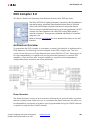
Architecture Overview . . . . . . . . . . . . . . . . . . . . . . . . . . . . . . . . . . . . . . . . . . . . . . . . . . . . . . . . . . . . . . . . . . . .107
AXI Ports that are Unique to this Block . . . . . . . . . . . . . . . . . . . . . . . . . . . . . . . . . . . . . . . . . . . . . . . . . . . . . . .108
Vivado: Designing with System Generator
UG958 (v2012.3) November 16, 2012
www.xilinx.com
4
Block Parameters . . . . . . . . . . . . . . . . . . . . . . . . . . . . . . . . . . . . . . . . . . . . . . . . . . . . . . . . . . . . . . . . . . . . . . . .109
LogiCORE™ Documentation . . . . . . . . . . . . . . . . . . . . . . . . . . . . . . . . . . . . . . . . . . . . . . . . . . . . . . . . . . . . . . . .115
Delay . . . . . . . . . . . . . . . . . . . . . . . . . . . . . . . . . . . . . . . . . . . . . . . . . . . . . . . . . . . . . . . . . . . . . . . . . . 116
Block Parameters . . . . . . . . . . . . . . . . . . . . . . . . . . . . . . . . . . . . . . . . . . . . . . . . . . . . . . . . . . . . . . . . . . . . . . . .116
Logic Synthesis using Behavioral HDL . . . . . . . . . . . . . . . . . . . . . . . . . . . . . . . . . . . . . . . . . . . . . . . . . . . . . . . .117
Logic Synthesis using Structural HDL . . . . . . . . . . . . . . . . . . . . . . . . . . . . . . . . . . . . . . . . . . . . . . . . . . . . . . . . .117
Implementing Long Delays . . . . . . . . . . . . . . . . . . . . . . . . . . . . . . . . . . . . . . . . . . . . . . . . . . . . . . . . . . . . . . . . .119
Re‐settable Delays and Initial Values . . . . . . . . . . . . . . . . . . . . . . . . . . . . . . . . . . . . . . . . . . . . . . . . . . . . . . . . .120
Depuncture. . . . . . . . . . . . . . . . . . . . . . . . . . . . . . . . . . . . . . . . . . . . . . . . . . . . . . . . . . . . . . . . . . . . . 121
Block Parameters . . . . . . . . . . . . . . . . . . . . . . . . . . . . . . . . . . . . . . . . . . . . . . . . . . . . . . . . . . . . . . . . . . . . . . . .122
Divide . . . . . . . . . . . . . . . . . . . . . . . . . . . . . . . . . . . . . . . . . . . . . . . . . . . . . . . . . . . . . . . . . . . . . . . . . 123
LogiCORE™ Documentation . . . . . . . . . . . . . . . . . . . . . . . . . . . . . . . . . . . . . . . . . . . . . . . . . . . . . . . . . . . . . . . .124
Divider Generator 4.0 . . . . . . . . . . . . . . . . . . . . . . . . . . . . . . . . . . . . . . . . . . . . . . . . . . . . . . . . . . . . 125
Block Parameters . . . . . . . . . . . . . . . . . . . . . . . . . . . . . . . . . . . . . . . . . . . . . . . . . . . . . . . . . . . . . . . . . . . . . . . .125
LogiCORE™ Documentation . . . . . . . . . . . . . . . . . . . . . . . . . . . . . . . . . . . . . . . . . . . . . . . . . . . . . . . . . . . . . . . .127
Down Sample . . . . . . . . . . . . . . . . . . . . . . . . . . . . . . . . . . . . . . . . . . . . . . . . . . . . . . . . . . . . . . . . . . . 128
Zero Latency Down Sample . . . . . . . . . . . . . . . . . . . . . . . . . . . . . . . . . . . . . . . . . . . . . . . . . . . . . . . . . . . . . . . .128
Down Sample with Latency . . . . . . . . . . . . . . . . . . . . . . . . . . . . . . . . . . . . . . . . . . . . . . . . . . . . . . . . . . . . . . . .129
Block Parameters . . . . . . . . . . . . . . . . . . . . . . . . . . . . . . . . . . . . . . . . . . . . . . . . . . . . . . . . . . . . . . . . . . . . . . . .130
Xilinx LogiCORE . . . . . . . . . . . . . . . . . . . . . . . . . . . . . . . . . . . . . . . . . . . . . . . . . . . . . . . . . . . . . . . . . . . . . . . . . .130
DSP48 Macro 2.1 . . . . . . . . . . . . . . . . . . . . . . . . . . . . . . . . . . . . . . . . . . . . . . . . . . . . . . . . . . . . . . . . 131
Block Parameters . . . . . . . . . . . . . . . . . . . . . . . . . . . . . . . . . . . . . . . . . . . . . . . . . . . . . . . . . . . . . . . . . . . . . . . .131
LogiCORE™ Documentation . . . . . . . . . . . . . . . . . . . . . . . . . . . . . . . . . . . . . . . . . . . . . . . . . . . . . . . . . . . . . . . .136
DSP48E . . . . . . . . . . . . . . . . . . . . . . . . . . . . . . . . . . . . . . . . . . . . . . . . . . . . . . . . . . . . . . . . . . . . . . . . 137
Block Parameters . . . . . . . . . . . . . . . . . . . . . . . . . . . . . . . . . . . . . . . . . . . . . . . . . . . . . . . . . . . . . . . . . . . . . . . .137
DSP48E1 . . . . . . . . . . . . . . . . . . . . . . . . . . . . . . . . . . . . . . . . . . . . . . . . . . . . . . . . . . . . . . . . . . . . . . . 143
Block Parameters . . . . . . . . . . . . . . . . . . . . . . . . . . . . . . . . . . . . . . . . . . . . . . . . . . . . . . . . . . . . . . . . . . . . . . . .143
Dual Port RAM . . . . . . . . . . . . . . . . . . . . . . . . . . . . . . . . . . . . . . . . . . . . . . . . . . . . . . . . . . . . . . . . . . 150
Block Interface . . . . . . . . . . . . . . . . . . . . . . . . . . . . . . . . . . . . . . . . . . . . . . . . . . . . . . . . . . . . . . . . . . . . . . . . . . .150
Block Parameters . . . . . . . . . . . . . . . . . . . . . . . . . . . . . . . . . . . . . . . . . . . . . . . . . . . . . . . . . . . . . . . . . . . . . . . .152
LogiCORE™ Documentation . . . . . . . . . . . . . . . . . . . . . . . . . . . . . . . . . . . . . . . . . . . . . . . . . . . . . . . . . . . . . . . .153
Expression. . . . . . . . . . . . . . . . . . . . . . . . . . . . . . . . . . . . . . . . . . . . . . . . . . . . . . . . . . . . . . . . . . . . . . 154
Block Parameters . . . . . . . . . . . . . . . . . . . . . . . . . . . . . . . . . . . . . . . . . . . . . . . . . . . . . . . . . . . . . . . . . . . . . . . .154
Fast Fourier Transform 8.0 . . . . . . . . . . . . . . . . . . . . . . . . . . . . . . . . . . . . . . . . . . . . . . . . . . . . . . . . 156
Theory of Operation . . . . . . . . . . . . . . . . . . . . . . . . . . . . . . . . . . . . . . . . . . . . . . . . . . . . . . . . . . . . . . . . . . . . . .156
AXI Ports that are Unique to this Block . . . . . . . . . . . . . . . . . . . . . . . . . . . . . . . . . . . . . . . . . . . . . . . . . . . . . . .156
Block Parameters . . . . . . . . . . . . . . . . . . . . . . . . . . . . . . . . . . . . . . . . . . . . . . . . . . . . . . . . . . . . . . . . . . . . . . . .157
Block Timing . . . . . . . . . . . . . . . . . . . . . . . . . . . . . . . . . . . . . . . . . . . . . . . . . . . . . . . . . . . . . . . . . . . . . . . . . . . . .160
LogiCORE™ Documentation . . . . . . . . . . . . . . . . . . . . . . . . . . . . . . . . . . . . . . . . . . . . . . . . . . . . . . . . . . . . . . . .163
FDATool . . . . . . . . . . . . . . . . . . . . . . . . . . . . . . . . . . . . . . . . . . . . . . . . . . . . . . . . . . . . . . . . . . . . . . . 164
Example of Use . . . . . . . . . . . . . . . . . . . . . . . . . . . . . . . . . . . . . . . . . . . . . . . . . . . . . . . . . . . . . . . . . . . . . . . . . .164
FDA Tool Interface . . . . . . . . . . . . . . . . . . . . . . . . . . . . . . . . . . . . . . . . . . . . . . . . . . . . . . . . . . . . . . . . . . . . . . . .165
FIFO . . . . . . . . . . . . . . . . . . . . . . . . . . . . . . . . . . . . . . . . . . . . . . . . . . . . . . . . . . . . . . . . . . . . . . . . . . . 166
Block Parameters . . . . . . . . . . . . . . . . . . . . . . . . . . . . . . . . . . . . . . . . . . . . . . . . . . . . . . . . . . . . . . . . . . . . . . . .166
LogiCORE™ Documentation . . . . . . . . . . . . . . . . . . . . . . . . . . . . . . . . . . . . . . . . . . . . . . . . . . . . . . . . . . . . . . . .168
FIR Compiler 6.3 . . . . . . . . . . . . . . . . . . . . . . . . . . . . . . . . . . . . . . . . . . . . . . . . . . . . . . . . . . . . . . . . . 169
AXI Ports that are Unique to this Block . . . . . . . . . . . . . . . . . . . . . . . . . . . . . . . . . . . . . . . . . . . . . . . . . . . . . . .169
Block Parameters . . . . . . . . . . . . . . . . . . . . . . . . . . . . . . . . . . . . . . . . . . . . . . . . . . . . . . . . . . . . . . . . . . . . . . . .169
Channel Specification tab . . . . . . . . . . . . . . . . . . . . . . . . . . . . . . . . . . . . . . . . . . . . . . . . . . . . . . . . . . . . . . . . . .170
Vivado: Designing with System Generator
UG958 (v2012.3) November 16, 2012
www.xilinx.com
5
LogiCORE™ Documentation . . . . . . . . . . . . . . . . . . . . . . . . . . . . . . . . . . . . . . . . . . . . . . . . . . . . . . . . . . . . . . . .178
Gateway In . . . . . . . . . . . . . . . . . . . . . . . . . . . . . . . . . . . . . . . . . . . . . . . . . . . . . . . . . . . . . . . . . . . . . 179
Gateway Blocks . . . . . . . . . . . . . . . . . . . . . . . . . . . . . . . . . . . . . . . . . . . . . . . . . . . . . . . . . . . . . . . . . . . . . . . . . .179
Block Parameters . . . . . . . . . . . . . . . . . . . . . . . . . . . . . . . . . . . . . . . . . . . . . . . . . . . . . . . . . . . . . . . . . . . . . . . .179
Gateway Out . . . . . . . . . . . . . . . . . . . . . . . . . . . . . . . . . . . . . . . . . . . . . . . . . . . . . . . . . . . . . . . . . . . 182
Gateway Blocks . . . . . . . . . . . . . . . . . . . . . . . . . . . . . . . . . . . . . . . . . . . . . . . . . . . . . . . . . . . . . . . . . . . . . . . . . .182
Block Parameters . . . . . . . . . . . . . . . . . . . . . . . . . . . . . . . . . . . . . . . . . . . . . . . . . . . . . . . . . . . . . . . . . . . . . . . .182
Indeterminate Probe . . . . . . . . . . . . . . . . . . . . . . . . . . . . . . . . . . . . . . . . . . . . . . . . . . . . . . . . . . . . . 185
Interleaver/De‐interleaver 7.1 . . . . . . . . . . . . . . . . . . . . . . . . . . . . . . . . . . . . . . . . . . . . . . . . . . . . . 186
Forney Convolutional Operation . . . . . . . . . . . . . . . . . . . . . . . . . . . . . . . . . . . . . . . . . . . . . . . . . . . . . . . . . . . .186
Configuration Swapping . . . . . . . . . . . . . . . . . . . . . . . . . . . . . . . . . . . . . . . . . . . . . . . . . . . . . . . . . . . . . . . . . . .188
Rectangular Block Operation . . . . . . . . . . . . . . . . . . . . . . . . . . . . . . . . . . . . . . . . . . . . . . . . . . . . . . . . . . . . . . .188
AXI Interface . . . . . . . . . . . . . . . . . . . . . . . . . . . . . . . . . . . . . . . . . . . . . . . . . . . . . . . . . . . . . . . . . . . . . . . . . . . .189
AXI Ports that are Unique to this Block . . . . . . . . . . . . . . . . . . . . . . . . . . . . . . . . . . . . . . . . . . . . . . . . . . . . . . .190
Block Parameters . . . . . . . . . . . . . . . . . . . . . . . . . . . . . . . . . . . . . . . . . . . . . . . . . . . . . . . . . . . . . . . . . . . . . . . .192
LogiCORE™ Documentation . . . . . . . . . . . . . . . . . . . . . . . . . . . . . . . . . . . . . . . . . . . . . . . . . . . . . . . . . . . . . . . .197
Inverter . . . . . . . . . . . . . . . . . . . . . . . . . . . . . . . . . . . . . . . . . . . . . . . . . . . . . . . . . . . . . . . . . . . . . . . . 198
Block Parameters . . . . . . . . . . . . . . . . . . . . . . . . . . . . . . . . . . . . . . . . . . . . . . . . . . . . . . . . . . . . . . . . . . . . . . . .198
LFSR. . . . . . . . . . . . . . . . . . . . . . . . . . . . . . . . . . . . . . . . . . . . . . . . . . . . . . . . . . . . . . . . . . . . . . . . . . . 199
Block Interface . . . . . . . . . . . . . . . . . . . . . . . . . . . . . . . . . . . . . . . . . . . . . . . . . . . . . . . . . . . . . . . . . . . . . . . . . . .199
Block Parameters . . . . . . . . . . . . . . . . . . . . . . . . . . . . . . . . . . . . . . . . . . . . . . . . . . . . . . . . . . . . . . . . . . . . . . . .199
Logical . . . . . . . . . . . . . . . . . . . . . . . . . . . . . . . . . . . . . . . . . . . . . . . . . . . . . . . . . . . . . . . . . . . . . . . . . 201
Block Parameters . . . . . . . . . . . . . . . . . . . . . . . . . . . . . . . . . . . . . . . . . . . . . . . . . . . . . . . . . . . . . . . . . . . . . . . .201
Xilinx LogiCORE . . . . . . . . . . . . . . . . . . . . . . . . . . . . . . . . . . . . . . . . . . . . . . . . . . . . . . . . . . . . . . . . . . . . . . . . . .201
MCode. . . . . . . . . . . . . . . . . . . . . . . . . . . . . . . . . . . . . . . . . . . . . . . . . . . . . . . . . . . . . . . . . . . . . . . . . 202
Configuring an MCode Block . . . . . . . . . . . . . . . . . . . . . . . . . . . . . . . . . . . . . . . . . . . . . . . . . . . . . . . . . . . . . . .202
MATLAB Language Support . . . . . . . . . . . . . . . . . . . . . . . . . . . . . . . . . . . . . . . . . . . . . . . . . . . . . . . . . . . . . . . .203
Block Parameters Dialog Box . . . . . . . . . . . . . . . . . . . . . . . . . . . . . . . . . . . . . . . . . . . . . . . . . . . . . . . . . . . . . . .224
ModelSim . . . . . . . . . . . . . . . . . . . . . . . . . . . . . . . . . . . . . . . . . . . . . . . . . . . . . . . . . . . . . . . . . . . . . . 225
Block Parameters . . . . . . . . . . . . . . . . . . . . . . . . . . . . . . . . . . . . . . . . . . . . . . . . . . . . . . . . . . . . . . . . . . . . . . . .225
Fine Points . . . . . . . . . . . . . . . . . . . . . . . . . . . . . . . . . . . . . . . . . . . . . . . . . . . . . . . . . . . . . . . . . . . . . . . . . . . . . .227
Mult. . . . . . . . . . . . . . . . . . . . . . . . . . . . . . . . . . . . . . . . . . . . . . . . . . . . . . . . . . . . . . . . . . . . . . . . . . . 231
Block Parameters . . . . . . . . . . . . . . . . . . . . . . . . . . . . . . . . . . . . . . . . . . . . . . . . . . . . . . . . . . . . . . . . . . . . . . . .231
LogiCORE™ Documentation . . . . . . . . . . . . . . . . . . . . . . . . . . . . . . . . . . . . . . . . . . . . . . . . . . . . . . . . . . . . . . . .232
Mux . . . . . . . . . . . . . . . . . . . . . . . . . . . . . . . . . . . . . . . . . . . . . . . . . . . . . . . . . . . . . . . . . . . . . . . . . . . 233
Block Parameters . . . . . . . . . . . . . . . . . . . . . . . . . . . . . . . . . . . . . . . . . . . . . . . . . . . . . . . . . . . . . . . . . . . . . . . .233
LogiCORE™ Documentation . . . . . . . . . . . . . . . . . . . . . . . . . . . . . . . . . . . . . . . . . . . . . . . . . . . . . . . . . . . . . . . .234
Natural Logarithm . . . . . . . . . . . . . . . . . . . . . . . . . . . . . . . . . . . . . . . . . . . . . . . . . . . . . . . . . . . . . . . 235
Block Parameters Dialog Box . . . . . . . . . . . . . . . . . . . . . . . . . . . . . . . . . . . . . . . . . . . . . . . . . . . . . . . . . . . . . . .235
LogiCORE™ Documentation . . . . . . . . . . . . . . . . . . . . . . . . . . . . . . . . . . . . . . . . . . . . . . . . . . . . . . . . . . . . . . . .235
Negate. . . . . . . . . . . . . . . . . . . . . . . . . . . . . . . . . . . . . . . . . . . . . . . . . . . . . . . . . . . . . . . . . . . . . . . . . 236
Block Parameters . . . . . . . . . . . . . . . . . . . . . . . . . . . . . . . . . . . . . . . . . . . . . . . . . . . . . . . . . . . . . . . . . . . . . . . .236
Opmode . . . . . . . . . . . . . . . . . . . . . . . . . . . . . . . . . . . . . . . . . . . . . . . . . . . . . . . . . . . . . . . . . . . . . . . 238
Block Parameters . . . . . . . . . . . . . . . . . . . . . . . . . . . . . . . . . . . . . . . . . . . . . . . . . . . . . . . . . . . . . . . . . . . . . . . .238
Xilinx LogiCORE . . . . . . . . . . . . . . . . . . . . . . . . . . . . . . . . . . . . . . . . . . . . . . . . . . . . . . . . . . . . . . . . . . . . . . . . . .239
DSP48E Control Instruction Format . . . . . . . . . . . . . . . . . . . . . . . . . . . . . . . . . . . . . . . . . . . . . . . . . . . . . . . . . .239
DSP48E1 Control Instruction Format . . . . . . . . . . . . . . . . . . . . . . . . . . . . . . . . . . . . . . . . . . . . . . . . . . . . . . . . .241
Parallel to Serial . . . . . . . . . . . . . . . . . . . . . . . . . . . . . . . . . . . . . . . . . . . . . . . . . . . . . . . . . . . . . . . . . 244
Block Interface . . . . . . . . . . . . . . . . . . . . . . . . . . . . . . . . . . . . . . . . . . . . . . . . . . . . . . . . . . . . . . . . . . . . . . . . . . .244
Vivado: Designing with System Generator
UG958 (v2012.3) November 16, 2012
www.xilinx.com
6
Block Parameters . . . . . . . . . . . . . . . . . . . . . . . . . . . . . . . . . . . . . . . . . . . . . . . . . . . . . . . . . . . . . . . . . . . . . . . .244
Pause Simulation . . . . . . . . . . . . . . . . . . . . . . . . . . . . . . . . . . . . . . . . . . . . . . . . . . . . . . . . . . . . . . . . 246
Block Parameters . . . . . . . . . . . . . . . . . . . . . . . . . . . . . . . . . . . . . . . . . . . . . . . . . . . . . . . . . . . . . . . . . . . . . . . .246
PicoBlaze6 Instruction Display . . . . . . . . . . . . . . . . . . . . . . . . . . . . . . . . . . . . . . . . . . . . . . . . . . . . . 247
Block Interface . . . . . . . . . . . . . . . . . . . . . . . . . . . . . . . . . . . . . . . . . . . . . . . . . . . . . . . . . . . . . . . . . . . . . . . . . . .247
Block Parameters . . . . . . . . . . . . . . . . . . . . . . . . . . . . . . . . . . . . . . . . . . . . . . . . . . . . . . . . . . . . . . . . . . . . . . . .247
Xilinx LogiCORE . . . . . . . . . . . . . . . . . . . . . . . . . . . . . . . . . . . . . . . . . . . . . . . . . . . . . . . . . . . . . . . . . . . . . . . . . .247
PicoBlaze6 Microcontroller . . . . . . . . . . . . . . . . . . . . . . . . . . . . . . . . . . . . . . . . . . . . . . . . . . . . . . . . 248
Block Interface . . . . . . . . . . . . . . . . . . . . . . . . . . . . . . . . . . . . . . . . . . . . . . . . . . . . . . . . . . . . . . . . . . . . . . . . . . .249
Block Parameters . . . . . . . . . . . . . . . . . . . . . . . . . . . . . . . . . . . . . . . . . . . . . . . . . . . . . . . . . . . . . . . . . . . . . . . .250
How to Use the PicoBlaze Assembler . . . . . . . . . . . . . . . . . . . . . . . . . . . . . . . . . . . . . . . . . . . . . . . . . . . . . . . .251
PicoBlaze6 Microprocessor Online Documentation . . . . . . . . . . . . . . . . . . . . . . . . . . . . . . . . . . . . . . . . . . . . .251
Puncture . . . . . . . . . . . . . . . . . . . . . . . . . . . . . . . . . . . . . . . . . . . . . . . . . . . . . . . . . . . . . . . . . . . . . . . 252
Block Parameters . . . . . . . . . . . . . . . . . . . . . . . . . . . . . . . . . . . . . . . . . . . . . . . . . . . . . . . . . . . . . . . . . . . . . . . .252
Reciprocal . . . . . . . . . . . . . . . . . . . . . . . . . . . . . . . . . . . . . . . . . . . . . . . . . . . . . . . . . . . . . . . . . . . . . . 254
Block Parameters . . . . . . . . . . . . . . . . . . . . . . . . . . . . . . . . . . . . . . . . . . . . . . . . . . . . . . . . . . . . . . . . . . . . . . . .254
LogiCORE™ Documentation . . . . . . . . . . . . . . . . . . . . . . . . . . . . . . . . . . . . . . . . . . . . . . . . . . . . . . . . . . . . . . . .254
Reciprocal SquareRoot . . . . . . . . . . . . . . . . . . . . . . . . . . . . . . . . . . . . . . . . . . . . . . . . . . . . . . . . . . . 255
Block Parameters . . . . . . . . . . . . . . . . . . . . . . . . . . . . . . . . . . . . . . . . . . . . . . . . . . . . . . . . . . . . . . . . . . . . . . . .255
LogiCORE™ Documentation . . . . . . . . . . . . . . . . . . . . . . . . . . . . . . . . . . . . . . . . . . . . . . . . . . . . . . . . . . . . . . . .256
Reed‐Solomon Decoder 8.0. . . . . . . . . . . . . . . . . . . . . . . . . . . . . . . . . . . . . . . . . . . . . . . . . . . . . . . . 257
Block Interface Channels and Pins . . . . . . . . . . . . . . . . . . . . . . . . . . . . . . . . . . . . . . . . . . . . . . . . . . . . . . . . . . .257
Block Parameters . . . . . . . . . . . . . . . . . . . . . . . . . . . . . . . . . . . . . . . . . . . . . . . . . . . . . . . . . . . . . . . . . . . . . . . .260
LogiCORE™ Documentation . . . . . . . . . . . . . . . . . . . . . . . . . . . . . . . . . . . . . . . . . . . . . . . . . . . . . . . . . . . . . . . .263
Reed‐Solomon Encoder 8.0 . . . . . . . . . . . . . . . . . . . . . . . . . . . . . . . . . . . . . . . . . . . . . . . . . . . . . . . . 264
Block Interface Channels and Pins . . . . . . . . . . . . . . . . . . . . . . . . . . . . . . . . . . . . . . . . . . . . . . . . . . . . . . . . . . .265
Other Optional Pins . . . . . . . . . . . . . . . . . . . . . . . . . . . . . . . . . . . . . . . . . . . . . . . . . . . . . . . . . . . . . . . . . . . . . . .266
Block Parameters . . . . . . . . . . . . . . . . . . . . . . . . . . . . . . . . . . . . . . . . . . . . . . . . . . . . . . . . . . . . . . . . . . . . . . . .266
LogiCORE™ Documentation . . . . . . . . . . . . . . . . . . . . . . . . . . . . . . . . . . . . . . . . . . . . . . . . . . . . . . . . . . . . . . . .269
Register. . . . . . . . . . . . . . . . . . . . . . . . . . . . . . . . . . . . . . . . . . . . . . . . . . . . . . . . . . . . . . . . . . . . . . . . 270
Block Interface . . . . . . . . . . . . . . . . . . . . . . . . . . . . . . . . . . . . . . . . . . . . . . . . . . . . . . . . . . . . . . . . . . . . . . . . . . .270
Block Parameters . . . . . . . . . . . . . . . . . . . . . . . . . . . . . . . . . . . . . . . . . . . . . . . . . . . . . . . . . . . . . . . . . . . . . . . .270
LogiCORE™ Documentation . . . . . . . . . . . . . . . . . . . . . . . . . . . . . . . . . . . . . . . . . . . . . . . . . . . . . . . . . . . . . . . .270
Reinterpret . . . . . . . . . . . . . . . . . . . . . . . . . . . . . . . . . . . . . . . . . . . . . . . . . . . . . . . . . . . . . . . . . . . . . 271
Block Parameters . . . . . . . . . . . . . . . . . . . . . . . . . . . . . . . . . . . . . . . . . . . . . . . . . . . . . . . . . . . . . . . . . . . . . . . .271
LogiCORE™ Documentation . . . . . . . . . . . . . . . . . . . . . . . . . . . . . . . . . . . . . . . . . . . . . . . . . . . . . . . . . . . . . . . .272
Relational . . . . . . . . . . . . . . . . . . . . . . . . . . . . . . . . . . . . . . . . . . . . . . . . . . . . . . . . . . . . . . . . . . . . . . 273
Block Parameters . . . . . . . . . . . . . . . . . . . . . . . . . . . . . . . . . . . . . . . . . . . . . . . . . . . . . . . . . . . . . . . . . . . . . . . .273
LogiCORE™ Documentation . . . . . . . . . . . . . . . . . . . . . . . . . . . . . . . . . . . . . . . . . . . . . . . . . . . . . . . . . . . . . . . .273
Reset Generator . . . . . . . . . . . . . . . . . . . . . . . . . . . . . . . . . . . . . . . . . . . . . . . . . . . . . . . . . . . . . . . . . 274
Block Parameters . . . . . . . . . . . . . . . . . . . . . . . . . . . . . . . . . . . . . . . . . . . . . . . . . . . . . . . . . . . . . . . . . . . . . . . .274
ROM . . . . . . . . . . . . . . . . . . . . . . . . . . . . . . . . . . . . . . . . . . . . . . . . . . . . . . . . . . . . . . . . . . . . . . . . . . 275
Block Parameters . . . . . . . . . . . . . . . . . . . . . . . . . . . . . . . . . . . . . . . . . . . . . . . . . . . . . . . . . . . . . . . . . . . . . . . .275
LogiCORE™ Documentation . . . . . . . . . . . . . . . . . . . . . . . . . . . . . . . . . . . . . . . . . . . . . . . . . . . . . . . . . . . . . . . .276
Register. . . . . . . . . . . . . . . . . . . . . . . . . . . . . . . . . . . . . . . . . . . . . . . . . . . . . . . . . . . . . . . . . . . . . . . . 277
Block Interface . . . . . . . . . . . . . . . . . . . . . . . . . . . . . . . . . . . . . . . . . . . . . . . . . . . . . . . . . . . . . . . . . . . . . . . . . . .277
Block Parameters . . . . . . . . . . . . . . . . . . . . . . . . . . . . . . . . . . . . . . . . . . . . . . . . . . . . . . . . . . . . . . . . . . . . . . . .277
Xilinx LogiCORE . . . . . . . . . . . . . . . . . . . . . . . . . . . . . . . . . . . . . . . . . . . . . . . . . . . . . . . . . . . . . . . . . . . . . . . . . .277
Sample Time . . . . . . . . . . . . . . . . . . . . . . . . . . . . . . . . . . . . . . . . . . . . . . . . . . . . . . . . . . . . . . . . . . . . 278
Vivado: Designing with System Generator
UG958 (v2012.3) November 16, 2012
www.xilinx.com
7
Scale . . . . . . . . . . . . . . . . . . . . . . . . . . . . . . . . . . . . . . . . . . . . . . . . . . . . . . . . . . . . . . . . . . . . . . . . . . 279
Block Parameters . . . . . . . . . . . . . . . . . . . . . . . . . . . . . . . . . . . . . . . . . . . . . . . . . . . . . . . . . . . . . . . . . . . . . . . .279
Xilinx LogiCore . . . . . . . . . . . . . . . . . . . . . . . . . . . . . . . . . . . . . . . . . . . . . . . . . . . . . . . . . . . . . . . . . . . . . . . . . . .279
Serial to Parallel . . . . . . . . . . . . . . . . . . . . . . . . . . . . . . . . . . . . . . . . . . . . . . . . . . . . . . . . . . . . . . . . . 280
Block Interface . . . . . . . . . . . . . . . . . . . . . . . . . . . . . . . . . . . . . . . . . . . . . . . . . . . . . . . . . . . . . . . . . . . . . . . . . . .280
Block Parameters . . . . . . . . . . . . . . . . . . . . . . . . . . . . . . . . . . . . . . . . . . . . . . . . . . . . . . . . . . . . . . . . . . . . . . . .280
Shift. . . . . . . . . . . . . . . . . . . . . . . . . . . . . . . . . . . . . . . . . . . . . . . . . . . . . . . . . . . . . . . . . . . . . . . . . . . 282
Block Parameters . . . . . . . . . . . . . . . . . . . . . . . . . . . . . . . . . . . . . . . . . . . . . . . . . . . . . . . . . . . . . . . . . . . . . . . .282
Xilinx LogiCORE . . . . . . . . . . . . . . . . . . . . . . . . . . . . . . . . . . . . . . . . . . . . . . . . . . . . . . . . . . . . . . . . . . . . . . . . . .282
Simulation Multiplexer . . . . . . . . . . . . . . . . . . . . . . . . . . . . . . . . . . . . . . . . . . . . . . . . . . . . . . . . . . . 283
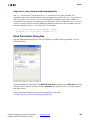
Using Subsystem for Simulation and Black Box for Hardware . . . . . . . . . . . . . . . . . . . . . . . . . . . . . . . . . . . .283
Block Parameters . . . . . . . . . . . . . . . . . . . . . . . . . . . . . . . . . . . . . . . . . . . . . . . . . . . . . . . . . . . . . . . . . . . . . . . .284
Single Port RAM . . . . . . . . . . . . . . . . . . . . . . . . . . . . . . . . . . . . . . . . . . . . . . . . . . . . . . . . . . . . . . . . . 285
Block Interface . . . . . . . . . . . . . . . . . . . . . . . . . . . . . . . . . . . . . . . . . . . . . . . . . . . . . . . . . . . . . . . . . . . . . . . . . . .285
Block Parameters . . . . . . . . . . . . . . . . . . . . . . . . . . . . . . . . . . . . . . . . . . . . . . . . . . . . . . . . . . . . . . . . . . . . . . . .285
Write Modes . . . . . . . . . . . . . . . . . . . . . . . . . . . . . . . . . . . . . . . . . . . . . . . . . . . . . . . . . . . . . . . . . . . . . . . . . . . .286
Hardware Notes . . . . . . . . . . . . . . . . . . . . . . . . . . . . . . . . . . . . . . . . . . . . . . . . . . . . . . . . . . . . . . . . . . . . . . . . .287
LogiCORE™ Documentation . . . . . . . . . . . . . . . . . . . . . . . . . . . . . . . . . . . . . . . . . . . . . . . . . . . . . . . . . . . . . . . .287
Single‐Step Simulation. . . . . . . . . . . . . . . . . . . . . . . . . . . . . . . . . . . . . . . . . . . . . . . . . . . . . . . . . . . . 288
Block Parameters . . . . . . . . . . . . . . . . . . . . . . . . . . . . . . . . . . . . . . . . . . . . . . . . . . . . . . . . . . . . . . . . . . . . . . . .288
Slice . . . . . . . . . . . . . . . . . . . . . . . . . . . . . . . . . . . . . . . . . . . . . . . . . . . . . . . . . . . . . . . . . . . . . . . . . . . 289
Block Parameters . . . . . . . . . . . . . . . . . . . . . . . . . . . . . . . . . . . . . . . . . . . . . . . . . . . . . . . . . . . . . . . . . . . . . . . .289
SquareRoot. . . . . . . . . . . . . . . . . . . . . . . . . . . . . . . . . . . . . . . . . . . . . . . . . . . . . . . . . . . . . . . . . . . . . 291
Block Parameters . . . . . . . . . . . . . . . . . . . . . . . . . . . . . . . . . . . . . . . . . . . . . . . . . . . . . . . . . . . . . . . . . . . . . . . .291
LogiCORE™ Documentation . . . . . . . . . . . . . . . . . . . . . . . . . . . . . . . . . . . . . . . . . . . . . . . . . . . . . . . . . . . . . . . .292
System Generator . . . . . . . . . . . . . . . . . . . . . . . . . . . . . . . . . . . . . . . . . . . . . . . . . . . . . . . . . . . . . . . 293
Token Parameters . . . . . . . . . . . . . . . . . . . . . . . . . . . . . . . . . . . . . . . . . . . . . . . . . . . . . . . . . . . . . . . . . . . . . . . .293
Threshold . . . . . . . . . . . . . . . . . . . . . . . . . . . . . . . . . . . . . . . . . . . . . . . . . . . . . . . . . . . . . . . . . . . . . . 299
Block Parameters . . . . . . . . . . . . . . . . . . . . . . . . . . . . . . . . . . . . . . . . . . . . . . . . . . . . . . . . . . . . . . . . . . . . . . . .299
Xilinx LogiCORE . . . . . . . . . . . . . . . . . . . . . . . . . . . . . . . . . . . . . . . . . . . . . . . . . . . . . . . . . . . . . . . . . . . . . . . . . .299
Time Division Demultiplexer . . . . . . . . . . . . . . . . . . . . . . . . . . . . . . . . . . . . . . . . . . . . . . . . . . . . . . . 300
Block Interface . . . . . . . . . . . . . . . . . . . . . . . . . . . . . . . . . . . . . . . . . . . . . . . . . . . . . . . . . . . . . . . . . . . . . . . . . . .300
Block Parameters . . . . . . . . . . . . . . . . . . . . . . . . . . . . . . . . . . . . . . . . . . . . . . . . . . . . . . . . . . . . . . . . . . . . . . . .301
Time Division Multiplexer . . . . . . . . . . . . . . . . . . . . . . . . . . . . . . . . . . . . . . . . . . . . . . . . . . . . . . . . . 302
Block Interface . . . . . . . . . . . . . . . . . . . . . . . . . . . . . . . . . . . . . . . . . . . . . . . . . . . . . . . . . . . . . . . . . . . . . . . . . . .302
Block Parameters . . . . . . . . . . . . . . . . . . . . . . . . . . . . . . . . . . . . . . . . . . . . . . . . . . . . . . . . . . . . . . . . . . . . . . . .302
Toolbar . . . . . . . . . . . . . . . . . . . . . . . . . . . . . . . . . . . . . . . . . . . . . . . . . . . . . . . . . . . . . . . . . . . . . . . . 303
Block Interface . . . . . . . . . . . . . . . . . . . . . . . . . . . . . . . . . . . . . . . . . . . . . . . . . . . . . . . . . . . . . . . . . . . . . . . . . . .303
Toolbar Menus . . . . . . . . . . . . . . . . . . . . . . . . . . . . . . . . . . . . . . . . . . . . . . . . . . . . . . . . . . . . . . . . . . . . . . . . . .304
References . . . . . . . . . . . . . . . . . . . . . . . . . . . . . . . . . . . . . . . . . . . . . . . . . . . . . . . . . . . . . . . . . . . . . . . . . . . . . .305
See Also . . . . . . . . . . . . . . . . . . . . . . . . . . . . . . . . . . . . . . . . . . . . . . . . . . . . . . . . . . . . . . . . . . . . . . . . . . . . . . . .305
Up Sample . . . . . . . . . . . . . . . . . . . . . . . . . . . . . . . . . . . . . . . . . . . . . . . . . . . . . . . . . . . . . . . . . . . . . 306
Block Interface . . . . . . . . . . . . . . . . . . . . . . . . . . . . . . . . . . . . . . . . . . . . . . . . . . . . . . . . . . . . . . . . . . . . . . . . . . .306
Block Parameters . . . . . . . . . . . . . . . . . . . . . . . . . . . . . . . . . . . . . . . . . . . . . . . . . . . . . . . . . . . . . . . . . . . . . . . .307
Vivado HLS . . . . . . . . . . . . . . . . . . . . . . . . . . . . . . . . . . . . . . . . . . . . . . . . . . . . . . . . . . . . . . . . . . . . . 308
Block Parameters Dialog Box . . . . . . . . . . . . . . . . . . . . . . . . . . . . . . . . . . . . . . . . . . . . . . . . . . . . . . . . . . . . . . .308
Data Type Translation . . . . . . . . . . . . . . . . . . . . . . . . . . . . . . . . . . . . . . . . . . . . . . . . . . . . . . . . . . . . . . . . . . . . .309
Design Example . . . . . . . . . . . . . . . . . . . . . . . . . . . . . . . . . . . . . . . . . . . . . . . . . . . . . . . . . . . . . . . . . . . . . . . . . .309
Known Issues . . . . . . . . . . . . . . . . . . . . . . . . . . . . . . . . . . . . . . . . . . . . . . . . . . . . . . . . . . . . . . . . . . . . . . . . . . . .309
Vivado: Designing with System Generator
UG958 (v2012.3) November 16, 2012
www.xilinx.com
8
Viterbi Decoder 8.0 . . . . . . . . . . . . . . . . . . . . . . . . . . . . . . . . . . . . . . . . . . . . . . . . . . . . . . . . . . . . . . 310
Block Interface . . . . . . . . . . . . . . . . . . . . . . . . . . . . . . . . . . . . . . . . . . . . . . . . . . . . . . . . . . . . . . . . . . . . . . . . . . .310
Block Parameters . . . . . . . . . . . . . . . . . . . . . . . . . . . . . . . . . . . . . . . . . . . . . . . . . . . . . . . . . . . . . . . . . . . . . . . .313
LogiCORE™ Documentation . . . . . . . . . . . . . . . . . . . . . . . . . . . . . . . . . . . . . . . . . . . . . . . . . . . . . . . . . . . . . . . .316
Device Support . . . . . . . . . . . . . . . . . . . . . . . . . . . . . . . . . . . . . . . . . . . . . . . . . . . . . . . . . . . . . . . . . . 317
Artix Family . . . . . . . . . . . . . . . . . . . . . . . . . . . . . . . . . . . . . . . . . . . . . . . . . . . . . . . . . . . . . . . . . . . . . . . . . . . . .317
Kintex Family . . . . . . . . . . . . . . . . . . . . . . . . . . . . . . . . . . . . . . . . . . . . . . . . . . . . . . . . . . . . . . . . . . . . . . . . . . . .317
Virtex Family . . . . . . . . . . . . . . . . . . . . . . . . . . . . . . . . . . . . . . . . . . . . . . . . . . . . . . . . . . . . . . . . . . . . . . . . . . . .317
Chapter 2: Xilinx Reference Blockset
Communication . . . . . . . . . . . . . . . . . . . . . . . . . . . . . . . . . . . . . . . . . . . . . . . . . . . . . . . . . . . . . . . . . . . . . . . . . .318
Control Logic . . . . . . . . . . . . . . . . . . . . . . . . . . . . . . . . . . . . . . . . . . . . . . . . . . . . . . . . . . . . . . . . . . . . . . . . . . . .318
DSP . . . . . . . . . . . . . . . . . . . . . . . . . . . . . . . . . . . . . . . . . . . . . . . . . . . . . . . . . . . . . . . . . . . . . . . . . . . . . . . . . . . .318
Imaging . . . . . . . . . . . . . . . . . . . . . . . . . . . . . . . . . . . . . . . . . . . . . . . . . . . . . . . . . . . . . . . . . . . . . . . . . . . . . . . . .319
Math . . . . . . . . . . . . . . . . . . . . . . . . . . . . . . . . . . . . . . . . . . . . . . . . . . . . . . . . . . . . . . . . . . . . . . . . . . . . . . . . . . .319
2 Channel Decimate by 2 MAC FIR Filter . . . . . . . . . . . . . . . . . . . . . . . . . . . . . . . . . . . . . . . . . . . . . 320
Block Parameters . . . . . . . . . . . . . . . . . . . . . . . . . . . . . . . . . . . . . . . . . . . . . . . . . . . . . . . . . . . . . . . . . . . . . . . .320
Reference . . . . . . . . . . . . . . . . . . . . . . . . . . . . . . . . . . . . . . . . . . . . . . . . . . . . . . . . . . . . . . . . . . . . . . . . . . . . . . .321
2n+1‐tap Linear Phase MAC FIR Filter . . . . . . . . . . . . . . . . . . . . . . . . . . . . . . . . . . . . . . . . . . . . . . . 322
Block Parameters . . . . . . . . . . . . . . . . . . . . . . . . . . . . . . . . . . . . . . . . . . . . . . . . . . . . . . . . . . . . . . . . . . . . . . . .322
Reference . . . . . . . . . . . . . . . . . . . . . . . . . . . . . . . . . . . . . . . . . . . . . . . . . . . . . . . . . . . . . . . . . . . . . . . . . . . . . . .322
2n‐tap Linear Phase MAC FIR Filter . . . . . . . . . . . . . . . . . . . . . . . . . . . . . . . . . . . . . . . . . . . . . . . . . 323
Block Parameters . . . . . . . . . . . . . . . . . . . . . . . . . . . . . . . . . . . . . . . . . . . . . . . . . . . . . . . . . . . . . . . . . . . . . . . .323
Reference . . . . . . . . . . . . . . . . . . . . . . . . . . . . . . . . . . . . . . . . . . . . . . . . . . . . . . . . . . . . . . . . . . . . . . . . . . . . . . .323
2n‐tap MAC FIR Filter. . . . . . . . . . . . . . . . . . . . . . . . . . . . . . . . . . . . . . . . . . . . . . . . . . . . . . . . . . . . . 324
Block Parameters . . . . . . . . . . . . . . . . . . . . . . . . . . . . . . . . . . . . . . . . . . . . . . . . . . . . . . . . . . . . . . . . . . . . . . . .324
Reference . . . . . . . . . . . . . . . . . . . . . . . . . . . . . . . . . . . . . . . . . . . . . . . . . . . . . . . . . . . . . . . . . . . . . . . . . . . . . . .324
4‐channel 8‐tap Transpose FIR Filter . . . . . . . . . . . . . . . . . . . . . . . . . . . . . . . . . . . . . . . . . . . . . . . . 325
Block Parameters . . . . . . . . . . . . . . . . . . . . . . . . . . . . . . . . . . . . . . . . . . . . . . . . . . . . . . . . . . . . . . . . . . . . . . . .325
4n‐tap MAC FIR Filter. . . . . . . . . . . . . . . . . . . . . . . . . . . . . . . . . . . . . . . . . . . . . . . . . . . . . . . . . . . . . 326
Block Parameters . . . . . . . . . . . . . . . . . . . . . . . . . . . . . . . . . . . . . . . . . . . . . . . . . . . . . . . . . . . . . . . . . . . . . . . .326
Reference . . . . . . . . . . . . . . . . . . . . . . . . . . . . . . . . . . . . . . . . . . . . . . . . . . . . . . . . . . . . . . . . . . . . . . . . . . . . . . .326
5x5Filter . . . . . . . . . . . . . . . . . . . . . . . . . . . . . . . . . . . . . . . . . . . . . . . . . . . . . . . . . . . . . . . . . . . . . . . 327
Block Parameters . . . . . . . . . . . . . . . . . . . . . . . . . . . . . . . . . . . . . . . . . . . . . . . . . . . . . . . . . . . . . . . . . . . . . . . .328
BPSK AWGN Channel . . . . . . . . . . . . . . . . . . . . . . . . . . . . . . . . . . . . . . . . . . . . . . . . . . . . . . . . . . . . . 329
Block Parameters . . . . . . . . . . . . . . . . . . . . . . . . . . . . . . . . . . . . . . . . . . . . . . . . . . . . . . . . . . . . . . . . . . . . . . . .329
Reference . . . . . . . . . . . . . . . . . . . . . . . . . . . . . . . . . . . . . . . . . . . . . . . . . . . . . . . . . . . . . . . . . . . . . . . . . . . . . . .330
CIC Filter . . . . . . . . . . . . . . . . . . . . . . . . . . . . . . . . . . . . . . . . . . . . . . . . . . . . . . . . . . . . . . . . . . . . . . . 331
Block Interface . . . . . . . . . . . . . . . . . . . . . . . . . . . . . . . . . . . . . . . . . . . . . . . . . . . . . . . . . . . . . . . . . . . . . . . . . . .331
Block Parameters . . . . . . . . . . . . . . . . . . . . . . . . . . . . . . . . . . . . . . . . . . . . . . . . . . . . . . . . . . . . . . . . . . . . . . . .332
Reference . . . . . . . . . . . . . . . . . . . . . . . . . . . . . . . . . . . . . . . . . . . . . . . . . . . . . . . . . . . . . . . . . . . . . . . . . . . . . . .332
Convolutional Encoder . . . . . . . . . . . . . . . . . . . . . . . . . . . . . . . . . . . . . . . . . . . . . . . . . . . . . . . . . . . 333
Implementation . . . . . . . . . . . . . . . . . . . . . . . . . . . . . . . . . . . . . . . . . . . . . . . . . . . . . . . . . . . . . . . . . . . . . . . . . .333
Block Interface . . . . . . . . . . . . . . . . . . . . . . . . . . . . . . . . . . . . . . . . . . . . . . . . . . . . . . . . . . . . . . . . . . . . . . . . . . .334
Block Parameters . . . . . . . . . . . . . . . . . . . . . . . . . . . . . . . . . . . . . . . . . . . . . . . . . . . . . . . . . . . . . . . . . . . . . . . .334
CORDIC ATAN . . . . . . . . . . . . . . . . . . . . . . . . . . . . . . . . . . . . . . . . . . . . . . . . . . . . . . . . . . . . . . . . . . . 335
Block Parameters . . . . . . . . . . . . . . . . . . . . . . . . . . . . . . . . . . . . . . . . . . . . . . . . . . . . . . . . . . . . . . . . . . . . . . . .335
Vivado: Designing with System Generator
UG958 (v2012.3) November 16, 2012
www.xilinx.com
9
Reference . . . . . . . . . . . . . . . . . . . . . . . . . . . . . . . . . . . . . . . . . . . . . . . . . . . . . . . . . . . . . . . . . . . . . . . . . . . . . . .336
CORDIC DIVIDER. . . . . . . . . . . . . . . . . . . . . . . . . . . . . . . . . . . . . . . . . . . . . . . . . . . . . . . . . . . . . . . . . 337
Block Parameters . . . . . . . . . . . . . . . . . . . . . . . . . . . . . . . . . . . . . . . . . . . . . . . . . . . . . . . . . . . . . . . . . . . . . . . .337
Reference . . . . . . . . . . . . . . . . . . . . . . . . . . . . . . . . . . . . . . . . . . . . . . . . . . . . . . . . . . . . . . . . . . . . . . . . . . . . . . .338
CORDIC LOG . . . . . . . . . . . . . . . . . . . . . . . . . . . . . . . . . . . . . . . . . . . . . . . . . . . . . . . . . . . . . . . . . . . . 339
Block Parameters . . . . . . . . . . . . . . . . . . . . . . . . . . . . . . . . . . . . . . . . . . . . . . . . . . . . . . . . . . . . . . . . . . . . . . . .339
Reference . . . . . . . . . . . . . . . . . . . . . . . . . . . . . . . . . . . . . . . . . . . . . . . . . . . . . . . . . . . . . . . . . . . . . . . . . . . . . . .340
CORDIC SINCOS . . . . . . . . . . . . . . . . . . . . . . . . . . . . . . . . . . . . . . . . . . . . . . . . . . . . . . . . . . . . . . . . . 341
Block Parameters . . . . . . . . . . . . . . . . . . . . . . . . . . . . . . . . . . . . . . . . . . . . . . . . . . . . . . . . . . . . . . . . . . . . . . . .341
Reference . . . . . . . . . . . . . . . . . . . . . . . . . . . . . . . . . . . . . . . . . . . . . . . . . . . . . . . . . . . . . . . . . . . . . . . . . . . . . . .342
CORDIC SQRT . . . . . . . . . . . . . . . . . . . . . . . . . . . . . . . . . . . . . . . . . . . . . . . . . . . . . . . . . . . . . . . . . . . 343
Block Parameters . . . . . . . . . . . . . . . . . . . . . . . . . . . . . . . . . . . . . . . . . . . . . . . . . . . . . . . . . . . . . . . . . . . . . . . .343
Reference . . . . . . . . . . . . . . . . . . . . . . . . . . . . . . . . . . . . . . . . . . . . . . . . . . . . . . . . . . . . . . . . . . . . . . . . . . . . . . .344
Dual Port Memory Interpolation MAC FIR Filter . . . . . . . . . . . . . . . . . . . . . . . . . . . . . . . . . . . . . . . 345
Block Parameters . . . . . . . . . . . . . . . . . . . . . . . . . . . . . . . . . . . . . . . . . . . . . . . . . . . . . . . . . . . . . . . . . . . . . . . .345
Reference . . . . . . . . . . . . . . . . . . . . . . . . . . . . . . . . . . . . . . . . . . . . . . . . . . . . . . . . . . . . . . . . . . . . . . . . . . . . . . .345
Interpolation Filter. . . . . . . . . . . . . . . . . . . . . . . . . . . . . . . . . . . . . . . . . . . . . . . . . . . . . . . . . . . . . . . 346
Block Parameters . . . . . . . . . . . . . . . . . . . . . . . . . . . . . . . . . . . . . . . . . . . . . . . . . . . . . . . . . . . . . . . . . . . . . . . .346
Reference . . . . . . . . . . . . . . . . . . . . . . . . . . . . . . . . . . . . . . . . . . . . . . . . . . . . . . . . . . . . . . . . . . . . . . . . . . . . . . .346
m‐channel n‐tap Transpose FIR Filter. . . . . . . . . . . . . . . . . . . . . . . . . . . . . . . . . . . . . . . . . . . . . . . . 347
Block Parameters . . . . . . . . . . . . . . . . . . . . . . . . . . . . . . . . . . . . . . . . . . . . . . . . . . . . . . . . . . . . . . . . . . . . . . . .347
Mealy State Machine. . . . . . . . . . . . . . . . . . . . . . . . . . . . . . . . . . . . . . . . . . . . . . . . . . . . . . . . . . . . . 348
Example . . . . . . . . . . . . . . . . . . . . . . . . . . . . . . . . . . . . . . . . . . . . . . . . . . . . . . . . . . . . . . . . . . . . . . . . . . . . . . . .349
Block Parameters . . . . . . . . . . . . . . . . . . . . . . . . . . . . . . . . . . . . . . . . . . . . . . . . . . . . . . . . . . . . . . . . . . . . . . . .350
Moore State Machine . . . . . . . . . . . . . . . . . . . . . . . . . . . . . . . . . . . . . . . . . . . . . . . . . . . . . . . . . . . . 351
Example . . . . . . . . . . . . . . . . . . . . . . . . . . . . . . . . . . . . . . . . . . . . . . . . . . . . . . . . . . . . . . . . . . . . . . . . . . . . . . . .352
Block Parameters . . . . . . . . . . . . . . . . . . . . . . . . . . . . . . . . . . . . . . . . . . . . . . . . . . . . . . . . . . . . . . . . . . . . . . . .353
Multipath Fading Channel Model . . . . . . . . . . . . . . . . . . . . . . . . . . . . . . . . . . . . . . . . . . . . . . . . . . . 355
Theory . . . . . . . . . . . . . . . . . . . . . . . . . . . . . . . . . . . . . . . . . . . . . . . . . . . . . . . . . . . . . . . . . . . . . . . . . . . . . . . . .355
Implementation . . . . . . . . . . . . . . . . . . . . . . . . . . . . . . . . . . . . . . . . . . . . . . . . . . . . . . . . . . . . . . . . . . . . . . . . . .356
Block Parameters . . . . . . . . . . . . . . . . . . . . . . . . . . . . . . . . . . . . . . . . . . . . . . . . . . . . . . . . . . . . . . . . . . . . . . . .356
Functions . . . . . . . . . . . . . . . . . . . . . . . . . . . . . . . . . . . . . . . . . . . . . . . . . . . . . . . . . . . . . . . . . . . . . . . . . . . . . . .358
Data Format . . . . . . . . . . . . . . . . . . . . . . . . . . . . . . . . . . . . . . . . . . . . . . . . . . . . . . . . . . . . . . . . . . . . . . . . . . . . .359
Input . . . . . . . . . . . . . . . . . . . . . . . . . . . . . . . . . . . . . . . . . . . . . . . . . . . . . . . . . . . . . . . . . . . . . . . . . . . . . . . . . . .360
Output . . . . . . . . . . . . . . . . . . . . . . . . . . . . . . . . . . . . . . . . . . . . . . . . . . . . . . . . . . . . . . . . . . . . . . . . . . . . . . . . .360
Timing . . . . . . . . . . . . . . . . . . . . . . . . . . . . . . . . . . . . . . . . . . . . . . . . . . . . . . . . . . . . . . . . . . . . . . . . . . . . . . . . . .361
Initialization . . . . . . . . . . . . . . . . . . . . . . . . . . . . . . . . . . . . . . . . . . . . . . . . . . . . . . . . . . . . . . . . . . . . . . . . . . . . .361
Demonstrations . . . . . . . . . . . . . . . . . . . . . . . . . . . . . . . . . . . . . . . . . . . . . . . . . . . . . . . . . . . . . . . . . . . . . . . . . .361
Hardware Co‐Simulation Example . . . . . . . . . . . . . . . . . . . . . . . . . . . . . . . . . . . . . . . . . . . . . . . . . . . . . . . . . . .361
Reference . . . . . . . . . . . . . . . . . . . . . . . . . . . . . . . . . . . . . . . . . . . . . . . . . . . . . . . . . . . . . . . . . . . . . . . . . . . . . . .362
n‐tap Dual Port Memory MAC FIR Filter. . . . . . . . . . . . . . . . . . . . . . . . . . . . . . . . . . . . . . . . . . . . . . 363
Block Parameters . . . . . . . . . . . . . . . . . . . . . . . . . . . . . . . . . . . . . . . . . . . . . . . . . . . . . . . . . . . . . . . . . . . . . . . .363
Reference . . . . . . . . . . . . . . . . . . . . . . . . . . . . . . . . . . . . . . . . . . . . . . . . . . . . . . . . . . . . . . . . . . . . . . . . . . . . . . .363
n‐tap MAC FIR Filter. . . . . . . . . . . . . . . . . . . . . . . . . . . . . . . . . . . . . . . . . . . . . . . . . . . . . . . . . . . . . . 364
Block Parameters . . . . . . . . . . . . . . . . . . . . . . . . . . . . . . . . . . . . . . . . . . . . . . . . . . . . . . . . . . . . . . . . . . . . . . . .364
Reference . . . . . . . . . . . . . . . . . . . . . . . . . . . . . . . . . . . . . . . . . . . . . . . . . . . . . . . . . . . . . . . . . . . . . . . . . . . . . . .364
Registered Mealy State Machine . . . . . . . . . . . . . . . . . . . . . . . . . . . . . . . . . . . . . . . . . . . . . . . . . . . 365
Example . . . . . . . . . . . . . . . . . . . . . . . . . . . . . . . . . . . . . . . . . . . . . . . . . . . . . . . . . . . . . . . . . . . . . . . . . . . . . . . .366
Block Parameters . . . . . . . . . . . . . . . . . . . . . . . . . . . . . . . . . . . . . . . . . . . . . . . . . . . . . . . . . . . . . . . . . . . . . . . .367
Vivado: Designing with System Generator
UG958 (v2012.3) November 16, 2012
www.xilinx.com
10
Registered Moore State Machine . . . . . . . . . . . . . . . . . . . . . . . . . . . . . . . . . . . . . . . . . . . . . . . . . . . 368
Example . . . . . . . . . . . . . . . . . . . . . . . . . . . . . . . . . . . . . . . . . . . . . . . . . . . . . . . . . . . . . . . . . . . . . . . . . . . . . . . .369
Block Parameters . . . . . . . . . . . . . . . . . . . . . . . . . . . . . . . . . . . . . . . . . . . . . . . . . . . . . . . . . . . . . . . . . . . . . . . .370
Virtex Line Buffer . . . . . . . . . . . . . . . . . . . . . . . . . . . . . . . . . . . . . . . . . . . . . . . . . . . . . . . . . . . . . . . . 372
Block Parameters . . . . . . . . . . . . . . . . . . . . . . . . . . . . . . . . . . . . . . . . . . . . . . . . . . . . . . . . . . . . . . . . . . . . . . . .372
Virtex2 Line Buffer . . . . . . . . . . . . . . . . . . . . . . . . . . . . . . . . . . . . . . . . . . . . . . . . . . . . . . . . . . . . . . . 373
Block Parameters . . . . . . . . . . . . . . . . . . . . . . . . . . . . . . . . . . . . . . . . . . . . . . . . . . . . . . . . . . . . . . . . . . . . . . . .373
Virtex2 5 Line Buffer . . . . . . . . . . . . . . . . . . . . . . . . . . . . . . . . . . . . . . . . . . . . . . . . . . . . . . . . . . . . . 374
Block Parameters . . . . . . . . . . . . . . . . . . . . . . . . . . . . . . . . . . . . . . . . . . . . . . . . . . . . . . . . . . . . . . . . . . . . . . . .374
White Gaussian Noise Generator . . . . . . . . . . . . . . . . . . . . . . . . . . . . . . . . . . . . . . . . . . . . . . . . . . . 375
4‐bit Leap‐Forward LFSR . . . . . . . . . . . . . . . . . . . . . . . . . . . . . . . . . . . . . . . . . . . . . . . . . . . . . . . . . . . . . . . . . . .376
Box‐Muller Method . . . . . . . . . . . . . . . . . . . . . . . . . . . . . . . . . . . . . . . . . . . . . . . . . . . . . . . . . . . . . . . . . . . . . . .376
Block Parameters . . . . . . . . . . . . . . . . . . . . . . . . . . . . . . . . . . . . . . . . . . . . . . . . . . . . . . . . . . . . . . . . . . . . . . . .376
Reference . . . . . . . . . . . . . . . . . . . . . . . . . . . . . . . . . . . . . . . . . . . . . . . . . . . . . . . . . . . . . . . . . . . . . . . . . . . . . . .377
Chapter 3: Xilinx XtremeDSP Kit Blockset
XtremeDSP Analog to Digital Converter. . . . . . . . . . . . . . . . . . . . . . . . . . . . . . . . . . . . . . . . . . . . . . 379
Block Parameters . . . . . . . . . . . . . . . . . . . . . . . . . . . . . . . . . . . . . . . . . . . . . . . . . . . . . . . . . . . . . . . . . . . . . . . .379
Data Sheet . . . . . . . . . . . . . . . . . . . . . . . . . . . . . . . . . . . . . . . . . . . . . . . . . . . . . . . . . . . . . . . . . . . . . . . . . . . . . .379
XtremeDSP Co‐Simulation. . . . . . . . . . . . . . . . . . . . . . . . . . . . . . . . . . . . . . . . . . . . . . . . . . . . . . . . . 380
Block Parameters . . . . . . . . . . . . . . . . . . . . . . . . . . . . . . . . . . . . . . . . . . . . . . . . . . . . . . . . . . . . . . . . . . . . . . . .380
XtremeDSP Digital to Analog Converter. . . . . . . . . . . . . . . . . . . . . . . . . . . . . . . . . . . . . . . . . . . . . . 382
Block Parameters . . . . . . . . . . . . . . . . . . . . . . . . . . . . . . . . . . . . . . . . . . . . . . . . . . . . . . . . . . . . . . . . . . . . . . . .382
Data Sheet . . . . . . . . . . . . . . . . . . . . . . . . . . . . . . . . . . . . . . . . . . . . . . . . . . . . . . . . . . . . . . . . . . . . . . . . . . . . . .382
XtremeDSP External RAM . . . . . . . . . . . . . . . . . . . . . . . . . . . . . . . . . . . . . . . . . . . . . . . . . . . . . . . . . 383
Block Parameters . . . . . . . . . . . . . . . . . . . . . . . . . . . . . . . . . . . . . . . . . . . . . . . . . . . . . . . . . . . . . . . . . . . . . . . .383
XtremeDSP LED Flasher . . . . . . . . . . . . . . . . . . . . . . . . . . . . . . . . . . . . . . . . . . . . . . . . . . . . . . . . . . . 384
Block Parameters . . . . . . . . . . . . . . . . . . . . . . . . . . . . . . . . . . . . . . . . . . . . . . . . . . . . . . . . . . . . . . . . . . . . . . . .384
Chapter 4: System Generator Utilities
xlAddTerms. . . . . . . . . . . . . . . . . . . . . . . . . . . . . . . . . . . . . . . . . . . . . . . . . . . . . . . . . . . . . . . . . . . . . 387
Syntax . . . . . . . . . . . . . . . . . . . . . . . . . . . . . . . . . . . . . . . . . . . . . . . . . . . . . . . . . . . . . . . . . . . . . . . . . . . . . . . . . .387
Description . . . . . . . . . . . . . . . . . . . . . . . . . . . . . . . . . . . . . . . . . . . . . . . . . . . . . . . . . . . . . . . . . . . . . . . . . . . . . .387
Examples . . . . . . . . . . . . . . . . . . . . . . . . . . . . . . . . . . . . . . . . . . . . . . . . . . . . . . . . . . . . . . . . . . . . . . . . . . . . . . .389
Remarks . . . . . . . . . . . . . . . . . . . . . . . . . . . . . . . . . . . . . . . . . . . . . . . . . . . . . . . . . . . . . . . . . . . . . . . . . . . . . . . .389
See Also . . . . . . . . . . . . . . . . . . . . . . . . . . . . . . . . . . . . . . . . . . . . . . . . . . . . . . . . . . . . . . . . . . . . . . . . . . . . . . . .390
xlCache . . . . . . . . . . . . . . . . . . . . . . . . . . . . . . . . . . . . . . . . . . . . . . . . . . . . . . . . . . . . . . . . . . . . . . . . 391
Syntax . . . . . . . . . . . . . . . . . . . . . . . . . . . . . . . . . . . . . . . . . . . . . . . . . . . . . . . . . . . . . . . . . . . . . . . . . . . . . . . . . .391
Description . . . . . . . . . . . . . . . . . . . . . . . . . . . . . . . . . . . . . . . . . . . . . . . . . . . . . . . . . . . . . . . . . . . . . . . . . . . . . .391
See Also . . . . . . . . . . . . . . . . . . . . . . . . . . . . . . . . . . . . . . . . . . . . . . . . . . . . . . . . . . . . . . . . . . . . . . . . . . . . . . . .392
xlConfigureSolver. . . . . . . . . . . . . . . . . . . . . . . . . . . . . . . . . . . . . . . . . . . . . . . . . . . . . . . . . . . . . . . . 393
Syntax . . . . . . . . . . . . . . . . . . . . . . . . . . . . . . . . . . . . . . . . . . . . . . . . . . . . . . . . . . . . . . . . . . . . . . . . . . . . . . . . . .393
Description . . . . . . . . . . . . . . . . . . . . . . . . . . . . . . . . . . . . . . . . . . . . . . . . . . . . . . . . . . . . . . . . . . . . . . . . . . . . . .393
Examples . . . . . . . . . . . . . . . . . . . . . . . . . . . . . . . . . . . . . . . . . . . . . . . . . . . . . . . . . . . . . . . . . . . . . . . . . . . . . . .393
xlfda_denominator . . . . . . . . . . . . . . . . . . . . . . . . . . . . . . . . . . . . . . . . . . . . . . . . . . . . . . . . . . . . . . 394
Vivado: Designing with System Generator
UG958 (v2012.3) November 16, 2012
www.xilinx.com
11
Syntax . . . . . . . . . . . . . . . . . . . . . . . . . . . . . . . . . . . . . . . . . . . . . . . . . . . . . . . . . . . . . . . . . . . . . . . . . . . . . . . . . .394
Description . . . . . . . . . . . . . . . . . . . . . . . . . . . . . . . . . . . . . . . . . . . . . . . . . . . . . . . . . . . . . . . . . . . . . . . . . . . . . .394
See Also . . . . . . . . . . . . . . . . . . . . . . . . . . . . . . . . . . . . . . . . . . . . . . . . . . . . . . . . . . . . . . . . . . . . . . . . . . . . . . . .394
xlfda_numerator . . . . . . . . . . . . . . . . . . . . . . . . . . . . . . . . . . . . . . . . . . . . . . . . . . . . . . . . . . . . . . . . 395
Syntax . . . . . . . . . . . . . . . . . . . . . . . . . . . . . . . . . . . . . . . . . . . . . . . . . . . . . . . . . . . . . . . . . . . . . . . . . . . . . . . . . .395
Description . . . . . . . . . . . . . . . . . . . . . . . . . . . . . . . . . . . . . . . . . . . . . . . . . . . . . . . . . . . . . . . . . . . . . . . . . . . . . .395
See Also . . . . . . . . . . . . . . . . . . . . . . . . . . . . . . . . . . . . . . . . . . . . . . . . . . . . . . . . . . . . . . . . . . . . . . . . . . . . . . . .395
xlGenerateButton . . . . . . . . . . . . . . . . . . . . . . . . . . . . . . . . . . . . . . . . . . . . . . . . . . . . . . . . . . . . . . . 396
Syntax . . . . . . . . . . . . . . . . . . . . . . . . . . . . . . . . . . . . . . . . . . . . . . . . . . . . . . . . . . . . . . . . . . . . . . . . . . . . . . . . . .396
Description . . . . . . . . . . . . . . . . . . . . . . . . . . . . . . . . . . . . . . . . . . . . . . . . . . . . . . . . . . . . . . . . . . . . . . . . . . . . . .396
See Also . . . . . . . . . . . . . . . . . . . . . . . . . . . . . . . . . . . . . . . . . . . . . . . . . . . . . . . . . . . . . . . . . . . . . . . . . . . . . . . .396
xlgetparam and xlsetparam . . . . . . . . . . . . . . . . . . . . . . . . . . . . . . . . . . . . . . . . . . . . . . . . . . . . . . . 397
Syntax . . . . . . . . . . . . . . . . . . . . . . . . . . . . . . . . . . . . . . . . . . . . . . . . . . . . . . . . . . . . . . . . . . . . . . . . . . . . . . . . . .397
Description . . . . . . . . . . . . . . . . . . . . . . . . . . . . . . . . . . . . . . . . . . . . . . . . . . . . . . . . . . . . . . . . . . . . . . . . . . . . . .397
Examples . . . . . . . . . . . . . . . . . . . . . . . . . . . . . . . . . . . . . . . . . . . . . . . . . . . . . . . . . . . . . . . . . . . . . . . . . . . . . . .398
See Also . . . . . . . . . . . . . . . . . . . . . . . . . . . . . . . . . . . . . . . . . . . . . . . . . . . . . . . . . . . . . . . . . . . . . . . . . . . . . . . .398
xlgetparams . . . . . . . . . . . . . . . . . . . . . . . . . . . . . . . . . . . . . . . . . . . . . . . . . . . . . . . . . . . . . . . . . . . . 399
Syntax . . . . . . . . . . . . . . . . . . . . . . . . . . . . . . . . . . . . . . . . . . . . . . . . . . . . . . . . . . . . . . . . . . . . . . . . . . . . . . . . . .399
Description . . . . . . . . . . . . . . . . . . . . . . . . . . . . . . . . . . . . . . . . . . . . . . . . . . . . . . . . . . . . . . . . . . . . . . . . . . . . . .399
Examples . . . . . . . . . . . . . . . . . . . . . . . . . . . . . . . . . . . . . . . . . . . . . . . . . . . . . . . . . . . . . . . . . . . . . . . . . . . . . . .399
See Also . . . . . . . . . . . . . . . . . . . . . . . . . . . . . . . . . . . . . . . . . . . . . . . . . . . . . . . . . . . . . . . . . . . . . . . . . . . . . . . .400
xlGetReloadOrder . . . . . . . . . . . . . . . . . . . . . . . . . . . . . . . . . . . . . . . . . . . . . . . . . . . . . . . . . . . . . . . 401
Syntax . . . . . . . . . . . . . . . . . . . . . . . . . . . . . . . . . . . . . . . . . . . . . . . . . . . . . . . . . . . . . . . . . . . . . . . . . . . . . . . . . .401
Description . . . . . . . . . . . . . . . . . . . . . . . . . . . . . . . . . . . . . . . . . . . . . . . . . . . . . . . . . . . . . . . . . . . . . . . . . . . . . .401
xlInstallPlugin . . . . . . . . . . . . . . . . . . . . . . . . . . . . . . . . . . . . . . . . . . . . . . . . . . . . . . . . . . . . . . . . . . . 404
Syntax . . . . . . . . . . . . . . . . . . . . . . . . . . . . . . . . . . . . . . . . . . . . . . . . . . . . . . . . . . . . . . . . . . . . . . . . . . . . . . . . . .404
Description . . . . . . . . . . . . . . . . . . . . . . . . . . . . . . . . . . . . . . . . . . . . . . . . . . . . . . . . . . . . . . . . . . . . . . . . . . . . . .404
Examples . . . . . . . . . . . . . . . . . . . . . . . . . . . . . . . . . . . . . . . . . . . . . . . . . . . . . . . . . . . . . . . . . . . . . . . . . . . . . . .404
See Also . . . . . . . . . . . . . . . . . . . . . . . . . . . . . . . . . . . . . . . . . . . . . . . . . . . . . . . . . . . . . . . . . . . . . . . . . . . . . . . .406
xlSetNonMemMap. . . . . . . . . . . . . . . . . . . . . . . . . . . . . . . . . . . . . . . . . . . . . . . . . . . . . . . . . . . . . . . 407
Syntax . . . . . . . . . . . . . . . . . . . . . . . . . . . . . . . . . . . . . . . . . . . . . . . . . . . . . . . . . . . . . . . . . . . . . . . . . . . . . . . . . .407
Description . . . . . . . . . . . . . . . . . . . . . . . . . . . . . . . . . . . . . . . . . . . . . . . . . . . . . . . . . . . . . . . . . . . . . . . . . . . . . .407
Examples . . . . . . . . . . . . . . . . . . . . . . . . . . . . . . . . . . . . . . . . . . . . . . . . . . . . . . . . . . . . . . . . . . . . . . . . . . . . . . .407
See Also . . . . . . . . . . . . . . . . . . . . . . . . . . . . . . . . . . . . . . . . . . . . . . . . . . . . . . . . . . . . . . . . . . . . . . . . . . . . . . . .407
xlSetUseHDL . . . . . . . . . . . . . . . . . . . . . . . . . . . . . . . . . . . . . . . . . . . . . . . . . . . . . . . . . . . . . . . . . . . . 408
Syntax . . . . . . . . . . . . . . . . . . . . . . . . . . . . . . . . . . . . . . . . . . . . . . . . . . . . . . . . . . . . . . . . . . . . . . . . . . . . . . . . . .408
Description . . . . . . . . . . . . . . . . . . . . . . . . . . . . . . . . . . . . . . . . . . . . . . . . . . . . . . . . . . . . . . . . . . . . . . . . . . . . . .408
Examples . . . . . . . . . . . . . . . . . . . . . . . . . . . . . . . . . . . . . . . . . . . . . . . . . . . . . . . . . . . . . . . . . . . . . . . . . . . . . . .408
See Also . . . . . . . . . . . . . . . . . . . . . . . . . . . . . . . . . . . . . . . . . . . . . . . . . . . . . . . . . . . . . . . . . . . . . . . . . . . . . . . .408
xlSwitchLibrary. . . . . . . . . . . . . . . . . . . . . . . . . . . . . . . . . . . . . . . . . . . . . . . . . . . . . . . . . . . . . . . . . . 409
Syntax . . . . . . . . . . . . . . . . . . . . . . . . . . . . . . . . . . . . . . . . . . . . . . . . . . . . . . . . . . . . . . . . . . . . . . . . . . . . . . . . . .409
Description . . . . . . . . . . . . . . . . . . . . . . . . . . . . . . . . . . . . . . . . . . . . . . . . . . . . . . . . . . . . . . . . . . . . . . . . . . . . . .409
Examples . . . . . . . . . . . . . . . . . . . . . . . . . . . . . . . . . . . . . . . . . . . . . . . . . . . . . . . . . . . . . . . . . . . . . . . . . . . . . . .409
xlTBUtils . . . . . . . . . . . . . . . . . . . . . . . . . . . . . . . . . . . . . . . . . . . . . . . . . . . . . . . . . . . . . . . . . . . . . . . 410
Syntax . . . . . . . . . . . . . . . . . . . . . . . . . . . . . . . . . . . . . . . . . . . . . . . . . . . . . . . . . . . . . . . . . . . . . . . . . . . . . . . . . .410
Description . . . . . . . . . . . . . . . . . . . . . . . . . . . . . . . . . . . . . . . . . . . . . . . . . . . . . . . . . . . . . . . . . . . . . . . . . . . . . .410
Examples . . . . . . . . . . . . . . . . . . . . . . . . . . . . . . . . . . . . . . . . . . . . . . . . . . . . . . . . . . . . . . . . . . . . . . . . . . . . . . .412
Remarks . . . . . . . . . . . . . . . . . . . . . . . . . . . . . . . . . . . . . . . . . . . . . . . . . . . . . . . . . . . . . . . . . . . . . . . . . . . . . . . .413
See Also . . . . . . . . . . . . . . . . . . . . . . . . . . . . . . . . . . . . . . . . . . . . . . . . . . . . . . . . . . . . . . . . . . . . . . . . . . . . . . . .413
xlTimingAnalysis. . . . . . . . . . . . . . . . . . . . . . . . . . . . . . . . . . . . . . . . . . . . . . . . . . . . . . . . . . . . . . . . . 414
Vivado: Designing with System Generator
UG958 (v2012.3) November 16, 2012
www.xilinx.com
12
Syntax . . . . . . . . . . . . . . . . . . . . . . . . . . . . . . . . . . . . . . . . . . . . . . . . . . . . . . . . . . . . . . . . . . . . . . . . . . . . . . . . . .414
Description . . . . . . . . . . . . . . . . . . . . . . . . . . . . . . . . . . . . . . . . . . . . . . . . . . . . . . . . . . . . . . . . . . . . . . . . . . . . . .414
Example . . . . . . . . . . . . . . . . . . . . . . . . . . . . . . . . . . . . . . . . . . . . . . . . . . . . . . . . . . . . . . . . . . . . . . . . . . . . . . . .414
xlUpdateModel . . . . . . . . . . . . . . . . . . . . . . . . . . . . . . . . . . . . . . . . . . . . . . . . . . . . . . . . . . . . . . . . . 415
Syntax . . . . . . . . . . . . . . . . . . . . . . . . . . . . . . . . . . . . . . . . . . . . . . . . . . . . . . . . . . . . . . . . . . . . . . . . . . . . . . . . . .415
Description . . . . . . . . . . . . . . . . . . . . . . . . . . . . . . . . . . . . . . . . . . . . . . . . . . . . . . . . . . . . . . . . . . . . . . . . . . . . . .415
Examples . . . . . . . . . . . . . . . . . . . . . . . . . . . . . . . . . . . . . . . . . . . . . . . . . . . . . . . . . . . . . . . . . . . . . . . . . . . . . . .417
xlVDMACreateProject . . . . . . . . . . . . . . . . . . . . . . . . . . . . . . . . . . . . . . . . . . . . . . . . . . . . . . . . . . . . 418
xlVersion . . . . . . . . . . . . . . . . . . . . . . . . . . . . . . . . . . . . . . . . . . . . . . . . . . . . . . . . . . . . . . . . . . . . . . . 420
Syntax . . . . . . . . . . . . . . . . . . . . . . . . . . . . . . . . . . . . . . . . . . . . . . . . . . . . . . . . . . . . . . . . . . . . . . . . . . . . . . . . . .420
Description . . . . . . . . . . . . . . . . . . . . . . . . . . . . . . . . . . . . . . . . . . . . . . . . . . . . . . . . . . . . . . . . . . . . . . . . . . . . . .420
See Also . . . . . . . . . . . . . . . . . . . . . . . . . . . . . . . . . . . . . . . . . . . . . . . . . . . . . . . . . . . . . . . . . . . . . . . . . . . . . . . .420
Chapter 5: System Generator GUI Utilities
Xilinx BlockAdd. . . . . . . . . . . . . . . . . . . . . . . . . . . . . . . . . . . . . . . . . . . . . . . . . . . . . . . . . . . . . . . . . . 422
How to Invoke . . . . . . . . . . . . . . . . . . . . . . . . . . . . . . . . . . . . . . . . . . . . . . . . . . . . . . . . . . . . . . . . . . . . . . . . . . .422
How to Use . . . . . . . . . . . . . . . . . . . . . . . . . . . . . . . . . . . . . . . . . . . . . . . . . . . . . . . . . . . . . . . . . . . . . . . . . . . . .422
Xilinx Tools > Save as blockAdd default . . . . . . . . . . . . . . . . . . . . . . . . . . . . . . . . . . . . . . . . . . . . . . 424
How to Use . . . . . . . . . . . . . . . . . . . . . . . . . . . . . . . . . . . . . . . . . . . . . . . . . . . . . . . . . . . . . . . . . . . . . . . . . . . . .424
How to Restore the Block Default . . . . . . . . . . . . . . . . . . . . . . . . . . . . . . . . . . . . . . . . . . . . . . . . . . . . . . . . . . .424
Xilinx BlockConnect . . . . . . . . . . . . . . . . . . . . . . . . . . . . . . . . . . . . . . . . . . . . . . . . . . . . . . . . . . . . . . 425
Simple Connections . . . . . . . . . . . . . . . . . . . . . . . . . . . . . . . . . . . . . . . . . . . . . . . . . . . . . . . . . . . . . . . . . . . . . . .425
Smart Connections . . . . . . . . . . . . . . . . . . . . . . . . . . . . . . . . . . . . . . . . . . . . . . . . . . . . . . . . . . . . . . . . . . . . . . .426
Xilinx Tools > Terminate . . . . . . . . . . . . . . . . . . . . . . . . . . . . . . . . . . . . . . . . . . . . . . . . . . . . . . . . . . 427
How to Use . . . . . . . . . . . . . . . . . . . . . . . . . . . . . . . . . . . . . . . . . . . . . . . . . . . . . . . . . . . . . . . . . . . . . . . . . . . . .427
Xilinx View Signal . . . . . . . . . . . . . . . . . . . . . . . . . . . . . . . . . . . . . . . . . . . . . . . . . . . . . . . . . . . . . . . . 430
How to Use . . . . . . . . . . . . . . . . . . . . . . . . . . . . . . . . . . . . . . . . . . . . . . . . . . . . . . . . . . . . . . . . . . . . . . . . . . . . .430
Chapter 6: Programmatic Access
System Generator API for Programmatic Generation . . . . . . . . . . . . . . . . . . . . . . . . . . . . . . . . . . . 434
Introduction . . . . . . . . . . . . . . . . . . . . . . . . . . . . . . . . . . . . . . . . . . . . . . . . . . . . . . . . . . . . . . . . . . . . . . . . . . . . .434
xBlock . . . . . . . . . . . . . . . . . . . . . . . . . . . . . . . . . . . . . . . . . . . . . . . . . . . . . . . . . . . . . . . . . . . . . . . . . . . . . . . . . .435
xInport . . . . . . . . . . . . . . . . . . . . . . . . . . . . . . . . . . . . . . . . . . . . . . . . . . . . . . . . . . . . . . . . . . . . . . . . . . . . . . . . .436
xOutport . . . . . . . . . . . . . . . . . . . . . . . . . . . . . . . . . . . . . . . . . . . . . . . . . . . . . . . . . . . . . . . . . . . . . . . . . . . . . . . .436
xSignal . . . . . . . . . . . . . . . . . . . . . . . . . . . . . . . . . . . . . . . . . . . . . . . . . . . . . . . . . . . . . . . . . . . . . . . . . . . . . . . . .437
xlsub2script . . . . . . . . . . . . . . . . . . . . . . . . . . . . . . . . . . . . . . . . . . . . . . . . . . . . . . . . . . . . . . . . . . . . . . . . . . . . .438
xBlockHelp . . . . . . . . . . . . . . . . . . . . . . . . . . . . . . . . . . . . . . . . . . . . . . . . . . . . . . . . . . . . . . . . . . . . . . . . . . . . . .439
PG API Examples . . . . . . . . . . . . . . . . . . . . . . . . . . . . . . . . . . . . . . . . . . . . . . . . . . . . . . . . . . . . . . . . 441
Hello World . . . . . . . . . . . . . . . . . . . . . . . . . . . . . . . . . . . . . . . . . . . . . . . . . . . . . . . . . . . . . . . . . . . . . . . . . . . . .441
MACC . . . . . . . . . . . . . . . . . . . . . . . . . . . . . . . . . . . . . . . . . . . . . . . . . . . . . . . . . . . . . . . . . . . . . . . . . . . . . . . . . .441
MACC in a Masked Subsystem . . . . . . . . . . . . . . . . . . . . . . . . . . . . . . . . . . . . . . . . . . . . . . . . . . . . . . . . . . . . . .442
PG API Error/Warning Handling & Messages. . . . . . . . . . . . . . . . . . . . . . . . . . . . . . . . . . . . . . . . . . 447
xBlock Error Messages . . . . . . . . . . . . . . . . . . . . . . . . . . . . . . . . . . . . . . . . . . . . . . . . . . . . . . . . . . . . . . . . . . . .447
xInport Error Messages . . . . . . . . . . . . . . . . . . . . . . . . . . . . . . . . . . . . . . . . . . . . . . . . . . . . . . . . . . . . . . . . . . . .448
xOutport Error Messages . . . . . . . . . . . . . . . . . . . . . . . . . . . . . . . . . . . . . . . . . . . . . . . . . . . . . . . . . . . . . . . . . .448
xSignal Error Messages . . . . . . . . . . . . . . . . . . . . . . . . . . . . . . . . . . . . . . . . . . . . . . . . . . . . . . . . . . . . . . . . . . . .448
Vivado: Designing with System Generator
UG958 (v2012.3) November 16, 2012
www.xilinx.com
13
xsub2script Error Messages . . . . . . . . . . . . . . . . . . . . . . . . . . . . . . . . . . . . . . . . . . . . . . . . . . . . . . . . . . . . . . . .449
M‐Code Access to Hardware Co‐Simulation. . . . . . . . . . . . . . . . . . . . . . . . . . . . . . . . . . . . . . . . . . . 450
Compiling Hardware for Use with M‐Hwcosim . . . . . . . . . . . . . . . . . . . . . . . . . . . . . . . . . . . . . . . . . . . . . . . .450
M‐Hwcosim Simulation Semantics . . . . . . . . . . . . . . . . . . . . . . . . . . . . . . . . . . . . . . . . . . . . . . . . . . . . . . . . . .451
Data Representation . . . . . . . . . . . . . . . . . . . . . . . . . . . . . . . . . . . . . . . . . . . . . . . . . . . . . . . . . . . . . . . . . . . . . .451
Interfacing to Hardware from M‐Code . . . . . . . . . . . . . . . . . . . . . . . . . . . . . . . . . . . . . . . . . . . . . . . . . . . . . . .451
Automatic Generation of M‐Hwcosim Testbench . . . . . . . . . . . . . . . . . . . . . . . . . . . . . . . . . . . . . . . . . . . . . .452
Resource Management . . . . . . . . . . . . . . . . . . . . . . . . . . . . . . . . . . . . . . . . . . . . . . . . . . . . . . . . . . . . . . . . . . . .455
M‐Hwcosim MATLAB Class . . . . . . . . . . . . . . . . . . . . . . . . . . . . . . . . . . . . . . . . . . . . . . . . . . . . . . . . . . . . . . . . .455
M‐Hwcosim Shared Memory MATLAB Class . . . . . . . . . . . . . . . . . . . . . . . . . . . . . . . . . . . . . . . . . . . . . . . . . . .461
M‐Hwcosim Shared FIFO MATLAB Class . . . . . . . . . . . . . . . . . . . . . . . . . . . . . . . . . . . . . . . . . . . . . . . . . . . . . .463
M‐Hwcosim Utility Functions . . . . . . . . . . . . . . . . . . . . . . . . . . . . . . . . . . . . . . . . . . . . . . . . . . . . . . . . . . . . . . .464
Vivado: Designing with System Generator
UG958 (v2012.3) November 16, 2012
www.xilinx.com
14
Chapter 1
Xilinx Blockset
Organization of Blockset
Libraries
Describes how the Xilinx blocks are organized into
libraries.
Common Options in Block
Parameter Dialog Boxes
Describes block parameters that are common to
most blocks in the Xilinx blockset.
Block Reference Pages
Alphabetical listing of the Xilinx blockset with
detailed descriptions of each block.
Vivado: Designing with System Generator
UG958 (v2012.3) November 16, 2012
www.xilinx.com
15
Organization of Blockset Libraries
Organization of Blockset Libraries
The Xilinx Blockset contains building blocks for constructing DSP and other digital systems
in FPGAs using Simulink. The blocks are grouped into libraries according to their function,
and some blocks with broad applicability (e.g., the Gateway I/O blocks) are linked into
multiple libraries. The following libraries are provided:
Library
Description
Index
Includes every block in the Xilinx Blockset.
AXI4 Blocks
Includes every block the supports the AXI4 Interface
Basic Element Blocks
Includes standard building blocks for digital logic
Communication
Blocks
Includes forward error correction and modulator blocks,
commonly used in digital communications systems
Control Logic Blocks
Includes blocks for control circuitry and state machines
Data Type Blocks
Includes blocks that convert data types (includes gateways)
DSP Blocks
Includes Digital Signal Processing (DSP) blocks
Floating-Point Blocks
Includes blocks that support the Floating-Point data type as well
as other data types. Only a single data type is supported at a
time. For example, a floating-point input produces a
floating-point output; a fixed-point input produces a
fixed-point output.
Index Blocks
Includes All System Generator blocks
Math Blocks
Includes blocks that implement mathematical functions
Memory Blocks
Includes blocks that implement and access memories
Tool Blocks
Includes “Utility” blocks, e.g., code generation (System
Generator token), resource estimation, HDL co-simulation, etc
Each block has a background color that indicates the following:
Background Color
Blue
Meaning
Block Goes into the FPGA fabric and is free!
Green
Block Goes into the FPGA fabric and is a Licensed Core. Go to the Xilinx
web site to purchase the Core license.
Yellow
Blocks on the boundary of your design like Gateway, Shared Memory
Read, Shared Memory Write, VDMA, etc
White
Utility or Tool
Red Symbol
System Generator Token (control panel)
Vivado: Designing with System Generator
UG958 (v2012.3) November 16, 2012
www.xilinx.com
16
Organization of Blockset Libraries
AXI4 Blocks
Table 1‐1:
AXI4 Blocks
Block
Description
AXI FIFO
The Xilinx AXI FIFO block implements a FIFO memory queue
with an AXI-compatible block interface.
CIC Compiler 3.0
The Xilinx CIC Compiler provides the ability to design and
implement AXI4-Stream-compliant Cascaded
Integrator-Comb (CIC) filters for a variety of Xilinx FPGA
devices.
CORDIC 5.0
The Xilinx CORDIC 5.0 block implements a generalized
coordinate rotational digital computer (CORDIC) algorithm
and is AXI compliant.
Complex Multiplier 5.0
The Complex Multiplier 5.0 block implements AXI4-Stream
compliant, high-performance, optimized complex multipliers
for devices based on user-specified options.
Convolution Encoder
8.0
The Xilinx Convolution Encoder block implements an
encoder for convolution codes. Ordinarily used in tandem
with a Viterbi decoder, this block performs forward error
correction (FEC) in digital communication systems. This block
adheres to the AMBA® AXI4-Stream standard.
DDS Compiler 5.0
The Xilinx DDS (Direct Digital Synthesizer) Compiler 5.0 block
implements high performance, optimized Phase Generation
and Phase to Sinusoid circuits with AXI4-Stream compliant
interfaces for supported devices.
Divider Generator 4.0
The Xilinx Divider Generator 4.0 block creates a circuit for
integer division based on Radix-2 non-restoring division, or
High-Radix division with prescaling.
Fast Fourier Transform
8.0
The Xilinx Fast Fourier Transform 8.0 block implements the
Cooley-Tukey FFT algorithm, a computationally efficient
method for calculating the Discrete Fourier Transform (DFT).
In addition, the block provides an AXI4-Stream-compliant
interface.
FIR Compiler 6.3
The Xilinx FIR Compiler 6.3 block provides users with a way
to generate highly parameterizable, area-efficient,
high-performance FIR filters with an AXI4-Stream-compliant
interface.
Interleaver/De-interle
aver 7.1
The Xilinx Interleaver Deinterleaver block implements an
interleaver or a deinterleaver using an AXI4-compliant block
interface. An interleaver is a device that rearranges the order
of a sequence of input symbols. The term symbol is used to
describe a collection of bits. In some applications, a symbol
is a single bit. In others, a symbol is a bus.
Reed-Solomon
Decoder 8.0
The Reed-Solomon (RS) codes are block-based error
correcting codes with a wide range of applications in digital
communications and storage.
Vivado: Designing with System Generator
UG958 (v2012.3) November 16, 2012
www.xilinx.com
17
Organization of Blockset Libraries
Table 1‐1:
AXI4 Blocks
Block
Description
Reed-Solomon
Encoder 8.0
The Reed-Solomon (RS) codes are block-based error
correcting codes with a wide range of applications in digital
communications and storage. This block adheres to the
AMBA® AXI4-Stream standard.
Viterbi Decoder 8.0
Data encoded with a convolution encoder can be decoded
using the Xilinx Viterbi decoder block. This block adheres to
the AMBA® AXI4-Stream standard.
Basic Element Blocks
Table 1‐2:
Basic Element Blocks
Block
Description
Absolute
The Xilinx Absolute block outputs the absolute value of the
input.
Addressable Shift
Register
The Xilinx Addressable Shift Register block is a
variable-length shift register in which any register in the
delay chain can be addressed and driven onto the output
data port.
Assert
The Xilinx Assert block is used to assert a rate and/or a type
on a signal. This block has no cost in hardware and can be
used to resolve rates and/or types in situations where
designer intervention is required.
BitBasher
The Xilinx BitBasher block performs slicing, concatenation
and augmentation of inputs attached to the block.
Black Box
The System Generator Black Box block provides a way to
incorporate hardware description language (HDL) models
into System Generator.
Clock Enable Probe
The Xilinx Clock Enable (CE) Probe provides a mechanism for
extracting derived clock enable signals from Xilinx signals in
System Generator models.
Concat
The Xilinx Concat block performs a concatenation of n bit
vectors represented by unsigned integer numbers, for
example, n unsigned numbers with binary points at position
zero.
Constant
The Xilinx Constant block generates a constant that can be a
fixed-point value, a Boolean value, or a DSP48 instruction.
This block is similar to the Simulink constant block, but can
be used to directly drive the inputs on Xilinx blocks.
Convert
The Xilinx Convert block converts each input sample to a
number of a desired arithmetic type. For example, a number
can be converted to a signed (two's complement) or
unsigned value.
Vivado: Designing with System Generator
UG958 (v2012.3) November 16, 2012
www.xilinx.com
18
Organization of Blockset Libraries
Table 1‐2:
Basic Element Blocks
Block
Description
Counter
The Xilinx Counter block implements a free running or
count-limited type of an up, down, or up/down counter. The
counter output can be specified as a signed or unsigned
fixed-point number.
Delay
The Xilinx Delay block implements a fixed delay of L cycles.
Down Sample
The Xilinx Down Sample block reduces the sample rate at the
point where the block is placed in your design.
Expression
The Xilinx Expression block performs a bitwise logical
expression.
Gateway In
The Xilinx Gateway In blocks are the inputs into the Xilinx
portion of your Simulink design. These blocks convert
Simulink integer, double and fixed-point data types into the
System Generator fixed-point type. Each block defines a
top-level input port in the HDL design generated by System
Generator.
Gateway Out
Xilinx Gateway Out blocks are the outputs from the Xilinx
portion of your Simulink design. This block converts the
System Generator fixed-point or floating-point data type into
a Simulink integer, single, double or fixed-point data type.
Inverter
The Xilinx Inverter block calculates the bitwise logical
complement of a fixed-point number. The block is
implemented as a synthesizable VHDL module.
LFSR
The Xilinx LFSR block implements a Linear Feedback Shift
Register (LFSR). This block supports both the Galois and
Fibonacci structures using either the XOR or XNOR gate and
allows a re-loadable input to change the current value of the
register at any time. The LFSR output and re-loadable input
can be configured as either serial or parallel ports
Logical
The Xilinx Logical block performs bitwise logical operations
on fixed-point numbers. Operands are zero padded and sign
extended as necessary to make binary point positions
coincide; then the logical operation is performed and the
result is delivered at the output port.
Mux
The Xilinx Mult block implements a multiplier. It computes
the product of the data on its two input ports, producing the
result on its output port.
Parallel to Serial
The Parallel to Serial block takes an input word and splits it
into N time-multiplexed output words where N is the ratio of
number of input bits to output bits. The order of the output
can be either least significant bit first or most significant bit
first.
Register
The Xilinx Register block models a D flip-flop-based register,
having latency of one sample period.
Vivado: Designing with System Generator
UG958 (v2012.3) November 16, 2012
www.xilinx.com
19
Organization of Blockset Libraries
Table 1‐2:
Basic Element Blocks
Block
Description
Reinterpret
The Xilinx Reinterpret block forces its output to a new type
without any regard for retaining the numerical value
represented by the input.
Relational
The Xilinx Relational block implements a comparator.
Reset Generator
The Reset Generator block captures the user's reset signal
that is running at the system sample rate, and produces one
or more downsampled reset signal(s) running at the rates
specified on the block.
Serial to Parallel
The Serial to Parallel block takes a series of inputs of any size
and creates a single output of a specified multiple of that
size. The input series can be ordered either with the most
significant word first or the least significant word first.
Slice
The Xilinx Slice block allows you to slice off a sequence of
bits from your input data and create a new data value. This
value is presented as the output from the block. The output
data type is unsigned with its binary point at zero.
System Generator
The System Generator token serves as a control panel for
controlling system and simulation parameters, and it is also
used to invoke the code generator for netlisting. Every
Simulink model containing any element from the Xilinx
Blockset must contain at least one System Generator token.
Once a System Generator token is added to a model, it is
possible to specify how code generation and simulation
should be handled.
Time Division
Demultiplexer
The Xilinx Time Division Demultiplexer block accepts input
serially and presents it to multiple outputs at a slower rate.
Time Division
Multiplexer
The Xilinx Time Division Multiplexer block multiplexes values
presented at input ports into a single faster rate output
stream.
Up Sample
The Xilinx Up Sample block increases the sample rate at the
point where the block is placed in your design. The output
sample period is l/n, where l is the input sample period and
n is the sampling rate.
Vivado: Designing with System Generator
UG958 (v2012.3) November 16, 2012
www.xilinx.com
20
Organization of Blockset Libraries
Communication Blocks
Table 1‐3:
Communication Blocks ‐ FEC
Communication Block Description
Convolution Encoder
8.0
The Xilinx Convolution Encoder block implements an
encoder for convolution codes. Ordinarily used in tandem
with a Viterbi decoder, this block performs forward error
correction (FEC) in digital communication systems. This
block adheres to the AMBA® AXI4-Stream standard.
Depuncture
The Xilinx Depuncture block allows you to insert an
arbitrary symbol into your input data at the location
specified by the depuncture code.
Interleaver/De-interle
aver 7.1
The Xilinx Interleaver Deinterleaver block implements an
interleaver or a deinterleaver using an AXI4-compliant
block interface. An interleaver is a device that rearranges
the order of a sequence of input symbols. The term
symbol is used to describe a collection of bits. In some
applications, a symbol is a single bit. In others, a symbol
is a bus.
Puncture
The Xilinx Puncture block removes a set of user-specified
bits from the input words of its data stream.
Reed-Solomon
Decoder 8.0
The Reed-Solomon (RS) codes are block-based error
correcting codes with a wide range of applications in
digital communications and storage.
Reed-Solomon
Encoder 8.0
The Reed-Solomon (RS) codes are block-based error
correcting codes with a wide range of applications in
digital communications and storage. This block adheres
to the AMBA® AXI4-Stream standard.
Viterbi Decoder 8.0
Data encoded with a convolution encoder can be
decoded using the Xilinx Viterbi decoder block. This block
adheres to the AMBA® AXI4-Stream standard.
Control Logic Blocks
Table 1‐4:
Control Logic Blocks
Control Logic Block
Description
AXI FIFO
The Xilinx AXI FIFO block implements a FIFO memory queue with
an AXI-compatible block interface.
Black Box
The System Generator Black Box block provides a way to
incorporate hardware description language (HDL) models into
System Generator.
Vivado: Designing with System Generator
UG958 (v2012.3) November 16, 2012
www.xilinx.com
21
Organization of Blockset Libraries
Table 1‐4:
Control Logic Blocks
Control Logic Block
Description
Constant
The Xilinx Constant block generates a constant that can be a
fixed-point value, a Boolean value, or a DSP48 instruction. This
block is similar to the Simulink constant block, but can be used
to directly drive the inputs on Xilinx blocks.
Counter
The Xilinx Counter block implements a free running or
count-limited type of an up, down, or up/down counter. The
counter output can be specified as a signed or unsigned
fixed-point number.
Dual Port RAM
The Xilinx Dual Port RAM block implements a random access
memory (RAM). Dual ports enable simultaneous access to the
memory space at different sample rates using multiple data
widths.
Expression
The Xilinx Expression block performs a bitwise logical
expression.
FIFO
The Xilinx FIFO block implements an FIFO memory queue.
Inverter
The Xilinx Inverter block calculates the bitwise logical
complement of a fixed-point number. The block is implemented
as a synthesizable VHDL module.
Logical
The Xilinx Logical block performs bitwise logical operations on
fixed-point numbers. Operands are zero padded and sign
extended as necessary to make binary point positions coincide;
then the logical operation is performed and the result is
delivered at the output port.
MCode
The Xilinx MCode block is a container for executing a
user-supplied MATLAB function within Simulink. A parameter on
the block specifies the M-function name. The block executes the
M-code to calculate block outputs during a Simulink simulation.
The same code is translated in a straightforward way into
equivalent behavioral VHDL/Verilog when hardware is
generated.
Mux
The Xilinx Mux block implements a multiplexer. The block has
one select input (type unsigned) and a user-configurable
number of data bus inputs, ranging from 2 to 1024.
PicoBlaze6
Microcontroller
The Xilinx PicoBlaze6™ Microcontroller block implements an
8-bit microcontroller.
Register
The Xilinx Register block models a D flip-flop-based register,
having latency of one sample period.
Relational
The Xilinx Relational block implements a comparator.
ROM
The Xilinx ROM block is a single port read-only memory (ROM).
Shift
The Xilinx Shift block performs a left or right shift on the input
signal. The result will have the same fixed-point container as
that of the input.
Single Port RAM
The Xilinx Single Port RAM block implements a random access
memory (RAM) with one data input and one data output port.
Vivado: Designing with System Generator
UG958 (v2012.3) November 16, 2012
www.xilinx.com
22
Organization of Blockset Libraries
Table 1‐4:
Control Logic Blocks
Control Logic Block
Description
Slice
The Xilinx Slice block allows you to slice off a sequence of bits
from your input data and create a new data value. This value is
presented as the output from the block. The output data type is
unsigned with its binary point at zero.
Vivado HLS
The Xilinx Vivado HLS block allows the functionality of a Vivado
HLS design to be included in a System Generator design. The
Vivado HLS design can include C, C++ and System C design
sources.
Data Type Blocks
Table 1‐5:
Data Type Blocks
Data Type Block
Description
BitBasher
The Xilinx BitBasher block performs slicing, concatenation and
augmentation of inputs attached to the block.
Concat
The Xilinx Concat block performs a concatenation of n bit
vectors represented by unsigned integer numbers, for example,
n unsigned numbers with binary points at position zero.
Convert
The Xilinx Convert block converts each input sample to a
number of a desired arithmetic type. For example, a number can
be converted to a signed (two's complement) or unsigned value.
Gateway In
The Xilinx Gateway In blocks are the inputs into the Xilinx
portion of your Simulink design. These blocks convert Simulink
integer, double and fixed-point data types into the System
Generator fixed-point type. Each block defines a top-level input
port in the HDL design generated by System Generator.
Gateway Out
Xilinx Gateway Out blocks are the outputs from the Xilinx
portion of your Simulink design. This block converts the System
Generator fixed-point or floating-point data type into a Simulink
integer, single, double or fixed-point data type.
Parallel to Serial
The Parallel to Serial block takes an input word and splits it into
N time-multiplexed output words where N is the ratio of number
of input bits to output bits. The order of the output can be either
least significant bit first or most significant bit first.
Reinterpret
The Xilinx Reinterpret block forces its output to a new type
without any regard for retaining the numerical value
represented by the input.
Scale
The Xilinx Scale block scales its input by a power of two. The
power can be either positive or negative. The block has one
input and one output. The scale operation has the effect of
moving the binary point without changing the bits in the
container
Vivado: Designing with System Generator
UG958 (v2012.3) November 16, 2012
www.xilinx.com
23
Organization of Blockset Libraries
Table 1‐5:
Data Type Blocks
Data Type Block
Description
Serial to Parallel
The Serial to Parallel block takes a series of inputs of any size and
creates a single output of a specified multiple of that size. The
input series can be ordered either with the most significant word
first or the least significant word first.
Shift
The Xilinx Shift block performs a left or right shift on the input
signal. The result will have the same fixed-point container as
that of the input.
Slice
The Xilinx Slice block allows you to slice off a sequence of bits
from your input data and create a new data value. This value is
presented as the output from the block. The output data type is
unsigned with its binary point at zero.
DSP Blocks
Table 1‐6:
DSP Blocks
DSP Block
Description
CIC Compiler 3.0
The Xilinx CIC Compiler provides the ability to design and
implement AXI4-Stream-compliant Cascaded
Integrator-Comb (CIC) filters for a variety of Xilinx FPGA
devices.
Complex Multiplier 5.0
The Complex Multiplier 5.0 block implements AXI4-Stream
compliant, high-performance, optimized complex multipliers
for devices based on user-specified options.
CORDIC 5.0
The Xilinx CORDIC 5.0 block implements a generalized
coordinate rotational digital computer (CORDIC) algorithm
and is AXI compliant.
DDS Compiler 5.0
The Xilinx DDS (Direct Digital Synthesizer) Compiler 5.0 block
implements high performance, optimized Phase Generation
and Phase to Sinusoid circuits with AXI4-Stream compliant
interfaces for supported devices.
Divider Generator 4.0
The Xilinx Divider Generator 4.0 block creates a circuit for
integer division based on Radix-2 non-restoring division, or
High-Radix division with prescaling.
DSP48 Macro 2.1
The System Generator DSP48 macro 2.1 block provides a
device independent abstraction of the blocks DSP48,
DSP48A, and DSP48E. Using this block instead of using a
technology-specific DSP slice helps makes the design more
portable between Xilinx technologies.
DSP48E
The Xilinx DSP48E block is an efficient building block for DSP
applications that use supported devices. The DSP48E
combines an 18-bit by 25-bit signed multiplier with a 48-bit
adder and programmable mux to select the adder's input.
Vivado: Designing with System Generator
UG958 (v2012.3) November 16, 2012
www.xilinx.com
24
Organization of Blockset Libraries
Table 1‐6:
DSP Blocks
DSP Block
Description
DSP48E1
The Xilinx DSP48E1 block is an efficient building block for
DSP applications that use 7 series devices. Enhancements to
the DSP48E1 slice provide improved flexibility and
utilization, improved efficiency of applications, reduced
overall power consumption, and increased maximum
frequency. The high performance allows designers to
implement multiple slower operations in a single DSP48E1
slice using time-multiplexing methods.
Fast Fourier Transform
8.0
The Xilinx Fast Fourier Transform 8.0 block implements the
Cooley-Tukey FFT algorithm, a computationally efficient
method for calculating the Discrete Fourier Transform (DFT).
In addition, the block provides an AXI4-Stream-compliant
interface.
FDATool
The Xilinx FDATool block provides an interface to the
FDATool software available as part of the MATLAB Signal
Processing Toolbox.
FIR Compiler 6.3
The Xilinx FIR Compiler 6.3 block provides users with a way
to generate highly parameterizable, area-efficient,
high-performance FIR filters with an AXI4-Stream-compliant
interface.
LFSR
The Xilinx LFSR block implements a Linear Feedback Shift
Register (LFSR). This block supports both the Galois and
Fibonacci structures using either the XOR or XNOR gate and
allows a re-loadable input to change the current value of the
register at any time. The LFSR output and re-loadable input
can be configured as either serial or parallel ports
Opmode
The Xilinx Opmode block generates a constant that is a
DSP48A, DSP48, DS48E, or DSP48E1 instruction. The
instruction is an 11-bit value for the DSP48, 8-bit forDSP48A,
15-bit value for the DSP48E and a 20-bit value for DSP48E1.
The instruction can consists of the opmode, carry-in, carry-in
select, inmode and either the subtract or alumode bits
(depending upon the selection of DSP48 or DSP48E type).
Floating‐Point Blocks
The blocks in this library support the Floating-Point data type as well as other data types. Only a single
data type is supported at a time. For example, a floating-point input produces a floating-point output; a
fixed-point input produces a fixed-point output.
Vivado: Designing with System Generator
UG958 (v2012.3) November 16, 2012
www.xilinx.com
25
Organization of Blockset Libraries
Table 1‐7:
Floating‐Point Blocks
Index Block
Description
AXI FIFO
The Xilinx AXI FIFO block implements a FIFO memory queue with
an AXI-compatible block interface.
Absolute
The Xilinx Absolute block outputs the absolute value of the
input.
Addressable Shift
Register
The Xilinx Addressable Shift Register block is a variable-length
shift register in which any register in the delay chain can be
addressed and driven onto the output data port.
AddSub
The Xilinx AddSub block implements an adder/subtractor. The
operation can be fixed (Addition or Subtraction) or changed
dynamically under control of the sub mode signal.
Assert
The Xilinx Assert block is used to assert a rate and/or a type on
a signal. This block has no cost in hardware and can be used to
resolve rates and/or types in situations where designer
intervention is required.
Black Box
The System Generator Black Box block provides a way to
incorporate hardware description language (HDL) models into
System Generator.
CMult
The Xilinx CMult block implements a gain operator, with output
equal to the product of its input by a constant value. This value
can be a MATLAB expression that evaluates to a constant.
Constant
The Xilinx Constant block generates a constant that can be a
fixed-point value, a Boolean value, or a DSP48 instruction. This
block is similar to the Simulink constant block, but can be used
to directly drive the inputs on Xilinx blocks.
Convert
The Xilinx Convert block converts each input sample to a
number of a desired arithmetic type. For example, a number can
be converted to a signed (two's complement) or unsigned value.
Delay
The Xilinx Delay block implements a fixed delay of L cycles.
Divide
The Xilinx Divide block performs both fixed-point and
floating-point division with the a input being the dividend and
the b input the divisor. Both inputs must be of the same data
type.
Dual Port RAM
The Xilinx Dual Port RAM block implements a random access
memory (RAM). Dual ports enable simultaneous access to the
memory space at different sample rates using multiple data
widths.
Fast Fourier
Transform 8.0
The Xilinx Fast Fourier Transform 8.0 block implements the
Cooley-Tukey FFT algorithm, a computationally efficient method
for calculating the Discrete Fourier Transform (DFT). In addition,
the block provides an AXI4-Stream-compliant interface.
FIFO
The Xilinx FIFO block implements an FIFO memory queue.
Vivado: Designing with System Generator
UG958 (v2012.3) November 16, 2012
www.xilinx.com
26
Organization of Blockset Libraries
Table 1‐7:
Floating‐Point Blocks
Index Block
Description
Gateway In
The Xilinx Gateway In blocks are the inputs into the Xilinx
portion of your Simulink design. These blocks convert Simulink
integer, double and fixed-point data types into the System
Generator fixed-point type. Each block defines a top-level input
port in the HDL design generated by System Generator.
Gateway Out
Xilinx Gateway Out blocks are the outputs from the Xilinx
portion of your Simulink design. This block converts the System
Generator fixed-point or floating-point data type into a Simulink
integer, single, double or fixed-point data type.
Mult
The Xilinx Mult block implements a multiplier. It computes the
product of the data on its two input ports, producing the result
on its output port.
Mux
The Xilinx Mux block implements a multiplexer. The block has
one select input (type unsigned) and a user-configurable
number of data bus inputs, ranging from 2 to 1024.
Natural Logarithm
The Xilinx Natural Logarithm block produces the natural
logarithm of the input.
Negate
The Xilinx Negate block computes the arithmetic negation of its
input.
Reciprocal
The Xilinx Reciprocal block performs the reciprocal on the input.
Currently, only the floating-point data type is supported.
Reciprocal
SquareRoot
The Xilinx Reciprocal SquareRoot block performs the reciprocal
squareroot on the input. Currently, only the floating-point data
type is supported.
Register
The Xilinx Register block models a D flip-flop-based register,
having latency of one sample period.
Reinterpret
The Xilinx Reinterpret block forces its output to a new type
without any regard for retaining the numerical value
represented by the input.
Relational
The Xilinx Relational block implements a comparator.
ROM
The Xilinx ROM block is a single port read-only memory (ROM).
Single Port RAM
The Xilinx Single Port RAM block implements a random access
memory (RAM) with one data input and one data output port.
SquareRoot
The Xilinx SquareRoot block performs the square root on the
input. Currently, only the floating-point data type is supported.
Vivado: Designing with System Generator
UG958 (v2012.3) November 16, 2012
www.xilinx.com
27
Organization of Blockset Libraries
Index Blocks
Table 1‐8:
Index Blocks
Index Block
Description
Absolute
The Xilinx Absolute block outputs the absolute value of the
input.
Absolute
The Xilinx Absolute block outputs the absolute value of the
input.
Addressable Shift
Register
The Xilinx Addressable Shift Register block is a variable-length
shift register in which any register in the delay chain can be
addressed and driven onto the output data port.
AddSub
The Xilinx AddSub block implements an adder/subtractor. The
operation can be fixed (Addition or Subtraction) or changed
dynamically under control of the sub mode signal.
Assert
The Xilinx Assert block is used to assert a rate and/or a type on
a signal. This block has no cost in hardware and can be used to
resolve rates and/or types in situations where designer
intervention is required.
AXI FIFO
The Xilinx AXI FIFO block implements a FIFO memory queue with
an AXI-compatible block interface.
BitBasher
The Xilinx BitBasher block performs slicing, concatenation and
augmentation of inputs attached to the block.
Black Box
The System Generator Black Box block provides a way to
incorporate hardware description language (HDL) models into
System Generator.
CIC Compiler 3.0
The Xilinx CIC Compiler provides the ability to design and
implement AXI4-Stream-compliant Cascaded Integrator-Comb
(CIC) filters for a variety of Xilinx FPGA devices.
Clock Enable Probe
The Xilinx Clock Enable (CE) Probe provides a mechanism for
extracting derived clock enable signals from Xilinx signals in
System Generator models.
Clock Probe
The Xilinx Clock Probe generates a double-precision
representation of a clock signal with a period equal to the
Simulink system period.
CMult
The Xilinx CMult block implements a gain operator, with output
equal to the product of its input by a constant value. This value
can be a MATLAB expression that evaluates to a constant.
Complex Multiplier
5.0
The Complex Multiplier 5.0 block implements AXI4-Stream
compliant, high-performance, optimized complex multipliers
for devices based on user-specified options.
Concat
The Xilinx Concat block performs a concatenation of n bit
vectors represented by unsigned integer numbers, for example,
n unsigned numbers with binary points at position zero.
Vivado: Designing with System Generator
UG958 (v2012.3) November 16, 2012
www.xilinx.com
28
Organization of Blockset Libraries
Table 1‐8:
Index Blocks
Index Block
Description
Configurable
Subsystem Manager
The Xilinx Configurable Subsystem Manager extends Simulink's
configurable subsystem capabilities to allow a subsystem
configurations to be selected for hardware generation as well as
for simulation.
Constant
The Xilinx Constant block generates a constant that can be a
fixed-point value, a Boolean value, or a DSP48 instruction. This
block is similar to the Simulink constant block, but can be used
to directly drive the inputs on Xilinx blocks.
Convert
The Xilinx Convert block converts each input sample to a
number of a desired arithmetic type. For example, a number can
be converted to a signed (two's complement) or unsigned value.
Convolution Encoder
8.0
The Xilinx Convolution Encoder block implements an encoder
for convolution codes. Ordinarily used in tandem with a Viterbi
decoder, this block performs forward error correction (FEC) in
digital communication systems. This block adheres to the
AMBA® AXI4-Stream standard.
CORDIC 5.0
The Xilinx CORDIC 5.0 block implements a generalized
coordinate rotational digital computer (CORDIC) algorithm and
is AXI compliant.
Counter
The Xilinx Counter block implements a free running or
count-limited type of an up, down, or up/down counter. The
counter output can be specified as a signed or unsigned
fixed-point number.
DDS Compiler 5.0
The Xilinx DDS (Direct Digital Synthesizer) Compiler 5.0 block
implements high performance, optimized Phase Generation and
Phase to Sinusoid circuits with AXI4-Stream compliant interfaces
for supported devices.
Delay
The Xilinx Delay block implements a fixed delay of L cycles.
Depuncture
The Xilinx Depuncture block allows you to insert an arbitrary
symbol into your input data at the location specified by the
depuncture code.
Divide
The Xilinx Divide block performs both fixed-point and
floating-point division with the a input being the dividend and
the b input the divisor. Both inputs must be of the same data
type.
Divider Generator 4.0
The Xilinx Divider Generator 4.0 block creates a circuit for
integer division based on Radix-2 non-restoring division, or
High-Radix division with prescaling.
Down Sample
The Xilinx Down Sample block reduces the sample rate at the
point where the block is placed in your design.
DSP48 Macro 2.1
The System Generator DSP48 macro 2.1 block provides a device
independent abstraction of the blocks DSP48, DSP48A, and
DSP48E. Using this block instead of using a technology-specific
DSP slice helps makes the design more portable between Xilinx
technologies.
Vivado: Designing with System Generator
UG958 (v2012.3) November 16, 2012
www.xilinx.com
29
Organization of Blockset Libraries
Table 1‐8:
Index Blocks
Index Block
Description
DSP48E
The Xilinx DSP48E block is an efficient building block for DSP
applications that use supported devices. The DSP48E combines
an 18-bit by 25-bit signed multiplier with a 48-bit adder and
programmable mux to select the adder's input.
DSP48E1
The Xilinx DSP48E1 block is an efficient building block for DSP
applications that use 7 series devices. Enhancements to the
DSP48E1 slice provide improved flexibility and utilization,
improved efficiency of applications, reduced overall power
consumption, and increased maximum frequency. The high
performance allows designers to implement multiple slower
operations in a single DSP48E1 slice using time-multiplexing
methods.
Dual Port RAM
The Xilinx Dual Port RAM block implements a random access
memory (RAM). Dual ports enable simultaneous access to the
memory space at different sample rates using multiple data
widths.
Expression
The Xilinx Expression block performs a bitwise logical
expression.
Fast Fourier
Transform 8.0
The Xilinx Fast Fourier Transform 8.0 block implements the
Cooley-Tukey FFT algorithm, a computationally efficient method
for calculating the Discrete Fourier Transform (DFT). In addition,
the block provides an AXI4-Stream-compliant interface.
FDATool
The Xilinx FDATool block provides an interface to the FDATool
software available as part of the MATLAB Signal Processing
Toolbox.
FIFO
The Xilinx FIFO block implements an FIFO memory queue.
FIR Compiler 6.3
The Xilinx FIR Compiler 6.3 block provides users with a way to
generate highly parameterizable, area-efficient,
high-performance FIR filters with an AXI4-Stream-compliant
interface.
Gateway In
The Xilinx Gateway In blocks are the inputs into the Xilinx
portion of your Simulink design. These blocks convert Simulink
integer, double and fixed-point data types into the System
Generator fixed-point type. Each block defines a top-level input
port in the HDL design generated by System Generator.
Gateway Out
Xilinx Gateway Out blocks are the outputs from the Xilinx
portion of your Simulink design. This block converts the System
Generator fixed-point or floating-point data type into a Simulink
integer, single, double or fixed-point data type.
Indeterminate Probe
The output of the Xilinx Indeterminate Probe indicates whether
the input data is indeterminate (MATLAB value NaN). An
indeterminate data value corresponds to a VHDL indeterminate
logic data value of 'X'.
Vivado: Designing with System Generator
UG958 (v2012.3) November 16, 2012
www.xilinx.com
30
Organization of Blockset Libraries
Table 1‐8:
Index Blocks
Index Block
Description
Interleaver/De-interl
eaver 7.1
The Xilinx Interleaver Deinterleaver block implements an
interleaver or a deinterleaver using an AXI4-compliant block
interface. An interleaver is a device that rearranges the order of
a sequence of input symbols. The term symbol is used to
describe a collection of bits. In some applications, a symbol is a
single bit. In others, a symbol is a bus.
Inverter
The Xilinx Inverter block calculates the bitwise logical
complement of a fixed-point number. The block is implemented
as a synthesizable VHDL module.
LFSR
The Xilinx LFSR block implements a Linear Feedback Shift
Register (LFSR). This block supports both the Galois and
Fibonacci structures using either the XOR or XNOR gate and
allows a re-loadable input to change the current value of the
register at any time. The LFSR output and re-loadable input can
be configured as either serial or parallel ports
Logical
The Xilinx Logical block performs bitwise logical operations on
fixed-point numbers. Operands are zero padded and sign
extended as necessary to make binary point positions coincide;
then the logical operation is performed and the result is
delivered at the output port.
MCode
The Xilinx MCode block is a container for executing a
user-supplied MATLAB function within Simulink. A parameter on
the block specifies the M-function name. The block executes the
M-code to calculate block outputs during a Simulink simulation.
The same code is translated in a straightforward way into
equivalent behavioral VHDL/Verilog when hardware is
generated.
ModelSim
The System Generator Black Box block provides a way to
incorporate existing HDL files into a model. When the model is
simulated, co-simulation can be used to allow black boxes to
participate. The ModelSim HDL co-simulation block configures
and controls co-simulation for one or several black boxes.
Mult
The Xilinx Mult block implements a multiplier. It computes the
product of the data on its two input ports, producing the result
on its output port.
Mux
The Xilinx Mux block implements a multiplexer. The block has
one select input (type unsigned) and a user-configurable
number of data bus inputs, ranging from 2 to 1024.
Natural Logarithm
The Xilinx Natural Logarithm block produces the natural
logarithm of the input.
Negate
The Xilinx Negate block computes the arithmetic negation of its
input.
Vivado: Designing with System Generator
UG958 (v2012.3) November 16, 2012
www.xilinx.com
31
Organization of Blockset Libraries
Table 1‐8:
Index Blocks
Index Block
Description
Opmode
The Xilinx Opmode block generates a constant that is a DSP48A,
DSP48, DS48E, or DSP48E1 instruction. The instruction is an
11-bit value for the DSP48, 8-bit forDSP48A, 15-bit value for the
DSP48E and a 20-bit value for DSP48E1. The instruction can
consists of the opmode, carry-in, carry-in select, inmode and
either the subtract or alumode bits (depending upon the
selection of DSP48 or DSP48E type).
Parallel to Serial
The Parallel to Serial block takes an input word and splits it into
N time-multiplexed output words where N is the ratio of number
of input bits to output bits. The order of the output can be either
least significant bit first or most significant bit first.
Pause Simulation
The Xilinx Pause Simulation block pauses the simulation when
the input is non-zero. The block accepts any Xilinx signal type as
input.
Puncture
The Xilinx Puncture block removes a set of user-specified bits
from the input words of its data stream.
PicoBlaze6
Microcontroller
The Xilinx PicoBlaze6™ Microcontroller block implements an
8-bit microcontroller.
Reciprocal
The Xilinx Reciprocal block performs the reciprocal on the input.
Currently, only the floating-point data type is supported.
Reciprocal
SquareRoot
The Xilinx Reciprocal SquareRoot block performs the reciprocal
squareroot on the input. Currently, only the floating-point data
type is supported.
Reed-Solomon
Decoder 8.0
The Reed-Solomon (RS) codes are block-based error correcting
codes with a wide range of applications in digital
communications and storage.
Reed-Solomon
Encoder 8.0
The Reed-Solomon (RS) codes are block-based error correcting
codes with a wide range of applications in digital
communications and storage. This block adheres to the AMBA®
AXI4-Stream standard.
Reciprocal
The Xilinx Reciprocal block performs the reciprocal on the input.
Currently, only the floating-point data type is supported.
Reciprocal
SquareRoot
The Xilinx Reciprocal SquareRoot block performs the reciprocal
squareroot on the input. Currently, only the floating-point data
type is supported.
Register
The Xilinx Register block models a D flip-flop-based register,
having latency of one sample period.
Reinterpret
The Xilinx Reinterpret block forces its output to a new type
without any regard for retaining the numerical value
represented by the input.
Relational
The Xilinx Relational block implements a comparator.
Vivado: Designing with System Generator
UG958 (v2012.3) November 16, 2012
www.xilinx.com
32
Organization of Blockset Libraries
Table 1‐8:
Index Blocks
Index Block
Description
Reset Generator
The Reset Generator block captures the user's reset signal that is
running at the system sample rate, and produces one or more
downsampled reset signal(s) running at the rates specified on
the block.
ROM
The Xilinx ROM block is a single port read-only memory (ROM).
Sample Time
The Sample Time block reports the normalized sample period of
its input. A signal's normalized sample period is not equivalent
to its Simulink absolute sample period. In hardware, this block is
implemented as a constant.
Scale
The Xilinx Scale block scales its input by a power of two. The
power can be either positive or negative. The block has one
input and one output. The scale operation has the effect of
moving the binary point without changing the bits in the
container
Serial to Parallel
The Serial to Parallel block takes a series of inputs of any size and
creates a single output of a specified multiple of that size. The
input series can be ordered either with the most significant word
first or the least significant word first.
Shift
The Xilinx Shift block performs a left or right shift on the input
signal. The result will have the same fixed-point container as
that of the input.
Simulation
Multiplexer
The Simulation Multiplexer has been deprecated in System
Generator.
Single Port RAM
The Xilinx Single Port RAM block implements a random access
memory (RAM) with one data input and one data output port.
Single-Step
Simulation
The Xilinx Single-Step Simulation block pauses the simulation
each clock cycle when in single-step mode.
Slice
The Xilinx Slice block allows you to slice off a sequence of bits
from your input data and create a new data value. This value is
presented as the output from the block. The output data type is
unsigned with its binary point at zero.
SquareRoot
The Xilinx SquareRoot block performs the square root on the
input. Currently, only the floating-point data type is supported.
System Generator
The System Generator token serves as a control panel for
controlling system and simulation parameters, and it is also
used to invoke the code generator for netlisting. Every Simulink
model containing any element from the Xilinx Blockset must
contain at least one System Generator token. Once a System
Generator token is added to a model, it is possible to specify
how code generation and simulation should be handled.
Threshold
The Xilinx Threshold block tests the sign of the input number. If
the input number is negative, the output of the block is -1;
otherwise, the output is 1. The output is a signed fixed-point
integer that is 2 bits long. The block has one input and one
output.
Vivado: Designing with System Generator
UG958 (v2012.3) November 16, 2012
www.xilinx.com
33
Organization of Blockset Libraries
Table 1‐8:
Index Blocks
Index Block
Description
Time Division
Demultiplexer
The Xilinx Time Division Demultiplexer block accepts input
serially and presents it to multiple outputs at a slower rate.
Time Division
Multiplexer
The Xilinx Time Division Multiplexer block multiplexes values
presented at input ports into a single faster rate output stream.
Toolbar
The Xilinx Toolbar block provides quick access to several useful
utilities in System Generator. The Toolbar simplifies the use of
the zoom feature in Simulink and adds new auto layout and
route capabilities to Simulink models.
Up Sample
The Xilinx Up Sample block increases the sample rate at the
point where the block is placed in your design. The output
sample period is l/n, where l is the input sample period and n is
the sampling rate.
Vivado HLS
The Xilinx Vivado HLS block allows the functionality of a Vivado
HLS design to be included in a System Generator design. The
Vivado HLS design can include C, C++ and System C design
sources.
Viterbi Decoder 8.0
Data encoded with a convolution encoder can be decoded using
the Xilinx Viterbi decoder block. This block adheres to the
AMBA® AXI4-Stream standard.
Math Blocks
Table 1‐9:
Math Blocks
Math Block
Description
Absolute
The Xilinx Absolute block outputs the absolute value of the
input.
Absolute
The Xilinx Absolute block outputs the absolute value of the
input.
AddSub
The Xilinx AddSub block implements an adder/subtractor. The
operation can be fixed (Addition or Subtraction) or changed
dynamically under control of the sub mode signal.
CMult
The Xilinx CMult block implements a gain operator, with output
equal to the product of its input by a constant value. This value
can be a MATLAB expression that evaluates to a constant.
Complex Multiplier
5.0
The Complex Multiplier 5.0 block implements AXI4-Stream
compliant, high-performance, optimized complex multipliers
for devices based on user-specified options.
Constant
The Xilinx Constant block generates a constant that can be a
fixed-point value, a Boolean value, or a DSP48 instruction. This
block is similar to the Simulink constant block, but can be used
to directly drive the inputs on Xilinx blocks.
Vivado: Designing with System Generator
UG958 (v2012.3) November 16, 2012
www.xilinx.com
34
Organization of Blockset Libraries
Table 1‐9:
Math Blocks
Math Block
Description
Convert
The Xilinx Convert block converts each input sample to a
number of a desired arithmetic type. For example, a number can
be converted to a signed (two's complement) or unsigned value.
CORDIC 5.0
The Xilinx CORDIC 5.0 block implements a generalized
coordinate rotational digital computer (CORDIC) algorithm and
is AXI compliant.
Counter
The Xilinx Counter block implements a free running or
count-limited type of an up, down, or up/down counter. The
counter output can be specified as a signed or unsigned
fixed-point number.
Divide
The Xilinx Divide block performs both fixed-point and
floating-point division with the a input being the dividend and
the b input the divisor. Both inputs must be of the same data
type.
Divider Generator 4.0
The Xilinx Divider Generator 4.0 block creates a circuit for
integer division based on Radix-2 non-restoring division, or
High-Radix division with prescaling.
Expression
The Xilinx Expression block performs a bitwise logical
expression.
Inverter
The Xilinx Inverter block calculates the bitwise logical
complement of a fixed-point number. The block is implemented
as a synthesizable VHDL module.
Logical
The Xilinx Logical block performs bitwise logical operations on
fixed-point numbers. Operands are zero padded and sign
extended as necessary to make binary point positions coincide;
then the logical operation is performed and the result is
delivered at the output port.
MCode
The Xilinx MCode block is a container for executing a
user-supplied MATLAB function within Simulink. A parameter on
the block specifies the M-function name. The block executes the
M-code to calculate block outputs during a Simulink simulation.
The same code is translated in a straightforward way into
equivalent behavioral VHDL/Verilog when hardware is
generated.
Mult
The Xilinx Mult block implements a multiplier. It computes the
product of the data on its two input ports, producing the result
on its output port.
Natural Logarithm
The Xilinx Natural Logarithm block produces the natural
logarithm of the input.
Negate
The Xilinx Negate block computes the arithmetic negation of its
input.
Reciprocal
The Xilinx Reciprocal block performs the reciprocal on the input.
Currently, only the floating-point data type is supported.
Vivado: Designing with System Generator
UG958 (v2012.3) November 16, 2012
www.xilinx.com
35
Organization of Blockset Libraries
Table 1‐9:
Math Blocks
Math Block
Description
Reciprocal
SquareRoot
The Xilinx Reciprocal SquareRoot block performs the reciprocal
squareroot on the input. Currently, only the floating-point data
type is supported.
Reinterpret
The Xilinx Reinterpret block forces its output to a new type
without any regard for retaining the numerical value
represented by the input.
Relational
The Xilinx Relational block implements a comparator.
Scale
The Xilinx Scale block scales its input by a power of two. The
power can be either positive or negative. The block has one
input and one output. The scale operation has the effect of
moving the binary point without changing the bits in the
container
Shift
The Xilinx Shift block performs a left or right shift on the input
signal. The result will have the same fixed-point container as
that of the input.
SquareRoot
The Xilinx SquareRoot block performs the square root on the
input. Currently, only the floating-point data type is supported.
Threshold
The Xilinx Threshold block tests the sign of the input number. If
the input number is negative, the output of the block is -1;
otherwise, the output is 1. The output is a signed fixed-point
integer that is 2 bits long. The block has one input and one
output.
Memory Blocks
Table 1‐10:
Memory Blocks
Math Block
Description
Addressable Shift
Register
The Xilinx Addressable Shift Register block is a variable-length
shift register in which any register in the delay chain can be
addressed and driven onto the output data port.
AXI FIFO
The Xilinx AXI FIFO block implements a FIFO memory queue with
an AXI-compatible block interface.
Delay
The Xilinx Delay block implements a fixed delay of L cycles.
Dual Port RAM
The Xilinx Dual Port RAM block implements a random access
memory (RAM). Dual ports enable simultaneous access to the
memory space at different sample rates using multiple data
widths.
FIFO
The Xilinx FIFO block implements an FIFO memory queue.
Vivado: Designing with System Generator
UG958 (v2012.3) November 16, 2012
www.xilinx.com
36
Organization of Blockset Libraries
Table 1‐10:
Memory Blocks
Math Block
Description
LFSR
The Xilinx LFSR block implements a Linear Feedback Shift
Register (LFSR). This block supports both the Galois and
Fibonacci structures using either the XOR or XNOR gate and
allows a re-loadable input to change the current value of the
register at any time. The LFSR output and re-loadable input can
be configured as either serial or parallel ports
ROM
The Xilinx ROM block is a single port read-only memory (ROM).
Register
The Xilinx Register block models a D flip-flop-based register,
having latency of one sample period.
Single Port RAM
The Xilinx Single Port RAM block implements a random access
memory (RAM) with one data input and one data output port.
Tool Blocks
Table 1‐11:
Tool Blocks
Tool Blocks
Description
Clock Probe
The Xilinx Clock Probe generates a double-precision
representation of a clock signal with a period equal to the
Simulink system period.
Configurable
Subsystem Manager
The Xilinx Configurable Subsystem Manager extends Simulink's
configurable subsystem capabilities to allow a subsystem
configurations to be selected for hardware generation as well as
for simulation.
FDATool
The Xilinx FDATool block provides an interface to the FDATool
software available as part of the MATLAB Signal Processing
Toolbox.
Indeterminate Probe
The output of the Xilinx Indeterminate Probe indicates whether
the input data is indeterminate (MATLAB value NaN). An
indeterminate data value corresponds to a VHDL indeterminate
logic data value of 'X'.
ModelSim
The System Generator Black Box block provides a way to
incorporate existing HDL files into a model. When the model is
simulated, co-simulation can be used to allow black boxes to
participate. The ModelSim HDL co-simulation block configures
and controls co-simulation for one or several black boxes.
Pause Simulation
The Xilinx Pause Simulation block pauses the simulation when
the input is non-zero. The block accepts any Xilinx signal type as
input.
PicoBlaze6
Microcontroller
The Xilinx PicoBlaze6™ Microcontroller block implements an
8-bit microcontroller.
Vivado: Designing with System Generator
UG958 (v2012.3) November 16, 2012
www.xilinx.com
37
Organization of Blockset Libraries
Table 1‐11:
Tool Blocks
Tool Blocks
Description
Sample Time
The Sample Time block reports the normalized sample period of
its input. A signal's normalized sample period is not equivalent
to its Simulink absolute sample period. In hardware, this block is
implemented as a constant.
Simulation
Multiplexer
The Simulation Multiplexer has been deprecated in System
Generator.
Single-Step
Simulation
The Xilinx Single-Step Simulation block pauses the simulation
each clock cycle when in single-step mode.
System Generator
The System Generator token serves as a control panel for
controlling system and simulation parameters, and it is also
used to invoke the code generator for netlisting. Every Simulink
model containing any element from the Xilinx Blockset must
contain at least one System Generator token. Once a System
Generator token is added to a model, it is possible to specify
how code generation and simulation should be handled.
Toolbar
The Xilinx Toolbar block provides quick access to several useful
utilities in System Generator. The Toolbar simplifies the use of
the zoom feature in Simulink and adds new auto layout and
route capabilities to Simulink models.
Simulink Blocks Supported by System Generator
In general, Simulink blocks can be included in a Xilinx design for simulation purposes, but
will not be mapped to Xilinx hardware. However, the following Simulink blocks are fully
supported by System Generator and is mapped to Xilinx hardware:
Table 1‐12:
Simulink Blocks Supported by System Generator
Simulink Block
Description
Demux
The Demux block extracts the components of an input signal
and outputs the components as separate signals.
From
The From block accepts a signal from a corresponding Goto
block, then passes it as output.
Goto
The Goto block passes its input to its corresponding From
blocks.
Mux
The Mux block combines its inputs into a single vector output.
Refer to the corresponding Simulink documentation for a complete description of the
block.
Vivado: Designing with System Generator
UG958 (v2012.3) November 16, 2012
www.xilinx.com
38
Common Options in Block Parameter Dialog Boxes
Common Options in Block Parameter Dialog Boxes
Each Xilinx block has several controls and configurable parameters, seen in its block
parameters dialog box. This dialog box can be accessed by double-clicking on the block.
Many of these parameters are specific to the block. Block-specific parameters are described
in the documentation for the block.
The remaining controls and parameters are common to most blocks. These common
controls and parameters are described below.
Each dialog box contains four buttons: OK, Cancel, Help, and Apply. Apply applies
configuration changes to the block, leaving the box open on the screen. Help displays
HTML help for the block. Cancel closes the box without saving changes. OK applies
changes and closes the box.
Precision
The fundamental computational mode in the Xilinx blockset is arbitrary precision fixe- point
arithmetic. Most blocks give you the option of choosing the precision, for example, the
number of bits and binary point position.
By default, the output of Xilinx blocks is full precision; that is, sufficient precision to
represent the result without error. Most blocks have a User-Defined precision option that
fixes the number of total and fractional bits
Arithmetic Type
In the Type field of the block parameters dialog box, you can choose unsigned or signed
(two's complement) as the data type of the output signal.
Number of Bits
Fixed-point numbers are stored in data types characterized by their word size as specified
by number of bits, binary point, and arithmetic type parameters. The maximum number of
bits supported is 4096.
Binary Point
The binary point is the means by which fixed-point numbers are scaled. The binary point
parameter indicates the number of bits to the right of the binary point (for example, the size
of the fraction) for the output port. The binary point position must be between zero and the
specified number of bits.
Vivado: Designing with System Generator
UG958 (v2012.3) November 16, 2012
www.xilinx.com
39
Common Options in Block Parameter Dialog Boxes
Overflow and Quantization
When user-defined precision is selected, errors can result from overflow or quantization.
Overflow errors occur when a value lies outside the representable range. Quantization
errors occur when the number of fractional bits is insufficient to represent the fractional
portion of a value.
The Xilinx fixed-point data type supports several options for user-defined precision. For
overflow the options are to Saturate to the largest positive/smallest negative value, to
Wrap (for example, to discard bits to the left of the most significant representable bit), or
to Flag as error (an overflow as a Simulink error) during simulation. Flag as error is a
simulation only feature. The hardware generated is the same as when Wrap is selected.
For quantization, the options are to Round to the nearest representable value (or to the
value furthest from zero if there are two equidistant nearest representable values), or to
Truncate (for example, to discard bits to the right of the least significant representable bit).
The following is an image showing the Quantization and Overflow options.
Round(unbiased: +/- inf) also known as "Symmetric Round (towards +/- inf)" or
"Symmetric Round (away from zero)". This is similar to the Matlab round() function. This
method rounds the value to the nearest desired bit away from zero and when there is a
value at the midpoint between two possible rounded values, the one with the larger
magnitude is selected. For example, to round 01.0110 to a Fix_4_2, this yields 01.10, since
01.0110 is exactly between 01.01 and 01.10 and the latter is further from zero.
Round (unbiased: even values) also known as "Convergent Round (toward even)" or
"Unbiased Rounding". Symmetric rounding is biased because it rounds all ambiguous
midpoints away from zero which means the average magnitude of the rounded results is
larger than the average magnitude of the raw results. Convergent rounding removes this by
alternating between a symmetric round toward zero and symmetric round away from zero.
That is, midpoints are rounded toward the nearest even number. For example, to round
01.0110 to a Fix_4_2, this yields 01.10, since 01.0110 is exactly between 01.01 and 01.10 and
the latter is even. To round 01.1010 to a Fix_4_2, this yields 01.10, since 01.1010 is exactly
between 01.10 and 01.11 and the former is even.
It is important to realize that whatever option is selected, the generated HDL model and
Simulink model behave identically.
Latency
Many elements in the Xilinx blockset have a latency option. This defines the number of
sample periods by which the block's output is delayed. One sample period might
Vivado: Designing with System Generator
UG958 (v2012.3) November 16, 2012
www.xilinx.com
40
Common Options in Block Parameter Dialog Boxes
correspond to multiple clock cycles in the corresponding FPGA implementation (for
example, when the hardware is over-clocked with respect to the Simulink model). System
Generator does not perform extensive pipelining; additional latency is usually implemented
as a shift register on the output of the block.
Provide Synchronous Reset Port
Selecting the Provide Synchronous Reset Port option activates an optional reset (rst) pin
on the block.
When the reset signal is asserted the block goes back to its initial state. Reset signal has
precedence over the optional enable signal available on the block. The reset signal has to
run at a multiple of the block's sample rate. The signal driving the reset port must be
Boolean.
Provide Enable Port
Selecting the Provide Enable Port option activates an optional enable (en) pin on the
block. When the enable signal is not asserted the block holds its current state until the
enable signal is asserted again or the reset signal is asserted. Reset signal has precedence
over the enable signal. The enable signal has to run at a multiple of the block 's sample rate.
The signal driving the enable port must be Boolean.
Sample Period
Data streams are processed at a specific sample rate as they flow through Simulink.
Typically, each block detects the input sample rate and produces the correct sample rate on
its output. Xilinx blocks Up Sample and Down Sample provide a means to increase or
decrease sample rates.
Specify Explicit Sample Period
If you select Specify explicit sample period rather than the default, you can set the sample
period required for all the block outputs. This is useful when implementing features such as
feedback loops in your design. In a feedback loop, it is not possible for System Generator to
determine a default sample rate, because the loop makes an input sample rate depend on
a yet-to-be-determined output sample rate. System Generator under these circumstances
requires you to supply a hint to establish sample periods throughout a loop.
Use Behavioral HDL (otherwise use core)
When this checkbox is checked, the behavioral HDL generated by the M-code simulation is
used instead of the structural HDL from the cores.
The M-code simulation creates the C simulation and this C simulation creates behavioral
HDL. When this option is selected, it is this behavioral HDL that is used for further synthesis.
Vivado: Designing with System Generator
UG958 (v2012.3) November 16, 2012
www.xilinx.com
41
Common Options in Block Parameter Dialog Boxes
When this option is not selected, the structural HDL generated from the cores and HDL
templates (corresponding to each of the blocks in the model) is used instead for synthesis.
Cores are generated for each block in a design once and cached for future netlisting. This
capability ensures the fastest possible netlist generation while guaranteeing that the cores
are available for downstream synthesis and place and route tools.
Use XtremeDSP Slice
This field specifies that if possible, use the XtremeDSP slice (DSP48 type element) in the
target device. Otherwise, CLB logic are used for the multipliers.
FPGA Area (Slices, FFs, LUTs, IOBs, Embedded Mults, TBUFs) / Use Area Above For Estimation
These fields are used by the You specify the design sample rates in MATLAB vector format
as shown above. Any number of ouputs can be specified. block. The Resource Estimator
gives you the ability to calculate the hardware resources needed for your System Generator
design.
If you have placed a Resource Estimator in your design, you can use the FPGA Area field to
manually enter the FPGA area utilization of a specific block. If you do not fill in these values,
the Resource Estimator will calculate and fill in these values automatically.
If you wish to manually enter your own values for a specific block, then you must check the
Define FPGA area for resource estimation box in order to force the Resource Estimator to
use your entered values. Otherwise, the Resource Estimator will recalculate the FPGA Area
and overwrite any values that you have entered into this field.
There are seven values available to enter into the FPGA Area field. You must enter or read
each value in its correct position. If 'value=[1,2,3,4,5,6,7];' then:
•
value(1) = Slices utilized by the block. An FPGA slice usually consists of two flip-flops,
two LUTs and some associated mux, carry, and control logic.
•
value(2) = Flip-Flops utilized by the block.
•
value(3) = Block RAM (BRAMs) utilized by the block.
•
value(4) = LUTs utilized by the block.
•
value(5) = IOBs consumed by the block.
•
value(6) = Embedded (Emb.) multipliers utilized by the block.
•
value(7) = Tristate Buffers (TBUFs) utilized by the block.
Only the Xilinx blocks that have a hardware cost (for example, blocks that require physical
hardware resources) are considered by the Resource Estimator. The FPGA Area field is
omitted from blocks with no associated hardware.
Vivado: Designing with System Generator
UG958 (v2012.3) November 16, 2012
www.xilinx.com
42
Common Options in Block Parameter Dialog Boxes
Although Slices are related to LUTs and Flops (Each Slice contains 1 LUT and 1 Flip-Flop),
they are entered separately since the number of packed slices will vary depending on the
particular design.
Some Xilinx blocks do not support automatic resource estimation, as indicated in the
Resource Estimator block documentation. The FPGA Area field for these blocks will not be
updated automatically, and attempting to do so will cause a warning message to be
displayed in the MATLAB console.
Display shortened port names
AXI4-Stream signal names have been shortened (by default) to improve readability on the
block. Name shortening is purely cosmetic and when netlisting occurs, the full AXI4-Stream
name is used. For example, a shortened master signal on an AXI4-Stream interface might be
data_tvalid. When Display shortened port names is unchecked, the name becomes
m_axis_data_tvalid.
Vivado: Designing with System Generator
UG958 (v2012.3) November 16, 2012
www.xilinx.com
43
Block Reference Pages
Block Reference Pages
Vivado: Designing with System Generator
UG958 (v2012.3) November 16, 2012
www.xilinx.com
44
Absolute
Absolute
This block is listed in the following Xilinx Blockset libraries: Math, Floating-Point, Basic
Elements and Index.
The Xilinx Absolute block outputs the absolute value of the input.
Block Parameters
The block parameters dialog box can be invoked by double-clicking the icon in your
Simulink model.
Basic tab
Precision:
This parameter allows you to specify the output precision for fixed-point arithmetic.
Floating point arithmetic output will always be Full precision.
•
Full: The block uses sufficient precision to represent the result without error.
•
User Defined: If you don’t need full precision, this option allows you to specify a
reduced number of total bits and/or fractional bits.
Fixed-point Output Type
Arithmetic type:
°
Signed (2’s comp): The output is a Signed (2’s complement) number.
°
Unsigned: The output is an Unsigned number.
Fixed-point Precision
°
Number of bits: specifies the bit location of the binary point of the output number,
where bit zero is the least significant bit.
°
Binary point: position of the binary point. in the fixed-point output
Quantization
Refer to the section Overflow and Quantization.
Overflow
Vivado: Designing with System Generator
UG958 (v2012.3) November 16, 2012
www.xilinx.com
45
Absolute
Refer to the section Overflow and Quantization.
Other parameters used by this block are explained in the topic
Common Options in Block Parameter Dialog Boxes.
LogiCORE™ Documentation
LogiCORE IP Floating-Point Operator v6.1
Vivado: Designing with System Generator
UG958 (v2012.3) November 16, 2012
www.xilinx.com
46
Accumulator
Accumulator
This block is listed in the following Xilinx Blockset libraries: Math and Index.
The Xilinx Accumulator block implements an adder or subtractor-based scaling
accumulator.
The block’s current input is accumulated with a scaled current stored value. The
scale factor is a block parameter.
Block Interface
The block has an input b and an output q. The output must have the same width as the
input data. The output will have the same arithmetic type and binary point position as the
input. The output q is calculated as follows:
A subtractor-based accumulator replaces addition of the current input b(n) with
subtraction.
Block Parameters
The block parameters dialog box can be invoked by double-clicking the icon in your
Simulink model.
Basic tab
Parameters specific to the Basic tab are as follows:
•
Operation: This determines whether the block is adder- or subtractor-based.
•
Feedback scaling: specifies the feedback scale factor to be one of the following:
1, 1/2, 1/4, 1/8, 1/16, 1/32, 1/64, 1/128, or 1/256.
•
Reinitialize with input 'b' on reset: when selected, the output of the accumulator is
reset to the data on input port b. When not selected, the output of the accumulator is
reset to zero. This option is available only when the block has a reset port. Using this
option has clock speed implications if the accumulator is in a multirate system. In this
case the accumulator is forced to run at the system rate since the clock enable (CE)
signal driving the accumulator runs at the system rate and the reset to input operation
is a function of the CE signal.
Vivado: Designing with System Generator
UG958 (v2012.3) November 16, 2012
www.xilinx.com
47
Accumulator
Implementation tab
Parameters specific to the Implementation tab are as follows:
•
Use behavioral HDL (otherwise use core): The block is implemented using behavioral
HDL. This gives the downstream logic synthesis tool maximum freedom to optimize for
performance or area.
•
Implement using: Core logic can be implemented in Fabric or in a DSP48, if a DSP48
is available in the target device. The default is Fabric.
Other parameters used by this block are explained in the topic
Common Options in Block Parameter Dialog Boxes.
The Accumulator block always has a latency of 1.
LogiCORE™ Documentation
LogiCORE IP Accumulator v11.0
Vivado: Designing with System Generator
UG958 (v2012.3) November 16, 2012
www.xilinx.com
48
Addressable Shift Register
Addressable Shift Register
This block is listed in the following Xilinx Blockset libraries: Basic Elements, Floating-Point,
Memory and Index.
The Xilinx Addressable Shift Register block is a variable-length shift register in
which any register in the delay chain can be addressed and driven onto the
output data port.
The block operation is most easily thought of as a chain of registers, where
each register output drives an input to a multiplexer, as shown below. The multiplexer select
line is driven by the address port (addr). The output data port is shown below as q.
The Addressable Shift Register has a maximum depth of 1024 and a minimum depth of 2.
The address input port, therefore, can be between 1 and 10 bits (inclusive). The data input
port width must be between 1 and 255 bits (inclusive) when this block is implemented with
the Xilinx LogiCORE™ (for example, when Use behavioral HDL (otherwise use core) is
unchecked).
In hardware, the address port is asynchronous relative to the output port. In the block
S-function, the address port is therefore given priority over the input data port, for
example, on each successive cycle, the addressed data value is read from the register and
driven to the output before the shift operation occurs. This order is needed in the Simulink
software model to guarantee one clock cycle of latency between the data port and the first
register of the delay chain. (If the shift operation were to come first, followed by the read,
then there would be no delay, and the hardware would be incorrect.)
Block Interface
The block interface (inputs and outputs as seen on the Addressable Shift Register icon) are
as follows:
Input Signals:
d
data input
addr
address
en
enable signal (optional)
Vivado: Designing with System Generator
UG958 (v2012.3) November 16, 2012
www.xilinx.com
49
Addressable Shift Register
Output Signals:
data output
q
Block Parameters
The block parameters dialog box can be invoked by double-clicking the icon in your
Simulink model.
Basic tab
Parameters specific to this block are as follows:
•
Infer maximum latency (depth) using address port width: you can choose to allow
the block to automatically determine the depth or maximum latency of the
shift-register-based on the bit-width of the address port.
•
Maximum latency (depth): in the case that the maximum latency is not inferred
(previous option), the maximum latency can be set explicitly.
•
Initial value vector: specifies the initial register values. When the vector is longer than
the shift register depth, the vector's trailing elements are discarded. When the shift
register is deeper than the vector length, the shift register's trailing registers are
initialized to zero.
Other parameters used by this block are explained in the topic
Common Options in Block Parameter Dialog Boxes.
Implementation tab
Parameters specific to this block are as follows:
•
Optimization: you can choose to optimize for Resource (minimum area) or for Speed
(maximum performance).
LogiCORE™ Documentation
LogiCORE IP RAM-based Shift Register v11.0
LogiCORE IP Floating-Point Operator v6.1
Vivado: Designing with System Generator
UG958 (v2012.3) November 16, 2012
www.xilinx.com
50
AddSub
AddSub
This block is listed in the following Xilinx Blockset libraries: Math, Floating-Point and Index.
The Xilinx AddSub block implements an adder/subtractor. The operation can be fixed
(Addition or Subtraction) or changed dynamically under control of the sub mode
signal.
Block Parameters
The block parameters dialog box can be invoked by double-clicking the icon in your
Simulink model.
Basic tab
Parameters specific to the Basic tab are as follows:
•
Operation: Specifies the block operation to be Addition, Subtraction, or Addition/
Subtraction. When Addition/Subtraction is selected, the block operation is determined
by the sub input port, which must be driven by a Boolean signal. When the sub input is
1, the block performs subtraction. Otherwise, it performs addition.
•
Provide carry-in port: When selected, allows access to the carry-in port, cin. The
carry-in port is available only when User defined precision is selected and the binary
point of the inputs is set to zero.
•
Provide carry-out port: When selected, allows access to the carry-out port, cout. The
carry-out port is available only when User defined precision is selected, the inputs and
output are unsigned, and the number of output integer bits equals x, where x = max
(integer bits a, integer bits b).
Output tab
Precision:
This parameter allows you to specify the output precision for fixed-point arithmetic.
Floating point arithmetic output will always be Full precision.
•
Full: The block uses sufficient precision to represent the result without error.
•
User Defined: If you don’t need full precision, this option allows you to specify a
reduced number of total bits and/or fractional bits.
User‐Defined Precision
Fixed-point Precision
Vivado: Designing with System Generator
UG958 (v2012.3) November 16, 2012
www.xilinx.com
51
AddSub
°
Signed (2’s comp): The output is a Signed (2’s complement) number.
°
Unsigned: The output is an Unsigned number.
°
Number of bits: specifies the bit location of the binary point of the output number,
where bit zero is the least significant bit.
°
Binary point: position of the binary point. in the fixed-point output
Quantization
Refer to the section Overflow and Quantization.
Overflow
Refer to the section Overflow and Quantization.
Implementation tab
Parameters specific to the Implementation tab are as follows:
•
Use behavioral HDL (otherwise use core): The block is implemented using behavioral
HDL. This gives the downstream logic synthesis tool maximum freedom to optimize for
performance or area.
Note: For Floating-point operations, the block always uses the Floating-point Operator core.
Core Parameters
•
Pipeline for maximum performance: The XILINX LogiCORE can be internally pipelined
to optimize for speed instead of area. Selecting this option puts all user defined latency
into the core until the maximum allowable latency is reached. If this option is not
selected and latency is greater than zero, a single output register is put in the core and
additional latency is added on the output of the core.
•
Implement using: Core logic can be implemented in Fabric or in a DSP48, if a DSP48
is available in the target device. The default is Fabric.
Other parameters used by this block are explained in the topic
Common Options in Block Parameter Dialog Boxes.
LogiCORE™ Documentation
LogiCORE IP Adder/Subtractor v11.0
LogiCORE IP Floating-Point Operator v6.1
Vivado: Designing with System Generator
UG958 (v2012.3) November 16, 2012
www.xilinx.com
52
Assert
Assert
This block is listed in the following Xilinx Blockset libraries: Floating-Point and Index.
The Xilinx Assert block is used to assert a rate and/or a type on a signal. This block has
no cost in hardware and can be used to resolve rates and/or types in situations where
designer intervention is required.
Block Parameters
The block parameters dialog box can be invoked by double-clicking the icon in your
Simulink model.
Parameters specific to this block are as follows:
Assert Type
•
Assert type: specifies whether or not the block will assert that the type at its input is
the same as the type specified. If the types are not the same, an error message is
reported.
•
Specify type: specifies whether or not the type to assert is provided from a signal
connected to an input port named type or whether it is specified Explicitly from
parameters in the Assert block dialog box.
Output Precision
•
Specifies the data type of the output. Can be Boolean, Fixed-point, or Floating-point.
Arithmetic Type: If the Output Type is specified as Fixed-point, you can select Signed
(2’s comp) or Unsigned as the Ar it heme tic Type.
Fixed-point Precision
°
Number of bits: specifies the bit location of the binary point of the output number,
where bit zero is the least significant bit.
°
Binary point: position of the binary point. in the fixed-point output
Floating-point Precision
-
Single: Specifies single precision (32 bits)
-
Double: Specifies double precision (64 bits)
-
Custom: Activates the field below so you can specify the Exponent width and
the Fraction width.
Exponent width: Specify the exponent width.
Vivado: Designing with System Generator
UG958 (v2012.3) November 16, 2012
www.xilinx.com
53
Assert
Fraction width: Specify the fraction width.
Rate
•
Assert rate: specifies whether or not the block will assert that the rate at its input is the
same as the rate specified. If the rates are not the same, an error message is reported.
•
Specify rate: specifies whether or not the initial rate to assert is provided from a signal
connected to an input port named rate or whether it is specified Explicitly from the
Sample rate parameter in the Assert block dialog box.
•
Provide output port: specifies whether or not the block will feature an output port.
The type and/or rate of the signal presented on the output port is the type and/or rate
specified for assertion.
Other parameters used by this block are explained in the topic
Common Options in Block Parameter Dialog Boxes.
The Output type parameter in this block uses the same description as the Arithmetic Type
described in the topic Common Options in Block Parameter Dialog Boxes.
The Assert block does not use a Xilinx LogiCORE™ and does not use resources when
implemented in hardware.
Using the Assert block to Resolve Rates and Types
In cases where the simulation engine cannot resolve rates or types, the Assert block can be
used to force a particular type or rate. In general this might be necessary when using
components that use feedback and act as a signal source. For example, the circuit below
requires an Assert block to force the rate and type of an SRL16. In this case, you can use an
Assert block to 'seed' the rate which is then propagated back to the SRL16 input through
the SRL16 and back to the Assert block. The design below fails with the following message
when the Assert block is not used.
“The data types could not be established for the feedback paths through this block. You
might need to add Assert blocks to instruct the system how to resolve types.
Vivado: Designing with System Generator
UG958 (v2012.3) November 16, 2012
www.xilinx.com
54
Assert
To resolve this error, an Assert block is introduced in the feedback path as shown below:
In the example, the Assert block is required to resolve the type, but the rate could have
been determined by assigning a rate to the constant clock. The decision whether to use
Constant blocks or Assert blocks to force rates is arbitrary and can be determined on a case
by case basis.
System Generator 8.1 and later now resolves rates and types deterministically, however in
some cases, the use of Assert blocks might be necessary for some System Generator
components, even if they are resolvable. These blocks might include Black Box components
and certain IP blocks.
Vivado: Designing with System Generator
UG958 (v2012.3) November 16, 2012
www.xilinx.com
55
AXI FIFO
AXI FIFO
This block is listed in the following Xilinx Blockset libraries: Control Logic, Floating-Point,
Memory, and Index.
The Xilinx AXI FIFO block implements a FIFO memory queue with an
AXI-compatible block interface.
Block Interface
Write Channel
cycle.
•tready: Indicates that the slave can accept a transfer in the current
•
tvalid: Indicates that the master is driving a valid transfer. A transfer takes place when
both tvalid and tready are asserted.
•
tdata: The primary input data channel
Read Channel
•
tdata: The primary output for the data.
•
tready: Indicates that the slave can accept a transfer in the current cycle.
Block Parameters
The block parameters dialog box can be invoked by double-clicking the icon in your
Simulink model.
Basic tab
Parameters specific to the Basic tab are:
Performance Options:
•
FIFO depth: specifies the number of words that can be stored. Range 16-4M.
Actual FIFO depth: A report field that indicates the actual FIFO depth. The actual depth
of the FIFO depends on its implementation and the features that influence its
implementation.
Optional Ports:
•
TDATA: The primary payload that is used to provide the data that is passing across the
interface. The width of the data payload is an
Vivado: Designing with System Generator
UG958 (v2012.3) November 16, 2012
www.xilinx.com
56
AXI FIFO
•
integer number of bytes.
•
TDEST: Provides routing information for the data stream.
•
TSTRB: The byte qualifier that indicates whether the content of the associated byte of
TDATA is processed as a data byte or a position byte. For a 64-bit DATA, bit 0
corresponds to the least significant byte on DATA, and bit 7 corresponds to the most
significant byte. For example:
°
STROBE[0] = 1b, DATA[7:0] is valid
°
STROBE[7] = 0b, DATA[63:56] is not valid
•
TREADY: Indicates that the slave can accept a transfer in the current cycle.
•
TID: The data stream identifier that indicates different streams of data.
•
TUSER: The user-defined sideband information that can be transmitted alongside the
data stream.
•
TKEEP: The byte qualifier that indicates whether the content of the associated byte of
TDATA is processed as part of the data stream. Associated bytes that have the TKEEP
byte qualifier de-asserted are null bytes and can be removed from the data stream. For
a 64-bit DATA, bit 0 corresponds to the least significant byte on DATA, and bit 7
corresponds to the most significant byte. For example:
°
KEEP[0] = 1b, DATA[7:0] is a NULL byte
°
KEEP [7] = 0b, DATA[63:56] is not a NULL byte
•
TLAST: Indicates the boundary of a packet.
•
arestn: Adds arestn (global reset) port to the block.
Data Threshold Parameters
•
Provide FIFO occupancy DATA counts: Adds data_count port to the block. This port
indicates the number of words written into the FIFO. The count is guaranteed to never
underreport the number of words in the FIFO, to ensure the user never overflows the
FIFO. The exception to this behavior is when a write operation occurs at the rising edge
of write clock; that write operation will only be reflected on WR_DATA_COUNT at the
next rising clock edge. D = log2(FIFO depth)+1
Implementation tab
FIFO Options
•
FIFO implementation type: specifies how the FIFO is implemented in the FPGA;
possible choices are Common Clock Block RAM and Common Clock Distributed RAM.
Other parameters used by this block are explained in the topic
Common Options in Block Parameter Dialog Boxes.
Vivado: Designing with System Generator
UG958 (v2012.3) November 16, 2012
www.xilinx.com
57
AXI FIFO
LogiCORE™ Documentation
LogiCORE IP FIFO Generator 9.2
LogiCORE IP Floating-Point Operator v6.1
Vivado: Designing with System Generator
UG958 (v2012.3) November 16, 2012
www.xilinx.com
58
BitBasher
BitBasher
This block is listed in the following Xilinx Blockset libraries: Basic Elements, Data Types and
Index.
The Xilinx BitBasher block performs slicing, concatenation and augmentation of
inputs attached to the block.
The operation to be performed is described using Verilog syntax which is
detailed in this document. The block can have up to four output ports. The
number of output ports is equal to the number of expressions. The block does not cost
anything in hardware.
Block Parameters
The block parameters dialog box can be invoked by double-clicking the icon in your
Simulink model.
Basic tab
Parameters specific to the Basic tab are as follows:
•
BitBasher Expression: Bitwise manipulation expression based on Verilog Syntax.
Multiple expressions (limited to a maximum of 4) can be specified using new line as a
separator between expressions.
Output Type tab
•
Output: This refers to the port on which the data type is specified
•
Output type: Arithmetic type to be forced onto the corresponding output
•
Binary Point: Binary point location to be forced onto the corresponding output
Other parameters used by this block are explained in the topic
Common Options in Block Parameter Dialog Boxes.
Supported Verilog Constructs
The BitBasher block only supports a subset of Verilog expression constructs that perform
bitwise manipulations including slice, concatenation and repeat operators. All specified
expressions must adhere to the following template expression:
output_var = {bitbasher_expr}
Vivado: Designing with System Generator
UG958 (v2012.3) November 16, 2012
www.xilinx.com
59
BitBasher
bitbasher_expr: A slice, concat or repeat expression based on Verilog syntax or simply an
input port identifier.
output_var: The output port identifier. An output port with the name output_var will
appear on the block and will hold the result of the wire expression bitbasher_expr
Concat
output_var = {bitbasher_expr1, bitbasher_expr2, bitbasher_expr3}
The concat syntax is supported as shown above. Each of bitbasher_exprN could either
be an expression or simply an input port identifier.
The following are some examples of this construct:
a1 = {b,c,d,e,f,g}
a2 = {e}
a3 = {b,{f,c,d},e}
Slice
output_var = {port_identifier[bound1:bound2]}…(1)
output_var = {port_identifier[bitN]}…(2)
port_identifier: The input port from which the bits are extracted.
bound1, bound2: Non-negative integers that lie between 0 and (bit-width of
port_identifier – 1)
bitN: Non-negative integers that lie between 0 and (bit-width of port_identifier – 1)
As shown above, there are two schemes to extract bits from the input ports. If a range of
consecutive bits need to be extracted, then the expression of the following form should be
used.
output_var = {port_identifier[bound1:bound2]}…(1)
If only one bit is to be extracted, then the alternative form should be used.
output_var = {port_identifier[bitN]}…(2)
The following are some examples of this construct:
a1 = {b[7:3]}
a1 holds bits 7 through 3 of input b in the same order in which they appear in bit b (for
example, if b is 110110110 then a1 is 10110).
a2 = {b[3:7]}
Vivado: Designing with System Generator
UG958 (v2012.3) November 16, 2012
www.xilinx.com
60
BitBasher
a2 holds bits 7 through 3 of input b in the reverse order in which they appear in bit b
(for example, if b is 110100110 then a2 is 00101).
a3 = {b[5]}
a3 holds bit 5 of input b.
a4 = {b[7:5],c[3:9],{d,e}}
The above expression makes use of a combination of slice and concat constructs.Bits 7
through 5 of input b, bits 3 through 9 of input c and all the bits of d and e are
concatenated.
Repeat
output_var = {N{bitbasher_expr}}
N: A positive integer that represents the repeat factor in the expression
The following are some examples of this construct:
a1 = {4{b[7:3]}}
The above expression is equivalent to a1 = {b[7:3], b[7:3], b[7:3], b[7:3]}
a2 = {b[7:3],2{c,d}}
The above expression is equivalent to a2 = {b[7:3],c,d,c,d}
Constants
Binary Constant: N'bbin_const
Octal Constant: N'ooctal_const
Decimal Constant: N'doctal_const
Hexadecimal Constant: N'hoctal_const
N: A positive integer that represents the number of bits that are used to represent the
constant
bin_const: A legal binary number string made up of 0 and 1
octal_const: A legal octal number string made up of 0, 1, 2, 3, 4, 5, 6 and 7
decimal_const: A legal decimal number string made up of 0, 1, 2, 3, 4, 5, 6, 7, 8 and 9
hexadecimal_const: A legal binary number string made up of 0, 1, 2, 3, 4, 5, 6, 7, 8, 9, a, b,
c, d, e and f
Vivado: Designing with System Generator
UG958 (v2012.3) November 16, 2012
www.xilinx.com
61
BitBasher
A constant can only be used to augment expressions already derived from input ports. In
other words, a BitBasher block cannot be used to simply source constant like the Constant
block.
The following examples make use of this construct:
a1 = {4'b1100, e}
if e were 110110110 then a1 would be 1100110110110.
a1 = {4'hb, e}
if e were 110110110 then a1 would be 1101110110110.
a1 = {4'o10, e}
if e were 110110110 then a1 would be 1000110110110.
Limitations
•
Does not support masked parameterization on the bitbasher expressions.
•
An expression cannot contain only constants, that is, each expression must include at
least one input port.
Vivado: Designing with System Generator
UG958 (v2012.3) November 16, 2012
www.xilinx.com
62
Black Box
Black Box
This block is listed in the following Xilinx Blockset libraries: Basic Elements, Control Logic,
Floating-Point and Index.
The System Generator Black Box block provides a way to incorporate hardware
description language (HDL) models into System Generator.
The block is used to specify both the simulation behavior in Simulink and the
implementation files to be used during code generation with System
Generator. A black box's ports produce and consume the same sorts of signals
as other System Generator blocks. When a black box is translated into hardware, the
associated HDL entity is automatically incorporated and wired to other blocks in the
resulting design.
The black box can be used to incorporate either VHDL or Verilog into a Simulink model.
Black box HDL can be co-simulated with Simulink using the System Generator interface to
either ISE® Simulator or the ModelSim simulation software from Model Technology, Inc.
You can find more information on this topic in the documentation for the ModelSim block
and in the topic HDL Co-Simulation.
In addition to incorporating HDL into a System Generator model, the black box can be used
to define the implementation associated with an external simulation model (e.g., Hardware
Co-Simulation Blocks). System Generator also includes several Black Box Examples that
demonstrate the capabilities and use of the black box.
Requirements on HDL for Black Boxes
Every HDL component associated with a black box must adhere to the following System
Generator requirements and conventions:
•
The entity name must not collide with any entity name that is reserved by System
Generator (e.g., xlfir, xlregister).
•
Bi-directional ports are supported in HDL black boxes; however they will not be
displayed in the System Generator as ports, they will only appear in the generated HDL
after netlisting. Please refer to the topic for more information.
•
For a Verilog Black Box, the module and port names must be lower case and follow
standard Verilog naming conventions.
•
For a VHDL Black Box, the supported port data types are std_logic and std_logic_vector.
•
Top level ports should be ordered most significant bit down to least significant bit, as
in std_logic_vector(7 downto 0), and not std_logic_vector(0 to 7).
•
Clock and clock enable ports must be named according to the conventions described
below.
Vivado: Designing with System Generator
UG958 (v2012.3) November 16, 2012
www.xilinx.com
63
Black Box
•
Any port that is a clock or clock enable must be of type std_logic. (For Verilog black
boxes, such ports must be non-vector inputs, e.g., input clk.)
•
Clock and clock enable ports on a black box are not treated like other ports. When a
black box is translated into hardware, System Generator drives the clock and clock
enable ports with signals whose rates can be specified according to the block's
configuration and the sample rates that drive it in Simulink.
•
Falling-edge triggered output data cannot be used.
To understand how clocks work for black boxes, it helps to understand how System
Generator handles Timing and Clockingin general. To produce multiple rates in hardware,
System Generator uses a single clock along with multiple clock enables, one enable for each
rate. The enables activate different portions of hardware at the appropriate times. Each
clock enable rate is related to a corresponding sample period in Simulink. Every System
Generator block that requires a clock has at least one clock and clock enable port in its HDL
counterpart. Blocks having multiple rates have additional clock and clock enable ports.
Clocks for black boxes work like those for other System Generator blocks. The black box
HDL must have a separate clock and clock enable port for each associated sample rate in
Simulink. Clock and clock enable ports in black box HDL should be expressed as follows:
•
Clock and clock enables must appear as pairs (for example, for every clock, there is a
corresponding clock enable, and vice-versa). Although a black box can have more than
one clock port, a single clock source is used to drive each clock port. Only the clock
enable rates differ.
•
Each clock name (respectively, clock enable name) must contain the substring clk (resp.,
ce).
•
The name of a clock enable must be the same as that for the corresponding clock, but
with ce substituted for clk. For example, if the clock is named src_clk_1, then the clock
enable must be named src_ce_1.
Clock and clock enable ports are not visible on the black box block icon. A work around is
required to make the top-level HDL clock enable port visible in System Generator; the work
around is to add a separate enable port to the top-level HDL and AND this signal with the
actual clock enable signal.
The Black Box Configuration Wizard
The Configuration Wizard is a tool that makes it easy to associate a Verilog or VHDL
component to a black box. The wizard is invoked whenever a black box is added to a model.
To use the wizard, copy the file that defines the HDL component for a black box into the
Vivado: Designing with System Generator
UG958 (v2012.3) November 16, 2012
www.xilinx.com
64
Black Box
directory that contains the model. When a new black box is added to a model, the
Configuration Wizard opens automatically. An example is shown in the figure below.
From this wizard choose the HDL file that should be associated to the black box, then press
the Open button. The wizard generates a configuration M-function (described below) for
the black box, and associates the function with the block. The configuration M-function
produced by the wizard can usually be used without change, but occasionally the function
must be tailored by hand. Whether the configuration M-function needs to be modified
depends on how complex the HDL is.
The Black Box Configuration M‐Function
A black box must describe its interface (e.g., ports and generics) and its implementation to
System Generator. It does this through the definition of a MATLAB M-function (or
p-function) called the block's configuration. The name of this function must be specified in
the block parameter dialog box under the Block Configuration parameter.
The configuration M-function does the following:
•
It specifies the top-level entity name of the HDL component that should be associated
with the black box;
•
It selects the language (for example, VHDL or Verilog);
•
It describes ports, including type, direction, bit width, binary point position, name, and
sample rate. Ports can be static or dynamic. Static ports do not change; dynamic ports
Vivado: Designing with System Generator
UG958 (v2012.3) November 16, 2012
www.xilinx.com
65
Black Box
change in response to changes in the design. For example, a dynamic port might vary
its width and type to suit the signal that drives it.
•
It defines any necessary port type and data rate checking;
•
It defines any generics required by the black box HDL;
•
It specifies the black box HDL and other files (e.g., EDIF) that are associated with the
block;
•
It defines the clocks and clock enables for the block (see the following topic on clock
conventions).
•
It declares whether the HDL has any combinational feed-through paths.
System Generator provides an object-based interface for configuring black boxes consisting
of two types of objects: SysgenBlockDescriptors, used to define entity characteristics, and
SysgenPortDescriptors, used to define port characteristics. This interface is used to provide
System Generator information in the configuration M-function for black box about the
block's interface, simulation model, and implementation.
If the HDL for a black box has at least one combinational path (for example, a direct
feed-through from an input to an output port), the block must be tagged as combinational
in its configuration M-function using the tagAsCombinational method. A black box can be
a mixture (for example, some paths can be combinational while others are not). It is
essential that a block containing a combinational path be tagged as such. Doing so
allows System Generator to identify such blocks to the Simulink simulator. If this is
not done, simulation results are incorrect.
The configuration M-function for a black box is invoked several times when a model is
compiled. The function typically includes code that depends on the block's input ports. For
example, sometimes it is necessary to set the data type and/or rate of an output port based
on the attributes on an input port. It is sometimes also necessary to check the type and rate
on an input port. At certain times when the function is invoked, Simulink might not yet
know enough for such code to be executed.
To avoid the problems that arise when information is not yet known (in particular,
exceptions), BlockDescriptor members inputTypesKnown and inputRatesKnown can be used.
These are used to determine if Simulink is able, at the moment, to provide information
about the input port types and rates respectively. The following code illustrates this point.
if (this_block.inputTypesKnown)
% set dynamic output port types
% set generics that depend on input port types
% check types of input ports
end
If all input rates are known, this code sets types for dynamic output ports, sets generics that
depend on input port types, and verifies input port types are appropriate. Avoid the
mistake of including code in these conditional blocks (e.g., a variable definition) that is
needed by code outside of the conditional block.
Vivado: Designing with System Generator
UG958 (v2012.3) November 16, 2012
www.xilinx.com
66
Black Box
Note that the code shown above uses an object named this_block. Every black box
configuration M-function automatically makes this_block available through an input
argument. In MATLAB, this_block is the object that represents the black box, and is used
inside the configuration M-function to test and configure the black box. Every this_block
object is an instance of the SysgenBlockDescriptor MATLAB class. The methods that can be
applied to this_block are specified in Appendix A. A good way to generate example
configuration M-function is to run the Configuration Wizard (described below) on simple
VHDL entities.
The Black Box Examplesare an excellent way to become familiar with black box configuration
options.
Sample Periods
The output ports, clocks, and clock enables on a black box must be assigned sample periods
in the configuration M-function. If these periods are dynamic, or the black box needs to
check rates, then the function must obtain the input port sample periods. Sample periods in
the black box are expressed as integer multiples of the system rate as specified by the
Simulink System Period field on the System Generator token. For example, if the Simulink
System Period is 1/8, and a black box input port runs at the system rate (for example, at 1/8),
then the configuration M-function sees 1 reported as the port's rate. Likewise, if the
Simulink System Period is specified as pi, and an output port should run four times as fast
as the system rate (for example, at 4*pi), then the configuration M-function should set the
rate on the output port to 4. The appropriate rate for constant ports is Inf.
As an example of how to set the output rate on each output port, consider the following
code segment:
block.outport(1).setRate(theInputRate);
block.outport(2).setRate(theInputRate*5);
block.outport(3).setRate(theInputRate*5);
The first line sets the first output port to the same rate as the input port. The next two lines
set the output rate to 5 times the rate of the input.
Block Parameters
The block parameters dialog box can be invoked by double-clicking the icon in your
Simulink model.
Basic tab
Parameters specific to the Basic tab are as follows:
•
Block Configuration M-Function: Specifies the name of the configuration M-function
that is associated to the black box. Ordinarily the file containing the function is stored
in the directory containing the model, but it can be stored anywhere on the MATLAB
Vivado: Designing with System Generator
UG958 (v2012.3) November 16, 2012
www.xilinx.com
67
Black Box
path. Note that MATLAB limits all function names (including those for configuration
M-functions) to 63 characters. Do not include the file extension (".m" or ".p") in the edit
box.
•
Simulation Mode: Tells the mode (Inactive, ISE® Simulator or External co-simulator) to
use for simulation. When the mode is Inactive, the black box ignores all input data and
writes zeroes to its output ports. Usually for this mode the black box should be
coupled, using a Configurable Subsystem as described in the topic Configurable
Subsystems and System Generator.
System Generator uses Configurable Subsystems to allow two paths to be identified – one
for producing simulation results, and the other for producing hardware. This approach gives
the best simulation speed, but requires that a simulation model be constructed. When the
mode is ISE Simulator or External co-simulator, simulation results for the black box are
produced using co-simulation on the HDL associated with the black box. When the mode is
External co-simulator, it is necessary to add a ModelSim HDL co-simulation block to the
design, and to specify the name of the ModelSim block in the field labeled HDL
Co-Simulator To Use. An example is shown below:
System Generator supports the ModelSim simulator from Mentor Graphics®, Inc. for HDL
co-simulation. For co-simulation of Verilog black boxes, a mixed mode license is required.
This is necessary because the portion of the design that System Generator writes is VHDL.
Usually the co-simulator block for a black box is stored in the same subsystem that contains
the black box, but it is possible to store the block elsewhere. The path to a co-simulation
Vivado: Designing with System Generator
UG958 (v2012.3) November 16, 2012
www.xilinx.com
68
Black Box
block can be absolute, or can be relative to the subsystem containing the black box (e.g.,
"../ModelSim"). When simulating, each co-simulator block uses one license. To avoid
running out of licenses, several black boxes can share the same co-simulation block. System
Generator automatically generates and uses the additional VHDL needed to allow multiple
blocks to be combined into a single ModelSim simulation.
Data Type Translation for HDL Co‐Simulation During co-simulation, ports in System Generator drive ports in the HDL simulator, and
vice-versa. Types of signals in the tools are not identical, and must be translated. The rules
used for translation are the following.
•
A signal in System Generator can be Boolean, unsigned or signed fixed point.
Fixed-point signals can have indeterminate values, but Boolean signals cannot. If the
signal's value is indeterminate in System Generator, then all bits of the HDL signal
become 'X', otherwise the bits become 0's and 1's that represent the signal's value.
•
To bring HDL signals back into System Generator, standard logic types are translated
into Booleans and fixed-point values as instructed by the black box configuration
M-function. When there is a width mismatch, an error is reported. Indeterminate signals
of all varieties (weak high, weak low, etc.) are translated to System Generator
indeterminates. Any signal that is partially indeterminate in HDL simulation (e.g., a bit
vector in which only the topmost bit is indeterminate) becomes entirely indeterminate
in System Generator.
•
HDL to System Generator translations can be tailored by adding a custom
simulation-only top-level wrapper to the VHDL component. Such a wrapper might, for
example, translate every weak low signal to 0 or every indeterminate signal to 0 or 1
before it is returned to System Generator.
An Example
The following is an example VHDL entity that can be associated to a System Generator black
box. (This entity is taken from black box example Importing a VHDL Module).
library IEEE;
use IEEE.std_logic_1164.all;
use IEEE.numeric_std.all;
entity word_parity_block is
generic (width : integer := 8);
port (din : in std_logic_vector(width-1 downto 0);
parity : out std_logic);
end word_parity_block;
architecture behavior of word_parity_block is
begin
WORD_PARITY_Process : process (din)
variable partial_parity : std_logic := '0';
begin
partial_parity := '0';
XOR_BIT_LOOP: for N in din'range loop
Vivado: Designing with System Generator
UG958 (v2012.3) November 16, 2012
www.xilinx.com
69
Black Box
partial_parity := partial_parity xor din(N);
end loop; -- N
parity <= partial_parity after 1 ns ;
end process WORD_PARITY_Process;
end behavior;
The following is an example configuration M-function. It makes the VHDL shown above
available inside a System Generator black box.
function word_parity_block_config(this_block)
this_block.setTopLevelLanguage('VHDL');
this_block.setEntityName('word_parity_block');
this_block.tagAsCombinational;
this_block.addSimulinkInport('din');
this_block.addSimulinkOutport('parity');
parity = this_block.port('parity');
parity.setWidth(1);
parity.useHDLVector(false);
% ----------------------------if (this_block.inputTypesKnown)
this_block.addGeneric('width',
this_block.port('din').width);
end % if(inputTypesKnown)
% ----------------------------% ----------------------------if (this_block.inputRatesKnown)
din = this_block.port('din');
parity.setRate(din.rate);
end % if(inputRatesKnown)
% ----------------------------this_block.addFile('word_parity_block.vhd');
return;
Vivado: Designing with System Generator
UG958 (v2012.3) November 16, 2012
www.xilinx.com
70
CIC Compiler 3.0
CIC Compiler 3.0
This block is listed in the following Xilinx Blockset libraries: AXI4, DSP and Index.
The Xilinx CIC Compiler provides the ability to design and implement
AXI4-Stream-compliant Cascaded Integrator-Comb (CIC) filters for a
variety of Xilinx FPGA devices.
CIC filters, also known as Hogenauer filters, are multi-rate filters often
used for implementing large sample rate changes in digital systems.
They are typically employed in applications that have a large excess
sample rate. That is, the system sample rate is much larger than the
bandwidth occupied by the processed signal as in digital down
converters (DDCs) and digital up converters (DUCs). Implementations
of CIC filters have structures that use only adders, subtractors, and
delay elements. These structures make CIC filters appealing for their hardware-efficient
implementations of multi-rate filtering.
Sample Rates and the CIC Compiler Block
The CIC Compiler block must always run at the system rate because the CIC Compiler block
has a programmable rate change option and Simulink cannot inherently support it. You
should use the "ready" output signal to indicate to downstream blocks when a new sample
is available at the output of the CIC Compiler block.
The CIC will downsample the data, but the sample rate will remain at the clock rate. If you
look at the output of the CIC Compiler block, you will see each output data repeated R
times for a rate change of R while the data_tvalid signal pulses once every R cycles. The
downstream blocks can be clocked at lower-than-system rates without any problems as
long as the clock is never slower than the rate change R.
There are several different ways this can be handled. You can leave the entire design
running at the system rate then use registers with enables, or enables on other blocks to
capture data at the correct time. Or alternatively, you can use a downsample block
corresponding to the lowest rate change R, then again use enable signals to handle the
cases when there are larger rate changes.
If there are not many required rate changes, you can use MUX blocks and use a different
downsample block for each different rate change. This might be the case if the downstream
blocks are different depending on the rate change, basically creating different paths for
each rate. Using enables as described above will probably be the most efficient method.
If you are not using the CIC Compiler block in a programmable mode, you can place an
up/down sample block after the CIC Compiler to correctly pass on the sample rate to
downstream blocks that will inherit the rate and build the proper CE circuitry to
automatically enable those downstream blocks at the new rate.
Vivado: Designing with System Generator
UG958 (v2012.3) November 16, 2012
www.xilinx.com
71
CIC Compiler 3.0
Block Parameters Dialog Box
Filter Specification tab
Parameters specific to the Filter Specification tab are:
Filter Specification
•
Filter Type: The CIC core supports both interpolation and decimation architectures.
When the filter type is selected as decimator the input sample stream is down-sampled
by the factor R. When an interpolator is selected the input sample is up-sampled by R.
•
Number of Stages: Number of integrator and comb stages. If N stages are specified,
there are N integrators and N comb stages in the filter. The valid range for this
parameter is 3 to 6.
•
Differential Delay: Number of unit delays employed in each comb filter in the comb
section of either a decimator or interpolator. The valid range of this parameter is 1 or 2.
•
Number of Channels: Number of channels to support in implementation. The valid
range of this parameter is 1 to 16.
Sample Rate Change Specification
•
Sample Rate Changes: Option to select between Fixed or Programmable.
•
Fixed or Initial Rate(ir): Specifies initial or fixed sample rate change value for the CIC.
The valid range for this parameter is 4 to 8192.
•
Minimum Rate: The minimum rate change value for programmable rate change. The
valid range for this parameter is 4 to fixed rate (ir).
•
Maximum Rate: The maximum rate change value for programmable rate change. The
valid range for this parameter is fixed rate (ir) to 8192.
Hardware Oversampling Specification
Select format: Choose Maximum_Possible, Sample_Period, or
Hardware_Oversampling_Rate. Selects which method is used to specify the hardware
oversampling rate. This value directly affects the level of parallelism of the block
implementation and resources used. When “Maximum Possible” is selected, the block uses
the maximum oversampling given the sample period of the signal connected to the Data
field of the s_axis_data_tdata port. When you select “Hardware Oversampling Rate”, you can
specify the oversampling rate. When “Sample Period” is selected, the block clock is
connected to the system clock and the value specified for the Sample Period parameter sets
the input sample rate the block supports. The Sample Period parameter also determines the
hardware oversampling rate of the block. When “Sample Period” is selected, the block is
forced to use the s_axis_data_tvalid control port.
Vivado: Designing with System Generator
UG958 (v2012.3) November 16, 2012
www.xilinx.com
72
CIC Compiler 3.0
Sample period: Integer number of clock cycles between input samples. When the multiple
channels have been specified, this value should be the integer number of clock cycles
between the time division multiplexed input sample data stream.
Hardware Oversampling Rate: Enter the hardware oversampling rate if you select
Hardware_Oversampling_Rate as the format.
Implementation tab
Numerical Precision
•
Quantization: Can be specified as Full_Precision or Trunction.
•
Output Data Width: Can be specified up to 48 bits for the Trunction option above.
Optional
•
Use Xtreme DSP slice: This field specifies that if possible, use the XtremeDSP slice
(DSP48 type element) in the target device.
•
Use Streaming Interface: Specifies whether or not to use a streaming interface for
multiple channel implementations.
Control Options
•
ACLKEN Specifies if the block has a clock enable port (the equivalent of selecting the
Has ACLKEN option in the CORE Generator GUI).
•
ARESERTn Specifies that the block has a reset port. Active low synchronous clear. A
minimum ARESETn pulse of two cycles is required.
•
Has TREADY Specifies if the block has a TREADY port for the Data Output Channel (the
equivalent of selecting the Has_DOUT_TREADY option in the CORE Generator GUI)
Other parameters used by this block are explained in the topic
Common Options in Block Parameter Dialog Boxes.
LogiCORE™ Documentation
LogiCORE IP CIC Compiler 3.0
Vivado: Designing with System Generator
UG958 (v2012.3) November 16, 2012
www.xilinx.com
73
Clock Enable Probe
Clock Enable Probe
This block is listed in the following Xilinx Blockset libraries: Basic Elements and Index.
The Xilinx Clock Enable (CE) Probe provides a mechanism for extracting derived
clock enable signals from Xilinx signals in System Generator models.
The probe accepts any Xilinx signal type as input, and produces a Bool
output signal. The Bool output can be used at any point in the design where Bools are
acceptable. The probe output is a cyclical pulse that mimics the behavior of an ideal clock
enable signal used in the hardware implementation of a multirate circuit. The frequency of
the pulse is derived from the input signal's sample period. The enable pulse is asserted at
the end of the input signal's sample period for the duration of one Simulink system period.
For signals with a sample period equal to the Simulink system period, the block's output is
always one.
Shown below is an example model with an attached analysis scope that demonstrates the
usage and behavior of the Clock Enable Probe. The Simulink system sample period for the
model is specified in the System Generator token as 1.0 seconds. In addition to the Simulink
system period, the model has three other sample periods defined by the Down Sample
blocks. Clock Enable Probes are placed after each Down Sample block and extract the
derived clock enable signal. The probe outputs are run to output gateways and then to the
scope for analysis. Also included in the model is CLK probe that produces a Double
representation of the hardware system clock. The scope output shows the output from the
four Clock Enable probes in addition to the CLK probe output.
Vivado: Designing with System Generator
UG958 (v2012.3) November 16, 2012
www.xilinx.com
74
Clock Enable Probe
The Clock Enable block has no parameters.
Vivado: Designing with System Generator
UG958 (v2012.3) November 16, 2012
www.xilinx.com
75
Clock Probe
Clock Probe
This block is listed in the following Xilinx Blockset libraries: Tools and Index.
The Xilinx Clock Probe generates a double-precision representation of a clock signal
with a period equal to the Simulink system period.
The output clock signal has a 50/50 duty cycle with the clock asserted at the
start of the Simulink sample period. The Clock Probe's double output is useful
only for analysis, and cannot be translated into hardware.
There are no parameters for this block.
Vivado: Designing with System Generator
UG958 (v2012.3) November 16, 2012
www.xilinx.com
76
CMult
CMult
This block is listed in the following Xilinx Blockset libraries: Math, Floating-Point and Index.
The Xilinx CMult block implements a gain operator, with output equal to the product
of its input by a constant value. This value can be a MATLAB expression that evaluates
to a constant.
Block Parameters
The block parameters dialog box can be invoked by double-clicking the icon in your
Simulink model.
Basic tab
Parameters specific to the Basic Tab are as follows:
Constant
•
Fixed-point: Use fixed-point data type
•
Floating-point: Use floating-point data type
•
Value: can be a constant or an expression. If the constant cannot be expressed exactly
in the specified fixed-point type, its value is rounded and saturated as needed. A
positive value is implemented as an unsigned number, a negative value as signed.
Fixed-point Precision
°
Number of bits: specifies the bit location of the binary point of the constant, where
bit zero is the least significant bit.
°
Binary point: position of the binary point.
Floating-point Precision
-
Single: Specifies single precision (32 bits)
-
Double: Specifies double precision (64 bits)
-
Custom: Activates the field below so you can specify the Exponent width and
the Fraction width.
Exponent width: Specify the exponent width
Fraction width: Specify the fraction width
Vivado: Designing with System Generator
UG958 (v2012.3) November 16, 2012
www.xilinx.com
77
CMult
Output tab
Precision:
This parameter allows you to specify the output precision for fixed-point arithmetic.
Floating point arithmetic output will always be Full precision.
•
Full: The block uses sufficient precision to represent the result without error.
•
User Defined: If you don’t need full precision, this option allows you to specify a
reduced number of total bits and/or fractional bits.
User‐Defined Precision
Floating-point Precision
°
Signed (2’s comp): The output is a Signed (2’s complement) number.
°
Unsigned: The output is an Unsigned number.
°
Number of bits: specifies the bit location of the binary point of the output number,
where bit zero is the least significant bit.
°
Binary point: position of the binary point. in the fixed-point output
Quantization
Refer to the section Overflow and Quantization.
Overflow
Refer to the section Overflow and Quantization.
Implementation tab
Parameters specific to the Implementation tab are:
•
Use behavioral HDL description (otherwise use core): when selected, System
Generator uses behavioral HDL, otherwise it uses the Xilinx LogiCORE™ Multiplier.
When this option is not selected (false) System Generator internally uses the behavioral
HDL model for simulation if any of the following conditions are true:
a. The constant value is 0 (or is truncated to 0).
b. The constant value is less than 0 and its bit width is 1.
c. The bit width of the constant or the input is less than 1 or is greater than 64.
d. The bit width of the input data is 1 and its data type is xlFix.
Vivado: Designing with System Generator
UG958 (v2012.3) November 16, 2012
www.xilinx.com
78
CMult
Core Parameters
•
Implement using: specifies whether to use distributed RAM or block RAM.
•
Test for optimum pipelining: checks if the Latency provided is at least equal to the
optimum pipeline length supported for the given configuration of the block. Latency
values that pass this test imply that the core produced is optimized for speed.
Other parameters used by this block are explained in the topic
Common Options in Block Parameter Dialog Boxes.
LogiCORE™ Documentation
LogiCORE IP Multiplier v11.2
LogiCORE IP Floating-Point Operator v6.1
Vivado: Designing with System Generator
UG958 (v2012.3) November 16, 2012
www.xilinx.com
79
Complex Multiplier 5.0
Complex Multiplier 5.0
This block is listed in the following Xilinx Blockset libraries: AXI4, DSP, Index and Math.
The Complex Multiplier 5.0 block implements AXI4-Stream compliant,
high-performance, optimized complex multipliers for devices based on
user-specified options.
The two multiplicand inputs and optional rounding bit are input on
independent AXI4-Stream channels as slave interfaces and the resulting
product output using an AXI4-Stream master interface.
parameterizable.
Within each channel, operands and the results are represented in signed
two’s complement format. The operand widths and the result width are
Refer to the topic AXI Interfacefor more detailed information on the AXI Interface.
Block Parameters Dialog Box
Page 1 tab
Parameters specific to the Basic tab are:
Channel A Options:
•
Has TLAST: Adds a tlast input port to the A channel of the block.
•
Has TUSER: Adds a tuser input port to the A channel of the block.
Channel B Options:
•
Has TLAST: Adds a tlast input port to the B channel of the block.
•
Has TUSER: Adds a tuser input port to the B channel of the block.
Multiplier Construction Options
•
Use_Mults: Use embedded multipliers/XtremeDSP slices
•
Use_LUTs: Use LUTs in the fabric to construct multipliers.
Optimization Goal
Only available if Use_Mults is selected.
•
Resources: Uses the 3-real-multiplier structure. However, a 4-real-multiplier structure
is used when the 3- l- multiplier structure uses more multiplier resources.
Vivado: Designing with System Generator
UG958 (v2012.3) November 16, 2012
www.xilinx.com
80
Complex Multiplier 5.0
•
Performance: Always uses the 4-real multiplier structure to allow the best frequency
performance to be achieved.
Flow Control Options
•
Blocking: Selects “Blocking” mode. In this mode, the lack of data on one input channel
does block the execution of an operation if data is received on another input channel.
•
NonBlocking: Selects “Non-Blocking” mode. In this mode, the lack of data on one
input channel does not block the execution of an operation if data is received on
another input channel.
Page 2 tab
Output Product Range
Select the output bit width. The values are automatically set to provide the full-precision
product when the A and B operand widths are set. The output is sign-extended if required.
The natural output width for complex multiplication is (APortWidth + BPortWidth + 1).
When the Output Width is set to be less than this, the most significant bits of the result are
those output; -the remaining bits will either be truncated or rounded according to Output
Rounding option selected. That is to say, the output MSB is now fixed at (APortWidth +
BPortWidth). For details please refer to the Complex Multiplier v4.0datasheet.
Output Rounding
If rounding is required, the Output LSB must be greater than zero.
•
Truncate: Truncate the output.
•
Random_Rounding: When this option is selected, a ctrl_tvalid and ctrl_tdata input port
is added to the block. Bit 0 if ctrl_tdata input determines the particular type if rounding
for the operation. See the section of the Complex Multiplier 4.0 Product Specification
for a full explanation.
Channel CTRL Options
The following options are activated when Random Rounding is selected.
•
Has TLAST: Adds a ctrl_tlast input port to the block.
•
Has TUSER: Adds a ctrl_user input port to the block.
•
TUSER Width: Specifies the bit width of the ctrl_tuser input port.
Output TLAST Behavior
Determines the behavior of the dout_tlast output port.
•
Null: Output is null.
Vivado: Designing with System Generator
UG958 (v2012.3) November 16, 2012
www.xilinx.com
81
Complex Multiplier 5.0
•
Pass_A_TLAST: Pass the value of the a_tlast input port to the dout_tlast output port.
•
Pass B_TLAST: Pass the value of the b_tlast input port to the dout_tlast output port.
•
Pass CTRL_TLAST: Pass the value of the ctrl_tlast input port to the dout_tlast output
port.
•
OR_all_TLASTS: Pass the logical OR of all the present TLAST input ports.
•
AND_all_TLASTS: Pass the logical AND of all the present TLAST input ports.
Core Latency
•
•
Latency Configuration
°
Automatic: Block latency is automatically determined by System Generator by
pipelining the underlying LogiCORE for maximum performance.
°
Manual: You can adjust the block latency specifying the minimum block latency.
Minimum Latency: Entry field for manually specifying the minimum block latency.
Control Signals
•
ACLKEN: Enables the clock enable (aclken) pin on the core. All registers in the core are
enabled by this control signal.
•
ARESETn: Active-low synchronous clear input that always takes priority over ACLKEN. A
minimum ARESETn active pulse of two cycles is required, since the signal is internally
registered for performance. A pulse of one cycle resets the core, but the response to
the pulse is not in the cycle immediately following.
Advanced tab
Block Icon Display
•
Display shortened port names: On by default. When unchecked, dout_tvalid, for
example, becomes m_axis_dout_tvalid.
How to Migrate from Complex Multiplier 3.1 to Complex Multiplier 5.0
Design Description
This example shows how to migrate from the non-axi Complex Multiplier block to AXI4
Complex Multiplier block using the same or similar block parameters. Some of the
parameters between non-AXI4 and AXI4 versions might not be identical exactly due to
some changes in certain features and block interfaces.
Vivado: Designing with System Generator
UG958 (v2012.3) November 16, 2012
www.xilinx.com
82
Complex Multiplier 5.0
The following model is used to illustrate the design migration. For more detail, refer to the
datasheet for this IP core
Vivado: Designing with System Generator
UG958 (v2012.3) November 16, 2012
www.xilinx.com
83
Complex Multiplier 5.0
Vivado: Designing with System Generator
UG958 (v2012.3) November 16, 2012
www.xilinx.com
84
Complex Multiplier 5.0
Data Path and Control Signals:
One noticeable difference between the non-AXI and AXI4 version is the tvalid signal. The
AXI4 version provides both the input and output tvalid control signals as shown by the
figure above. For the steaming application, these control signals might not be necessary.
However, for some bursty data flows, they can be used to gate the valid input and output
data without having to use additional decoding circuits.
For this particular example, the following control signals are utilized:
a_tvalid:
is driven by the Master “d_valid” from the “DDS Compiler 5.0” block
b_tvalid:
is driven by the Master “d_valid” from the “DDS Compiler 5.0 1” block
dout_tvalid:
can be used to drive other input Slave tvalid signals
Note: The a_tvalid and b_tvalid are operated independently from each other.
LogiCORE™ Documentation
LogiCORE IP Complex Multiplier v5.0
Vivado: Designing with System Generator
UG958 (v2012.3) November 16, 2012
www.xilinx.com
85
Concat
Concat
This block is listed in the following Xilinx Blockset libraries: Basic Elements, Data Types, and
Index.
The Xilinx Concat block performs a concatenation of n bit vectors represented by
unsigned integer numbers, for example, n unsigned numbers with binary points at
position zero.
The Xilinx Reinterpret block provides capabilities that can extend the
functionality of the Concat block.
Block Interface
The block has n input ports, where n is some value between 2 and 1024, inclusively, and one
output port. The first and last input ports are labeled hi and low, respectively. Input ports
between these two ports are not labeled. The input to the hi port will occupy the most
significant bits of the output and the input to the lo port will occupy the least significant
bits of the output.
Block Parameters
The block parameters dialog box can be invoked by double-clicking the icon in your
Simulink model.
Parameters specific to this block are as follows:
•
Number of Inputs: specifies number of inputs, between 2 and 1024, inclusively, to
concatenate together.
Other parameters used by this block are explained in the topic
Common Options in Block Parameter Dialog Boxes.
The Concat block does not use a Xilinx LogiCORE™.
Vivado: Designing with System Generator
UG958 (v2012.3) November 16, 2012
www.xilinx.com
86
Configurable Subsystem Manager
Configurable Subsystem Manager
This block is listed in the following Xilinx Blockset libraries: Tools and Index.
The Xilinx Configurable Subsystem Manager extends Simulink's configurable
subsystem capabilities to allow a subsystem configurations to be selected for
hardware generation as well as for simulation.
This block can be used to create Simulink library blocks (subsystems) that
have special capabilities when used with the System Generator software. For details on how
configurable subsystems, refer to the topic Configurable Subsystems and System Generator.
System Generator will automatically insert Configurable Subsystem Manager blocks into
library subsystems that it generates through its “Import as Configurable Subsystem”
capability. It is also possible to hand-build library subsystems that take advantage of the
Simulink and System Generator configurable subsystem capabilities.
Recall that a configurable subsystem consists of a collection of sub-blocks, exactly one of
which "represents" the subsystem at any given time. (The so-called "block choice" for the
subsystem specifies which sub-block should be the representative.) The representative is
the sub-block used to produce results for the subsystem when simulating.
System Generator designs can be simulated, but can also be translated into hardware, and
it is often useful to identify a second block to be used as a configurable subsystem's
"hardware representative". The hardware representative is the sub-block used to translating
the configurable subsystem into hardware. For example, suppose a configurable subsystem
consists of two sub-blocks, namely a black box whose HDL implements a filter, and a
subsystem that implements the same filter using ordinary System Generator blocks. Then it
is natural to use the subsystem as the representative and the black box as the hardware
representative, for example, to use the subsystem in simulations, and the black box HDL to
generate hardware.
The configurable subsystem manager specifies which sub-block in a System Generator
configurable subsystem should be the hardware representative. To specify the hardware
representative, do the following: 1) Place a manager inside one of the sub-blocks, and 2)
Use the manager's When generating, use parameter to select the hardware representative.
Note: It is only possible to use a configurable subsystem manager by placing it inside a sub-block
of a configurable subsystem. This means that at least one sub-block must be a subsystem.
Note: When several sub-blocks contain managers, the managers automatically synchronize so they
agree on the choice of hardware representative.
Vivado: Designing with System Generator
UG958 (v2012.3) November 16, 2012
www.xilinx.com
87
Configurable Subsystem Manager
Block Parameters
The dialog box for a configurable subsystem manager is shown below:
This block has one parameter, labeled When generating, use. The parameter specifies
which sub-block to use as the hardware representative. An example list of choices is shown
below.
When Configurable Subsystem Block Choice is selected, the sub-block specified as the
representative for the configurable subsystem is also used for generating hardware.
Otherwise, the sub-block selected from the list is used as the hardware representative.
Vivado: Designing with System Generator
UG958 (v2012.3) November 16, 2012
www.xilinx.com
88
Constant
Constant
This block is listed in the following Xilinx Blockset libraries: Basic Elements, Control Logic,
Math, Floating-Point and Index.
The Xilinx Constant block generates a constant that can be a fixed-point value, a
Boolean value, or a DSP48 instruction. This block is similar to the Simulink constant
block, but can be used to directly drive the inputs on Xilinx blocks.
DSP48 Instruction Mode
The constant block, when set to create a DSP48 instruction, is useful for generating DSP48
control sequences. The the figure below shows an example. The example implements a
35x35-bit multiplier using a sequence of four instructions in a DSP48 block. The constant
blocks supply the desired instructions to a multiplexer that selects each instruction in the
desired sequence.
Block Parameters
The block parameters dialog box can be invoked by double-clicking the icon in your
Simulink model.
Basic tab
Parameters specific to the Basic tab are as follows:
Constant Value
Specifies the value of the constant. When changed, the new value appears on the block
icon. If the constant data type is specified as fixed-point and cannot be expressed
exactly in the specified fixed-point type, its value is rounded and saturated as needed.
A positive value is implemented as an unsigned number, a negative value as signed.
Vivado: Designing with System Generator
UG958 (v2012.3) November 16, 2012
www.xilinx.com
89
Constant
Output Precision
•
Specifies the data type of the output. Can be Boolean, Fixed-point, or Floating-point.
Arithmetic Type: If the Output Type is specified as Fixed-point, you can select Signed
(2’s comp), Unsigned or DSP48 instruction as the Arithmetic Type.
Fixed-point Precision
°
Number of bits: specifies the bit location of the binary point of the output number,
where bit zero is the least significant bit.
°
Binary point: position of the binary point. in the fixed-point output
Floating-point Precision
-
Single: Specifies single precision (32 bits)
-
Double: Specifies double precision (64 bits)
-
Custom: Activates the field below so you can specify the Exponent width and
the Fraction width.
Exponent width: Specify the exponent width
Fraction width: Specify the fraction width
Sample Period
•
Sampled Constant: allows a sample period to be associated with the constant output
and inherited by blocks that the constant block drives. (This is useful mainly because
the blocks eventually target hardware and the Simulink sample periods are used to
establish hardware clock periods.)
DSP48 tab
DS48 Instruction
When DSP48 Instruction is selected for type, the DSP48 tab is activated. A detailed
description of the DSP48 can be found in the DSP48 block description.
•
DSP48 operation: displays the selected DSP48 instruction.
•
Operation select: allows the selection of a DSP48 instruction. Selecting custom reveals
mask parameters that allow the formation of an instruction in the form z_mux
+/-(yx_mux + carry).
Custom Instruction
•
Z Mux: specifies the 'Z' source to the DSP48's adder to be one of {'0', 'C', 'PCIN', 'P','C',
'PCIN>>17',' P>>17'}.
Vivado: Designing with System Generator
UG958 (v2012.3) November 16, 2012
www.xilinx.com
90
Constant
•
Operand: specifies whether the DSP48's adder is to perform addition or subtraction.
•
YX Muxes: specifies the 'YX' source to the DSP48's adder to be one of {'0','P', 'A:B',
'A*B', 'C', 'P+C', 'A:B+C'}. 'A:B' implies that A[17:0] is concatenated with B[17:0] to
produce a 36-bit value to be used as an input to the DSP48 adder.
•
Carry input: specifies the 'carry' source to the DSP48's adder to be one of {'0', '1', 'CIN',
'~SIGN(P or PCIN)', '~SIGN(A:B or A*B)' ,. '~SIGND(A:B or A*B)'}. '~SIGN (P or PCIN)'
implies that the carry source is either P or PCIN depending on the Z Mux setting.
'~SIGN(A*B or A:B)' implies that the carry source is either A*B or A:B depending on the
YX Mux setting. The option '~SIGND (A*B or A:B)' selects a delayed version of
'~SIGN(A*B or A:B)'.
Other parameters used by this block are explained in the topic
Common Options in Block Parameter Dialog Boxes.
Appendix: DSP48 Control Instruction Format
Instruction Field Name
Location
Mnemonic
Description
YX Mux
op[3:0]
0
0
P
DSP48 output register
A:B
Concat inputs A and B (A is MSB)
A*B
Multiplication of inputs A and B
C
DSP48 input C
P+C
DSP48 input C plus P
A:B+C
Concat inputs A and B plus C
register
0
0
PCIN
DSP48 cascaded input from
PCOUT
P
DSP48 output register
C
DSP48 C input
PCIN>>17
Cascaded input downshifted by
17
P>>17
DSP48 output register
downshifted by 17
+
Add
-
Subtract
Z Mux
Operand
op[6:4]
op[7]
Vivado: Designing with System Generator
UG958 (v2012.3) November 16, 2012
www.xilinx.com
91
Constant
Instruction Field Name
Location
Mnemonic
Description
Carry In
op[8]
0 or 1
Set carry in to 0 or 1
CIN
Select cin as source
'~SIGN(P or PCIN)
Symmetric round P or PCIN
'~SIGN(A:B or A*B)
Symmetric round A:B or A*B
'~SIGND(A:B or A*B)
Delayed symmetric round of A:B
or A*B
Vivado: Designing with System Generator
UG958 (v2012.3) November 16, 2012
www.xilinx.com
92
Convert
Convert
This block is listed in the following Xilinx Blockset libraries: Basic Elements, Data Types, Math,
Floating-Point and Index.
The Xilinx Convert block converts each input sample to a number of a desired
arithmetic type. For example, a number can be converted to a signed (two's
complement) or unsigned value.
Block Parameters
The block parameters dialog box can be invoked by double-clicking the icon in your
Simulink model.
Basic tab
Parameters specific to the Basic Tab are as follows:
Output Precision
Specifies the output data type. Can be Boolean, Fixed-point, or Floating-point.
Arithmetic Type: If the Output Type is specified as Fixed-point, you can select Signed
(2’s comp) or Unsigned as the Arithmetic Type.
Fixed-point Precision
°
Number of bits: specifies the bit location of the binary point, where bit zero is the
least significant bit.
°
Binary point: specifies the bit location of the binary point, where bit zero is the
least significant bit.
Floating-point Precision
-
Single: Specifies single precision (32 bits)
-
Double: Specifies double precision (64 bits)
-
Custom: Activates the field below so you can specify the Exponent width and
the Fraction width.
Exponent width: Specify the exponent width
Fraction width: Specify the fraction width
Vivado: Designing with System Generator
UG958 (v2012.3) November 16, 2012
www.xilinx.com
93
Convert
Quantization
Quantization errors occur when the number of fractional bits is insufficient to represent the
fractional portion of a value. The options are to Truncate (for example, to discard bits to the
right of the least significant representable bit), or to Round(unbiased: +/- inf) or Round
(unbiased: even values).
Round(unbiased: +/- inf) also known as "Symmetric Round (towards +/- inf)" or
"Symmetric Round (away from zero)". This is similar to the Matlab round() function. This
method rounds the value to the nearest desired bit away from zero and when there is a
value at the midpoint between two possible rounded values, the one with the larger
magnitude is selected. For example, to round 01.0110 to a Fix_4_2, this yields 01.10, since
01.0110 is exactly between 01.01 and 01.10 and the latter is further from zero.
Round (unbiased: even values) also known as "Convergent Round (toward even)" or
"Unbiased Rounding". Symmetric rounding is biased because it rounds all ambiguous
midpoints away from zero which means the average magnitude of the rounded results is
larger than the average magnitude of the raw results. Convergent rounding removes this by
alternating between a symmetric round toward zero and symmetric round away from zero.
That is, midpoints are rounded toward the nearest even number. For example, to round
01.0110 to a Fix_4_2, this yields 01.10, since 01.0110 is exactly between 01.01 and 01.10 and
the latter is even. To round 01.1010 to a Fix_4_2, this yields 01.10, since 01.1010 is exactly
between 01.10 and 01.11 and the former is even.
Overflow
Overflow errors occur when a value lies outside the representable range. For overflow the
options are to Saturate to the largest positive/smallest negative value, to Wrap (for
example, to discard bits to the left of the most significant representable bit), or to Flag as
error (an overflow as a Simulink error) during simulation. Flag as error is a simulation only
feature. The hardware generated is the same as when Wrap is selected.
Optional Ports
Provide enable port: Activates an optional enable (en) pin on the block. When the enable
signal is not asserted the block holds its current state until the enable signal is asserted
again or the reset signal is asserted.
Implementation tab
Parameters specific to the Implementation tab are as follows:
•
Pipeline for maximum performance: directs the block to use pipeline registers to
achieve the maximum performance. Block latency might increase.
Other parameters used by this block are explained in the topic
Common Options in Block Parameter Dialog Boxes.
Vivado: Designing with System Generator
UG958 (v2012.3) November 16, 2012
www.xilinx.com
94
Convert
LogiCORE™ Documentation
LogiCORE IP Floating-Point Operator v6.1
Vivado: Designing with System Generator
UG958 (v2012.3) November 16, 2012
www.xilinx.com
95
Convolution Encoder 8.0
Convolution Encoder 8.0
This block is listed in the following Xilinx Blockset libraries: AXI4, Communication and Index.
The Xilinx Convolution Encoder block implements an encoder for
convolution codes. Ordinarily used in tandem with a Viterbi decoder,
this block performs forward error correction (FEC) in digital
communication systems. This block adheres to the AMBA®
AXI4-Stream standard.
Values are encoded using a linear feed forward shift register
which computes modulo-two sums over a sliding window of
input data, as shown in the figure below. The length of the shift
register is specified by the constraint length. The convolution
codes specify which bits in the data window contribute to the
modulo-two sum. Resetting the block will set the shift register to zero. The encoder rate is
the ratio of input to output bit length; thus, for example a rate 1/2 encoder outputs two bits
for each input bit. Similarly, a rate 1/ 3 encoder outputs three bits for each input bit.
Block Parameters Dialog Box
The following figure shows the block parameters dialog box.
page_0 tab
Parameters specific to the Basic tab are:
Data Rates
•
Input Rate: Punctured: Only the input rate can be modified. Its value can range from 2
to 12, resulting in a rate n/m encoder where n is the input rate and n<m<2n
Vivado: Designing with System Generator
UG958 (v2012.3) November 16, 2012
www.xilinx.com
96
Convolution Encoder 8.0
•
Output Rate: Not Punctured: Only the output rate can be modified. Its value can be
integer values from 2 to 7, resulting in a rate 1/2 or rate 1/7 encoder, respectively
Punctures
•
Punctured: Determines whether the block is punctured
•
Dual Output: Specifies a dual-channel punctured block
•
Puncture Code0 and Code1: The two puncture pattern codes are used to remove bits
from the encoded data prior to output. The length of each puncture code must be
equal to the puncture input rate, and the total number of bits set to 1 in the two codes
must equal the puncture output rate (m) for the codes to be valid. A 0 in any position
indicates that the output bit from the encoder is not transmitted. See the associated
LogiCORE data sheet for an example.
Radix
•
Convolution code radix: Select Binary, Octal, or Decimal.
Note: This Radix option is currently disabled.
Convolution
•
Constraint length: Constraint Length: Equals n+1, where n is the length of the
constraint register in the encoder.
•
Convolution code: Array of binary convolution codes. Output rate is derived from the
array length. Between 2 and 7 (inclusive) codes can be entered.
Optional Pins
•
Aclken: Adds a aclken pin to the block. This signal carries the clock enable and must
be of type Bool.
•
Aresetn: Adds a aresetn pin to the block. This signal resets the block and must be of
type Bool. The signal must be asserted for at least 2 clock cycles, however, it does not
have to be asserted before the decoder can start decoding. If this pin is not selected,
System Generator ties this pin to inactive (high) on the core.
Other parameters used by this block are explained in the topic
Common Options in Block Parameter Dialog Boxes.
LogiCORE™ Documentation
LogiCORE IP Convolution Encoder 8.0
Vivado: Designing with System Generator
UG958 (v2012.3) November 16, 2012
www.xilinx.com
97
CORDIC 5.0
CORDIC 5.0
This block is listed in the following Xilinx Blockset libraries: DSP and Index and Math.
The Xilinx CORDIC 5.0 block implements a generalized coordinate
rotational digital computer (CORDIC) algorithm and is AXI
compliant.
The CORDIC core implements the following equation types:
•
Rotate
•
Translate
•
Sin_and_Cos
•
Sinh_and_Cosh
•
Arc_Tan
•
Arc_Tanh
•
Square_Root
Two architectural configurations are available for the CORDIC core:
•
A fully parallel configuration with single-cycle data throughput at the expense of
silicon area
•
A word serial implementation with multiple-cycle throughput but occupying a small
silicon area
A coarse rotation is performed to rotate the input sample from the full circle into the first
quadrant. (The coarse rotation stage is required as the CORDIC algorithm is only valid over
the first quadrant). An inverse coarse rotation stage rotates the output sample into the
correct quadrant.
Vivado: Designing with System Generator
UG958 (v2012.3) November 16, 2012
www.xilinx.com
98
CORDIC 5.0
The CORDIC algorithm introduces a scale factor to the amplitude of the result, and the
CORDIC core provides the option of automatically compensating for the CORDIC scale
factor.
Changes from CORDIC 4.0 to CORDIC 5.0
AXI compliant
•
The CORDIC 5.0 block is AXI compliant.
Ports Renamed
•
en to aclken
•
rst to aresetn
•
rdy maps to dout_tready. cartesian_tready and phase_tready are automatically
added when their respective channels are added.
•
x_in to cartesian_tdata_real
•
y_in to cartesian_tdata_imag
•
phase_in to phase_tdata_phase
•
x_out to dout_tdata_real
•
y_out to dout_tdata_imag
•
phase_out to dout_tdata_phase
Port Changes
•
The data output ports are not optional in CORDIC 5.0. The data output ports are
selected based on the Function selected.
•
There are separate tuser, tlast and tready ports for the Cartesian and Phase input
channels.
•
The dout_tlast output port can be configured to provide tlast from the Cartesian input
channel, from the Phase input channel, or the AND and or the OR of all tlasts.
Optimization
•
When you select Blocking mode for the AXI behavior, you can then select whether the
core is configured for minimum Resources or maximum Performance.
Vivado: Designing with System Generator
UG958 (v2012.3) November 16, 2012
www.xilinx.com
99
CORDIC 5.0
Displaying Port Names on the Block Icon
•
You can select Display shortened port names to trim the length of the AXI port names
on the block icon.
Block Parameters Dialog Box
Page 1 tab
Functional selection:
•
Rotate: When selected, the input vector, (real, imag), is rotated by the input angle using
the CORDIC algorithm. This generates the scaled output vector, Zi * (real’, imag’).
•
Translate: When selected, the input vector (real, imag) is rotated using the CORDIC
algorithm until the imag component is zero. This generates the scaled output
magnitude, Zi * Mag(real, imag), and the output phase, Atan(imag/real).
•
Sin_and_Cos: When selected, the unit vector is rotated, using the CORDIC algorithm, by
input angle. This generates the output vector (Cos( ), Sin( )).
•
Sinh_and_Cosh: When selected, the CORDIC algorithm is used to move the vector (1,0)
through hyperbolic angle p along the hyperbolic curve. The hyperbolic angle
represents the log of the area under the vector (real, imag) and is unrelated to a
trigonometric angle. This generates the output vector (Cosh(p), Sinh(p)).
•
Arc_Tan: When selected, the input vector (real, imag) is rotated (using the CORDIC
algorithm) until the imag component is zero. This generates the output angle,
Atan(imag/real).
•
Arc_Tanh: When selected, the CORDIC algorithm is used to move the input vector (real,
imag) along the hyperbolic curve until the imag component reaches zero. This
generates the hyperbolic “angle,” Atanh(imag/real). The hyperbolic angle represents the
log of the area under the vector (real, imag) and is unrelated to a trigonometric angle.
Square_Root: When selected a simplified CORDIC algorithm is used to calculate the
positive square root of the input.
Architectural configuration
•
Word_Serial: Select for a hardware result with a small area.
•
Parallel: Select for a hardware result with high throughput
Pipelining mode
•
No_Pipelining: The CORDIC core is implemented without pipelining.
•
Optimal: The CORDIC core is implemented with as many stages of pipelining as
possible without using any additional LUTs.
Vivado: Designing with System Generator
UG958 (v2012.3) November 16, 2012
www.xilinx.com
100
CORDIC 5.0
•
Maximum: The CORDIC core is implemented with a pipeline after every shift-add sub
stage.
Data format
•
SignedFraction: Default setting. The real and imag inputs and outputs are expressed as
fixed-point 2’s complement numbers with an integer width of 2-bits
•
UnsignedFraction: Available only for Square Root functional configuration. The real
and imag inputs and outputs are expressed as unsigned fixed-point numbers with an
integer with of 1-bit.
•
UnsignedInteger: Available only for Square Root functional configuration. The real
and imag inputs and outputs are expressed as unsigned integers.
Phase format
•
Radians: The phase is expressed as a fixed-point 2’s complement number with an
integer width of 3-bits, in radian units.
•
Scaled_Radians: The phase is expressed as fixed-point 2’s complement number with an
integer width of 3-bits, with pi-radian units. One scaled-radian equals Pi * 1 radians.
Input/Output Options
•
Input width: Controls the width of the input ports cartesian_tdata_real,
cartesian_tdata_imag, and phase_tdata_phase. The Input width range 8 to 48 bits.
•
Output width: Controls the width of the output ports dout_tdata_real,
dout_tdata_imag, and dout_tdata_phase. The Output width range 8 to 48 bits.
Round mode
•
Truncate: The real, imag, and phase outputs are truncated.
•
Round_Pos_Inf: The real, imag, and phase outputs are rounded (1/2 rounded up).
•
Round_Pos_Neg_Inf: The real, imag, and phase outputs are rounded (1/2 rounded up,
-1/2 rounded down).
•
Nearest_Even: The real, imag, and phase outputs are rounded toward the nearest even
number (1/2 rounded down and 3/2 is rounded up).
Page 2 tab
Advanced Configuration Parameters
•
Iterations: Controls the number of internal add-sub iterations to perform. When set to
zero, the number of iterations performed is determined automatically based on the
required accuracy of the output.
Vivado: Designing with System Generator
UG958 (v2012.3) November 16, 2012
www.xilinx.com
101
CORDIC 5.0
•
Precision: Configures the internal precision of the add-sub iterations. When set to
zero, internal precision is determined automatically based on the required accuracy of
the output and the number of internal iterations.
•
Compensation scaling: Controls the compensation scaling module used to
compensate for CORDIC magnitude scaling. CORDIC magnitude scaling affects the
Vector Rotation and Vector Translation functional configurations, and does not affect
the SinCos, SinhCosh, ArcTan, ArcTanh and Square Root functional configurations. For
the latter configurations, compensation scaling is set to No Scale Compensation.
•
Coarse rotation: Controls the instantiation of the coarse rotation module. Instantiation
of the coarse rotation module is the default for the following functional configurations:
Vector rotation, Vector translation, Sin and Cos, and Arc Tan. If Coarse Rotation is
turned off for these functions then the input/output range is limited to the first
quadrant (-Pi/4 to + Pi/4).
Coarse rotation is not required for the Sinh and Cosh, Arctanh, and Square Root
configurations. The standard CORDIC algorithm operates over the first quadrant.
Coarse Rotation extends the CORDIC operational range to the full circle by rotating the
input sample into the first quadrant and inverse rotating the output sample back into
the appropriate quadrant.
Optional ports
Standard
•
aclken: When this signal is not asserted, the block holds its current state until the
signal is asserted again or the aresetn signal is asserted. The aresetn signal has
precedence over this clock enable signal. This signal has to run at a multiple of the
block 's sample rate. The signal driving this port must be Boolean.
•
aresetn: When this signal is asserted, the block goes back to its initial state. This reset
signal has precedence over the optional aclken signal available on the block. The reset
signal has to run at a multiple of the block's sample rate. The signal driving this port
must be Boolean.
•
tready: Adds dout_tready port if Blocking mode is activated.
Cartesian
•
tlast: Adds a tlast input port to the Cartesian input channel.
•
tuser: Adds a tuser input port to the Cartesian input channel.
tuser width: Specifies the bit width of the Cartesian tuser input port.
Phase
•
tlast: Adds a tlast input port to the Phase input channel.
•
tuser: Adds a tuser input port to the Phase input channel.
Vivado: Designing with System Generator
UG958 (v2012.3) November 16, 2012
www.xilinx.com
102
CORDIC 5.0
tuser width: Specifies the bit width of the Phase tuser input port.
Tlast behavior
•
Null: Data output port.
•
Pass_Cartesian_TLAST: Data output port.
•
Pass_Phase_TLAST: Data output port.
•
OR_all_TLASTS: Pass the logical OR of all the present TLAST input ports.
•
AND_all_TLASTS: Pass the logical AND of all the present TLAST input ports
Flow control
AXI behavior
•
NonBlocking: Selects “Non-Blocking” mode. In this mode, the lack of data on one
input channel does not block the execution of an operation if data is received on
another input channel.
•
Blocking: Selects “Blocking” mode. In this mode, the lack of data on one input channel
does block the execution of an operation if data is received on another input channel.
Optimization
When NonBlocking mode is selected, the following optimization options are activated:
•
Resources: core is configured for minimum resources.
•
Performance: core is configured for maximum performance.
Implementation tab
Block Icon Display
Display shortened port names: this option is ON by default. When unselected, the full AXI
name of each port is displayed on the block icon.
LogiCORE™ Documentation
LogiCORE IP CORDIC v5.0
Vivado: Designing with System Generator
UG958 (v2012.3) November 16, 2012
www.xilinx.com
103
Counter
Counter
This block is listed in the following Xilinx Blockset libraries: Basic Elements, Control Logic,
Math, and Index.
The Xilinx Counter block implements a free running or count-limited type of an up,
down, or up/down counter. The counter output can be specified as a signed or unsigned
fixed-point number.
Free running counters are the least expensive in FPGA hardware. The free running up, down,
or up/down counter can also be configured to load the output of the counter with a value
on the input din port by selecting the Provide Load Pin option in the block's parameters.
The output for a free running up counter is calculated as follows:
Here N denotes the number of bits in the counter. The free running down counter
calculations replace addition with subtraction.
For the free running up/down counter, the counter performs addition when input up port is
1or subtraction when the input up port is 0.
A count-limited counter is implemented by combining a free running counter with a
comparator. Count limited counters are limited to only 64 bits of output precision. Count
limited types of a counter can be configured to step between the initial and ending values,
provided the step value evenly divides the difference between the initial and ending values.
The output for a count limited up counter is calculated as follows:
The count-limited down counter calculation replaces addition with subtraction. For the
count limited up/down counter, the counter performs addition when input up port is 1 or
subtraction when input up port is 0.
Vivado: Designing with System Generator
UG958 (v2012.3) November 16, 2012
www.xilinx.com
104
Counter
The output for a free running up counter with load capability is calculated as follows:
Here N denotes the number of bits in the counter. The down counter calculations replace
addition by subtraction.
Block Parameters
The block parameters dialog box can be invoked by double-clicking the icon in your
Simulink model.
Basic tab
Parameters specific to the Basic tab are as follows:
•
Counter type: specifies the counter to be a count-limited or free running counter.
•
Number of bits: specifies the number of bits in the block output.
•
Binary point: specifies the location of the binary point in the block output.
•
Output type: specifies the block output to be either Signed or Unsigned.
•
Initial value: specifies the initial value to be the output of the counter.
•
Count to value: specifies the ending value, the number at which the count limited
counter resets. A value of Inf denotes the largest representable output in the specified
precision. This cannot be the same as the initial value.
•
Step: specifies the increment or decrement value.
•
Count direction: specifies the direction of the count (up or down) or provides an
optional input port up (when up/down is selected) for specifying the direction of the
counter.
•
Provide load Port: when checked, the block operates as a free running load counter
with explicit load and din port. The load capability is available only for the free running
counter.
Implementation tab
Parameters specific to the Implementation tab are as follows:
Implementation Details
Vivado: Designing with System Generator
UG958 (v2012.3) November 16, 2012
www.xilinx.com
105
Counter
Use behavioral HDL (otherwise use core): The block is implemented using behavioral
HDL. This gives the downstream logic synthesis tool maximum freedom to optimize for
performance or area.Core Parameters
•
Implement using: Core logic can be implemented in Fabric or in a DSP48, if a DSP48
is available in the target device. The default is Fabric.
Other parameters used by this block are explained in the topic
Common Options in Block Parameter Dialog Boxes.
LogiCORE™ Documentation
LogiCORE IP Binary Counter v11.0
Vivado: Designing with System Generator
UG958 (v2012.3) November 16, 2012
www.xilinx.com
106
DDS Compiler 5.0
DDS Compiler 5.0
This block is listed in the following Xilinx Blockset libraries: AXI4, DSP and Index.
The Xilinx DDS (Direct Digital Synthesizer) Compiler 5.0 block implements
high performance, optimized Phase Generation and Phase to Sinusoid
circuits with AXI4-Stream compliant interfaces for supported devices.
The core sources sinusoidal waveforms for use in many applications. A DDS
consists of a Phase Generator and a SIN/COS Lookup Table (phase to
sinusoid conversion). These parts are available individually or combined
using this core.
Refer to the topic AXI Interfacefor more detailed information on the AXI
Interface.
Architecture Overview
To understand the DDS Compiler, it is necessary to know how the block is implemented in
FPGA hardware. The following is a block diagram of the DDS Compiler core. The core
consist of two main parts, a Phase Generator part and a SIN/COS LUT part. These parts can
be used independently or together with an optional dither generator to create a DDS
capability. A time-division multi-channel capability is supported with independently
configurable phase increment and offset parameters
Phase Generator
The Phase Generator consists of an accumulator followed by an optional adder to provide
addition of phase offset. When the core is customized the phase increment and offset can
be independently configured to be either fixed, programmable (using the CONFIG channel)
or dynamic (using the input PHASE channel).
Vivado: Designing with System Generator
UG958 (v2012.3) November 16, 2012
www.xilinx.com
107
DDS Compiler 5.0
When set to fixed the DDS output frequency is set when the core is customized and cannot
be adjusted once the core is embedded in a design.
When set to programmable, the CONFIG channel TDATA field will have a subfield for the
input in question (PINC or POFF) or both if both have been selected to be programmable.
If neither PINC nor POFF is set to programmable, there is no CONFIG channel.
When set to streaming, the input PHASE channel TDATA port (s_axis_phase_tdata) will have
a subfield for the input in question (PINC or POFF) or both if both have been selected to be
streaming. If neither PINC nor POFF is set to streaming, and the DDS is configured to have
a Phase Generator then there is no input PHASE channel. Note that when the DDS is
configured to be a SIN/COS Lookup only, the PHASE_IN field is input using the input PHASE
channel TDATA port.
SIN/COS LUT
When configured as a SIN/COS Lookup only, the Phase Generator is not implemented, and
the PHASE_IN signal is input using the input PHASE channel, and transformed into the SINE
and COSINE outputs using a look-up table.
Efficient memory usage is achieved by exploiting the symmetry of sinusoid waveforms. The
core can be configured for SINE only output, COSINE only output or both (quadrature)
output. Each output can be configured independently to be negated. Precision can be
increased using optional Taylor Series Correction. This exploits XtremeDSP slices on FPGA
families that support them to achieve high SFDR with high speed operation.
AXI Ports that are Unique to this Block
Depending on the Configuration Options and Phase Increment/Offset Programmability
options selected, different subfield-ports for the PHASE channel or the CONFIG channel (or
both channels) are available on the block, as described in the table below.
Phase Increment Programmability
Phase Offset Programmability
Configuration Option
Option Selected
Available Port
Option Selected
Available Port
Phase_Generator_only
Phase_Generator_and_SI
N_COS_LUT
Programmable
s_axis_config_tdata_pinc
Programmable
s_axis_config_tdata_poff
Streaming
s_axis_phase_tdata_pinc
Streaming
s_axis_phase_tdata_poff
Fixed
NA
Fixed
NA
None
NA
SIN_COS_LUT_only
In this configuration, input port s_axis_phase_tdata_phase_in are available
Vivado: Designing with System Generator
UG958 (v2012.3) November 16, 2012
www.xilinx.com
108
DDS Compiler 5.0
Block Parameters
The block parameters dialog box can be invoked by double-clicking the icon in your
Simulink model.
Basic tab
Parameters specific to the Basic tab are as follows:
Configuration Options: This parameter allows for two parts of the DDS to be instantiated
separately or instantiated together. Select one of the following:
•
Phase_Generator_and_SIN_COS_LUT
•
Phase_Generator_only
•
SIN_COS_LUT_only
System Requirements
•
System Clock (Mhz): Specifies the frequency at which the block is clocked for the
purposes of making architectural decisions and calculating phase increment from the
specified output frequency. This is a fixed ratio off the System Clock.
•
Number of Channels: The channels are time-multiplexed in the DDS which affects the
effective clock per channel. The DDS can support 1 to 16 time-multiplexed channels.
Parameter Selection: Choose System_Parameters or Hardware_Parameters
System Parameters
•
Spurious Free Dynamic Range (dB): The targeted purity of the tone produced by the
DDS. This sets the output width as well as internal bus widths and various
implementation decisions.
•
Frequency Resolution (Hz): This sets the precision of the PINC and POFF values. Very
precise values will require larger accumulators. Less precise values will cost less in
hardware resource.
Noise Shaping: Choose one - None, Phase_Dithering, Taylor_Series_Corrected, or Auto.
If the Configuration Options selection is SIN_COS_LUT_only, then None and
Taylor_Series_Corrected are the only valid options for Noise Shaping. If
Phase_Generator_Only is selected, then None is the only valid choice for Noise
Shaping.
Hardware Parameters
•
Phase Width: Equivalent to frequency resolution, this sets the width of the internal
phase calculations.
Vivado: Designing with System Generator
UG958 (v2012.3) November 16, 2012
www.xilinx.com
109
DDS Compiler 5.0
•
Output Width: Broadly equivalent to SFDR, this sets the output precision and the
minimum Phase Width allowable. However, the output accuracy is also affected by the
choice of Noise Shaping.
Output Selection
•
Sine_and_Cosine: Place both a Sine and Cosine output port on the block.
•
Sine: Place only a Sine output port on the block.
•
Cosine: Place only a Cosine output port on the block.
Polarity
°
Negative Sine: negates the sine output.
°
Negative Cosine: negates the cosine output.
Amplitude Mode
•
Full_Range: Selects the maximum possible amplitude.
•
Unit_Circle: Selects an exact power-of-two amplitude, which is about one half the
Full_Range amplitude.
Implementation tab
Implementation Options
•
Memory Type: Choose between Auto, Distributed_ROM, or Block_ROM.
•
Optimization Goal: Choose between Auto, Area, or Speed.
•
DSP48 Use: Choose between Minimal and Maximal. When set to Maximal,
XtremeDSP slices are used to achieve to maximum performance.
Latency Options
•
Auto: The DDS is fully pipelined for optimal performance.
•
Configurable: Allows you to specify less pipeline stages in the Latency pulldown menu
below. This generally results in less resources consumed.
Control Signals
•
Has phase out: When checked the DDS will have the phase_output port. This is an
output of the Phase_Generator half of the DDS, so it precedes the sine and cosine
outputs by the latency of the sine/cosine lookup table.
•
ACLKEN: Enables the clock enable (aclken) pin on the core. All registers in the core are
enabled by this control signal.
Vivado: Designing with System Generator
UG958 (v2012.3) November 16, 2012
www.xilinx.com
110
DDS Compiler 5.0
•
ARESETn: Active-low synchronous clear input that always takes priority over ACLKEN. A
minimum ARESETn active pulse of two cycles is required, since the signal is internally
registered for performance. A pulse of one cycle resets the core, but the response to
the pulse is not in the cycle immediately following.
Explicit Sample Period
•
Use explicit period: When checked, the DDS Compiler block uses the explicit sample
period that is specified in the dialog entry box below.
AXI Channel Options tab
AXI Channel Options
TLAST
Enabled when there is more than one DDS channel (as opposed to AXI channel), as TLAST
is used to denote the transfer of the last time-division multiplied channel of the DDS.
Options are:
•
Not_Required: In this mode, no TLAST appears on the input PHASE channel nor on the
output channels.
•
Vector_Framing: In this mode, TLAST on the input PHASE channel and output channels
denotes the last.
•
Packet_Framing: In this mode, TLAST is conveyed from the input PHASE channel to the
output channels with the same latency as TDATA. The DDS does not use or interpret the
TLAST signal in this mode.Thismode is intended as a service to ease system design for
cases where signals must accompany the datastream, but which have no application in
the DDS.
•
Config_Triggered: This is an enhanced variant of the Vector Framing option. In this
option, the TLAST on the input PHASE channel can trigger the adoption of new
configuration data from the CONFIG channel when there is new configuration data
available. This allows the re-configuration to be synchronized with the cycle of
time-division-multiplexed DDS channels.
TREADY
°
Output TREADY: When selected, the output channels will have a TREADY and
hence support the full AXI handshake protocol with inherent back-pressure. If there
is an input PHASE channel, its TREADY is also determined by this control, so that the
datapath from input PHASE channel to output channels as a whole supports
backpressure or not.
TUSER Options
Select one of the following options for the Input, DATA Output, and PHASE Output.
Vivado: Designing with System Generator
UG958 (v2012.3) November 16, 2012
www.xilinx.com
111
DDS Compiler 5.0
•
Not_Required: Neither of the above uses is required; the channel in question will not
have a TUSER field.
•
Chan_ID_Field: In this mode, the TUSER field identifies the time-division-multiplexed
channel for the transfer.
•
User_Field: In this mode, the block ignores the content of the TUSER field, but passes
the content untouched from the input PHASE channel to the output channels.
•
User and Chan_ID_Field: In this mode, the TUSER field will have both a user field and a
chan_id field, with the chan_id field in the least significant bits. The minimal number of
bits required to describe the channel will determine the width of the chan_id field, e.g.
7 channels will require 3 bits.
•
User Field Width: This field determines the width of the bit field which is conveyed
from input to output untouched by the DDS.
Config Channel Options
•
Synchronization Mode
°
°
On_Vector: In this mode, the re-configuration data is applied when the channel
starts a new cycle of time-division-multiplexed channels.
On_Packet: In this mode, available when TLAST is set to packet framing, the TLAST
channel will trigger the re-configuration. This mode is targeted at the case where it
is to be associated with the packets implied by the input TLAST indicator.
Output Frequency tab
•
Phase Increment Programmability: specifies the phase increment to be Fixed,
Programmable or Streaming. The choice of Programmable adds channel, data, and we
input ports to the block.
The following fields are activated when Phase_Generator_and_SIN_COS_LUT is selected
as the Configuration Options field on the Basic tab, the Parameter Selection on the Basic
tab is set to Hardware Parameters and Phase Increment Programmability field on the
Phase Offset Angles tab is set to Fixed or Programmable.
°
°
Output frequencies (Mhz): for each channel, an independent frequency can be
entered into an array. This field is activated when Parameter Selection on the Basic
tab is set to System Parameters and Phase Increment Programmability is Fixed or
Programmable.
Phase Angle Increment Values: This field is activated when
Phase_Generator_and_SIN_COS_LUT is selected as the Configuration Options field
on the Basic tab, the Parameter Selection on the Basic tab is set to Hardware
Parameters and Phase Increment Programmability field on the Phase Offset Angles
tab is set to Fixed or Programmable. Values must be entered in binary. The range
is 0 to the weight of the accumulator, for example, 2Phase_Width-1.
Vivado: Designing with System Generator
UG958 (v2012.3) November 16, 2012
www.xilinx.com
112
DDS Compiler 5.0
Phase Offset Angles tab
•
Phase Offset Programmability: specifies the phase offset to be None, Fixed,
Programmable or Streaming. The choice of Fixed or Programmable adds the channel,
data, and we input ports to the block.
°
°
Phase Offset Angles (x2pi radians): for each channel, an independent offset can
be entered into an array. The entered values are multiplied by 2 radians. This field
is activated when Parameter Selection on the Basic tab is set to System Parameters
and Phase Increment Programmability is Fixed or Programmable.
Phase Angle Offset Values: for each channel, an independent offset can be entered
into an array. The entered values are multiplied by 2 radians. This field is activated
when Parameter Selection on the Basic tab is set to Hardware Parameters and
Phase Increment Programmability is Fixed or Programmable.
Advanced tab
Block Icon Display
•
Display shortened port names: this option is ON by default. When unselected, the full
AXI name of each port is displayed on the block.
Other parameters used by this block are explained in the topic
Common Options in Block Parameter Dialog Boxes.
How to Migrate from DDS Compiler 4.0 to DDS Compiler 5.0
Design Description
This example shows how to migrate from the non-axi DDS Compiler block to AXI4 DDS
Compiler block using the same or similar block parameters. Some of the parameters
between non-AXI and AXI4 versions might not be identical exactly due to some changes in
Vivado: Designing with System Generator
UG958 (v2012.3) November 16, 2012
www.xilinx.com
113
DDS Compiler 5.0
certain features and block interfaces. The following model is used to illustrate the design
migration between these block. For more detail, refer to the datasheet of this IP core.
Data Path and Control Signals:
Both versions have similar data paths and control signals. The “rdy” output signal is
replaced by the “data_tvalid” output signal. As shown by the simulation, these two control
Vivado: Designing with System Generator
UG958 (v2012.3) November 16, 2012
www.xilinx.com
114
DDS Compiler 5.0
signals have the same active high when outputs are valid. However, the propagation delay
might not be the same and a delay block might be required depending on your specific
design applications.
data_tvalid (Master): can be used to drive other input Slave tvalid signal.
data_tready (Slave): are not used and being connected to a constant of one.
LogiCORE™ Documentation
LogiCORE IP DDS Compiler v5.0
Vivado: Designing with System Generator
UG958 (v2012.3) November 16, 2012
www.xilinx.com
115
Delay
Delay
This block is listed in the following Xilinx Blockset libraries: Basic Elements, Floating-Point,
Memory, and Index.
The Xilinx Delay block implements a fixed delay of L cycles.
The delay value is displayed on the block in the form z -L, which is the
Z-transform of the block’s transfer function. Any data provided to the input of
the block will appear at the output after L cycles. The rate and type of the data
of the output is inherited from the input. This block is used mainly for matching pipeline
delays in other portions of the circuit. The delay block differs from the register block in that
the register allows a latency of only 1 cycle and contains an initial value parameter. The
delay block supports a specified latency but no initial value other than zeros.The figure
below shows the Delay block behavior when L=4 and Period=1s.
For delays that need to be adjusted during run-time, you should use the Addressable Shift
Register block. Delays that are not an integer number of clock cycles are not supported
and such delays should not be used in synchronous design (with a few rare exceptions).
Block Parameters
The block parameters dialog box can be invoked by double-clicking the icon in your
Simulink model.
Basic tab
Parameters specific to the Basic tab are as follows:
Vivado: Designing with System Generator
UG958 (v2012.3) November 16, 2012
www.xilinx.com
116
Delay
•
Provide synchronous reset port: this option activates an optional reset (rst) pin on
the block. When the reset signal is asserted the block goes back to its initial state. Reset
signal has precedence over the optional enable signal available on the block. The reset
signal has to run at a multiple of the block's sample rate. The signal driving the reset
port must be Boolean.
•
Provide enable port: this option activates an optional enable (en) pin on the block.
When the enable signal is not asserted the block holds its current state until the enable
signal is asserted again or the reset signal is asserted. Reset signal has precedence over
the enable signal. The enable signal has to run at a multiple of the block 's sample rate.
The signal driving the enable port must be Boolean.
•
Latency: Latency is the number of cycles of delay. The latency can be zero, provided
that the Provide enable port checkbox is not checked. The latency must be a
non-negative integer. If the latency is zero, the delay block collapses to a wire during
logic synthesis. If the latency is set to L=1, the block will generally be synthesized as a
flip-flop (or multiple flip-flops if the data width is greater than 1).
Implementation tab
Parameters specific to the Implementation tab are as follows:
•
Implement using behavioral HDL: uses behavioral HDL as the implementation. This
allows the downstream logic synthesis tool to choose the best implementation.
Other parameters used by this block are explained in the topic
Common Options in Block Parameter Dialog Boxes.
Logic Synthesis using Behavioral HDL
This setting is recommended if you are using Synplify Pro as the downstream logic synthesis
tool. The logic synthesis tool will implement the delay as it desires, performing
optimizations such as moving parts of the delay line back or forward into blockRAMs,
DSP48s, or embedded IOB flip-flops; employing the dedicated SRL cascade outputs for long
delay lines based on the architecture selected; and using flip-flops to terminate either or
both ends of the delay line based on path delays. Using this setting also allows the logic
synthesis tool, if sophisticated enough, to perform retiming by moving portions of the
delay line back into combinational logic clouds.
Logic Synthesis using Structural HDL
If you do not check the box Implement using behavioral HDL, then structural HDL is used.
This is the default setting and results in a known, but less-flexible, implementation which is
often better for use with Vivado synthesis. In general, this setting produces structural HDL
comprising an SRL (Shift-Register LUT) delay of (L-1) cycles followed by a flip-flop, with the
SRL and the flip-flop getting packed into the same slice. For a latency greater than L=17,
multiple SRL/flip-flop sets are cascaded, albeit without using the dedicated cascade routes.
Vivado: Designing with System Generator
UG958 (v2012.3) November 16, 2012
www.xilinx.com
117
Delay
For example, the following is the synthesis result for a 1-bit wide delay block with a latency
of L=32:
The first SRL provides a delay of 16 cycles and the associated flip-flop adds another cycle of
delay. The second SRL provides a delay of 14 cycles; this is evident because the address is
set to {A3,A2,A1,A0}=1101 (binary) = 13, and the latency through an SRL is the value of the
address plus one. The last flip-flop adds a cycle of delay, making the grand total
L=16+1+14+1=32 cycles.
The SRL is an efficient way of implementing delays in the Xilinx architecture. An SRL and its
associated flip-flop that comprise a single logic cell can implement seventeen cycles of
delay whereas a delay line consisting only of flip-flops can implement only one cycle of
delay per logic cell.
The SRL has a setup time that is longer than that of a flip-flop. Therefore, for very fast
designs with a combinational path preceding the delay block, it can be advantageous, when
using the structural HDL setting, to precede the delay block with an additional delay block
Vivado: Designing with System Generator
UG958 (v2012.3) November 16, 2012
www.xilinx.com
118
Delay
with a latency of L=1. This ensures that the critical path is not burdened with the long setup
time of the SRL. An example is shown below.
The synthesis results of both designs are shown below, with the faster design highlighted in
red:
Note that an equivalent to the faster design results from setting the latency of Inverter2 to
1 and eliminating Delay3. This, however, is not equivalent to setting the latency of Inverter2
to 4 and eliminating the delay blocks; this would yield a synthesis equivalent to the upper
(slower) design.
Implementing Long Delays
For very long delays, of, say, greater than 128 cycles, especially when coupled with larger
bus widths, it might be better to use a block-RAM-based delay block. The delay block is
implemented using SRLs, which are part of the general fabric in the Xilinx. Very long delays
should be implemented in the embedded block RAMs to save fabric. Such a delay exploits
Vivado: Designing with System Generator
UG958 (v2012.3) November 16, 2012
www.xilinx.com
119
Delay
the dual-port nature of the blockRAM and can be implemented with a fixed or
run-time-variable delay. Such a block is basically a block RAM with some associated address
counters. The model below shows a novel way of implementing a long delay using LFSRs
(linear feedback shift registers) for the address counters in order to make the design faster,
but conventional counters can be used as well. The difference in value between the
counters (minus the RAM latency) is the latency L of the delay line.
Re‐settable Delays and Initial Values
If a delay line absolutely must be re-settable to zero, this can be done by using a string of
L register blocks to implement the delay or by creating a circuit that forces the output to be
zero while the delay line is “flushed”.
The delay block doesn’t support initial values, but the Addressable Shift Register block
does. This block, when used with a fixed address, is generally equivalent to the delay block
and will synthesize to an SRL-based delay line. The initial values pertain to initialization only
and not to a reset. If using the addressable shift register in “structural HDL mode” (e.g., the
Use behavioral HDL checkbox is not selected) then the delay line will not be terminated
with a flip-flop, making it significantly slower. This can be remedied by using behavioral
mode or by putting a Register or Delay block after the addressable shift register.
Vivado: Designing with System Generator
UG958 (v2012.3) November 16, 2012
www.xilinx.com
120
Depuncture
Depuncture
This block is listed in the following Xilinx Blockset libraries: Communication and Index.
The Xilinx Depuncture block allows you to insert an arbitrary symbol into your input
data at the location specified by the depuncture code.
The Xilinx depuncture block accepts data of type UFixN_0 where N equals the
length of insert string x (the number of ones in the depuncture code) and produces output
data of type UFixK_0 where K equals the length of insert string multiplied by the length of
the depuncture code.
The Xilinx Depuncture block can be used to decode a range of punctured convolution
codes. The following diagram illustrates an application of this block to implement soft
decision Viterbi decoding of punctured convolution codes.
The previous diagram shows a matched filter block connected to a add_erasure subsystem
which attaches a 0 to the input data to mark it as a non-erasure signal. The output from the
add_erasure subsytem is then passed to a serial to parallel block. The serial to parallel block
concatenates two continuous soft inputs and presents it as a 8-bit word to the depuncture
block. The depuncture block inserts the symbol '0001' after the 4-bits from the MSB for
code 0 ( [1 0 1] ) and 8-bits from the MSB for code 1 ( [1 1 0] ) to form a 12-bit word. The
output of the depuncture block is serialized as 4-bit words using the parallel to serial block.
Vivado: Designing with System Generator
UG958 (v2012.3) November 16, 2012
www.xilinx.com
121
Depuncture
The extract_erasure subsystem takes the input 4-bit word and extracts 3-bits from the MSB
to form a soft decision input data word and 1-bit from the LSB to form the erasure signal for
the Viterbi decoder.
Block Parameters
The block parameters dialog box can be invoked by double-clicking the icon in your
Simulink model.
Parameters specific to the Xilinx Depuncturer block are:
•
Depuncture code: specifies the depuncture pattern for inserting the string to the
input.
•
Symbol to insert: specifies the binary word to be inserted in the depuncture code.
Other parameters used by this block are explained in the topic
Common Options in Block Parameter Dialog Boxes.
Vivado: Designing with System Generator
UG958 (v2012.3) November 16, 2012
www.xilinx.com
122
Divide
Divide
This block is listed in the following Xilinx Blockset libraries: Floating-Point, Math and Index.
The Xilinx Divide block performs both fixed-point and floating-point division with the a
input being the dividend and the b input the divisor. Both inputs must be of the same
data type.
Basic tab
Parameters specific to the Basic tab are as follows:
AXI Interface
Flow Control:
•
Blocking: Selects “Blocking” mode. In this mode, the lack of data on one input channel
does block the execution of an operation if data is received on another input channel.
•
NonBlocking: Selects “Non-Blocking” mode. In this mode, the lack of data on one
input channel does not block the execution of an operation if data is received on
another input channel.
Fixed-point Options
Algorithm Type:
•
Radix2: This is non-restoring integer division using integer operands and allows a
remainder to be generated. This option is recommended for operand widths less than
16 bits. This option supports both unsigned (two's complement) and signed divisor and
dividend inputs.
•
High_Radix: This option is recommended for operand widths greater than 16 bits,
though the implementation requires the use of DSP48 (or variant) primitives. This
option only supports signed (two's complement) divisor and dividend inputs.
•
Output Fractional width: For Fixed-point division, this entry determines the number of
bits in the fractional part of the output.Optional ports
Dividend Channel Ports
•
Has TLAST: Adds a TLAST port to the Input channel.
•
Has TUSER: Adds a TUSER port to the Input channel.
Divisor Channel Ports
•
Has TLAST: Adds a TLAST port to the Input channel.
Vivado: Designing with System Generator
UG958 (v2012.3) November 16, 2012
www.xilinx.com
123
Divide
•
Has TUSER: Adds a TUSER port to the Input channel.
Control Options
•
Provide enable port: Adds an enable port to the block interface.
•
Has Result TREADY: Adds a TREADY port to the Result channel.
•
Output TLAST behavior: Determines the behavior of the result_tlast output port.
°
Null: Output is null.
°
Pass_A_TLAST: Pass the value of the a_tlast input port to the dout_tlast output port.
°
Pass B_TLAST: Pass the value of the b_tlast input port to the dout_tlast output port.
°
Pass CTRL_TLAST: Pass the value of the ctrl_tlast input port to the dout_tlast output
port.
°
OR_all_TLASTS: Pass the logical OR of all the present TLAST input ports.
°
AND_all_TLASTS: Pass the logical AND of all the present TLAST input ports.
Exception Signals
•
UNDERFLOW: Adds an output port that serves as an underflow flag.
•
OVERFLOW: Adds an output port that serves as an overflow flag.
•
INVALID_OP: Adds an output port that serves as an invalid operation flag.
•
DIVIDE_BY_ZERO: Adds an output port that serves as a divide-by-zero flag.
Other parameters used by this block are explained in the topic
Common Options in Block Parameter Dialog Boxes.
LogiCORE™ Documentation
LogiCORE IP Floating-Point Operator v6.1
Vivado: Designing with System Generator
UG958 (v2012.3) November 16, 2012
www.xilinx.com
124
Divider Generator 4.0
Divider Generator 4.0
This block is listed in the following Xilinx Blockset libraries: AXI4, DSP, Math, and Index.
The Xilinx Divider Generator 4.0 block creates a circuit for integer
division based on Radix-2 non-restoring division, or High-Radix
division with prescaling.
Block Parameters
The block parameters dialog box can be invoked by
double-clicking the icon in your Simulink model.
Basic tab
Parameters specific to the Basic tab are:
Common Options
•
Algorithm Type:
°
°
Radix-2 non-restoring integer division using integer operands, allows a remainder
to be generated. This is recommended for operand widths less than around 16 bits.
This option supports both unsigned and signed (2’s complement) divisor and
dividend inputs.
High_Radix division with prescaling. This is recommended for operand widths
greater than 16 bits, though the implementation requires the use of DSP48 (or
variant) primitives. This option only supports signed (2’s complement) divisor and
dividend inputs.
Output channel
•
•
Remainder type:
°
Remainder: Only supported for Radix 2.
°
Fractional: Determines the number of bits in the fractional port output.
Fractional width: If Fractional Remainder type is selected, this entry determines the
number of bits in the fractional port output.
Radix2 Options
•
Radix2 throughput: Determines the interval in clocks between new data being input
(and output). Choices are 1, 2, 4, and 8.
Vivado: Designing with System Generator
UG958 (v2012.3) November 16, 2012
www.xilinx.com
125
Divider Generator 4.0
High Radix Options
•
Detect divide by zero: Determines if the core shall have a division-by-zero indication
output port.
AXI Interface
AXI behavior:
•
NonBlocking: This
•
Blocking: This
AXI implementation emphasis:
°
Resources: Automatic (fully pipelined) or Manual (determined by following field).
°
Performance: This
Latency Options
°
Latency configuration: Automatic (fully pipelined) or Manual (determined by
following field).
°
Latency: This field determines the exact latency from input to output in terms of
clock enabled clock cycles.
Optional Ports tab
Parameters specific to the Optional Ports tab are:
Optional Ports
Divided Channel Ports
°
Has TUSEER: Adds a tuser input port to the dividend channel.
°
Has TLAST: Adds a tlast output port to the dividend channel.
Divsor Channel Ports
°
Has TUSEER: Adds a tuser input port to the divsor channel.
°
Has TLAST: Adds a tlast output port to the divsor channel.
ACLKEN: Specifies that the block has a clock enable port (the equivalent of selecting the
Has ACLKEN option in the CORE Generator GUI).
ARESETn: Specifies that the block has a reset port. Active low synchronous clear. A
minimum ARESETn pulse of two cycles is required.
m_axis_dout_tready: Specifies that the block has a dout_tready output port.
Vivado: Designing with System Generator
UG958 (v2012.3) November 16, 2012
www.xilinx.com
126
Divider Generator 4.0
Input TLAST combination for output: Determines the behavior of the dout_tlast output
port.
°
Null: Output is null.
°
Pass_Dividend_TLAST: Pass the value of the dividend_tlast input port to the
dout_tlast output port.
°
Pass Divsor_TLAST: Pass the value of the divisor_tlast input port to the dout_tlast
output port.
°
OR_all_TLASTS: Pass the logical OR of all the present TLAST input ports.
°
AND_all_TLASTS: Pass the logical AND of all the present TLAST input ports.
Other parameters used by this block are explained in the topic
Common Options in Block Parameter Dialog Boxes.
LogiCORE™ Documentation
LogiCORE IP Divider Generator 4.0
Vivado: Designing with System Generator
UG958 (v2012.3) November 16, 2012
www.xilinx.com
127
Down Sample
Down Sample
This block is listed in the following Xilinx Blockset libraries: Basic Elements and Index.
The Xilinx Down Sample block reduces the sample rate at the point where the block is
placed in your design.
The input signal is sampled at even intervals, at either the beginning (first value)
or end (last value) of a frame. The sampled value is presented on the output port
and held until the next sample is taken.
A Down Sample frame consists of l input samples, where l is sampling rate. An example
frame for a Down Sample block configured with a sampling rate of 4 is shown below.
The Down Sample block is realized in hardware using one of three possible
implementations that vary in terms of implementation efficiency. The block receives two
clock enable signals in hardware, Src_CE and Dest_CE. Src_CE is the faster clock enable
signal and corresponds to the input data stream rate. Dest_CE is the slower clock enable,
corresponding to the output stream rate, for example, down sampled data. These enable
signals control the register sampling in hardware.
Zero Latency Down Sample The zero latency Down Sample block must be configured to sample the first value of the
frame. The first sample in the input frame passes through the mux to the output port. A
register samples this value during the first sample duration and the mux switches to the
register output at the start of the second sample of the frame. The result is that the first
sample in a frame is present on the output port for the entire frame duration. This is the
least efficient hardware implementation as the mux introduces a combinational path from
Din to Dout. A single bit register adjusts the timing of the destination clock enable, so that
Vivado: Designing with System Generator
UG958 (v2012.3) November 16, 2012
www.xilinx.com
128
Down Sample
it is asserted at the start of the sample period, instead of the end. The hardware
implementation is shown below:
Down Sample with Latency
If the Down Sample block is configured with latency greater than zero, a more efficient
implementation is used. One of two implementations is selected depending on whether the
Down Sample block is set to sample the first or last value in a frame.
Sample First Value in Frame
In this case, two registers are required to correctly sample the input stream. The first
register is enabled by the adjusted clock enable signal so that it samples the input at the
start of the input frame. The second register samples the contents of the first register at the
end of the sample period to ensure output data is aligned correctly.
Sample Last Value in Frame
The most efficient implementation is used when the Down Sample block is configured to
sample the last value of the frame. In this case, a register samples the data input data at the
end of the frame. The sampled value is presented for the duration of the next frame.
Vivado: Designing with System Generator
UG958 (v2012.3) November 16, 2012
www.xilinx.com
129
Down Sample
Block Parameters
The block parameters dialog box can be invoked by double-clicking the icon in your
Simulink model.
Basic tab
Parameters specific to the Basic tab are:
•
Sampling Rate (number of input samples per output sample): must be an integer
greater or equal to 2. This is the ratio of the output sample period to the input, and is
essentially a sample rate divider. For example, a ratio of 2 indicates a 2:1 division of the
input sample rate. If a non-integer ratio is desired, the Up Sample block can be used in
combination with the Down Sample block.
•
Sample: The Down Sample block can sample either the first or last value of a frame.
This parameter will determine which of these two values is sampled.
Other parameters used by this block are explained in the topic
Common Options in Block Parameter Dialog Boxes.
Xilinx LogiCORE
The Down Sample block does not use a Xilinx LogiCORE™.
Vivado: Designing with System Generator
UG958 (v2012.3) November 16, 2012
www.xilinx.com
130
DSP48 Macro 2.1
DSP48 Macro 2.1
This block is listed in the following Xilinx Blockset libraries: Index, DSP.
The System Generator DSP48 macro 2.1 block provides a device independent
abstraction of the blocks DSP48, DSP48A, and DSP48E. Using this block instead of
using a technology-specific DSP slice helps makes the design more portable
between Xilinx technologies.
The DSP48 Macro provides a simplified interface to the XtremeDSP slice by
the abstraction of all opmode, subtract, alumode and inmode controls to a
single SEL port. Further, all CE and RST controls are grouped to a single CE
and SCLR port respectively. This abstraction enhances portability of HDL
between device families.
You can specify 1 to 64 instructions which are translated into the various control signals for
the XtremeDSP slice of the target device. The instructions are stored in a ROM from which
the appropriate instruction is selected using the SEL port.
Block Parameters
Instructions tab
The Instruction tab is used to define the operations that the LogiCORE is to implement.
Each instruction can be entered on a new line, or in a comma delimited list, and are
enumerated from the top down. You can specify a maximum of 64 instructions.
Refer to the topic Instructions Page (page 3) of the LogiCORE IP DSP48 Macro 2.1 Product
Specification for details on all the parameters on this tab.
Pipeline Options tab
The Pipeline Options tab is used to define the pipeline depth of the various input paths.
Pipeline Options
Specifies the pipeline method to be used; Automatic, By Tier and Expert.
Custom Pipeline options
Used to specify the pipeline depth of the various input paths.
Tier 1 to 6
Vivado: Designing with System Generator
UG958 (v2012.3) November 16, 2012
www.xilinx.com
131
DSP48 Macro 2.1
When By Tier is selected for Pipeline Options these parameters are used to enable/disable
the registers across all the input paths for a given pipeline stage. The following restrictions
are enforced:
°
When P has been specified in an expression tier 6 will forced as asynchronous
feedback is not supported.
Individual registers
When you select Expert for the Pipeline Options, these parameters are used to
enable/disable individual register stages. The following restrictions are enforced.
°
The P register is forced when P is specified in an expression. Asynchronous
feedback is not supported.
Refer to the topic Detailed Pipe Implementation (page 9) of the LogiCORE IP DSP48 Macro
2.1 Product Specification for details on all the parameters on this tab.
Implementation tab
The Implementation tab is used to define implementation options.
Output Port Properties
•
Precision: Specifies the precision of the P output port.
°
Full: The bit width of the output port P is set to the full XtremeDSP Slide width of 48
bits.
°
User_Defined: The output width of P can be set to any value up to 48 bits. When set
to less than 48 bits, the output is truncated (LSBs removed).
•
Width: Specifies the User Defined output width of the P output port
•
Binary Point: Specifies the placement of the binary point of the P output port
Special ports
•
Use ACOUT: Use the optional cascade A output port.
•
Use BCOUT: Use the optional cascade B output port.
•
Use CARRYCASCOUT: Use the optional cascade carryout output port.
•
Use PCOUT: Use the optional cascade P output port.
Control ports
Refer to the topic Implementation Page (page 4) of the document LogiCORE IP DSP48
Macro 2.1 for details on all the parameters on this tab.
Vivado: Designing with System Generator
UG958 (v2012.3) November 16, 2012
www.xilinx.com
132
DSP48 Macro 2.1
Migrating a DSP48 Macro Block Design to DSP48 Macro 2.1
The following text describes how to migrate an existing DSP Macro block design to DSP
Macro 2.1.
One fundamental difference of the new DSP48 Macro 2.1 block compared to the previous
version is that internal input multiplexer circuits are removed from the core in order to
streamline and minimize the size of logic for this IP. This has some implications when
migrating from an existing design with DSP48 Macro to the new DSP48 Macro 2.1. You can
no longer specify multiple input operands (for example, A1, A2, B1, B2, etc…). Because of
this, you must add a simple MUX circuit when designing with the new DSP48 Macro 2.1 if
there is more than one unique input operand as shown in the following example.
DSP48 Macro‐Based Signed 35x35 Multiplier The following DSP48 Macro consists of multiple 18-bit input operands such as alo, ahi for
input to port A and blo, bhi for input to port B. The input operands and Opcode instructions
Vivado: Designing with System Generator
UG958 (v2012.3) November 16, 2012
www.xilinx.com
133
DSP48 Macro 2.1
are specified as shown below. Notice that the multiple input operands are handled
internally by the DSP48 Macro block.
DSP48 Macro 2.1‐Based Signed 35x35 Multiplier The same model shown above can be migrated to the new DSP48 Macro 2.1 block. The
following simple steps and design guidelines are required when updating the design.
Vivado: Designing with System Generator
UG958 (v2012.3) November 16, 2012
www.xilinx.com
134
DSP48 Macro 2.1
1. Make sure that input and output pipeline register selections between the old and the
new block are the same. You can do this by examining and comparing the Pipeline
Options settings.
2. If there is more than one unique input operand required, you must provide MUX circuits
as shown in the figure below.
3. Ensure that the new design provides the same functionality correctness and quality of
results compared to the old version. This can be accomplished by performing a quick
Simulink simulation and implementing the design.
4. When configuring and specifying a pre-adder mode using the DSP48 Macro 2.1 block in
System Generator, certain design parameters such as data width input operands are
device dependent. Refer to the document LogiCORE IP DSP48 Macro 2.1 for details on
all the parameters on this LogicCore IP.
4 inputs and 2 outputs MUX circuit can be decoded as the following:
sel
A inputs
B inputs
Opcode
0
alo
blo
A*B
1
alo
bhi
A*B+P>>17
2
ahi
blo
A*B+P
3
ahi
bhi
A*B+P>>17
Vivado: Designing with System Generator
UG958 (v2012.3) November 16, 2012
www.xilinx.com
135
DSP48 Macro 2.1
You can find the above complete model at the following pathname:
<sysgen_path>/examples/dsp48/mult35x35/dsp48macro_mult35x35.mdl
LogiCORE™ Documentation
LogiCORE IP DSP48 Macro 2.1
Vivado: Designing with System Generator
UG958 (v2012.3) November 16, 2012
www.xilinx.com
136
DSP48E
DSP48E
This block is listed in the following Xilinx Blockset libraries: Index, DSP.
The Xilinx DSP48E block is an efficient building block for DSP applications that use
supported devices. The DSP48E combines an 18-bit by 25-bit signed multiplier with
a 48-bit adder and programmable mux to select the adder's input.
Operations can be selected dynamically. Optional input and multiplier pipeline
registers can be selected as well as registers for the alumode, carryin and
opmode ports. The DSP48E block can also target devices that do not contain
the DSP48E hardware primitive if the Use synthesizable model option is
selected on the implementation tab.
Block Parameters
The block parameters dialog box can be invoked by double-clicking the icon in your
Simulink model.
Basic tab
Parameters specific to the Basic tab are:
•
A or ACIN input: specifies if the A input should be taken directly from the a port or
from the cascaded acin port. The acin port can only be connected to another DSP48
block.
Vivado: Designing with System Generator
UG958 (v2012.3) November 16, 2012
www.xilinx.com
137
DSP48E
•
B or BCIN input: specifies if the B input should be taken directly from the b port or
from the cascaded bcin port. The bcin port can only be connected to another DSP48
block.
Pattern Detection
•
Reset p register on pattern detection: if selected and the pattern is detected, reset
the p register on the next cycle
Pattern Input:
°
°
°
Pattern Input from c port: when selected, the pattern used in pattern detection is
read from the c port.
Using Pattern Attribute (48bit hex value): value is used in pattern detection logic
which is best described as an equality check on the output of the
adder/subtractor/logic unit
Pattern attribute: a 48-bit value that is used in the pattern detector.
Mask Input:
°
Mask input from c port: when selected, the mask used in pattern detection is read
from the c port.
°
Using Mask Attribute (48 bit hex value): 48-bit value used to mask out certain
bits during pattern detection.
°
Mask attribute: a 48-bit value and used to mask out certain bits during a pattern
detection. A value of 0 passes the bit, and a value of 1 masks out the bit.48-bit value
and used to mask out certain bits during a pattern detection. A value of 0 passes the
bit, and a value of 1 masks out the bit.
Select rounding mask: Selects special masks that can be used for symmetric or
convergent rounding in the pattern detector. The choices are Select mask, Mode1, and
Mode2.
Optional Ports tab
Parameters specific to the Optional Ports tab are:
Consolidate control port: when selected, combines the opmode, alumode, carry_in and
carry_in_sel ports into one 15-bit port. Bits 0 to 6 are the opmode, bits 7 to 10 are the
alumode port, bit 11 is the carry_in port, and bits 12 to 14 are the carry_in_sel port.
This option should be used when the opmode block is used to generate a DSP48E
instruction.
Provide c port: when selected, the c port is made available. Otherwise, the c port is tied to
'0'.
Vivado: Designing with System Generator
UG958 (v2012.3) November 16, 2012
www.xilinx.com
138
DSP48E
Provide global reset port: when selected, the port rst is made available. This port is
connected to all available reset ports based on the pipeline selections.
Provide global enable port: when selected, the optional en port is made available. This
port is connected to all available enable ports based on the pipeline selections.
Provide pcin port: when selected, the pcin port is exposed. The pcin port must be
connected to the pcout port of another DSP48 block.
Provide carry cascade in port: when selected, the carry cascade in port is exposed. This
port can only be connected to a carry cascade out port on another DSP48E block.
Provide multiplier sign cascade in port: when selected, the multiplier sign cascade in port
(multsigncascin) is exposed. This port can only be connected to a multiplier sign cascade
out port of another DSP48E block.
Provide carryout port: when selected, the carryout output port is made available. When
the mode of operation for the adder/subtractor is set to one 48-bit adder, the carryout
port is 1-bit wide. When the mode of operation is set to two 24 bit adders, the carryout
port is 2 bits wide. The MSB corresponds to the second adder's carryout and the LSB
corresponds to the first adder's carryout. When the mode of operation is set to four 12 bit
adders, the carryout port is 4 bits wide with the bits corresponding to the addition of the
48 bit input split into 4 12-bit sections.
Provide pattern detect port: when selected, the pattern detection output port is provided.
When the pattern, either from the mask or the c register, is matched the pattern detection
port is set to '1'.
Provide pattern bar detect port: when selected, the pattern bar detection
(patternbdetect) output port is provided. When the inverse of the pattern, either from the
mask or the c register, is matched the pattern bar detection port is set to '1'.
Provide overflow port: when selected, the overflow output port is provided. This port
indicates when the operation in the DSP48E has overflowed beyond the bit P[N] where N is
between 1 and 46. N is determined by the number of 1s in the mask whether set by the GUI
mask field or the c port input.
Provide underflow port: when selected, the underflow output port is provided. This port
indicates when the operation in the DSP48E has underflowed. Underflow occurs when the
number goes below –P[N] where N is determined by the number of 1s in the mask whether
set by the GUI mask field or the c port input.
Provide ACOUT port: when selected, the acout output port is made available. The acout
port must be connected to the acin port of another DSP48E block.
Provide BCOUT port: when selected, the bcout output port is made available. The bcout
port must be connected to the bcin port of another DSP48E block.
Vivado: Designing with System Generator
UG958 (v2012.3) November 16, 2012
www.xilinx.com
139
DSP48E
Provide PCOUT port: when selected, the pcout output port is made available. The pcout
port must be connected to the pcin port of another DSP48 block.
Provide multiplier sign cascade out port: when selected, the multiplier sign cascade out
port (multsigncascout) is made available. This port can only be connected to the multiplier
sign cascade in port of another DSP48E block and is used to support 96-bit
accumulators/adders and subtracters which are built from two DSP48Es.
Provide carry cascade out port: when selected, the carry cascade out port
(carrycascout) is made available. This port can only be connected to the carry cascade in
port of another DSP48E block.
Pipelining tab
Parameters specific to the Pipelining tab are:
•
Length of a/acin pipeline: specifies the length of the pipeline on input register A. A
pipeline of length 0 removes the register on the input.
•
Length of b/bCIN pipeline: specifies the length of the pipeline for the b input whether
it is read from b or bcin.
•
Length of acout pipeline: specifies the length of the pipeline between the a/acin
input and the acout output port. A pipeline of length 0 removes the register from the
acout pipeline length. Must be less than or equal to the length of the a/acin pipeline.
•
Length of bcout pipeline: specifies the length of the pipeline between the b/bcin
input and the bcout output port. A pipeline of length 0 removes the register from the
bcout pipeline length. Must be less than or equal to the length of the b/bcin pipeline.
•
Pipeline c: indicates whether the input from the c port should be registered.
•
Pipeline p: indicates whether the outputs p and pcout should be registered.
•
Pipeline multiplier: indicates whether the internal multiplier should register its output.
•
Pipeline opmode: indicates whether the opmode port should be registered.
•
Pipeline alumode: indicates whether the alumode port should be registered.
•
Pipeline carry in: indicates whether the carry in port should be registered.
•
Pipeline carry in select: indicates whether the carry in select port should be registered
Reset/Enable Ports
Parameters specific to the Reset/Enable tab are:
•
Reset port for a/acin: when selected, a port rst_a is made available. This resets the
pipeline register for port a when set to '1'.
Vivado: Designing with System Generator
UG958 (v2012.3) November 16, 2012
www.xilinx.com
140
DSP48E
•
Reset port for b/bcin: when selected, a port rst_b is made available. This resets the
pipeline register for port b when set to '1'.
•
Reset port for c: when selected, a port rst_c is made available. This resets the pipeline
register for port c when set to '1'.
•
Reset port for multiplier: when selected, a port rst_m is made available. This resets
the pipeline register for the internal multiplier when set to '1'.
•
Reset port for P: when selected, a port rst_p is made available. This resets the output
register when set to '1'.
•
Reset port for carry in: when selected, a port rst_carryin is made available. This resets
the pipeline register for carry in when set to '1'.
•
Reset port for alumode: when selected, a port rst_alumode is made available. This
resets the pipeline register for the alumode port when set to '1'.
•
Reset port for controls (opmode and carry_in_sel): when selected, a port rst_ctrl is
made available. This resets the pipeline register for the opmode register (if available)
and the carry_in_sel register (if available) when set to '1'.
•
Enable port for first a/acin register: when selected, an enable port ce_a1 for the first
a pipeline register is made available.
•
Enable port for second a/acin register: when selected, an enable port ce_a2 for the
second a pipeline register is made available.
•
Enable port for first b/bcin register: when selected, an enable port ce_b1 for the first
b pipeline register is made available.
•
Enable port for second b/bcin register: when selected, an enable port ce_b2 for the
second b pipeline register is made available.
•
Enable port for c: when selected, an enable port ce_c for the port C register is made
available.
•
Enable port for multiplier: when selected, an enable port ce_m for the multiplier
register is made available.
•
Enable port for p: when selected, an enable port ce_p for the port P output register is
made available.
•
Enable port for carry in: when selected, an enable port ce_carry_in for the carry in
register is made available.
•
Enable port for alumode: when selected, an enable port ce_alumode for the alumode
register is made available.
•
Enable port for multiplier carry in: when selected, an enable port mult_carry_in for
the multiplier register is made available.
•
Enable port for controls (opmode and carry_in_sel): when selected, the enable port
ce_ctrl is made available. The port ce_ctrl controls the opmode and carry in select
registers.
Vivado: Designing with System Generator
UG958 (v2012.3) November 16, 2012
www.xilinx.com
141
DSP48E
Implementation
Parameters specific to the Implementation tab are:
•
Use synthesizable model: when selected, the DSP48E is implemented from an RTL
description which might not map directly to the DSP48E hardware. This is useful if a
design using the DSP48E block is targeted at device families that do not contain
DSP48E hardware primitives.
•
Mode of operation for the adder/subtractor: this mode can be used to implement
small add-subtract functions at high speed and lower power with less logic utilization.
The adder and subtracter in the adder/subtracted/logic unit can also be split into two
24-bit fields or four12-bit fields. This is achieved by setting the mode of operation to
"Two 24-bit adders" or "Four 12-bit adders".
•
Use adder only: when selected, the block is optimized in hardware for maximum
performance without using the multiplier. If an instruction using the multiplier is
encountered in simulation, an error is reported.
Other parameters used by this block are explained in the topic
Common Options in Block Parameter Dialog Boxes.
Vivado: Designing with System Generator
UG958 (v2012.3) November 16, 2012
www.xilinx.com
142
DSP48E1
DSP48E1
This block is listed in the following Xilinx Blockset libraries: Index, DSP.
The Xilinx DSP48E1 block is an efficient building block for DSP applications that use
7 series devices. Enhancements to the DSP48E1 slice provide improved flexibility and
utilization, improved efficiency of applications, reduced overall power consumption,
and increased maximum frequency. The high performance allows designers to
implement multiple slower operations in a single DSP48E1 slice using
time-multiplexing methods.
The DSP48E1 slice supports many independent functions. These functions
include multiply, multiply accumulate (MACC), multiply add, three-input add, barrel shift,
wide-bus multiplexing, magnitude comparator, bit-wise logic functions, pattern detect, and
wide counter. The architecture also supports cascading multiple DSP48E1 slices to form
wide math functions, DSP filters, and complex arithmetic without the use of general FPGA
logic.
Block Parameters
The block parameters dialog box can be invoked by double-clicking the icon in your
Simulink model.
Basic tab
Parameters specific to the Basic tab are:
Input configuration
Vivado: Designing with System Generator
UG958 (v2012.3) November 16, 2012
www.xilinx.com
143
DSP48E1
•
A or ACIN input: specifies if the A input should be taken directly from the a port or
from the cascaded acin port. The acin port can only be connected to another DSP48
block.
•
B or BCIN input: specifies if the B input should be taken directly from the b port or
from the cascaded bcin port. The bcin port can only be connected to another DSP48
block.
DSP48E1 data-path configuration
•
SIMD Mode of Adder/Subtractor/Accumulator: this mode can be used to implement
small add-subtract functions at high speed and lower power with less logic utilization.
The adder and subtracter in the adder/subtracted/logic unit can also be split into Two
24-bit Units or Four 12-bit Units.
•
Do not use multiplier: when selected, the block is optimized in hardware for maximum
performance without using the multiplier. If an instruction using the multiplier is
encountered in simulation, an error is reported.
•
Use dynamic multiplier mode: When selected, it instructs the block to use the
dynamic multiplier mode. This indicates that the block is switching between A*B and
A:B operations on the fly and therefore needs to get the worst-case timing of the two
paths.
•
Use preadder: Use the 25-bit D data input to the pre-adder or alternative input to the
multiplier. The pre-adder implements D + A as determined by the INMODE3 signal.
Pattern Detection
•
Reset p register on pattern detection: if selected and the pattern is detected, reset
the p register on the next cycle
Pattern Input:
°
°
°
Pattern Input from c port: when selected, the pattern used in pattern detection is
read from the c port.
Using Pattern Attribute (48bit hex value): value is used in pattern detection logic
which is best described as an equality check on the output of the
adder/subtractor/logic unit
Pattern attribute: a 48-bit value that is used in the pattern detector.
Mask Input:
°
Mask input from c port: when selected, the mask used in pattern detection is read
from the c port.
°
Using Mask Attribute (48 bit hex value): 48-bit value used to mask out certain
bits during pattern detection.
°
Mode1: Selects rounding_mode 1.
Vivado: Designing with System Generator
UG958 (v2012.3) November 16, 2012
www.xilinx.com
144
DSP48E1
°
Mode2:Selects rounding_mode 2.
Optional Ports tab
Parameters specific to the Optional Ports tab are:
Consolidate control port: when selected, combines the opmode, alumode, carry_in,
carry_in_sel, and inmode ports into one 20-bit port. Bits 0 to 6 are the opmode, bits 7
to 10 are the alumode port, bit 11 is the carry_in port, bits 12 to 14 are the
carry_in_sel port, and bits 15-19 are the inmode bits. This option should be used when
the opmode block is used to generate a DSP48E instruction.
Provide c port: when selected, the c port is made available. Otherwise, the c port is tied to
'0'.
Provide global reset port: when selected, the port rst is made available. This port is
connected to all available reset ports based on the pipeline selections.
Provide global enable port: when selected, the optional en port is made available. This
port is connected to all available enable ports based on the pipeline selections.
Provide pcin port: when selected, the pcin port is exposed. The pcin port must be
connected to the pcout port of another DSP48 block.
Provide carry cascade in port: when selected, the carry cascade in port is exposed. This
port can only be connected to a carry cascade out port on another DSP48E block.
Provide multiplier sign cascade in port: when selected, the multiplier sign cascade in port
(multsigncascin) is exposed. This port can only be connected to a multiplier sign cascade
out port of another DSP48E block.
Provide carryout port: when selected, the carryout output port is made available. When
the mode of operation for the adder/subtractor is set to one 48-bit adder, the carryout
port is 1-bit wide. When the mode of operation is set to two 24 bit adders, the carryout
port is 2 bits wide. The MSB corresponds to the second adder's carryout and the LSB
corresponds to the first adder's carryout. When the mode of operation is set to four 12 bit
adders, the carryout port is 4 bits wide with the bits corresponding to the addition of the
48 bit input split into 4 12-bit sections.
Provide pattern detect port: when selected, the pattern detection output port is provided.
When the pattern, either from the mask or the c register, is matched the pattern detection
port is set to '1'.
Provide pattern bar detect port: when selected, the pattern bar detection
(patternbdetect) output port is provided. When the inverse of the pattern, either from the
mask or the c register, is matched the pattern bar detection port is set to '1'.
Vivado: Designing with System Generator
UG958 (v2012.3) November 16, 2012
www.xilinx.com
145
DSP48E1
Provide overflow port: when selected, the overflow output port is provided. This port
indicates when the operation in the DSP48E has overflowed beyond the bit P[N] where N is
between 1 and 46. N is determined by the number of 1s in the mask whether set by the GUI
mask field or the c port input.
Provide underflow port: when selected, the underflow output port is provided. This port
indicates when the operation in the DSP48E has underflowed. Underflow occurs when the
number goes below –P[N] where N is determined by the number of 1s in the mask whether
set by the GUI mask field or the c port input.
Provide ACOUT port: when selected, the acout output port is made available. The acout
port must be connected to the acin port of another DSP48E block.
Provide BCOUT port: when selected, the bcout output port is made available. The bcout
port must be connected to the bcin port of another DSP48E block.
Provide PCOUT port: when selected, the pcout output port is made available. The pcout
port must be connected to the pcin port of another DSP48 block.
Provide multiplier sign cascade out port: when selected, the multiplier sign cascade out
port (multsigncascout) is made available. This port can only be connected to the multiplier
sign cascade in port of another DSP48E block and is used to support 96-bit
accumulators/adders and subtracters which are built from two DSP48Es.
Provide carry cascade out port: when selected, the carry cascade out port
(carrycascout) is made available. This port can only be connected to the carry cascade in
port of another DSP48E block.
Pipelining tab
Parameters specific to the Pipelining tab are:
•
Length of a/acin pipeline: specifies the length of the pipeline on input register A. A
pipeline of length 0 removes the register on the input.
•
Length of b/bCIN pipeline: specifies the length of the pipeline for the b input whether
it is read from b or bcin.
•
Length of acout pipeline: specifies the length of the pipeline between the a/acin
input and the acout output port. A pipeline of length 0 removes the register from the
acout pipeline length. Must be less than or equal to the length of the a/acin pipeline.
•
Length of bcout pipeline: specifies the length of the pipeline between the b/bcin
input and the bcout output port. A pipeline of length 0 removes the register from the
bcout pipeline length. Must be less than or equal to the length of the b/bcin pipeline.
•
Pipeline c: indicates whether the input from the c port should be registered.
•
Pipeline p: indicates whether the outputs p and pcout should be registered.
Vivado: Designing with System Generator
UG958 (v2012.3) November 16, 2012
www.xilinx.com
146
DSP48E1
•
Pipeline multiplier: indicates whether the internal multiplier should register its output.
•
Pipeline opmode: indicates whether the opmode port should be registered.
•
Pipeline alumode: indicates whether the alumode port should be registered.
•
Pipeline carry in: indicates whether the carry in port should be registered.
•
Pipeline carry in select: indicates whether the carry in select port should be registered
•
Pipeline preadder input register d: indicates to add a pipeline register to the d input.
•
Pipeline preadder output register ad: indicates to add a pipeline register to the ad
output.
•
Pipeline INMODE register: indicates to add a pipeline register to the INMODE input.
Reset/Enable Ports
Parameters specific to the Reset/Enable tab are:
Provide Reset Ports
•
Reset port for a/acin: when selected, a port rst_a is made available. This resets the
pipeline register for port a when set to '1'.
•
Reset port for b/bcin: when selected, a port rst_b is made available. This resets the
pipeline register for port b when set to '1'.
•
Reset port for c: when selected, a port rst_c is made available. This resets the pipeline
register for port c when set to '1'.
•
Reset port for multiplier: when selected, a port rst_m is made available. This resets
the pipeline register for the internal multiplier when set to '1'.
•
Reset port for P: when selected, a port rst_p is made available. This resets the output
register when set to '1'.
•
Reset port for carry in: when selected, a port rst_carryin is made available. This resets
the pipeline register for carry in when set to '1'.
•
Reset port for alumode: when selected, a port rst_alumode is made available. This
resets the pipeline register for the alumode port when set to '1'.
•
Reset port for controls (opmode and carry_in_sel): when selected, a port rst_ctrl is
made available. This resets the pipeline register for the opmode register (if available)
and the carry_in_sel register (if available) when set to '1'.
•
Reset port for d and ad:
•
Reset port for INMODE:
Provide Enable Ports
Vivado: Designing with System Generator
UG958 (v2012.3) November 16, 2012
www.xilinx.com
147
DSP48E1
•
Enable port for first a/acin register: when selected, an enable port ce_a1 for the first
a pipeline register is made available.
•
Enable port for second a/acin register: when selected, an enable port ce_a2 for the
second a pipeline register is made available.
•
Enable port for first b/bcin register: when selected, an enable port ce_b1 for the first
b pipeline register is made available.
•
Enable port for second b/bcin register: when selected, an enable port ce_b2 for the
second b pipeline register is made available.
•
Enable port for c: when selected, an enable port ce_c for the port C register is made
available.
•
Enable port for multiplier: when selected, an enable port ce_m for the multiplier
register is made available.
•
Enable port for p: when selected, an enable port ce_p for the port P output register is
made available.
•
Enable port for carry in: when selected, an enable port ce_carry_in for the carry in
register is made available.
•
Enable port for alumode: when selected, an enable port ce_alumode for the alumode
register is made available.
•
Enable port for multiplier carry in: when selected, an enable port mult_carry_in for
the multiplier register is made available.
•
Enable port for controls (opmode and carry_in_sel): when selected, the enable port
ce_ctrl is made available. The port ce_ctrl controls the opmode and carry in select
registers.
•
Enable port for d: when selected, an enable port is added input register d.
•
Enable port for ad: when selected, an enable port is add for the preadder output
register ad.
•
Enable port for INMODE: when selected, an enable port is added for the INMODE
register.
Implementation
Parameters specific to the Implementation tab are:
•
Use synthesizable model: when selected, the DSP48E is implemented from an RTL
description which might not map directly to the DSP48E hardware. This is useful if a
design using the DSP48E block is targeted at device families that do not contain
DSP48E hardware primitives.
Other parameters used by this block are explained in the topic
Common Options in Block Parameter Dialog Boxes.
Vivado: Designing with System Generator
UG958 (v2012.3) November 16, 2012
www.xilinx.com
148
DSP48E1
Xilinx XtremeDSP™
Vivado: Designing with System Generator
UG958 (v2012.3) November 16, 2012
www.xilinx.com
149
Dual Port RAM
Dual Port RAM
This block is listed in the following Xilinx Blockset libraries: Control Logic, Memory,
Floating-Point and Index.
The Xilinx Dual Port RAM block implements a random access memory (RAM).
Dual ports enable simultaneous access to the memory space at different sample
rates using multiple data widths.
Block Interface
The block has two independent sets of ports for simultaneous reading and
writing. Independent address, data, and write enable ports allow shared
access to a single memory space. By default, each port set has one output
port and three input ports for address, input data, and write enable.
Optionally, you can also add a port enable and synchronous reset signal to each input port
set.
Form Factors
The Dual Port RAM block also supports various Form Factors (FF). Form factor is defined as:
FF = W B / WA where W B is data width of Port B and WA is Data Width of Port A.
The Depth of port B (D B) is inferred from the specified form factor as follows:
D B = DA / FF.
The data input ports on Port A and B can have different arithmetic type and binary point
position for a form factor of 1. For form factors greater than 1, the data input ports on Port
A and Port B should have an unsigned arithmetic type with binary point at 0. The output
ports, labeled A and B, have the same types as the corresponding input data ports.
The location in the memory block can be accessed for reading or writing by providing the
valid address on each individual address port. A valid address is an unsigned integer from
0 to d-1, where d denotes the RAM depth (number of words in the RAM) for the particular
port. An attempt to read past the end of the memory is caught as an error in simulation. The
initial RAM contents can be specified through a block parameter. Each write enable port
must be a boolean value. When the WE port is 1, the value on the data input is written to the
location indicated by the address line.
Write Mode
The output during a write operation depends on the write mode. When the WE is 0, the
output port has the value at the location specified by the address line. During a write
operation (WE asserted), the data presented on the input data port is stored in memory at
Vivado: Designing with System Generator
UG958 (v2012.3) November 16, 2012
www.xilinx.com
150
Dual Port RAM
the location selected by the port's address input. During a write cycle, you can configure
the behavior of each data out port A and B to one of the following choices:
•
Read after write
•
Read before write
•
No read on write
The write modes can be described with the help of the figure below. In the figure, the
memory has been set to an initial value of 5 and the address bit is specified as 4. When
using No read on write mode, the output is unaffected by the address line and the output
is the same as the last output when the WE was 0. For the other two modes, the output is
obtained from the location specified by the address line, and hence is the value of the
location being written to. This means that the output can be the old value which
corresponds to Read after write.
Collision Behavior
The result of simultaneous access to both ports is described below:
Vivado: Designing with System Generator
UG958 (v2012.3) November 16, 2012
www.xilinx.com
151
Dual Port RAM
Read‐Read Collisions
If both ports read simultaneously from the same memory cell, the read operation is
successful.
Write‐Write Collisions
If both ports try to write simultaneously to the same memory cell, both outputs are marked
as invalid (nan).
Write‐Read Collisions
This collision occurs when one port writes and the other reads from the same memory cell.
While the memory contents are not corrupted, the validity of the output data on the read
port depends on the Write Mode of the write port.
•
If the write port is in Read before write mode, the other port can reliably read the old
memory contents.
•
If the write port is in Read after write or No read on write, data on the output of the
read port is invalid (nan).
You can set the Write Mode of each port using the Advanced tab of the block parameters
dialog box.
Block Parameters
The block parameters dialog box can be invoked by double-clicking the icon in your
Simulink model.
Basic tab
Parameters specific to the Basic tab are:
•
Depth: specifies the number of words in the memory for Port A, which must be a
positive integer. The Port B depth is inferred from the form factor specified by the input
data widths.
•
Initial value vector: specifies the initial memory contents. The size and precision of
the elements of the initial value vector are based on the data format specified for Port
A. When the vector is longer than the RAM, the vector's trailing elements are discarded.
When the RAM is longer than the vector, the RAM's trailing words are set to zero. The
initial value vector is saturated and rounded according to the precision specified on the
data port A of RAM.
•
Memory Type: option to select between block and distributed RAM. The distributed
dual port RAM is always set to use port A in Read Before Write mode and port B in
read-only mode.
Vivado: Designing with System Generator
UG958 (v2012.3) November 16, 2012
www.xilinx.com
152
Dual Port RAM
•
Initial value for port A output Register: specifies the initial value for port A output
register. The initial value is saturated and rounded according to the precision specified
on the data port A of RAM.
•
Initial value for port B output register: specifies the initial value for port B output
register. The initial value is saturated and rounded according to the precision specified
on the data port B of RAM.
•
Provide synchronous reset port for port A output register: when selected, allows
access to the reset port available on the port A output register of the Block RAM. The
reset port is available only when the latency of the Block RAM is set to 1.
•
Provide synchronous reset port for port B output register: when selected, allows
access to the reset port available on the port B output register of the Block RAM. The
reset port is available only when the latency of the Block RAM is set to 1.
•
Provide enable port for port A: when selected, allows access to the enable port for
port A. The enable port is available only when the latency of the block is greater than or
equal to 1.
•
Provide enable port for port B: when selected, allows access to the enable port for
port B. The enable port is available only when the latency of the block is greater than or
equal to 1.
Advanced tab
Parameters specific to the Advanced tab are:
Port A:
•
Read after write
•
Read before write
•
No read on write
Port B:
•
Read after write
•
Read before write
•
No read on write
Other parameters used by this block are explained in the topic
Common Options in Block Parameter Dialog Boxes.
LogiCORE™ Documentation
LogiCORE IP Block Memory Generator v6.3
LogiCORE IP Distributed Memory Generator v6.3
Vivado: Designing with System Generator
UG958 (v2012.3) November 16, 2012
www.xilinx.com
153
Expression
Expression
This block is listed in the following Xilinx Blockset libraries: Basic Elements, Control Logic,
Math, and Index.
The Xilinx Expression block performs a bitwise logical expression.
The expression is specified with operators described in the table below. The
number of input ports is inferred from the expression. The input port labels are
identified from the expression, and the block is subsequently labeled
accordingly. For example, the expression: ~((a1 | a2) & (b1 ^ b2)) results in the
following block with 4 input ports labeled 'a1', 'a2', 'b1', and 'b2'.
The expression is parsed and an equivalent statement is written in VHDL (or Verilog). Shown
below, in decreasing order of precedence, are the operators that can be used in the
Expression block.
Operator
Symbol
Precedence
()
NOT
~
AND
&
OR
|
XOR
^
Block Parameters
The block parameters dialog box can be invoked by double-clicking the icon in your
Simulink model.
Basic tab
Parameters specific to the Basic tab are as follows:
•
Expression: Bitwise logical expression.
•
Align Binary Point: specifies that the block must align binary points automatically. If
not selected, all inputs must have the same binary point position.
Vivado: Designing with System Generator
UG958 (v2012.3) November 16, 2012
www.xilinx.com
154
Expression
Other parameters used by this block are explained in the topic
Common Options in Block Parameter Dialog Boxes.
Vivado: Designing with System Generator
UG958 (v2012.3) November 16, 2012
www.xilinx.com
155
Fast Fourier Transform 8.0
Fast Fourier Transform 8.0
This block is listed in the following Xilinx Blockset libraries: AXI4, DSP, Floating-Point and
Index.
The Xilinx Fast Fourier Transform 8.0 block implements the
Cooley-Tukey FFT algorithm, a computationally efficient method
for calculating the Discrete Fourier Transform (DFT). In addition,
the block provides an AXI4-Stream-compliant interface.
The FFT computes an N-point forward DFT or inverse DFT (IDFT)
where, N = 2m, m = 3– 16. For fixed-point inputs, the input data is
a vector of N complex values represented as dual bx-bit two’s
complement numbers, that is, bx bits for each of the real and
imaginary components of the data sample, where bx is in the
range 8 to 34 bit, inclusive. Similarly, the phase factors bw can be
8 to 34 bits wide.
For single-precision floating-point inputs, the input data is a
vector of N complex values represented as dual 32-bit floating-point numbers with the
phase factors represented as 24- or 25-bit fixed-point numbers.
Refer to the topic AXI Interfacefor more detailed information on the AXI Interface.
Theory of Operation
The FFT is a computationally efficient algorithm for computing a Discrete Fourier Transform
(DFT) of sample sizes that are a positive integer power of 2. The DFT of a sequence is
defined as:
where N is the transform length and j is the square root of -1. The inverse DFT (IDFT) is:
AXI Ports that are Unique to this Block
This Sysgen Generator block exposes the AXI CONFIG channel as a group of separate ports
based on sub-field names. The sub-field ports are described as follows:
Vivado: Designing with System Generator
UG958 (v2012.3) November 16, 2012
www.xilinx.com
156
Fast Fourier Transform 8.0
Configuration Channel Input Signals:
config_tdata_scale_sc
h
A sub-field port that represents the Scaling Schedule field in the Configuration
Channel vector. Refer to theFast Fourier Transform v8.0 Product Specification
starting on page 51 for an explanation of the bits in this field.
config_tdata_fwd_inv
A sub-field port that represents the Forward Inverse field in the Configuration
Channel vector. Refer to the Fast Fourier Transform v8.0 Product
Specificationstarting on page 50 for an explanation of the bits in this field.
config_tdata_nfft
A sub-field port that represents the Transform Size (NFFT) field in the
Configuration Channel vector. Refer to the Fast Fourier Transform v8.0 Product
Specificationstarting on page 50 for an explanation of the bits in this field.
config_tdata_cp_len
A sub-field port that represents the Cyclic Prefix Length (CP_LEN) field in the
Configuration Channel vector. Refer to the Fast Fourier Transform v8.0 Product
Specificationstarting on page 50 for an explanation of the bits in this field.
This Sysgen Generator block exposes the AXI DATA channel as separate ports based on the
real and imaginary sub-field names. The sub-field ports are described as follows:
DATA Channel Input Signals:
data_tdata_xn_im
Represents the imaginary component of the Data Channel. The signal driving
xn_im can be a signed data type of width S with binary point at S-1, where S is
a value between 8 and 34, inclusive. eg: Fix_8_7, Fix_34_33.
Note: Both xn_re and xn_im signals must have the same data type.
Refer to theFast Fourier Transform v8.0 Product Specification starting on
page 53 for an explanation of the bits in this field.
data_tdata_xn_re
Represents the real component of the Data Channel. The signal driving xn_re can
be a signed data type of width S with binary point at S-1, where S is a value
between 8 and 34, inclusive. eg: Fix_8_7, Fix_34_33.
Note: Both xn_re and xn_im signals must have the same data type.
Refer to theFast Fourier Transform v8.0 Product Specification starting on page 53
for an explanation of the bits in this field.
Block Parameters
The block parameters dialog box can be invoked by double-clicking the icon in your
Simulink model.
Basic tab
Parameters specific to the Basic tab are as follows:
Transform Length
•
Transform_length: one of N = 2(3..16) = 8 - 65536.
Vivado: Designing with System Generator
UG958 (v2012.3) November 16, 2012
www.xilinx.com
157
Fast Fourier Transform 8.0
Implementation Options
•
Target Clock Frequency(MHz): Enter the target clock frequency.
•
Target Data Throughput(MSPS): Enter the target throughput.
•
Implementation Options: choose between automatically_select,
pipelined,_streaming_io; radix_4_burst_io; radix_2_burst_io; or radix_2_lite_burst_io.
Transform Length Options
Run Time Configurable Transform Length: The transform length can be set through the
nfft port if this option is selected. Valid settings and the corresponding transform sizes are
provided in the section titled Transform Size in the associated LogiCORE data sheet
Fast Fourier Transform v8.0 Product Specification
Advanced tab
Parameters specific to the Advanced tab are as follows:
Precision Options
•
Phase Factor Width: choose a value between 8 and 34, inclusive to be used as bit
widths for phase factors.
Scaling Options
Select between Unscaled, Scaled, and Block Floating Point output data types.
Rounding Modes
•
Truncation to be applied at the output of each rank
•
Convergent Rounding to be applied at the output of each rank.
Control Signals
•
ACLKEN: Enables the clock enable (aclken) pin on the core. All registers in the core are
enabled by this control signal.
•
ARESETn: Active-low synchronous clear input that always takes priority over ACLKEN. A
minimum ARESETn active pulse of two cycles is required, since the signal is internally
registered for performance. A pulse of one cycle resets the core, but the response to
the pulse is not in the cycle immediately following.
Output Ordering
•
Cyclic Prefix Insertion: Cyclic prefix insertion takes a section of the output of the FFT
and prefixes it to the beginning of the transform. The resultant output data consists of
the cyclic prefix (a copy of the end of the output data) followed by the complete output
Vivado: Designing with System Generator
UG958 (v2012.3) November 16, 2012
www.xilinx.com
158
Fast Fourier Transform 8.0
data, all in natural order. Cyclic prefix insertion is only available when output ordering
is Natural Order.
When cyclic prefix insertion is used, the length of the cyclic prefix can be set
frame-by-frame without interrupting frame processing. The cyclic prefix length can be
any number of samples from zero to one less than the point size. The cyclic prefix length
is set by the CP_LEN field in the Configuration channel. For example, when N = 1024, the
cyclic prefix length can be from 0 to 1023 samples, and a CP_LEN value of 0010010110
produces a cyclic prefix consisting of the last 150 samples of the output data.
•
Output ordering - choose between Bit/Digit Reversed Order or Natural Order
output.
Throttle Schemes
Select the trade off between performance and data timing requirements.
•
Real Time: This mode typically gives a smaller and faster design, but has strict
constraints on when data must be provided and consumed
•
Non Real Time: This mode has no such constraints, but the design might be larger and
slower.
Optional Output Fields
•
XK_INDEX: The XK_INDEX field (if present in the Data Output channel) gives the
sample number of the XK_RE/XK_IM data being presented at the same time. In the case
of natural order outputs, XK_INDEX increments from 0 to (point size) -1. When bit
reversed outputs are used, XK_INDEX covers the same range of numbers, but in a bit (or
digit) reversed manner
•
OVFLO: The Overflow (OVFLO) field in the Data Output and Status channels is only
available when the Scaled arithmetic is used. OVFLO is driven High during unloading if
any point in the data frame overflowed.
For a multichannel core, there is a separate OVFLO field for each channel. When an
overflow occurs in the core, the data is wrapped rather than saturated, resulting in the
transformed data becoming unusable for most applications
Block Icon Display
Display shortened port names: On by default. When unchecked, data_tvalid, for example,
becomes m_axis_data_tvalid.
Implementation tab
Parameters specific to the Implementation tab are as follows:
Memory Options
Vivado: Designing with System Generator
UG958 (v2012.3) November 16, 2012
www.xilinx.com
159
Fast Fourier Transform 8.0
•
Data: option to choose between Block RAM and Distributed RAM. This option is
available only for sample points 8 through 1024. This option is not available for
Pipelined Streaming I/O implementation.
•
Phase Factors: choose between Block RAM and Distributed RAM. This option is
available only for sample points 8 till 1024. This option is not available for Pipelined
Streaming I/O implementation.
•
Number Of Stages Using Block RAM: store data and phase factor in Block RAM and
partially in Distributed RAM. This option is available only for the Pipelined Streaming
I/O implementation.
•
Reorder Buffer: choose between Block RAM and Distributed RAM up to 1024 points
transform size.
•
Hybrid Memories: click check box to Optimize Block RAM Count Using Hybrid
Memories
Optimize Options
•
•
Complex Multipliers: choose one of the following
°
Use CLB logic
°
Use 3-multiplier structure (resource optimization)
°
Use 4-multiplier structure (performance optimization)
Butterfly Arithmetic: choose one of the following:
°
Use CLB logic
°
Use XTremeDSP Slices
Other parameters used by this block are explained in the topic
Common Options in Block Parameter Dialog Boxes.
Block Timing
To better understand the FFT blocks control behavior and timing, please consult the core
data sheet.
How to Migrate from Fast Fourier Transform 7.1 to Fast Fourier Transform 8.0
Design description
This example shows how to migrate from the non-AI4 FFT block to an AXI4 FFT block using
the same or similar block parameters. Some of the parameters between non-AXI4 and AXI4
versions might not be identical exactly due to some changes in certain features and block
interfaces. The following model is used to illustrate the design migration between these
blocks. For more detail, refer to the datasheet of this IP core.
Vivado: Designing with System Generator
UG958 (v2012.3) November 16, 2012
www.xilinx.com
160
Fast Fourier Transform 8.0
The Input Source subsystem generates tdata_imag, tdata_real, and dout_valid
signals for the Inverse FFT block. The outputs of these signals are then been reconstructed
to the original shapes by the Forward FFT.
Notice that there are some differences in latency between the AXI4 and non-AXI4 versions
and this is probably due to some internal differences in implementation. However, both the
amplitude and frequency are correct.
Vivado: Designing with System Generator
UG958 (v2012.3) November 16, 2012
www.xilinx.com
161
Fast Fourier Transform 8.0
Data path and control signals:
Data paths and control signals between the AXI and non-AXI versions are very similar and
there are no significant differences, some of which is described as follows:
config_tdata_fwd_inv: this signal replaces the fwd_inv signal, which is used to
configure the FFT as Inverse or Forward
config_tvalid: is used to signal that it is able to transfer the configuration data
data_tlast and data_tready: these two input control signals are not used and pulled
to proper logic.
data_tvalid: is used to gate both the input and output signals between Master and Slave
blocks
Vivado: Designing with System Generator
UG958 (v2012.3) November 16, 2012
www.xilinx.com
162
Fast Fourier Transform 8.0
LogiCORE™ Documentation
LogiCORE IP Fast Fourier Transform v8.0
LogiCORE IP Floating-Point Operator v6.1
Vivado: Designing with System Generator
UG958 (v2012.3) November 16, 2012
www.xilinx.com
163
FDATool
FDATool
This block is listed in the following Xilinx Blockset libraries: DSP, Tools, and Index
The Xilinx FDATool block provides an interface to the FDATool software available as part
of the MATLAB Signal Processing Toolbox.
The block does not function properly and should not be used if the Signal
Processing Toolbox is not installed. This block provides a means of defining an
FDATool object and storing it as part of a System Generator model. FDATool provides a
powerful means for defining digital filters with a graphical user interface.
Example of Use
Copy an FDATool block into a subsystem where you would like to define a filter.
Double-clicking the block icon opens up an FDATool session and graphical user interface.
The filter is stored in an data structure internal to the FDATool interface block, and the
coefficients can be extracted using MATLAB helper functions provided as part of System
Generator. The function call xlfda_numerator('FDATool') returns the numerator of
the transfer function (e.g., the impulse response of a finite impulse response filter) of the
FDATool block named 'FDATool'. Similarly, the helper function
xlfda_denominator('FDATool') retrieves the denominator for a non-FIR filter.
A typical use of the FDATool block is as a companion to an FIR filter block, where the
Coefficients field of the filter block is set to xlfda_numerator('FDATool'). An
example is shown in the following diagram:
Note that xlfda_numerator() can equally well be used to initialize a memory block or
a 'coefficient' variable for a masked subsystem containing an FIR filter.
This block does not use any hardware resources
Vivado: Designing with System Generator
UG958 (v2012.3) November 16, 2012
www.xilinx.com
164
FDATool
FDA Tool Interface
Double-clicking the icon in your Simulink model opens up an FDATool session and its
graphical user interface. Upon closing the FDATool session, the underlying FDATool object is
stored in the UserData parameter of the Xilinx FDATool block. Use the
xlfda_numerator() helper function and get_param() to extract information from the
object as desired.
Vivado: Designing with System Generator
UG958 (v2012.3) November 16, 2012
www.xilinx.com
165
FIFO
FIFO
This block is listed in the following Xilinx Blockset libraries: Control Logic, Floating-Point,
Memory, and Index.
The Xilinx FIFO block implements an FIFO memory queue.
Values presented at the module's data-input port are written to the next
available empty memory location when the write-enable input is one. By
asserting the read-enable input port, data can be read out of the FIFO using
the data output port (dout) in the order in which they were written. The FIFO
can be implemented using block RAM, distributed RAM, SRL or built-in FIFO.
The full output port is asserted to one when no unused locations remain in the module's
internal memory. The percent_full output port indicates the percentage of the FIFO that
is full, represented with user-specified precision. When the empty output port is asserted
the FIFO is empty.
Block Parameters
The block parameters dialog box can be invoked by double-clicking the icon in your
Simulink model.
Basic tab
Parameters specific to the Basic tab are:
FIFO Implementation:
Memory Type: This block implements FIFOs built from block RAM, distributed RAM, shift
registers, or the 7 series built-in FIFOs. Memory primitives are arranged in an optimal
configuration based on the selected width and depth of the FIFO. The following table
provides best-use recommendations for specific design requirements.
Performance Options:
Vivado: Designing with System Generator
UG958 (v2012.3) November 16, 2012
www.xilinx.com
166
FIFO
•
Standard FIFO: FIFO will operate in Standard Mode.
•
First Word Fall Through: FIFO will operate in First-Word Fall-Through (FWFT) mode.
The First-Word Fall-Through feature provides the ability to look-ahead to the next word
available from the FIFO without issuing a read operation. When data is available in the
FIFO, the first word falls through the FIFO and appears automatically on the output.
FWFT is useful in applications that require low-latency access to data and to
applications that require throttling based on the contents of the data that are read.
FWFT support is included in FIFOs created with block RAM, distributed RAM, or built-in
FIFOs in 7 series devices.
Implementation Options:
•
Use Embedded Registers (when possible):
In 7 series FPGA block RAM and FIFO macros, embedded output registers are available
to increase performance and add a pipeline register to the macros. This feature can be
leveraged to add one additional cycle of latency to the FIFO core (DOUT bus and VALID
outputs) or implement the output registers for FWFT FIFOs. The embedded registers
available in 7 series FPGAs can be reset (DOUT) to a default or user programmed value
for common clock built-in FIFOs. See the topic Embedded Registers in block RAM and
FIFO Macros in the LogiCORE IP FIFO Generator 9.2 Product Specification.
Depth: specifies the number of words that can be stored. Range 16-64K.
Bits of precision to use for %full signal: specifies the bit width of the %full port. The
binary point for this unsigned output is always at the top of the word. Thus, if for example
precision is set to one, the output can take two values: 0.0 and 0.5, the latter indicating the
FIFO is at least 50% full.
Optional Ports:
•
Provide reset port: Add reset port to the block.
•
Provide enable port: Add enable port to the block.
•
Provide data count port: Add data count port to the block. Provides the number of
words in the FIFO.
•
Provide percent full port: Add a percent full output port to the block. Indicates the
percentage of the FIFO that is full using the user-specified precision. This optional port
is turned on by default for backward compatibility reasons.
•
Provide almost empty port: Add almost empty (ae) port to the block.
•
Provide almost full port: Add almost efull (af) port to the block.
Other parameters used by this block are explained in the topic
Common Options in Block Parameter Dialog Boxes.
Vivado: Designing with System Generator
UG958 (v2012.3) November 16, 2012
www.xilinx.com
167
FIFO
LogiCORE™ Documentation
LogiCORE IP FIFO Generator 9.2
LogiCORE IP Floating-Point Operator v6.1
Vivado: Designing with System Generator
UG958 (v2012.3) November 16, 2012
www.xilinx.com
168
FIR Compiler 6.3
FIR Compiler 6.3
This block is listed in the following Xilinx Blockset libraries: AXI4, DSP and Index
The Xilinx FIR Compiler 6.3 block provides users with a way to generate
highly parameterizable, area-efficient, high-performance FIR filters with an
AXI4-Stream-compliant interface.
Refer to the topic AXI Interfacefor more detailed information on the AXI
Interface.
AXI Ports that are Unique to this Block
This Sysgen Generator block exposes the AXI CONFIG channel as a group of separate ports
based on sub-field names. The sub-field ports are described as follows:
Configuration Channel Input Signals:
config_tdata_fsel
A sub-field port that represents the fsel field in the Configuration Channel
vector. fsel is used to select the active filter set. This port is exposed when the
number of coefficient sets is greater than one. Refer to the FIR Compiler V6.3
Product Specification starting on page 5 for an explanation of the bits in this
field.
Block Parameters
The block parameters dialog box can be invoked by double-clicking the icon in your
Simulink model.
Filter Specification tab
Parameters specific to the Filter Specification tab are as follows:
Filter Coefficients
•
Coefficient Vector: Specifies the coefficient vector as a single MATLAB row vector. The
number of taps is inferred from the length of the MATLAB row vector. If multiple
coefficient sets are specified, then each set is appended to the previous set in the
vector. It is possible to enter these coefficients using the FDATool block as well.
•
Number of Coefficients Sets: The number of sets of filter coefficients to be
implemented. The value specified must divide without remainder into the number of
coefficients.
Vivado: Designing with System Generator
UG958 (v2012.3) November 16, 2012
www.xilinx.com
169
FIR Compiler 6.3
•
Use Reloadable Coefficients: Check to add the coefficient reload ports to the block.
The set of data loaded into the reload channel will not take action until triggered by a
re-configuration synchronization event. Refer to the FIR Compiler V6.3 Product Specification
starting on page 25 for a more detailed explanation of the RELOAD Channel interface
timing. This block supports the xlGetReloadOrder function. See xlGetReloadOrder for
details.
Filter Specification
•
Filter Type:
°
Single_Rate: The data rate of the input and the output are the same.
°
Interpolation: The data rate of the output is faster than the input by a factor
specified by the Interpolation Rate value.
°
Decimation: The data rate of the output is slower than the input by a factor
specified in the Decimation Rate Value.
°
Hilbert: Filter uses the Hilbert Transform.
°
Interpolated: An interpolated FIR filter has a similar architecture to a conventional
FIR filter, but with the unit delay operator replaced by k-1 units of delay. k is
referred to as the zero-packing factor. The interpolated FIR should not be confused
with an interpolation filter. Interpolated filters are single-rate systems employed to
produce efficient realizations of narrow-band filters and, with some minor
enhancements, wide-band filters can be accommodated. The data rate of the input
and the output are the same.
•
Rate Change Type: This field is applicable to Interpolation and Decimation filter types.
Used to specify an Integer or Fixed_Fractional rate change.
•
Interpolation Rate Value: This field is applicable to all Interpolation filter types and
Decimation filter types for Fractional Rate Change implementations. The value
provided in this field defines the up-sampling factor, or P for Fixed Fractional Rate
(P/Q) resampling filter implementations.
•
Decimation Rate Value: This field is applicable to the all Decimation and Interpolation
filter types for Fractional Rate Change implementations. The value provided in this field
defines the down-sampling factor, or Q for Fixed Fractional Rate (P/Q) resampling filter
implementations.
•
Zero pack factor: Allows you to specify the number of 0’s inserted between the
coefficient specified by the coefficient vector. A zero packing factor of k inserts k-1 0s
between the supplied coefficient values. This parameter is only active when the Filter
type is set to Interpolated.
Channel Specification tab
Parameters specific to the Channel Specification tab are as follows:
Vivado: Designing with System Generator
UG958 (v2012.3) November 16, 2012
www.xilinx.com
170
FIR Compiler 6.3
Interleaved Channel Specification
•
Channel Sequence: Select Basic or Advanced. See the LogiCORE IP FIR Compiler v6.3
Product Specification for an explanation of the advanced channel specification feature.
•
Number of Channels: The number of data channels to be processed by the FIR
Compiler block. The multiple channel data is passed to the core in a time-multiplexed
manner. A maximum of 64 channels is supported.
•
Sequence ID List: A comma delimited list that specifies which channel sequences are
implemented.
Parallel Channel Specification
•
Number of Paths: Specifies the number of parallel data paths the filter is to process.
As shown below, when more than one path is specified, the data_tdata input port is
divided into sub-ports that represent each parallel path:
Hardware Oversampling Specification
•
Select format:
°
°
°
Maximum_Possible: Specifies that oversampling be automatically determined
based on the din sample rate.
Sample_Period: Activates the Sample period dialog box below. Enter the Sample
Period specification. Selecting this option exposes the s_axis_data_tvalid port
(called ND port on earlier versions of the core). With this port exposed, no input
handshake abstraction and no rate-propagation takes place.
Hardware Oversampling Rate: Activates the Hardware Oversampling Rate dialog
box. Enter the Hardware Oversampling Rate specification below.
Hardware Oversampling Rate: The hardware over sampling rate determines the degree of
parallelism. A rate of one produces a fully parallel filter. A rate of n (resp., n+1) for an n-bit
input signal produces a fully serial implementation for a non-symmetric (resp., symmetric)
impulse response. Intermediate values produce implementations with intermediate levels of
parallelism.
Vivado: Designing with System Generator
UG958 (v2012.3) November 16, 2012
www.xilinx.com
171
FIR Compiler 6.3
Implementation tab
Parameters specific to the Implementation tab are as follows:
•
Filter Architecture: Choose Systolic_Multiply_Accumulate or
Transpose_Multiply_Accumulate. The differences in these architectures are fully
explained in the associated FIR Compiler V6.2 Product Specification.
Coefficient Options
•
Coefficient Type: Specify Signed or Unsigned.
•
Quantization: Specifies the quantization method to be used for quantizing the
coefficients. This can be set to one of the following:
°
Integer_Coefficients
°
Quantize_Only
°
Maximize_Dynamic_Range
•
Coefficient Width: Specifies the number of bits used to represent the coefficients.
•
Best Precision Fractional Bits: When selected, the coefficient fractional width is
automatically set to maximize the precision of the specified filter coefficients.
•
Coefficient Fractional Bits: Specifies the binary point location in the coefficients
datapath options
•
Coefficients Structure: Specifies the coefficient structure. Depending on the
coefficient structure optimizations are made in the core to reduce the amount of
hardware required to implement a particular filter configuration. The selected structure
can be any of the following:
°
Inferred
°
Non-Symmetric
°
Symmetric
°
Negative_Symmetric
°
Half_Band
°
Hilbert
The vector of coefficients specified must match the structure specified unless Inferred
from coefficients is selected in which case the structure is determined automatically
from these coefficients.
Datapath Options
•
Output Rounding Mode: Choose one of the following:
°
Full_Precision
Vivado: Designing with System Generator
UG958 (v2012.3) November 16, 2012
www.xilinx.com
172
FIR Compiler 6.3
•
°
Truncate_LSBs
°
Non_Symmetric_Rounding_Down
°
Non_Symmetric_Rounding_Up
°
Symmetric_Rounding_to_Zero
°
Symmetric_Rounding_to_Infinity
°
Convergent_Rounding_to_Even
°
Convergent_Rounding_to_Odd
Output Width: Specify the output width. Edit box activated only if the Rounding mode
is set to a value other than Full_Precision.
Detailed Implementation tab
Parameters specific to the Detailed Implementation tab are as follows:
•
Filter Architecture
The following two filter architectures are supported.
•
°
Systolic_Multiply_Accumulate
°
Transpose_Multiply_Accumulate
Optimization goal: Specifies if the core is required to operate at maximum possible
speed (“Speed” option) or minimum area (“Area” option). The “Area” option is the
recommended default and will normally achieve the best speed and area for the
design, however in certain configurations, the “Speed” setting might be required to
improve performance at the expense of overall resource usage (this setting normally
adds pipeline registers in critical paths)
°
Area
°
Speed
°
Speed_(Control_only)
°
Speed_(Data_only)
Memory Options
The memory type for MAC implementations can either be user-selected or chosen
automatically to suit the best implementation options. Note that a choice of “Distributed”
might result in a shift register implementation where appropriate to the filter structure.
Forcing the RAM selection to be either Block or Distributed should be used with caution, as
inappropriate use can lead to inefficient resource usage - the default Automatic mode is
recommended for most applications.
•
Data Buffer Type: Specifies the type of memory used to store data samples.
Vivado: Designing with System Generator
UG958 (v2012.3) November 16, 2012
www.xilinx.com
173
FIR Compiler 6.3
•
Coefficient Buffer Type: Specifies the type of memory used to store the coefficients.
•
Input Buffer Type: Specifies the type of memory to be used to implement the data
input buffer, where present.
•
Output Buffer type: Specifies the type of memory to be used to implement the data
output buffer, where present.
Preference for other storage: Specifies the type of memory to be used to implement
general storage in the datapath.
DSP Slice Column Options
•
Multi-Column Support: For device families with DSP slices, implementations of large
high speed filters might require chaining of DSP slice elements across multiple
columns. Where applicable (the feature is only enabled for multi-column devices), you
can select the method of folding the filter structure across the multiple-columns, which
can be Automatic (based on the selected device for the project) or Custom (you select
the length of the first and subsequent columns).
•
Column Configuration: Specifies the individual column lengths in a comma delimited
list. (See the data sheet for a more detailed explanation.)
•
Inter-Column Pipe Length: Pipeline stages are required to connect between the
columns, with the level of pipelining required being depending on the required system
clock rate, the chosen device and other system-level parameters. The choice of this
parameter is always left for you to specify.
Interface tab
Data Channel Options
•
TLAST: TLAST can either be Not_Required, in which case the block will not have the
port, or Vector_Framing, where TLAST is expected to denote the last sample of an
interleaved cycle of data channels, or Packet_Framing, where the block does not
interpret TLAST, but passes the signal to the output DATA channel TLAST with the same
latency as the datapath.
•
Output TREADY: This field enables the data_tready port. With this port enabled, the
block will support back-pressure. Without the port, back-pressure is not supported, but
resources are saved and performance is likely to be higher.
•
TUSER: Select one of the following options for the Input and the Output.
°
Not_Required: Neither of the uses is required; the channel in question will not have
a TUSER field.
°
User_Field: In this mode, the block ignores the content of the TUSER field, but
passes the content untouched from the input channel to the output channels.
Vivado: Designing with System Generator
UG958 (v2012.3) November 16, 2012
www.xilinx.com
174
FIR Compiler 6.3
°
°
Chan_ID_Field: In this mode, the TUSER field identifies the
time-division-multiplexed channel for the transfer.
User and Chan_ID_Field: In this mode, the TUSER field will have both a user field
and a chan_id field, with the chan_id field in the least significant bits. The minimal
number of bits required to describe the channel will determine the width of the
chan_id field, e.g. 7 channels will require 3 bits.
Configuration Channel Options
•
Synchronization Mode:
°
°
On_Vector: Configuration packets, when available, are consumed and their
contents applied when the first sample of an interleaved data channel sequence is
processed by the block. When the block is configured to process a single data
channel configuration packets are consumed every processing cycle of the block.
On_Packet: Further qualifies the consumption of configuration packets. Packets will
only be consumed once the block has received a transaction on the s_axis_data
channel where s_axis_data_tlast has been asserted.
• Configuration Method:
°
Single: A single coefficient set is used to process all interleaved data channels.
°
By_Channel: A unique coefficient set is specified for each interleaved data channel.
Reload Channel Options
°
Num reload slots: Specifies the number of coefficient sets that can be loaded in
advance. Reloaded coefficients are only applied to the block once the configuration
packet has been consumed. (Range 1 to 256).
Control Options
•
ACLKEN: Active-high clock enable. Available for MAC-based FIR implementations.
•
ARESETn (active low): Active-low synchronous clear input that always takes priority
over ACLKEN. A minimum ARESETn active pulse of two cycles is required, since the
signal is internally registered for performance. A pulse of one cycle resets the core, but
the response to the pulse is not in the cycle immediately following.
Advanced tab
Block Icon Display
Display shortened port names: On by default. When unchecked, data_tvalid, for example,
becomes m_axis_data_tvalid.
Other parameters used by this block are explained in the topic
Common Options in Block Parameter Dialog Boxes.
Vivado: Designing with System Generator
UG958 (v2012.3) November 16, 2012
www.xilinx.com
175
FIR Compiler 6.3
How to Migrate from FIR Compiler 5.0 to FIR Compiler 6.3
Design description
This example shows how to migrate from the non-AXI4 FIR Compiler block to AXI4 FIR
Compiler block using the same or similar block parameters. Some of the parameters
between non-AXI4 and AXI4 versions might not be identical exactly due to some changes in
certain features and block interfaces. The following model is used to illustrate the design
migration between these block. For more detail, refer to the datasheet of this IP core.
Both FIR Compiler blocks are configured as a reloadable coefficient FIR filter. The first set of
the coefficients was specified and loaded by the core and the second set was loaded from
an external source.
Vivado: Designing with System Generator
UG958 (v2012.3) November 16, 2012
www.xilinx.com
176
FIR Compiler 6.3
The figure below shows output simulation from the non-AXI, reloadable FIR Compiler block.
Data Path and Control Signals:
As shown in the figure below, the sequence of events to reload new filter coefficients are
quite different between the non-AXI and AXI4 versions as are briefly described next. Care
must be taken to ensure that the following loading sequences are taken place.
1. data_tdata: AXI FIR output data based on the initial set of coefficients specified by the
core ([1,2,3,2,1])
2. reload_tdata and reload_tvalid: Next is to load a new set of coefficients ([7 8 9 8 7]) into
the reload_tdata input port. The reload_tvalid control signal must be high during this
reload period. In this case, it must be high for 5 clock cycles.
3. reload_tlast: this signal must be high on the last coefficient data to indicate that the last
data has been loaded
4. config_tvalid: finally, the reload data is now available for transfer. This control signal
does not have to strobe high immediately after the reload_tlast assertion
Vivado: Designing with System Generator
UG958 (v2012.3) November 16, 2012
www.xilinx.com
177
FIR Compiler 6.3
The figure below shows output simulation from the AXI4, reloadable FIR Compiler block.
LogiCORE™ Documentation
LogiCORE IP FIR Compiler v6.3
Vivado: Designing with System Generator
UG958 (v2012.3) November 16, 2012
www.xilinx.com
178
Gateway In
Gateway In
This block is listed in the following Xilinx Blockset libraries: Basic Elements, Data Types,
Floating-Point and Index.
The Xilinx Gateway In blocks are the inputs into the Xilinx portion of your Simulink
design. These blocks convert Simulink integer, double and fixed-point data types
into the System Generator fixed-point type. Each block defines a top-level input
port in the HDL design generated by System Generator.
While converting a double type to a System Generator fixed-point type, the Gateway In uses
the selected overflow and quantization options. For overflow, the options are to saturate to
the largest positive/smallest negative value, to wrap (for example, to discard bits to the left
of the most significant representable bit), or to flag an overflow as a Simulink error during
simulation. For quantization, the options are to round to the nearest representable value (or
to the value furthest from zero if there are two equidistant nearest representable values), or
to truncate (for example, to discard bits to the right of the least significant representable
bit).
It is important to realize that overflow and quantization do not take place in hardware –
they take place in the block software itself, before entering the hardware phase.
Gateway Blocks
As listed below, the Xilinx Gateway In block is used to provide a number of functions:
•
Converting data from Simulink integer, double and fixed-point types to the System
Generator fixed-point type during simulation in Simulink.
•
Defining top-level input ports in the HDL design generated by System Generator.
•
Defining testbench stimuli when the Create Testbench box is checked in the System
Generator token. In this case, during HDL code generation, the inputs to the block that
occur during Simulink simulation are logged as a logic vector in a data file. During HDL
simulation, an entity that is inserted in the top level testbench checks this vector and
the corresponding vectors produced by Gateway Out blocks against expected results.
•
Naming the corresponding port in the top level HDL entity.
Block Parameters
The block parameters dialog box can be invoked by double-clicking the icon in your
Simulink model.
Basic Tab
Parameters specific to the Basic Tab are as follows:
Vivado: Designing with System Generator
UG958 (v2012.3) November 16, 2012
www.xilinx.com
179
Gateway In
Output Precision
Specifies the output data type. Can be Boolean, Fixed-point, or Floating-point.
Arithmetic Type: If the Output Type is specified as Fixed-point, you can select Signed
(2’s comp) or Unsigned as the Arithmetic Type.
Fixed-point Precision
°
Number of bits: specifies the bit location of the binary point, where bit zero is the
least significant bit.
°
Binary point: specifies the bit location of the binary point, where bit zero is the
least significant bit.
Floating-point Precision
-
Single: Specifies single precision (32 bits)
-
Double: Specifies double precision (64 bits)
-
Custom: Activates the field below so you can specify the Exponent width and
the Fraction width.
Exponent width: Specify the exponent width
Fraction width: Specify the fraction width
Quantization
Quantization errors occur when the number of fractional bits is insufficient to represent the
fractional portion of a value. The options are to Truncate (for example, to discard bits to the
right of the least significant representable bit), or to Round(unbiased: +/- inf) or Round
(unbiased: even values).
Round(unbiased: +/- inf) also known as "Symmetric Round (towards +/- inf)" or
"Symmetric Round (away from zero)". This is similar to the Matlab round() function. This
method rounds the value to the nearest desired bit away from zero and when there is a
value at the midpoint between two possible rounded values, the one with the larger
magnitude is selected. For example, to round 01.0110 to a Fix_4_2, this yields 01.10, since
01.0110 is exactly between 01.01 and 01.10 and the latter is further from zero.
Overflow
Overflow errors occur when a value lies outside the representable range. For overflow the
options are to Saturate to the largest positive/smallest negative value, to Wrap (for
example, to discard bits to the left of the most significant representable bit), or to Flag as
error (an overflow as a Simulink error) during simulation. Flag as error is a simulation only
feature. The hardware generated is the same as when Wrap is selected.
Vivado: Designing with System Generator
UG958 (v2012.3) November 16, 2012
www.xilinx.com
180
Gateway In
Vivado: Designing with System Generator
UG958 (v2012.3) November 16, 2012
www.xilinx.com
181
Gateway Out
Gateway Out
This block is listed in the following Xilinx Blockset libraries: Basic Elements, Data Types,
Floating-Point and Index.
Xilinx Gateway Out blocks are the outputs from the Xilinx portion of your Simulink
design. This block converts the System Generator fixed-point or floating-point data
type into a Simulink integer, single, double or fixed-point data type.
According to its configuration, the Gateway Out block can either define an output port for
the top level of the HDL design generated by System Generator, or be used simply as a test
point that is trimmed from the hardware representation
Gateway Blocks
As listed below, the Xilinx Gateway Out block is used to provide the following functions:
•
Convert data from a System Generator fixed-point or floating-point data type into a
Simulink integer, single, double or fixed-point data type.
•
Define I/O ports for the top level of the HDL design generated by System Generator. A
Gateway Out block defines a top-level output port.
•
Define testbench result vectors when the System Generator Create Testbench box is
checked. In this case, during HDL code generation, the outputs from the block that
occur during Simulink simulation are logged as logic vectors in a data file. For each top
level port, an HDL component is inserted in the top-level testbench that checks this
vector against expected results during HDL simulation.
•
Name the corresponding output port on the top-level HDL entity.
Block Parameters
Parameters specific to the dialog box are as follows
•
Propagate data type to output: This option is useful when you instantiate a System
Generator design as a sub-system into a Simulink design. Instead of using a Simulink
double as the output data type by default, the System Generator data type is
propagated to an appropriate Simulink data type according to the following table:
System Generator Data Type Simulink Data Type
XFloat_8_24
single
XFloat_11_53
double
Custom floating-point precision data type exponent
width and fraction width less than those for single
precision
single
Vivado: Designing with System Generator
UG958 (v2012.3) November 16, 2012
www.xilinx.com
182
Gateway Out
System Generator Data Type Simulink Data Type
Custom floating-point precision data type with
exponent width or fraction width greater than that
for single precision
double
XFix_<width>_<binpt>
sfix<width>_EN<binpt>
UFix_<width>_<binpt>
ufix<width>_EN<binpt>
XFix_<width>_0 where width is 8, 16 or 32
int<width> where width is 8, 16 or
32
UFix_<width>_0 where width is 8, 16 or 32
uint<width> where width is 8, 16
or 32
XFix_<width>_0 where width is other than 8, 16 or
32
sfix<width>
UFix_<width>_0 where width is other than 8, 16 or
32
ufix<width>
•
Translate into Output Port: Having this box unchecked prevents the gateway from
becoming an actual output port when translated into hardware. This checkbox is on by
default, enabling the output port. When this option is not selected, the Gateway Out
block is used only during debugging, where its purpose is to communicate with
Simulink Sink blocks for probing portions of the design. In this case, the Gateway Out
block will turn gray in color, indicating that the gateway will not be translated into an
output port.
•
IOB Timing Constraint: In hardware, a Gateway Out is realized as a set of input/output
buffers (IOBs). There are three ways to constrain the timing on IOBs. They are None,
Data Rate, and Data Rate, Set 'FAST' Attribute.
If None is selected, no timing constraints for the IOBs are put in the user constraint file
produced by System Generator. This means the paths from the IOBs to synchronous
elements are not constrained.
If Data Rate is selected, the IOBs are constrained at the data rate at which the IOBs
operate. The rate is determined by System Clock Period provided on the System
Generator token and the sample rate of the Gateway relative to the other sample periods
in the design. For example, the following OFFSET = OUT constraints are generated for a
Gateway Out named 'Dout' that is running at the system period of 10 ns:
# Offset out constraints
NET "Dout(0)" OFFSET = OUT : 10.0 : AFTER "clk";
NET "Dout(1)" OFFSET = OUT : 10.0 : AFTER "clk";
NET "Dout(2)" OFFSET = OUT : 10.0 : AFTER "clk";
If Data Rate, Set 'FAST' Attribute is selected, the OFFSET = OUT constraints described
above are produced. In addition, a FAST slew rate attribute is generated for each IOB.
This reduces delay but increases noise and power consumption. For the previous
example, the following additional attributes are added to the constraints file
Vivado: Designing with System Generator
UG958 (v2012.3) November 16, 2012
www.xilinx.com
183
Gateway Out
NET "Dout(0)" FAST;
NET "Dout(1)" FAST;
NET "Dout(2)" FAST;
•
Specify IOB Location Constraints: Checking this option allows IOB location
constraints to be specified.
•
IOB Pad Locations, e.g. {'MSB', ..., 'LSB'}: IOB pin locations can be specified as a cell
array of strings in this edit box. The locations are package-specific.
Other parameters used by this block are explained in the topic
Common Options in Block Parameter Dialog Boxes.
Vivado: Designing with System Generator
UG958 (v2012.3) November 16, 2012
www.xilinx.com
184
Indeterminate Probe
Indeterminate Probe
This block is listed in the following Xilinx Blockset libraries: Tools and Index.
The output of the Xilinx Indeterminate Probe indicates whether the input data is
indeterminate (MATLAB value NaN). An indeterminate data value corresponds to a
VHDL indeterminate logic data value of 'X'.
The probe accepts any Xilinx signal as input and produces a double signal as output.
Indeterminate data on the probe input will result in an assertion of the output signal
indicated by a value one. Otherwise, the probe output is zero.
Vivado: Designing with System Generator
UG958 (v2012.3) November 16, 2012
www.xilinx.com
185
Interleaver/De‐interleaver 7.1
Interleaver/De‐interleaver 7.1
This block is listed in the following Xilinx Blockset libraries: AXI, Communication and Index.
The Xilinx Interleaver Deinterleaver block implements an
interleaver or a deinterleaver using an AXI4-compliant block
interface. An interleaver is a device that rearranges the order of a
sequence of input symbols. The term symbol is used to describe a
collection of bits. In some applications, a symbol is a single bit. In
others, a symbol is a bus.
The classic use of interleaving is to randomize the location of
errors introduced in signal transmission. Interleaving spreads
a burst of errors out so that error correction circuits have a
better chance of correcting the data.
If a particular interleaver is used at the transmit end of a channel, the inverse of that
interleaver must be used at the receive end to recover the original data. The inverse
interleaver is referred to as a de-interleaver.
Two types of interleaver/de-interleavers can be generated with this LogiCORE: Forney
Convolutional and Rectangular Block. Although they both perform the general interleaving
function of rearranging symbols, the way in which the symbols are rearranged and their
methods of operation are entirely different. For very large interleavers, it might be
preferable to store the data symbols in external memory. The core provides an option to
store data symbols in internal FPGA RAM or in external RAM.
Forney Convolutional Operation
In the figure below, shows the operation of a Forney Convolutional Interleaver. The core
operates as a series of delay line shift registers. Input symbols are presented to the input
commutator arm on DIN. Output symbols are extracted from the output commutator arm
on DOUT. DIN and DOUT are fields in the AXI Data Input and Data Output channels,
respectively. Output symbols are extracted from the output commutator arm on DOUT. Both
commutator arms start at branch 0 and advance to the next branch after the next rising
Vivado: Designing with System Generator
UG958 (v2012.3) November 16, 2012
www.xilinx.com
186
Interleaver/De‐interleaver 7.1
clock edge. After the last branch (B-1) has been reached, the commutator arms both rotate
back to branch 0 and the process is repeated.
In the figure above, the branches increase in length by a uniform amount, L. The core allows
interleavers to be specified in this way, or the branch lengths can be passed in using a file,
allowing each branch to be any length.
Although branch 0 appears to be a zero-delay connection, there will still be a delay of a
number of clock cycles between DIN and DOUT because of the fundamental latency of the
core. For clarity, this is not illustrated in the figure.
The only difference between an interleaver and a de-interleaver is that branch 0 is the
longest in the deinterleaver and the branch length is decremented by L rather than
incremented. Branch (B-1) has length 0. This is illustrated in the figure below:
If a file is used to specify the branch lengths, as shown below, it is arbitrary whether the
resulting core is called an interleaver or de-interleaver. All that matters is that one must be
the inverse of the other. If a file is used, each branch length is individually controllable. This
Vivado: Designing with System Generator
UG958 (v2012.3) November 16, 2012
www.xilinx.com
187
Interleaver/De‐interleaver 7.1
is illustrated in the figure below. For the file syntax, please consult the LogiCORE product
specification.
The reset pin (aresetn) sets the commutator arms to branch 0, but does not clear the
branches of data.
Configuration Swapping
It is possible for the core to store a number of pre-defined configurations. Each
configuration can have a different number of branches and branch length constant. It is
even possible for each configuration to have every individual branch length defined by file.
The configuration can be changed at any time by sending a new CONFIG_SEL value on the
AXI Control Channel. This value takes effect when the next block starts. The core assumes all
configurations are either for an interleaver or de-interleaver, depending on what was
selected in the GUI. It is possible to switch between interleaving and de-interleaving by
defining the individual branch lengths for every branch of each configuration. The details
for each configuration are specified in a COE file.
For details, please consult the Configuration Swapping section of the LogiCORE IP
Interleaver/De-interleaver v7.1 Product Guide
Rectangular Block Operation
The Rectangular Block Interleaver works by writing the input data symbols into a
rectangular memory array in a certain order and then reading them out in a different,
mixed-up order. The input symbols must be grouped into blocks. Unlike the Convolutional
Interleaver, where symbols can be continuously input, the Rectangular Block Interleaver
inputs one block of symbols and then outputs that same block with the symbols rearranged.
No new inputs can be accepted while the interleaved symbols from the previous block are
being output.
Vivado: Designing with System Generator
UG958 (v2012.3) November 16, 2012
www.xilinx.com
188
Interleaver/De‐interleaver 7.1
The rectangular memory array is composed of a number of rows and columns as shown in
the following figure.
Row\Colum
n
0
1
...
(C‐2)
(C‐1)
0
1
.
.
(R-2)
(R-1)
The Rectangular Block Interleaver operates as follows:
1. All the input symbols in an entire block are written row-wise, left to right, starting with
the top row.
2. Inter-row permutations are performed if required.
3. Inter-column permutations are performed if required.
4. The entire block is read column-wise, top to bottom, starting with the left column.
The Rectangular Block De-interleaver operates in the reverse way:
1. All the input symbols in an entire block are written column-wise, top to bottom, starting
with the left column.
2. Inter-row permutations are performed if required.
3. Inter-column permutations are performed if required.
4. The entire block is read row-wise, left to right, starting with the top row.
Refer to the LogiCORE IP Interleaver/De-interleaver v7.1 Product Guide for examples and
more detailed information on the Rectangular Block Interleaver.
AXI Interface
The AXI SID v7.1 has the following interfaces:
•
A non AXI-channel interface for ACLK, ACLKEN and ARESETn
•
A non AXI-channel interface for external memory (if enabled)
•
A non AXI-channel interface for miscellaneous events
°
event_tlast_unexpected
°
event_tlast_missing (available only in Rectangular mode)
Vivado: Designing with System Generator
UG958 (v2012.3) November 16, 2012
www.xilinx.com
189
Interleaver/De‐interleaver 7.1
•
°
event_halted (optional, available when Master channel TREADY is enabled)
°
event_col_valid (optional)
°
event_col_sel_valid (optional)
°
event_row_valid (optional)
°
event_row_sel_valid (optional)
°
event_block_size_valid (optional)
An AXI slave channel to receive configuration information (s_axis_ctrl) consisting of:
°
s_axis_ctrl_tvalid
°
s_axis_ctrl_tready
°
s_axis_ctrl_tdata
The control channel is only enabled when the core is configured in such a way to require
it.
•
•
An AXI slave channel to receive the data to be interleaved (s_axis_data) consisting of:
°
s_axis_data_tvalid (This is the equivalent of ND pin of SID v6.0 block; No longer
optional)
°
s_axis_data_tready
°
s_axis_data_tdata
°
s_axis_data_tlast
An AXI master channel to send the data that has been interleaved (m_axis_data)
consisting of:
°
m_axis_data_tvalid
°
m_axis_data_tready
°
m_axis_data_tdata
°
m_axis_data_tuser
°
m_axis_data_tlast
AXI Ports that are Unique to this Block
This System Generator block exposes the AXI Control and Data channels as a group of
separate ports based on the following sub-field names.
Note: Refer to the Interleaver/De-Interleaver v7.1 Product Specification for an explanation of the bits in the
specified sub-field name.
Vivado: Designing with System Generator
UG958 (v2012.3) November 16, 2012
www.xilinx.com
190
Interleaver/De‐interleaver 7.1
Control Channel Input Signals:
s_axis_ctrl_tdata_config_sel
A sub-field port that represents the CONFIG_SEL field in the Control Channel vector.
Available when in Forney mode and Number of configurations is greater than one.
s_axis_ctrl_tdata_row
A sub-field port that represents the ROW field in the Control Channel vector. Available
when in Rectangular mode and Row type is Variable.
s_axis_ctrl_tdata_row_sel
A sub-field port that represents the ROW_SEL field in the Control Channel vector. Available
when in Rectangular mode and Row type is Selectable.
s_axis_ctrl_tdata_col
A sub-field port that represents the COL field in the Control Channel vector. Available when
in Rectangular mode and Column type is Variable.
s_axis_ctrl_tdata_col_sel
A sub-field port that represents the COL_SEL field in the Control Channel vector. Available
when in Rectangular mode and Column type is Selectable.
s_axis_ctrl_tdata_block_size
A sub-field port that represents the COL field in the Control Channel vector. Available when
in Rectangular mode and Block Size type is Variable.
DATA Channel Input Signals:
s_axis_data_tdata_din
Represents the DIN field of the Input Data Channel.
DATA Channel Output Signals:
m_axis_data_tdata_dout
Represents the DOUT field of the Output Data Channel.
TUSER Channel Output Signals:
m_axis_data_tuser_fdo
Vivado: Designing with System Generator
UG958 (v2012.3) November 16, 2012
www.xilinx.com
191
Interleaver/De‐interleaver 7.1
Represents the FDO field of the Output TUSER Channel. Available when in Forney mode and
Optional FDO pin has been selected on the GUI.
m_axis_data_tuser_rdy
Represents the RDY field of the Output TUSER Channel. Available when in Forney mode and
Optional RDY pin has been selected on the GUI.
m_axis_data_tuser_block_start
Represents the BLOCK_START field of the Output TUSER Channel. Available when in
Rectangular mode and Optional BLOCK_START pin has been selected on the GUI.
m_axis_data_tuser_block_end
Represents the BLOCK_END field of the Output TUSER Channel. Available when in
Rectangular mode and Optional BLOCK_END pin has been selected on the GUI.
Block Parameters
The block parameters dialog box can be invoked by double-clicking the icon in your
Simulink model.
Basic Parameters Tab
Parameters specific to the Basic Parameters tab are as follows:
•
Memory Style: Select Distributed if all the Block Memories are required elsewhere in
the design; select Block to use Block Memory where ever possible; select Automatic
and let Sysgen use the most appropriate style of memory for each case, based on the
required memory depth.
•
Symbol Width: this is the number of bits in the symbols to be processed.
•
Type: Select Forney Convolutional or Rectangular Block.
•
Mode: Select Interleaver or Deinterleaver
•
Symbol memory: Specifies whether or not the data symbols are stored in Internal
FPGA RAM or in External RAM.
Forney Parameters Tab
Parameters specific to the Forney Parameters tab are as follows:
Dimensions
•
Number of branches: 1 to 256 (inclusive)
Architecture
Vivado: Designing with System Generator
UG958 (v2012.3) November 16, 2012
www.xilinx.com
192
Interleaver/De‐interleaver 7.1
•
ROM-based: Look-up table ROMs are used to compute some of the internal results in
the block
•
Logic-based: Logic circuits are used to compute some of the internal results in the
block
Which option is best depends on the other core parameters. You should try both options to
determine the best results. This parameter has no effect on the block behavior.
Configurations
•
Number of configurations: If greater than 1, the block is generated with CONFIG_SEL
and NEW_CONFIG inputs. The parameters for each configuration are defined in a COE
file. The number of parameters defined must exactly match the number of
configurations specified.
Length of Branches
•
Branch length descriptions for Forney SID.
°
constant_difference_between_consecutive_branches: specified by the Value
parameter
°
use_coe_file_to_define_branch_lengths: location of file is specified by the COE
File parameter
°
coe_file_defines_individual_branch_lengths_for_every_branch_in_each_configurat
ion: location of file is specified by the COE File parameter
°
coe_file_defines_branch_length_constant_for_each_configuration: location of
file is specified by the COE File parameter
•
Value: 1 to MAX (inclusive). MAX depends on the number of branches and size of block
input. Branch length must be an array of either length one or number of branches. If
the array size is one, the value is used as a constant difference between consecutive
branches. Otherwise, each branch has a unique length.
•
COE File: The branch lengths are specified from a file
Rectangular Parameters #1 Tab
Parameters specific to the Rectangular Parameters #1 tab are as follows:
Number of Rows
•
Value: This parameter is relevant only when the Constant row type is selected. The
number of rows is fixed at this value.
•
Row Port Width: This parameter is relevant only when the Variable row type is
selected. It sets the width of the ROW input bus. The smallest possible value should be
used to keep the underlying LogiCORE as small as possible.
Vivado: Designing with System Generator
UG958 (v2012.3) November 16, 2012
www.xilinx.com
193
Interleaver/De‐interleaver 7.1
•
Minimum Number of Rows: This parameter is relevant only when the Variable row
type is selected. In this case, the core has to potentially cope with a wide range of
possible values for the number of rows. If the smallest value that will actually occur is
known, then the amount of logic in the LogiCORE can sometimes be reduced.The
largest possible value should be used for this parameter to keep the core as small as
possible.
•
Number of Values: This parameter is relevant only when the Selectable row type is
selected. This parameter defines how many valid selection values have been defined in
the COE file. You should only add the number of select values you need.
Row Type
•
Constant: The number of rows is always equal to the Row Constant Value parameter.
•
Variable: The number of rows is sampled from the ROW input at the start of each new
block. Row permutations are not supported for the variable row type.
•
Selectable: ROW_SEL is sampled at the start of each new block. This value is then used
to select from one of the possible values for the number of rows provided in the COE
file.
Number of Columns
•
Value: This parameter is relevant only when the Constant column type is selected. The
number of columns is fixed at this value.
•
COL Port Width: This parameter is relevant only when the Variable column type is
selected. It sets the width of the COL input bus. The smallest possible value should be
used to keep the underlying LogiCORE as small as possible.
•
Minimum Number of Columns: This parameter is relevant only when the Variable
column type is selected. In this case, the core has to potentially cope with a wide range
of possible values for the number of columns. If the smallest value that will actually
occur is known, then the amount of logic in the LogiCORE can sometimes be
reduced.The largest possible value should be used for this parameter to keep the core
as small as possible.
•
Number of Values: This parameter is relevant only when the Selectable column type is
selected. This parameter defines how many valid selection values have been defined in
the COE file. You should only add the number of select values you need.
Column Type
•
Constant: The number of columns is always equal to the Column Constant Value
parameter.
•
Variable: The number of columns is sampled from the COL input at the start of each
new block. Column permutations are not supported for the variable column type.
Vivado: Designing with System Generator
UG958 (v2012.3) November 16, 2012
www.xilinx.com
194
Interleaver/De‐interleaver 7.1
•
Selectable: COL_SEL is sampled at the start of each new block. This value is then used
to select from one of the possible values for the number of columns provided in the
COE file.
Rectangular Parameters #2 Tab
Parameters specific to the Rectangular Parameters #2 tab are as follows:
Permutations Configuration
Row permutations:
°
°
None: This tells System Generator that row permutations are not to be performed
Use COE file: This tells System Generator that a row permute vector exists in the
COE file, and that row permutations are to be performed. Remember this is possible
only for un-pruned interleaver/deinterleavers.
Column permutations:
°
°
None: This tells System Generator that column permutations are not to be
performed
Use COE file: This tells System Generator that a column permute vector exists in the
COE file, and that column permutations are to be performed. Remember this is
possible only for un-pruned interleaver/deinterleavers.
COE File: Specify the pathname to the COE file.
Block Size
•
Value: This parameter is relevant only when the Constant block size type is selected.
The block size is fixed at this value.
•
BLOCK_SIZE Port Width: This parameter is relevant only if the Variable block size type
is selected. It sets the width of the BLOCK_SIZE input bus. The smallest possible value
should be used to keep the core as small as possible.
Block Size Type
-
Constant: The block size never changes. The block can be pruned (block size <
row * col). The block size must be chosen so that the last symbol is on the last
row. An un-pruned interleaver will use a smaller quantity of FPGA resources than
a pruned one, so pruning should be used only if necessary.
-
Rows*Columns: If the number of rows and columns is constant, selecting this
option has the same effect as setting the block size type to constant and
entering a value of rows * columns for the block size.
Vivado: Designing with System Generator
UG958 (v2012.3) November 16, 2012
www.xilinx.com
195
Interleaver/De‐interleaver 7.1
If the number of rows or columns is not constant, selecting this option means the
core will calculate the block size automatically whenever a new row or column
value is sampled. Pruning is impossible with this block size type.
-
Variable: Block size is sampled from the BLOCK_SIZE input at the beginning of
every block. The value sampled on BLOCK_SIZE must be such that the last
symbol falls on the last row, as previously described.
If the block size is already available external to the core, selecting this option is
usually more efficient than selecting “rows * columns” for the block size type.
Row and column permutations are not supported for the Variable block size
type.
Port Parameters #1 tab
Parameters specific to the Port Parameters tab are as follows:
Control Signals
•
ACLKEN: When ACLKEN is de-asserted (Low), all the synchronous inputs are ignored
and the block remains in its current state.
•
ARESETn (Active Low).: Active-low synchronous clear input that always takes priority
over ACLKEN.
Status Signals
•
COL_VALID: This optional output is available when a variable number of columns is
selected. If an illegal value is sampled on the s_axis_ctrl_tdata_col input,
event_col_valid will go Low a predefined number of clock cycles later.
•
COL_SEL_VALID: This optional output (event_col_sel_valid) is available when a
selectable number of columns is chosen. The event pins are event_col_valid,
event_col_sel_valid, event_row_valid, event_row_sel_valid, event_block_size_valid (in the
same order as in the options on the GUI).
•
ROW_VALID: This optional output is available when a selectable number of rows is
chosen.
•
ROW_SEL_VALID: This optional output is available when a selectable number of rows is
chosen.
•
BLOCK_SIZE_VALID: This optional output is available when the block size is not
constant, that is, if the block size type is either Variable or equal to Rows * Columns.
Port Parameters #2 tab
Parameters specific to the Port Parameters #2 tab are as follows:
Data Output Channel Options
Vivado: Designing with System Generator
UG958 (v2012.3) November 16, 2012
www.xilinx.com
196
Interleaver/De‐interleaver 7.1
•
TREADY: TREADY for the Data Input Channel. Used by the Symbol
Interleaver/De-interleaver to signal that it is ready to accept data.
•
FDO: Adds a data_tuser_fdo (First Data Out) output port.
•
RDY: Adds a data_tuser_rdy output port.
•
BLOCK_START: Adds a data_tuser_block_start output port.
•
BLOCK_END: Adds a data_tuser_block_end output port.
Pipelining
•
Pipelining: Pipelines the underlying LogiCORE for Minimum, Medium, or Maximum
performance
Other parameters used by this block are explained in the topic
Common Options in Block Parameter Dialog Boxes.
LogiCORE™ Documentation
LogiCORE IP Interleaver/De-interleaver v7.1
Vivado: Designing with System Generator
UG958 (v2012.3) November 16, 2012
www.xilinx.com
197
Inverter
Inverter
This block is listed in the following Xilinx Blockset libraries: Basic Elements, Control Logic,
Math, and Index.
The Xilinx Inverter block calculates the bitwise logical complement of a fixed-point
number. The block is implemented as a synthesizable VHDL module.
Block Parameters
The block parameters dialog box can be invoked by double-clicking the icon in your
Simulink model.
Other parameters used by this block are explained in the topic
Common Options in Block Parameter Dialog Boxes.
Vivado: Designing with System Generator
UG958 (v2012.3) November 16, 2012
www.xilinx.com
198
LFSR
LFSR
This block is listed in the following Xilinx Blockset libraries: Basic Elements, DSP, Memory, and
Index.
The Xilinx LFSR block implements a Linear Feedback Shift Register (LFSR). This
block supports both the Galois and Fibonacci structures using either the XOR
or XNOR gate and allows a re-loadable input to change the current value of
the register at any time. The LFSR output and re-loadable input can be
configured as either serial or parallel ports
Block Interface
Port Name
Port Description
Port Type
din
Data input for re-loadable seed
Optional serial or parallel input
load
Load signal for din
Optional boolean input
rst
Reset signal
Optional boolean input
en
Enable signal
Optional boolean input
dout
Data output of LFSR
Required serial or parallel output
As shown in the table above, there can be between 0 and 4 block input ports and exactly
one output port. If the configuration selected requires 0 inputs, the LFSR is set up to start
at a specified initial seed value and will step through a repeatable sequence of states
determined by the LFSR structure type, gate type and initial seed.
The optional din and load ports provide the ability to change the current value of the LFSR
at runtime. After the load completes, the LFSR behaves as with the 0 input case and start up
a new sequence based upon the newly loaded seed and the statically configured LFSR
options for structure and gate type.
The optional rst port will reload the statically specified initial seed of the LFSR and
continue on as before after the rst signal goes low. And when the optional en port goes
low, the LFSR will remain at its current value with no change until the en port goes high
again.
Block Parameters
The block parameters dialog box can be invoked by double-clicking the icon in your
Simulink model.
Vivado: Designing with System Generator
UG958 (v2012.3) November 16, 2012
www.xilinx.com
199
LFSR
Basic tab
Parameters specific to the Basic tab are as follows:
•
Type: Fibonacci or Galois. This field specifies the structure of the feedback. Fibonacci
has one XOR (or XNOR) gate at the beginning of the register chain that XORs (or
XNORs) the taps together with the result going into the first register. Galois has one
XOR(or XNOR) gate for each tap and gates the last register in the chains output with
the input to the register at that tap.
•
Gate type: XOR or XNOR. This field specifies the gate used by the feedback signals.
•
Number of bits in LFSR: This field specifies the number of registers in the LFSR chain.
As a result, this number specifies the size of the input and output when selected to be
parallel.
•
Feedback polynomial: This field specifies the tap points of the feedback chain and the
value must be entered in hex with single quotes. The lsb of this polynomial always must
be set to 1 and the msb is an implied 1 and is not specified in the hex input. Please see
the Xilinx application note titled Efficient Shift Registers, LFSR Counters, and Long
Pseudo- Random Sequence Generators for more information on how to specify this
equation and for optimal settings for the maximum repeating sequence.
•
Initial value: This field specifies the initial seed value where the LFSR begins its
repeating sequence. The initial value might not be all zeroes when choosing the XOR
gate type and might not be all ones when choosing XNOR, as those values will stall the
LFSR.
Advanced tab
Parameters specific to the Advanced tab are as follows:
•
Parallel output: This field specifies whether all of the bits in the LFSR chain are
connected to the output or just the last register in the chain (serial or parallel).
•
Use reloadable seed values: This field specifies whether or not an input is needed to
reload a dynamic LFSR seed value at runtime.
•
Parallel input: This field specifies whether the reloadable input seed is shifted in one
bit at a time or if it happens in parallel.
Other parameters used by this block are explained in the topic
Common Options in Block Parameter Dialog Boxes.
Vivado: Designing with System Generator
UG958 (v2012.3) November 16, 2012
www.xilinx.com
200
Logical
Logical
This block is listed in the following Xilinx Blockset libraries: Basic Elements, Control Logic,
Math, and Index.
The Xilinx Logical block performs bitwise logical operations on fixed-point numbers.
Operands are zero padded and sign extended as necessary to make binary point
positions coincide; then the logical operation is performed and the result is delivered
at the output port.
In hardware this block is implemented as synthesizable VHDL. If you build a tree of logical
gates, this synthesizable implementation is best as it facilitates logic collapsing in synthesis
and mapping.
Block Parameters
The block parameters dialog box can be invoked by double-clicking the icon in your
Simulink model.
Basic tab
Parameters specific to the Basic tab are as follows:
•
Logical function: specifies one of the following bitwise logical operators: AND, NAND,
OR, NOR, XOR, XNOR.
•
Number of inputs: specifies the number of inputs (2 - 1024).
Output Type tab
Parameters specific to the Output Type tab are as follows:
•
Align binary point: specifies that the block must align binary points automatically. If
not selected, all inputs must have the same binary point position.
Other parameters used by this block are explained in the topic
Common Options in Block Parameter Dialog Boxes.
Xilinx LogiCORE
This block does not use a Xilinx LogiCORE™.
Vivado: Designing with System Generator
UG958 (v2012.3) November 16, 2012
www.xilinx.com
201
MCode
MCode
This block is listed in the following Xilinx Blockset libraries: Control Logic, Math, and Index.
The Xilinx MCode block is a container for executing a user-supplied MATLAB function
within Simulink. A parameter on the block specifies the M-function name. The block
executes the M-code to calculate block outputs during a Simulink simulation. The
same code is translated in a straightforward way into equivalent behavioral
VHDL/Verilog when hardware is generated.
The block's Simulink interface is derived from the MATLAB function signature, and from
block mask parameters. There is one input port for each parameter to the function, and one
output port for each value the function returns. Port names and ordering correspond to the
names and ordering of parameters and return values.
The MCode block supports a limited subset of the MATLAB language that is useful for
implementing arithmetic functions, finite state machines and control logic.
The MCode block has the following three primary coding guidelines that must be followed:
•
All block inputs and outputs must be of Xilinx fixed-point type.
•
The block must have at least one output port.
•
The code for the block must exist on the MATLAB path or in the same directory as the
directory as the model that uses the block.
The topic Compiling MATLAB into an FPGAshows three examples of functions for the MCode
block. The first example (also described below) consists of a function xlmax which returns
the maximum of its inputs. The second illustrates how to do simple arithmetic. The third
shows how to build a finite state machine.
Configuring an MCode Block
The MATLAB Function parameter of an MCode block specifies the name of the block's Mcode function. This function must exist in one of the three locations at the time this
parameter is set. The three possible locations are:
•
The directory where the model file is located.
•
A subdirectory of the model directory named private.
•
A directory in the MATLAB path.
The block icon displays the name of the M-function. To illustrate these ideas, consider the
file xlmax.m containing function xlmax:
function z = xlmax(x, y)
if x > y
Vivado: Designing with System Generator
UG958 (v2012.3) November 16, 2012
www.xilinx.com
202
MCode
z = x;
else
z = y;
end
An MCode block based on the function xlmax will have input ports x and y and output
port z.
The following figure shows how to set up an MCode block to use function xlmax.
Once the model is compiled, the xlmax MCode block will appear like the block illustrated
below.
MATLAB Language Support The MCode block supports the following MATLAB language constructs:
•
Assignment statements
•
Simple and compound if/else/elseif end statements
•
switch statements
•
Arithmetic expressions involving only addition and subtraction
•
Addition
Vivado: Designing with System Generator
UG958 (v2012.3) November 16, 2012
www.xilinx.com
203
MCode
•
Subtraction
•
Multiplication
•
Division by a power of two
•
Relational operators:
<
Less than
<=
Less than or equal to
>
Greater than
>=
Greater than or equal to
==
Equal to
~=
Not equal to
•
Logical operators:
&
And
|
Or
~
Not
The MCode block supports the following MATLAB functions.
•
Type conversion. The only supported data type is xfix, the Xilinx fixed-point type. The
xfix() type conversion function is used to convert to this type. The conversion is
done implicitly for integers but must be done explicitly for floating point constants. All
values must be scalar; arrays are not supported.
•
Functions that return xfix properties:
•
xl_nbits()
Returns number of bits
xl_binpt()
Returns binary point position
xl_arith()
Returns arithmetic type
Bit-wise logical functions:
xl_and()
Bit-wise and
xl_or()
Bit-wise or
xl_xor()
Bit-wise xor
xl_not()
Bit-wise not
•
Shift functions: xl_lsh() and xl_rsh()
•
Slice function: xl_slice()
•
Concatenate function: xl_concat()
•
Reinterpret function: xl_force()
Vivado: Designing with System Generator
UG958 (v2012.3) November 16, 2012
www.xilinx.com
204
MCode
•
Internal state variables: xl_state()
•
MATLAB Functions:
disp()
Displays variable values
error()
Displays message and abort function
isnan()
Tests whether a number is NaN
NaN()
Returns Not-a-Number
num2str()
Converts a number to string
ones(1,N)
Returns 1-by-N vector of ones
pi()
Returns pi
zeros(1,N)
Returns 1-by-N vector of zeros
Data Types
There are three kinds of xfix data types: unsigned fixed-point (xlUnsigned), signed
fixed-point(xlSigned), and boolean (xlBoolean). Arithmetic operations on these data
types produce signed and unsigned fixed-point values. Relational operators produce a
boolean result. Relational operands can be any xfix type, provided the mixture of types
makes sense. Boolean variables can be compared to boolean variables, but not to
fixed-point numbers; boolean variables are incompatible with arithmetic operators. Logical
operators can only be applied to boolean variables. Every operation is performed in full
precision, for example, with the minimum precision needed to guarantee that no
information is lost.
Literal Constants Integer, floating-point, and boolean literals are supported. Integer literals are automatically
converted to xfix values of appropriate width having a binary point position at zero.
Floating-point literals must be converted to the xfix type explicitly with the xfix()
conversion function. The predefined MATLAB values true and false are automatically
converted to boolean literals.
Assignment
The left-hand side of an assignment can only contain one variable. A variable can be
assigned more than once.
Control Flow
The conditional expression of an if statement must evaluate to a boolean. Switch
statements can contain a case clause and an otherwise clause. The types of a switch
selector and its cases must be compatible; thus, the selector can be boolean provided its
Vivado: Designing with System Generator
UG958 (v2012.3) November 16, 2012
www.xilinx.com
205
MCode
cases are. All cases in a switch must be constant; equivalently, no case can depend on an
input value.
When the same variable is assigned in several branches of a control statement, the types
being assigned must be compatible. For example,
if (u > v)
x = a;
else
x = b;
end
is acceptable only if a and b are both boolean or both arithmetic.
Constant Expressions
An expression is constant provided its value does not depend on the value of any input
argument. Thus, for example, the variable c defined by
a = 1;
b = a + 2;
c = xfix({xlSigned, 10, 2}, b + 3.345);
can be used in any context that demands a constant.
xfix() Conversion
The xfix() conversion function converts a double to an xfix, or changes one xfix into
another having different characteristics. A call on the conversion function looks like the
following
x = xfix(type_spec, value)
Here x is the variable that receives the xfix. type_spec is a cell array that specifies the type
of xfix to create, and value is the value being operated on. The value can be floating
point or xfix type. The type_spec cell array is defined using curly braces in the usual
MATLAB method. For example,
xfix({xlSigned, 20, 16, xlRound, xlWrap}, 3.1415926)
returns an xfix approximation to pi. The approximation is signed, occupies 20 bits (16
fractional), quantizes by rounding, and wraps on overflow.
The type_spec consists of 1, 3, or 5 elements. Some elements can be omitted. When
elements are omitted, default element settings are used. The elements specify the following
properties (in the order presented): data type, width, binary point position,
quantization mode, and overflow mode. The data type can be xlBoolean,
xlUnsigned, or xlSigned. When the type is xlBoolean, additional elements are not
needed (and must not be supplied). For other types, width and binary point
position must be supplied. The quantization and overflow modes are optional, but
Vivado: Designing with System Generator
UG958 (v2012.3) November 16, 2012
www.xilinx.com
206
MCode
when one is specified, the other must be as well. Three values are possible for quantization:
xlTruncate, xlRound, and xlRoundBanker. The default is xlTruncate. Similarly, three
values are possible for overflow: xlWrap, xlSaturate, and xlThrowOverflow. For
xlThrowOverflow, if an overflow occurs during simulation, an exception occurs.
All values in a type_spec must be known at compilation time; equivalently, no type_spec
value can depend on an input to the function.
The following is a more elaborate example of an xfix() conversion:
width = 10, binpt = 4;
z = xfix({xlUnsigned, width, binpt}, x + y);
This assignment to x is the result of converting x + y to an unsigned fixed-point number
that is 10 bits wide with 4 fractional bits using xlTruncate for quantization and xlWrap
for overflow.
If several xfix() calls need the same type_spec value, you can assign the type_spec to a
variable, then use the variable for xfix() calls. For example, the following is allowed:
proto = {xlSigned, 10, 4};
x = xfix(proto, a);
y = xfix(proto, b);
xfix Properties: xl_arith, xl_nbits, and xl_binpt
Each xfix number has three properties: the arithmetic type, the bit width, and the binary
point position. The MCode blocks provide three functions to get these properties of a
fixed- point number. The results of these functions are constants and are evaluated when
Simulink compiles the model.
Function a = xl_arith(x) returns the arithmetic type of the input number x. The return
value is either 1, 2, or 3 for xlUnsigned, xlSigned, or xlBoolean respectively.
Function n = xl_nbits(x) returns the width of the input number x.
Function b = xl_binpt(x) returns the binary point position of the input number x.
Bit‐wise Operators: xl_or, xl_and, xl_xor, and xl_not
The MCode block provides four built-in functions for bit-wise logical operations: xl_or,
xl_and, xl_xor, and xl_not.
Function xl_or, xl_and, and xl_xor perform bit-wise logical or, and, and xor operations
respectively. Each function is in the form of
x = xl_op(a, b, …).
Each function takes at least two fixed-point numbers and returns a fixed-point number. All
the input arguments are aligned at the binary point position.
Vivado: Designing with System Generator
UG958 (v2012.3) November 16, 2012
www.xilinx.com
207
MCode
Function xl_not performs a bit-wise logical not operation. It is in the form of x =
xl_not(a). It only takes one xfix number as its input argument and returns a fixedpoint number.
The following are some examples of these function calls:
X
Y
Z
N
=
=
=
=
xl_and(a, b);
xl_or(a, b, c);
xl_xor(a, b, c, d);
xl_not(x);
Shift Operators: xl_rsh, and xl_lsh
Functions xl_lsh and xl_rsh allow you to shift a sequence of bits of a fixed-point
number. The function is in the form:
x = xl_lsh(a, n) and x = xl_rsh(a, n) where a is a xfix value and n is the number
of bits to shift.
Left or right shift the fixed-point number by n number of bits. The right shift (xl_rsh)
moves the fixed-point number toward the least significant bit. The left shift (xl_lsh)
function moves the fixed-point number toward the most significant bit. Both shift functions
are a full precision shift. No bits are discarded and the precision of the output is adjusted as
needed to accommodate the shifted position of the binary point.
Here are some examples:
% left shift a 5 bits
a = xfix({xlSigned, 20, 16, xlRound, xlWrap}, 3.1415926)
b = xl_rsh(a, 5);
The output b is of type xlSigned with 21 bits and the binary point located at bit 21.
Slice Function: xl_slice
Function xl_slice allows you to access a sequence of bits of a fixed-point number. The
function is in the form:
x = xl_slice(a, from_bit, to_bit).
Each bit of a fixed-point number is consecutively indexed from zero for the LSB up to the
MSB. For example, given an 8-bit wide number with binary point position at zero, the LSB is
indexed as 0 and the MSB is indexed as 7. The block will throw an error if the from_bit or
to_bit arguments are out of the bit index range of the input number. The result of the
function call is an unsigned fixed-point number with zero binary point position.
Here are some examples:
% slice 7 bits from bit 10 to bit 4
b = xl_slice(a, 10, 4);
% to get MSB
Vivado: Designing with System Generator
UG958 (v2012.3) November 16, 2012
www.xilinx.com
208
MCode
c = xl_slice(a, xl_nbits(a)-1, xl_nbits(a)-1);
Concatenate Function: xl_concat
Function x = xl_concat(hi, mid, ..., low) concatenates two or more fixed-point
numbers to form a single fixed-point number. The first input argument occupies the most
significant bits, and the last input argument occupies the least significant bits. The output
is an unsigned fixed-point number with binary point position at zero.
Reinterpret Function: xl_force
Function x = xl_force(a, arith, binpt) forces the output to a new type with arith
as its new arithmetic type and binpt as its new binary point position. The arith argument
can be one of xlUnsigned, xlSigned, or xlBoolean. The binpt argument must be
from 0 to the bit width inclusively. Otherwise, the block will throw an error.
State Variables: xl_state An MCode block can have internal state variables that hold their values from one simulation
step to the next. A state variable is declared with the MATLAB keyword persistent and must
be initially assigned with an xl_state function call.
The following code models a 4-bit accumulator:
function q = accum(din, rst)
init = 0;
persistent s, s = xl_state(init, {xlSigned, 4, 0});
q = s;
if rst
s = init;
else
s = s + din;
end
The state variable s is declared as persistent, and the first assignment to s is the result of
the xl_state invocation. The xl_state function takes two arguments. The first is the
initial value and must be a constant. The second is the precision of the state variable. It can
be a type cell array as described in the xfix function call. It can also be an xfix number.
In the above code, if s = xl_state(init, din), then state variable s will use din as the
precision. The xl_state function must be assigned to a persistent variable.
The xl_state function behaves in the following way:
1. In the first cycle of simulation, the xl_state function initializes the state variable with
the specified precision.
2. In the following cycles of simulation, the xl_state function retrieves the state value
left from the last clock cycle and assigns the value to the corresponding variable with
the specified precision.
Vivado: Designing with System Generator
UG958 (v2012.3) November 16, 2012
www.xilinx.com
209
MCode
v = xl_state(init, precision) returns the value of a state variable. The first input
argument init is the initial value, the second argument precision is the precision for
this state variable. The argument precision can be a cell arrary in the form of {type,
nbits, binpt} or {type, nbits, binpt, quantization,overflow}. The
precision argument can also be an xfix number.
v = xl_state(init, precision, maxlen) returns a vector object. The vector is
initialized with init and will have maxlen for the maximum length it can be. The vector is
initialized with init. For example, v = xl_state(zeros(1, 8), prec, 8) creates a
vector of 8 zeros, v = xl_state([], prec, 8) creates an empty vector with 8 as
maximum length, v = xl_state(0, prec, 8) creates a vector of one zero as content
and with 8 as the maximum length.
Conceptually, a vector state variable is a double ended queue. It has two ends, the front
which is the element at address 0 and the back which is the element at length – 1.
Methods available for vector are:
val = v(idx);
Returns the value of element at address idx.
v(idx) = val;
Assigns the element at address idx with val.
f = v.front;
Returns the value of the front end. An error is
thrown if the vector is empty.
v.push_front(val);
Pushes val to the front and then increases the
vector length by 1. An error is thrown if the
vector is full.
v.pop_front;
Pops one element from the front and
decreases the vector length by 1. An error is
thrown if the vector is empty.
b = v.back;
Returns the value of the back end. An error is
thrown if the vector is empty.
v.push_back(val);
Pushes val to the back and the increases the
vector length by 1. An error is thrown if the
vector is full.
v.pop_back;
Pops one element from the back and decreases
the vector length by 1. An error is thrown if the
vector is empty.
v.push_front_pop_back(val);
Pushes val to the front and pops one element
out from the back. It's a shift operation. The
length of the vector is unchanged. The vector
cannot be empty to perform this operation.
full = v.full;
Returns true if the vector is full, otherwise,
false.
empty = v.empty;
len = v.length;
Vivado: Designing with System Generator
UG958 (v2012.3) November 16, 2012
Returns true if the vector is empty, otherwise,
false.
Returns the number of elements in the vector.
www.xilinx.com
210
MCode
A method of a vector that queries a state variable is called a query method. It has a return
value. The following methods are query method: v(idx), v.front, v.back, v.full,
v.empty, v.length, v.maxlen. A method of a vector that changes a state variable is
called an update method. An update method does not return any value. The following
methods are update methods: v(idx) = val, v.push_front(val), v.pop_front,
v.push_back(val), v.pop_back, and v.push_front_pop_back(val). All query
methods of a vector must be invoked before any update method is invocation during any
simulation cycle. An error is thrown during model compilation if this rule is broken.
The MCode block can map a vector state variable into a vector of registers, a delay line, an
addressable shift register, a single port ROM, or a single port RAM based on the usage of
the state variable. The xl_state function can also be used to convert a MATLAB 1-D array
into a zero-indexed constant array. If the MCode block cannot map a vector state variable
into an FPGA device, an error message is issued during model netlist time. The following are
examples of using vector state variables.
Delay Line
The state variable in the following function is mapped into a delay line.
function q = delay(d, lat)
persistent r, r = xl_state(zeros(1, lat), d, lat);
q = r.back;
r.push_front_pop_back(d);
Line of Registers
The state variable in the following function is mapped into a line of registers.
function s = sum4(d)
persistent r, r = xl_state(zeros(1, 4), d);
S = r(0) + r(1) + r(2) + r(3);
r.push_front_pop_back(d);
Vector of Constants
The state variable in the following function is mapped into a vector of constants.
function s = myadd(a, b, c, d, nbits, binpt)
p = {xlSigned, nbits, binpt, xlRound, xlSaturate};
persistent coef, coef = xl_state([3, 7, 3.5, 6.7], p);
s = a*coef(0) + b*coef(1) + c*coef(2) + c*coef(3);
Addressable Shift Register
The state variable in the following function is mapped into an addressable shift register.
function q = addrsr(d, addr, en, depth)
persistent r, r = xl_state(zeros(1, depth), d);
q = r(addr);
if en
r.push_front_pop_back(d);
Vivado: Designing with System Generator
UG958 (v2012.3) November 16, 2012
www.xilinx.com
211
MCode
end
Single Port ROM
The state variable in the following function is mapped into a single port ROM.
function q = addrsr(contents, addr, arith, nbits, binpt)
proto = {arith, nbits, binpt};
persistent mem, mem = xl_state(contents, proto);
q = mem(addr);
Single Port RAM
The state variable in the following function is mapped to a single port RAM in fabric
(Distributed RAM).
function dout = ram(addr, we, din, depth, nbits, binpt)
proto = {xlSigned, nbits, binpt};
persistent mem, mem = xl_state(zeros(1, depth), proto);
dout = mem(addr);
if we
mem(addr) = din;
end
The state variable in the following function is mapped to BlockRAM as a single port RAM.
function dout = ram(addr, we, din, depth, nbits, binpt,ram_enable)
proto = {xlSigned, nbits, binpt};
persistent mem, mem = xl_state(zeros(1, depth), proto);
persistent dout_temp, dout_temp = xl_state(0,proto);
dout = dout_temp;
dout_temp = mem(addr);
if we
mem(addr) = din;
end
MATLAB Functions
disp()
Displays the expression value. In order to see the printing on the MATLAB console, the
option Enable printing with disp must be checked on the Advanced tab of the MCode
block parameters dialog box. The argument can be a string, an xfix number, or an MCode
state variable. If the argument is an xfix number, it will print the type, binary value, and
double precision value. For example, if variable x is assigned with xfix({xlSigned, 10,
7}, 2.75), the disp(x) will print the following line:
type: Fix_10_7, binary: 010.1100000, double: 2.75
If the argument is a vector state variable, disp() will print out the type, maximum length,
current length, and the binary and double values of all the elements. For each simulation
step, when Enable printing with disp is on and when a disp() function is invoked, a title
Vivado: Designing with System Generator
UG958 (v2012.3) November 16, 2012
www.xilinx.com
212
MCode
line is printed for the corresponding block. The title line includes the block name, Simulink
simulation time, and FPGA clock number.
The following MCode function shows several examples of using the disp() function.
function x = testdisp(a, b)
persistent dly, dly = xl_state(zeros(1, 8), a);
persistent rom, rom = xl_state([3, 2, 1, 0], a);
disp('Hello World!');
disp(['num2str(dly) is ', num2str(dly)]);
disp('disp(dly) is ');
disp(dly);
disp('disp(rom) is ');
disp(rom);
a2 = dly.back;
dly.push_front_pop_back(a);
x = a + b;
disp(['a = ', num2str(a), ', ', ...
'b = ', num2str(b), ', ', ...
'x = ', num2str(x)]);
disp(num2str(true));
disp('disp(10) is');
disp(10);
disp('disp(-10) is');
disp(-10);
disp('disp(a) is ');
disp(a);
disp('disp(a == b)');
disp(a==b);
The following lines are the result for the first simulation step.
xlmcode_testdisp/MCode (Simulink time: 0.000000, FPGA clock: 0)
Hello World!
num2str(dly) is [0.000000, 0.000000, 0.000000, 0.000000, 0.000000, 0.000000,
0.000000, 0.000000]
disp(dly) is
type: Fix_11_7,
maxlen: 8,
length: 8,
0: binary 0000.0000000, double 0.000000,
1: binary 0000.0000000, double 0.000000,
2: binary 0000.0000000, double 0.000000,
3: binary 0000.0000000, double 0.000000,
4: binary 0000.0000000, double 0.000000,
5: binary 0000.0000000, double 0.000000,
6: binary 0000.0000000, double 0.000000,
7: binary 0000.0000000, double 0.000000,
disp(rom) is
type: Fix_11_7,
maxlen: 4,
length: 4,
0: binary 0011.0000000, double 3.0,
1: binary 0010.0000000, double 2.0,
2: binary 0001.0000000, double 1.0,
3: binary 0000.0000000, double 0.0,
a = 0.000000, b = 0.000000, x = 0.000000
1
Vivado: Designing with System Generator
UG958 (v2012.3) November 16, 2012
www.xilinx.com
213
MCode
disp(10) is
type: UFix_4_0, binary: 1010, double: 10.0
disp(-10) is
type: Fix_5_0, binary: 10110, double: -10.0
disp(a) is
type: Fix_11_7, binary: 0000.0000000, double: 0.000000
disp(a == b)
type: Bool, binary: 1, double: 1
You can find the above example in the topic Compiling MATLAB into an FPGA.
error()
Displays message and abort function. See Matlab help on this function for more detailed
information. Message formatting is not supported by the MCode block. For example:
if latency <=0
error('latency must be a positive');
end
isnan()
Returns true for Not-a-Number. isnan(X) returns true when X is Not-a-Number. X must be
a scalar value of double or Xilinx fixed-point number. This function is not supported for
vectors or matrices. For example:
if isnan(incr) & incr == 1
cnt = cnt + 1;
end
NaN()
The NaN() function generates an IEEE arithmetic representation for Not-a-Number. A NaN
is obtained as a result of mathematically undefined operations like 0.0/0.0 and inf-inf.
NaN(1,N) generates a 1-by-N vector of NaN values. Here are examples of using NaN.
if x < 0
z = NaN;
else
z = x + y;
end
num2Str()
Converts a number to a string. num2str(X) converts the X into a string. X can be a scalar
value of double, a Xilinx fixed-point number, or a vector state variable. The default number
of digits is based on the magnitude of the elements of X. Here's an example of num2str:
if opcode <=0 | opcode >= 10
error(['opcode is out of range: ', num2str(opcode)]);
end
Vivado: Designing with System Generator
UG958 (v2012.3) November 16, 2012
www.xilinx.com
214
MCode
ones()
The ones() function generates a specified number of one values. ones(1,N) generates a
1-by-N vector of ones. ones(M,N) where M must be 1. It's usually used with xl_state()
function call. For example, the following line creates a 1-by-4 vector state variable
initialized to [1, 1, 1, 1].
persitent m, m = xl_state(ones(1, 4), proto)
zeros()
The zeros() function generates a specified number of zero values. zeros(1,N)
generates a 1-by-N vector of zeros. zero(M,N) where M must be 1. It's usually used with
xl_state() function call. For example, the following line creates a 1-by-4 vector state
variable initialized to [0, 0, 0, 0].
persitent m, m = xl_state(zeros(1, 4), proto)
FOR Loop
FOR statement is fully unrolled. The following function sums n samples.
function q = sum(din, n)
persistent regs, regs = xl_state(zeros(1, 4), din);
q = reg(0);
for i = 1:n-1
q = q + reg(i);
end
regs.push_front_pop_back(din);
The following function does a bit reverse.
function q = bitreverse(d)
q = xl_slice(d, 0, 0);
for i = 1:xl_nbits(d)-1
q = xl_concat(q, xl_slice(d, i, i));
end
Variable Availability
MATLAB code is sequential (for example, statements are executed in order). The MCode
block requires that every possible execution path assigns a value to a variable before it is
used (except as a left-hand side of an assignment). When this is the case, we say the variable
is available for use. The MCode block will throw an error if its M-code function accesses
unavailable variables.
Consider the following M-code:
function [x, y, z] = test1(a, b)
x = a;
if a>b
x = a + b; y = a;
Vivado: Designing with System Generator
UG958 (v2012.3) November 16, 2012
www.xilinx.com
215
MCode
end
switch a
case 0
z = a + b;
case 1
z = a – b;
end
Here a, b, and x are available, but y and z are not. Variable y is not available because the
if statement has no else, and variable z is not available because the switch statement has
no otherwise part.
DEBUG MCode
There are two ways to debug your MCode. One is to insert disp() functions in your code
and enable printing; the other is to use the MATLAB debugger. For usage of the disp()
function, please reference the topic disp().
If you want to use the MATLAB debugger, you need to check the Enable MATLAB
debugging option on the Advanced tab of the MCode block parameters dialog box. Then
you can open your MATLAB function with the MATLAB editor, set break points, and debug
your M-function. Just be aware that every time you modify your script, you need to execute
a clear functions command in the MATLAB console.
To start debugging your M-function, you need to first check the Enable MATLAB
debugging checkbox on the Advanced tab of the MCode block parameters dialog, then
click the OK or Apply button.
Vivado: Designing with System Generator
UG958 (v2012.3) November 16, 2012
www.xilinx.com
216
MCode
Now you can edit the M-file with the MATLAB editor and set break points as needed.
During the Simulink simulation, the MATLAB debugger will stop at the break points you set
when the break points are reached.
When debugging, you can also examine the values of the variables by typing the variable
names in the MATLAB console.
There is one special case to consider when the function for an MCode block is executed
from the MATLAB debugger. A switch/case expression inside an MCode block must be
type xfix, however, executing a switch/case expression from the MATLAB console
requires that the expression be a double or char. To facilitate execution in the MATLAB
console, a call to double() must be added. For example, consider the follwing:
Vivado: Designing with System Generator
UG958 (v2012.3) November 16, 2012
www.xilinx.com
217
MCode
switch i
case 0
x = 1
case 1
x = 2
end
where i is type xfix. To run from the console this code must changed to
switch double(i)
case 0
x = 1
case 1
x = 2
end
The double() function call only has an effect when the M code is run from the console.
The MCode block ignores the double() call.
Passing Parameters
It is possible to use the same M-function in different MCode blocks, passing different
parameters to the M-function so that each block can behave differently. This is achieved by
binding input arguments to some values. To bind the input arguments, select the Interface
tab on the block GUI. After you bind those arguments to some values, these M-function
arguments will not be shown as input ports of the MCode block.
Consider for example, the following M-function:
function dout = xl_sconvert(din, nbits, binpt)
proto = {xlSigned, nbits, binpt};
dout = xfix(proto, din);
The following figures shows how the bindings are set for the din input of two separate
xl_sconvert blocks.
Vivado: Designing with System Generator
UG958 (v2012.3) November 16, 2012
www.xilinx.com
218
MCode
The following figure shows the block diagram after the model is compiled.
The parameters can only be of type double or they can be logical numbers.
Optional Input Ports
The parameter passing mechanism allows the MCode block to have optional input ports.
Consider for example, the following M-function:
function s = xl_m_addsub(a, b, sub)
if sub
s = a – b;
else
s = a + b;
end
If sub is set to be false, the MCode block that uses this M-function will have two input
ports a and b and will perform full precision addition. If it is set to an empty cell array {}, the
block will have three input ports a, b, and sub and will perform full precision addition or
subtraction based on the value of input port sub.
Vivado: Designing with System Generator
UG958 (v2012.3) November 16, 2012
www.xilinx.com
219
MCode
The following figure shows the block diagram of two blocks using the same xl_m_addsub
function, one having two input ports and one having three input ports.
Constructing a State Machine
There are two ways to build a state machine using an MCode block. One way is to specify
a stateless transition function using a MATLAB function and pair an MCode block with one
or more state register blocks. Usually the MCode block drives a register with the value
representing the next state, and the register feeds back the current state into the MCode
block. For this to work, the precision of the state output from the MCode block must be
static, that is, independent of any inputs to the block. Occasionally you might find you need
to use xfix() conversions to force static precision. The following code illustrates this:
function nextstate = fsm1(currentstate, din)
% some other code
nextstate = currentstate;
switch currentstate
case 0, if din==1, nextstate = 1; end
end
% a xfix call should be used at the end
nextstate = xfix({xlUnsigned, 2, 0}, nextstate);
Another way is to use state variables. The above function can be re-written as follows:
function currentstate = fsm1(din)
persistent state, state=xl_state(0,{xlUnsigned,2,0});
currentstate = state;
switch double(state)
case 0, if din==1; state = 1; end
end
Reset and Enable Signals for State Variables
The MCode block can automatically infer register reset and enable signals for state
variables when conditional assignments to the variables contain two or fewer branches.
For example, the following M-code infers an enable signal for conditional assignment of
persistent state variable r1:
function myFn = aFn(en, a)
persistent r1, r1 = xl_state(0, {xlUnsigned, 2, 0});
Vivado: Designing with System Generator
UG958 (v2012.3) November 16, 2012
www.xilinx.com
220
MCode
myFn = r1;
if en
r1 = r1 + a
else
r1 = r1
end
There are two branches in the conditional assignment to persistent state variable r1. A
register is used to perform the conditional assignment. The input of the register is
connected to r1 + a, the output of the register is r1. The register's enable signal is
inferred; the enable signal is connected to en, when en is asserted. Persistent state variable
r1 is assigned to r1 + a when en evaluates to false, the enable signal on the register is
de-asserted resulting in the assignment of r1 to r1.
The following M-code will also infer an enable signal on the register used to perform the
conditional assignment:
function myFn = aFn(en, a)
persistent r1, r1 = xl_state(0, {xlUnsigned, 2, 0});
myFn = r1;
if en
r1 = r1 + a
end
An enable is inferred instead of a reset because the conditional assignment of persistent
state variable r1 is to a non-constant value, r1 + a.
If there were three branches in the conditional assignment of persistent state variable r1,
the enable signal would not be inferred. The following M-code illustrates the case where
there are three branches in the conditional assignment of persistent state variable r1 and
the enable signal is not inferred:
function myFn = aFn(en, en2, a, b)
persistent r1, r1 = xl_state(0, {xlUnsigned, 2, 0});
if en
r1 = r1 + a
elseif en2
r1 = r1 + b
else
r1 = r1
v
The reset signal can be inferred if a persistent state variable is conditionally assigned to a
constant; the reset is synchronous. Consider the following M-code example which infers a
reset signal for the assignment of persistent state variable r1 to init, a constant, when
rst evaluates to true and r1 + 1 otherwise:
function myFn = aFn(rst)
persistent r1, r1 = xl_state(0, {xlUnsigned, 4, 0});
myFn = r1;
init = 7;
if (rst)
r1 = init
else
Vivado: Designing with System Generator
UG958 (v2012.3) November 16, 2012
www.xilinx.com
221
MCode
r1 = r1 + 1
end
The M-code example above which infers reset can also be written as:
function myFn = aFn(rst)
persistent r1, r1 = xl_state(0, {xlUnsigned,4,0});
init = 1;
myFn = r1;
r1 = r1 +1
if (rst)
r1 = init
end
In both code examples above, the reset signal of the register containing persistent state
variable r1 is assigned to rst. When rst evaluates to true, the register's reset input is
asserted and the persistent state variable is assigned to constant init. When rst
evaluates to false, the register's reset input is de-asserted and persistent state variable r1
is assigned to r1 + 1. Again, if the conditional assignment of a persistent state variable
contains three or more branches, a reset signal is not inferred on the persistent state
variable's register.
It is possible to infer reset and enable signals on the register of a single persistent state
variable. The following M-code example illustrates simultaneous inference of reset and
enable signals for the persistent state variable r1:
function myFn = aFn(rst,en)
persistent r1, r1 = xl_state(0, {xlUnsigned, 4, 0});
myFn = r1;
init = 0;
if rst
r1 = init
else
if en
r1 = r1 + 1
end
end
The reset input for the register of persistent state variable r1 is connected to rst; when
rst evaluates to true, the register's reset input is asserted and r1 is assigned to init. The
enable input of the register is connected to en; when en evaluates to true, the register's
enable input is asserted and r1 is assigned to r1 + 1. It is important to note that an
inferred reset signal takes precedence over an inferred enable signal regardless of the order
of the conditional assignment statements. Consider the second code example above; if both
rst and en evaluate to true, persistent state variable r1 would be assigned to init.
Inference of reset and enable signals also works for conditional assignment of persistent
state variables using switch statements, provided the switch statements contain two or less
branches.
The MCode block performs dead code elimination and constant propagation compiler
optimizations when generating code for the FPGA. This can result in the inference of reset
Vivado: Designing with System Generator
UG958 (v2012.3) November 16, 2012
www.xilinx.com
222
MCode
and/or enable signals in conditional assignment of persistent state variables, when one of
the branches is never executed. For this to occur, the conditional must contain two branches
that are executed after dead code is eliminated and constant propagation is performed.
Inferring Registers
Registers are inferred in hardware by using persistent variables, however, the right coding
style must be used. Consider the two code segments in the following function:
function [out1, out2] = persistent_test02(in1, in2)
persistent ff1, ff1 = xl_state(0, {xlUnsigned, 2, 0});
persistent ff2, ff2 = xl_state(0, {xlUnsigned, 2, 0});
%code segment 1
out1 = ff1; %these two statements infer a register for ff1
ff1 = in1;
%code segment 2
ff2 = in2; %these two statements do NOT infer a register for ff2
out2 = ff2;
end
In code segment 1, the value of persistent variable ff1 is assigned to out1. Since ff1 is
persistent , it is assumed that its current value was assigned in the previous cycle. In the next
statement, the value of in1 is assigned to ff1 so it can be saved for the next cycle. This infers
a register for ff1.
In code segment 2, the value of in2 is first assigned to persistent variable ff2, then assigned
to out2. These two statements can be completed in one cycle, so a register is not inferred.
If you need to insert delay into combinational logic, refer to the next topic.
Pipelining Combinational Logic
The generated FPGA bitstream for an MCode block might contain many levels of
combinational logic and hence a large critical path delay. To allow a downstream logic
synthesis tool to automatically pipeline the combinational logic, you can add delay blocks
before the MCode block inputs or after the MCode block outputs. These delay blocks
should have the parameter Implement using behavioral HDL set, which instructs the code
generator to implement delay with synthesizable HDL. You can then instruct the
downstream logic synthesis tool to implement register re-timing or register balancing. As
an alternative approach, you can use the vector state variables to model delays.
Shift Operations with Multiplication and Division
The MCode block can detect when a number is multiplied or divided by constants that are
powers of two. If detected, the MCode block will perform a shift operation. For example,
multiplying by 4 is equivalent to left shifting 2 bits and dividing by 8 is equivalent to right
shifting 3 bits. A shift is implemented by adjusting the binary point, expanding the xfix
container as needed. For example, a Fix_8_4 number multiplied by 4 will result in a
Fix_8_2 number, and a Fix_8_4 number multiplied by 64 will result in a Fix_10_0
number.
Vivado: Designing with System Generator
UG958 (v2012.3) November 16, 2012
www.xilinx.com
223
MCode
Using the xl_state Function with Rounding Mode
The xl_state function call creates an xfix container for the state variable. The
container's precision is specified by the second argument passed to the xl_state function
call. If precision uses xlRound for its rounding mode, hardware resources is added to
accomplish the rounding. If rounding the initial value is all that is required, an xfix call to
round a constant does not require additional hardware resources. The rounded value can
then be passed to the xl_state function. For example:
init = xfix({xlSigned,8,5,xlRound,xlWrap}, 3.14159);
persistent s, s = xl_state(init, {xlSigned, 8, 5});
Block Parameters Dialog Box
The block parameters dialog box can be invoked by double-clicking the block icon in a
Simulink model.
As described earlier in this topic, the MATLAB function parameter on an MCode block tells
the name of the block's function, and the Interface tab specifies a list of constant inputs
and their values.
Other parameters used by this block are explained in the topic
Common Options in Block Parameter Dialog Boxes.
Vivado: Designing with System Generator
UG958 (v2012.3) November 16, 2012
www.xilinx.com
224
ModelSim
ModelSim
This block is listed in the following Xilinx Blockset libraries: Tools and Index.
The System Generator Black Box block provides a way to incorporate existing HDL
files into a model. When the model is simulated, co-simulation can be used to allow
black boxes to participate. The ModelSim HDL co-simulation block configures and
controls co-simulation for one or several black boxes.
During a simulation, each ModelSim block spawns one copy of ModelSim, and
therefore uses one ModelSim license. If licenses are scarce, several black boxes can share
the same block.
In detail, the ModelSim block does the following:
•
Constructs the additional VHDL and Verilog needed to allow black box HDL to be
simulated inside ModelSim.
•
Spawns a ModelSim session when a Simulink simulation starts.
•
Mediates the communication between Simulink and ModelSim.
•
Reports if errors are detected when black box HDL is compiled.
•
Terminates ModelSim, if appropriate, when the simulation is complete.
Note: The ModelSim block only supports symbolic radix in the ModelSim tool. In symbolic radix,
ModelSim displays the actual values of an enumerated type and also converts an object's value to an
appropriate representation for other radix forms. Please refer to the ModelSim documentation for
more information on symbolic radix.
Block Parameters
The block parameters dialog box can be invoked by double-clicking the icon in your
Simulink model.
Basic tab
Parameters specific to the Basic tab are as follows:
Run co-simulation in directory: ModelSim is started in the directory named by this field.
The directory is created if necessary. All black box files are copied into this directory, as are
the auxiliary files System Generator produces for co-simulation. Existing files are
overwritten silently. The directory can be specified as an absolute or relative path. Relative
paths are interpreted with respect to the directory in which the Simulink .mdl file resides.
Open waveform viewer: When this checkbox is selected, the ModelSim waveform window
opens automatically, displaying a standard set of signals. The signals include all inputs and
outputs of all black boxes and all clock and clock enable signals supplied by System
Vivado: Designing with System Generator
UG958 (v2012.3) November 16, 2012
www.xilinx.com
225
ModelSim
Generator. The signal display can be customized with an auxiliary Tcl script. To specify the
script, select Add Custom Scripts and enter the script name (e.g., myscript.do) in the Script
to Run After vsim field. An example showing a customized waveform viewer is included in
<ISE_Design_Suite_tree>/sysgen/examples/black_box/example5. This
example is in the topic Advanced Black Box Example Using ModelSim.
Leave ModelSim open at end of simulation: When this checkbox is selected, the
ModelSim session is left open after the Simulink simulation has finished.
Skip compilation (use previous results): When this checkbox is selected, the ModelSim
compilation phase is skipped in its entirety for all black boxes that are using the ModelSim
block for HDL co-simulation. To select this option is to assert that: (1) underneath the
directory in which ModelSim will run, there exists a ModelSim work directory, and (2) that
the work directory contains up-to-date ModelSim compilation results for all black box HDL.
Selecting this option can greatly reduce the time required to start-up the simulation,
however, if it is selected when inappropriate, the simulation can fail to run or run but
produce false results.
Advanced tab
Parameters specific to the Advanced tab are as follows:
Include Verilog unisim library: Selecting this checkbox ensures that ModelSim includes
the Verilog UniSim library during simulation. Note: the Verilog unisim library must be
mapped to UNISIMS_VER in ModelSim. In addition, selecting this checkbox ensures the
"glbl.v" module is compiled and invoked during simulation.
Add custom scripts: The term “script” refers to a Tcl macro file (DO file) executed by
ModelSim. Selecting this checkbox activates the fields Script to Run Before Starting
Compilation, Script to Run in Place of "vsim", and Script to Run after "vsim". The DO
file scripts named in these fields are not run unless this checkbox is selected.
Script to run before starting compilation: Enter the name of a Tcl macro file (DO file) that
is to be executed by ModelSim before compiling black box HDL files.
Note: For information on how to write a ModelSim macro file (DO file) refer to the Chapter in the
ModelSim User’s Manual titled Tcl and macros (DO files).
Script to run in place of "vsim": ModelSim uses Tcl (tool command language) as the
scripting language for controlling and extending the tool. Enter the name of a ModelSim Tcl
macro file (DO file) that is to be executed by the ModelSim do command at the point when
System Generator would ordinarily instruct ModelSim to begin a simulation. To start the
simulation after the macro file starts executing, you must place a vsim command inside the
macro file.
Normally, if this parameter is left blank, or Add custom scripts is not selected, then System
Generator instructs ModelSim to execute the default command vsim $toplevel -title
{System Generator Co-Simulation (from block $blockname} Here $toplevel is the name
Vivado: Designing with System Generator
UG958 (v2012.3) November 16, 2012
www.xilinx.com
226
ModelSim
of the top level entity for simulation (e.g., work.my_model_mti_block) and $blockname is
the name of the ModelSim block in the Simulink model associated with the current
co-simulation. To avoid problems, certain characters in the block name (e.g., newlines) are
sanitized.
If this parameter is not blank and Add custom scripts is selected, then System Generator
instead instructs ModelSim to execute do $* $toplevel $blockname. Here $toplevel and
$blockname are as above and $* represents the literal text entered in the field. If, for
example the literal text is 'foo.do', then ModelSim executes foo.do. This macro file can then
reference $toplevel and $blockname as $1 and $2, respectively. Thus, the command vsim
$1 inside of the macro file foo.do runs vsim on topLevel.
Script to run after "vsim": Enter the name of a Tcl macro file (DO file) that is to be
executed by ModelSim after all the HDL for black boxes has been successfully compiled,
and after the ModelSim simulation has completed successfully. If the Open Waveform
Viewer checkbox has been selected, System Generator issues all commands it ordinarily
uses to open and customize the waveform viewer before running this script. This allows you
to customize the waveform viewer as desired (either by adding signals to the default viewer
or by creating a fully custom viewer). The black box example includes an example that
customizes the waveform viewer.
It is often convenient to use relative paths in a custom script. Relative paths are interpreted
with respect to the directory that contains the model's MDL file. A relative path in the Run
co-simulation in directory field is also interpreted with respect to the directory that
contains the model's MDL file. Thus, for example, if Run co-Simulation in directory specifies
./modelsim as the directory in which ModelSim should run, the relative path ../foo.do in a
script definition field refers to a file named foo.do in the directory that contains the .mdl.
Fine Points
The time scale in ModelSim matches that in Simulink, for example, one second of Simulink
simulation time corresponds to one second of ModelSim simulation time. This makes it easy
to compare times at which events occur in the two settings. The typically large Simulink
time scale is also useful because it allows System Generator to schedule events without
running into problems related to the timing characteristics of the HDL model. Users needn't
worry too much about the details System Generator event scheduling in co-simulation
models. The following example is offered to illustrate the broader points.
This example model shown here can be found in the System Generator directory
<ISE_Design_Suite_tree>/sysgen/example/black_box/example4. The example
Vivado: Designing with System Generator
UG958 (v2012.3) November 16, 2012
www.xilinx.com
227
ModelSim
is also discussed in the topic Importing a Verilog Module.
When the above model is run, the following waveforms are displayed by ModelSim:
At the time scale presented here (the above shows a time interval of six seconds), the rising
clock edge at three seconds and the corresponding transmission of data through each of
the two black boxes appear simultaneous, much as they do in the Simulink simulation.
Looking at the model, however, it is clear that the output of the first black box feeds the
second black box. Both of the black boxes in this model have combinational feed-throughs,
for example, changes on inputs translate into immediate changes on outputs. Zooming in
Vivado: Designing with System Generator
UG958 (v2012.3) November 16, 2012
www.xilinx.com
228
ModelSim
toward the three second event reveals how System Generator has resolved the
dependencies. Note the displayed time interval has shrunk to ~20 ms.
The above figure reveals that System Generator has shifted the rising clock edge so it occurs
before the input value is collected from Simulink and presented to the first of the black
boxes. It then allows the value to propagate through the first black box and presents the
result to the second at a slightly later time. Zooming in still further shows that the HDL
model for the first black box includes a propagation delay which System Generator has
Vivado: Designing with System Generator
UG958 (v2012.3) November 16, 2012
www.xilinx.com
229
ModelSim
effectively abstracted away through the use of large time scales. The actual delay through
the first black box (exactly1 ns) can be seen in the figure below.
In propagating data through black box components, System Generator allocates 1/ 1000 of
the system clock period down to 1us, then shrinks the allocation to 1/100 of the system
clock period down to 5ns, and below that threshold resorts to delta-delay stepping, for
example, issuing "run 0 ns" commands to ModelSim. If the HDL includes timing information
(e.g,. transport delays) and the Simulink System Period is set too low, then the simulation
results are incorrect. The above model begins to fail when the Simulink system period
setting is reduced below 5e-7, which is the point at which System Generator resorts to
delta-delay stepping of the black boxes for data propagation.
Vivado: Designing with System Generator
UG958 (v2012.3) November 16, 2012
www.xilinx.com
230
Mult
Mult
This block is listed in the following Xilinx Blockset libraries: Math, Floating-Point and Index.
The Xilinx Mult block implements a multiplier. It computes the product of the data on
its two input ports, producing the result on its output port.
Block Parameters
The block parameters dialog box can be invoked by double-clicking the icon in your
Simulink model.
Basic tab
Parameters specific to the Basic tab are as follows:
Precision:
This parameter allows you to specify the output precision for fixed-point arithmetic.
Floating point output always has Full precision.
•
Full: The block uses sufficient precision to represent the result without error.
•
User Defined: If you don’t need full precision, this option allows you to specify a
reduced number of total bits and/or fractional bits.
User‐Defined Precision
Fixed-point Precision
°
Signed (2’s comp): The output is a Signed (2’s complement) number.
°
Unsigned: The output is an Unsigned number.
°
Number of bits: specifies the bit location of the binary point of the output number,
where bit zero is the least significant bit.
°
Binary point: position of the binary point. in the fixed-point output
Quantization
Refer to the section Overflow and Quantization.
Overflow
Refer to the section Overflow and Quantization.
Optional Port
Vivado: Designing with System Generator
UG958 (v2012.3) November 16, 2012
www.xilinx.com
231
Mult
•
Provide enable port
•
Latency: This defines the number of sample periods by which the block's output is
delayed.
Saturation and Rounding of User Data Types in a Multiplier
When saturation or rounding is selected on the user data type of a multiplier, latency is
also distributed so as to pipeline the saturation/rounding logic first and then additional
registers are added to the core. For example, if a latency of three is selected and
rounding/saturation is selected, then the first register is placed after the rounding or
saturation logic and two registers are placed to pipeline the core. Registers are added to
the core until optimum pipelining is reached and then further registers are placed after
the rounding/saturation logic. However, if the data type you select does not require
additional saturation/rounding logic, then all the registers are used to pipeline the core.
Implementation tab
Parameters specific to the Implementation tab are as follows:
Use behavioral HDL (otherwise use core): The block is implemented using behavioral
HDL. This gives the downstream logic synthesis tool maximum freedom to optimize for
performance or area.
Note: For Floating-point operations, the block always uses the Floating-point Operator core.
Core Parameters
•
Optimize for Speed|Area: directs the block to be optimized for either Speed or Area
•
Use embedded multipliers: This field specifies that if possible, use the XtremeDSP
slice (DSP48 type embedded multiplier) in the target device.
•
Test for optimum pipelining: Checks if the Latency provided is at least equal to the
optimum pipeline length. Latency values that pass this test imply that the core
produced is optimized for speed.
Other parameters used by this block are explained in the topic
Common Options in Block Parameter Dialog Boxes.
LogiCORE™ Documentation
LogiCORE IP Multiplier v11.2
LogiCORE IP Floating-Point Operator v6.1
Vivado: Designing with System Generator
UG958 (v2012.3) November 16, 2012
www.xilinx.com
232
Mux
Mux
This block is listed in the following Xilinx Blockset libraries: Basic Elements, Control Logic,
Floating-Point and Index.
The Xilinx Mux block implements a multiplexer. The block has one select input
(type unsigned) and a user-configurable number of data bus inputs, ranging
from 2 to 1024.
Block Parameters
The block parameters dialog box can be invoked by double-clicking the
icon in your Simulink model.
Basic tab
Number of inputs: specify a number between 2 and 32.
Optional Ports
Other parameters used by this block are explained in the topic
Common Options in Block Parameter Dialog Boxes.
Output
Precision:
This parameter allows you to specify the output precision for fixed-point arithmetic.
Floating point arithmetic output will always be Full precision.
•
Full: The block uses sufficient precision to represent the result without error.
•
User Defined: If you don’t need full precision, this option allows you to specify a
reduced number of total bits and/or fractional bits.
User‐Defined Precision
Fixed-point Precision
°
Signed (2’s comp): The output is a Signed (2’s complement) number.
°
Unsigned: The output is an Unsigned number.
°
Number of bits: specifies the bit location of the binary point of the output number
where bit zero is the least significant bit.
°
Binary point: position of the binary point. in the fixed-point output
Vivado: Designing with System Generator
UG958 (v2012.3) November 16, 2012
www.xilinx.com
233
Mux
Quantization
Refer to the section Overflow and Quantization.
Overflow
Refer to the section Overflow and Quantization.
Parameters used by this block are explained in the topic Common Options in Block
Parameter Dialog Boxes.
LogiCORE™ Documentation
LogiCORE IP Floating-Point Operator v6.1
Vivado: Designing with System Generator
UG958 (v2012.3) November 16, 2012
www.xilinx.com
234
Natural Logarithm
Natural Logarithm
This block is listed in the following Xilinx Blockset libraries: AXI, Floating-Point, Index, and
Math.
The Xilinx Natural Logarithm block produces the natural logarithm of the input.
Block Parameters Dialog Box
Basic tab
Parameters specific to the Basic tab are:
Flow Control Options
•
Blocking: In this mode, the block waits for data on the input, as indicated by TREADY,
which allows back-pressure.
•
NonBlocking: In this mode, the block operates every cycle in which the input is valid,
no back-pressure.
Optional ports tab
Parameters specific to the Basic tab are:
Input Channel Ports:
•
Has TLAST: Adds a tlast input port to the block.
•
Has TUSER: Adds a tuser input port to the block.
Control Options:
•
Provide enable port: Adds an enable port to the block interface.
•
Has Result TREADY: Adds a TREADY port to the output channel.
Exception Signals:
•
INVALID_OP: Adds an output port that serves as an invalid operation flag.
•
DIVIDE_BY_ZERO: Adds an output port that serves as a divide-by-zero flag.
LogiCORE™ Documentation
LogiCORE IP Floating-Point Operator v6.1
Vivado: Designing with System Generator
UG958 (v2012.3) November 16, 2012
www.xilinx.com
235
Negate
Negate
This block is listed in the following Xilinx Blockset libraries: Floating-Point, Math and Index.
The Xilinx Negate block computes the arithmetic negation of its input.
Block Parameters
The block parameters dialog box can be invoked by double-clicking the icon in your
Simulink model.
Basic tab
Parameters specific to the Basic tab are as follows:
Precision:
This parameter allows you to specify the output precision for fixed-point arithmetic.
Floating point output always has Full precision.
•
Full: The block uses sufficient precision to represent the result without error.
•
User Defined: If you don’t need full precision, this option allows you to specify a
reduced number of total bits and/or fractional bits.
Fixed‐Point Output Type
Arithmetic Type
°
Signed (2’s comp): The output is a Signed (2’s complement) number.
°
Unsigned: The output is an Unsigned number.
Fixed-point Precision
°
Number of bits: Specifies the bit location of the binary point of the output number,
where bit zero is the least significant bit.
°
Binary point: Position of the binary point. in the fixed-point output
Quantization
Refer to the section Overflow and Quantization.
Overflow
Refer to the section Overflow and Quantization.
Optional Port
Vivado: Designing with System Generator
UG958 (v2012.3) November 16, 2012
www.xilinx.com
236
Negate
•
Provide enable port
Latency: This defines the number of sample periods by which the block's output is delayed.
Parameters used by this block are explained in the topic Common Options in Block
Parameter Dialog Boxes.
Vivado: Designing with System Generator
UG958 (v2012.3) November 16, 2012
www.xilinx.com
237
Opmode
Opmode
This block is listed in the following Xilinx Blockset libraries: DSP and Index.
The Xilinx Opmode block generates a constant that is a DSP48A, DSP48, DS48E, or
DSP48E1 instruction. The instruction is an 11-bit value for the DSP48, 8-bit
forDSP48A, 15-bit value for the DSP48E and a 20-bit value for DSP48E1. The
instruction can consists of the opmode, carry-in, carry-in select, inmode and either
the subtract or alumode bits (depending upon the selection of DSP48 or DSP48E type).
The Opmode block is useful for generating DSP48A, DSP48, DS48E, or DSP48E1 control
sequences. The figure below shows an example. The example implements a 35x35-bit
multiplier using a sequence of four instructions in a DSP48 block. The opmode blocks
supply the desired instructions to a multiplexer that selects each instruction in the desired
sequence.
Block Parameters
The block parameters dialog box can be invoked by double-clicking the icon in your
Simulink model.
Opmode tab
Parameters specific to the Opmode tab are as follows:
Instruction
•
Device: specifies whether to generate an instruction for the DSP48A, DSP48, DSP48E,
or DSP48E1 device.
DSP48 Instruction
Vivado: Designing with System Generator
UG958 (v2012.3) November 16, 2012
www.xilinx.com
238
Opmode
•
Operation: displays the instruction that is generated by the block (instruction is also
displayed on the block).
•
Operation select: selects the instruction.
•
Preadder output: Allows you to select the equation for the DSP48E1 Preadder.
•
B register configuration: Allows you to select the B register configuration for the
DSP48E1. Select either B1 or B2.
Custom Instruction
Note: The Custom Instruction field is activated when you select “Custom” in the Operation select
field.
•
Instruction: allows you to select the instruction for the DSP48A, DSP48, DS48E, or
DSP48E1.
•
Z Mux: specifies the 'Z' source to the add/sub/logic unit to be one of {'0', 'C', 'PCIN',
'P','C', 'PCIN>>17',' P>>17'}.
•
Operand: specifies whether the DSP48's adder is to perform addition or subtraction. In
the DSP48E, the operand selection is made in the instruction pulldown.
•
XY Muxes: specifies the 'XY' source to the DSP48's adder to be one of {'0','P', 'A:B',
'A*B', 'C', 'P+C', 'A:B+C' }. 'A:B' implies that A is concatenated with B to produce a value
to be used as an input to the add/sub/logic unit.
•
Carry Input: specifies the 'carry' source to the DSP48's add/sub/logic unit to be one of
{'0', '1', 'CIN', '~SIGN(P or PCIN)', '~SIGN(A:B or A*B)' ,. '~SIGND(A:B or A*B)'}. '~SIGN (P
or PCIN)' implies that the carry source is either P or PCIN depending on the Z Mux
setting. '~SIGN(A*B or A:B)' implies that the carry source is either A*B or A:B depending
on the YX Mux setting. The option '~SIGND (A*B or A:B)' selects a delayed version of
'~SIGN(A*B or A:B)'.
•
Other parameters used by this block are explained in the topic
Common Options in Block Parameter Dialog Boxes.
Xilinx LogiCORE
The Opmode block does not use a Xilinx LogiCORE™.
DSP48E Control Instruction Format
DSP48E Instruction
Operation select
Notes
C + A*B
PCIN + A*B
P + A*B
Vivado: Designing with System Generator
UG958 (v2012.3) November 16, 2012
www.xilinx.com
239
Opmode
Operation select
Notes
A* B
C + A:B
C - A:B
C
Custom
Use equation described in the Custom Instruction Field.
DSP48E Custom Instruction
Instruction Field Name
Location
Mnemonic
Notes
XY muxes
op[3:0]
0
0
P
DSP48 output register
A:B
Concat inputs A and B (A is MSB)
A*B
Multiplication of inputs A and B
C
DSP48 input C
P+C
DSP48 input C plus P
A:B+C
Concat inputs A and B plus C
register
0
0
PCIN
DSP48 cascaded input from
PCOUT
P
DSP48 output register
C
DSP48 C input
PCIN>>17
Cascaded input downshifted by
17
P>>17
DSP48 output register
downshifted by 17
X+Z
Add
Z-X
Subtract
0 or 1
Set carry in to 0 or 1
CIN
Select cin as source. This adds a
CIN port to the Opmode block
whose value is inserted into the
mnemonic at bit location 11.
Z mux
Alumode
Carry input
op[6:4]
op[10:7]
op[14:12
]
Round PCIN toward
infinity
Round PCIN toward
zero
Vivado: Designing with System Generator
UG958 (v2012.3) November 16, 2012
www.xilinx.com
240
Opmode
Instruction Field Name
Location
Mnemonic
Notes
Round P toward
infinity
Round P toward zero
Larger add/sub/acc
(parallel operation)
Larger add/sub/acc
(sequential
operation)
Round A*B
DSP48E1 Control Instruction Format
DSP48E1 Instruction
Operation select
Notes
C + A*B
PCIN + A*B
P + A*B
A* B
C + A:B
C - A:B
C
Custom
Use equation described in the Custom Instruction Field.
Preadder output
Notes
Zero
A2
A1
D + A2
D + A1
D
-A2
-A1
Vivado: Designing with System Generator
UG958 (v2012.3) November 16, 2012
www.xilinx.com
241
Opmode
Preadder output
Notes
D - A2
D - A1
B register configuration
Notes
B1
B2
DSP48E1 Custom Instruction
Instruction Field Name
Location
Instruction
Mnemonic
Notes
X+Z
X +NOT(Z)
NOT(X+Z)
Z-X
X XOR Z
X XNOR Z
X AND Z
X OR Z
X AND NOT(Z)
X OR NOT (Z)
X NAND Z
Z mux
op[6:4]
Operand:
(Alumode)
op[10:7]
XY muxes
op[3:0]
0
0
PCIN
DSP48 cascaded input from
PCOUT
P
DSP48 output register
C
DSP48 C input
PCIN>>17
Cascaded input downshifted by
17
P>>17
DSP48 output register
downshifted by 17
X+Z
Add
Z-X
Subtract
0
0
Vivado: Designing with System Generator
UG958 (v2012.3) November 16, 2012
www.xilinx.com
242
Opmode
Instruction Field Name
Carry input
Location
op[14:12
]
Mnemonic
Notes
P
DSP48 output register
A:B
Concat inputs A and B (A is MSB)
A*B
Multiplication of inputs A and B
C
DSP48 input C
P+C
DSP48 input C plus P
A:B+C
Concat inputs A and B plus C
register
0 or 1
Set carry in to 0 or 1
CIN
Select cin as source. This adds a
CIN port to the Opmode block
whose value is inserted into the
mnemonic at bit location 11.
Round PCIN toward
infinity
Round PCIN toward
zero
Round P toward
infinity
Round P toward zero
Larger add/sub/acc
(parallel operation)
Larger add/sub/acc
(sequential
operation)
Round A*B
Vivado: Designing with System Generator
UG958 (v2012.3) November 16, 2012
www.xilinx.com
243
Parallel to Serial
Parallel to Serial
This block is listed in the following Xilinx Blockset libraries: Basic Elements, Data Types, and
Index.
The Parallel to Serial block takes an input word and splits it into N time-multiplexed
output words where N is the ratio of number of input bits to output bits. The order of
the output can be either least significant bit first or most significant bit first.
The following waveform illustrates the block's behavior:
This example illustrates the case where the input width is 4, output word size is 1, and the
block is configured to output the most significant word first.
Block Interface
The Parallel to Serial block has one input and one output port. The input port can be any
size. The output port size is indicated on the block parameters dialog box.
Block Parameters
The block parameters dialog box can be invoked by double-clicking the icon in your
Simulink model.
Basic tab
Parameters specific to the Basic tab are as follows:
•
Output order: Most significant word first or least significant word first.
•
Type: signed or unsigned.
•
Number of bits: Output width. Must divide Number of Input Bits evenly.
•
Binary Point: Binary point location.
The minimum latency of this block is 0.
Vivado: Designing with System Generator
UG958 (v2012.3) November 16, 2012
www.xilinx.com
244
Parallel to Serial
Other parameters used by this block are explained in the topic
Common Options in Block Parameter Dialog Boxes.
Vivado: Designing with System Generator
UG958 (v2012.3) November 16, 2012
www.xilinx.com
245
Pause Simulation
Pause Simulation
This block is listed in the following Xilinx Blockset libraries: Tools and Index.
The Xilinx Pause Simulation block pauses the simulation when the input is non-zero. The
block accepts any Xilinx signal type as input.
When the simulation is paused, it can be restarted by selecting the Start button
on the model toolbar.
Block Parameters
There are no parameters for this block.
Vivado: Designing with System Generator
UG958 (v2012.3) November 16, 2012
www.xilinx.com
246
PicoBlaze6 Instruction Display
PicoBlaze6 Instruction Display
This block is listed in the following Xilinx Blockset libraries: Index.
The PicoBlaze6™ Instruction Display block takes an encoded 18-bit picoblaze6
instruction and PicoBlaze address output and displays the decoded instruction
and the program counter on the block icon. This feature is useful when
debugging PicoBlaze6 designs and can be used in conjunction with the
Single-Step Simulation block to step through each instruction.
Block Interface
The PicoBlaze6 Instruction Display block has two input ports. The instr port accepts an 18bit encoded instruction. The addr port accepts a picoblase6 (10-, 11-, or 12-bit) address
value which is the program counter.
Block Parameters
The block parameters dialog box can be invoked by double-clicking the icon in your
Simulink model.
Parameters specific to the block are as follows:
•
Disable Display: When selected, the display is no longer updated which will speed up
your simulation when not in debug mode.
Xilinx LogiCORE
The PicoBlaze6 Instruction Display block does not use a Xilinx LogiCORE™.
Vivado: Designing with System Generator
UG958 (v2012.3) November 16, 2012
www.xilinx.com
247
PicoBlaze6 Microcontroller
PicoBlaze6 Microcontroller
This block is listed in the following Xilinx Blockset libraries: Control Logic, Index and Tools.
The Xilinx PicoBlaze6™ Microcontroller block implements an 8-bit
microcontroller.
Applications requiring a complex, but non-time critical state machine as
well as data processing applications are candidates to employ this block.
The microcontroller is fully embedded into the device and requires no
external support. Any additional logic can be connected to the
microcontroller inside the device providing ultimate flexibility.
This block supports 7-Series FPGAs. Some architecture highlights are:
•
Predictable performance, two clock cycles per instruction
•
52 - 120 MIPS (dependent upon device type and speed grade)
•
Fast interrupt response
•
26 slices, 0.5 to 2 block RAM (depend on device and program size)
•
32 8-bit general-purpose registers, divided in 2 banks which are independent of each
other.
•
Up to 256 byte internal RAM, configurable for 64,128 and 256 byte sizes.
•
Internal 30-location CALL/RETURN stack, also detects for system underflow and
overflow conditions
•
256 input and output ports supported
The Picoblaze 6 embedded controller and its instruction set are described in detail in the
KCPSM6 user guide, which can be found at:
http://www.xilinx.com/products/intellectual-property/picoblaze.htm
Ordinarily, a single block ROM containing 4096 or fewer 18-bit words serves as the program
store. The microcontroller and ROM are connected as shown in the image.
Vivado: Designing with System Generator
UG958 (v2012.3) November 16, 2012
www.xilinx.com
248
PicoBlaze6 Microcontroller
Block Interface
Signal
Direction
Description
in_port[7:0]
Input
During an INPUT operation, data is transferred from
the port to a register.
Interrupt
Input
Interrupt. Must be at least two clock cycles in
duration.
instr[17:0]
Input
Instruction Input
rst
Input
Reset input. This is an optional port for sysgen
simulation, but a required port in HDL. By default
this is hidden and would be tied to ground in HDL
generation. If user wishes to control this port it can
be enabled through block configuration.
sleep
Input
Sleep pin, when driven high would put picoblaze6 in
sleep mode, bram_enable signal would be low for
the sleep period. This is a power saving feature of
picoblaze6. This port is hidden by default and would
be tied to ground in HDL generation. If user wishes
to control this port, it can be enabled through block
configuration.
out_port[7:0]
Output
Output Data Port
port_id[7:0]
Output
Port Address
read_strobe
Output
Read Strobe
write_strobe
Output
Write Strobe
k_write_strobe
Output
K write strobe, similar to write_strobe, is high for
OUTPUTK instruction.
interrupt_ack
Output
Interrupt Acknowledge
Vivado: Designing with System Generator
UG958 (v2012.3) November 16, 2012
www.xilinx.com
249
PicoBlaze6 Microcontroller
Signal
Direction
Description
addr[11:0]
Output
Address of the next instruction. This is configurable
from block configuration. Accepted values are 1024
(addr[9:0]), 2048 (addr[10:0]) and 4096 (addr[11:0])
Please note same program instruction size should be
set on bram block.
bram_enable
Output
This output signal indicates when bram block
should be enabled for memory access. This is a
power saving feature of picoblaze6
Block Parameters
Parameters specific to the PicoBlaze6 Microcontroller block are:
•
Program Size: accepted values are 1024, 2048 and 4096 instructions. Address pin
width increases with increased program size.
•
Scratch Pad Size: accepted values are 64, 128,256 bytes. This is passed as generic to
generated HDL.
•
HW Build: This is configurable 8 bit value which would be stored in the kcpsm6 and is
configurable one time only. User may get the value in a register by using instruction
HWBUILD. This is passed as generic to generated HDL.
•
Interrupt Vector Location: Interrupt vector location where JUMP vector for interrupts
is written. This is configurable to any location (up to the program size), however
preferred value is nearly the end of program size to avoid any conflicts.
•
Provide reset Port: This will expose reset port of the user, please note when reset port
is exposed sysgen will shift to HDL simulation for the block, thus may give some
performance degradation in simulation. Please use reset port only when required in
design.
•
Provide sleep port: This will expose sleep pin of picoblaze6 block. This is a power
saving feature of picoblaze6.
•
Display Internal State: When checked, the registers and control flags are made
available in the MATLAB workspace. The information is present as a structure with the
following naming convention:
< design name >_< subsystem name >_< PicoBlaze6 block name >_reg.
The structure contains a field for each register (for example, BANKA_ s00, BANKA_s01,
etc.) and the control flags CARRY and ZERO.
< design name >_< subsystem name >_< PicoBlaze6 block name >_mem
The structure contains value of all scratch pad locations, up to configured memory
location.
•
Display Values As: Specifies the radix to use for displaying values.
Other parameters used by this block are explained in the topic
Common Options in Block Parameter Dialog Boxes.
Vivado: Designing with System Generator
UG958 (v2012.3) November 16, 2012
www.xilinx.com
250
PicoBlaze6 Microcontroller
How to Use the PicoBlaze Assembler
Note: The Xilinx PicoBlaze6 Assembler is only available with the Windows Operating System.
Third-party PicoBlaze6 Assemblers are available for Linux, but are not shipped by Xilinx.
1. Write a PicoBlaze6 program. Save the program with a .psm file extension.
2. Run the assembler from the MATLAB command prompt. The command is:
xlpb6_as -p <your_psm_file>
This script runs the PicoBlaze6 assembler and generates an M-code program which should
be used to populate the ROM or RAM used as the program store.
PicoBlaze6 Microprocessor Online Documentation
More information can be found at:
http://www.xilinx.com/products/intellectual‐property/picoblaze.htm
Vivado: Designing with System Generator
UG958 (v2012.3) November 16, 2012
www.xilinx.com
251
Puncture
Puncture
This block is listed in the following Xilinx Blockset libraries: Communication and Index.
The Xilinx Puncture block removes a set of user-specified bits from the input words of
its data stream.
Based on the puncture code parameter, a binary vector that specifies which bits
to remove, it converts input data of type UFixN_0 (where N is equal to the length of the
puncture code) into output data of type UFixK_0 (where K is equal to the number of ones
in the puncture code). The output rate is identical to the input rate.
This block is commonly used in conjunction with a convolution encoder to implement
punctured convolution codes as shown in the figure below.
The system shown implements a rate ½ convolution encoder whose outputs are punctured
to produce four output bits for each three input bits. The top puncture block removes the
center bit for code 0 ( [1 0 1] ) and bottom puncture block removes the least significant bit
for code 1 ( [1 1 0 ] ), producing a 2-bit punctured output. These data streams are serialized
into 1-bit in-phase and quadrature data streams for baseband shaping.
Block Parameters
The block parameters dialog box can be invoked by double-clicking the icon in your
Simulink model.
Vivado: Designing with System Generator
UG958 (v2012.3) November 16, 2012
www.xilinx.com
252
Puncture
Parameters specific to the block are as follows:
•
Puncture Code: the puncture pattern represented as a bit vector, where a zero in
position i indicates bit i is to be removed.
Other parameters used by this block are explained in the topic
Common Options in Block Parameter Dialog Boxes.
Vivado: Designing with System Generator
UG958 (v2012.3) November 16, 2012
www.xilinx.com
253
Reciprocal
Reciprocal
This block is listed in the following Xilinx Blockset libraries: Floating-Point, Math and Index.
The Xilinx Reciprocal block performs the reciprocal on the input. Currently, only the
floating-point data type is supported.
Block Parameters
The block parameters dialog box can be invoked by double-clicking the icon in your
Simulink model.
Basic tab
Parameters specific to the Basic tab are as follows:
Flow Control:
•
Blocking: Selects “Blocking” mode. In this mode, the lack of data on one input channel
does block the execution of an operation if data is received on another input channel.
•
NonBlocking: Selects “Non-Blocking” mode. In this mode, the lack of data on one
input channel does not block the execution of an operation if data is received on
another input channel.
Optional ports
Input Channel Ports
•
Has TLAST: Adds a TLAST port to the Input channel.
•
Has TUSER: Adds a TUSER port to the Input channel.
•
Provide enable port: Adds an enable port to the block interface.
•
Has Result TREADY: Adds a TREADY port to the Result channel.
Exception Signals
UNDERFLOW: Adds an output port that serves as an underflow flag.
DIVIDE_BY_ZERO: Adds an output port that serves as a divide-by-zero flag.
LogiCORE™ Documentation
LogiCORE IP Floating-Point Operator v6.1
Vivado: Designing with System Generator
UG958 (v2012.3) November 16, 2012
www.xilinx.com
254
Reciprocal SquareRoot
Reciprocal SquareRoot
This block is listed in the following Xilinx Blockset libraries: Floating-Point, Math and Index.
The Xilinx Reciprocal SquareRoot block performs the reciprocal squareroot on the
input. Currently, only the floating-point data type is supported.
Block Parameters
The block parameters dialog box can be invoked by double-clicking the icon in your
Simulink model.
Basic tab
Parameters specific to the Basic tab are as follows:
Flow Control:
•
Blocking: Selects “Blocking” mode. In this mode, the lack of data on one input channel
does block the execution of an operation if data is received on another input channel.
•
NonBlocking: Selects “Non-Blocking” mode. In this mode, the lack of data on one
input channel does not block the execution of an operation if data is received on
another input channel.
Optional ports
Input Channel Ports
•
Has TLAST: Adds a TLAST port to the Input channel.
•
Has TUSER: Adds a TUSER port to the Input channel.
•
Provide enable port: Adds an enable port to the block interface.
•
Has Result TREADY: Adds a TREADY port to the Result channel.
Exception Signals
INVALID_OP: Adds an output port that serves as an invalid operation flag.
DIVIDE_BY_ZERO: Adds an output port that serves as a divide-by-zero flag.
Other parameters used by this block are explained in the topic
Common Options in Block Parameter Dialog Boxes.
Vivado: Designing with System Generator
UG958 (v2012.3) November 16, 2012
www.xilinx.com
255
Reciprocal SquareRoot
LogiCORE™ Documentation
LogiCORE IP Floating-Point Operator v6.1
Vivado: Designing with System Generator
UG958 (v2012.3) November 16, 2012
www.xilinx.com
256
Reed‐Solomon Decoder 8.0
Reed‐Solomon Decoder 8.0
This block is listed in the following Xilinx Blockset libraries: AXI4, Communication and Index.
The Reed-Solomon (RS) codes are block-based error
correcting codes with a wide range of applications in
digital communications and storage.
They are used to correct errors in many systems such
as digital storage devices, wireless/ mobile
communications, and digital video broadcasting.
The Reed-Solomon decoder processes blocks
generated by a Reed-Solomon encoder, attempting
to correct errors and recover information symbols.
The number and type of errors that can be corrected
depend on the characteristics of the code.
Reed-Solomon codes are
Bose-Chaudhuri-Hocquenghem (BCH) codes, which
in turn are linear block codes. An (n,k) linear block
code is a k-dimensional sub-space of an n-dimensional vector space over a finite field.
Elements of the field are called symbols. For a Reed-Solomon code, n ordinarily is 2 s-1,
where s is the width in bits of each symbol. When the code is shortened, n is smaller. The
decoder handles both full length and shortened codes. It is also able to handle erasures,
that is, symbols that are known with high probability to contain errors.
When the decoder processes a block, there are three possibilities:
1. The information symbols are recovered. This is the case provided 2p+r <= n-k, where
p is the number of errors and r is the number of erasures.
2. The decoder reports it is unable to recover the information symbols.
3. The decoder fails to recover the information symbols but does not report an error.
The probability of each possibility depends on the code and the nature of the
communications channel. Simulink provides excellent tools for modeling channels and
estimating these probabilities.
Block Interface Channels and Pins
The Xilinx Reed-Solomon Decoder 8.0 block is AXI4 compliant. The following describes the
standard AXI channels and pins on the interface:
Vivado: Designing with System Generator
UG958 (v2012.3) November 16, 2012
www.xilinx.com
257
Reed‐Solomon Decoder 8.0
input Channel
•
input_tvalid: TVALID for the input channel.
•
input_tdata_erase: indicates the symbol currently presented on data_in should be
treated as an erasure. The signal driving this pin must be Bool.
•
input_tdata_data_in: presents blocks of n symbols to be decoded. This signal must
have type UFIX_s_0, where s is the width in bits of each symbol.
•
input_tlast: Marks the last symbol of the input block. Only used to generate event
outputs. Can be tied low or high if event outputs are not used.
•
input_tready: TREADY for the input channel.
•
input_tuser_mark_in: marker bits for tagging data on data_in. Added to the channel
when you select Marker Bits from the Optional Pins tab.
output Channel
•
output_tready: TREADY for the output channel.
•
output_tvalid: TVALID for the output channel.
•
output_tdata_data_out: produces the information and parity symbols resulting from
decoding. The type of data_out is the same as that for data_in.
•
output_tlast: Goes high when the last symbol of the last block is on tdata_data_out.
output_tlast produces a signal of type UFIX_1_0.
•
output_tuser_mark_out: mark_in tagging bits delayed by the latency of the LogiCORE.
Added to the channel when you select Marker Bits on the Optional Pins tab.
•
output_tdata_info: Added to the channel when you select Info on the Optional Pins tab.
The signal marks the last information symbol of a block on tdata_data_out.
•
output_tdata_data_del: Added to the channel when you select Original Delayed Data
on the Optional Pins tab. The signal marks the last information symbol of a block on
tdata_data_out.
stat Channel
•
stat_tready: TREADY for the stat channel.
•
stat_tvalid: TVALID for the stat channel. You should tie this signal high if the
downstream slave is always able to accept data or if the stat channel is not used.
•
stat_tdata_err_cnt: presents a value at the time data_out presents the last symbol of
the block. The value is the number of errors that were corrected. err_cnt must have
type UFIX_b_0 where b is the number of bits needed to represent n-k.
Vivado: Designing with System Generator
UG958 (v2012.3) November 16, 2012
www.xilinx.com
258
Reed‐Solomon Decoder 8.0
•
stat_tdata_err_found: presents a value at the time output_tdata_data_out presents
the last symbol of the block. The value 1 if the decoder detected any errors or erasures
during decoding. err_found must have type UFIX_1_0.
•
stat_tdata_fail: presents a value at the time output_tdata_data_out presents the
last symbol of the block. The value is 1 if the decoder was unable to recover the
information symbols, and 0 otherwise. This signal must be of type UFIX_1_0.
•
stat_tdata_erase_cnt: only available when erasure decoding is enabled. Presents a value
at the time dout presents the last symbol of the block. The value is the number of
erasures that were corrected This signal must be of type UFIX_b_0 where b is the
number of bits needed to represent n. Added to the channel when you select Erase
from the Optional Pins tab.
•
stat_tdata_bit_err_1_to_0: number of bits received as 1 but corrected to 0. Added to the
channel when you select Error Statistics from the Optional Pins tab. The element width
is the number of binary bits required to represent ((n-k) * Symbol_Width).
•
stat_tdata_bit_err_0_to_1: number of bits received as 0 but corrected to 1. Added to the
channel when you select Error Statistics from the Optional Pins tab. The element width
is the number of binary bits required to represent ((n-k) * Symbol_Width).
•
stat_tlast: added when Number of Channels parameter is greater than 1. Indicates that
status information for the last channel is present on output_tdata.
event Channel
•
event_s_input_tlast_missing: this output flag indicates that the input_tlast was not
asserted when expected. You should leave this pin unconnected if it is not required.
•
event_s_input_tlast_unexpected: this output flag indicates that the input_tlast was
asserted when not expected. You should leave this pin unconnected if it is not required.
•
event_s_ctrl_tdata_invalid: this output flag indicates that values provided on ctrl_tdata
were illegal. The block must be reset if this is asserted.You should leave this pin
unconnected if it is not required.
ctrl Channel
Note: This channel is only present when variable block length, number of check symbols or puncture
is selected as a block parameter
•
ctrl_tready: TREADY for the ctrl channel.
•
ctrl_tvalid: TVALID for the ctrl channel.
•
ctrl_tdata: this input contains the block length, the number of check symbols and
puncture select, if applicable.
Vivado: Designing with System Generator
UG958 (v2012.3) November 16, 2012
www.xilinx.com
259
Reed‐Solomon Decoder 8.0
Other Optional Pins
•
aresetn: resets the decoder. This pin is added to the block when you specify
Synchronous Reset on the Optional Pins tab. The signal driving rst must be Bool.
Note: aresetn must be asserted high for at least 1 sample period before the decoder can start
decoding code symbols.
•
aclken: carries the clock enable signal for the decoder. The signal driving aclken must
be Bool. Added to the block when you select the optional pin Clock Enable.
Block Parameters
The block parameters dialog box can be invoked by double-clicking the icon in your
Simulink model.
Attributes 1 tab
Parameters specific to the Basic tab are as follows:
Code Block Specification
•
Code specification: specifies the type of RS Decoder desired. The choices are:
°
Custom: allows you to set all the block parameters.
°
DVB: implements DVB (Digital Video Broadcasting) standard (204, 188) shortened
RS code.
°
ATSC: implements ATSC (Advanced Television Systems Committee) standard (207,
187) shortened RS code.
°
G.709: implements G.709 Optical Transport Network standard.
°
CCSDS: implements CCSDS (Consultative Committee for Space Data Systems)
standard (255, 223) full length RS code.
°
IESS-308 (All): implements IESS-308 (INTELSAT Earth Station Standard)
specification (all) shortened RS code.
°
IESS-308 (126): implements IESS-308 (INTELSAT Earth Station Standard)
specification (126, 112) shortened RS code.
°
IESS-308 (194): implements IESS-308 specification (194, 178) shortened RS code.
°
IESS-308 (208): implements IESS-308 specification (208, 192) shortened RS code.
°
IESS-308 (219): implements IESS-308 specification (219, 201) shortened RS code.
°
IESS-308 (225): implements IESS-308 specification (225, 205) shortened RS code.
°
IEEE-802.16d: implements IEEE-802.16d specification (255, 239) full length RS code.
Vivado: Designing with System Generator
UG958 (v2012.3) November 16, 2012
www.xilinx.com
260
Reed‐Solomon Decoder 8.0
•
Symbol width: tells the width in bits for symbols in the code. The encoder support
widths from 3 to 12.
•
Field polynomial: specifies the polynomial from which the symbol field is derived. It
must be specified as a decimal number. This polynomial must be primitive. A value of
zero indicates the default polynomial should be used. Default polynomials are listed in
the table below.
Symbol Width
Default Polynomials
Array Representation
3
x3 + x + 1
11
4
x4 + x + 1
19
5
x5 + x2 + 1
37
6
x6 + x + 1
67
7
x7 + x3 + 1
137
8
x8 + x4 + x3 + x2 + 1
285
9
x9 + x 4+ 1
529
10
x10 + x 3 + 1
1033
11
x11 + x 2 + 1
2053
12
x12 + x 6 + x 4 + x + 1
4179
•
Scaling Factor (h): (represented in the previous formula as h) specifies the scaling
factor for the code. Ordinarily, h is 1, but can be as large as 2S - 1 where s is the symbol
width. The value must be chosen so that h is primitive. That is, h must be relatively
prime to 2S - 1.
•
Generator Start: specifies the first root r of the generator polynomial. The generator
polynomial g(x), is given by:
where is a primitive element of the symbol field, and the scaling factor is described below.
•
Variable Block Length: when checked, the block is given a ctrl input channel.
•
Symbols Per Block(n): tells the number of symbols in the blocks the encoder
produces. Acceptable numbers range from 3 to 2S -1, where s denotes the symbol
width.
•
Data Symbols(k): tells the number of information symbols each block contains.
Acceptable values range from max(n - 256, 1) to n - 2.
Variable Check Symbol Options
Vivado: Designing with System Generator
UG958 (v2012.3) November 16, 2012
www.xilinx.com
261
Reed‐Solomon Decoder 8.0
•
Variable Number of Check Symbols (r):
•
Define Supported R_IN Values
If only a subset of the possible values that could be sampled on R_IN is actually
required, then it is possible to reduce the size of the core slightly. For example, for the
Intelsat standard, the R_IN input is 5 bits wide but only requires r values of 14, 16, 18,
and 20. The core size can be slightly reduced by defining only these four values to be
supported. If any other value is sampled on R_IN, the core will not decode the data
correctly.
°
°
Number of Supported R_IN Values: Specify the number of supported R_IN values.
Supported R_IN Definition File: This is a COE file that defines the R values to be
supported. It has the following format: radix=10; legal_r_vector=14,16,18,20; The
number of elements in the legal_r_vector must equal the specified Number of
Supported R_IN Values.
Attributes 2 tab
Implementation
State Machine
°
Self Recovering: when checked, the block synchronously resets itself if it enters an
illegal state.
•
Memory Style: Select between Distributed, Block and Automatic memory choices.
•
Number Of Channels: specifies the number of separate time division multiplexed
channels to be processed by the encoder. The encoder supports up to 128 channels.
•
Output check symbols: If selected, then the entire n symbols of each block are output
on the output channel. If not selected, then only the k information symbols are output.
Puncture Options
•
Number of Puncture Patterns: Specifies how many puncture patterns the LogiCORE
needs to handle. It is set to 0 if puncturing is not required
•
Puncture Definition File: Specifies the name of the puncture definition file that is
used to define the puncture patterns.
Optional pins tab
•
Clock Enable: Adds a aclken pin to the block. This signal carries the clock enable and
must be of type Bool.
•
Info: Adds the output_tdata_info pin. Marks the last information symbol of a block on
tdata_data_out.
Vivado: Designing with System Generator
UG958 (v2012.3) November 16, 2012
www.xilinx.com
262
Reed‐Solomon Decoder 8.0
•
Synchronous Reset: Adds a aresetn pin to the block. This signal resets the block and
must be of type Bool. The signal must be asserted for at least 2 clock cycles, however,
it does not have to be asserted before the decoder can start decoding.
•
Original Delayed Data: when checked, the block is given a tdata_data_del output.
Indicates that a DAT_DEL field is in the output_tdata output.
•
Erase: when checked, the block is given an input_tdata_erase input pin.
•
Error Statistics: adds the following three error statistics outputs:
•
•
°
bit_err_0_to_1: number of bits received as 1 but corrected to 0.
°
bit_err_1_to_0: number of bits received as 0 but corrected to 1.
Marker Bits: Adds the following pins to the block:
°
input_tuser_mark_in: carries marker bits for tagging data on input_tdata_
data_in.
°
output_tuser_mark_out: mark_in tagging bits delayed by the latency of the
LogiCORE.
Number of Marker Bits: specifies the number of marker bits.
Other parameters used by this block are explained in the topic
Common Options in Block Parameter Dialog Boxes.
LogiCORE™ Documentation
LogiCORE IP Reed-Solomon Decoder v8.0
Vivado: Designing with System Generator
UG958 (v2012.3) November 16, 2012
www.xilinx.com
263
Reed‐Solomon Encoder 8.0
Reed‐Solomon Encoder 8.0
This block is listed in the following Xilinx Blockset libraries: AXI4, Communications and Index.
The Reed-Solomon (RS) codes are block-based error correcting
codes with a wide range of applications in digital communications
and storage. This block adheres to the AMBA® AXI4-Stream
standard.
They are used to correct errors in many systems such as digital
storage devices, wireless or mobile communications, and
digital video broadcasting.
The Reed-Solomon encoder augments data blocks with
redundant symbols so that errors introduced during
transmission can be corrected. Errors can occur for a number
of reasons (noise or interference, scratches on a CD, etc.). The Reed-Solomon decoder
attempts to correct errors and recover the original data. The number and type of errors that
can be corrected depends on the characteristics of the code.
A typical system is shown below:
Reed-Solomon codes are Bose-Chaudhuri-Hocquenghem (BCH) codes, which in turn are
linear block codes. An (n, k) linear block code is a k-dimensional sub space of an
n-dimensional vector space over a finite field. Elements of the field are called symbols. For
a Reed-Solomon code, n ordinarily is 2S -1, where s is the width in bits of each symbol.
When the code is shortened, n is smaller. The encoder handles both full length and
shortened codes.
The encoder is systematic. This means it constructs code blocks of length n from
information blocks of length k by adjoining n-k parity symbols.
A Reed-Solomon code is characterized by its field and generator polynomials. The field
polynomial is used to construct the symbol field, and the generator polynomial is used to
Vivado: Designing with System Generator
UG958 (v2012.3) November 16, 2012
www.xilinx.com
264
Reed‐Solomon Encoder 8.0
calculate parity symbols. The encoder allows both polynomials to be configured. The
generator polynomial has the form:
where is a primitive element of the finite field having n + 1 elements.
Block Interface Channels and Pins
The Xilinx Reed-Solomon Decoder 8.0 block is AXI4 compliant. The following describes the
standard AXI channels and pins on the interface:
input Channel
•
input_tvalid: TVALID for the input channel.
•
input_tdata_data_in: presents blocks of n symbols to be decoded. This signal must
have type UFIX_s_0, where s is the width in bits of each symbol.
•
input_tlast: Marks the last symbol of the input block. Only used to generate event
outputs. Can be tied low or high if event outputs are not used.
•
input_tready: TREADY for the input channel.
•
input_tuser_user: marker bits for tagging data on input_tdata_data_in. Added to the
channel when you select Marker Bits from the Detailed Implementation tab.
output Channel
•
output_tready: TREADY for the output channel. Added to the channel when you select
Output TREADY from the Optional Pins tab.
•
output_tvalid: TVALID for the output channel.
•
output_tdata_data_out: produces the information and parity symbols resulting from
decoding. The type of data_out is the same as that for data_in.
•
output_tlast: Goes high when the last symbol of the last block is on tdata_data_out.
output_tlast produces a signal of type UFIX_1_0.
•
output_tuser_tuser: This pin is available when user selects "Marker Bits" from the
Detailed Implementation tab.
event Channel
•
event_s_input_tlast_missing: this output flag indicates that the input_tlast was not
asserted when expected. You should leave this pin unconnected if it is not required.
Vivado: Designing with System Generator
UG958 (v2012.3) November 16, 2012
www.xilinx.com
265
Reed‐Solomon Encoder 8.0
•
event_s_input_tlast_unexpected: this output flag indicates that the input_tlast was
asserted when not expected. You should leave this pin unconnected if it is not required.
•
event_s_ctrl_tdata_invalid: this output flag indicates that values provided on ctrl_tdata
were illegal. This pin is available when "Variable Block Length" or "Variable Number of
Check Symbols" are selected on the GUI.
ctrl Channel
Note: This channel is only present when variable block length or number of check symbols is
selected as a block parameter
•
ctrl_tvalid: TVALID for the ctrl channel.
•
ctrl_tdata_n_in: This signal is only present if “Variable Block Length” is selected in the
GUI. This allows the block length to be changed every block. The ctrl_tdata_n_in signal
must have type UFIX_s_0, where s is the width in bits of each symbol. Unless there is an
R_IN field, the number of check symbols is fixed, so varying n automatically varies k.
•
ctrl_tdata_n_r: This field is only present if “Variable Number of Check Symbols” is
selected in the GUI. It allows the number of check symbols to be changed every block.
The new block's length, r_block, is set to ctrl_tdata_r_in sampled. The ctrl_tdata_r_in
signal must have type UFIX_p_0, where p is the number of bits required to represent the
parity bits (n-k) in the default code word, n being the "Symbols Per Block" and k being
"Data Symbols". Selecting this input significantly increases the size of the core.
Other Optional Pins
•
aresetn: resets the encoder. This pin is added to the block when you specify ARESETn
on the Detailed Implementation tab. The signal driving ARESETn must be Bool.
Note: aresetn must be asserted low for at least 2 clock periods and at least 1 sample period
before the decoder can start decoding code symbols.
•
aclken: carries the clock enable signal for the encoder. The signal driving aclken must
be Bool. Added to the block when you select the optional pin ACLKEN.
Block Parameters
The block parameters dialog box can be invoked by double-clicking the icon in your
Simulink model.
Attributes
Parameters specific to the Basic tab are as follows:
Code Block Specification
•
Code specification: specifies the encoder type desired. The choices are:
Vivado: Designing with System Generator
UG958 (v2012.3) November 16, 2012
www.xilinx.com
266
Reed‐Solomon Encoder 8.0
°
Custom: allows you to set all the block parameters.
°
DVB: implements DVB (Digital Video Broadcasting) standard (204, 188) shortened
RS code.
°
ATSC: implements ATSC (Advanced Television Systems Committee) standard (207,
187) shortened RS code.
°
G_709: implements G.709 Optical Transport Network standard.
°
ETSI_BRAN: implements the ETSI Project standard for Broadband Radio Access
Networks (BRAN).
°
CCSDS: implements CCSDS (Consultative Committee for Space Data Systems)
standard (255, 223) full length RS code.
°
ITU_J_83_Annex_B: implements International Telecommunication Union(ITU)-J.83
Annex B specification (128, 122) extended RS code.
°
IESS-308 (All): implements IESS-308 (INTELSAT Earth Station Standard)
specification (all) shortened RS code.
°
IESS-308 (126): implements IESS-308 (INTELSAT Earth Station Standard)
specification (126, 112) shortened RS code.
°
IESS-308 (194): implements IESS-308 specification (194, 178) shortened RS code.
°
IESS-308 (208): implements IESS-308 specification (208, 192) shortened RS code.
°
IESS-308 (219): implements IESS-308 specification (219, 201) shortened RS code.
°
IESS-308 (225): implements IESS-308 specification (225, 205) shortened RS code.
•
Variable Number of Check Symbols (r): false, true. When checked, the ctrl_tdata_r_in
and ctrl_tdata_n_in pins become available on the block.
•
Variable Block Length: false, true. When checked, the ctrl_tdata_n_in pin becomes
available on the block.
•
Symbol width: tells the width in bits for symbols in the code. The encoder support
widths from 3 to 12.
•
Field polynomial: specifies the polynomial from which the symbol field is derived. It
must be specified as a decimal number. This polynomial must be primitive. A value of
zero indicates the default polynomial should be used. Default polynomials are listed in
the table below.
Symbol Width
Default Polynomials
Array Representation
3
x3 + x + 1
11
4
x4
19
5
x5 + x2 + 1
37
6
x6 + x + 1
67
+x+1
Vivado: Designing with System Generator
UG958 (v2012.3) November 16, 2012
www.xilinx.com
267
Reed‐Solomon Encoder 8.0
Symbol Width
Default Polynomials
Array Representation
7
x7 + x3 + 1
137
8
x8 + x4 + x3 + x2 + 1
285
9
x9 + x 4+ 1
529
10
x10 + x 3 + 1
1033
11
x11 + x 2 + 1
2053
12
x12 + x 6 + x 4 + x + 1
4179
•
Scaling Factor (h): (represented in the previous formula as h) specifies the scaling
factor for the code. Ordinarily, h is 1, but can be as large as 2S - 1 where s is the symbol
width. The value must be chosen so that h is primitive. That is, h must be relatively
prime to 2S - 1.
•
Generator Start: specifies the first root r of the generator polynomial. The generator
polynomial g(x), is given by:
where is a primitive element of the symbol field, and the scaling factor is described below.
•
Symbols Per Block(n): tells the number of symbols in the blocks the encoder
produces. Acceptable numbers range from 3 to 2S -1, where s denotes the symbol
width.
•
Data Symbols(k): tells the number of information symbols each block contains.
Acceptable values range from max(n - 256, 1) to n - 2.
Detailed Implementation tab
Implementation
Check Symbol Generator Optimization
This option is available when "Variable Number of Check Symbols" option is selected on
the GUI.
°
Fixed Architecture: The check symbol generator is implemented using a highly
efficient fixed architecture.
°
Area: The check symbol generator implementation is optimized for area and speed
efficiency. The range of input, ctrl_tdata_n_in, is reduced.
°
Flexibility: The check symbol generator implementation is optimized to maximize
the range of input of ctrl_tdata_n_in.
Vivado: Designing with System Generator
UG958 (v2012.3) November 16, 2012
www.xilinx.com
268
Reed‐Solomon Encoder 8.0
•
Memory Style: Select between Distributed, Block and Automatic memory choices.
This option is available only for CCSDS codes.
•
Number Of Channels: specifies the number of separate time division multiplexed
channels to be processed by the encoder. The encoder supports up to 128 channels.
Optional Pins
•
ACLKEN: Adds a aclken pin to the block. This signal carries the clock enable and must
be of type Bool.
•
Output TREADY: When selected, the output channels will have a TREADY and hence
support the full AXI handshake protocol with inherent back-pressure.
•
ARESETn: Adds a aresetn pin to the block. This signal resets the block and must be of
type Bool. aresetn must be asserted low for at least 2 clock periods and at least 1 sample period
before the decoder can start decoding code symbols.
•
Info bit: Adds the output_tdata_info pin. Marks the last information symbol of a block
on tdata_data_out.
•
Marker Bits: Adds the following pins to the block:
•
°
input_tuser_user: carries marker bits for tagging data on input_tdata_
data_in.
°
output_tuser_user: mark_in tagging bits delayed by the latency of the LogiCORE.
Number of Marker Bits: specifies the number of marker bits.
Other parameters used by this block are explained in the topic
Common Options in Block Parameter Dialog Boxes.
LogiCORE™ Documentation
LogiCORE IP Reed-Solomon Encoder v8.0
Vivado: Designing with System Generator
UG958 (v2012.3) November 16, 2012
www.xilinx.com
269
Register
Register
This block is listed in the following Xilinx Blockset libraries: Basic Elements, Control Logic,
Floating-Point, Memory, and Index.
The Xilinx Register block models a D flip-flop-based register, having latency of one
sample period.
Block Interface
The block has one input port for the data and an optional input reset port. The initial output
value is specified by you in the block parameters dialog box (below). Data presented at the
input will appear at the output after one sample period. Upon reset, the register assumes
the initial value specified in the parameters dialog box.
The Register block differs from the Xilinx Delay block by providing an optional reset port
and a user specifiable initial value.
Block Parameters
The block parameters dialog box can be invoked by double-clicking the icon in your
Simulink model.
Basic tab
Parameters specific to the Basic tab are as follows:
•
Initial value: specifies the initial value in the register.
Other parameters used by this block are explained in the topic
Common Options in Block Parameter Dialog Boxes.
LogiCORE™ Documentation
LogiCORE IP Floating-Point Operator v6.1
Vivado: Designing with System Generator
UG958 (v2012.3) November 16, 2012
www.xilinx.com
270
Reinterpret
Reinterpret
This block is listed in the following Xilinx Blockset libraries: Basic Elements, Floating-Point,
Math, and Index.
The Xilinx Reinterpret block forces its output to a new type without any regard for
retaining the numerical value represented by the input.
The binary representation is passed through unchanged, so in hardware this block
consumes no resources. The number of bits in the output will always be the same
as the number of bits in the input.
The block allows for unsigned data to be reinterpreted as signed data, or, conversely, for
signed data to be reinterpreted as unsigned. It also allows for the reinterpretation of the
data's scaling, through the repositioning of the binary point within the data. The Xilinx Scale
block provides an analogous capability.
An example of this block's use is as follows: if the input type is 6 bits wide and signed, with
2 fractional bits and the output type is forced to be unsigned with 0 fractional bits, then an
input of -2.0 (1110.00 in binary, two's complement) would be translated into an output of 56
(111000 in binary).
This block can be particularly useful in applications that combine it with the Xilinx Slice
block or the Xilinx Concat block. To illustrate the block's use, consider the following
scenario:
Given two signals, one carrying signed data and the other carrying two unsigned bits (a
UFix_2_0), we want to design a system that concatenates the two bits from the second
signal onto the tail (least significant bits) of the signed signal.
We can do so using two Reinterpret blocks and one Concat block. The first Reinterpret
block is used to force the signed input signal to be treated as an unsigned value with its
binary point at zero. The result is then fed through the Concat block along with the other
signal's UFix_2_0. The Concat operation is then followed by a second Reinterpret that
forces the output of the Concat block back into a signed interpretation with the binary
point appropriately repositioned.
Though three blocks are required in this construction, the hardware implementation is
realized as simply a bus concatenation, which has no cost in hardware.
Block Parameters
Parameters specific to the block are:
•
Force Arithmetic Type: When checked, the Output Arithmetic Type parameter can be
set and the output type is forced to the arithmetic type chosen according to the setting
Vivado: Designing with System Generator
UG958 (v2012.3) November 16, 2012
www.xilinx.com
271
Reinterpret
of the Output Arithmetic Type parameter. When unchecked, the arithmetic type of the
output is unchanged from the arithmetic type of the input.
•
Output Arithmetic Type: The arithmetic type (unsigned or signed, 2's complement,
Floating-point) to which the output is to be forced.
•
Force Binary Point: When checked, the Output Binary Point parameter can be set and
the binary point position of the output is forced to the position supplied in the Output
Binary Point parameter. When unchecked, the arithmetic type of the output is
unchanged from the arithmetic type of the input.
•
Output Binary Point: The position to which the output's binary point is to be forced.
The supplied value must be an integer between zero and the number of bits in the
input (inclusive).
LogiCORE™ Documentation
LogiCORE IP Floating-Point Operator v6.1
Vivado: Designing with System Generator
UG958 (v2012.3) November 16, 2012
www.xilinx.com
272
Relational
Relational
This block is listed in the following Xilinx Blockset libraries: Basic Elements, Control Logic,
Floating-Point, Math, and Index.
The Xilinx Relational block implements a comparator.
The supported comparisons are the following:
•
equal-to (a = b)
•
not-equal-to (a != b)
•
less-than (a < b)
•
greater-than (a > b)
•
less-than-or-equal-to (a <= b)
•
greater-than-or-equal-to (a >= b)
•
The output of the block is a Bool.
Block Parameters
The block parameters dialog box can be invoked by double-clicking the icon in your
Simulink model.
The only parameter specific to the Relational block is:
•
Comparison: specifies the comparison operation computed by the block.
Other parameters used by this block are explained in the topic
Common Options in Block Parameter Dialog Boxes.
LogiCORE™ Documentation
LogiCORE IP Floating-Point Operator v6.1
Vivado: Designing with System Generator
UG958 (v2012.3) November 16, 2012
www.xilinx.com
273
Reset Generator
Reset Generator
This block is listed in the following Xilinx Blockset libraries: Basic Elements and Index.
The Reset Generator block captures the user's reset signal that is running at the
system sample rate, and produces one or more downsampled reset signal(s) running
at the rates specified on the block.
The downsampled reset signals are synchronized in the same way as they are
during startup. The RDY output signal indicates when the downsampled resets are no
longer asserted after the input reset is detected.
Block Parameters
The block parameters dialog box shown below can be invoked by double-clicking the icon
in your Simulink model.
You specify the design sample rates in MATLAB vector format as shown above. Any number
of ouputs can be specified.
Vivado: Designing with System Generator
UG958 (v2012.3) November 16, 2012
www.xilinx.com
274
ROM
ROM
This block is listed in the following Xilinx Blockset libraries: Control Logic, Memory,
Floating-Point and Index.
The Xilinx ROM block is a single port read-only memory (ROM).
Values are stored by word and all words have the same arithmetic type, width,
and binary point position. Each word is associated with exactly one address. An
address can be any unsigned fixed-point integer from 0 to d-1, where d
denotes the ROM depth (number of words). The memory contents are specified through a
block parameter. The block has one input port for the memory address and one output port
for data out. The address port must be an unsigned fixed- point integer. The block has two
possible Xilinx LogiCORE™ implementations, using either distributed or block memory.
Block Parameters
The block parameters dialog box can be invoked by double-clicking the icon in your
Simulink model.
Basic tab
Parameters specific to the Basic tab are as follows:
•
Depth: specifies the number of words stored; must be a positive integer.
•
Initial value vector: specifies the initial value. When the vector is longer than the ROM
depth, the vector's trailing elements are discarded. When the ROM is deeper than the
vector length, the ROM's trailing words are set to zero. The initial value vector is
saturated or rounded according to the data precision specified for the ROM.
•
Memory Type: specifies block implementation to be distributed RAM or Block RAM.
•
Provide reset port for output register: when selected, allows access to the reset port
available on the output register of the Block ROM. The reset port is available only when
the latency of the Block ROM is set to 1.
•
Initial value for output register: specifies the initial value for output register. The
initial value is saturated and rounded according to the data precision specified for the
ROM.
Output
•
Specifies the data type of the output. Can be Boolean, Fixed-point, or Floating-point.
Arithmetic Type: If the Output Type is specified as Fixed-point, you can select Signed
(2’s comp) or Unsigned as the Arithmetic Type.
Vivado: Designing with System Generator
UG958 (v2012.3) November 16, 2012
www.xilinx.com
275
ROM
Fixed-point Precision
°
Number of bits: specifies the bit location of the binary point of the output number,
where bit zero is the least significant bit.
°
Binary point: position of the binary point. in the fixed-point output
Floating-point Precision
-
Single: Specifies single precision (32 bits)
-
Double: Specifies double precision (64 bits)
-
Custom: Activates the field below so you can specify the Exponent width and
the Fraction width.
Exponent width: Specify the exponent width
°
Fraction width: Specify the fraction width
Other parameters used by this block are explained in the topic
Common Options in Block Parameter Dialog Boxes.
LogiCORE™ Documentation
LogiCORE IP Block Memory Generator v6.3
LogiCORE IP Distributed Memory Generator v6.3
For the block memory, the address width must be equal to ceil(log2(d)) where d denotes the
memory depth. The maximum width of data words in the block memory depends on the
depth specified; the maximum depth is depends on the device family targeted. The tables
below provide the maximum data word width for a given block memory depth.
Vivado: Designing with System Generator
UG958 (v2012.3) November 16, 2012
www.xilinx.com
276
Register
Register
This block is listed in the following Xilinx Blockset libraries: Basic Elements, Control Logic,
Memory, Floating-Point and Index.
The Xilinx Register block models a D flip-flop-based register, having latency of one
sample period.
Block Interface
The block has one input port for the data and an optional input reset port. The initial output
value is specified by you in the block parameters dialog box (below). Data presented at the
input will appear at the output after one sample period. Upon reset, the register assumes
the initial value specified in the parameters dialog box.
The Register block differs from the Xilinx Delay block by providing an optional reset port
and a user specifiable initial value.
Block Parameters
The block parameters dialog box can be invoked by double-clicking the icon in your
Simulink model.
Basic tab
Parameters specific to the Basic tab are as follows:
•
Initial value: specifies the initial value in the register.
Optional Ports
Other parameters used by this block are explained in the topic
Common Options in Block Parameter Dialog Boxes.
Xilinx LogiCORE
The Register block is implemented as a synthesizable VHDL module. It does not use a Xilinx
LogiCORE™.
Vivado: Designing with System Generator
UG958 (v2012.3) November 16, 2012
www.xilinx.com
277
Sample Time
Sample Time
This block is listed in the following Xilinx Blockset libraries: Tools and Index.
The Sample Time block reports the normalized sample period of its input. A signal's
normalized sample period is not equivalent to its Simulink absolute sample period. In
hardware, this block is implemented as a constant.
Vivado: Designing with System Generator
UG958 (v2012.3) November 16, 2012
www.xilinx.com
278
Scale
Scale
This block is listed in the following Xilinx Blockset libraries: Data Types, Math, and Index.
The Xilinx Scale block scales its input by a power of two. The power can be either
positive or negative. The block has one input and one output. The scale operation has
the effect of moving the binary point without changing the bits in the container
Block Parameters
The block parameters dialog box can be invoked by double-clicking the icon in your
Simulink model.
The only parameter that is specific to the Scale block is Scale factor s. It can be a positive or
negative integer. The output of the block is i*2^k, where i is the input value and k is the
scale factor. The effect of scaling is to move the binary point, which in hardware has no cost
(a shift, on the other hand, might add logic).
Other parameters used by this block are explained in the topic
Common Options in Block Parameter Dialog Boxes.
Xilinx LogiCore
The Scale block does not use a Xilinx LogiCORE™.
Vivado: Designing with System Generator
UG958 (v2012.3) November 16, 2012
www.xilinx.com
279
Serial to Parallel
Serial to Parallel
This block is listed in the following Xilinx Blockset libraries: Basic Elements, Data Types, and
Index.
The Serial to Parallel block takes a series of inputs of any size and creates a single
output of a specified multiple of that size. The input series can be ordered either with
the most significant word first or the least significant word first.
The following waveform illustrates the block's behavior:
This example illustrates the case where the input width is 1, output width is 4, word size is
1 bit, and the block is configured for most significant word first.
Block Interface
The Serial to Parallel block has one input and one output port. The input port can be any
size. The output port size is indicated on the block parameters dialog box.
Block Parameters
The block parameters dialog box can be invoked by double-clicking the icon in your
Simulink model.
Basic tab
Parameters specific to the Basic tab are as follows:
•
Input order: Least or most significant word first.
•
Arithmetic type: Signed or unsigned output.
•
Number of bits: Output width which must be a multiple of the number of input bits.
•
Binary point: Output binary point location
Other parameters used by this block are explained in the topic
Common Options in Block Parameter Dialog Boxes.
Vivado: Designing with System Generator
UG958 (v2012.3) November 16, 2012
www.xilinx.com
280
Serial to Parallel
An error is reported when the number of output bits cannot be divided evenly by the
number of input bits. The minimum latency for this block is zero.
Vivado: Designing with System Generator
UG958 (v2012.3) November 16, 2012
www.xilinx.com
281
Shift
Shift
This block is listed in the following Xilinx Blockset libraries: Control Logic, Data Types, Math
and Index.
The Xilinx Shift block performs a left or right shift on the input signal. The result will
have the same fixed-point container as that of the input.
Block Parameters
Parameters specific to the Shift block are:
•
Shift direction: specifies a direction, Left or Right. The Right shift moves the input
toward the least significant bit within its container, with appropriate sign extension. Bits
shifted out of the container are discarded. The Left shift moves the input toward the
most significant bit within its container with zero padding of the least significant bits.
Bits shifted out of the container are discarded.
•
Number of bits: specifies how many bits are shifted. If the number is negative,
direction selected with Shift direction is reversed.
Other parameters used by this block are explained in the topic
Common Options in Block Parameter Dialog Boxes.
Xilinx LogiCORE
The Shift block does not use a Xilinx LogiCORE™.
Vivado: Designing with System Generator
UG958 (v2012.3) November 16, 2012
www.xilinx.com
282
Simulation Multiplexer
Simulation Multiplexer
This block appears only in the Index library of the Xilinx Blockset.
The Simulation Multiplexer has been deprecated in System Generator.
It is expected that the block is eliminated in a future version of the Xilinx Blockset.
The functionality supplied by this block is now available through System
Generator's support for Simulink's configurable subsystem capabilities. The use of
configurable subsystems offers several advantages over the use of Simulation Multiplexer
blocks.
The Simulation Multiplexer is a System Generator block that allows two portions of a design
to work in parallel, with simulation results provided by the first portion and hardware
provided by the second.
This is useful, for example, when a subsystem is defined in the usual way with Simulink
blocks, but black box HDL is used to implement the subsystem in hardware. An example is
shown below.
Using Subsystem for Simulation and Black Box for Hardware
The Simulation Multiplexer has two inputs ports. In the block parameters dialog box, one
port can be identified as For Simulation and a second as For Generation. The portion of the
design that drives the For Simulation port is used as the simulation model, and the portion
that drives For Generation is used to produce hardware. The same port can be used for
both. In this case the portion of the design that drives the combined For Simulation/For
Generation port is used both for simulation and to produce hardware, while the other
portion is ignored. It should be noted that simulation results from a design that contains a
Simulation Multiplexer need not be bit and cycle accurate.
Vivado: Designing with System Generator
UG958 (v2012.3) November 16, 2012
www.xilinx.com
283
Simulation Multiplexer
The Simulation Multiplexer is useful whenever there is a difference between what should be
used for simulation and what should be used in hardware. For example, a hardware
co-simulation token with an accompanying FPGA bitstream can be simulated but cannot be
translated into hardware. If the HDL used to produce the bitstream is available, a black box
can incorporate the HDL. Driving a Simulation Multiplexer's For Simulation port with the
token and its For Generation port with the black box makes it possible both to simulate the
design and to produce hardware. Another use for the multiplexer is to switch between black
boxes that incorporate different types of HDL. One might provide behavioral HDL to be
used in simulation, and the other might provide RTL to be used for implementation.
Block Parameters
The block parameters dialog box can be invoked by double-clicking the icon in your
Simulink model.
Parameters specific to the block are:
For Simulation, Pass Through Data from Input Port: Determines which input port (either
1 or 2) is used for simulation.
For Generation, Pass Through Data from Input Port: Determines which input port (either
1 or 2) is used for generation.
Vivado: Designing with System Generator
UG958 (v2012.3) November 16, 2012
www.xilinx.com
284
Single Port RAM
Single Port RAM
This block is listed in the following Xilinx Blockset libraries: Control Logic, Floating-Point,
Memory, and Index.
The Xilinx Single Port RAM block implements a random access memory (RAM) with
one data input and one data output port.
Block Interface
The block has one output port and three input ports for address, input data, and write
enable (WE). Values in a Single Port RAM are stored by word, and all words have the same
arithmetic type, width, and binary point position.
A single-port RAM can be implemented using either block memory or distributed memory
resources in the FPGA. Each data word is associated with exactly one address that must be
an unsigned integer in the range 0 to d-1, where d denotes the RAM depth (number of
words in the RAM). An attempt to read past the end of the memory is caught as an error in
the simulation, though if a block memory implementation is chosen, it can be possible to
read beyond the specified address range in hardware (with unpredictable results). The
initial RAM contents can be specified through the block parameters.
The write enable signal must be Bool, and when its value is 1, the data input is written to the
memory location indicated by the address input. The output during a write operation
depends on the choice of memory implementation.
The behavior of the output port depends on the write mode selected (see below). When the
WE is 0, the output port has the value at the location specified by the address line.
Block Parameters
The block parameters dialog box can be invoked by double-clicking the icon in your
Simulink model.
Parameters specific to this block are:
•
Depth: the number of words in the memory; must be a positive integer.
•
Initial value vector: the initial contents of the memory. When the vector length
exceeds the memory depth, values with index higher than depth are ignored. When the
depth exceeds the vector length, memory locations with addresses higher than the
Vivado: Designing with System Generator
UG958 (v2012.3) November 16, 2012
www.xilinx.com
285
Single Port RAM
vector length are initialized to zero. Initialization values are saturated and rounded (if
necessary) according to the precision specified on the data port.
•
Write Mode: specifies memory behavior when WE is asserted. Supported modes are:
Read before write, Read after write, and No read On write. Read before write indicates
the output value reflects the state of the memory before the write operation. Read after
write indicates the output value reflects the state of the memory after the write
operation. No read on write indicates that the output value remains unchanged
irrespective of change of address or state of the memory. There are device specific
restrictions on the applicability of these modes. Also refer to the write modes and
hardware notes topic below for more information.
•
Memory Type: option to select between block and distributed RAM.
•
Provide reset port for output register: exposes a reset port controlling the output
register of the Block RAM. Note: this port does not reset the memory contents to the
initialization value. The reset port is available only when the latency of the Block RAM is
set to 1.
•
Initial value for output register: the initial value for output register. The initial value is
saturated and rounded as necessary according to the precision specified on the data
port of the Block RAM.
Other parameters used by this block are explained in the Common Parameters topic at the
beginning of this chapter.
Write Modes
During a write operation (WE asserted), the data presented to the data input is stored in
memory at the location selected by the address input. You can configure the behavior of
the data out port A upon a write operation to one of the following modes:
•
Read after write
•
Read before write
•
No read On write
These modes can be described with the help of the figure shown below. In the figure the
memory has been set to an initial value of 5 and the address bit is specified as 4. When
using No read on write mode, the output is unaffected by the address line and the output
is the same as the last output when the WE was 0. For the other two modes, the output is
obtained from the location specified by the address line, and hence is the value of the
Vivado: Designing with System Generator
UG958 (v2012.3) November 16, 2012
www.xilinx.com
286
Single Port RAM
location being written to. This means that the output can be either the old value (Read
before write mode), or the new value (Read after write mode).
Hardware Notes
The distributed memory LogiCORE™ supports only the Read before write mode. The Xilinx
Single Port RAM block also allows distributed memory with write mode option set to Read
after write when specified latency is greater than 0. The Read after write mode for the
distributed memory is achieved by using extra hardware resources (a MUX at the
distributed memory output to latch data during a write operation).
LogiCORE™ Documentation
LogiCORE IP Block Memory Generator v6.3
LogiCORE IP Distributed Memory Generator v6.3
Vivado: Designing with System Generator
UG958 (v2012.3) November 16, 2012
www.xilinx.com
287
Single‐Step Simulation
Single‐Step Simulation
This block is listed in the following Xilinx Blockset libraries: Tools and Index.
The Xilinx Single-Step Simulation block pauses the simulation each clock
cycle when in single-step mode.
Double-clicking on the icon switches the block from single-step to
continuous mode. When the simulation is paused, it can be restarted
by selecting the Start button on the model toolbar
.
Block Parameters
There are no parameters for this block.
Vivado: Designing with System Generator
UG958 (v2012.3) November 16, 2012
www.xilinx.com
288
Slice
Slice
This block is listed in the following Xilinx Blockset libraries: Basic Elements, Control Logic,
Data Types, and Index
The Xilinx Slice block allows you to slice off a sequence of bits from your input data
and create a new data value. This value is presented as the output from the block. The
output data type is unsigned with its binary point at zero.
The block provides several mechanisms by which the sequence of bits can be specified. If
the input type is known at the time of parameterization, the various mechanisms do not
offer any gain in functionality. If, however, a Slice block is used in a design where the input
data width or binary point position are subject to change, the variety of mechanisms
becomes useful. The block can be configured, for example, always to extract only the top bit
of the input, or only the integral bits, or only the first three fractional bits. The following
diagram illustrates how to extract all but the top 16 and bottom 8 bits of the input.
Block Parameters
The block parameters dialog box can be invoked by double-clicking the icon in your
Simulink model.
Parameters specific to the block are as follows:
•
Width of slice (Number of bits): specifies the number of bits to extract.
•
Boolean output: Tells whether single bit slices should be type Boolean.
•
Specify range as: (Two bit locations | Upper bit location + width |Lower bit location +
width). Allows you to specify either the bit locations of both end-points of the slice or
one end-point along with number of bits to be taken in the slice.
•
Offset of top bit: specifies the offset for the ending bit position from the LSB, MSB or
binary point.
•
Offset of bottom bit: specifies the offset for the ending bit position from the LSB, MSB
or binary point.
Vivado: Designing with System Generator
UG958 (v2012.3) November 16, 2012
www.xilinx.com
289
Slice
•
Relative to: specifies the bit slice position relative to the Most Significant Bit (MSB),
Least Significant Bit (LSB), or Binary point of the top or the bottom of the slice.
Other parameters used by this block are explained in the topic
Common Options in Block Parameter Dialog Boxes.
Vivado: Designing with System Generator
UG958 (v2012.3) November 16, 2012
www.xilinx.com
290
SquareRoot
SquareRoot
This block is listed in the following Xilinx Blockset libraries: Floating-Point, Math and Index.
The Xilinx SquareRoot block performs the square root on the input. Currently, only the
floating-point data type is supported.
Block Parameters
The block parameters dialog box can be invoked by double-clicking the icon in your
Simulink model.
Basic tab
Parameters specific to the Basic tab are as follows:
Flow Control:
•
Blocking: Selects “Blocking” mode. In this mode, the lack of data on one input channel
does block the execution of an operation if data is received on another input channel.
•
NonBlocking: Selects “Non-Blocking” mode. In this mode, the lack of data on one
input channel does not block the execution of an operation if data is received on
another input channel.
Optional ports
Input Channel Ports
•
Has TLAST: Adds a TLAST port to the Input channel.
•
Has TUSER: Adds a TUSER port to the Input channel.
•
Provide enable port: Adds an enable port to the block interface.
•
Has Result TREADY: Adds a TREADY port to the Result channel.
Exception Signals
INVALID_OP: Adds an output port that serves as an invalid operation flag.
Other parameters used by this block are explained in the topic
Common Options in Block Parameter Dialog Boxes.
Vivado: Designing with System Generator
UG958 (v2012.3) November 16, 2012
www.xilinx.com
291
SquareRoot
LogiCORE™ Documentation
LogiCORE IP Floating-Point Operator v6.1
Vivado: Designing with System Generator
UG958 (v2012.3) November 16, 2012
www.xilinx.com
292
System Generator
System Generator
This token is listed in the following Xilinx Blockset libraries: Basic Elements, Tools, and Index.
The System Generator token serves as a control panel for controlling system and
simulation parameters, and it is also used to invoke the code generator for netlisting.
Every Simulink model containing any element from the Xilinx Blockset must contain at
least one System Generator token. Once a System Generator token is added to a model,
it is possible to specify how code generation and simulation should be handled.
For a detailed discussion on how to use the token, see Compiling and Simulating Using the
System Generator Token.
Token Parameters
The parameters dialog box can be invoked by double-clicking the icon in your Simulink
model.
Compilation tab
Parameters specific to the Compilation tab are as follows:
•
Compilation: Specifies the type of compilation result that should be produced when
the code generator is invoked. See System Generator Compilation Types for more details.
•
Part: Defines the FPGA part to be used.
•
Synthesis tool: Specifies the tool to be used to synthesize the design. The possibilities
are Synplify Pro and Xilinx’s Vivado synthesis.
•
Hardware Description Language: Specifies the HDL language to be used for
compilation of the design. The possibilities are VHDL and Verilog.
•
Target directory: Defines where System Generator should write compilation results.
Because System Generator and the FPGA physical design tools typically create many
files, it is best to create a separate target directory, for example, a directory other than
the directory containing your Simulink model files.
•
Project type: Select Vivado. The generated Vivado project file can be found in the
hdl_netlist subfolder.
•
Synthesis strategy file: Choose a Synthesis strategy from the pre-defined strategies in
the drop-down list.
•
Implementation strategy file: Choose an Implementation strategy from the
pre-defined strategies in the drop-down list.
•
Create testbench: This instructs System Generator to create a HDL testbench.
Simulating the testbench in an HDL simulator compares Simulink simulation results
Vivado: Designing with System Generator
UG958 (v2012.3) November 16, 2012
www.xilinx.com
293
System Generator
with ones obtained from the compiled version of the design. To construct test vectors,
System Generator simulates the design in Simulink, and saves the values seen at
gateways. The top HDL file for the testbench is named <name>_testbench.vhd/.v,
where <name> is a name derived from the portion of the design being tested.
Note: This option is not supported when shared-memory blocks are included in the design.
•
Create interface document: When this box is checked and the Generate button is
activated for netlisting, System Generator creates an HTM document that describes the
design being netlisted. This document is placed in a “documentation” subfolder under
the netlist folder.
Adding Designer Comments to the Generated Document If you want to add
personalized comments to the auto-generated document, follow this procedure:
a. As shown below, double click on the Simulink canvas at the top-level and add a
comment that starts with Designer Comments:
b. Double click on the System Generator token, click the Create interface document
box at the bottom of the Compilation tab, then click Generate.
c. When netlisting is complete, navigate to the documentation subfolder underneath
the netlist folder and double click on the HTM document. As shown below, a
Vivado: Designing with System Generator
UG958 (v2012.3) November 16, 2012
www.xilinx.com
294
System Generator
Designer Comments section is created in the document and your personalized
comments are included.
Clocking tab
Parameters specific to the Compilation tab are as follows:
•
FPGA clock period(ns): Defines the period in nanoseconds of the system clock. The
value need not be an integer. The period is passed to the Xilinx implementation tools
through a constraints file, where it is used as the global PERIOD constraint. Multicycle
paths are constrained to integer multiples of this value.
•
Clock pin location: Defines the pin location for the hardware clock. This information is
passed to the Xilinx implementation tools through a constraints file. This option should
not be specified if the System Generator design is to be included as part of a larger
HDL design.
•
Multirate implementation:
°
°
Clock Enables (default): Creates a clock enable generator circuit to drive the
multirate design.
Expose Clock Ports: This option exposes multiple clock ports on the top-level of
the System Generator design so you can apply multiple synchronous clock inputs
from outside the design.
Refer to the topic Timing and Clockingfor details
•
DCM input clock period(ns): Specify if different than the FPGA clock period(ns)
option (system clock). The FPGA clock period (system clock) will then be derived from
this hardware-defined input.
Vivado: Designing with System Generator
UG958 (v2012.3) November 16, 2012
www.xilinx.com
295
System Generator
•
Provide clock enable clear pin: This instructs System Generator to provide a ce_clr
port on the top level clock wrapper. The ce_clr signal is used to reset the clock enable
generation logic. Capability to reset clock enable generations logic allows designs to
have dynamic control for specifying the beginning of data path sampling.
•
Simulink system period(sec): Defines the Simulink System Period, in units of seconds.
The Simulink system period is the greatest common divisor of the sample periods that
appear in the model. These sample periods are set explicitly in the block dialog boxes,
inherited according to Simulink propagation rules, or implied by a hardware
oversampling rate in blocks with this option. In the latter case, the implied sample time
is in fact faster than the observable simulation sample time for the block in Simulink. In
hardware, a block having an oversampling rate greater than one processes its inputs at
a faster rate than the data. For example, a sequential multiplier block with an
over-sampling rate of eight implies a (Simulink) sample period that is one eighth of the
multiplier block’s actual sample time in Simulink. This parameter can be modified only
in a master block.
General tab
Parameters specific to the General tab are as follows:
•
Block icon display: Specifies the type of information to be displayed on each block
icon in the model after compilation is complete. The various display options are
described below:
°
°
Default: Displays the default block icon information on each block in the model. A
blocks’s default icon is derived from the xbsIndex library.
Normalized Sample Periods: Displays the normalized sample periods for all the
input and output ports on each block. For example, if the Simulink System Period is
set to 4 and the sample period propagated to a block port is 4 then the normalized
period that is displayed for the block port is 1 and if the period propagated to the
Vivado: Designing with System Generator
UG958 (v2012.3) November 16, 2012
www.xilinx.com
296
System Generator
block port is 8 then the sample period displayed would be 2 for example, a larger
number indicates a slower rate.
°
°
Sample frequencies (Mhz): Displays sample frequencies for each block.
Pipeline stages: Displays the latency information from the input ports of each
block. The displayed pipeline stage might not be accurate for certain high-level
blocks such as the FFT, RS Encoder/ Decoder, Viterbi Decoder, etc. In this case the
displayed pipeline information can be used to determine whether a block has a
combinational path from the input to the output. For example, the Up Sample block
in the figure below shows that it has a combinational path from the input to the
output port.
°
HDL port names: Displays the HDL port name of each port on each block in the
model.
°
Input data types: Displays the data type of each input port on each block in the
model.
Vivado: Designing with System Generator
UG958 (v2012.3) November 16, 2012
www.xilinx.com
297
System Generator
°
Output data types: Displays the data type of each output port on each block in the
model.
Vivado: Designing with System Generator
UG958 (v2012.3) November 16, 2012
www.xilinx.com
298
Threshold
Threshold
This block is listed in the following Xilinx Blockset libraries: Basic Elements, Data Types, Math
and Index.
The Xilinx Threshold block tests the sign of the input number. If the input number is
negative, the output of the block is -1; otherwise, the output is 1. The output is a
signed fixed-point integer that is 2 bits long. The block has one input and one output.
Block Parameters
The block parameters dialog box can be invoked by double-clicking the icon in your
Simulink model.
Parameters used by this block are explained in the topic Common Options in Block
Parameter Dialog Boxes.
The block parameters do not control the output data type because the output is always a
signed fixed-point integer that is 2 bits long.
Xilinx LogiCORE
The Threshold block does not use a Xilinx LogiCORE™.
Vivado: Designing with System Generator
UG958 (v2012.3) November 16, 2012
www.xilinx.com
299
Time Division Demultiplexer
Time Division Demultiplexer
This block is listed in the following Xilinx Blockset libraries: Basic Elements and Index.
The Xilinx Time Division Demultiplexer block accepts input serially and
presents it to multiple outputs at a slower rate.
Block Interface
The block has one data input port and a user-configurable number of
data outputs, ranging from 1 to 32. The data output ports have the same arithmetic type
and precision as the input data port. The time division demultiplexer block also has optional
input-valid port (vin) and output-valid port (vout). Both the valid ports are of type Bool. The
block has two possible implementations, single or multiple channel.
Single Channel Implementation For single channel implementation, the time division demultiplexer block has one data
input and output port. Optional data valid input and output ports are also allowed. The
length of the frame sampling pattern establishes the length of the input data frame. The
position of 1 indicates the input value to be downsampled and the number of 1's
correspond to the downsampling factor. The behavior of the demultiplexer block in single
channel mode can best be illustrated with the help of the figure below. Based on the frame
sampling pattern entered, the first and second input values of every input data frame are
sampled and presented to the output at the rate of 2.
For single channel implementation, the number of values to be sampled from a data frame
should evenly divide the size of the input frame. Every input data frame value can also be
qualified by using the optional valid port.
Multiple Channel Implementation For multiple channel implementation, the time division demultiplexer block has one data
input port and multiple output ports equal to the number of 1's in the frame sampling
pattern. Optional data valid input and output ports are also allowed. The length of the
Vivado: Designing with System Generator
UG958 (v2012.3) November 16, 2012
www.xilinx.com
300
Time Division Demultiplexer
frame sampling pattern establishes the length of the input data frame. The position of 1
indicates the input value to be downsampled and presented to the corresponding output
data channel. The behavior of the demultiplexer block in multiple channel mode can best be
illustrated with the help of the figure below. Based on the frame sampling pattern entered,
the first and second input values of every input data frame are sampled and presented to
the corresponding output channel at the rate of 4.
For multiple channel implementation, the down sampling factor is always equal to the size
of the input frame. Every input data frame value can also be qualified by using the optional
valid port.
Block Parameters
The block parameters dialog box can be invoked by double-clicking the icon in your
Simulink model.
Parameters specific to this block are:
•
Frame sampling pattern: specifies the size of the serial input data frame. The frame
sampling pattern must be a MATLAB vector containing only 1's and 0's.
•
Implementation: specifies the demultiplexer behavior to be either in single or multiple
channel mode. The behaviors of these modes are explained above.
•
Provide valid Port: when selected, the demultiplexer has optional input and output
valid ports (vin / vout). The vin port allows to qualify every input data value as part of
the serial input data frame. The vout port marks the state of the output ports as valid or
not.
Parameters used by this block are explained in the topic Common Options in Block
Parameter Dialog Boxes.
Vivado: Designing with System Generator
UG958 (v2012.3) November 16, 2012
www.xilinx.com
301
Time Division Multiplexer
Time Division Multiplexer
This block is listed in the following Xilinx Blockset libraries: Basic Elements and Index.
The Xilinx Time Division Multiplexer block multiplexes values presented at input
ports into a single faster rate output stream.
Block Interface
The block has two to 32 input ports and one output port. All input ports
must have the same arithmetic type, precision, and rate. The output port has the same
arithmetic type and precision as the inputs. The output rate is nr, where n is the number of
input ports and r is their common rate. The block also has optional ports vin and vout that
specify when input and output respectively are valid. Both valid ports are of type Bool.
Block Parameters
The block parameters dialog box can be invoked by double-clicking the icon in your
Simulink model.
Parameters specific to the block are as follows:
•
Number of Inputs: specifies the number of inputs (2 to 32).
•
Provide valid Port: when selected, the multiplexer is augmented with input and output
valid ports named vin and vout respectively. When the vin port indicates that input
values are invalid, the vout port indicates the corresponding output frame is invalid
Parameters used by this block are explained in the topic Common Options in Block
Parameter Dialog Boxes.
Vivado: Designing with System Generator
UG958 (v2012.3) November 16, 2012
www.xilinx.com
302
Toolbar
Toolbar
This block is listed in the following Xilinx Blockset libraries: Tools and Index.
The Xilinx Toolbar block provides quick access to several useful utilities in System
Generator. The Toolbar simplifies the use of the zoom feature in Simulink and adds new
auto layout and route capabilities to Simulink models.
The Toolbar also houses several productivity improvement tools described below.
Block Interface
Double clicking on the Xilinx Toolbar block launches the GUI shown below.
The Toolbar can also be launched from the command line using xlTBUtils, a collection of
functions used by the Toolbar.
xlTBUtils('Toolbar');
Only one Toolbar GUI can be opened at a time, that is, the Toolbar GUI is a singleton.
Regardless of where a Toolbar block is placed, the Toolbar will always perform actions on
the current Simulink model in focus. In other words, if the Toolbar is invoked from model A,
it can still be used on model B so long as model B is in focus.
Toolbar Buttons
Toolbar Buttons
Descriptions
Undo: Cancels the most recent change applied to the model layout by
the Toolbar and reverts the layout state to the one prior to this change.
Can undo up to three changes.
Reroute: Reroutes lines to enhance model readability.
If lines are selected, only those lines are rerouted. Otherwise all lines
in the model are rerouted.
Auto Layout: Relocates blocks and reroutes lines to enhance model
readability.
Vivado: Designing with System Generator
UG958 (v2012.3) November 16, 2012
www.xilinx.com
303
Toolbar
Toolbar Buttons
Descriptions
Add Terms: Calls on the xlAddTerms function to add sources and sinks
to the current model in focus. System Generator blocks are sourced
with a System Generator constant block, while Simulink blocks are
sourced with a Simulink constant block. Terminators are used as sinks.
Help: Opens this document.
Zoom: Allows you to get either a closer view of a portion of the
Simulink model or a wider view of the model depending on the
position of the slider or the value of the zoom factor. You can either
position the slider or edit the Zoom Factor. The Zoom Factor is limited
to be between 5 and 1000.
Toolbar Menus
Toolbar Buttons
Descriptions
Tools
Create Plugins
Launches the System Generator Board Description
Builder tool.
Inspect Selected
Opens up the Simulink Inspector with the properties of
the blocks that are currently selected. This is useful
when trying to set the size of several blocks, or the
horizontal position of blocks drawn on a model.
Toolbar Properties
Launches the Properties Dialog Box shown in the figure
below. Allows you to set parameters for the Auto Layout
and Reroute tool. X and Y pitch indicate distances (in
pixels) between blocks placed next to each other in the
X and Y directions respectively.
The toolbar uses the Simulink autorouter when Use
simulink autorouter is checked. Otherwise, a direct
line is drawn from source to destination.
Help
Opens this document.
Vivado: Designing with System Generator
UG958 (v2012.3) November 16, 2012
www.xilinx.com
304
Toolbar
References
1) E.R.Gansner, E.Koutsofios, S.C.North, KVo, "A Technique for Drawing Directed Graphs",
http://www.graphviz.org/Documentation/TSE93.pdf
2) The Reroute and Auto Layout buttons invoke an open source package called Graphviz.
More information on this package is also available at http://www.graphviz.org/
See Also
xlAddTerms, Once the main dialog box is open, you can create a board support package by
filling in the required fields described below:, xlTBUtils
Vivado: Designing with System Generator
UG958 (v2012.3) November 16, 2012
www.xilinx.com
305
Up Sample
Up Sample
This block is listed in the following Xilinx Blockset libraries: Basic Elements and Index.
The Xilinx Up Sample block increases the sample rate at the point where the block is
placed in your design. The output sample period is l/n, where l is the input sample
period and n is the sampling rate.
The input signal is up sampled so that within an input sample frame, an input
sample is either presented at the output n times if samples are copied, or presented once
with (n-1) zeroes interspersed if zero padding is used.
In hardware, the Up Sample block has two possible implementations. If the Copy Samples
option is selected on the block parameters dialog box, the Din port is connected directly to
Dout and no hardware is expended. Alternatively, if zero padding is selected, a mux is used
to switch between the input sample and inserted zeros. The corresponding circuit for the
zero padding Up Sample block is shown below.
Block Interface
The Up Sample block receives two clock enable signals, Src_CE and Dest_CE. Src_CE is the
clock enable signal corresponding to the input data stream rate. Dest_CE is the faster clock
enable, corresponding to the output data stream rate. Notice that the circuit uses a single
flip-flop in addition to the mux. The flip-flop is used to adjust the timing of Src_CE, so that
the mux switches to the data input sample at the start of the input sample period, and
switches to the constant zero after the first input sample. It is important to notice that the
circuit has a combinational path from Din to Dout. As a result, an Up Sample block
configured to zero pad should be followed by a register whenever possible.
Vivado: Designing with System Generator
UG958 (v2012.3) November 16, 2012
www.xilinx.com
306
Up Sample
Block Parameters
The block parameters dialog box can be invoked by double-clicking the icon in your
Simulink model.
Basic tab
Parameters specific to the Basic tab are as follows:
•
Sampling rate (number of output samples per input sample): must be an integer
with a value of 2 or greater. This is the ratio of the output sample period to the input,
and is essentially a sample rate multiplier. For example, a ratio of 2 indicates a doubling
of the input sample rate. If a non-integer ratio is desired, the Up Sample block can be
used in combination with the Down Sample block.
•
Copy samples (otherwise zeros are inserted): allows you to choose what to do with
the additional samples produced by the increased clock rate. By selecting Copy
Samples, the same sample is duplicated (copied) during the extra sample times. If this
checkbox is not selected, the additional samples are zero.
Optional Ports
°
•
Provide enable port. When checked, this option adds an en(enable) input port, if
the Latency is specified as a positive integer greater than zero.
Latency: This defines the number of sample periods by which the block's output is
delayed. One sample period can correspond to multiple clock cycles in the
corresponding FPGA implementation (for example, when the hardware is over-clocked
with respect to the Simulink model). The user defined sample latency is handled in the
Upsample block by placing shift registers that are clock enabled at the input sample
rate, on the input of the block. The behavior of an Upsample block with non-zero
latency is similar to putting a delay block, with equivalent latency, at the input of an
Upsample block with zero latency.
Parameters used by this block are explained in the topic Common Options in Block
Parameter Dialog Boxes.
Vivado: Designing with System Generator
UG958 (v2012.3) November 16, 2012
www.xilinx.com
307
Vivado HLS
Vivado HLS
This block is listed in the following Xilinx Blockset libraries: Control and Index.
The Xilinx Vivado HLS block allows the functionality of a Vivado HLS design to be
included in a System Generator design. The Vivado HLS design can include C, C++
and System C design sources.
There are two steps to the method of including a Vivado HLS design into System
Generator. The first step is to use the Vivado HLS RTL Packaging feature to package the design
files into a Solution directory. (Refer to Vivado HLS documentation for more information
regarding RTL Packaging.) The second step is to place the Vivado HLS block in your System
Generator design and specify the Vivado HDL Solution directory as the target.
Block Parameters Dialog Box
•
Solution: The path to the Solution space directory containing RTL packaged for System
Generator. This path is usually the path to a directory contained in a Vivado HLS project.
The path must be included in single quotes and must evaluate to a string
•
Browse: A standard directory browse button
•
Refresh: Updates the block ports to the latest package contained in the solution space
•
Edit: Opens the Vivado HLS project associated with Solution space
•
Display signal types: Signal types to be used to drive input ports and emanating from
output ports are displayed on the block icon when checked.’
Vivado: Designing with System Generator
UG958 (v2012.3) November 16, 2012
www.xilinx.com
308
Vivado HLS
Data Type Translation
Data Type Translation
C/C++ Data Type
System Generator for DSP Data Type
float
XFloat_32_23
double
XFloat_64_52
bool
UFix_1_0
(unsigned) char
(U)Fix_8_0
(unsigned) short
(U)Fix_16_0
(unsigned) int
(U)Fix_32_0
(unsigned) long
(U)FIX_<PlatformDependent>_0
(unsigned) long long
(U)Fix_64_0
ap_(u)fix<N,M>
(U)Fix_<N>_<N-M>
ap_(u)int<N>
(U)Fix_N_0
Design Example
A design that implements a Median Filter using the Vivado HLS block is located in the
System Generator examples directory sub-folder titled hls_filter.
Known Issues
•
It is not possible to include a purely combinational design from Vivado HLS. The design
must synthesize into an RTL design that contains a Clock and a Clock Enable input.
•
The top-level module cannot contain C/C++ templates.
•
Composite ports will be represented as UFix_<N>_0 only where N is the width of the
port.
Vivado: Designing with System Generator
UG958 (v2012.3) November 16, 2012
www.xilinx.com
309
Viterbi Decoder 8.0
Viterbi Decoder 8.0
This block is listed in the following Xilinx Blockset libraries: AXI4, Communications and Index.
Data encoded with a convolution encoder can be decoded using
the Xilinx Viterbi decoder block. This block adheres to the
AMBA® AXI4-Stream standard.
There are two steps to the decode process. The first weighs
the cost of incoming data against all possible data input
combinations; either a Hamming or Euclidean metric can be
used to determine the cost. The second step traces back
through the trellis and determines the optimal path. The
length of the trace through the trellis can be controlled by the
traceback length parameter.
The decoder achieves minimal error rates when using optimal
convolution codes; the table below shows various optimal codes. For correct operation,
convolution codes used for encoding must match with that for decoding.
Constraint length
Optimal convolution codes for 1/2 rate (octal)
Optimal convolution codes for 1/3 rate (octal)
3
[7 5]
[7 7 5]
4
[17 13]
[17 13 15]
5
[37 33]
[37 33 25]
6
57 65]
[57 65 71]
7
[117 127]
[117 127 155]
8
[357 233]
[357 233 251]
9
[755 633]
[755 633 447]
Block Interface
The Xilinx Viterbi Decoder 8.0 block is AXI4 compliant. The following describes the standard
AXI channels and pins on the interface:
S_AXIS_DATA Channel
•
s_axis_data_tvalid: TVALID for S_AXIS_DATA channel. Input pin, always available. This
port indicates the values presents on the input data ports are valid.
•
s_axis_data_tready: TREADY for S_AXIS_DATA. Output pin, always available. This port
indicates that the core is ready to accept data.
Vivado: Designing with System Generator
UG958 (v2012.3) November 16, 2012
www.xilinx.com
310
Viterbi Decoder 8.0
•
s_axis_data_tdata: Input TDATA. Different input data ports are available depending on
the Viterbi Type selected on Page1 tab of block-GUI.
When Trellis Mode is selected, 5 input data pins become available – these are
s_axis_data_tdata_tcm00, s_axis_data_tdata_tcm01, s_axis_data_tdata_tcm10,
s_axis_data_tdata_tcm11 and s_axis_data_tdata_sector.
The width of the Trellis mode inputs (s_axis_data_tdata_tcm**) can range from 4 to 6
corresponding to a data width (Soft_Width value on Page2 tab) of 3 to 5.
s_axis_data_tdata_sector is always 4-bit wide. The decoder always functions as a rate 1/2
decoder when Trellis mode is selected.
For any other Viterbi Type (Standard/Multi-Channel/Dual Decoder), the Decoder supports
rates from 1/2 to 1/7. Therefore, the block can have 2 to 7 input data ports labeled
s_axis_data_tdata_data_in0 … s_axis_data_tdata_data_in6. Hard Coding requires each
tdata_data_in<n> port to be 1 bit wide. Soft Coding allows these widths to be between 3 to
5 bits (inclusive).
•
s_axis_data_tuser: TUSER for S_AXIS_DATA. These ports are only present if External
Puncturing is selected or it is a Dual Decoder or Block Valid signal is used with the core.
s_axis_data_tuser_erase port becomes available, when External Puncturing is selected
(on Page2 tab). This input bus is used to indicate the presence of a null-symbol on the
corresponding data_in buses. For e.g. tuser_erase(0) corresponds to data_in0,
tuser_erase(1) corresponds to data_in1 etc. If an erase bit is high, the data on the
corresponding data_in bus is treated as a null-symbol internally to the decoder. The
width of the erase bus is equal to the output rate of the decoder with a maximum value
of 7.
s_axis_data_tuser_sel port becomes available when Dual Decoder is selected. This is
used to select the correct set of convolution codes for the decoding of the input data
symbols in the dual decoder case. When SEL is low, the input data is decoded using the
first set of convolution codes. When it is high, the second set of convolution codes is
applied.
s_axis_data_tuser_block_in port becomes available when Block Valid option is selected
on Page 5 tab.
M_AXIS_DATA Channel
•
m_axis_data_tvalid: TVALID for M_AXIS_DATA channel. Output pin, always available. It
indicates whether the output data is valid or not.
•
m_axis_data_tready: TREADY for M_AXIS_DATA channel. Do not enable or tie high if
downstream slave is always able to accept data. It becomes available when TREADY
option is selected on Page 5 tab.
•
m_axis_data_tdata: decoded TDATA for output data channel.
Vivado: Designing with System Generator
UG958 (v2012.3) November 16, 2012
www.xilinx.com
311
Viterbi Decoder 8.0
m_axis_data_tdata_data port represents the decoded output data and it is always 1 bit
wide.
m_axis_data_tdata_sector port becomes available for Trellis Mode decoder. This port is
always 4-bit wide. The output SECTOR is a delayed version of the input SECTOR bus.
Both buses have a fixed width of 4 bits. The delay equals the delay through the Trellis
Mode decoder.
•
m_axis_data_tuser: TUSER for M_AXIS_DATA channel. These ports are only present if
the block is a Dual Decoder or it has normalization signal present or it has Block Valid
option checked.
m_axis_data_tuser_sel port becomes available when the block is configured as a Dual
Decoder. This signal is a delayed version of the input s_axis_data_tuser_sel signal. The
delay equals to the delay through the Dual Decoder.
m_axis_data_tuser_norm port becomes available when NORM option is checked on
Page 5 tab. This port indicates when normalization has occurred within the core. It gives
an immediate indication of the rate of errors in the channel.
m_axis_data_tuser_block_out port becomes available when Block Valid option is
checked on Page 5 tab. This signal is a delayed version of the input
s_axis_data_tuser_block_in signal. The BLOCK_OUT signal shows the decoded data
corresponding to the original BLOCK_IN set of data points. The delay equals the delay
through the decoder.
S_AXIS_DSTAT Channel
Note: These ports become available when Use BER Symbol Count is selected on Page 5 tab.
•
s_axis_dstat_tvalid: TVALID for S_AXIS_DSTAT channel.
•
s_axis_dstat_tready: TREADY for S_AXIS_DSTAT channel. Indicates that the core is
ready to accept data. Always high, except after a reset if there is not a TREADY on the
output.
•
s_axis_dstat_tdata_ber_range: TDATA for S_AXIS_DSTAT channel. This is the number of
symbols over which errors are counted in the BER block.
M_AXIS_DSTAT Channel
Note: These ports become available when Use BER Symbol Count is selected on Page 5 tab.
•
m_axis_dstat_tvalid: TVALID for M_AXIS_DSTAT channel.
•
m_axis_dstat_tready: TREADY for M_AXIS_DSTAT channel. Do not enable or tie high if
downstream slave is always able to accept data. It becomes available when TREADY
option is selected on Page 5 tab.
Vivado: Designing with System Generator
UG958 (v2012.3) November 16, 2012
www.xilinx.com
312
Viterbi Decoder 8.0
•
m_axis_dstat_tdata_ber: TDATA for M_AXIS_DSTAT channel. The Bit Error Rate (BER)
bus output (fixed width 16) gives a measurement of the channel bit error rate by
counting the difference between the re-encoded DATA_OUT and the delayed DATA_IN
to the decoder.
Other Optional Pins
•
aresetn: The synchronous reset (aresetn) input can be used to re-initialize the core at
any time, regardless of the state of aclken signal. aresetn needs to be asserted low for
at least two clock cycles to initialize the circuit. This pin becomes available if ARESETN
option is selected on the Page 5 tab. It must be of type Bool. If this pin is not selected,
System Generator ties this pin to inactive (high) on the core.
•
aclken: Carries the clock enable signal for the decoder. The signal driving aclken must
be Bool. This pin becomes available if ACLKEN option is selected on Page 5 tab.
Block Parameters
Page1 tab
Parameters specific to the Page1 tab are:
Viterbi Type
•
Number of Channels: Used with the Muli-Channel selection, the number of channels
to be decoded can be any value between 2 and 32.
•
Standard: This type is the basic Viterbi Decoder.
•
Multi-Channel: This type allows many interlaced channels of data to be decoded using
a single Viterbi Decoder.
•
Trellis Mode: This type is a trellis mode decoder using the TCM and SECTOR_IN inputs.
•
Dual Decoder: When selected, the block behaves as a dual decoder with two sets of
convolutional codes. This makes the sel input port available.
Decoder Options
•
Use Reduced Latency: The latency of the block depends on the traceback length and
the constraint length. If this reduced latency option is selected, then the latency of the
block is approximately halved and the latency is only 2 times the traceback length.
•
Constraint length: Equals n+1, where n is the length of the constraint register in the
encoder.
•
Traceback length: Length of the traceback through the Viterbi trellis. Optimal length is
5 to 7 times the constraint length.
Page2 tab
Vivado: Designing with System Generator
UG958 (v2012.3) November 16, 2012
www.xilinx.com
313
Viterbi Decoder 8.0
Architecture
•
Parallel: Large but fast Viterbi Decoder
•
Serial: Small but processes the input data in a serial fashion. The number of clock
cycles needed to process each set of input symbols depends on the output rate and the
soft width of the data.
Best State
•
Use Best State: Gives improved BER performance for highly punctured data.
•
Best State Width: Indicates how many of the least significant bits to ignore when
saving the cost used to determine the best state.
Puncturing
•
None: Input data has not been punctured.
•
External (Erased Symbols): When selected an erase port is added to the block. The
presence of null-symbols (that is, symbols which have been deleted prior to
transmission across the channel) is indicated using the erasure input erase.
Coding
•
Soft Width: The input width of soft-coded data can be anything in the range 3 to 5.
Larger widths require more logic. If the block is implemented in serial mode, larger soft
widths also increase the serial processing time.
•
Soft Coding: Uses the Euclidean metric to cost the incoming data against the branches
of the Viterbi trellis.
•
Hard Coding: Uses the Hamming difference between the input data bits and the
branches of the Viterbi trellis. Hard coding is only available for the standard parallel
block.
Data Format
•
Signed Magnitude:
•
Offset Binary (available for soft coding only):
See Table 1 in the associated LogiCORE Product Specification for the Signed Magnitude
and Offset-Binary data format for Soft Width 3.
Page3 tab
Convolution 0
•
Output Rate 0: Output Rate 0 can be any value from 2 to 7.
Vivado: Designing with System Generator
UG958 (v2012.3) November 16, 2012
www.xilinx.com
314
Viterbi Decoder 8.0
•
Convolution Code 0 Radix: The convolutional codes can be input and viewed in
binary, octal, or decimal.
•
Convolution Code Array (0-6): First array of convolution codes. Output rate is derived
from the array length. Between 2 and 7 (inclusive) codes can be entered. When dual
decoding is used, a value of 0 (low) on the sel port corresponds to this array.
Page4 tab
The options on this tab are activated when you select Dual Decoder as the Viterbi Type on
the Page1 tab.
Convolution 1
•
Output Rate 1: Output Rate 1 can be any value from 2 to 7. This is the second output
rate used if the decoder is dual. The incoming data is decoded at this rate when the SEL
input is high. Output Rate 1 is not used for the non-dual decoder.
•
Convolution Code 1 Radix: The convolutional codes can be input and viewed in
binary, octal, or decimal.
Page5 tab
BER Options
•
Use BER Symbol Count: This bit-error-rate (BER) option monitors the error rate on the
transmission channel.
Optional Pins
•
NORM: Indicates when normalization has taken place internal to the Add Compare
Select module
•
Block Valid: Check this box if BLOCK_IN and BLOCK_OUT signals are required. These
signals track the movement of a block of data through the decoder. BLOCK_OUT
corresponds to BLOCK_IN delayed by the decoder latency.
•
TREADY: Selecting this option makes m_axis_data_tready and m_axis_dstat_tready pins
available on the block.
•
ACLKEN: carries the clock enable signal for the block The signal driving aclken must be
Bool.
•
ARESETN: Adds a aresetn pin to the block. This signal resets the block and must be of
type Bool. aresetn must be asserted low for at least 2 clock periods and at least 1
sample period before the decoder can start decoding code symbols.
Common Parameters used by this block, such as Display shortened port names, are
explained in the topic Common Options in Block Parameter Dialog Boxes.
Vivado: Designing with System Generator
UG958 (v2012.3) November 16, 2012
www.xilinx.com
315
Viterbi Decoder 8.0
LogiCORE™ Documentation
LogiCORE IP Viterbi Decoder v8.0
Vivado: Designing with System Generator
UG958 (v2012.3) November 16, 2012
www.xilinx.com
316
Device Support
Device Support
All System Generator Blocks support the following devices:
Artix Family
Commercial
Artix-7 T (artix7)
Automotive
Artix-7 T (aartix7)
Artix-7 -LT (artix7l)
Defence Grade
Artix-7Q T (qartix7)
Artix-7Q -1L T (qartix7l)
Kintex Family
Commercial
Automotive
Defence Grade
Kintex-7 T (kintex7)
Kintex-7Q T (qkintex7)
Kintex-7 -1LT (kintex7l)
Kintex-7Q -1L T (qkintex7l)
Virtex Family
Commercial
Automotive
Defence Grade
Virtex-7 T (virtex7)
Virtex-7QV T (qvirtex7)
Virtex-7 1L T (virtex7l)
Virtex-7QV -1LT (qvirtex7l)
Vivado: Designing with System Generator
UG958 (v2012.3) November 16, 2012
www.xilinx.com
317
Chapter 2
Xilinx Reference Blockset
The following reference libraries are provided:
Communication
Communication Reference Designs
BPSK AWGN Channel
Convolutional Encoder
Multipath Fading Channel Model
White Gaussian Noise Generator
Control Logic
Control Logic Reference Designs
Mealy State Machine
Moore State Machine
Registered Mealy State Machine
Registered Moore State Machine
DSP
DSP Reference Designs
2 Channel Decimate by 2 MAC FIR Filter
2n+1-tap Linear Phase MAC FIR Filter
2n-tap Linear Phase MAC FIR Filter
2n-tap MAC FIR Filter
4-channel 8-tap Transpose FIR Filter
Vivado: Designing with System Generator
UG958 (v2012.3) November 16, 2012
www.xilinx.com
318
DSP Reference Designs
4n-tap MAC FIR Filter
CIC Filter
Dual Port Memory Interpolation MAC FIR Filter
Interpolation Filter
m-channel n-tap Transpose FIR Filter
n-tap Dual Port Memory MAC FIR Filter
n-tap MAC FIR Filter
Imaging
Imaging Reference Designs
5x5Filter
Virtex Line Buffer
Virtex2 5 Line Buffer
Virtex2 Line Buffer
Math
Math Reference Designs
CORDIC ATAN
CORDIC DIVIDER
CORDIC LOG
CORDIC SINCOS
CORDIC SQRT
Vivado: Designing with System Generator
UG958 (v2012.3) November 16, 2012
www.xilinx.com
319
2 Channel Decimate by 2 MAC FIR Filter
2 Channel Decimate by 2 MAC FIR Filter
The Xilinx n-tap 2 Channel Decimate by 2 MAC FIR Filter reference block
implements a multiply-accumulate-based FIR filter. One dedicated multiplier
and one Dual Port Block RAM are used in the n-tap filter. The same MAC engine
is used to process both channels that are time division multiplexed (TDM)
together. Completely different coefficient sets can be specified for each
channel as long as they have the same number of coefficients. The filter also
provides a fixed decimation by 2 using a polyphase filter technique. The filter configuration
helps illustrate techniques for storing multiple coefficient sets and data samples in filter
design. The Virtex FPGA family (and Virtex family derivatives) provide dedicated circuitry
for building fast, compact adders, multipliers, and flexible memory architectures. The filter
design takes advantage of these silicon features by implementing a design that is compact
and resource efficient.
Implementation details are provided in the filter design subsystems. To read the
annotations, place the block in a model, then right-click on the block and select Explore
from the popup menu. Double click on one of the sub-blocks to open the sub-block model
and read the annotations.
Block Parameters
The block parameters dialog box can be invoked by double-clicking the icon in your
Simulink model.
Parameters specific to this reference block are as follows:
•
Data Input Bit Width: Width of input sample.
•
Data Input Binary Point: Binary point location of input.
•
Coefficient Vector (Ch.1): Specify coefficients for Channel 1 of the filter. Number of
taps is inferred from size of coefficient vector.
•
Coefficient Vector (Ch.2): Specify coefficients for Channel 2 of the filter. Number of
taps is inferred from size of coefficient vector.
Note: Coefficient Vectors must be the same size. Pad coefficients if necessary to make them the
same size.
•
Number of Bits per Coefficient: Bit width of each coefficient.
•
Binary Point per Coefficient: Binary point location for each coefficient.
Note: Coefficient Vectors must be the same size. Pad coefficients if necessary to make them the
same size.
•
Sample Period: Sample period of input
Vivado: Designing with System Generator
UG958 (v2012.3) November 16, 2012
www.xilinx.com
320
2 Channel Decimate by 2 MAC FIR Filter
Reference
J. Hwang and J. Ballagh. Building Custom FIR Filters Using System Generator. 12th
International Field-Programmable Logic and Applications Conference (FPL). Montpellier,
France, September 2002. Lecture Notes in Computer Science 2438
Vivado: Designing with System Generator
UG958 (v2012.3) November 16, 2012
www.xilinx.com
321
2n+1‐tap Linear Phase MAC FIR Filter
2n+1‐tap Linear Phase MAC FIR Filter
The Xilinx 2n+1-tap Linear Phase MAC FIR Filter reference block implements
a multiply-accumulate-based FIR filter. The 2n+1-tap Linear Phase MAC FIR
filter exploits coefficient symmetry for an odd number of coefficients to
increase filter throughput. These filter designs exploit silicon features found
in Virtex family FPGAs such as dedicated circuitry for building fast, compact
adders, multipliers, and flexible memory architectures.
Implementation details are provided in the filter design subsystems. To read the
annotations, place the block in a model, then right-click on the block and select Explore
from the popup menu. Double click on one of the sub-blocks to open the sub-block model
and read the annotations.
Block Parameters
The block parameters dialog box can be invoked by double-clicking the icon in your
Simulink model.
Parameters specific to this reference block are as follows:
•
Coefficients: Specify coefficients for the filter. Number of taps is inferred from size of
coefficient vector.
•
Number of Bits per Coefficient: Bit width of each coefficient.
•
Binary Point for Coefficient: Binary point location for each coefficient.
•
Number of Bits per Input Sample: Width of input sample.
•
Binary Point for Input Samples: Binary point location of input.
•
Input Sample Period: Sample period of input.
Reference
J. Hwang and J. Ballagh. Building Custom FIR Filters Using System Generator. 12th
International Field-Programmable Logic and Applications Conference (FPL). Montpellier,
France, September 2002. Lecture Notes in Computer Science 2438.
Vivado: Designing with System Generator
UG958 (v2012.3) November 16, 2012
www.xilinx.com
322
2n‐tap Linear Phase MAC FIR Filter
2n‐tap Linear Phase MAC FIR Filter
architectures.
The Xilinx 2n-tap linear phase MAC FIR filter reference block implements a
multiply-accumulate-based FIR filter. The block exploits coefficient symmetry
for an even number of coefficients to increase filter throughput. These filter
designs exploit silicon features found in Virtex family FPGAs such as dedicated
circuitry for building fast, compact adders, multipliers, and flexible memory
Implementation details are provided in the filter design subsystems. To read the
annotations, place the block in a model, then right-click on the block and select Explore
from the popup menu. Double click on one of the sub-blocks to open the sub-block model
and read the annotations.
Block Parameters
The block parameters dialog box can be invoked by double-clicking the icon in your
Simulink model.
Parameters specific to this reference block are as follows:
•
Coefficients: Specify coefficients for the filter. Number of taps is inferred from size of
coefficient vector.
•
Number of Bits per Coefficient: Bit width of each coefficient.
•
Binary Point for Coefficient: Binary point location for each coefficient.
•
Number of Bits per Input Sample: Width of input sample.
•
Binary Point for Input Samples: Binary point location of input.
•
Input Sample Period: Sample period of input.
Reference J. Hwang and J. Ballagh. Building Custom FIR Filters Using System Generator. 12th
International Field-Programmable Logic and Applications Conference (FPL). Montpellier,
France, September 2002. Lecture Notes in Computer Science 2438.
Vivado: Designing with System Generator
UG958 (v2012.3) November 16, 2012
www.xilinx.com
323
2n‐tap MAC FIR Filter
2n‐tap MAC FIR Filter
The Xilinx 2n-tap MAC FIR Filter reference block implements a
multiply-accumulate-based FIR filter. The three filter configurations help
illustrate the tradeoffs between filter throughput and device resource
consumption. The Virtex FPGA family (and Virtex family derivatives) provide
dedicated circuitry for building fast, compact adders, multipliers, and flexible
memory architectures. Each filter design takes advantage of these silicon features by
implementing a design that is compact and resource efficient.
Implementation details are provided in the filter design subsystems. To read the
annotations, place the block in a model, then right-click on the block and select Explore
from the popup menu. Double click on one of the sub-blocks to open the sub-block model
and read the annotations.
Block Parameters
The block parameters dialog box can be invoked by double-clicking the icon in your
Simulink model.
Parameters specific to this reference block are as follows:
•
Coefficients: Specify coefficients for the filter. Number of taps is inferred from size of
coefficient vector.
•
Number of Bits per Coefficient: Bit width of each coefficient.
•
Binary Point for Coefficient: Binary point location for each coefficient.
•
Number of Bits per Input Sample: Width of input sample.
•
Binary Point for Input Samples: Binary point location of input.
•
Input Sample Period: Sample period of input.
Reference
J. Hwang and J. Ballagh. Building Custom FIR Filters Using System Generator. 12th
International Field-Programmable Logic and Applications Conference (FPL). Montpellier,
France, September 2002. Lecture Notes in Computer Science 2438.
Vivado: Designing with System Generator
UG958 (v2012.3) November 16, 2012
www.xilinx.com
324
4‐channel 8‐tap Transpose FIR Filter
4‐channel 8‐tap Transpose FIR Filter
The Xilinx 4-channel 8-tap Transpose FIR Filter reference block
implements a 4-channel 8-tap transpose FIR filter. The transpose
structure is well suited for data path processing in Xilinx FPGAs, and is
easily extended to produce larger filters (space accommodating). The
filter takes advantage of silicon features found in the Virtex family
FPGAs such as dedicated circuitry for building fast, compact adders,
multipliers, and flexible memory architectures.
Implementation details are provided in the filter design subsystems. To read the
annotations, place the block in a model, then right-click on the block and select Explore
from the popup menu. Double click on one of the sub-blocks to open the sub-block model
and read the annotations.
Block Parameters
The block parameters dialog box can be invoked by double-clicking the icon in your
Simulink model.
Parameters specific to this reference block are as follows:
•
Coefficients: Specify coefficients for the filter. Number of taps is inferred from size of
coefficient vector.
•
Number of Bits per Coefficient: Bit width of each coefficient.
•
Binary Point for Coefficient: Binary point location for each coefficient.
•
Number of Bits per Input Sample: Width of input sample.
•
Binary Point for Input Samples: Binary point location of input.
•
Input Sample Period: Sample period of input.
Vivado: Designing with System Generator
UG958 (v2012.3) November 16, 2012
www.xilinx.com
325
4n‐tap MAC FIR Filter
4n‐tap MAC FIR Filter
The Xilinx 4n-tap MAC FIR Filter reference block implements a
multiply-accumulate-based FIR filter. The three filter configurations help
illustrate the tradeoffs between filter throughput and device resource
consumption. The Virtex FPGA family (and Virtex family derivatives) provide
dedicated circuitry for building fast, compact adders, multipliers, and flexible
memory architectures. Each filter design takes advantage of these silicon
features by implementing a design that is compact and resource efficient.
Implementation details are provided in the filter design subsystems. To read the
annotations, place the block in a model, then right-click on the block and select Explore
from the popup menu. Double click on one of the sub-blocks to open the sub-block model
and read the annotations.
Block Parameters
The block parameters dialog box can be invoked by double-clicking the icon in your
Simulink model.
Parameters specific to this reference block are as follows:
•
Coefficients: Specify coefficients for the filter. Number of taps is inferred from size of
coefficient vector.
•
Number of Bits per Coefficient: Bit width of each coefficient.
•
Binary Point for Coefficient: Binary point location for each coefficient.
•
Number of Bits per Input Sample: Width of input sample.
•
Binary Point for Input Samples: Binary point location of input.
•
Input Sample Period: Sample period of input.
Reference
J. Hwang and J. Ballagh. Building Custom FIR Filters Using System Generator. 12th
International Field-Programmable Logic and Applications Conference (FPL). Montpellier,
France, September 2002. Lecture Notes in Computer Science 2438.
Vivado: Designing with System Generator
UG958 (v2012.3) November 16, 2012
www.xilinx.com
326
5x5Filter
5x5Filter
The Xilinx 5x5 Filter reference block is implemented using 5 n-tap MAC FIR
Filters. The filters can be found in the DSP library of the Xilinx Reference
Blockset.
Nine different 2-D filters have been provided to filter grayscale images. The
filter can be selected by changing the mask parameter on the 5x5 Filter block.
The 2-D filter coefficients are stored in a block RAM, and the model makes no
specific optimizations for these coefficients. You can substitute your own
coefficients and scale factor by modifying the mask of the 5x5 filter block, under the
Initialization tab.
The coefficients used are shown below for the 9 filters. The output of the filter is multiplied
by the scale factor named <filter name>Div.
edge = [ 0 0 0 0 0; ...
0 -1 -1 -1 0; ...
0 -1 -1 -1 0; ...
0 0 0 0 0];
edgeDiv = 1;
sobelX = [ 0 0 0
0 -1 0 1 0; ...
0 -2 0 2 0; ...
0 -1 0 1 0; ...
0 0 0 0 0];
sobelXDiv = 1;
0 0; ...
sobelY = [ 0 0 0
0 1 2 1 0; ...
0 0 0 0 0; ...
0 -1 -2 -1 0; ...
0 0 0 0 0];
sobelYDiv = 1;
0 0; ...
sobelXY = [ 0 0 0
0 0 -1 -1 0; ...
0 1 0 -1 0; ...
0 1 1 0 0; ...
0 0 0 0 0];
sobelXYDiv = 1;
0 0; ...
blur = [ 1 1 1 1 1; ...
1 0 0 0 1; ...
1 0 0 0 1; ...
1 0 0 0 1; ...
1 1 1 1 1];
blurDiv = 1/16;
smooth = [ 1
1
1
1 1; ...
Vivado: Designing with System Generator
UG958 (v2012.3) November 16, 2012
www.xilinx.com
327
5x5Filter
1 5 5 5 1; ...
1 5 44 5 1; ...
1 5 5 5 1; ...
1 1 1 1 1];
smoothDiv = 1/100;
sharpen = [ 0 0 0
0 -2 -2 -2 0; ...
0 -2 32 -2 0; ...
0 -2 -2 -2 0; ...
0 0 0 0 0];
sharpenDiv = 1/16;
0 0; ...
gaussian = [1 1 2 1 1; ...
1 2 4 2 1; ...
2 4 8 4 2; ...
1 2 4 2 1; ...
1 1 2 1 1];
gaussianDiv = 1/52;
identity = [ 0 0
0 0 0 0 0; ...
0 0 1 0 0; ...
0 0 0 0 0; ...
0 0 0 0 0];
identityDiv = 1;
0
0 0; ...
This filter occupies 309 slices, 5 dedicated multipliers, and 5 block rams of a Xilinx
xc2v250-6 part and operates at 213 MHz (advanced speeds files 1.96, ISE® 4.2.01i
software).
The underlying 5-tap MAC FIR filters are clocked 5 times faster than the input rate.
Therefore the throughput of the design is 213 MHz / 5 = 42.6 million pixels/ second. For a
64x64 image, this is 42.6x10^6/(64x64) = 10,400 frames/sec. For a 256x256 image the
throughput would be 650 frames /sec, and for a 512x512 image it would be 162 frames/sec.
Block Parameters
The block parameters dialog box can be invoked by double-clicking the icon in your
Simulink model.
Parameters specific to this reference block are as follows:
•
5x5 Mask: The coefficients for an Edge, Sobel X, Sobel Y, Sobel X-Y, Blur, Smooth,
Sharpen, Gaussian, or Identity filter can be selected.
•
Sample Period: The sample period at which the input signal runs at is required
Vivado: Designing with System Generator
UG958 (v2012.3) November 16, 2012
www.xilinx.com
328
BPSK AWGN Channel
BPSK AWGN Channel
The Xilinx BPSK AWGN Channel reference block adds scaled white Gaussian
noise to an input signal. The noise is created by the White Gaussian Noise
Generator reference block.
The noise is scaled based on the SNR to achieve the desired noise variance, as
shown below. The SNR is defined as (Eb/No) in dB for uncoded BPSK with unit
symbol energy (Es = 1). The SNR input is UFix8_4 and the valid range is from
0.0 to 15.9375 in steps of 0.0625dB.
To use the AWGN in a system with coding and/or to use the core with different modulation
formats, it is necessary to adjust the SNR value to accommodate the difference in spectral
efficiency. If we have BPSK modulation with rate 1/2 coding and keep Es = 1 and No
constant, then Eb = 2 and Eb/No = SNR + 3 dB. If we have uncoded QPSK modulation with
I = +/-1 and Q = +/-1 and add independent noise sequences, then each channel looks like
an independent BPSK channel and the Eb/No = SNR. If we then add rate 1/2 coding to the
QPSK case, we have Eb/No = SNR + 3 dB.
The overall latency of the AWGN Channel is 15 clock cycles. Channel output is a 17 bit
signed number with 11 bits after the binary point. The input port snr can be any type. The
reset port must be Boolean and the input port din must be of unsigned 1-bit type with
binary point position at zero.
Block Parameters
The block parameter is the decimal starting seed value.
Vivado: Designing with System Generator
UG958 (v2012.3) November 16, 2012
www.xilinx.com
329
BPSK AWGN Channel
Reference
[1] A. Ghazel, E. Boutillon, J. L. Danger, G. Gulak and H. Laamari, Design and Performance
Analysis of a High Speed AWGN Communication Channel Emulator, IEEE PACRIM
Conference, Victoria, B. C., Aug. 2001.
[2] Xilinx Data Sheet: Additive White Gaussian Noise (AWGN) Core v1.0, Xilinx, Inc. October
2002
Vivado: Designing with System Generator
UG958 (v2012.3) November 16, 2012
www.xilinx.com
330
CIC Filter
CIC Filter
Cascaded integrator-comb (CIC) filters are multirate filters used for realizing
large sample rate changes in digital systems. Both decimation and interpolation
structures are supported. CIC filters contain no multipliers; they consist only of
adders, subtractors and registers. They are typically employed in applications
that have a large excess sample rate; that is, the system sample rate is much
larger than the bandwidth occupied by the signal. CIC filters are frequently used in digital
down-converters and digital up-converters.
Implementation details are provided in the filter design subsystems. To read the
annotations, place the block in a model, then right-click on the block and select Explore
from the popup menu. Double click on one of the sub-blocks to open the sub-block model
and read the annotations.
Block Interface
The CIC Block has a single data input port and a data output port:
•
xn: data input port, can be between 1 and 128 bits (inclusive).
•
yn: data output port
The two basic building blocks of a CIC filter are the integrator and the comb. A single
integrator is a single-pole IIR filter with a transfer function of:
H(z) = (1 - z-1 ) -1
The integrator's unity feedback coefficient is y[n] = y[n-1] + x[n].
A single comb filter is an odd-symmetric FIR filter described by:
y[n] = x[n] - x[n - RM]
M is the differential delay selected in the block dialog box, and R is the selected integer rate
change factor. The transfer function for a single comb stage is
H(z) = 1 -z -RM
As seen in the two figures below, the CIC filter cascades N integrator sections together with
N comb sections. To keep the integrator and comb structures independent of rate change,
a rate change block (for example, an up-sampler or down-sampler) is inserted between the
sections. In the interpolator, the up-sampler causes a rate increase by a factor of R by
inserting R-1 zero-valued samples between consecutive samples of the comb section
Vivado: Designing with System Generator
UG958 (v2012.3) November 16, 2012
www.xilinx.com
331
CIC Filter
output. In the decimator, the down-sampler reduces the sample rate by a factor of R by
taking subsamples of the output from the last integrator stage.
Block Parameters
The block parameters dialog box can be invoked by double-clicking the icon in your
Simulink model.
Parameters specific to this reference block are as follows:
•
Input Bit Width: Width of input sample.
•
Input Binary Point: Binary point location of input.
•
Filter Type: Interpolator or Decimator
•
Sample Rate Change: 8 to 16384 (inclusive)
•
Number of Stages: 1 to 32 (inclusive)
•
Differential Delay: 1 to 4 (inclusive)
•
Pipeline Differentiators: On or Off
Reference
E. B. Hogenauer. An economical class of digital filters for decimation and interpolation. IEEE
Transactions on Acoustics, Speech and Signal Processing, ASSP- 29(2):155{162, 1981
Vivado: Designing with System Generator
UG958 (v2012.3) November 16, 2012
www.xilinx.com
332
Convolutional Encoder
Convolutional Encoder
The Xilinx Convolutional Encoder Model block implements an encoder for
convolutional codes. Ordinarily used in tandem with a Viterbi decoder, this
block performs forward error correction (FEC) in digital communication
systems.
Values are encoded using a linear feed forward shift register which computes
modulo-two sums over a sliding window of input data, as shown in the figure below. The
length of the shift register is specified by the constraint length. The convolution codes
specify which bits in the data window contribute to the modulo-two sum. Resetting the
block will set the shift register to zero. The encoder rate is the ratio of input to output bit
length; thus, for example a rate 1/2 encoder outputs two bits for each input bit. Similarly, a
rate 1/ 3 encoder outputs three bits for each input bit.
Implementation
The block is implemented using a form of parameterizable mux-based collapsing. In this
method constants drive logic blocks. Here the constant is the convolution code which is
used to determine which register in the linear feed forward shift register is to be used in
Vivado: Designing with System Generator
UG958 (v2012.3) November 16, 2012
www.xilinx.com
333
Convolutional Encoder
computing the output. All logic driven by a constant is optimized away by the down stream
logic synthesis tool.
Block Interface
The block currently has three input ports and three output ports. The din port must have
type UFix1_0. It accepts the values to be encoded. The vin port indicates that the values
presented on din are valid. Only valid values are encoded. The rst port will reset the
convolution encoder when high. To add an enable port, you can open the subsystem and
change the constant "Enable" to an input port. The output ports dout1 and dout2 output
the encoded data. The port dout1 corresponds to the first code in the array, dout2 to the
second, and so on. To add additional output ports, open the subsystem and follow the
directions in the model. The output port vout indicates the validity of output values.
Block Parameters
The block parameters dialog box can be invoked by double-clicking the icon in your
Simulink model.
Parameters specific to this reference block are as follows:
•
Constraint Length: Equals n+1, where n is the length of the constraint register in the
encoder
•
Convolutional code array (octal): Array of octal convolution codes. Output rate is
derived from the array length. Between 2 and 7 (inclusive) codes can be entered
Vivado: Designing with System Generator
UG958 (v2012.3) November 16, 2012
www.xilinx.com
334
CORDIC ATAN
CORDIC ATAN
The Xilinx CORDIC ATAN reference block implements a rectangular-to-polar
coordinate conversion using a fully parallel CORDIC (COordinate Rotation
DIgital Computer) algorithm in Circular Vectoring mode.
That is, given a complex-input <x,y>, it computes a new vector <m,a>, where
magnitude m = K x sqrt (x2 + y 2), and the angle a = arctan(y/x). As is common,
the magnitude scale factor K = 1.646760... is not compensated in the processor, for
example, the magnitude output should be scaled by this factor. The CORDIC processor is
implemented using building blocks from the Xilinx blockset.
The CORDIC ATAN algorithm is implemented in the following 3 steps:
1. Coarse Angle Rotation. The algorithm converges only for angles between -pi/2 and pi/2,
so if x < zero, the input vector is reflected to the 1st or 3rd quadrant by making the
x-coordinate non-negative.
2. Fine Angle Rotation. For rectangular-to-polar conversion, the resulting vector is rotated
through progressively smaller angles, such that y goes to zero. In the i-th stage, the
angular rotation is by either +/- atan(1/2i), depending on whether or not its input y is
less than or greater than zero.
3. Angle Correction. If there was a reflection applied in Step 1, this step applies the
appropriate angle correction by subtracting it from +/- pi.
Block Parameters
The block parameters dialog box can be invoked by double-clicking the icon in your
Simulink model.
Parameters specific to this reference block are as follows:
•
Number of Processing Elements: specifies the number of iterative stages used for fine
angle rotation.
•
X,Y Data Width: specifies the width of the inputs x and y. The inputs x, and y should be
signed data type having the same data width.
•
X,Y Binary Point Position: specifies the binary point position for inputs x and y. The
inputs x and y should be signed data type with the same binary point position.
•
Latency for each Processing element: This parameter sets the pipeline latency after
each circular rotation stage.
The latency of the CORDIC arc tangent block is calculated based on the formula
specified as follows: Latency = 3 + sum (latency of Processing Elements)
Vivado: Designing with System Generator
UG958 (v2012.3) November 16, 2012
www.xilinx.com
335
CORDIC ATAN
Reference
1) J. E. Volder, The CORDIC Trigonometric Computing Technique, IRE Trans. On Electronic
Computers, Vol. EC-8, 1959, pp. 330-334.
2) J. S. Walther, A Unified Algorithm for Elementary Functions, Spring Joint Computer
Conference (1971) pp. 379-385.
3) Yu Hen Hu, CORDIC-Based VLSI Architectures for Digital Signal Processing, IEEE Signal
Processing Magazine, pp. 17-34, July 1992.
Vivado: Designing with System Generator
UG958 (v2012.3) November 16, 2012
www.xilinx.com
336
CORDIC DIVIDER
CORDIC DIVIDER
The Xilinx CORDIC DIVIDER reference block implements a divider circuit using
a fully parallel CORDIC (COordinate Rotation DIgital Computer) algorithm in
Linear Vectoring mode.
That is, given a input <x,y>, it computes the output y/x. The CORDIC processor
is implemented using building blocks from the Xilinx blockset.
The CORDIC divider algorithm is implemented in the following 4 steps:
1. Co-ordinate Rotation. The CORDIC algorithm converges only for positive values of x.
The input vector is always mapped to the 1st quadrant by making the x and y coordinate
non-negative. The divider circuit has been designed to converge for all values of X and
Y, except for the most negative value.
2. Normalization. The CORDIC algorithm converges only for y less than or equal to 2x. The
inputs x and y are shifted to the left until they have a 1 in the most significant bit (MSB).
The relative shift of y over x is recorded and passed on to the co-ordinate correction
stage.
3. Linear Rotations. For ratio calculation, the resulting vector is rotated through
progressively smaller angles, such that y goes to zero. In the final stage, the rotation
yields y/x.
4. Co-ordinate Correction. Based on the co-ordinate axis and a relative shift applied to y
over x, this step assigns the appropriate sign to the resulting ratio and multiplies it with
2^(relative shift of y over x).
Block Parameters
The block parameters dialog box can be invoked by double-clicking the icon in your
Simulink model.
Parameters specific to this reference block are as follows:
•
Number of Processing Elements specifies the number of iterative stages used for
linear rotation.
•
X,Y Data Width: specifies the width of the inputs x and y. The inputs x and y should be
signed data type with the same data width.
•
X,Y Binary Point Position: specifies the binary point position for inputs x and y. The
inputs x and y should be signed data type with the same binary point position.
•
Latency for each Processing element: This parameter sets the pipeline latency after
each iterative linear rotation stage.
Vivado: Designing with System Generator
UG958 (v2012.3) November 16, 2012
www.xilinx.com
337
CORDIC DIVIDER
The latency of the CORDIC divider block is calculated based on the formula specified as
follows: Latency = 4 + data width + sum (latency of Processing Elements)
Reference
1. J. E. Volder, The CORDIC Trigonometric Computing Technique, IRE Trans. On Electronic
Computers, Vol. EC-8, 1959, pp. 330-334.
2. J. S. Walther, A Unified Algorithm for Elementary Functions, Spring Joint Computer
Conference (1971) pp. 379-385.
3. Yu Hen Hu, CORDIC-Based VLSI Architectures for Digital Signal Processing, IEEE Signal
Processing Magazine, pp. 17-34, July 1992.
Vivado: Designing with System Generator
UG958 (v2012.3) November 16, 2012
www.xilinx.com
338
CORDIC LOG
CORDIC LOG
The Xilinx CORDIC LOG reference block implements a natural logarithm
circuit using a fully parallel CORDIC (COordinate Rotation DIgital Computer)
algorithm in Hyperbolic Vectoring mode.
That is, given a input x, it computes the output log (x) and also provides a flag
for adding complex pi value to the output if a complex output is desired. The
CORDIC processor is implemented using building blocks from the Xilinx blockset.
The natural logarithm is calculated indirectly by the CORDIC algorithm by applying the
identities listed below.
log (w) = 2 x tanh-1[(w-1) / (w+1)]
log ( w x 2E ) = log (w) + E x log (2)
The CORDIC LOG algorithm is implemented in the following 4 steps:
1. Co-ordinate Rotation: The CORDIC algorithm converges only for positive values of x. If
x < zero, the input data is converted to a non-negative number. If x = 0, a zero detect
flag is passed along to the last stage which can be exposed at the output stage. The log
circuit has been designed to converge for all values of x, except for the most negative
value.
2. Normalization: The CORDIC algorithm converges only for x, between the values 0.5
(inclusive) and 1. During normalization, the input X is shifted to the left till it has a 1 in
the most significant bit. The log output is derived using the identity log(w) = 2 x tanh-1{
(w-l) / (w+1) }. Based on this identity, the input w gets mapped to, x = w + 1 and y = w
- 1.
3. Linear Rotations: For tanh-1{(w-l) / (w+1)} calculation, the resulting vector is rotated
through progressively smaller angles, such that y goes to zero.
4. Co-ordinate Correction: If the input was negative a CMPLX_PI flag is provided at the
output for adding PI if a complex output is desired. If a left shift was applied to X, this
step adjusts the output by using the equation log (w x 2E) = log (w) + E x log (2).
Block Parameters
The block parameters dialog box can be invoked by double-clicking the icon in your
Simulink model.
Parameters specific to this reference block are as follows:
•
Number of Processing Elements (integer value starting from 1): specifies the
number of iterative stages used for hyperbolic rotation.
Vivado: Designing with System Generator
UG958 (v2012.3) November 16, 2012
www.xilinx.com
339
CORDIC LOG
•
Input Data Width: specifies the width of input x. The inputs x should be signed data
type having the same data width.
•
Input Binary Point Position: specifies the binary point position for input x. The input x
should be signed data type with the same binary point position.
•
Latency for each Processing Element [1001]: This parameter sets the pipeline latency
after each circular rotation stage.
The latency of the CORDIC LOG block is calculated based on the formula specified as
follows: Latency = 2+ Data Width+sum (latency of Processing Elements).
Reference
1. J. E. Volder, The CORDIC Trigonometric Computing Technique, IRE Trans. On Electronic
Computers, Vol. EC-8, 1959, pp. 330-334.
2. J. S. Walther, A Unified Algorithm for Elementary Functions, Spring Joint Computer
Conference (1971) pp. 379-385.
3. Yu Hen Hu, CORDIC-Based VLSI Architectures for Digital Signal Processing, IEEE Signal
Processing Magazine, pp. 17-34, July 1992.
Vivado: Designing with System Generator
UG958 (v2012.3) November 16, 2012
www.xilinx.com
340
CORDIC SINCOS
CORDIC SINCOS
The Xilinx CORDIC SINCOS reference block implements Sine and Cosine
generator circuit using a fully parallel CORDIC (COordinate Rotation DIgital
Computer) algorithm in Circular Rotation mode.
steps:
That is, given input angle z, it computes the output cosine (z) and sine (z). The
CORDIC processor is implemented using building blocks from the Xilinx
blockset. The CORDIC sine cosine algorithm is implemented in the following 3
1. Coarse Angle Rotation. The algorithm converges only for angles between -pi/2 and
pi/2. If z > pi/2, the input angle is reflected to the 1st quadrant by subtracting pi/2 from
the input angle. When z < -pi/2, the input angle is reflected back to the 3rd quadrant by
adding pi/2 to the input angle. The sine cosine circuit has been designed to converge for
all values of z, except for the most negative value.
2. Fine Angle Rotation. By setting x equal to 1/1.646760 and y equal to 0, the rotational
mode CORDIC processor yields cosine and sine of the input angle z.
3. Co-ordinate Correction. If there was a reflection applied in Step 1, this step applies the
appropriate correction.
For z > pi/2: using z = t + pi/2, then
sin (z ) = sin(t).cos(pi/2) + cos(t).sin(pi/2) = cos(t)
cos (z ) = cos(t).cos(pi/2) - sin(t).sin(pi/2) = -sin(t)
For z < pi/2: using z = t - pi/2, then
sin (z ) = sin(t).cos(-pi/2) + cos(t).sin(-pi/2) = -cos(t)
cos (z ) = cos(t).cos(-pi/2) - sin(t).sin(-pi/2) = sin(t)
Block Parameters
The block parameters dialog box can be invoked by double-clicking the icon in your
Simulink model.
Parameters specific to this reference block are as follows:
•
Number of Processing Elements: specifies the number of iterative stages used for
linear rotation.
•
Input Data Width: specifies the width of the input z. The input z should be signed data
type with the same data width as specified.
•
Input Binary Point Position: specifies the binary point position for input z. The input z
should be signed data type with the same binary point position. The binary point
should be chosen to provide enough bits for representing pi/2.
Vivado: Designing with System Generator
UG958 (v2012.3) November 16, 2012
www.xilinx.com
341
CORDIC SINCOS
•
Latency for each Processing element: This parameter sets the pipeline latency after
each iterative circular rotation stage. The latency of the CORDIC SINCOS block is
calculated based on the formula specified as follows: Latency = 3 + sum (latency of
Processing Elements)
Reference
1) J. E. Volder, The CORDIC Trigonometric Computing Technique, IRE Trans. On Electronic
Computers, Vol. EC-8, 1959, pp. 330-334. 2) J. S. Walther, A Unified Algorithm for Elementary
Functions, Spring Joint Computer Conference (1971) pp. 379-385. 3) Yu Hen Hu,
CORDIC-Based VLSI Architectures for Digital Signal Processing, IEEE Signal Processing
Magazine, pp. 17-34, July 1992.
Vivado: Designing with System Generator
UG958 (v2012.3) November 16, 2012
www.xilinx.com
342
CORDIC SQRT
CORDIC SQRT
The Xilinx CORDIC SQRT reference block implements a square root circuit
using a fully parallel CORDIC (COordinate Rotation DIgital Computer)
algorithm in Hyperbolic Vectoring mode.
That is, given input x, it computes the output sqrt (x). The CORDIC processor
is implemented using building blocks from the Xilinx blockset.
The square root is calculated indirectly by the CORDIC algorithm by applying the identity
listed as follows. sqrt (w) = sqrt { (w + 0.25)2 - (w - 0.25) 2 }
The CORDIC square root algorithm is implemented in the following 4 steps:
1. Co-ordinate Rotation: The CORDIC algorithm converges only for positive values of x. If
x < zero, the input data is converted to a non-negative number. If x = 0, a zero detect
flag is passed to the co-ordinate correction stage. The square root circuit has been
designed to converge for all values of x, except for the most negative value.
2. Normalization: The CORDIC algorithm converges only for x between 0.25 (inclusive)
and 1. During normalization, the input x is shifted to the left till it has a 1 in the most
significant non-signed bit. If the left shift results in an odd number of shift values, a
right shift is performed resulting in an even number of left shifts. The shift value is
divided by 2 and passed on to the co-ordinate correction stage. The square root is
derived using the identity sqrt (w) = sqrt {(w + 0.25)2 - (w - 0.25) 2}. Based on this identity
the input x gets mapped to, X = x + 0.25 and Y = x - 0.25.
3. Hyperbolic Rotations: For sqrt (X2 - Y2) calculation, the resulting vector is rotated
through progressively smaller angles, such that Ygoes to zero.
4. Co-ordinate Correction: If the input was negative and a left shift was applied to x, this
step assigns the appropriate sign to the output and multiplies it with 2-shift. If the input
was zero, the zero detect flag is used to set the output to 0.
Block Parameters
The block parameters dialog box can be invoked by double-clicking the icon in your
Simulink model.
Parameters specific to this reference block are as follows:
•
Number of Processing Elements (integer value starting from 1): specifies the
number of iterative stages used for linear rotation.
•
Input Data Width: specifies the width of the inputs x. The input x should be signed
data type with the same data width as specified.
Vivado: Designing with System Generator
UG958 (v2012.3) November 16, 2012
www.xilinx.com
343
CORDIC SQRT
•
Input Binary Point Position: specifies the binary point position for input x. The input x
should be signed data type with the specified binary point position.
•
Latency for each Processing Element [1001]: This parameter sets the pipeline latency
after each iterative hyperbolic rotation stage.
The latency of the CORDIC square root block is calculated based on the formula
specified below:
Latency = 7 + (data width – binary point)
+ mod { (data width – binary point) , 2 }
+ sum (latency of Processing Elements)
Reference
•
1) J. E. Volder, The CORDIC Trigonometric Computing Technique, IRE Trans. On Electronic
Computers, Vol. EC-8, 1959, pp. 330-334.
•
2) J. S. Walther, A Unified Algorithm for Elementary Functions, Spring Joint Computer
Conference (1971) pp. 379-385.
•
3) Yu Hen Hu, CORDIC-Based VLSI Architectures for Digital Signal Processing, IEEE Signal
Processing Magazine, pp. 17-34, July 1992.
Vivado: Designing with System Generator
UG958 (v2012.3) November 16, 2012
www.xilinx.com
344
Dual Port Memory Interpolation MAC FIR Filter
Dual Port Memory Interpolation MAC FIR Filter
The Xilinx Dual Port Memory Interpolation MAC FIR filter reference block
implements a multiply-accumulate-based FIR filter to perform a user-selectable
interpolation. One dedicated multiplier and one Dual Port Block RAM are used in
the n-tap filter. The filter configuration helps illustrate a cyclic RAM buffer
technique for storing coefficients and data samples in a single block ram. The
filter allows users to select the interpolation factor they require. The Virtex FPGA
family (and Virtex family derivatives) provide dedicated circuitry for building fast, compact
adders, multipliers, and flexible memory architectures. The filter design takes advantage of
these silicon features by implementing a design that is compact and resource-efficient.
Implementation details are provided in the filter design subsystems. To read the
annotations, place the block in a model, then right-click on the block and select Explore
from the popup menu. Double click on one of the sub-blocks to open the sub-block model
and read the annotations.
Block Parameters
The block parameters dialog box can be invoked by double-clicking the icon in your
Simulink model.
Parameters specific to this reference block are as follows:
•
Data Input Bit Width: Width of input sample.
•
Data Input Binary Point: Binary point location of input.
•
Coefficients: Specify coefficients for the filter. Number of taps is inferred from size of
coefficient vector.
•
Number of Bits per Coefficient: Bit width of each coefficient.
•
Binary Point Per Coefficient: Binary point location for each coefficient.
•
Interpolation Ratio: Select the Interpolation Ratio of the filter (2 to 10, inclusive).
•
Sample Period: Sample period of input.
Reference
J. Hwang and J. Ballagh. Building Custom FIR Filters Using System Generator. 12th
International Field-Programmable Logic and Applications Conference (FPL). Montpellier,
France, September 2002. Lecture Notes in Computer Science 2438.
Vivado: Designing with System Generator
UG958 (v2012.3) November 16, 2012
www.xilinx.com
345
Interpolation Filter
Interpolation Filter
The Xilinx n-tap Interpolation Filter reference block implements a
multiply-accumulate-based FIR filter to perform a user selected interpolation.
One dedicated multiplier and one Dual Port Block RAM are used in the n-tap
filter. The filter configuration helps illustrate a cyclic RAM buffer technique for
storing coefficients and data samples in a single block ram. The filter allows
users to select the interpolation factor they require. The Virtex FPGA family (and Virtex
family derivatives) provide dedicated circuitry for building fast, compact adders, multipliers,
and flexible memory architectures. The filter design takes advantage of these silicon
features by implementing a design that is compact and resource efficient.
Implementation details are provided in the filter design subsystems. To read the
annotations, place the block in a model, then right-click on the block and select Explore
from the popup menu. Double click on one of the sub-blocks to open the sub-block model
and read the annotations.
Block Parameters
The block parameters dialog box can be invoked by double-clicking the icon in your
Simulink model.
Parameters specific to this reference block are as follows:
•
Input Data Bit Width: Width of input sample.
•
Input Data Binary Point: Binary point location of input.
•
Coefficients: Specify coefficients for the filter. Number of taps is inferred from size of
coefficient vector.
•
Number of Bits per Coefficient: Bit width of each coefficient.
•
Binary Point per Coefficient: Binary point location for each coefficient.
•
Interpolation Factor: Select the Interpolation Ratio of the filter. Range from 2 to 10.
•
Sample Period: Sample period of input.
Reference
J. Hwang and J. Ballagh. Building Custom FIR Filters Using System Generator. 12th
International Field-Programmable Logic and Applications Conference (FPL). Montpellier,
France, September 2002. Lecture Notes in Computer Science 2438
Vivado: Designing with System Generator
UG958 (v2012.3) November 16, 2012
www.xilinx.com
346
m‐channel n‐tap Transpose FIR Filter
m‐channel n‐tap Transpose FIR Filter
The Xilinx m-channel n-tap Transpose FIR Filter uses a fully parallel
architecture with Time Division Multiplexing. The Virtex FPGA family (and
Virtex family derivatives) provide dedicated shift register circuitry called the
SRL16E, which are exploited in the architecture to achieve optimal
implementation of the multichannel architecture. The Time Division
Multiplexer and Time Division Demux can be selected to be implemented or
not. Embedded Multipliers are used for the multipliers.
As the number of coefficients changes so to does the structure underneath as it is a
dynamically built model.
Implementation details are provided in the filter design subsystems. To read the
annotations, place the block in a model, then right-click on the block and select Explore
from the popup menu. Double click on one of the sub-blocks to open the sub-block model
and read the annotations.
Block Parameters
The block parameters dialog box can be invoked by double-clicking the icon in your
Simulink model.
Parameters specific to this reference block are as follows:
•
Input Bit Width: Width of input sample.
•
Input Binary Point: Binary point location of input.
•
Coefficients: Specify coefficients for the filter. Number of taps is inferred from size of
coefficient vector.
•
Coefficients Bit Width: Bit width of each coefficient.
•
Coefficients Binary Point: Binary point location for each coefficient.
•
Number of Channels: Specify the number of channels desired. There is no limit to the
number of channels supported.
•
Time Division Multiplexer Front End: The TDM front-end circuit can be implemented
or not (if the incoming data is already TDM)
•
Time Division DeMultiplexer Back End: The TDD back-end circuit can be
implemented or not (if you desire a TDM output). This is useful if the filter feeds
another multichannel structure.
•
Input Sample Period: Sample period of input.
Vivado: Designing with System Generator
UG958 (v2012.3) November 16, 2012
www.xilinx.com
347
Mealy State Machine
Mealy State Machine
A “Mealy machine” is a finite state machine whose output is a function
of state transition, for example, a function of the machine’s current
state and current input. A Mealy machine can be described with the
following block diagram:
There are many ways to implement such state machines in System Generator (e.g., using the
MCode block to implement the transition function, and registers to implement state
variables). This reference block provides a method for implementing a Mealy machine using
block and distributed memory. The implementation is very fast and efficient. For example,
a state machine with 8 states, 1 input, and 2 outputs that are registered can be realized with
a single block RAM that runs at more than 150 MHz in a Xilinx Virtex device.
The transition function and output mapping are each represented as an N x M matrix, where
N is the number of states, and M is the size of the input alphabet (e.g., M = 2 for a binary
input). It is convenient to number rows and columns from 0 to N – 1 and 0 to M – 1
respectively. Each state is represented as an unsigned integer from 0 to N - 1, and each
alphabet character is represented as an unsigned integer from 0 to M - 1. The row index of
each matrix represents the current state, and the column index represents the input
character
For the purpose of discussion, let F be the N x M transition function matrix, and O be the N
x M output function matrix. Then F(i,j) is the next state when the current state is i and the
current input character is j, and O(i,j) is the corresponding output of the Mealy machine.
Vivado: Designing with System Generator
UG958 (v2012.3) November 16, 2012
www.xilinx.com
348
Mealy State Machine
Example
Consider the problem of designing a Mealy machine to recognize the pattern '1011' in a
serial stream of bits. The state transition diagram and equivalent transition table are shown
below.
The table lists the next state and output that result from the current state and input. For
example, if the current state is 3 and the input is 1, the next state is 1 and the output is 1,
indicating the detection of the desired sequence.
The Mealy State Machine block is configured with next state and output matrices obtained
from the next state/output table discussed above. These matrices are constructed as shown
below:
Vivado: Designing with System Generator
UG958 (v2012.3) November 16, 2012
www.xilinx.com
349
Mealy State Machine
Block Parameters
The block parameters dialog box can be invoked by double-clicking the icon in your
Simulink model.
The next state logic, state register, and output logic are implemented using high speed
dedicated block RAM. The output logic is implemented using a distributed RAM configured
as a lookup table, and therefore has zero latency.
The number of bits used to implement a Mealy state machine is given by the equations:
depth = (2 k)(2 i) = 2 k+i
width = k+o
N = depth*width = (k+o)(2 k+i)
where
N = total number of block RAM bits
s = number of states
k = ceil(log2(s))
i = number of input bits
o = number of output bits
The following table gives examples of block RAM sizes necessary for various state machines:
Number of States
Number of Input Bits
Number of Output Bits
Block RAM Bits Needed
2
5
10
704
4
1
2
32
8
6
7
5120
16
5
4
4096
32
4
3
4096
52
1
11
2176
100
4
5
24576
The block RAM width and depth limitations are described in the online help for the Single
Port RAM block.
Vivado: Designing with System Generator
UG958 (v2012.3) November 16, 2012
www.xilinx.com
350
Moore State Machine
Moore State Machine
A "Moore machine" is a finite state machine whose output is only a
function of the machine's current state. A Moore state machine can be
described with the following block diagram:
There are many ways to implement such state machines in System Generator (e.g., using the
MCode block to implement the transition function, and registers to implement state
variables). This reference block provides a method for implementing a Moore machine
using block and distributed memory. The implementation is very fast and efficient. For
example, a state machine with 8 states, 1 input, and 2 outputs that are registered can be
realized with a single block RAM that runs at more than 150 MHz in a Xilinx Virtex device.
The transition function and output mapping are each represented as an N x M matrix, where
N is the number of states, and M represents the number of possible input values (e.g., M =
2 for a one bit input). It is convenient to number rows and columns from 0 to N – 1 and 0
to M – 1 respectively. Each state is represented as an unsigned integer from 0 to N - 1, and
each alphabet character is represented as an unsigned integer from 0 to M - 1. The row
index of each matrix represents the current state, and the column index represents the input
character.
For the purpose of discussion, let F be the N x M transition function matrix, and O be the N
x M output function matrix. Then F(i,j) is the next state when the current state is i and the
current input character is j, and O(i,j) is the corresponding output of the Moore machine.
Vivado: Designing with System Generator
UG958 (v2012.3) November 16, 2012
www.xilinx.com
351
Moore State Machine
Example
Consider the problem of designing a Moore machine to recognize the pattern '1011' in a
serial stream of bits. The state transition diagram and equivalent transition table are shown
below:
The table lists the next state and output that result from the current state and input. For
example, if the current state is 4, the output is 1 indicating the detection of the desired
sequence, and if the input is 1 the next state is state 1.
Vivado: Designing with System Generator
UG958 (v2012.3) November 16, 2012
www.xilinx.com
352
Moore State Machine
The Registered Moore State Machine block is configured with next state matrix and output
array obtained from the next state/output table discussed above. They are constructed as
follows:
The rows of the matrices correspond to the current state. The next state matrix has one
column for each input value. The output array has only one column since the input value
does not affect the output of the state machine.
Block Parameters
The block parameters dialog box can be invoked by double-clicking the icon in your
Simulink model.
The next state logic and state register in this block are implemented with high speed
dedicated block RAM. The output logic is implemented using a distributed RAM configured
as a lookup table, and therefore has zero latency.
The number of bits used to implement a Moore state machine is given by the equations:
ds = (2 k)(2i) = 2 k+i
ws = k
N s = d s*w s = (k)(2 k+i)
where
N s = total number of next state logic block RAM bits
s = number of states
k = ceil(log2(s))
i = number of input bits
d s = depth of state logic block RAM
Vivado: Designing with System Generator
UG958 (v2012.3) November 16, 2012
www.xilinx.com
353
Moore State Machine
w s = width of state logic block RAM
The following table gives examples of block RAM sizes necessary for various state machines:
Number of States Number of Input Block RAM Bits Bits
Needed
2
5
64
4
1
8
8
6
1536
16
5
2048
32
4
2560
52
1
768
100
4
14336
The block RAM width and depth limitations are described in the core datasheet for the
Single Port Block Memory.
Vivado: Designing with System Generator
UG958 (v2012.3) November 16, 2012
www.xilinx.com
354
Multipath Fading Channel Model
Multipath Fading Channel Model
The Multipath Fading Channel Model block implements a model of
a fading communication channel. The model supports both Single
Input/Single Output (SISO) and Multiple Input/Multiple Output
(MIMO) channels. The model provides functionality similar to the
Simulink 'Multipath Rayleigh Fading Channel' block in a hardware
realizable form. This enables high speed hardware co-simulation of
entire communication links.
Theory
The block implements the Kronecker model. This model is suitable for systems with antenna
arrays not exceeding four elements. The primary model parameters are:
•
MT: The number of antennas in the transmit array. For SISO systems this is 1.
•
MR: The number of antennas in the receive array. For SISO systems this is 1.
•
N; The number of discrete paths between the arrays. For frequency flat channels this is
1.
The model can be represented by the discrete time equation:
Where:
•
x(.): Transmit symbol column vector (MT complex elements, time varying).
•
T: Sample interval.
•
n: Sample index.
•
d k : Delay for path k.
•
H k(.): Channel coefficient matrix (MR×MT complex elements, time varying).
•
g k : Gain for path k.
•
y(.): Receive symbol column vector (MR complex elements, time varying).
Vivado: Designing with System Generator
UG958 (v2012.3) November 16, 2012
www.xilinx.com
355
Multipath Fading Channel Model
The channel coefficient matrix can be further defined in terms of the spatial covariance
matrices of the antenna arrays:
Where:
•
RT,k : Transmit array spatial covariance matrix for path k.
•
H U,k(.): Un-correlated channel coefficient matrix for path k (MR×M T elements, time
varying).
•
R R,k : Receive array spatial covariance matrix for path k.
Implementation
The above equations can be rephrased as sparse matrix operations. This allows the
elimination of the path summation. The model can then be implemented as follows:
Block Parameters
The block parameters dialog box can be invoked by double-clicking the icon in your
Simulink model.
Paths tab
Parameters specific to the Paths tab are as follows:
•
Path Delay Vector: Specify the delay spread for each path in the model. Each element
represents the number of samples to delay the path by. The value must be an N
element vector.
•
Path Gain Vector: Specify the gain for each path in the model. Each element represents
the linear gain of the path. The value must be an N element vector
Vivado: Designing with System Generator
UG958 (v2012.3) November 16, 2012
www.xilinx.com
356
Multipath Fading Channel Model
Covariance tab
To support frequency selective channels (N>1), these parameters can be specified as three
dimensional arrays. The first two dimensions specify the square covariance matrix, the third
specifies the path. If a two dimensional array is specified for a frequency selective channel,
it is automatically replicated to produce a three dimensional array. The third dimension is
optional for frequency flat (N=1) channels.
•
Transmit Array Spatial Covariance Matrices: Specify the transmit antenna array
covariance matrix for each path. The value can be a M T×M T matrix, or a M T×M T ×N
array.
•
Receive Array Spatial Covariance Matrices: Specify the receive antenna array
covariance matrix for each path. The value can be a M R×M R matrix, or a MR×M R×N
array.
Fading tab
•
Spectrum Data: Specify the fading phase and frequency response of each physical
path. The number of physical paths is the product of the number of discrete paths (N),
and the number of paths between each element of the transmit and receive antenna
arrays (MT×MR). Spectrum data must be a multidimensional structure with dimensions
MR×MT×N.
•
Rate: Specify the interpolation rate from maximum Doppler frequency (FDMAX) to
channel sample frequency (FS). It can be determined as follows:
Internal tab
•
Datapath Width in Bits: Specify the width in bits of all internal datapaths.
•
Transmit Multiply Binary Point: Specify the binary point position at the output of the
RT multiply block.
•
Fading Multiply Binary Point: Specify the binary point position at the output of the
fading multiply block.
•
Receive Multiply Binary Point: Specify the binary point position at the output of the
RR multiply block.
•
Covariance Matrix Binary Point: Specify the binary point position of the covariance
matrix coefficients.
•
Random Seed: Specify the 61-bit (16 hexadecimal digits) seed of the phase noise
random number generator.
Vivado: Designing with System Generator
UG958 (v2012.3) November 16, 2012
www.xilinx.com
357
Multipath Fading Channel Model
Functions
The model includes two MATLAB functions to simply parameter generation.
create_r_la
The 'create_r_la(M,P,phi0,d,lambda,AS)' function generates a covariance matrix from
steering vectors as described in Reference [1] at the end of this block description.
•
M: Specify the number of antennas in the array (transmit or receive).
•
P: Specify the number of random paths to integrate over to generate the matrix (a
value of 50000 gives good results).
•
phi0: Specify the mean angle of departure (for transmit arrays) or arrival (for receive
arrays). Value is in radians.
•
d: Specify antenna spacing as a vector of antenna positions along a baseline. If this
value is specified as a scalar value, the function assumes a uniform linear array (ULA)
with the elements evenly distributed about the baseline origin.
•
lambda: Specify the wavelength, in meters.
•
AS: Specify the angular spread around the mean angle in radians.
For example, to create a matrix for a 3 element ULA with element spacing of /2 at 2GHz
with an angular spread of 15°:
lambda=2.0e9/2.99e8;
create_r_la(3,50000,0,lambda/2,lambda,15*(2*pi/360))
calc_path_data
The 'calc_path_data(spec_type,spec_fd)' function generates spectrum data for a
model.
•
spec_type: Specify the spectrum type for each physical path in the model. This value
must be a multidimensional array with dimensions MR×MT×N. Each element specifies
the spectrum type for the physical path.
•
spec_fd: Specify the spectrum Doppler frequency for each physical path, normalized to
the maximum Doppler frequency (FDMAX). This value can be a multidimensional array
with dimensions MR×MT×N or scalar, in which case the value is applied to all physical
paths. If omitted a value of unity is assumed.
The value of each spectrum type element specifies the spectrum shape to use for that
physical path. Four spectrum types are supported.
•
Type 0: Specify a null physical path. The path coefficients are zero, and the path
exhibits no transmission.
Vivado: Designing with System Generator
UG958 (v2012.3) November 16, 2012
www.xilinx.com
358
Multipath Fading Channel Model
•
Type 1: Specify an impulse physical path. An impulse path has a single impulse in its
spectrum. They can be used to represent the line-of-sight (LOS) paths in a channel
model (such as required by Rician channels).
•
Type 2: Specify a classic spectrum physical path. The classic spectrum is also known as
the Jakes or Clarke spectrum. It is used to model wireless links with mobile stations [2]
[3] [4] and is defined as:
•
Type 3: Specify a rounded spectrum physical path. The rounded spectrum is used to
model wireless links with fixed stations [5] and is defined as:
Once generated, each spectrum is normalized to unity power.
For example, to create and plot spectrum data for a M T=4, M R=3 and N=2 channel, where
the two paths combine to give Rician fading (for example, impulse and classic). We assume
that the mobile station (MS) is receding from the base station (BS) at 0.707×vMS (giving
fd=0.707 for the LOS physical paths):
Mt=4; Mr=3; N=2;
spec_type=cat(3,ones(Mr,Mt)*1 ,ones(Mr,Mt)*2);
spec_fd =cat(3,ones(Mr,Mt)*0.707,ones(Mr,Mt)*1);
spec_data=calc_path_data(spec_type,spec_fd);
plot([spec_data.spectrum]);
Data Format
Internally the model uses a three signal interface for transferring complex vector quantities
between blocks. This interface allows matrix/vector operations to be chained together.
Vectors are transferred as streams of interleaved real and imaginary samples tagged with
frame and repetition handshaking signals. This interface allows vectors to be repeated
multiple times per frame. This feature can be used to simplify matrix-vector multiplies,
where the vector values are required repeatedly, once per matrix row.
The three signal interface is as follows:
•
reim: Stream of interleaved real and imaginary (I and Q) samples for each vector.
Potentially each vector is transferred multiple times, as indicated by the rd signal.
•
fd: Indicates the start of each vector frame.
•
rd: Indicates the start of each vector repetition.
Vivado: Designing with System Generator
UG958 (v2012.3) November 16, 2012
www.xilinx.com
359
Multipath Fading Channel Model
The diagram below shows how a 3-element vector would be represented before
multiplication by a 3×3 matrix. The vector is repeated 3 times (once for each matrix row)
greatly simplifying the multiplication logic.
Input
Input data is presented on the in_fd, in_rd, and in_reim ports. Vector repetition is not
required at the input, hence the in_rd signal is ignored, and only the first 2×MT samples are
used. For example, for a MT=2 channel:
Output
Output data is presented on the out_fd, out_rd, and out_reim ports. The data is repeated
throughout the frame. For example, for a MR=3 channel.:
Vivado: Designing with System Generator
UG958 (v2012.3) November 16, 2012
www.xilinx.com
360
Multipath Fading Channel Model
Timing
The number of samples between successive fd pulses (TVEC), must be sufficient for the
internal blocks to process the data. The number of cycles required by each block is a
function of the MT, MR, N, and RATE parameters as follows:
RT Multiply: Requires 2×MT×MT×N cycles
Fading Multiply: Requires 2×MT×MR×N×ceil(64/RATE) cycles
RR Multiply: Requires 2×MR×MR×N cycles
Hence, the minimum value of TVEC is:
The model will produce an error during simulation if this constraint is not met.
Initialization
The model requires approximate 3×R input frames for the fading coefficient generator to
initialize. During this period the channel coefficients, and consequentially the output data,
is zero.
Demonstrations
Two demonstrations are included that show how the model can be used. Each includes
notes on how parameters can be calculated.
•
SISO Channel Model : A demo showing a SISO channel based on 3GPP TS 25.104, Annex
B.2, Case 4.
•
MIMO Channel Model : A demo showing a frequency flat MIMO channel.
Hardware Co‐Simulation Example
An example of how to use the model for hardware co-simulation is included in the
<ISE_Design_Suite_tree>/sysgen/examples/mfcm_hwcosim directory. The
directory contains three files:
•
mfcm_hw.mdl : Model specifying the hardware component of the co-simulation design.
Design consists of a shared memory for data input, a channel model, and a shared
memory for data output.
•
mfcm_hw_cw.bit: The 'mfcm_hw.mdl' design compiled for the XtremeDSP kit.
Vivado: Designing with System Generator
UG958 (v2012.3) November 16, 2012
www.xilinx.com
361
Multipath Fading Channel Model
•
mfcm_cosim.mdl : Model specifying the software component of the co-simulation. The
shared memory blocks are used to pass packets of data to the hardware for processing,
and to receive packets of processed data. By default this design will use the
pre-generated 'mfcm_hw_cw.bit' – this will have to be regenerated for different
hardware targets.
Reference
1. A. Forenza and R.W. Heath Jr. Impact of Antenna Geometry on MIMO Communication in
Indoor Clustered Channels, Wireless Networking and Communications Group, ECE
Department, The University of Texas at Austin.
2. 3GPP TS 25.101 V6.7.0 (2005-03) Annex B, User Equipment (UE) radio transmission and
reception (FDD), Technical Specification Group Radio Access Network, 3rd Generation
Partnership Project.
3. 3GPP TS 25.104 V6.8.0 (2004-12) Annex B, Base Station (BS) radio transmission and
reception (FDD), Technical Specification Group Radio Access Network, 3rd Generation
Partnership Project.
4. 3GPP TR 25.943 V6.0.0 (2004-12), Deployment aspects, Technical Specification Group
Radio Access Network, 3rd Generation Partnership Project.
5. IEEE 802.16.3c-01/29r4 (2001-07-16) Channel Models for Fixed Wireless Applications,
IEEE 802.16 Broadband Wireless Access Working Group.
Vivado: Designing with System Generator
UG958 (v2012.3) November 16, 2012
www.xilinx.com
362
n‐tap Dual Port Memory MAC FIR Filter
n‐tap Dual Port Memory MAC FIR Filter
The Xilinx n-tap Dual Port Block RAM MAC FIR Filter reference block
implements a multiply-accumulate-based FIR filter. One dedicated multiplier
and one dual port block RAM are used in the filter. The filter configuration
illustrates a technique for storing coefficients and data samples in filter design.
The Virtex FPGA family (and Virtex family derivatives) provide dedicated
circuitry for building fast, compact adders, multipliers, and flexible memory
architectures. The filter design takes advantage of these silicon features by implementing a
design that is compact and resource efficient.
Implementation details are provided in the filter design subsystems. To read the
annotations, place the block in a model, then right-click on the block and select Explore
from the popup menu. Double click on one of the sub-blocks to open the sub-block model
and read the annotations.
Block Parameters
The block parameters dialog box can be invoked by double-clicking the icon in your
Simulink model.
Parameters specific to this reference block are as follows:
•
Data Input Bit Width: Width of input sample.
•
Data Input Binary Point: Binary point location of input.
•
Coefficients: Specify coefficients for the filter. Number of taps is inferred from size of
coefficient vector.
•
Number of Bits per Coefficient: Bit width of each coefficient.
•
Binary Point per Coefficient: Binary point location for each coefficient.
•
Sample Period: Sample period of input.
Reference
•
J. Hwang and J. Ballagh. Building Custom FIR Filters Using System Generator. 12th
International Field-Programmable Logic and Applications Conference (FPL).
Montpellier, France, September 2002. Lecture Notes in Computer Science 2438
Vivado: Designing with System Generator
UG958 (v2012.3) November 16, 2012
www.xilinx.com
363
n‐tap MAC FIR Filter
n‐tap MAC FIR Filter
The Xilinx n-tap MAC FIR Filter reference block implements a
multiply-accumulate-based FIR filter. The three filter configurations help
illustrate the trade-offs between filter throughput and device resource
consumption. The Virtex FPGA family (and Virtex family derivatives) provide
dedicated circuitry for building fast, compact adders, multipliers, and flexible
memory architectures. Each filter design takes advantage of these silicon
features by implementing a design that is compact and resource efficient.
Implementation details are provided in the filter design subsystems. To read the
annotations, place the block in a model, then right-click on the block and select Explore
from the popup menu. Double click on one of the sub-blocks to open the sub-block model
and read the annotations.
Block Parameters
The block parameters dialog box can be invoked by double-clicking the icon in your
Simulink model.
Parameters specific to this reference block are as follows:
•
Coefficients: Specify coefficients for the filter. Number of taps is inferred from size of
coefficient vector.
•
Number of Bits per Coefficient: Bit width of each coefficient.
•
Binary Point for Coefficient: Binary point location for each coefficient.
•
Number of Bits per Input Sample: Width of input sample.
•
Binary Point for Input Samples: Binary point location of input.
•
Input Sample Period: Sample period of input.
Reference
[1] J. Hwang and J. Ballagh. Building Custom FIR Filters Using System Generator. 12th
International Field-Programmable Logic and Applications Conference (FPL). Montpellier,
France, September 2002. Lecture Notes in Computer Science 2438
Vivado: Designing with System Generator
UG958 (v2012.3) November 16, 2012
www.xilinx.com
364
Registered Mealy State Machine
Registered Mealy State Machine
A "Mealy machine" is a finite state machine whose output is a function
of state transition, for example, a function of the machine's current
state and current input. A "registered Mealy machine" is one having
registered output, and can be described with the following block
diagram:
There are many ways to implement such state machines in System Generator (e.g., using the
MCode block to implement the transition function, and registers to implement state
variables). This reference block provides a method for implementing a Mealy machine using
block and distributed memory. The implementation is very fast and efficient. For example,
a state machine with 8 states, 1 input, and 2 outputs that are registered can be realized with
a single block RAM that runs at more than 150 MHz in a Xilinx Virtex device.
The transition function and output mapping are each represented as an N x M matrix, where
N is the number of states, and M is the size of the input alphabet (e.g., M = 2 for a binary
input). It is convenient to number rows and columns from 0 to N – 1 and 0 to M – 1
respectively. Each state is represented as an unsigned integer from 0 to N - 1, and each
alphabet character is represented as an unsigned integer from 0 to M - 1. The row index of
each matrix represents the current state, and the column index represents the input
character
For the purpose of discussion, let F be the N x M transition function matrix, and O be the N
x M output function matrix. Then F(i,j) is the next state when the current state is i and the
current input character is j, and O(i,j) is the corresponding output of the Mealy machine.
Vivado: Designing with System Generator
UG958 (v2012.3) November 16, 2012
www.xilinx.com
365
Registered Mealy State Machine
Example
Consider the problem of designing a Mealy machine to recognize the pattern '1011' in a
serial stream of bits. The state transition diagram and equivalent transition table are shown
below.
The table lists the next state and output that result from the current state and input. For
instance, if the current state is 3 and the input is 1, the next state is 1 and the output is 1,
indicating the detection of the desired sequence.
The Registered Mealy State Machine block is configured with next state and output
matrices obtained from the next state/output table discussed above. These matrices are
constructed as shown below:
Vivado: Designing with System Generator
UG958 (v2012.3) November 16, 2012
www.xilinx.com
366
Registered Mealy State Machine
Rows of the matrices correspond to states, and columns correspond to input values.
Block Parameters
The block parameters dialog box can be invoked by double-clicking the icon in your
Simulink model.
The next state logic, state register, output logic, and output register are implemented using
high speed dedicated block RAM. Of the four blocks in the state machine library, this is the
fastest and most area efficient. However, the output is registered and thus the input does
not affect the output instantaneously.
The number of bits used to implement a Mealy state machine is given by the equations:
depth = (2 k)(2 i) = 2 k+i
width = k+o
N = depth*width = (k+o)(2 k+i)
where
N = total number of block RAM bits
s = number of states
k = ceil(log2(s))
i = number of input bits
o = number of output bits
The following table gives examples of block RAM sizes necessary for various state machines:
Number of States
Number of Input Bits
Number of Output Bits
Block RAM Bits Needed
2
5
10
704
4
1
2
32
8
6
7
5120
16
5
4
4096
32
4
3
4096
52
1
11
2176
100
4
5
24576
Vivado: Designing with System Generator
UG958 (v2012.3) November 16, 2012
www.xilinx.com
367
Registered Moore State Machine
Registered Moore State Machine
A "Moore machine" is a finite state machine whose output is only a
function of the machine's current state. A "registered Moore machine"
is one having registered output, and can be described with the
following block diagram:
There are many ways to implement such state machines in System Generator, e.g., using the
Mcode block. This reference block provides a method for implementing a Moore machine
using block and distributed memory. The implementation is very fast and efficient. For
example, a state machine with 8 states, 1 input, and 2 outputs that are registered can be
realized with a single block RAM that runs at more than 150 MHz in a Xilinx Virtex device.
The transition function and output mapping are each represented as an N x M matrix, where
N is the number of states, and M is the size of the input alphabet (e.g., M = 2 for a binary
input). It is convenient to number rows and columns from 0 to N – 1 and 0 to M – 1
respectively. Each state is represented as an unsigned integer from 0 to N - 1, and each
alphabet character is represented as an unsigned integer from 0 to M - 1. The row index of
each matrix represents the current state, and the column index represents the input
character.
For the purpose of discussion, let F be the N x M transition function matrix, and O be the N
x M output function matrix. Then F(i,j) is the next state when the current state is i and the
current input character is j, and O(i,j) is the corresponding output of the Mealy machine.
Vivado: Designing with System Generator
UG958 (v2012.3) November 16, 2012
www.xilinx.com
368
Registered Moore State Machine
Example
Consider the problem of designing a Moore machine to recognize the pattern '1011' in a
serial stream of bits. The state transition diagram and equivalent transition table are shown
below.
The table lists the next state and output that result from the current state and input. For
example, if the current state is 4, the output is 1 indicating the detection of the desired
sequence, and if the input is 1 the next state is state 1.
The Registered Moore State Machine block is configured with next state matrix and output
array obtained from the next state/output table discussed above. They are constructed as
shown below:
Vivado: Designing with System Generator
UG958 (v2012.3) November 16, 2012
www.xilinx.com
369
Registered Moore State Machine
The rows of the matrices correspond to the current state. The next state matrix has one
column for each input value. The output array has only one column since the input value
does not affect the output of the state machine.
Block Parameters
The block parameters dialog box can be invoked by double-clicking the icon in your
Simulink model.
The next state logic and state register in this block are implemented with high speed
dedicated block RAM.
The number of bits used to implement a Moore state machine is given by the equations:
ds = (2 k)(2i) = 2 k+i
ws = k
N s = d s*w s = (k)(2 k+i)
where
N s = total number of next state logic block RAM bits
s = number of states
k = ceil(log2(s))
i = number of input bits
d s = depth of state logic block RAM
w s = width of state logic block RAM
The following table gives examples of block RAM sizes necessary for various state machines:
Number of States Number of Input Block RAM Bits Bits
Needed
2
5
64
4
1
8
8
6
1536
16
5
2048
32
4
2560
52
1
768
100
4
14336
Vivado: Designing with System Generator
UG958 (v2012.3) November 16, 2012
www.xilinx.com
370
Registered Moore State Machine
The block RAM width and depth limitations are described in the core datasheet for the
Single Port Block Memory.
Vivado: Designing with System Generator
UG958 (v2012.3) November 16, 2012
www.xilinx.com
371
Virtex Line Buffer
Virtex Line Buffer
The Xilinx Virtex Line Buffer reference block delays a sequential stream of
pixels by the specified buffer depth.
Block Parameters
The block parameters dialog box can be invoked by double-clicking the icon in your
Simulink model.
Parameters specific to this reference block are as follows:
•
Buffer Depth: Number of samples the stream of pixels is delayed.
•
Sample Period: Sample rate at which the block will run
Vivado: Designing with System Generator
UG958 (v2012.3) November 16, 2012
www.xilinx.com
372
Virtex2 Line Buffer
Virtex2 Line Buffer
The Xilinx Virtex2 Line Buffer reference block delays a sequential stream of
pixels by the specified buffer depth. It is optimized for the Virtex2 family
since it uses the Read Before Write option on the underlying Single Port RAM
block
Block Parameters
The block parameters dialog box can be invoked by double-clicking the icon in your
Simulink model.
Parameters specific to this reference block are as follows:
•
Buffer Depth: Number of samples the stream of pixels is delayed.
•
Sample Period: Sample rate at which the block will run.
Vivado: Designing with System Generator
UG958 (v2012.3) November 16, 2012
www.xilinx.com
373
Virtex2 5 Line Buffer
Virtex2 5 Line Buffer
The Xilinx Virtex2 5 Line Buffer reference block buffers a sequential stream of
pixels to construct 5 lines of output. Each line is delayed by N samples, where
N is the length of the line. Line 1 is delayed 4*N samples, each of the following
lines are delay by N fewer samples, and line 5 is a copy of the input.
This block uses Virtex2 Line Buffer block which is located in the Imaging
library of the Xilinx Reference Blockset.
Block Parameters
The block parameters dialog box can be invoked by double-clicking the icon in your
Simulink model.
Parameters specific to this reference block are as follows:
•
Line Size: Number of samples each line is delayed.
•
Sample Period: Sample rate at which the block will run.
Vivado: Designing with System Generator
UG958 (v2012.3) November 16, 2012
www.xilinx.com
374
White Gaussian Noise Generator
White Gaussian Noise Generator
The Xilinx White Gaussian Noise Generator (WGNG) generates white Gaussian
noise using a combination of the Box-Muller algorithm and the Central Limit
Theorem following the general approach described in [1] (reference listed
below).
The Box-Muller algorithm generates a unit normal random variable using a
transformation of two independent random variables that are uniformly
distributed over [0,1]. This is accomplished by storing Box-Muller function
values in ROMs and addressing them with uniform random variables.
The uniform random variables are produced by multiple-bit leap-forward LFSRs. A standard
LFSR generates one output per clock cycle. K-bit leap-forward LFSRs are able to generate k
outputs in a single cycle. For example, a 4-bit leap-forward LFSR outputs a discrete uniform
random variable between 0 and 15. A portion of the 48-bit block parameter seed initializes
each LFSR allowing customization. The outputs of four parallel Box-Muller subsystems are
averaged to obtain a probability density function (PDF) that is Gaussian to within 0.2% out
to 4.8sigma. The overall latency of the WGNG is 10 clock cycles. The output port noise is a
12 bit signed number with 7 bits after the binary point.
Vivado: Designing with System Generator
UG958 (v2012.3) November 16, 2012
www.xilinx.com
375
White Gaussian Noise Generator
4‐bit Leap‐Forward LFSR
Box‐Muller Method
Block Parameters
The block parameters dialog box can be invoked by double-clicking the icon in your
Simulink model.
Vivado: Designing with System Generator
UG958 (v2012.3) November 16, 2012
www.xilinx.com
376
White Gaussian Noise Generator
The block parameter is a decimal starting seed value.
Reference
A. Ghazel, E. Boutillon, J. L. Danger, G. Gulak and H. Laamari, Design and Performance
Analysis of a High Speed AWGN Communication Channel Emulator, IEEE PACRIM
Conference, Victoria, B. C., Aug. 2001.
Vivado: Designing with System Generator
UG958 (v2012.3) November 16, 2012
www.xilinx.com
377
Chapter 3
Xilinx XtremeDSP Kit Blockset
Blocks related to the XtremeDSP Kit include the following:
Library
Description
XtremeDSP Analog
to Digital Converter
Allows System Generator components to connect to the two
analog input channels on the Nallatech BenAdda board when a
model is prepared for hardware co-simulation
XtremeDSP
Co-Simulation
Can be used in place of a Simulink subsystem that was compiled
for XtremeDSP co-simulation.
XtremeDSP Digital to
Analog Converter
Allows System Generator components to connect to the two
analog output channels on the Nallatech BenAdda board when
a model is prepared for hardware co-simulation.
XtremeDSP External
RAM
Allows System Generator components to connect to the external
256K x 16 ZBT SRAM on the Nallatech BenAdda board when a
model is prepared for hardware co-simulation.
XtremeDSP LED
Flasher
Allows System Generator models to use the tri-color LEDs on
the BenADDA board when a model is prepared for
co-simulation.
Vivado: Designing with System Generator
UG958 (v2012.3) November 16, 2012
www.xilinx.com
378
XtremeDSP Analog to Digital Converter
XtremeDSP Analog to Digital Converter
The Xilinx XtremeDSP ADC block allows System Generator components to
connect to the two analog input channels on the Nallatech BenAdda board
when a model is prepared for hardware co-simulation. Separate ADC blocks,
ADC1 and ADC2 are provided for analog input channels one and two,
respectively.
In Simulink, the ADC block is modeled using an input gateway that drives a register. The
ADC block accepts a double signal as input and produces a signed 14-bit Xilinx fixed-point
signal as output. The output signal uses 13 fractional bits.
In hardware, a component that is driven by the ADC block output is driven by one of the two
14-bit AD6644 analog to digital converter devices on the BenAdda board. When a System
Generator model that uses an ADC block is translated into hardware, the ADC block is
translated into a top-level input port on the model HDL. The appropriate pin location
constraints are added in the BenAdda constraints file, thereby ensuring the port is driven
appropriately by the ADC component.
A free running clock should be used when a hardware co-simulation model contains an ADC
block. In addition, the programmable clock speed should not be set higher than 64 MHz.
Block Parameters
The block parameters dialog box can be invoked by double-clicking the icon in your
Simulink model.
Parameters specific to the ADC block are:
•
Sample Period: specifies the sample period for the block.
Data Sheet
A data sheet for the AD6644 device is provided in the XtremeDSP development kit install
directory. If FUSE denotes the directory containing the Nallatech FUSE software, the data
sheet can be found in the following location:
FUSE\XtremeDSP Development Kit\Docs\Datasheets\ADC ad6644.pdf
Vivado: Designing with System Generator
UG958 (v2012.3) November 16, 2012
www.xilinx.com
379
XtremeDSP Co‐Simulation
XtremeDSP Co‐Simulation
The Xilinx XtremeDSP Co-simulation block can be used in place of a Simulink
subsystem that was compiled for XtremeDSP co-simulation. During simulation,
the block behaves exactly as the subsystem from which it originated, except
that the simulation data is processed in hardware instead of software.
The port interface of the co-simulation block will vary. When a model is
compiled for co-simulation, a new library is created that contains a custom
XtremeDSP hardware co-simulation block. This block has input and output ports that match
the gateway names (or port names if the subsystem is not the top level) from the original
model.
The hardware co-simulation block interacts with the XtremeDSP development kit board
during a Simulink simulation. Simulation data that is written to the input ports of the block
are passed to the hardware by the block. Conversely, when data is read from the
co-simulation block's output ports, the block reads the appropriate values from the
hardware and drives them on the output ports so they can be interpreted in Simulink. In
addition, the block automatically opens, configures, steps, and closes the development kit
board.
Block Parameters
The block parameters dialog box can be invoked by double-clicking the icon in your
Simulink model.
Basic tab
Parameters specific to the Basic tab are as follows:
•
Clock source: You can select between Single stepped and Free running clock sources.
Selecting a Single Stepped clock allows the block to step the board one clock cycle at a
time. Each clock cycle step corresponds to some duration of time in Simulink Using this
clock source ensures the behavior of the co-simulation hardware during simulation is
bit and cycle accurate when compared to the simulation behavior of the subsystem
from which it originated. Sometimes single stepping is not necessary and the board can
be run with a Free Running clock. In this case, the board will operate asynchronously to
the Simulink simulation.
•
Frequency (MHz): When Free Running clock mode is selected, you can specify the
operating frequency that the free running clock should be programmed to run at
during simulation. The selected clock frequency is rounded to the nearest valid
frequency available from the programmable oscillator. Note: You must take care to
specify a frequency that does not exceed the maximum operating frequency of the
Vivado: Designing with System Generator
UG958 (v2012.3) November 16, 2012
www.xilinx.com
380
XtremeDSP Co‐Simulation
model's FPGA implementation. The valid operating frequencies of the programmable
oscillator are listed below:
20 MHz; 25 MHz; 30 MHz; 33.33 MHz; 40 MHz; 45 MHz; 50 MHz; 60 MHz; 66.66 MHz; 70
MHz; 75 MHz; 80 MHz; 90 MHz; 100 MHz; 120 MHz.
•
Card number: Specifies the index of the XtremeDSP development kit card to use for
hardware co-simulation. A default value of 1 should be used unless you have multiple
XtremeDSP kit boards installed.
•
Bus: Allows you to choose the interface in which the co-simulation block
communicates with the XtremeDSP development kit board during a Simulink
simulation. You can select between PCI and USB interfaces.
•
Has combinational path: Sometimes it is necessary to have a direct combinational
feedback path from an output port on a hardware co-simulation block to an input port
on the same block (e.g., a wire connecting an output port to an input port on a given
block). If you require a direct feedback path from an output to input port, and your
design does not include a combinational path from any input port to any output port,
un-checking this box allows the feedback path in the design.
•
Bitstream name: Specifies the co-simulation FPGA configuration file for the
XtremeDSP development kit board. When a new co-simulation block is instantiated
during compilation, this parameter is automatically set so that it points to the
appropriate configuration file. You need only adjust this parameter if the location of
the configuration file changes.
Vivado: Designing with System Generator
UG958 (v2012.3) November 16, 2012
www.xilinx.com
381
XtremeDSP Digital to Analog Converter
XtremeDSP Digital to Analog Converter
The Xilinx XtremeDSP DAC block allows System Generator components to
connect to the two analog output channels on the Nallatech BenAdda board
when a model is prepared for hardware co-simulation. Separate DAC blocks
DAC1 and DAC2 are provided for analog output channels one and two
respectively.
In Simulink, the DAC block is modeled by a register block that drives an output gateway. All
DAC control signals are appropriately wired to constants. The DAC block must be driven by
a 14-bit Xilinx fixed-point signal, with the binary point at position 13. The output port of the
DAC block produces a signal of type double.
In hardware, a component that drives a DAC block input will drive one of the two 14-bit
AD9772A digital to analog converter devices on the BenAdda board. When a System
Generator model that uses DAC block is translated into hardware, the DAC block is
translated into a top-level output port on the model HDL. The appropriate pin location
constraints are added in the BenAdda constraints file, thereby ensuring the output port
drives the appropriate DAC pins.
A free running clock should be used when a hardware co-simulation model contains a DAC
block. In addition, the programmable clock speed should not be set higher than 64 MHz.
Block Parameters
The block parameters dialog box can be invoked by double-clicking the icon in your
Simulink model.
Parameters specific to the DAC block are:
•
Sample Period: specifies the sample period for the block.
Data Sheet
A data sheet for the AD9772A device is provided in the directory to which the XtremeDSP
development kit has been installed. If FUSE denotes the directory containing the FUSE
software, the data sheet can be found in the following location:
FUSE\XtremeDSP Development Kit\Docs\Datasheets\DAC AD9772A.pdf
Vivado: Designing with System Generator
UG958 (v2012.3) November 16, 2012
www.xilinx.com
382
XtremeDSP External RAM
XtremeDSP External RAM
The Xilinx XtremeDSP External RAM block allows System Generator
components to connect to the external 256K x 16 ZBT SRAM on the
Nallatech BenAdda board when a model is prepared for hardware
co-simulation.
The block provides a Simulink simulation model for the memory device. The ports on the
block look and behave like ports on a traditional synchronous RAM device. The address port
should be driven by an unsigned 18-bit Xilinx fixed-point signal having binary point at
position 0. The we port should be driven by a Xilinx Boolean signal. The data port should be
driven by a 16-bit Xilinx fixed-point signal. The block drives 16-bit Xilinx fixed-point data
values on its output port.
In hardware, components that read from and write to the block in Simulink read from and
write to the Micron ZBT SRAM device on the BenAdda board. When a System Generator
model that uses an external RAM block is translated into hardware, the ports on the RAM
block are translated into top-level input and output ports on the model HDL. The
appropriate pin location constraints for these ports are included in the BenAdda constraints
file. The ZBT SRAM device uses the same clock as the System Generator portion of the
hardware co-simulation implementation.
Block Parameters
The block parameters dialog box can be invoked by double-clicking the icon in your
Simulink model.
Parameters specific to the block are as follows:
•
Output Data Type: selects the output data type of the RAM. You can choose between
unsigned and signed (two's complement) data types.
•
Data Width: specifies the width of the input data.
•
Data Binary Point: selects the binary point position of the data values stored as the
memory contents. The binary point position must be between 0 and 16 (the data width)
Vivado: Designing with System Generator
UG958 (v2012.3) November 16, 2012
www.xilinx.com
383
XtremeDSP LED Flasher
XtremeDSP LED Flasher
The Xilinx XtremeDSP LED Flasher block allows System Generator models to
use the tri-color LEDs on the BenADDA board when a model is prepared for
co-simulation. When the model is co-simulated, the LEDs will cycle through
red, green and yellow colors. The LEDs are driven by the two most significant
bits of a 27-bit free running counter. To see the LEDs cycle through the three
colors, you should select a free running clock during model simulation.
Block Parameters
The block parameters dialog box can be invoked by double-clicking the icon in your
Simulink model.
Vivado: Designing with System Generator
UG958 (v2012.3) November 16, 2012
www.xilinx.com
384
Chapter 4
System Generator Utilities
xlAddTerms
Automatically adds sinks and sources to
System Generator models.
xlCache
Used to manage the System Generator
caches.
xlConfigureSolver
Configures the Simulink solver settings of a
model to provide optimal performance
during System Generator simulation.
xlfda_denominator
Returns the denominator of the filter object
in an FDATool block.
xlfda_numerator
Returns the numerator of the filter object in
an FDATool block.
xlGenerateButton
Provides a programmatic way to invoke the
System Generator code generator.
xlgetparam and xlsetparam
Used to get and set parameter values in a
System Generator block.
xlgetparams
Used to get all parameter values in a System
Generator block.
xlGetReloadOrder
The xlGetReloadOrder function obtains the
reload order of the FIR Compiler block
(versions 5.0 and greater).
xlInstallPlugin
Used to install a System Generator hardware
co-simulation plugin.
Once the main dialog box is
open, you can create a board
support package by filling in
the required fields described
below:
Launches the System Generator Board
support Description builder tool.
xlSetNonMemMap
Marks a gateway block as non-memory
mapped.
xlSetUseHDL
Sets the 'Use behavioral HDL' option of
blocks in a model of a subsystem.
xlSwitchLibrary
Replaces the HDL library references in the
target directory with the specified library
name.
Vivado: Designing with System Generator
UG958 (v2012.3) November 16, 2012
www.xilinx.com
385
xlAddTerms
Automatically adds sinks and sources to
System Generator models.
xlCache
Used to manage the System Generator
caches.
xlConfigureSolver
Configures the Simulink solver settings of a
model to provide optimal performance
during System Generator simulation.
xlfda_denominator
Returns the denominator of the filter object
in an FDATool block.
xlfda_numerator
Returns the numerator of the filter object in
an FDATool block.
xlGenerateButton
Provides a programmatic way to invoke the
System Generator code generator.
xlgetparam and xlsetparam
Used to get and set parameter values in a
System Generator block.
xlgetparams
Used to get all parameter values in a System
Generator block.
xlGetReloadOrder
The xlGetReloadOrder function obtains the
reload order of the FIR Compiler block
(versions 5.0 and greater).
xlTBUtils
Provides access to several useful procedures
available to the Xilinx Toolbar block, such as
layout, redrawlines and getselected.
xlTimingAnalysis
Launches the System Generator Timing
Analyzer with the specified timing data.
xlUpdateModel
Manages System Generator versions.
xlVDMACreateProject
Takes a System Generator design with a
VDMA Interface block, and creates an ISE
project with a top-level module that stitches
the System Generator design with an XPS
sub-module that instantiates the actual
VDMA, AXI interconnect, and MIG IP.
xlVersion
Displays which versions of System Generator
are installed on your computer.
Vivado: Designing with System Generator
UG958 (v2012.3) November 16, 2012
www.xilinx.com
386
xlAddTerms
xlAddTerms
xlAddTerms is similar to the addterms command in Simulink, in that it adds blocks to
terminate or drive unconnected ports in a model. With xlAddTerms, output ports are
terminated with a Simulink terminator block, and input ports are correctly driven with either
a Simulink or System Generator constant block. Additionally System Generator gateway
blocks can also be conditionally added.
The optionStruct argument can be configured to instruct xlAddTerms to set a block's
property (e.g. set a constant block's value to 5) or to use different source or terminator
blocks.
Syntax
xlAddTerms(arg1,optionStruct)
Description
In the following description, 'source block' refers to the block that is used to drive an
unconnected port. And 'term block' refers to the block that is used to terminate an
unconnected port.
xlAddTerms(arg1,optionStruct)
xlAddTerms takes either 1 or 2 arguments. The second argument, optionStruct argument is
optional. The first argument can be the name of a system, or a block list.
arg1
Description
gcs
A string-handle of the current system
'top/test1'
A string-handle of a system called test1. In this case,
xlAddTerms is passed a handle to a system. This will
run xlAddTerms on all the blocks under test1,
including all children blocks of subsystems.
{'top/test1'}
A block list of string handles. In this case,
xlAddTerms is passed a handle to a block. This will
run xlAddTerms only on the block called test1, and
will not process child blocks.
{'t/b1';'t/b2';'t/b3'}
A block list of string handles.
[1;2;3]
A block list of numeric handles.
Vivado: Designing with System Generator
UG958 (v2012.3) November 16, 2012
www.xilinx.com
387
xlAddTerms
The optionStruct argument is optional, but when included, should be a MATLAB structure.
The following table describes the possible values in the structure. The structure field names
(as is true with all MATLAB structure field names) are case sensitive.
optionStruct
Description
Source
xlAddTerms can terminate in-ports using any source block
(refer to SourceWith field). The parameters of the source
block can be specified using the Source field of the
optionStruct by passing the parameters as sub-fields of the
Source field. The Source field prompts xlAddTerms to do a
series of set_params on the source block. Since it is possible
to change the type of the source block, it is left to the user
to ensure that the parameters here are relevant to the source
block in use.
E.g. when a Simulink constant block is used as a Source
Block, setting the block's value to 10 can be done with:
Source.value = '10'
And when a System Generator Constant block is used as a
Source Block, setting the constant block to have a value of
10 and of type UFIX_32_0 can be done with:
Source.const = '10';
Source.arith_type='Unsigned';
Source.bin_pt=0;
Source.n_bits=32;
SourceWith
The SourceWith field allows the source block to be
specified. Default is to use a constant block. SourceWith has
two sub-fields which must be specified.
SourceWithBlock: A string specifying the full path and
name of the block to be used. e.g. 'built-in/Constant' or
'xbsIndex_r3/AddSub'.
SourceWithPort: A string specifying the port number used
to connect. E.g. '1' or '3' Specifying '1' instructs xlAddTerms
to connect using port 1, etc.
TermWith
The TermWith Field allows the term block to be specified.
Default is to use a Simulink terminator block. TermWith has
two sub-fields which must be specified.
TermWithBlock: A string specifying the full path and name
of the block to be used. e.g. 'built-in/Terminator' or
'xbsIndex_r3/AddSub'.
TermWithPort:
A string specifying the port number used to connect. E.g. '1'
or '3'
Specifying '1' instructs xlAddTerms to connect using port 1,
etc.
UseGatewayIns
Instructs xlAddTerms to insert System Generator gateway ins
when required. The existence of the field is used to denote
insertion of gateway ins. This field must not be present if
gateway ins are not to be used.
Vivado: Designing with System Generator
UG958 (v2012.3) November 16, 2012
www.xilinx.com
388
xlAddTerms
optionStruct
Description
GatewayIn
If gateway ins are inserted, their parameters can be set using
this field, in a similar way as for Source and Term.
For example,
GatewayIn.arith_type='Unsigned';
GatewayIn.n_bits='32'
GatewayIn.bin_pt='0'
will set the gateway in to output a ufix_32_0.
UseGatewayOuts
Instructs xlAddTerms to insert System Generator gateway
outs when required. The existence of the field is used to
denote insertion of gateway outs. This field must not be
present if gateway outs are not to be used.
GatewayOut
If gateway outs are inserted, their parameters can be set
using this field, in a similar way as for Source and Term.
For example,
GatewayOut.arith_type='Unsigned';
GatewayOut.n_bits='32'
Gatewayout.bin_pt='0'
will set the gateway out to take an input of ufix_32_0.
RecurseSubSystems
Instructs xlAddTerm to recursively run xlAddTerm under all
child subsystems. Expects a scalar number, 1 or 0.
Examples
Example 1: Runs xlAddTerms on the current system, with the default parameters: constant
source blocks are used, and gateways are not added. Subsystems are recursively
terminated.
xlAddTerms(gcs);
Example 2: runs xlAddTerms on all the blocks in the subsystem tt./mySubsystem.
xlAddTerms(find_system('tt/mySubsystem','SearchDepth',1));
Example 3: runs xlAddTerms on the current system, setting the source block's constant
value to 1, using gateway outs and changing the term block to use a Simulink display block.
s.Source.const = '10';
s.UseGatewayOuts = 1;
s.TermWith.Block = 'built-in/Display';
s.TermWith.Port = '1';
s.RecurseSubSystem = 1;
xlAddTerms(gcs,s);
Remarks
Note that field names are case sensitive. When using the fields 'Source', 'GatewayIn' and
'GatewayOut', users have to ensure that the parameter names to be set are valid.
Vivado: Designing with System Generator
UG958 (v2012.3) November 16, 2012
www.xilinx.com
389
xlAddTerms
See Also
Toolbar, xlTBUtils
Vivado: Designing with System Generator
UG958 (v2012.3) November 16, 2012
www.xilinx.com
390
xlCache
xlCache
Used to manage the System Generator caches.
Syntax
[core, sg, usertemp] = xlCache ('getpath')
xlCache ('clearall')
xlCache ('clearcorecache')
xlCache ('cleardiskcache')
xlCache ('cleartargetcache')
xlCache ('clearusertemp')
[maxsize] = xlCache ('getdiskcachesize')
[maxentries] = xlCache ('getdiskcacheentries')
Description
This function is used to manage the System Generator caches. The different forms of the
function are described as follows:
[core, sg, usertemp] = xlCache ('getpath')
Returns the location for the System Generator core cache, disk cache and usertemp
directory.
xlCache ('clearall')
Clears the System Generator core cache, disk cache, the usertemp location, then reloads the
compilation target plugin cache from disk.
xlCache ('clearcorecache')
Clears the core cache. The core cache speeds up execution by storing cores generated from
Xilinx Core Generator, then recalls those files when reuse is possible.
xlCache ('cleardiskcache')
Clears the disk cache. The disk cache speeds up execution by tagging and storing files
related to simulation and generation, then recalls those files during subsequent simulation
and generation rather than rerunning the time consuming tools used to create those files.
xlCache ('cleartargetcache')
Rehashes the compilation target plugin cache. The compilation target plugin cache needs
to be rehashed when a new compilation target plugin is added, or an existing target is
changed.
xlCache ('clearusertemp')
Vivado: Designing with System Generator
UG958 (v2012.3) November 16, 2012
www.xilinx.com
391
xlCache
Clears the contents in the usertemp directory. The usertemp directory is used by System
Generator to store temporary files used during simulation or netlisting. They are kept on
disk for debugging purposes and can be safely deleted without any impact on performance.
[maxsize] = xlCache ('getdiskcachesize')
Returns the maximum amount of disk space used by the disk cache. By default, the disk
cache uses 500MB of disk space to store files. You should set the SYSGEN_CACHE_SIZE
environment variable to the size of the cache in megabytes. You should set this number to
a higher value when working on several large designs.
[maxentries] = xlCache ('getdiskcacheentries')
Returns the maximum number of entries in the cache. The default is 20,000 entries. To set
the size of the cache entry database, you should set the SYSGEN_CACHE_ENTRIES
environment variable to the desired number of entries. Setting this number too small will
adversely affect cache performance. You should set this number to a higher value when
working on several large designs.
See Also
Configuring the System Generator Cache,
Vivado: Designing with System Generator
UG958 (v2012.3) November 16, 2012
www.xilinx.com
392
xlConfigureSolver
xlConfigureSolver
The xlConfigureSolver function configures the Simulink solver settings of a model to
provide optimal performance during System Generator simulation.
Syntax
xlConfigureSolver(<model_handle>);
Description
The xlConfigureSolver function configures the model referred to by <model_handle>.
<model_handle> canbe a string or numeric handle to a Simulink model. Library models are
not supported by this function since they have no simulation solver parameters to
configure.
For optimal performance during System Generator simulation, the following Simulink
simulation configuration parameters are set:
'SolverType' = 'Variable-step'
'Solver' = 'VariableStepDiscrete'
'SolverMode' = 'SingleTasking'
Examples
To illustrate how the xlConfigureSolver function works, do the following:
1. Open the following MDL file: sysgen/examples/chipscope/chip.mdl
2. Enter the following at the MATLAB command line: gcs
ans = chip
this is the Model “string” handle
3. Now enter the following from the MATLAB command line:
>> xlConfigureSolver(gcs)
Set 'SolverType' to 'Variable-step'
Set 'Solver' to 'VariableStepDiscrete'
Set 'SolverMode' to 'SingleTasking'
Set 'SingleTaskRateTransMsg' to 'None'
Set 'InlineParams' to 'on'
Vivado: Designing with System Generator
UG958 (v2012.3) November 16, 2012
www.xilinx.com
393
xlfda_denominator
xlfda_denominator
The xlfda_denomiator function returns the denominator of the filter object stored in the
Xilinx FDATool block.
Syntax
[den] = xlfda_denominator(FDATool_name);
Description
Returns the denominator of the filter object stored in the Xilinx FDATool block named
FDATool_name, or throws an error if the named block does not exist. The block name can be
local (e.g. 'FDATool'), relative (e.g. '../../FDATool'), or absolute (e.g.
'untitled/foo/bar/FDATool').
See Also
xlfda_numerator, FDATool
Vivado: Designing with System Generator
UG958 (v2012.3) November 16, 2012
www.xilinx.com
394
xlfda_numerator
xlfda_numerator
The xlfda_numerator function returns the numerator of the filter object stored in the Xilinx
FDATool block.
Syntax
[num] = xlfda_numerator(FDATool_name);
Description
Returns the numerator of the filter object stored in the Xilinx FDATool block named
FDATool_name, or throws an error if the named block does not exist. The block name can be
local (e.g. 'FDATool'), relative (e.g. '../../FDATool'), or absolute (e.g.
'untitled/foo/bar/FDATool').
See Also
xlfda_denominator, FDATool
Vivado: Designing with System Generator
UG958 (v2012.3) November 16, 2012
www.xilinx.com
395
xlGenerateButton
xlGenerateButton
The xlGenerateButton function provides a programmatic way to invoke the System
Generator code generator.
Syntax
status = xlGenerateButton(sysgenblock)
Description
IxlGenerateButton invokes the System Generator code generator and returns a status code.
Invoking xlGenerateButton with a System Generator block as an argument is functionally
equivalent to opening the System Generator GUI for that token, and clicking on the
Generate button. The following is list of possible status codes returned by
xlGenerateButton.
Status
Description
1
Canceled
2
Simulation running
3
Check param error
4
Compile/generate netlist error
5
Netlister error
6
Post netlister script error
7
Post netlist error
8
Post generation error
9
External view mismatch when importing as a configurable subsystem
See Also
xlgetparam and xlsetparam, xlgetparams, System Generator block
Vivado: Designing with System Generator
UG958 (v2012.3) November 16, 2012
www.xilinx.com
396
xlgetparam and xlsetparam
xlgetparam and xlsetparam
Used to get and set parameter values in the System Generator token. Both functions are
similar to the Simulink get_param and set_param commands and should be used for the
System Generator token instead of the Simulink functions.
Syntax
[value1, value2, ...] = xlgetparam(sysgenblock, param1, param2, ...)
xlsetparam(sysgenblock, param1, value1, param2, value2, ...)
Description
The System Generator token differs from other blocks in one significant manner; multiple
sets of parameters are stored for an instance of a System Generator token. The different sets
of parameters stored correspond to different compilation targets available to the System
Generator token. The 'compilation' parameter is the switch used to toggle between different
compilation targets stored in the System Generator token. In order to get or set parameters
associated with a particular compilation type, it is necessary to first use xlsetparam to
change the 'compilation' parameter to the correct compilation target, before getting or
setting further values.
[value1, value2, ...] = xlgetparam(sysgenblock, param1, param2, ...)
The first input argument of xlgetparam should be a handle to the System Generator
block. Subsequent arguments are taken as names of parameters. The output returned is an
array that matched the number of input parameters. If a requested parameter does not
exist, the returned value of xlgetparam is empty. The xlgetparams function can be used
to get all the parameters for the current compilation target.
xlsetparam(sysgenblock, param1, value1, param2, value2, ...)
The xlsetparam function also takes a handle to a System Generator token as the first
argument. Subsequent arguments must be provided in pairs, the first should be the
parameter name and the second the parameter value.
Specifying the Compilation Parameter
The 'compilation' parameter on the System Generator token captures the compilation type
chosen; for example 'HDL Netlist' or 'NGC Netlist'. As previously stated, when a compilation
type is changed, the System Generator token will remember all the options chosen for that
particular compilation type. For example, when 'HDL Netlist' is chosen, the corresponding
target directory could be set to 'hdl_dir', but when 'NGC Netlist' is chosen, the target
directory could point to a different location, for example 'ngc_dir'. Changing the
compilation type causes the System Generator token to recall previous options made for
Vivado: Designing with System Generator
UG958 (v2012.3) November 16, 2012
www.xilinx.com
397
xlgetparam and xlsetparam
that compilation type. If the compilation type is selected for the first time, default values
are use to populate the rest of the options on the System Generator Token.
When using xlsetparam to set the compilation type of a System Generator token, be aware
of the above behaviour, since the order in which parameters are set is important; be careful
to first set a block's 'compilation' type before setting any other parameters.
When xlsetparam is used to set the 'compilation' parameter, it must be the only parameter
that is being set on that command. For example. the form below is not permitted:
xlsetparam(sysgenblock,'compilation','HDL Netlist', 'synthesis_tool', 'Vivado
synthesis')
Examples
Example 1: Changing the synthesis tool used for HDL netlist.
xlsetparam(sysgenblock, 'compilation', 'HDL Netlist');
xlsetparam(sysgenblock, 'synthesis_tool', 'Vivado synthesis')
The first xlsetparam is used to set the compilation target to 'HDL Netlist'. The second
xlsetparam is used to change the synthesis tool used to 'Vivado synthesis'.
Example 2: Getting family and part information.
[fam,part]=xlgetparam(sysgenblock,'xilinxfamily','part')
fam =
Virtex2
part =
xc2v1000
See Also
xlGenerateButton, xlgetparams
Vivado: Designing with System Generator
UG958 (v2012.3) November 16, 2012
www.xilinx.com
398
xlgetparams
xlgetparams
The xlgetparams command is used to get all parameter values in a System Generator
token associated with the current compilation type. The xlgetparams command can be
used in conjunction with the xlgetparam and xlsetparam commands to change or
retrieve a System Generator token's parameters.
Syntax
paramstruct = xlgetparams(sysgenblock_handle);
To get the sysgenblock_handle, enter gbc or gcbh at the MATLAB command line.
paramstruct = xlgetparams('chip/ System Generator');
paramstruct = xlgetparams(gcb);
paramstruct = xlgetparams(gcbh);
Description
All the parameters available to a System Generator block can be retrieved using the
xletparams command. For more information regarding the parameters, please refer to the
System Generator token documentation.
paramstruct = xlgetparams(sysgenblock);
The first input argument of xlgetparams should be a handle to the System Generator token.
The function returns a MATLAB structure that lists the parameter value pairs.
Examples
To illustrate how the xlparams function works, do the following:
1. Open the following MDL file: sysgen/examples/chipscope/chip.mdl
2. Select the System Generator token
3. Enter the following at the MATLAB command line: gcb
ans = chip/ System Generator
this is the System Genertor token “string” handle
4. Now enter the following from the MATLAB command line: gcbh
ans = 4.3431
this is the System Genertor token “numeric” handle
5. Now enter the following from the MATLAB command line:
xlgetparams(gcb)
the function returns all the parameters associated with the Bitstream compilation
type:
Vivado: Designing with System Generator
UG958 (v2012.3) November 16, 2012
www.xilinx.com
399
xlgetparams
compilation: 'Bitstream'
compilation_lut: [1x1 struct]
simulink_period: '1'
incr_netlist: 'off'
trim_vbits: 'Everywhere in SubSystem'
dbl_ovrd: 'According to Block Masks'
deprecated_control: 'off'
block_icon_display: 'Default'
xilinxfamily: 'virtex5'
part: 'xc5vsx50t'
speed: '-1'
package: 'ff1136'
synthesis_tool: 'Vivado synthesis'
directory: './bitstream'
testbench: 'off'
sysclk_period: '10'
core_generation: 'According to Block Masks'
run_coregen: 'off'
eval_field: '0'
clock_loc: 'AH15'
clock_wrapper: 'Clock Enables'
dcm_input_clock_period: '100'
synthesis_language: 'VHDL'
ce_clr: 0
preserve_hierarchy: 0
postgeneration_fcn: 'xlBitstreamPostGeneration'
settings_fcn: 'xlTopLevelNetlistGUI'
The compilation_lut parameter is another structure that lists the other compilation
types that are stored in this System Generator token. Using xlsetparam to set the
compilation type allows the parameters associated with that compilation type to be visible
to either xlgetparams or xlgetparam.
See Also
xlGenerateButton, xlgetparam and xlsetparam
Vivado: Designing with System Generator
UG958 (v2012.3) November 16, 2012
www.xilinx.com
400
xlGetReloadOrder
xlGetReloadOrder
The xlGetReloadOrder function obtains the reload order of the FIR Compiler block (versions
5.0 and greater).
Syntax
A = xlGetReloadOrder(block_handle, paramStruct, returnType))
Description
block_handle
FIR Compiler block handle in the design. If a FIR Compiler block is selected, then this
function can be invoked as follows:
xlGetReloadOrder(gcbh)
This is the only mandatory parameter for this function
paramStruct
Name value pairs of abstracted parameters. For example, if "Hardware Oversampling
Specification" format is set to "Maximum_Possible" then the reload order returned could be
incorrect unless the "hardwareoversamplingrate" is explicitly specified as say 4. e.g
>>options = ...
struct('ratespecification','Hardware_Oversampling_Rate','hardwareoversamplingrate',4)
>> xlGetReloadOrder(gcbh, options)
This parameter is an optional parameter and the default value is struct()
returnType
This specifies the reload order information format. This can either be an 'address_vector' or
'transform_matrix'. For example if A is a row vector of coefficients, then coefficients sorted
in reload order can be obtained as :
reload_order_coefficients = ...
A(xlGetReloadOrder(gcbh, struct(), 'address_vector'))
Here reload_order_coefficients specifies the order in which coefficients contained in A
should be passed to the FIR Compiler through the reload channel.
Vivado: Designing with System Generator
UG958 (v2012.3) November 16, 2012
www.xilinx.com
401
xlGetReloadOrder
Alternatively transform matrix can also be used :
reload_order_coefficients = xlGetReloadOrder(gcbh,...
struct(),'transform_matrix')*A'
This is an optional parameter and the default value is 'transform_matrix'
Example
To illustrate how the xlGetReloadOrder can be used, do the following:
1. Open the model located at the following pathname:
<sysgen_path>/examples/demos/sysgenReloadable.mdl
2. Select the FIR Compiler block.
3. From the MATLAB command line, type xlGetReloadOrder(gcbh),
The following reload order of coefficients should appear:
0
0
1
0
1
0
1
0
0
Note: Note: the Return type was not specified and it defaulted to ‘tranform_matrix’. The
specified coefficients are “1 2 3 2 1”. Since the filter is inferred as a symmetric filter, only 3 out
of 5 coefficients need to be loaded. Then the order should be the 3rd element first, followed by
the 2nd, then the 1st, for example, 3 2 1.
4. With the same FIR Compiler settings, change the Return type from
‘transform_matrix’ to ‘address_vector’ as follows:
xlGetReloadOrder(gcbh, struct(), 'address_vector'),
The same reload order of coefficients should appear but with a different format:
ans =
3
2
1
5. Now, try to change the filter’s coefficient structure. Double click on the FIR Compiler
block, click on the Implementation tab, select “Non_Symmetric” for the Coefficient
Structure, then Click OK.
6. Verify that the FIR Compiler b is selected and enter the same command from the
previous step. Observe the different loading order and numbers of coefficient being
loaded:
ans =
5
4
3
2
1
Vivado: Designing with System Generator
UG958 (v2012.3) November 16, 2012
www.xilinx.com
402
xlGetReloadOrder
Note: The specified coefficients are “1 2 3 2 1”. Since the filter is now explicitly set to
non_symmetric filter, all 5 coefficients are loaded with the reload order as shown above (5th(1),
4th(2), 3rd(3), 2nd(2), 1st(1))
Vivado: Designing with System Generator
UG958 (v2012.3) November 16, 2012
www.xilinx.com
403
xlInstallPlugin
xlInstallPlugin
This function installs the specified System Generator hardware co-simulation plugin. Once
the installer has completed, the new compilation target can be selected from the System
Generator token dialog box.
Syntax
xlInstallPlugin('<plugin_name>')
Description
This function accepts one parameter, plugin, which contains the name of the plugin file to
install. The plugin parameter can include path information if desired, and the .zip extension
is optional.
Examples
Example 1:
xlInstallPlugin('plugin.zip')
Example 2:
xlInstallPlugin('plugin')
Once the main dialog box is open, you can create a board support package by filling in the
required fields described below:
Board Name: Tells a descriptive name of the board. This is the name that is listed in System
Generator when selecting your JTAG hardware co-simulation platform for compilation.
System Clock: JTAG hardware co-simulation requires an on-board clock to drive the System
Generator design. The fields described below specify information about the board's system
clock:
•
Frequency (MHz): Specifies the frequency of the on-board system clock in MHz.
•
Pin Location: Specifies the FPGA input pin to which the system clock is connected.
JTAG Options: System Generator needs to know several things about the FPGA board's
JTAG chain to be able to program the FPGA for hardware co-simulation. If you are unsure of
the specifications of your board, please refer to the manufacturer's documentation. The
fields specific to JTAG Options are described below:
Vivado: Designing with System Generator
UG958 (v2012.3) November 16, 2012
www.xilinx.com
404
xlInstallPlugin
•
Boundary Scan Position: Specifies the position of the target FPGA on the JTAG chain.
This value should be indexed from 1. (e.g. the first device in the chain has an index of 1,
the second device has an index of 2, etc.)
•
IR Lengths: Specifies the lengths of the instruction registers for all of the devices on
the JTAG chain. This list can be delimited by spaces, commas, or semicolons.
•
Detect: This action attempts to identify the IR Lengths automatically by querying the
FPGA board. The board must be powered and connected to a Parallel Cable IV for this
to function properly. Any unknown devices on the JTAG chain are represented with a "?"
in the list, and must be specified manually.
Targetable Devices: This table displays a list of available FPGAs on the board for
programming. This is not a description of all of the devices on the JTAG chain, but rather a
description of the possible devices that can exist at the aforementioned boundary scan
position. For most boards, only one device needs to be specified, but some boards can have
alternate, e.g., a choice between an xcv1000 or an xcv2000 in the same socket. Use the Add
and Delete buttons described below to build the device list:
•
Add: Brings up a menu to select a new device for the board. As shown in the figure
below, devices are organized by family, then part name, then speed, and finally the
package type.
•
Delete: Remove the selected device from the list.
Non-Memory-Mapped Ports: You can add support for your own board-specific ports
when creating a board support package. Board-specific ports are useful when you have
on-board components (e.g., external memories, DACs, or ADCs) that you would like the
FPGA to interface to during hardware co-simulation. Board specific ports are also referred
to as non-memory-mapped because when the design is compiled for hardware
co-simulation, these ports are mapped to their physical locations, rather than creating
Simulink ports. The Add, Edit, and Delete buttons provide the controls needed for
configuring non-memory mapped ports.
•
Add: Brings up the dialog to enter information about the new port.
•
Edit: Make changes to the selected port.
•
Delete: Remove the selected port from the list.
Help: Displays this documentation.
Vivado: Designing with System Generator
UG958 (v2012.3) November 16, 2012
www.xilinx.com
405
xlInstallPlugin
Load: Fill in the form with values stored in an SBDBuilder Saved Description XML file.
This file is automatically saved with every plugin that you create, so it is useful for reloading
old plugin files for easy modification.
Save Zip: Prompts you for a filename and a target pathname. This will create a zip file with
all of the plugin files for System Generator. The zip is in a suitable format for passing to the
System Generator xlInstallPlugin function.
Exit: Quit the application.
See Also
xlInstallPlugin
Vivado: Designing with System Generator
UG958 (v2012.3) November 16, 2012
www.xilinx.com
406
xlSetNonMemMap
xlSetNonMemMap
Sets a Gateway In or Gateway Out block to be used as a non memory mapped port when
doing hardware co-simulation. This option is often used when a Gateway is intended to be
routed to hardware external to the FPGA, instead of being routed to the hardware
co-simulation memory map.
Syntax
xlSetNonMemMap(block, company, project)
Description
A call to xlSetNonMemMap must be made with at least three parameters. The first is the
name or handle of the gateway that is to be marked as non memory mapped. The marking
of a gateway as non memory mapped is predicated upon a company and project name. The
second and third parameters are strings that identify the company and project names.
Examples
Example 1:
xlSetNonMemMap(gcbh, 'Xilinx', 'jtaghwcosim');
The first parameter in the example returns the handle of the block that is currently selected.
That gateway is marked as non memory mapped when generating for Xilinx JTAG hardware
co-simulation.
Example 2:
xlSetNonMemMap(gcbh, 'Nallatech, 'xdspkit');
The first parameter in the example returns the handle of the block that is currently selected.
That gateway is marked as non memory mapped when generating for Nallatech's xTreme
DSP kit.
See Also
Using Hardware Co-Simulation,
Vivado: Designing with System Generator
UG958 (v2012.3) November 16, 2012
www.xilinx.com
407
xlSetUseHDL
xlSetUseHDL
This function sets the 'Use behavioral HDL' option of blocks in a model or subsystem.
Syntax
xlSetUseHDL(system, mode)
Description
The model or system specified in the parameter system is set to either use cores or
behavioral HDL, depending on the mode. Mode is a number, where 0 refers to using cores,
and 1 refers to using behavioral HDL.
Examples
Example 1:
xlSetUseHDL(gcs,0)
This call sets the currently selected system to use cores.
See Also
xlSetNonMemMap, Once the main dialog box is open, you can create a board support
package by filling in the required fields described below:
Vivado: Designing with System Generator
UG958 (v2012.3) November 16, 2012
www.xilinx.com
408
xlSwitchLibrary
xlSwitchLibrary
Replaces the HDL library references in the target directory with the specified library name.
Syntax
xlSwitchLibrary(<target_directory>, <from_library_name>, <to_library_name>)
Description
Replaces all HDL library references to <from_library_name>, with <to_library_name> in a
System Generator design located in directory <target_directory>.
Examples
Example 1:
The following command runs xlSwitchLibrary on a target directory created by System
Generator named '.\netlist' and switches the default library from 'work' to
'design1':
>> xlSwitchLibrary('.\netlist_w_dcm', 'work', 'design1')
INFO: Switching HDL library references in design 'basicmult_dcm_mcw' ...
INFO: A backup of the original files can be found at
'D:\Matlab\work\Basic\netlist_w_dcm\switch_lib_backup.TlOy'.
INFO: Processing file 'basicmult.vhd' ...
INFO: Processing file 'basicmult_mcw.vhd' ...
INFO: Processing file 'basicmult_dcm_mcw.vhd' ...
INFO: Processing file 'xst_basicmult.prj' ...
INFO: Processing file 'vcom.do' ...
INFO: Processing file 'vsim.do' ...
INFO: Processing file 'pn_behavioral.do' ...
INFO: Processing file 'pn_posttranslate.do' ...
INFO: Processing file 'pn_postmap.do' ...
INFO: Processing file 'pn_postpar.do' ...
INFO: Processing file 'basicmult_dcm_mcw.ise' ...
Vivado: Designing with System Generator
UG958 (v2012.3) November 16, 2012
www.xilinx.com
409
xlTBUtils
xlTBUtils
The xlTBUtils command provides access to several features of the Xilinx block. This includes
access to the layout, rerouting functions and to functions that return selected blocks and
lines.
Syntax
xlTBUtils(function, args)
e.g.
xlTBUtils('ToolBar')
xlTBUtils('Layout',struct('verbose',1,'autoroute',0))
xlTBUtils('Layout',optionStruct)
xlTBUtils('Redrawlines',struct('autoroute',0))
xlTBUtils('RedrawLines',optionStruct)
[lines,blks]=xlTBUtils('GetSelected','All')
Description
xlTBUtils(function [,args]) xlTBUtils is a collection of functions that are used by the Xilinx Toolbar block. The function
argument specifies the name of the function to execute. Further arguments (if required) can
be tagged on as supplementary arguments to the function call. Note that the function
argument string is not case sensitive. Possible values are enumerated below and explained
further in the relevant subtopics.
Function
Description
'ToolBar'
Launches the Xilinx Toolbar GUI. If the GUI is already open, it is
brought to the front.
'Layout'
Runs the layout algorithm on a model to place and reroute lines on
the model. Layout can be customized using the option structure that
is detailed below.
'RedrawLines'
Runs the routing algorithm on a model to reroute lines on the model.
RedrawLines can be customized using the option structure detailed
below.
'GetSelected'
Returns MATLAB Simulink handles to blocks and lines that are
selected on the system in focus
'xlTBUtils('Layout',optionStruct) Automatically places and routes a Simulink model. optionStruct is a MATLAB struct
data-type, that contains the parameters for Layout. The optionStruct argument is optional.
Vivado: Designing with System Generator
UG958 (v2012.3) November 16, 2012
www.xilinx.com
410
xlTBUtils
Layout expects circuits to be placed left to right. After placement, Layout uses Simulink to
autoroute the wire connections. Simulink will route avoiding anything visible on screen,
including block labels. Setting "ignore_labels" will 'allow' Simulink to route over labels –
after which it is possible to manually move the labels to a more reasonable location. Note
that field names are case sensitive.
Field Names
Description [Default values]
x_pitch,
y_pitch
The gaps (pitch) between block (pixels). x_pitch specifies the
amount of spacing to leave between blocks horizontally, and
y_pitch specifies vertical spacing. [30].
x_start,
y_start
Left (x_start) and top(y_start) margin spacing (pixels). The amount of
spacing to leave on the left and top of a model. [10].
autoroute
Turns on Simulink auto-routing of lines. (1 | 0) [1]
ignore_labels
When auto-routing lines, Simulink will attempt to auto-route
around text labels. Setting ignore_labels to 1 will minimize
text label size during the routing process.
sys
Name of the system to layout. [gcs]
verbose
When set to 1, a wait bar is shown during the layout process.
xlTBUtils('RedrawLines',optionStruct) The RedrawLines command will redraw all lines in a Simulink model. If there are lines
selected, only selected lines are redrawn otherwise all lines are redrawn. If a branch is
selected, the entire line is redrawn; main trunk and all other sub-branches.
Field Names
Description [Default values]
autoroute
Turns on Simulink auto-routing of lines. (1 | 0) [1]
sys
Name of the system to layout. [gcs]
[lines,blks]=xlTBUtils('GetSelected',arg) The GetSelected command returns handles to selected blocks and lines of the system in
focus. The argument arg is optional. It should be a one of the string values described in the
table below.
Field Names
Description [Default values]
'all'
Gets both selected lines and blocks (default).
'lines'
Gets only selected lines.
'blocks'
Gets only selected blocks.
Vivado: Designing with System Generator
UG958 (v2012.3) November 16, 2012
www.xilinx.com
411
xlTBUtils
The GetSelected command will return an array with two items, an array of a structure
containing line information (lines) and an array of block handles (blks). If the 'lines'
argument is used, blks is an empty array; similarly when the 'blocks' argument is used, lines
is an empty array.
Examples
Example 1a: Performing Layouts
a.verbose = 1;
a.autoroute= 0;
xlTBUtils('Layout',a);
This will invoke the layout tool with verbose on and autoroute off.
Example 1b: Performing Layouts
xlTBUtils('Layout',struct('verbose',1,'autoroute',0));
This will also invoke the layout tool with verbose on and autoroute off.
Example 2: Redrawing lines
xlTBUtils('Redrawlines',struct('autoroute',0));
This will redraw the lines of the current system, with auto-routing off.
Example 3: Getting selected lines and blocks
[lines,blks]=xlTBUtils('GetSelected')
lines =
1x3 struct array with fields:
Handle
Name
Parent
SrcBlock
SrcPort
DstBlock
DstPort
Points
Branch
blks =
1.0e+003 *
3.0320
3.0480
This will return all selected lines and blocks in the current system. In this case, 3 lines and 2
blocks were selected. The first line handle can be accessed using the command
lines(1).Handle
Vivado: Designing with System Generator
UG958 (v2012.3) November 16, 2012
www.xilinx.com
412
xlTBUtils
ans =
3.0740e+003
The handle to the first block can be accessed using the command
blks(1)
ans =
3.0320e+003
Remarks
The actions performed by Layout and RedrawLines will not be in the undo stack. Save a
copy of the model before performing the actions, in order to revert to the original model.
This product contains certain software code or other information ("AT&T Software")
proprietary to AT&T Corp. ("AT&T"). The AT&T Software is provided to you "AS IS". YOU
ASSUME TOTAL RESPONSIBILITY AND RISK FOR USE OF THE AT&T SOFTWARE. AT&T DOES
NOT MAKE, AND EXPRESSLY DISCLAIMS, ANY EXPRESS OR IMPLIED WARRANTIES OF ANY
KIND WHATSOEVER, INCLUDING, WITHOUT LIMITATION, THE IMPLIED WARRANTIES OF
MERCHANTABILITY OR FITNESS FOR A PARTICULAR PURPOSE, WARRANTIES OF TITLE OR
NON-INFRINGEMENT OF ANY INTELLECTUAL PROPERTY RIGHTS, ANY WARRANTIES
ARISING BY USAGE OF TRADE, COURSE OF DEALING OR COURSE OF PERFORMANCE, OR
ANY WARRANTY THAT THE AT&T SOFTWARE IS "ERROR FREE" OR WILL MEET YOUR
REQUIREMENTS.
Unless you accept a license to use the AT&T Software, you shall not reverse compile,
disassemble or otherwise reverse engineer this product to ascertain the source code for any
AT&T Software.
© AT&T Corp. All rights reserved. AT&T is a registered trademark of AT&T Corp.
See Also
Toolbar, xlAddTerms
Vivado: Designing with System Generator
UG958 (v2012.3) November 16, 2012
www.xilinx.com
413
xlTimingAnalysis
xlTimingAnalysis
The System Generator timing analyzer GUI is typically launched by using the Timing and
Power Analysis compilation target from the System Generator GUI in MATLAB. The
xlTimingAnalysis MATLAB command is another way of launching the timing analyzer GUI.
The Timing and Power Analysis compilation target causes the tool to compile the design,
run place and route, and perform other operations prior to displaying the timing analyzer
GUI. By using the xlTimingAnalysis command, it is possible to launch the GUI on previously
generated timing data without performing the additional operations of the compilation
target.
Syntax
xlTimingAnalysis(target_directory);
Description
Calling xlTimingAnalysis with the name of a directory that contains timing data will launch
the System Generate Timing Analyzer GUI.
The timing analyzer GUI will display the data that is contained in the timing.twx and
name_translations data files in the specified target directory.
The target directory name can be either a relative or an absolute path name.
Example
>> xlTimingAnalysis('timing')
Where 'timing' is the name of the target directory in which a prior timing analysis was
carried out.
Vivado: Designing with System Generator
UG958 (v2012.3) November 16, 2012
www.xilinx.com
414
xlUpdateModel
xlUpdateModel
If you have a model that was created in System Generator v7.1 or earlier, you must update
the model to be compatible with v9.1.01 and beyond. To update a model, you run the
MATLAB command xlUpdateModel that invokes a conversion script.
Please be advised that the conversion script does not automatically save an old version of
your model as it updates the design nor save a new version of your model after conversion.
You can either make a back up copy of your model before running the conversion script, or
you can save the updated model with a new name.
Some models can require some manual modification after running xlUpdateModel. The
function will point out any necessary changes that must be made manually.
Syntax
xlUpdateModel('my_model_name');
xlUpdateModel('my_model_name', 'lib');
xlUpdateModel('my_model_name', 'assert');
Description
Updating v2.x and Prior Models
If you are upgrading from versions of System Generator earlier than v3.1, you must obtain
System Generator v7.x and update your models to v7.x before you can update them to
v9.1.01.
Updating v3.x, v6.x and v7.x Models
This section describes the process of upgrading a Xilinx System Generator v3.x, v6.x or v7.x
model to work with v9.1.01.
Note: Any reference to v3.x or v6.x in this section can be used interchangeably with v7.x.
The basic steps for upgrading a v7.x model to v9.1.01 is as follows: 1) Save a backup copy
of your v7.1 model and user-defined libraries that your model uses 2) Run xlUpdateModel
on any libraries first and then on your model 3) Read the report produced by
xlUpdateModel and follow the instructions 4) Check that your model runs under v9.1.01.
These steps are described in greater detail below.
1. Save a backup copy of your v7.1 model and user-defined libraries that your model uses.
2. Run the xlUpdateModel Function
Vivado: Designing with System Generator
UG958 (v2012.3) November 16, 2012
www.xilinx.com
415
xlUpdateModel
From the MATLAB console, cd into the directory containing your model. If the name of
your model is designName.mdl, type xlUpdateModel('designName').
The xlUpdateModel function performs the following tasks:
°
Updates each block in your v7.x design to a corresponding v9.1.01 block with
equivalent settings.
°
Writes a report explaining all of the changes that were made. This report
enumerates changes you might need to make by hand to complete the update.
In most cases, xlUpdateModel produces an equivalent v9.1.01 model. However, there
are a few constructs that might require you to edit your model. It is important that you
read the report and follow the remaining steps in this section.
3. Read the xlUpdateModel report and Follow the Instructions
If the report contains the issues listed below, manual intervention is required to
complete the conversion.
a. Xilinx System Generator v7.x models containing removed blocks
The following blocks have been removed from System Generator: CIC, Clear
Quantization Error, Digital Up Converter, J.83 Modulator, Quantization Error, Sync.
b. Xilinx System Generator v7.x Models that Contain Deprecated Blocks
The DDSv4.0 block still exist in System Generator, but has been deprecated:
c. Xilinx System Generator v7.x Models Utilizing Explicit Sample Periods
The explicit sample period fields have been removed from most non-source blocks
in System Generator v9.1.01. Source blocks (e.g., Counter block) continue to allow
the specification of explicit sample periods. When upgrading models containing
feedback loops, Assert blocks must typically be added by hand after xlUpdateModel
has been run. This is necessary in order to help System Generator determine
appropriate rates and types for the path. The following error message is an
indication that an Assert block is required:
“The data rates could not be established for the feedback paths through this block.
You might need to add Assert blocks to instruct the system”
In such a case, you should augment each feedback loop with an Assert block, and
specify rates and types explicitly on this block.
The update script will annotate the converted model wherever the v7.1 model
asserted an explicit period. In the converted model, you will most often not need to
insert Assert blocks. To find out where you need them, try to update the diagram
(the Update Diagram control is under the Edit menu). If rates do not resolve, you will
need to insert one or more Assert blocks.
Vivado: Designing with System Generator
UG958 (v2012.3) November 16, 2012
www.xilinx.com
416
xlUpdateModel
The update script can be configured to automatically insert Assert blocks
immediately following blocks configured with an explicit sample period setting. To
use this option, run the following command:
xlUpdateModel(designName,'assert')
4. Save and Close the updated model.
If you did not previously make a backup copy of the old model, you can save the
updated model under a new name to preserve the old model.
5. Verify that Your model Runs Under System Generator v9.1.01.
If you have followed the instructions in the previous steps, your model should run
with System Generator v9.1.01. Open the model with System Generator v9.1.01 and
run it.
Examples
Example 1:
>> xlUpdateModel('my_model_name');
Update the file my_model_name.mdl that is located in the current working directory.
Example 2:
>> xlUpdateModel('my_model_name','lib');
Update the file my_model_name.mdl that is located in the current working directory,
along with the libraries that are associated with the model.
Example 3:
>> xlUpdateModel('my_model_name','assert’);
Update the file my_model_name.mdl that is located in the current working directory. Add
Assert blocks where necessary.
Vivado: Designing with System Generator
UG958 (v2012.3) November 16, 2012
www.xilinx.com
417
xlVDMACreateProject
xlVDMACreateProject
The xlVDMACreateProject utility takes a System Generator design with a VDMA Interface block, and
creates an ISE project with a top-level module that stitches the System Generator design with an XPS
sub-module that instantiates the actual VDMA, AXI interconnect, and MIG IP.
VDMA
The created ISE and XPS projects are initially set up for one of the following boards, based
on the FPGA device chosen for the System Generator design:
•
Xilinx ML605 for all Virtex-6 devices
•
Xilinx SP601 for all Spartan-6 LX devices
•
Xilinx SP605 for all Spartan-6 LXT devices
Other device families are currently not supported.
To customize the ISE and XPS projects for a different board, do the following:
1. Open the generated ISE project in Project Navigator.
2. Double click the XPS sub-module to open the XPS GUI.
3. From the XPS GUI, customize the MIG and clock generator based on the DDR settings
for the target board.
4. Close the XPS GUI and go back to Project Navigator.
5. Edit the generated top-level HDL if the DCM/MMCM settings do not match the target
board.
6. Edit the generated top-level UCF if the constraints for the system clock do not match the
target board.
Usage:
xlVDMACreateProject(NetlistDirectory, TopLevelName, Options)
You should create the ISE and XPS projects for the System Generator design in the
NetlistDirectory directory. If a TopLevelName is specified, the top-level module uses
the given TopLevelName as entity name. Otherwise, the default entity name 'vdma_top' is
used.
Optional options can be specified through the OPTIONS argument, which is a MATLAB
struct. The following options are supported:
Vivado: Designing with System Generator
UG958 (v2012.3) November 16, 2012
www.xilinx.com
418
xlVDMACreateProject
Debug: If this value is true, ChipScope AXI monitors are inserted to various AXI interfaces in
the design: M_AXI_MM2S and M_AXI_S2MM interfaces between the VDMA and AXI
interconnect IP, and the S_AXI interface between the AXI interconnect and MIG IP.
Vivado: Designing with System Generator
UG958 (v2012.3) November 16, 2012
www.xilinx.com
419
xlVersion
xlVersion
It is possible to have multiple versions of System Generator installed. The MATLAB
command xlVersion displays which versions are installed, and makes it possible to switch
from one to another. Occasionally, it is necessary to restart MATLAB to make it possible to
switch versions; the xlVersion command will instruct you to do so in these cases.
If you install System Generator 8.1 after you install 8.2, you need to install 8.2 again in order
to make xlVersion work.
Syntax
xlVersion;
xlVersion ver;
xlVersion –add directory;
Description
A call to xlVersion with no parameters will display the current version of System
Generator installed, and also all available versions.
The ver option specifies the version of System Generator to switch to.
The –add option allows a directory to be specified. The directory is expected to hold a
System Generator installation. The specified instance of System Generator is loaded as the
current working System Generator installation.
See Also
Real-Time Signal Processing using Hardware Co-Simulation
Vivado: Designing with System Generator
UG958 (v2012.3) November 16, 2012
www.xilinx.com
420
Chapter 5
System Generator GUI Utilities
Xilinx BlockAdd
Facilitates the rapid addition of Xilinx blocks
(and a limited set of Simulink blocks) to a
Simulink model.
Xilinx Tools > Save as blockAdd
default
Facilitates the rapid addition of
pre-configured Xilinx blocks to a Simulink
model. This feature allows you to
pre-configure a block, then add multiple
copies of the pre-configured block using the
BlockAdd feature.
Xilinx BlockConnect
Facilitates the rapid connection of blocks in a
Simulink model.
Xilinx Tools > Terminate
Facilitates the rapid addition of Simulink
terminator blocks on open output ports
and/or Xilinx Constant Blocks on open input
ports.
Xilinx View Signal
Allows you to generate a waveform diagram
of selected signals after a Simulink simulation
is run.
Vivado: Designing with System Generator
UG958 (v2012.3) November 16, 2012
www.xilinx.com
421
Xilinx BlockAdd
Xilinx BlockAdd
Facilitates the rapid addition of Xilinx blocks (and a limited set of Simulink blocks) to a Simulink
model.
How to Invoke
Method 1
Right-click on the Simulink canvas and select Xilinx BlockAdd.
Method 2
Execute the short cut Ctrl 1 (one).
Method 3
From the Simulink model pull down menu, select the following item:
Tools > Xilinx > BlockAdd Ctrl 1
How to Use
Right-click on the Simulink canvas and select Xilinx BlockAdd.
1. Right-Click
2. Select
Right-click on the Simulink canvas and select Xilinx BlockAdd.
1. Scroll to block
2. Double-Click
Vivado: Designing with System Generator
UG958 (v2012.3) November 16, 2012
www.xilinx.com
422
Xilinx BlockAdd
As shown below, to rapidly scroll to a block, enter the first few letters of the block name in
the top entry box. To add multiple blocks, select each block using Shift-Click, then press
Enter.
3. Press Enter
2. Shift-Click
1. Enter letter(s)
To add multiple copies of the same block, add a block, select the block, press Ctrl-C, then
Ctrl-V, Ctrl-V, etc.
To dismiss the Add block window, press Esc.
Vivado: Designing with System Generator
UG958 (v2012.3) November 16, 2012
www.xilinx.com
423
Xilinx Tools > Save as blockAdd default
Xilinx Tools > Save as blockAdd default
Facilitates the rapid addition of pre-configured Xilinx blocks to a Simulink model. This feature
allows you to pre-configure a block, then add multiple copies of the pre-configured block using
the BlockAdd feature.
How to Use
Assume you need to add multiple Gateway In blocks of type Boolean to a model.
1. Add one Gateway In block to the model.
2. Double click on the Gateway In block, change the Output type to Boolean and click OK.
3. Select the modified Gateway In block, right-click and select Xilinx Tools > Save as
blockAdd default.
4. Now, every time you add addition Gateway In blocks to the model using the BlockAdd
feature, the block is of Output type Boolean.
How to Restore the Block Default
1. Select a block with pre-configured (changed) defaults.
2. Right-click and select Xilinx Tools > Clear blockAdd defaults.
Vivado: Designing with System Generator
UG958 (v2012.3) November 16, 2012
www.xilinx.com
424
Xilinx BlockConnect
Xilinx BlockConnect
Facilitates the rapid connection of blocks in a Simulink model.
Simple Connections
1. As shown below, select an open port of a block, right click, and select Xilinx
BlockConnect.
1. Right-click
2. Select
2. BlockConnect proposes the nearest connection with a green line. To confirm, you can
double click the selected connection in the table. The connection then turns black.
Otherwise, select another connection in the table to see if the new green line
connection is correct.
1. Verify connection
Vivado: Designing with System Generator
UG958 (v2012.3) November 16, 2012
www.xilinx.com
2. Double-click
425
Xilinx BlockConnect
Smart Connections
As shown below, a “lighting bolt” icon indicates a “smart” connection. Smart connections
have intelligence built in to help you manage the connection. For example, right-clicking on
a block with an AXI interface allows you to (1) group/separate the AXI signals to/from a bus.
Or (2) connect to other ports with the same number of AXI connections.
Means “smart” connection
No port data type checking is performed and any AXI ports with the same number of ports
are allowed to connect.
In another smart connection example below, right clicking on the Accumulator block
output, selecting BlockConnect, and double clicking on Scope creates a smart connection
to the Scope block. The Gateway Out block is added automatically..
If a second connection is made to this Scope block, a second port is automatically added to
the Scope. The driving signal name is also used to name the signal driving the scope.
Vivado: Designing with System Generator
UG958 (v2012.3) November 16, 2012
www.xilinx.com
426
Xilinx Tools > Terminate
Xilinx Tools > Terminate
Facilitates the rapid addition of Simulink terminator blocks on open output ports and/or Xilinx
Constant Blocks on open input ports.
How to Use
Terminating Open Outputs
Consider the following model with open input and output ports:
Right-click on the DDS Compiler 5.0 block in this case and select:
Xilinx Tools > Terminate > Outputs
Vivado: Designing with System Generator
UG958 (v2012.3) November 16, 2012
www.xilinx.com
427
Xilinx Tools > Terminate
The following graphic illustrates the resulting terminated outputs.
Terminating Open Inputs
Consider the following model with an open input port:
Right-click on the DDS Compiler 5.0 block and select:
Xilinx Tools > Terminate > Inputs
Vivado: Designing with System Generator
UG958 (v2012.3) November 16, 2012
www.xilinx.com
428
Xilinx Tools > Terminate
The following graphic illustrates the resulting terminated input.
Verifying Input Port Data Type Requirements
System Generator connects each open input port to a Xilinx Constant Block. The new
Constant blocks are set to the following default values:
Type: Signed (2’s comp)
Constant value: 0
Number of bits: 16
Binary point: 14
This terminate tool does not do data type checking on the input ports. If an open port
requires a different data type, for example a Boolean data type, you’ll need to double-click
on the Constant block and change the Output Type to Boolean.
To check for data type mismatches, click on the Simulink model canvas and enter Ctrl-D.
System Generator will report on all the data type mismatches, if there are any.
Vivado: Designing with System Generator
UG958 (v2012.3) November 16, 2012
www.xilinx.com
429
Xilinx View Signal
Xilinx View Signal
Allows you to generate a waveform diagram of selected signals after a Simulink simulation is run.
How to Use
Single Selection
1. As shown below, select the signal you want to view and right click
2. Select Xilinx View Signal.
2. Select
1. Right-click
Multiple Selection
1. Right click on a blank space in the design to bring up the right-click menu.
1. Right-click
2. Select
2. Select Xilinx View Signals… to bring up the signals-selection dialog box with all the
possible signal selections on the left and the selected signals on the right.
Vivado: Designing with System Generator
UG958 (v2012.3) November 16, 2012
www.xilinx.com
430
Xilinx View Signal
3. Double click on a signal to either added or removed the signal from the list.
Double-Click
4. Click OK to confirm the selection and the selected signals will be highlighted.
Vivado: Designing with System Generator
UG958 (v2012.3) November 16, 2012
www.xilinx.com
431
Xilinx View Signal
View Signals in the Waveform Viewer
To view the added signals in the waveform viewer, you need to run a simulation to generate
the simulation data.
Click on the simulation button to simulate the design.
After the simulation is finished, the generated waveform data is displayed the waveform
viewer.
Vivado: Designing with System Generator
UG958 (v2012.3) November 16, 2012
www.xilinx.com
432
Xilinx View Signal
Close the Waveform Viewer
You can close the waveform viewer as follows:
1. Right click on a blank space in the design to bring up the right-click menu.
2. Select Xilinx View Signals… to bring up a signals selection dialog box.
3. Select Close Waveform.
Vivado: Designing with System Generator
UG958 (v2012.3) November 16, 2012
www.xilinx.com
433
Chapter 6
Programmatic Access
System Generator API for Programmatic Generation
Introduction
A script of System Generator for programmatic generation (PG API script) is a MATLAB
M-function file that builds a System Generator subsystem by instantiating and
interconnecting xBlock, xSignal, xInport, and xOutport objects. It is a programmatic way
of constructing System Generator diagrams (for example, subsystems). As is demonstrated
below with examples, the top-level function of a System Generator programmatic script is
its entry point and must be invoked through an xBlock contructor. Upon constructor exit,
MATLAB adds the corresponding System Generator subsystem to the corresponding model.
If no model is opened, a new “untitled” model is created and the System Generator
subsystem is inserted into it.
The xBlock constructor creates an xBlock object. The object can be created from a library
block or it can be a subsystem. An xSignal object corresponds to a wire that connects a
source block to a target. An xInport object instantiates a Simulink Inport and an
xOutport object instantiates a Simulink Outport
The API also has one helper function, xlsub2script which converts a Simulink diagram to a
programmatic generation script.
The API works in three modes: learning mode, production mode, and debugging mode. The
learning mode allows you to type in the commands without having a physical script file. It
is very useful when you learn the API. In this mode, all blocks, ports and subsystems are
added into a Simulink model named “untiled”. Please remember to run xBlock without any
argument or to close the untitled model before starting a new learning session. The
production mode has an M-function file and is invoked through the xBlock constructor.
You will have a subsystem generated. The subsystem can be either in the existing model or
can be inserted in a new model. The debugging mode works the same as the production
mode except that every time a new object is created or a new connection is established, the
Simulink diagram is rerouted. It is very useful when you debug the script that you set some
break points in the script or single step the script.
Vivado: Designing with System Generator
UG958 (v2012.3) November 16, 2012
www.xilinx.com
434
System Generator API for Programmatic Generation
xBlock
The xBlock constructor creates an xBlock object. The object can be created from a library
block or it can be a subsystem. The xBlock constructor can be used in three ways:
•
to add a leaf block to the current subsystem,
•
to add a subsystem to the current subsystem,
•
to attach a top-level subsystem to a model.
The xBlock takes four arguments and is invoked as follows.
block = xBlock(source, params, inports, outports);
If the source argument is a string, it is expected to be a library block name. If the source
block is in the xbsIndex_r4 library or in the Simulink built-in library, you can use the block
name without the library name. For example, calling xBlock('AddSub', ...) is
equivalent to xBlock('xbsIndex_r4/AddSub',...). For a source block that is not in
the xbsIndex_r4 library or built-in library, you need to use the full path, for example,
xBlock('xbsTest_r4/Assert Relation', ...). If the source argument is a
function handle, it is interpreted as a PG API function. If it is a MATLAB struct, it is treated
as a configuration struc to specify how to attach the top-level to a model.
The params argument sets up the parameters. It can be a cell array for position-based
binding or a MATLAB struct for name-based binding. If the source parameter is a block in a
library, this argument must be a cell array. If the source parameter is a function pointer, this
argument must be a cell array.
The inports and outports arguments specify how subsystem input and output ports are
bound. The binding can be a cell array for position-based binding or a MATLAB struct for
name-based binding. When specifying an inport/outport binding, an element of a cell array
can be an xSignal, an xInport, or an xOutport object. If the port binding argument is
a MATLAB struct, a field of the struct is a port name of the block, a value of the struct is the
object that the port is bound to.
The two port binding arguments are optional. If the arguments are missing when
constructing the xBlock object, the port binding can be specified through the bindPort
method of an xBlock object. The bindPort method is invoked as follows:
block.bindPort(inports, outports)
where inports and outports arguments specify the input and output port binding. In
this case, the object block is create by xBlock with only two arguments, the source and the
parameter binding.
Other xBlock methods include the following.
•
names = block.getOutportNames returns a cell array of outport names,
Vivado: Designing with System Generator
UG958 (v2012.3) November 16, 2012
www.xilinx.com
435
System Generator API for Programmatic Generation
•
names = block.getInportNames returns a cell array of inport names,
•
nin = block.getNumInports returns the number of inports,
•
nout = block.getNumoutports returns the number of outports.
•
insigs = block.getInSignals returns a cell array of in coming signals
•
outsigs = block.getOutSignals returns a cell array of out going signals
xInport
An xInport object represents a subsystem input port.
The constructor
port = xInport(port_name)
creates an xInport object with name port_name,
[port1, port2, port3, ...] = xInport(name1, name2, name2, ...)
creates a list of input port with names, and
port = xInport
creates an input port with an automatically generated name.
An xInport object can be passed for port binding.
METHODS
outsigs = port.getOutSignals
returns a cell array of out going signals.
xOutport
An xOutport object represents a subsystem output port.
The constructor
port = xOutport(port_name)
creates an xOutport object with name port_name,
[port1, port2, port3, ...] = xOutport(name1, name2, name2, ...)
creates a list of output port with names, and
port = xOutport
Vivado: Designing with System Generator
UG958 (v2012.3) November 16, 2012
www.xilinx.com
436
System Generator API for Programmatic Generation
creates an output port with an automatically generated name.
An xOutport object can be passed for port binding.
METHODS
port.bind(obj)
connects the object to port, where port is an xOutport object and obj is an xSignal or
xInport object.
insigs = port.getInSignals
returns a cell array of incoming signals.
xSignal
An xSignal represents a signal object that connects a source to targets.
The constructor
sig = xSignal(sig_name)
creates an xSignal object with name sig_name,
[sig1, sig2, sig3, ...] = xSignal(name1, name2, name2, ...)
creates a list of signals with names, and
sig = xSignal
creates an xSignal for which a name is automatically generated.
An xSignal object can be passed for port binding.
METHODS
sig.bind(obj)
connects the obj to sig, where sig is an xSignal object and obj is an xSignal or an xInport
object.
src = sig.getSrc
returns a cell array of the source objects that are driving the xSignal object. The cell array
can have at most one element. If the source is an input port, the source object is an xInport
object. If the source is an output port of a block, the source object is a struct, having two
fields block and port. The block field is an xBlock object and the port field is the port index.
dst = sig.getDst
Vivado: Designing with System Generator
UG958 (v2012.3) November 16, 2012
www.xilinx.com
437
System Generator API for Programmatic Generation
returns a cell array of the destination objects that the xSignal object is driving. Each
element can be either a struct or an xOutport object. It is defined same as the return value
of the getSrc method.
xlsub2script
xlsub2script is a helper function that converts a subsystem into the top level of a
Sysgen script.
xlsub2script(subsystem) converts the subsystem into the top-level script. The
argument can also be a model.
By default, the generated M-function file is named after the name of the subsystem with
white spaces replaced with underscores. Once the xlsub2script finishes, a help message
will guide you how to use the generated script. The main purpose of this xlsub2script
function is to make learning Sysgen Script easier. This is also a nice utility that allows you to
construct a subsystem using graphic means and then convert the subsystem to a PG API
M-function.
xlsub2script(block), where block is a leaf block, prints out the xBlock call that
creates the block.
The following are the limitations of xlsub2script.
•
If the subsystem has mask initialization code that contains function calls such as gcb,
set_param, get_param, add_block, and so on, the function will error out and you
must modify the mask initialization code to remove those Simulink calls.
•
If there is an access to global variables inside the subsystem, you need add
corresponding mask parameters to the top subsystem that you run the xlsub2script.
•
If a block’s link is broken, that block is skipped.
xlsub2script can also be invoked as the following:
xlsub2script(subsyste, options)
where options is a MATLAB struct. The options struct can have two fields: forcewrite,
and basevars.
If xlsub2script is invoked for the same subsystem the second time, xlsub2script will
try to overwrite the existing M-function file. By default, xlsub2script will pop up a
question dialog asking whether to overwrite the file or not. If the forcewrite field of the
options argument is set to be true or 1, xlsub2script will overwrite the M-function file
without asking.
Sometimes a subsystem is depended on some variables in the MATLAB base workspace. In
that case, when you run xlsub2script, you want xlsub2script to pick these base
workspace variables and generate the proper code to handle base workspace variables. The
Vivado: Designing with System Generator
UG958 (v2012.3) November 16, 2012
www.xilinx.com
438
System Generator API for Programmatic Generation
basevars field of the options argument is for that purpose. If you want xlsub2script
to pick up every variable in the base workspace, you need to set the basevars field to be
'all'. If you want xlsub2script to selectively pick up some variables, you can set the
basevars field to be a cell array of strings, where each string is a variable name.
The following are examples of calling xlsub2script with the options argument:
xlsub2script(subsystem, struct('forcewrite', true));
xlsub2script(subsystem, struct('forcewrite', true, 'basevars',
'all'));
options.basevars = {'var1', 'var2', 'var3');
xlsub2script(subsystem, options);
xlsub2script(subsystem, struct('basevars', {{'var1', 'var2',
'var3'}}));
Note: In MATLAB, if the field of a struct is a cell array, when you call the struct() function call, you
need the extra {}.
xBlockHelp
xBlockHelp(<block_name>) prints out the parameter names and the acceptable values
for the corresponding parameters. When you execute xBlockHelp without a parameter,
the available blocks in the xbsIndex_r4 library are listed..
For example, when you execute the following in the MATLAB command line:
xBlockHelp('AddSub')
You'll get the following table in the transcript:
'xbsIndex_r4/AddSub' Parameter Table
Parameter
============
mode
-----------use_carryin
-----------use_carryout
-----------en
-----------latency
-----------precision
-----------arith_type
------------
Acceptable value
Type
==================
========
'Addition'
String
'Subtraction'
'Addition or Subtraction'
------------------------'off'
String
'on'
------------------------'off'
String
'on'
------------------------'off'
String
'on'
------------------------An Int value
Int
------------------------'Full'
String
'User Defined'
------------------------'Signed (2's comp)'
String
'Unsigned'
-------------------------
Vivado: Designing with System Generator
UG958 (v2012.3) November 16, 2012
www.xilinx.com
439
System Generator API for Programmatic Generation
n_bits
-----------bin_pt
-----------quantization
-----------overflow
-----------use_behavioral_HDL
-----------pipelined
-----------use_rpm
------------
An Int value
Int
------------------------An Int value
Int
------------------------'Truncate'
String
'Round (unbiased: +/- Inf)'
------------------------'Wrap'
String
'Saturate'
'Flag as error'
------------------------'off'
String
'on'
------------------------'off'
String
'on'
------------------------'off'
String
'on'
-------------------------
Vivado: Designing with System Generator
UG958 (v2012.3) November 16, 2012
www.xilinx.com
440
PG API Examples
PG API Examples
Hello World
In this example, you will run the PG API in the learning mode where you can type the
commands in the MATLAB command shell.
1. To start a new learning session, in MATLAB command console, run: xBlock.
2. Type the following three commands in MATLAB command console to create a new
subsystem named 'Subsystem' inside a new model named 'untitled'.
[a, b] = xInport('a', 'b');
s = xOutport('s');
adder = xBlock('AddSub', struct('latency', 1), {a, b}, {s});
The above commands create the subsystem with two Simulink Inports a and b, an adder
block having a latency of one, and a Simulink Outport s. The two Inports source the adder
which in turn sources the subsystem outport. The AddSub parameter refers to the AddSub
block inside the xbsIndex_r4 library. By default, if the full block path is not specified,
xBlock will search xbsIndex_r4 and built-in libraries in turn. The library must be loaded
before using xBlock. So please use load_system to load the library before invoking xBlock.
Debugging tip: If you type adder in the MATLAB console, System Generator will print a
brief description of the adder block to the MATLAB console and the block is highlighted in
the Simulink diagram. Similarly, you can type a, b, and s to highlight subsystem Inports and
Outports.
MACC
1. Run this example in the learning mode. To start a new learning session, run: xBlock.
Vivado: Designing with System Generator
UG958 (v2012.3) November 16, 2012
www.xilinx.com
441
PG API Examples
2. Type the following commands in the MATLAB console window to create a
multiply-accumulate function in a new subsystem.
[a, b] = xInport('a', 'b');
mac = xOutport('mac');
m = xSignal;
mult = xBlock('Mult', struct('latency', 0, 'use_behavioral_HDL', 'on'), {a, b},
{m});
acc = xBlock('Accumulator', struct('rst', 'off', 'use_behavioral_HDL', 'on'), {m},
{mac});
By directing System Generator to generate behavioral HDL, the two blocks should be
packed into a single DSP48 block. As of this writing, Vivado synthesis will do so only if you
force the multiplier block to be combinational.
Note: If you don’t close the model that is created in example 1, example 2 is created in a model
named untiltled1. Otherwise, a new model untitled is created for this example.
Debugging tip: The PG API provides functions to get information about blocks and signals
in the generated subsystem. After each of the following commands, observe the output in
the MATLAB console and the effect on the Simulink diagram.
mult_ins = mult.getInSignals
mult_ins{1}
mult_ins{2}
src_a = mult_ins{1}.getSrc
src_a{1}
m_dst = m.getDst
m_dst{1}
m_dst{1}.block
MACC in a Masked Subsystem
If you want a particular subsystem to be generated by the PG API and pass parameters from
the mask parameters of that subsystem to PG API, you need to run the PG API in production
Vivado: Designing with System Generator
UG958 (v2012.3) November 16, 2012
www.xilinx.com
442
PG API Examples
mode, where you need to have a physical M-function file and pass that function to the
xBlock constructor.
1. First create the top-level PG API M-function file MACC_sub.m with the following lines.
function MACC_sub(latency, nbits)
[a, b] = xInport('a', 'b');
mac = xOutport('mac');
if latency <= 0
error('latency must be positive');
elseif latency == 1
a_in = a; b_in = b;
else
[a_in, b_in] = xSignal;
dblock1 = xBlock('Delay', struct('latency', latency - 1, 'reg_retiming', 'on'),
{a}, {a_in});
block2 = xBlock('Delay', struct('latency', latency - 1, 'reg_retiming', 'on'),
{b}, {b_in});
end
m = xSignal;
mult = xBlock('Mult', struct('latency', 0, 'use_behavioral_HDL', 'on'), {a_in,
b_in}, {m});
acc = xBlock('Accumulator', struct('rst', 'off', 'n_bits', nbits,
'use_behavioral_HDL', 'on'), {m}, {mac});
Vivado: Designing with System Generator
UG958 (v2012.3) November 16, 2012
www.xilinx.com
443
PG API Examples
2. To mask the subsystem defined by the script, add two mask parameters latency and
nbits.
3. Then put the following lines to the mask initialization of the subsystem.
config.source = str2func('MACC_sub');
config.toplevel = gcb;
xBlock(config, {latency, nbits});
In the production mode, the first argument of the xBlock constructor is a MATLAB struct
for configuration, which must have a source field and a toplevel field. The source field is a
function pointer points to the M-function and the toplevel is string specifying the Simulink
subsystem. If the top-level field is 1, an untitled model is created and a subsystem inside
that model is created.
Alternatively you can use the MATLAB struct call to create the toplevel configuration:
xBlock(struct('source', str2func(MACC_sub), 'toplevel', gcb),{latency,
nbits});
Vivado: Designing with System Generator
UG958 (v2012.3) November 16, 2012
www.xilinx.com
444
PG API Examples
Then click OK.
You’ll get the following subsystem.
4. Set the mask parameters as shown in the following figure, then click OK:
Vivado: Designing with System Generator
UG958 (v2012.3) November 16, 2012
www.xilinx.com
445
PG API Examples
The following diagram is generated:
Debugging Tip: Open MACC_sub.m in the MATLAB editor to debug the function. By
default the xBlock constructor will do an auto layout in the end. If you want to see the
auto layout every time a block is added, invoke the toplevel xBlock as the following:
config.source = str2func('MACC_sub');
config.toplevel = gcb;
config.debug = 1;
xBlock(config, {latency, nbits});
By setting the debug field of the configuration struct to be 1, you’re running the PG API in
debug mode where every action will trigger an auto layout.
Caching Tip: Most often you only want to re-generate the subsystem if needed. The
xBlock constructor has a caching mechanism. You can specify the list of dependent files in
a cell array, and set the 'depend' field of the toplevel configuration with this list. If any file
in the 'depend' list is changed, or the argument list that passed to the toplevel function is
changed, the subsystem is re-generated. If you want to have the caching capability for the
MACC_sub, invoke the toplevel xBlock as the following:
config.source = str2func('MACC_sub');
config.toplevel = gcb;
config.depend = {'MACC_sub.m'};
xBlock(config, {latency, nbits});
The depend field of the configuration struct is a cell array. Each element of the array is a file
name. You can put a p-file name or an M-file name. You can also put a name without a
suffix. The xBlock will use the first in the path.
Vivado: Designing with System Generator
UG958 (v2012.3) November 16, 2012
www.xilinx.com
446
PG API Error/Warning Handling & Messages
PG API Error/Warning Handling & Messages
xBlock Error Messages
Condition
Error Message(s)
When calling
xBlock(NoSubSourceBlock,
…) and the source block does not
exist
Source block NoSubSourceBlock cannot be
found.
When calling
xBlock(sourceblock,
parameterBinding), and the
parameters are illegal, xBlock will
report the Illegal parameterization
error. For example,
xBlock(‘AddSub’,
struct(‘latency’, -1));
Illegal parameterization: Latency
Latency is set to a value of -1, but the value
must be greater than or equal to 0
When the input port binding list
contains objects other than
xSignal or xInport:
Only objects of xInport or xSignal can
appear in inport binding list.
When the output port binding list
contains objects other than
xSignal or xOutport:
Only objects of xOutport or xSignal can
appear in outport binding list.
If the first argument of xBlock is a
function pointer, the 2nd argument
of xBlock is expected to be a cell
array, otherwise, an error is thrown:
Cell array is expected for the second
argument of the xBlock call
If the source configuration struct
has toplevel defined, it must point
to a Simulink subsystem and it must
be a char array, otherwise, an error
is thrown:
Top level must be a char array
If an object in the outport binding
list has already been driven by
something, for example, if you try to
have two driving sources, an error is
thrown. (Note: the error message is
not intuitive, we will fix it later.)
Source of xSignal object already exists
Vivado: Designing with System Generator
UG958 (v2012.3) November 16, 2012
www.xilinx.com
447
PG API Error/Warning Handling & Messages
xInport Error Messages
Condition
Error Message(s)
If you try to create an xInport
object with the same name the
second time, an error is thrown. For
example, if you call p = xInport(‘a’,
‘a’).
A new block named 'untitled/Subsystem/a'
cannot be added.
xOutport Error Messages
Condition
Error Message(s)
If you try to create an xOutport
object with the same name the
second time, an error is thrown. For
example, if you call p = xOutport(‘a’,
‘a’).
A new block named 'untitled/Subsystem/a'
cannot be added.
If you try to bind an xOutport object
twice, an error is thrown. For
example, the following sequence of
calls will cause an error: [a, b] =
xInport(‘a’, ‘b’); c = xOutport(‘c’);
c.bind(a); c.bind(b);
The destination port already has a line
connection.
xSignal Error Messages
Condition
Error Message(s)
If you try to bind an xSignal
object with two sources, an error is
thrown. For example, the following
sequence of calls will cause an error:
[a, b] = xInport(‘a’, ‘b’); sig =
xSignal; sig.bind(a); sig.bind(b);
Source of xSignal object already exists.
Vivado: Designing with System Generator
UG958 (v2012.3) November 16, 2012
www.xilinx.com
448
PG API Error/Warning Handling & Messages
xsub2script Error Messages
Condition
Error Message(s)
xlsub2script is invoked without any
argument.
An argument is expected for xlsub2script
The first argument is not a
subsystem or the model is not
opened.
The first argument must be a model,
subsystem, or a block. Please make sure the
model is opened or the argument is a valid
string for a model or a block.
A subsystem has simulink function
calls in its mask initialization code.
Subsystem has Simulink function calls, such
as gcb, get_param, set_param, add_block.
Please remove these calls and run
xlsub2script again or you can pick a
different subsystem to run xlsub2script.
The subsystem has Goto blocks.
You have the following Goto blocks, please
modify the model to remove them and run
xlsub2script again.
Vivado: Designing with System Generator
UG958 (v2012.3) November 16, 2012
www.xilinx.com
449
M‐Code Access to Hardware Co‐Simulation
M‐Code Access to Hardware Co‐Simulation
Hardware co-simulation in System Generator brings on-chip acceleration and verification
capabilities into the Simulink simulation environment. In the typical System Generator flow,
a System Generator model is first compiled for a hardware co-simulation platform, during
which a hardware implementation (bitstream) of the design is generated and associated to
a hardware co-simulation block. The block is inserted into a Simulink model and its ports
are connected with appropriate source and sink blocks. The whole model is simulated while
the compiled System Generator design is executed on an FPGA device.
Alternatively, it is possible to programmatically control the hardware created through the
System Generator hardware co-simulation flow using MATLAB M-code (M-Hwcosim). The
M-Hwcosim interfaces allow for MATLAB objects that correspond to the hardware to be
created in pure M-code, independent of the Simulink framework. These objects can then be
used to read and write data into hardware.
This capability is useful for providing a scripting interface to hardware co-simulation,
allowing for the hardware to be used in a scripted test-bench or deployed as hardware
acceleration in M-code. Apart from supporting the scheduling semantics of a System
Generator simulation, M-Hwcosim also gives the flexibility for any arbitrary schedule to be
used. This flexibility can be exploited to improve the performance of a simulation, if the user
has apriori knowledge of how the design works. Additionally, the M-Hwcosim objects
provide accessibility to the hardware from the MATLAB console, allowing for the hardware
internal state to be introspected interactively.
Compiling Hardware for Use with M‐Hwcosim
Compiling hardware for use in M-Hwcosim follows the same flow as the typical System
Generator hardware co-simulation flow. You start off with a System Generator model in
Simulink, select a hardware co-simulation target in the System Generator token and click
"Generate". At the end of the generation, a hardware co-simulation library is created.
Among other files in the netlist directory, a bit file and an hwc file can be found. The bit file
corresponds to the FPGA implementation, and the hwc file contains information required
for M-Hwcosim. Both bit file and hwc file are paired by name, e.g. mydesign_cw.bit and
mydesign_cw.hwc.
The hwc file specifies additional meta information for describing the design and the chosen
hardware co-simulation interface. With the meta information, a hardware co-simulation
instance can be instantiated using M-Hwcosim, through which a user can interact with the
co-simulation engine.
M-Hwcosim inherits the same concepts of ports, shared memories, and fixed point
notations as found in the existing co-simulation block. Every design exposes its top-level
ports and embedded shared memories for external access.
Vivado: Designing with System Generator
UG958 (v2012.3) November 16, 2012
www.xilinx.com
450
M‐Code Access to Hardware Co‐Simulation
M‐Hwcosim Simulation Semantics
The simulation semantics for M-Hwcosim differs from that used during hardware
co-simulation in a System Generator block diagram; the M-Hwcosim simulation semantics is
more flexible and is capable of emulating the simulation semantics used in the block-based
hardware co-simulation.
In the block-based hardware co-simulation, a rigid simulation semantic is imposed; before
advancing a clock cycle, all the input ports of the hardware co-simulation are written to.
Next all the output ports are read and the clock is advanced. In M-Hwcosim the scheduling
of when ports are read or written to, is left to the user. For instance it would be possible to
create a program that would only write data to certain ports on every other cycle, or to only
read the outputs after a certain number of clock cycles. This flexibility allows users to
optimize the transfer of data for better performance.
Data Representation
M-Hwcosim uses fixed point data types internally, while it consumes and produces double
precision floating point values to external entities. All data samples passing through a port
or a memory location in a shared memory are fixed point numbers. Each sample has a
preset data width and an implicit binary point position that are fixed at the compilation
time. Data conversions (from double precision to fixed point) happen on the boundary of
M-Hwcosim. In the current implementation, quantization of the input data is handled by
rounding, and overflow is handled by saturation.
Interfacing to Hardware from M‐Code
When a model has been compiled for hardware co-simulation, the generated bitstream can
be used in both a model-based Simulink flow, or in M-code executed in MATLAB. The
general sequence of operations to access a bitstream in hardware typically follows the
sequence described below.
1. Configure the hardware co-simulation interface. Note that the hardware co-simulation
configuration is persistent and is saved in the hwc file. If the co-simulation interface is
not changed, there is no need to re-run this step.
2. Create a M-Hwcosim instance for a particular design
3. Open the M-Hwcosim interface
4. Repeatedly run the following sub-steps until the simulation ends
a. Write simulation data to input ports
b. Read simulation data from output ports
c. Advance the design clock by one cycle
5. Close the M-Hwcosim interface
Vivado: Designing with System Generator
UG958 (v2012.3) November 16, 2012
www.xilinx.com
451
M‐Code Access to Hardware Co‐Simulation
6. Release the M-Hwcosim instance
Automatic Generation of M‐Hwcosim Testbench
M-Hwcosim enables the testbench generation for hardware co-simulation. When the
Create testbench option is checked in the System Generator GUI, the hardware
co-simulation compilation flow generates an M-code script
(<design>_hwcosim_test.m) and golden test data files
(<design>_<port>_hwcosim_test.dat) for each gateway based on the Simulink
simulation. The M-code script uses the M-Hwcosim API to implement a testbench that
simulates the design in hardware and verifies the results against the golden test data. Any
simulation mismatch is reported in a result file (<design>_hwcosim_test.results).
As shown below in Example 4, the testbench code generated is easily readable and can be
used as a basis for your own simulation code.
Note: The model for this example can be found at pathname
<ISE_Design_Suite_tree>/sysgen/examples/mhwcosim/MultiRatesExample
Example 4 function multi_rates_cw_hwcosim_test
try
% Define the number of hardware cycles for the simulation.
ncycles = 10;
% Load input and output test reference data.
testdata_in2 = load('multi_rates_cw_in2_hwcosim_test.dat');
testdata_in3 = load('multi_rates_cw_in3_hwcosim_test.dat');
testdata_in7 = load('multi_rates_cw_in7_hwcosim_test.dat');
testdata_pb00 = load('multi_rates_cw_pb00_hwcosim_test.dat');
testdata_pb01 = load('multi_rates_cw_pb01_hwcosim_test.dat');
testdata_pb02 = load('multi_rates_cw_pb02_hwcosim_test.dat');
testdata_pb03 = load('multi_rates_cw_pb03_hwcosim_test.dat');
testdata_pb04 = load('multi_rates_cw_pb04_hwcosim_test.dat');
% Pre-allocate memory for test results.
result_pb00 = zeros(size(testdata_pb00));
result_pb01 = zeros(size(testdata_pb01));
result_pb02 = zeros(size(testdata_pb02));
result_pb03 = zeros(size(testdata_pb03));
result_pb04 = zeros(size(testdata_pb04));
% Initialize sample index counter for each sample period to be
% scheduled.
insp_2 = 1;
insp_3 = 1;
insp_7 = 1;
outsp_1 = 1;
outsp_2 = 1;
outsp_3 = 1;
outsp_7 = 1;
Vivado: Designing with System Generator
UG958 (v2012.3) November 16, 2012
www.xilinx.com
452
M‐Code Access to Hardware Co‐Simulation
% Define hardware co-simulation project file.
project = 'multi_rates_cw.hwc';
% Create a hardware co-simulation instance.
h = Hwcosim(project);
% Open the co-simulation interface and configure the hardware.
try
open(h);
catch
% If an error occurs, launch the configuration GUI for the user
% to change interface settings, and then retry the process again.
release(h);
xlHwcosimConfig(project, true);
drawnow;
h = Hwcosim(project);
open(h);
end
% Simulate for the specified number of cycles.
for i = 0:(ncycles-1)
% Write data to input ports based their sample period.
if mod(i, 2) == 0
h('in2') = testdata_in2(insp_2);
insp_2 = insp_2 + 1;
end
if mod(i, 3) == 0
h('in3') = testdata_in3(insp_3);
insp_3 = insp_3 + 1;
end
if mod(i, 7) == 0
h('in7') = testdata_in7(insp_7);
insp_7 = insp_7 + 1;
end
% Read data from output ports based their sample period.
result_pb00(outsp_1) = h('pb00');
result_pb04(outsp_1) = h('pb04');
outsp_1 = outsp_1 + 1;
if mod(i, 2) == 0
result_pb01(outsp_2) = h('pb01');
outsp_2 = outsp_2 + 1;
end
if mod(i, 3) == 0
result_pb02(outsp_3) = h('pb02');
outsp_3 = outsp_3 + 1;
end
if mod(i, 7) == 0
result_pb03(outsp_7) = h('pb03');
outsp_7 = outsp_7 + 1;
end
% Advance the hardware clock for one cycle.
run(h);
end
% Release the hardware co-simulation instance.
Vivado: Designing with System Generator
UG958 (v2012.3) November 16, 2012
www.xilinx.com
453
M‐Code Access to Hardware Co‐Simulation
release(h);
% Check simulation result for each output port.
logfile = 'multi_rates_cw_hwcosim_test.results';
logfd = fopen(logfile, 'w');
sim_ok = true;
sim_ok = sim_ok & check_result(logfd, 'pb00', testdata_pb00, result_pb00);
sim_ok = sim_ok & check_result(logfd, 'pb01', testdata_pb01, result_pb01);
sim_ok = sim_ok & check_result(logfd, 'pb02', testdata_pb02, result_pb02);
sim_ok = sim_ok & check_result(logfd, 'pb03', testdata_pb03, result_pb03);
sim_ok = sim_ok & check_result(logfd, 'pb04', testdata_pb04, result_pb04);
fclose(logfd);
if ~sim_ok
error('Found errors in simulation results. Please refer to ''%s'' for details.',
logfile);
end
catch
err = lasterr;
try release(h); end
error('Error running hardware co-simulation testbench. %s', err);
end
%--------------------------------------------------------------------function ok = check_result(fd, portname, expected, actual)
ok = false;
fprintf(fd, ['\n' repmat('=', 1, 95), '\n']);
fprintf(fd, 'Output: %s\n\n', portname);
% Check the number of data values.
nvals_expected = numel(expected);
nvals_actual = numel(actual);
if nvals_expected ~= nvals_actual
fprintf(fd, ['The number of simulation output values (%d) differs ' ...
'from the number of reference values (%d).\n'], ...
nvals_actual, nvals_expected);
return;
end
% Check for simulation mismatches.
mismatches = find(expected ~= actual);
num_mismatches = numel(mismatches);
if num_mismatches > 0
fprintf(fd, 'Number of simulation mismatches = %d\n', num_mismatches);
fprintf(fd, '\n');
fprintf(fd, 'Simulation mismatches:\n');
fprintf(fd, '----------------------\n');
fprintf(fd, '%10s %40s %40s\n', 'Cycle', 'Expected values', 'Actual values');
fprintf(fd, '%10d %40.16f %40.16f\n', ...
[mismatches-1; expected(mismatches); actual(mismatches)]);
return;
end
ok = true;
fprintf(fd, 'Simulation OK\n');
Vivado: Designing with System Generator
UG958 (v2012.3) November 16, 2012
www.xilinx.com
454
M‐Code Access to Hardware Co‐Simulation
Resource Management
M-Hwcosim manages resources that it holds for an hardware co-simulation instance. It
releases the held resources upon the invocation of the release instruction or when MATLAB
exits. However, it is recommended to perform an explicit cleanup of resources when the
simulation finishes or throws an error. To allow proper cleanup in case of errors, it is
suggested to enclose M-Hwcosim instructions in a MATLAB try-catch block as illustrated
below.
try
% M-Hwcosim instructions here
catch
err = lasterror;
% Release any Hwcosim, Shmem, or Shfifo instances
try release(hwcosim_instance); end
try release(shmem_instance); end
try release(shfifo_instance); end
rethrow(err);
end
The following commands can be used to release all hardware co-simulation or shared
memory instances.
xlHwcosim('release');
xlHwcosim('releaseMem');
xlHwcosim('releaseFifo');
% Release all Hwcosim instances
% Release all Shmem instances
% Release all Shfifo instances
M‐Hwcosim MATLAB Class
Hwcosim
The Hwcosim MATLAB class provides a higher level abstraction of the hardware
co-simulation engine. Each instantiated Hwcosim object represents a hardware
co-simulation instance. It encapsulates the properties, such as the unique identifier,
associated with the instance. Most of the instruction invocations take the Hwcosim object
as an input argument. For further convenience, alternative shorthand is provided for certain
operations. Similarly, the Shmem and Shfifo class are provided for accessing shared
memory and shared FIFO related operations, respectively.
Actions
Syntax
Constructor
h = Hwcosim(project)
Destructor
release(h)
Open hardware
open(h)
Close hardware
close(h)
Vivado: Designing with System Generator
UG958 (v2012.3) November 16, 2012
www.xilinx.com
455
M‐Code Access to Hardware Co‐Simulation
Actions
Syntax
Write data
write(h, inPorts, inData)
h(inPorts) = inData
Read data
outData = read(h, outPorts)
outData = h(outPorts)
Run
run(h)
run(h, n)
Vectorized Execution
outData = exec(h, execId, nCycles, inData)
Get properties
data = get(h, prop)
Constructor
Syntax
h = Hwcosim(project);
Description
Creates an Hwcosim instance. Note that an instance is a reference to the hardware
co-simulation project and does not signify an explicit link to hardware; creating a Hwcosim
object informs the Hwcosim engine where to locate the FPGA bitstream, it does not
download the bitstream into the FPGA. The bitstream is only downloaded to the hardware
after an open command is issued.
The project argument should point to the hwc file that describes the hardware
co-simulation.
Destructor
Syntax
release(h);
Description
Releases the resources used by the Hwcosim object h. If a link to hardware is still open,
release will first close the hardware.
Open hardware
Syntax
open(h);
Description
Opens the connection between the host PC and the FPGA. Before this function can be
called, the hardware co-simulation interface must be configured. Use the xlHwcosimConfig
Vivado: Designing with System Generator
UG958 (v2012.3) November 16, 2012
www.xilinx.com
456
M‐Code Access to Hardware Co‐Simulation
utility to configure the hardware co-simulation interface. The argument, h, is an Hwcosim
object.
Close hardware
Syntax
close(h);
Description
Closes the connection between the host PC and the FPGA. The argument, h, is an Hwcosim
object.
Write data
Syntax
h('portName') = inData;
h({inPortNames}) = [inData];
h([inPortIndices]) = [inData];
write(h, 'portName', inData);
write(h, {inPortNames}, [inData]);
write(h, [inPortIndices], [inData]);
Description
Access to ports can be done by name or by index. Port names and indices can be extracted
from an Hwcosim instance by getting the Inport property of the Hwcosim object. When
ports are referred by name, a cell-array of port names is expected to be followed by an array
of data that correspond to the ports. Similarly when ports are referred by index, an array of
port indices is expected to be followed by an array of data.
Note: For a large number of read and write operations, specifying multiple ports by names is not
encouraged for the sake of performance. It is recommended to resolve a sequence of port names
into an equivalent index sequence using the get instruction, and then use the index sequence for
subsequent read and write operations.
Read data
Syntax
outData = h('portName');
[outData] = h({outPortNames});
Vivado: Designing with System Generator
UG958 (v2012.3) November 16, 2012
www.xilinx.com
457
M‐Code Access to Hardware Co‐Simulation
[outData] = h([outPortIndices]);
outData = read(h, 'portName');
[outData] = read(h, {outPortNames});
[outData] = read(h, [outPortIndices]);
Description
Access to ports can be done by name or by index. Port names and indices can be extracted
from an Hwcosim instance by getting the Outport property of the Hwcosim object. When
ports are referred by name, a cell-array of port names is expected to be followed by an array
of data that correspond to the ports. Similarly when ports are referred by index, an array of
port indices is expected to be followed by an array of data
Note: For a large number of read and write operations, specifying multiple ports by names is not
encouraged for the sake of performance. It is recommended to resolve a sequence of port names
into an equivalent index sequence using the get instruction, and then use the index sequence for
subsequent read and write operations.
Run
Syntax
run(h);
run(h, n);
Description
When the hardware co-simulation object is configured to run in single-step mode, the run
command is used to advance the clock. run(h) will advance the clock by one cycle. run(h,n)
will advance the clock by n cycles.
When the hardware co-simulation object is configured to run in free-running mode, the run
command has no effect on the clock of the hardware co-simulation. However in JTAG
hardware co-simulation, write commands are buffered for efficiency reasons, and the run
command can be used to flush the write buffer
Note: Currently the run command has no effect on Ethernet hardware co-simulation in free-running
mode; but this behaviour might change in the future.
Get properties
Syntax
get(h);
getrun(h, prop);
Vivado: Designing with System Generator
UG958 (v2012.3) November 16, 2012
www.xilinx.com
458
M‐Code Access to Hardware Co‐Simulation
Description
Get returns the properties associated with the Hwcosim object h. The properties are
returned as a MATLAB struct with the following fields.
prop
Description
Id
Internal use
Inport
A struct describing all the input ports
Outport
A struct describing all the output ports
Execution
A struct describing the execution schedule
SharedMemory
A struct describing the available shared
memories in the object
Create Exec Id
Syntax
execId = initExec(h, inPorts, outPorts);
getrun(h, prop);
Description
The exec instruction is designed to minimize the overheads inherited in the MATLAB
environment. It condenses a sequence of operations into a single invocation of the
underlying hardware co-simulation engine, and thus reduces the overheads on interpreting
M-codes, and switching between M-codes and the engine. It can provide a significant
performance improvement on simulation, compared to using a repetitive sequence of
individual write, read, and run instructions.
An execution definition is initialized using the initExec instruction, before subsequent
executions of that definition can be invoked. Defining an execution is to specify which input
and output ports involve in the execution. An execution can be defined on a subset of input
and output ports. Only involved ports are read or written during the execution, while other
input ports are expected to be driven by the same values, and other output ports are simply
ignored.
The inPorts and outPorts argument in initExec can either be cell-arrays of portnames or
arrays or port indexes.
Note: Having initExec and exec instructions separated is solely for performance concerns. The
initialization phase is performed before subsequent executions so that it is only a one-time
overhead. It is particularly important when we need to break down a simulation into multiple
executions under certain circumstances, for example, when the memory cannot hold the input data
for all simulation cycles.
An execution operates on a cycle basis, where input and output data are given on every
cycle. In multi-rate designs, the internal operations are scheduled on a period of the GCD
Vivado: Designing with System Generator
UG958 (v2012.3) November 16, 2012
www.xilinx.com
459
M‐Code Access to Hardware Co‐Simulation
rate (the common sample period) of involved ports. The number of cycles is required to be
a multiple of the LCM rate (the minimum execution length) of involved ports.
Special care is required when mixing the exec with individual read, write, and run
instructions. Before an execution, the samplings of all involved input and output ports
should be aligned on their common sample period boundary. In other words, it is expected
to sample the involved ports at the first cycle of the execution. Provided this condition
holds, the alignment of sampling is guaranteed for the involved ports when the execution
completes, because the execution length is a multiple of the LCM rate.
The figure below illustrates an execution which involves two input ports operating at a
sample period of 2 and 4 cycles respectively, and one output port with a sample period of
8 cycles. The common sample period is set to GCD(2,4,8) = 2 cycles, which implies a
sequence of write, read, and run operations is invoked on every 2 cycles starting from the
first cycle of the execution. The minimum execution length is LCM(2,4,8) = 8 cycles, and
thus the execution must be run for a multiple of 8 cycles.
Vectorized execution
Syntax
outData = exec(h, execId, nCycles, inData);
Description
The exec instruction is designed to minimize the overheads inherited in the MATLAB
environment. It condenses a sequence of operations into a single invocation of the
underlying engine, and thus reduces the overheads on interpreting M-codes, and switching
between M-codes and the engine. It can provide a significant performance improvement on
simulation, compared to using a repetitive sequence of individual write, read, and run
instructions.
Vivado: Designing with System Generator
UG958 (v2012.3) November 16, 2012
www.xilinx.com
460
M‐Code Access to Hardware Co‐Simulation
The execId argument is constructed through a call to initExec. nCycles specifies the number
of simulation cycles to be run and inData contains the data used to drive the ports at each
cycle. inData is a 2D matrix [M,N] where length(M) corresponds to the number of inPorts
specified in initExec, and length(n) corresponds to the nCycles. All port data for the same
execution cycle is stored in the same column. For example, the [m,n] element of the inData
matrix corresponds to the (n-1)-th cycle data sample for the m-th input ports specified in
the execution.
M‐Hwcosim Shared Memory MATLAB Class
Shmem
The Shmem MATLAB class provides an interface into shared memories embedded in
hardware co-simulation objects.
Actions
Syntax
Constructor
m = Shmem(memName)
Destructor
release(m)
Write data
write(m, addresses, inData)
m(addresses) = inData
Read data
outData = read(m, addresses)
outData = m(addresses)
Set properties
set(m, prop, data)
Get properties
data = get(m, prop)
Constructor
Syntax
m = Shmem(memName) );
Description
Creates an object handle to a Shared Memory or Shared Register object. The argument is
the name of the shared memory as defined in the System Generator model. This is a global
object and only one shared memory of a particular name can exist at a time.
Destructor
Syntax
release(m);
Description
Vivado: Designing with System Generator
UG958 (v2012.3) November 16, 2012
www.xilinx.com
461
M‐Code Access to Hardware Co‐Simulation
Releases the resources used by the Shmem object.
Write data
Syntax
write(m, addresses, inData);
m(addresses) = inData;
Description
When writing to a shared memory, addresses can be an integer or an array of integers
specifying the address to write to.
When writing to a shared register, addresses should be set to 0.
Read data
Syntax
outData = read(m, addresses);
outData = m(addresses);
Description
When reading from a shared memory, addresses can be an integer or an array of integers
specifying the address to read from.
When reading from a shared register, addresses should be set to 0.
Set properties
Syntax
set(m, prop, data);
Description
Used to set the properties of the Shmem object.
Get properties
Syntax
data=get(m);
data=get(m, prop);
Description
Vivado: Designing with System Generator
UG958 (v2012.3) November 16, 2012
www.xilinx.com
462
M‐Code Access to Hardware Co‐Simulation
Used to get the properties of the Shmem object
M‐Hwcosim Shared FIFO MATLAB Class
Shfifo
The Shfifo MATLAB class provides an interface into shared FIFOs embedded in hardware
co-simulation objects.
Actions
Syntax
Constructor
m = Shfifo(memName)
Destructor
release(m)
Write data
write(m, numValues, inData)
Read data
outData = read(m, numValues)
Set properties
set(m, prop, data)
Get properties
data = get(m, prop)
Constructor
Syntax
m = Shfifo(fifoName));
Description
Creates an object handle to a Shared FIFO object. The argument is the name of the shared
FIFO as defined in the System Generator model. This is a global object and only one shared
memory of a particular name can exist at a time.
Destructor
Syntax
release(m);
Description
Releases the resources used by the Shfifo object.
Write data
Syntax
write(m, numValues, inData);
Description
Vivado: Designing with System Generator
UG958 (v2012.3) November 16, 2012
www.xilinx.com
463
M‐Code Access to Hardware Co‐Simulation
When writing to a Shared FIFO, numValues is an integer that specifies the number of data
to write into the FIFO. inData is an array where that data to be written is stored.
Read data
Syntax
outData = read(m, numValues);
Description
When reading to a Shared FIFO, numValues is an integer that specifies the number of data
to read from the FIFO. outData is an array where that data read is stored.
Set properties
Syntax
set(m, prop, data);
Description
Used to set the properties of the Shfifo object.
Get properties
Syntax
data=get(m);
data=get(m, prop);
Description
Used to get the properties of the shfifo object, such as the full flag of the FIFO.
M‐Hwcosim Utility Functions
xlHwcosim
Syntax
xlHwcosim('release');
xlHwcosim('releaseMem');
xlHwcosim('releaseFifo');
Vivado: Designing with System Generator
UG958 (v2012.3) November 16, 2012
www.xilinx.com
464
M‐Code Access to Hardware Co‐Simulation
Description
When a M-Hwcosim, Shared Memory or Shared FIFO objects are created global system
resources are used to register each of these objects. These objects are typically freed when
a release command is called on the object. xlHwcosim provides an easy way to release all
resources used by M-Hwcosim in the event of an unexpected error. The release functions for
each of the objects should be used if possible since the xlHwcosim call release the resources
for all instances of a particular type of object.
xlHwcosim('release') release all instances of Hwcosim objects.
xlHwcosim('releaseMem') release all instances of Shmem objects
xlHwcosim('releaseFifo'); release all instances of Shfifo objects
xlHwcosimConfig
Syntax
xlHwcosimGetDesignInfo;
xlHwcosimGetDesignInfo('netlist')
xlHwcosimGetDesignInfo('c:/design/macfir_cw.hwc')
Description
xlHwcosimConfig launches a graphical front-end (shown below) to configure the settings of
the Hardware Co-simulation interface. It is equivalent to the block GUI launched by double
Vivado: Designing with System Generator
UG958 (v2012.3) November 16, 2012
www.xilinx.com
465
M‐Code Access to Hardware Co‐Simulation
clicking a Hardware Co-simulation block in Simulink. Its invocation is similar to
xlHwcosimGetDesignInfo.
xlHwcosimGetDesignInfo
Syntax
xlHwcosimGetDesignInfo;
xlHwcosimGetDesignInfo('netlist')
xlHwcosimGetDesignInfo('c:/design/macfir_cw.hwc')
Description
xlHwcosimGetDesignInfo is used to retrieve the information of a design in a hwc file. By
default, it takes a hwc file as input, and returns the design information in a MATLAB struct
array. If no hwc file is specified, it searches for the project file in the current directory. If a
directory is provided it searches for a hwc file in the given directory.
Vivado: Designing with System Generator
UG958 (v2012.3) November 16, 2012
www.xilinx.com
466
M‐Code Access to Hardware Co‐Simulation
xlHwcosimSimulate
Syntax
outData = xlHwcosimSimulate(project, nCycles, inData)
[o1, o2, ...] = xlHwcosimSimulate(project, nCycles, i1, i2, ...)
outData = xlHwcosimSimulate(project, nCycles, struct('Inport',
inPorts, 'Outport', outPorts, inData)
Description
xlHwcosimSimulate provides a one-liner function call to simulate a design with predefined
input values. The simulation is done on a cycle basis. The function takes a sequence of data
values, one for each input port on each cycle, and returns a sequence of results, one for
each output port on each cycle. By default, all input and output ports are involved, and data
values are mapped to ports in the ascending order of port indices.
xlHwcosimSimulate is good for simplicity and fits for common simulation purposes, but is
limited in several aspects:
•
No user-defined simulation semantics
•
All simulation cycles are executed as a whole, for example, cannot set a breakpoint in a
simulation cycle
•
No shared memory access
Vivado: Designing with System Generator
UG958 (v2012.3) November 16, 2012
www.xilinx.com
467