1
Key Delivery Message (KDM)
Export Key Delivery Message(s)
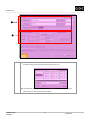
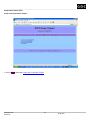
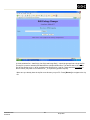
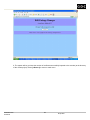
1: Create a Packing List (PKL) to put the KDM into a package using the DSR™ Package Manager.
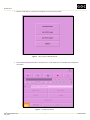
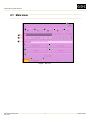
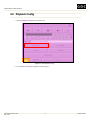
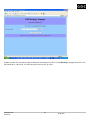
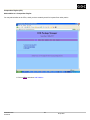
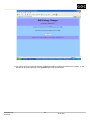
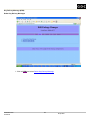
• From the main menu, press PKLs -> select Create new Packing List.
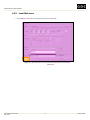
• Select the required KDM and click [>-Next->].
A new package with the KDM will be created and saved on the encoder.
* You may put KDMs for the different recipients into a single package. The package can be sent to the different recipients.
Each recipient will only recognize KDM(s) that are created using its certificate.
2: Export/Transfer the package to an external USB/FireWire disk.
• Format the disk with ext2/ext3 file-system. The USB disk may have FAT file-system.
• Connect the disk to the encoder.
• Mount the disk to a directory on the encoder.
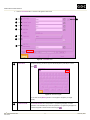
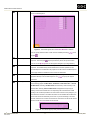
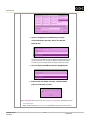
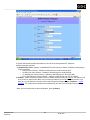
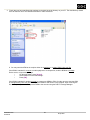
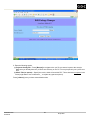
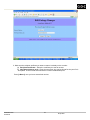
o From the main menu, press [Advance options] -> press [Remote] tab -> press
[Mount External Disk].
o Select Mount Type = „Local USB Disk‟ or ‟Local FireWire Disk‟.
o Specify the Local Mount Point. The directory should exist on the encoder
e.g. /mnt/fw/
o Press [OK].
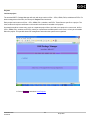
If your PC supports SAMBA protocol, you can share your local directory and have it mounted to a directory on the encoder.
The package can then be transferred from the encoder to your local directory directly.
•
Make sure the encoder and your PC are on the same network.
•
Mount your local directory to a directory on the encoder.
o
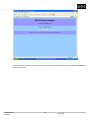
From the main menu, press [Advance options] -> press [Remote] tab -> press
[Mount External Disk].
o
Select Mount Type = „SMB Share‟.
o
Specify the Local Mount Point. The directory should exist on the encoder
e.g. /mnt/
o
Specify the Remote IP (IP of your PC) and Remote Share (shared directory on
your PC).
• Export the package.
o
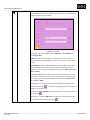
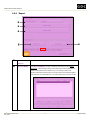
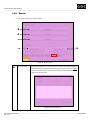
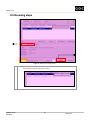
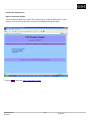
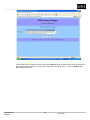
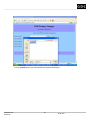
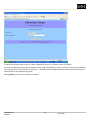
Press [Orders] tab -> press [SMPTE Packages].
o
If mounting is successful, the Target Directory will list the mount list created as
one of the entries. *The Target Directory is the directory to which the package is transferred.
o
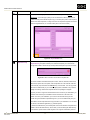
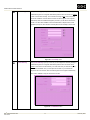
Choose the package to transfer and specify the mount point as the Target
Directory
Press [OK].
o
The package should be exported to the USB/FireWire disk or shared directory on
o
your PC.
• Un-mount the disk from the encoder before removing it from the encoder. The shared folder also need to be un-mounted, if
you are using one.
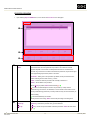
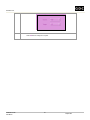
o From the main menu, press [Advance options] -> press [Remote] tab ->
press [Unmount External Disk].
o Specify the Local Mount Point (e.g. /mnt) to unmount.
o Press [OK].
JPEG2000 Encoder
142
29 April 2008
User Manual