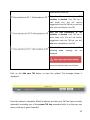
1
mysql -‐u root -‐p If you specified a password during MySQL setup, type it when prompted; else, just hit Return. If everything went fine, you should see the greeting message and the shell prompt: mysql> Install PHP5 core and additional packages sudo apt-‐get install php5 php5-‐mysql libapache2-‐mod-‐php5 php5-‐curl php5-‐memcache php5-‐json Install screen utility sudo apt-‐get install screen Install Memcached Server [optional] For a boost of performance during analysis, you can install Memcached server sudo apt-‐get install memcached Configuring components Tune PHP configuration Open PHP configuration file for Apache by typing: sudo gedit /etc/php5/apache2/php.ini find and set the following directives to these values: 69