1
SharpSchool User Manual
Chapter 9: Blog Pages
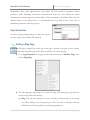
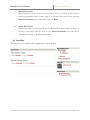
b) Option: This section gives you the ability to decide whether the blog opens in a
new window or an existing one.
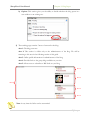
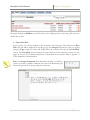
3) The resulting page contains 5 areas of content for the blog:
Area 1: The blog posts area.
Area 2: This section is visible only to the administrators of the blog. We will be
returning to this area in the following section of this guide.
Area 3: Offers profile information for administrators of the blog.
Area 4: Provides links to the group blogs available on your site.
Area 5: Allows users to subscribe to RSS feeds on your blog.
Area 2
Area 3
Area 1
Area 4
Area 5
Note: At any time the Sidebar can be customized.
5|Page