1
SharpSchool User Manual
Chapter 9: Blog Pages
SharpSchool’s Blog offers administrators and teachers the tools needed to guarantee student
protection, whilst facilitating constructive communication. Some key tools include user based
authentication, comment approvals and the ability to filter comments by IP address. These tools are
detailed further in this manual and it is recommended that blog authors invest some time in
familiarizing themselves with blog security.
Key Information
In order to begin managing blogs, you must first log into
your site using your Username and Password.
I.
Adding a Blog Page
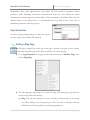
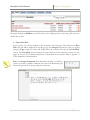
Reminder: The gray navigation bar on the top of the page is specific to the page you are viewing.
You must first select the parent page under which you’d like to create the Blog Page.
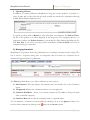
1) Go to Page Properties in the gray tool bar and scroll down to Add New Page. Now
click on Blog Page.
.
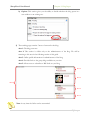
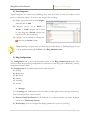
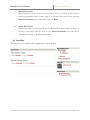
2) The following page will prompt you to name the blog. After naming the page there are
several setup options with the blog:
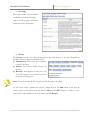
a) Blog: You can select whether to create a new blog or link this blog to an existing
one. When linking to an existing blog you will not be able to add posts until the
administrator of that blog allows your authoring permissions.
4|Page