1
SharpSchool User Manual
Chapter 9: Blog Pages
4) Post Categories
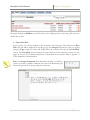
Topical categories are useful when publishing blogs since they make it easier for readers to find
posts on a particular subject. To create a new category for your blog:
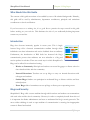
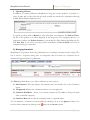
1) Simply type in the name in the Category
field and click on Add.
2) Categories can be set to Public or
Private. A Public category can be used
by every blog and a Private category can
only be used by the current blog.
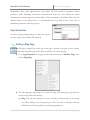
3) Category can be deleted by clicking the
button in the Action column.
Note: Deleting a category does not delete the posts allocated to it. Deleting blog posts can
only be performed through the Posts tab in Blog Administration.
5) Blog Configuration
The Configuration tab is the most important section of the Blog Administration menu. This
section contains house-keeping components for all elements of the blog, such as RSS feeds, security,
moderation and many more.
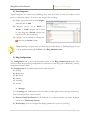
The Configuration tab is further broken into 6 main categories:
a) Settings
b) Moderation
c) RSS Feeds
d) Sidebar
e) Licensing
f) Security
a. Settings
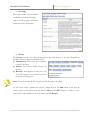
Via the Settings tab, administrators have the ability to make quick and easy changes to the blog.
This area is divided into 3 main sections:
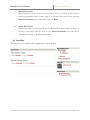
1) General: Email Notification can be switched on or off here, and the way time is displayed
can be set in Timestamp Format.
2) Post Display: You can configure the display parameters of posts on your blog.
9|Page