1
Creating a Schematic
Operating Procedures
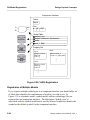
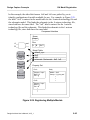
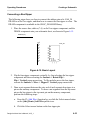
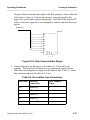
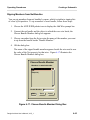
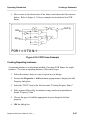
b. Enter the name of the ripped bit beside "Ripped Net Name." Make sure
that you enter the entire name, such as "out(3)" from bus "out(7:0)".
Giving only a bit number will result in an error during a Check Sheet.
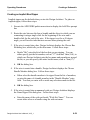
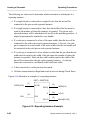
c. OK the dialog box; the Add Property To Handle prompt bar appears.
d. Click the Select mouse button in the appropriate location to place the
new wide net name.
Changing the Type of Ripper
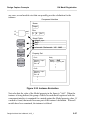
Implicit rippers are the default when you invoke Design Architect; they are not
library symbols, but rather instances that look like rippers. To change the default
setup from implicit rippers to the $MGC_GENLIB/rip symbol, follow these steps:
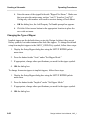
1. Display the Setup Ripper dialog box using the SETUP RIPPER palette
menu item.
2. Press the button beside "Auto" under "Set Ripper Mode."
3. If appropriate, change other specifications you need for the ripper symbol.
4. OK the dialog box.
To change from auto rippers to implicit rippers, follow these steps:
1. Display the Setup Ripper dialog box using the SETUP RIPPER palette
menu item.
2. Press the button beside "Implicit" under "Set Ripper Mode."
3. If appropriate, change other specifications you need for the ripper symbol.
4. OK the dialog box.
6-60
Design Architect User’s Manual, V8.5_1