1
10-5-2 Changing Host Types to Change an Address Input Method
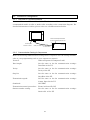
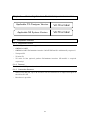
The host types cannot be directly changed between Modbus Machine (Modicon Address
Style) and Modbus Machine (IEC61131 Address Style). To change an address input
method after creating a project, follow the procedure below.
In the following procedure, Modicon Address is changed to IEC61131 Address as an
example. To change to Modicon Address, you can also use this procedure.
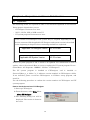
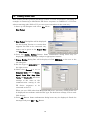
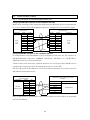
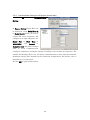
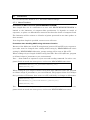
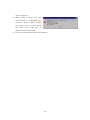
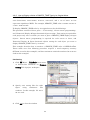
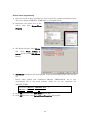
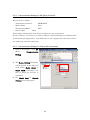
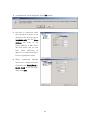
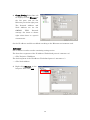
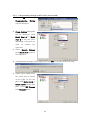
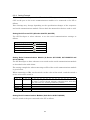
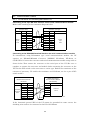
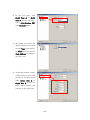
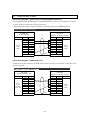
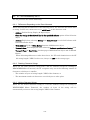
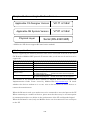
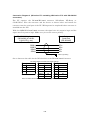
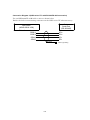
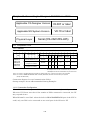
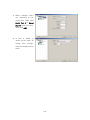
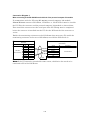
1) Click PT Menu - Communication Setting. Add a host to a serial port connecting to
Modbus. Select Modbus Machine (IEC61131 Address Style) from the host type (See
figure below). Assume that the host added now is "HOST4" and the host already
registered is "HOST3".
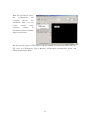
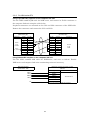
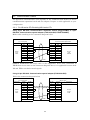
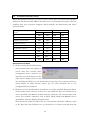
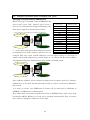
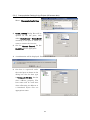
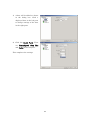
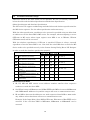
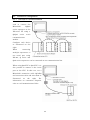
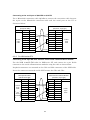
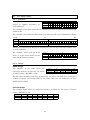
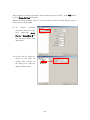
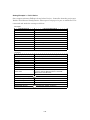
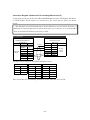
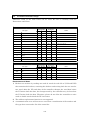
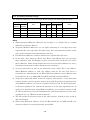
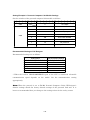
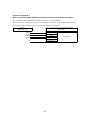
2) Select Find Menu - Replace. Make settings as described in the "1st" column. Click
Replace. It may take several minutes or more to complete replacing depending on
the size of the screen data. (Do not use the host name "HOST3" and "HOST4", but
use your own host names.)
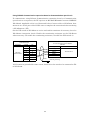
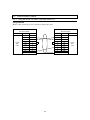
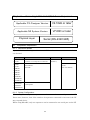
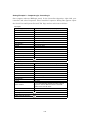
1st
2nd
3rd
4th
Start Address
HOST3:000001W HOST3:100001W HOST3:300001
HOST3:400001
End Address
HOST3:065521W HOST3:165521W HOST3:365535
HOST3:465535
Replace With
(Start Address)
HOST4:M00000W HOST4:I00000W HOST4:IW00000 HOST4:MW00000
Include BOOLs
Range
Whole project
Whole project
Whole project
Whole project
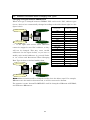
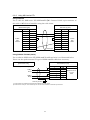
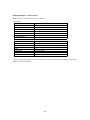
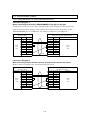
3) Repeat the procedure No.2 three times. Do not use address in the "1st" column. Use
addresses in the "2nd" to "4th" column accordingly.
132