1
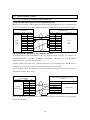
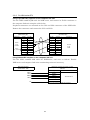
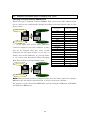
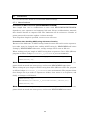
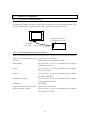
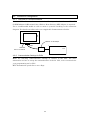
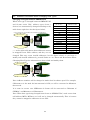
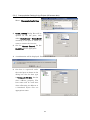
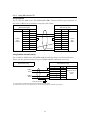
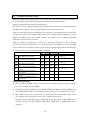
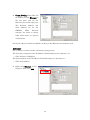
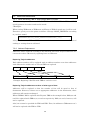
Brackets evenly to a torque of between 0.5 and 0.6 N・m to maintain water and dust
resistance. The front sheet may become distorted if the tightening torque is more
than the specified limit or not uniform. Make sure the panel is not dirty or warped
and that it is strong enough to hold the Units.
・ Do not let metal particles enter the Units when preparing the panel.
・ The connector's pull load is 30 N. Do not subject the connectors to a greater load
than that specified.
・ Turn OFF the power supply before connecting or disconnecting cables.
・ Always tighten the connector screws after connecting communications cables.
Power precautions
・ If conformance to EC Directives (Low Voltage Directive) is required, use reinforced
insulation for the power supplies.
・ Do not connect an AC power supply to the power terminals.
・ Use a DC power supply with minimal fluctuation voltage.
・ Do not perform a dielectric voltage test.
・ Check the power supply voltage and supply at the recommended voltage. For power
consumptions of NS-series PT, refer to the NS-Series Setup Manual and the NSJ
Series Setup Manual and NSH-series Setup Manual.
・ Use a twisted-pair cable with a cross-sectional area of at least 2 mm2 to connect to
the power terminals and always use M3.5 crimp terminals. Tighten the terminal
screws to a torque of 0.8 N・m. Make sure the screws are properly tightened.
Precautions for power on, off and reset
・ Confirm the safety of the system before turning ON, OFF or reset the power supply
or before pressing the reset button.
・ The whole system may stop depending on how the power supply is turned ON or
OFF. Turn ON or OFF the power supply according to the specified procedure.
・ After changing the settings of the DIP switch, always turn the power supply OFF
and ON or reset the PT.
・ Do not perform the following operations while the Memory Card is being accessed:
・ Turning OFF the power supply to the PT
・ Pressing the PT's reset switch
・ Removing the Memory Card
Precautions for creating screen data and programming
・ Start actual system application only after sufficiently checking screen data, macros,
and the operation of the program in the PC (host).
・ For the safety of the system, before operating, create a program so that a host can
4