1
IQ® Programmer Reference Manual
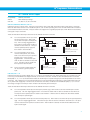
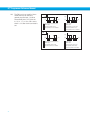
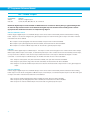
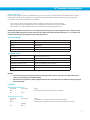
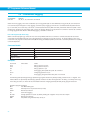
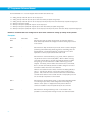
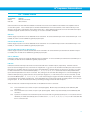
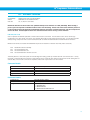
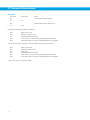
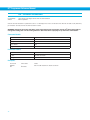
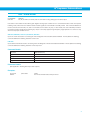
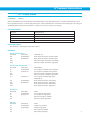
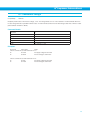
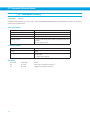
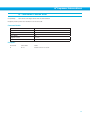
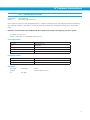
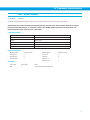
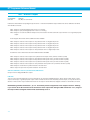
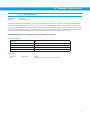
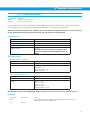
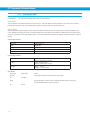
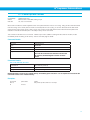
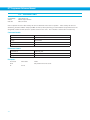
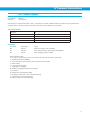
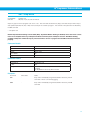
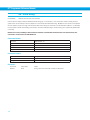
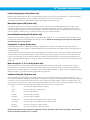
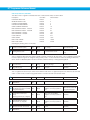
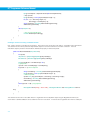
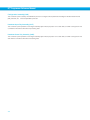
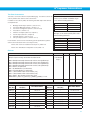
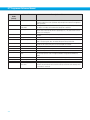
Command Modes 12 to 18 are for stepper drives and SRV servo drives only:
12 - Analog velocity mode with input X1 as run/stop input
13 - Analog velocity mode with input X5 (X4 for STP-AC5 drives) as speed change input
14 - Analog velocity mode with input X1 as run/stop input and input X5 (X4 for STP-AC5 drives) as speed change input
15 - Velocity mode (JS for speed)
16 - Velocity mode (JS for speed) with input X1 as run/stop input
17 - Velocity mode (JS for speed) with input X5 (X4 for STP-AC5 drives) as speed change input
18 - Velocity mode (JS for speed) with input X1 as run/stop input and input X5 (X4 for STP-AC5 drives) as speed change input
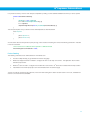
NOTE: It is recommended to use Configurator or Quick Tuner software for setting up velocity mode operation.
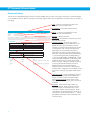
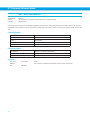
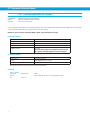
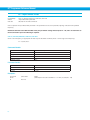
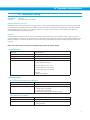
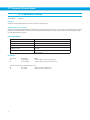
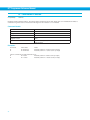
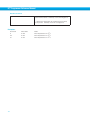
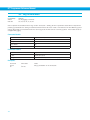
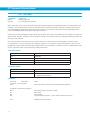
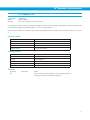
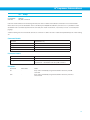
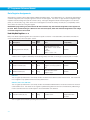
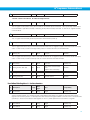
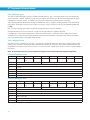
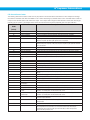
Examples:
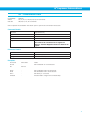
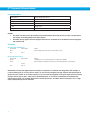
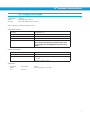
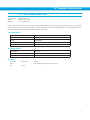
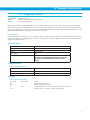
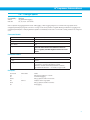
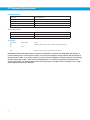
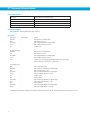
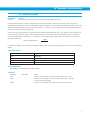
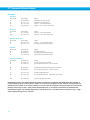
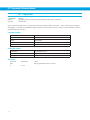
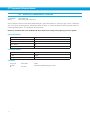
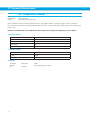
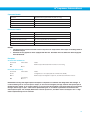
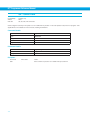
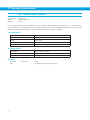
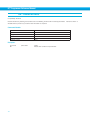
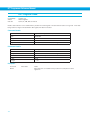
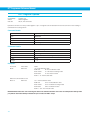
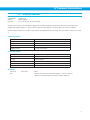
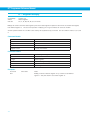
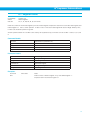
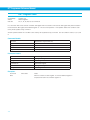
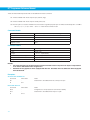
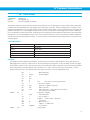
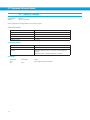
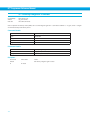
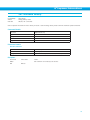
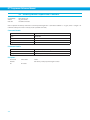
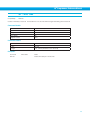
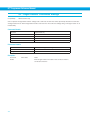
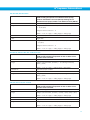
52
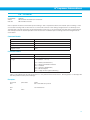
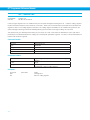
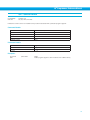
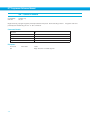
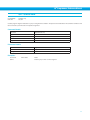
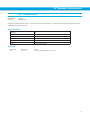
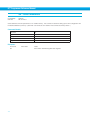
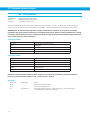
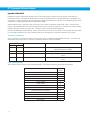
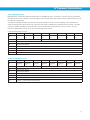
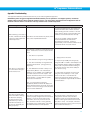
Command
Drive sends
CM2
-
Notes
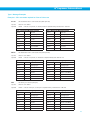
Sets the servo drive to Analog Torque mode, at which time there is a
linear relationship between the voltage at the drive’s analog input and the
motor current.
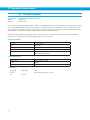
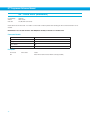
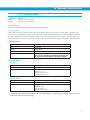
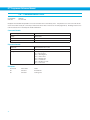
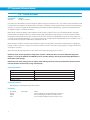
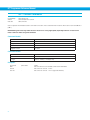
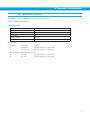
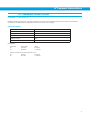
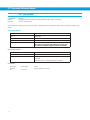
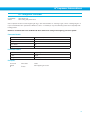
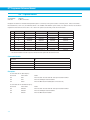
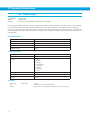
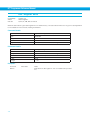
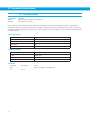
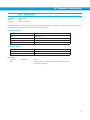
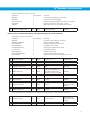
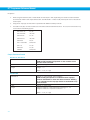
CM7
-
Sets the drive to Step & Direction input mode, which is used for all digital
positioning schemes like Step (Pulse) & Direction, CW/CCW Pulse, and
A/B Quadrature. Use the appropriate IQ® Programmer or IQ® Servo
application to set the proper scheme within this mode.
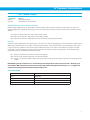
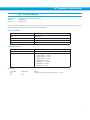
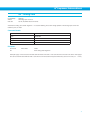
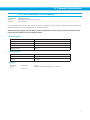
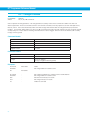
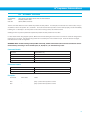
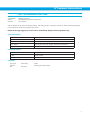
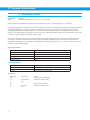
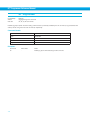
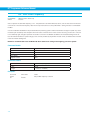
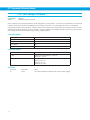
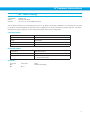
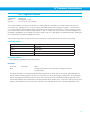
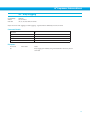
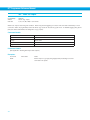
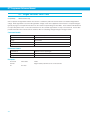
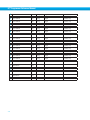
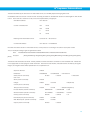
CM10
-
Sets the drive to Command Velocity, or jog mode, which in practice is
very similar to Point-to-Point mode (CM21). When in CM21 and a jog
command is issued, like CJ, the drive automatically switches to CM10
during the jog move and then back to CM21 when the jog move is
stopped. Conversely, when in CM10 and a feed move is commanded,
like FL, the drive automatically switches to CM21 during the move and
then back to CM10 when the move is finished.
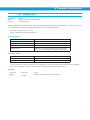
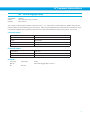
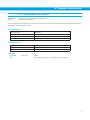
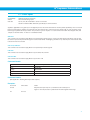
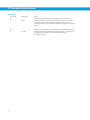
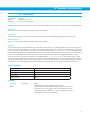
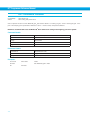
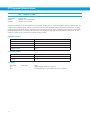
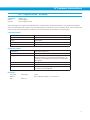
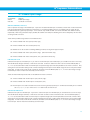
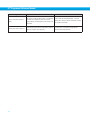
CM10 is most useful with servo drives, and when the JM (Jog Mode) is
set to 2. This puts the drive into a jog mode in which position error is
ignored. Then, when the motor is at rest the drive acts somewhat like a
constant friction device in that a certain amount of torque (set by CC and
CP commands) is required to move the shaft.
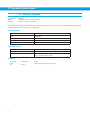
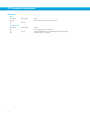
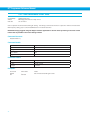
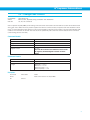
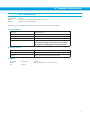
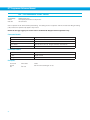
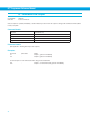
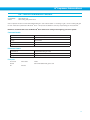
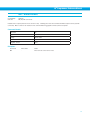
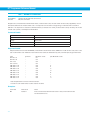
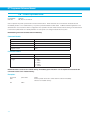
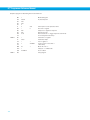
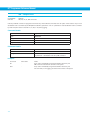
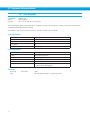
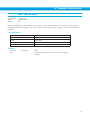
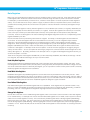
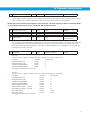
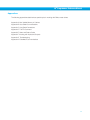
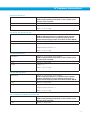
CM11
-
Sets the drive to Analog Velocity mode. In servo drives this will be similar
to the Analog Torque mode, where voltage level at the analog input
relates to motor speed. In stepper drives this puts the drive into
continuous oscillator mode, with speed set by the JS command.
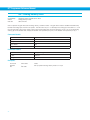
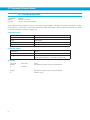
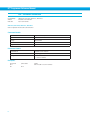
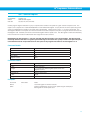
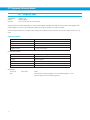
CM22
-
Sets the drive to Analog Positioning mode. In this mode it is also
possible to control the position through the use of an external encoder.