1
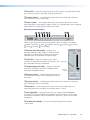
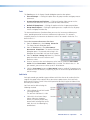
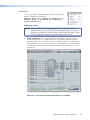
Tools menu
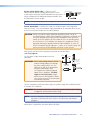
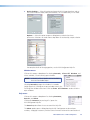
Click on this menu to open a drop-down list: Presets,
Protected Configuration, Configure EDID,
Connect to Device, Issue RESET Command,
Save Changes to Device, Firmware Loader,
Organize Building Blocks, Configure Groups,
Device Settings, and Options.
NOTE: Connect to Device menu changes to
Disconnect from Device when a device is
connected.
zz
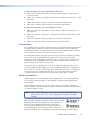
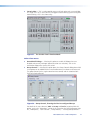
Presets — Selecting this option brings up four submenus:
Mark All Ties, Mark All Items, Save Presets,
and Clear Marked Items.
Up to 8 presets can be saved in either Live or Emulate mode,
and then uploaded to a connected device or after recall,
downloaded for saving to disk. All Ties and All Items be selected for saving as
a full preset, and are visibly highlighted green on the screen. Any marked items can
also be cleared, removing them from the current preset to save option.
NOTE: Presets that are saved via DSP Configurator are partial presets, which can
include any or all the gain, processor, switcher, and mic-mixer settings.
For full details on how to save, preview, and recall presets see the DSP Configurator
Help File.
zz
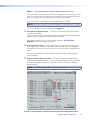
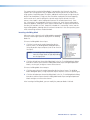
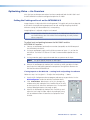
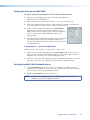
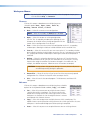
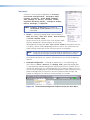
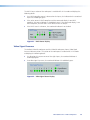
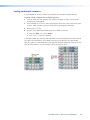
Protected Configuration — Selecting this option when in Live mode brings up
three submenus: Save, Restore, and Change PIN. A protected configuration
is a password (PIN)-protected configuration containing all elements (includes all level
settings, DSP processing, ties, and video controls). These submenus allow the user to
save the current configuration as a protected configuration, restore a previously saved
protected configuration (this overwrites all current audio and video settings), and
change the 4-digit PIN. The submenus are only available in Live mode.
Figure 39. The Protected Configuration Submenu within the Tools Menu
MLS 608 D Series • DSP Configurator
52