1
User Management
Change Password
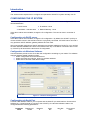
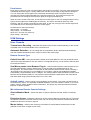
Initially there is only one user configured who has unrestricted access to all the SCOUT IP features.
The username is “super” and the password is “pass”. You should change them immediately.
Users & Groups
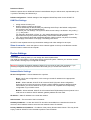
The user and group management of SCOUT IP is based on configurable users and groups. Each user
or group can have different access capabilities.
User Management
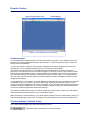
Existing user – Select an existing user for modification or deletion.
New user name - Enter a login name for a new user here. Ensure that it is not the same as a
current user or group.
Full user name – Write the full name of the new user.
Password - Confirm password – The password must be at least four characters. Confirm
password.
Email address – Mobile number – These are optional
Group membership / Member of / Not Member of – Each user can be a member of one
or more groups and inherit the rights of that group. Use the arrows to add or remove a user from a
group.
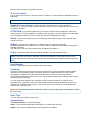
Group Management
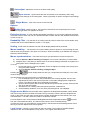
Existing groups - Select an existing group for copying, modification or deletion.
New group name – To create a new group, enter a new group name
Create
Once the required fields are filled in, click the Create User button to create a new user.
Delete
To delete a user:
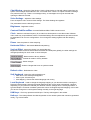
1. Select a user in the Existing users Drop-down list.
2. Click the Lookup button. The complete user information appears.
3. Click the Delete User button. - Note: The factory set supervisor user `super' cannot be
deleted, but it can be renamed.
Modify
To modify a user:
1. Select a user in the Existing users Drop-down list.
2. Click the lookup button to get all the user's information.
3. All fields can be modified as required. The old password is not displayed, but can be modified.
4. Click the Modify User button
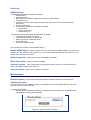
Copy
To copy an existing user’s properties to a new user:
1. Select a user in the Existing user Drop-down list.
2. Enter a new user name in the New user name box.
3. Click the Copy User button. All properties of the selected user will be copied to the new one,
except user specific permissions.