1
VX6060 AMI BIOS User Manual
EFI SHELL
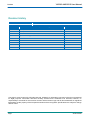
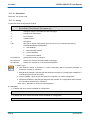
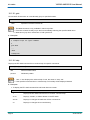
-w
-n
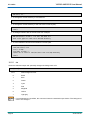
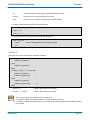
Unit size accessed in bytes:
1
1 byte
2
2 bytes
4
4 bytes
8
8 bytes
Non-interactive mode
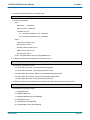
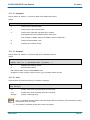
1. If the address type parameter is not specified, address type defaults to the 'MEM' type.
2. If the 'Value' parameter is specified, the '-n' option will be used automatically. In this case, this
command will write the value to the specified address in non-interactive mode. If the 'Value' parameter
is not specified, only the current contents in the address are displayed.
3. If the '-w' option is not specified, unit size defaults to 1 byte.
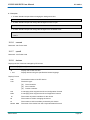
4. If the PCI address type is specified, the 'Address' parameter should follow the PCI Configuration
Space Address format above. The 'PCI' command can be used to determine the address for a
specified device. It is listed in the PCI configuration space dump information, in the following format:
"[EFI 0x000000ssbbddffxx]".
5. If the PCIE address type is specified, the 'Address' parameter should follow the PCIE Configuration
Space Address format above.
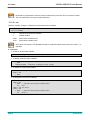
6. In interactive mode, type a hex value to modify, 'q' or '.' to exit. If the '-n' option is specified, it will run in
non-interactive mode which supports batch file operation without user intervention.
7. Not all PCI configuration register locations are writable.
8. MM will only write the specified value. Read-modify-write operations are not supported.
9. The 'Address' parameter should be aligned on a boundary of the specified width.
10.Not all addresses are safe to access. Access to any improper address can bring unexpected results.
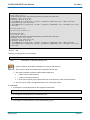
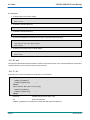
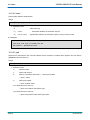
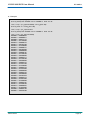
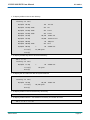
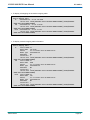
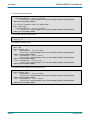
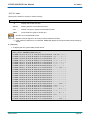
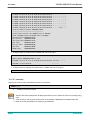
> Examples:
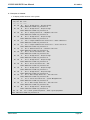
4 To display or modify memory:
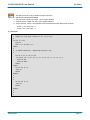
Address 0x1b07288, default width=1
fs0:\> mm 1b07288
MEM 0x0000000001B07288 : 0x6D
MEM 0x0000000001B07289 : 0x6D
MEM 0x0000000001B0728A : 0x61
MEM 0x0000000001B0728B : 0x70
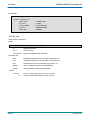
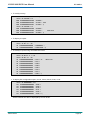
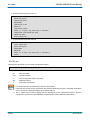
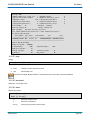
fs0:\> mm 1b07288
MEM 0x0000000001B07288 : 0x6D
MEM 0x0000000001B07289 : 0x6D
MEM 0x0000000001B0728A : 0x80
MEM 0x0000000001B0728B : 0x70
Page 88
byte:
>
>
> 80
> q
>
>
>
> q
*Modified
SD.DT.F69-4e