1
Importing and Exporting Files
starting from the last saved restart file.
4.4
Importing Database Files
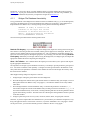
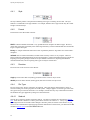
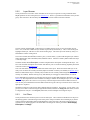
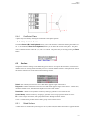
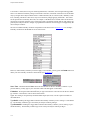
The Database Import command, in the INPUT/OUTPUT COMMANDS menu, allows you to read database entities from a file into Gridgen for use in defining the shape of the object being meshed. The Import
command immediately invokes the Browser from which you may choose the file name. By default, Gridgen
lists in the Browser all files with extensions corresponding to database file types. Gridgen determines the
file type (Section 4.4.4) based on the selected file name’s extension. If the extension cannot be determined,
it is assumed to be IGES.
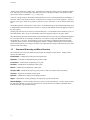
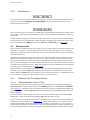
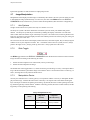
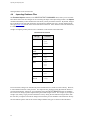
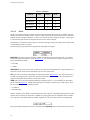
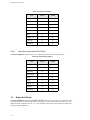
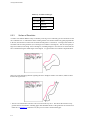
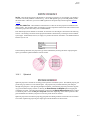
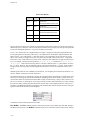
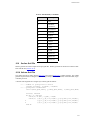
Gridgen can import geometry data for use as a database via the formats in the table below.
Database File Extensions
file type
extension
network
.net
.grd
.grda
segment
.dat
Gridgen composite
.dba
PATRAN
.pat
IGES
.igs
.iges
Shell
.stl
.wrl
.nas
CATIA V4
.model
Pro/E
.asm
.prt
STEP (AP203,
AP214)
.stp
.step
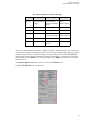
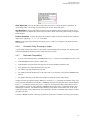
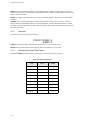
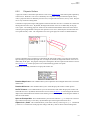
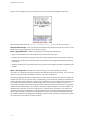
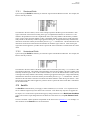
For network files, Gridgen can automatically detect whether the file’s format is ASCII or binary. However,
it cannot determine the file’s data precision. For composite files, Gridgen cannot determine the format or
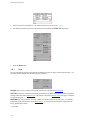
precision automatically. Whenever you set attributes using the FILE ATTRIBUTES menu, the attributes
are saved for use during any future imports during the current Gridgen session. For example, if you import a
Gridgen style, binary, single precision network file once by setting the file attributes using the menu, then
the next time you import a network file Gridgen will recall the previous attributes and read the file directly.
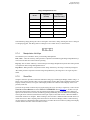
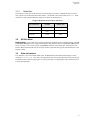
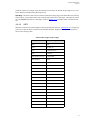
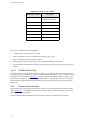
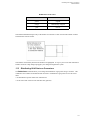
The file attribute options used for the various Gridgen database file types are shown in the table below.
4-4