1
INSTALLATION
®
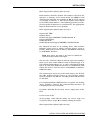
This command creates a proxy for all users (*) to the
ODMS_USER account on node server1, where ODMS_USER is
the name of a valid Open VMS account. If this does not provide
enough security, add individual proxies for each user that will
be using the ODMS system (including the system account for
installation).
3. Complete the remaining steps (3 through 7) from one of the
valid open data management server user accounts established earlier in this procedure. After all installation operations
are complete and all points are configured in the system, verify
that the historical files are sized correctly. To do this, execute
the file:
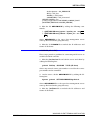
$
run
setcimcode:sizedhis
Enter
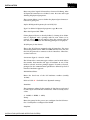
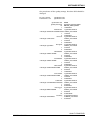
This program will prompt for the disk history task record
name. Check at least the following records:
TSK_DHIS
TSK_DHS1
(corresponds to dhistory.dat file)
(corresponds to dhistor1.dat file)
If any additional historical task records are configured, they
should be checked. This program reports the required disk
sizes. To verify the disk history file sizes, check the size of the
actual disk history file. The file names can be viewed using the
disk history file display. To display the current disk file sizes
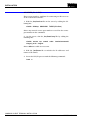
use the command:
$
dir/siz
setcimgrp:*.dat
Enter
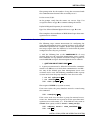
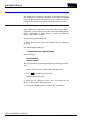
The following commands can be invoked, to increase the size of
a disk history file if the open data management server is shut
down.
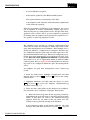
$
$
set def setcimgrp Enter
run setcimcode:incrdhis
Enter
This program displays prompts asking for a disk history file
name. Enter the disk history file name requiring a size
increase. When prompted for a new size, enter a size that is
larger than the size specified by the sizedhis program.
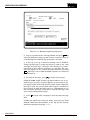
If the ODMS system is active this file can be resized on-line
using the disk history configuration screens that are provided
by the GCS software. Refer to Disk History Files in Section 5
for information on how to use the disk history configuration
screens.
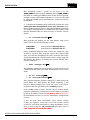
4. For all GCS client connections, task console scratch
records are required. Create one set of task console scratch
records for each GCS client prior to client installation. Create
these records using the tsk_console.com procedure (refer to
TSK_CONSOLE SCRATCH RECORDS).
INSTALLATION (OPEN VMS OPERATING SYSTEM)
3 - 28
WBPEEUI350003B0