1
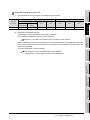
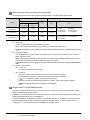
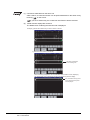
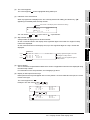
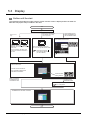
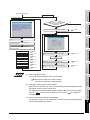
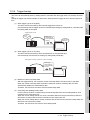
(7) Screens that trigger backup can be executed
The trigger backup can be executed only when the GOT displays a monitor screen.
(a) When the trigger condition is met while the GOT displays a screen other than monitor screens,
including the utility screen and ladder monitor screen, the GOT does not execute the backup.
When a screen other than monitor screens is switched to a monitor screen, the GOT executes
the backup.
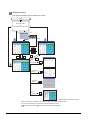
(b) When a monitor screen is switched to a screen other than monitor screens during the trigger
backup, the GOT stops the backup and the GOT deletes the data in process.
When the screen is switched to a monitor screen, the GOT executes the backup again.
(c) When the following are operated, the GOT does not execute the backup even if a screen other
than monitor screens is switched to a monitor screen.
• Restarting the GOT
• Changing the trigger backup setting with the GOT utility
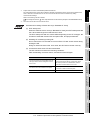
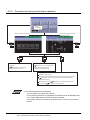
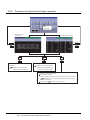
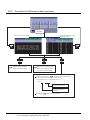
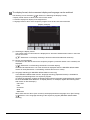
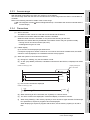
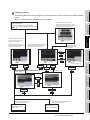
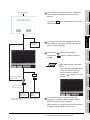
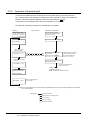
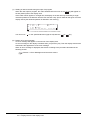
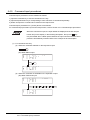
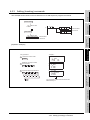
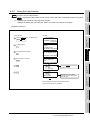
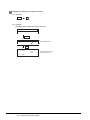
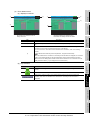
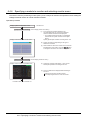
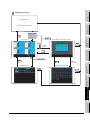
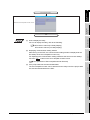
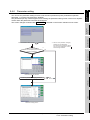
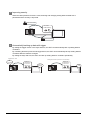
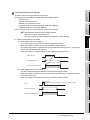
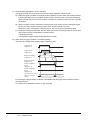
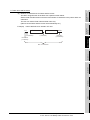
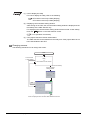
(8) When another trigger condition is met during backup
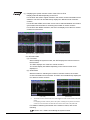
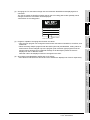
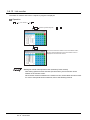
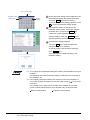
The GOT cannot detect that another trigger condition is met.
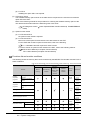
Trigger device
(Trigger ID: 1)
Trigger device
(Trigger ID: 2)
not
detected
Backup processing
(Trigger ID: 1)
Backup processing
(Trigger ID: 2)
Process notification
device
(Trigger ID: 1)
Process notification
device
(Trigger ID: 2)
Trigger backup processing
setting No. notification
(GS657)
1
0
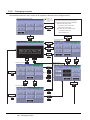
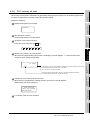
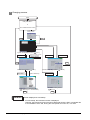
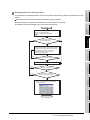
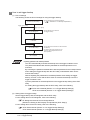
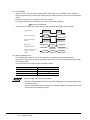
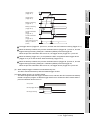
For ensuring the trigger backup, establish a handshake with the trigger device and the process
notification device.
An example of a handshake is shown on the next page.
11 - 24
11.3 Display Operation
11.3.4 Trigger backup