1
Part V - Properties
Chapter 14 - Material Properties
parameters are automatically calculated from the material properties and the specified thickness. A foil
appears as a perfect conductor to the electromagnetic fields, so that electric fields parallel to its surface
vanish. A film is treated as a combination of finite conductivity and finite relative permittivity. Particles
not having the electron charge-to-mass ratio, e.g., ions are collected on the surface of the material.
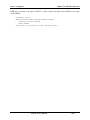
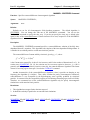
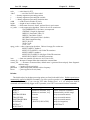
The material composition of the film may be specified by selecting a particular element symbol, or by
using one of the keywords, COMPOSITION or GAS, and entering the arguments for the elemental
composition. The choice of material composition affects the electron transport scattering attributes. You
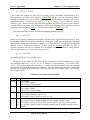
may, for example, specify a composite material such as instead of a single element or a gas. In this case,
you must supply a name for the material, the mass density of the alloy, density, and the number of
elements in its composition, nelements, and a list of the atomic symbol for each element, together with its
weight fraction in the alloy. The sum of the weight fractions must be unity.
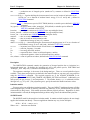
The ENERGY_LIMITS option is used to specify the electron energy limits for the scattering model in
the ITS model. The first argument, energy_min, specifies the minimum energy of an electron which is
tracked in the film without being absorbed. This argument is used by ITS’s CYLTRAN code unit.
Electrons that fall below this energy are destroyed in the foil. The minimum allowed value of
energy_min is 0.001 MeV. The second argument, energy_max, specifies the maxium anticipated energy
of an electron entering the foil. It is used by ITS’s XGEN program as an upper bound for the scattering
cross-section and energy attenuation tables. The default value of the maximum energy is 1 MeV. If an
electron enters the foil with an energy above the anticipated maximum, it will automatically be reassigned
the maximum energy.
Normally, an electron exits the film as the same species that entered the film. It is, however, possible
to artificially distinguish incident electrons from scattered electrons by changing the species identification
of the electron when it exits the film, e.g., from RED_ELECTRONS to BLUE_ELECTRONS, if those
two species have been created with the SPECIES command. This feature is expected to be of use when
electrons are incident from both sides of a film, or when it is desired to distinguish the incident from
back-scattered electrons. The EXIT_SPECIES option invokes this feature. All particles with the electron
charge-to-mass ratio will exit the film as the specified species, regardless of its identity when incident on
the film.
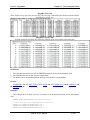
Use of the FILM command requires the presence of the ITS code, “XGEN.EXE”, and the XGEN data
file “FORT.9” in the same directory as the MAGIC executable. After all the FOIL commands are
entered, MAGIC automatically constructs an input file for XGEN, which it then executes and embedded
copy of XGEN.EXE, which creates an “output file, FORT.11, containing the scattering cross-section
tables, which are used by the CYLTRAN subroutines embedded in MAGIC.
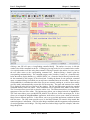
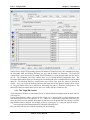
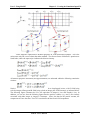
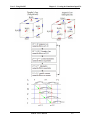
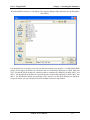
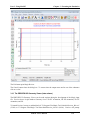
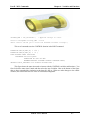
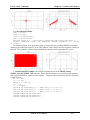
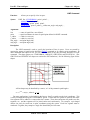
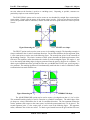
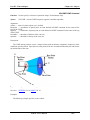
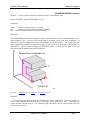
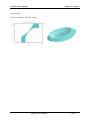
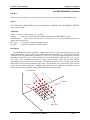
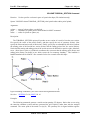
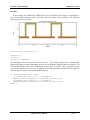
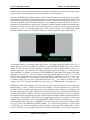
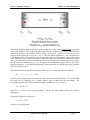
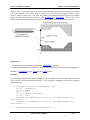
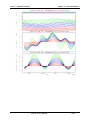
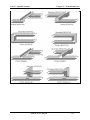
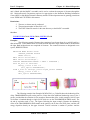
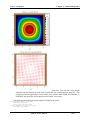
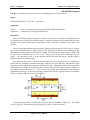
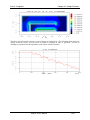
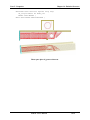
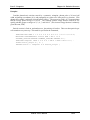
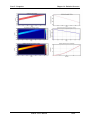
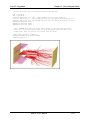
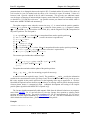
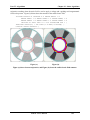
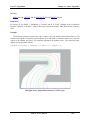
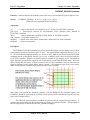
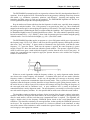
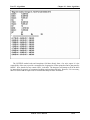
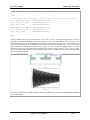
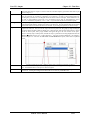
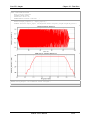
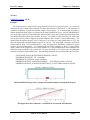
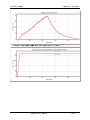
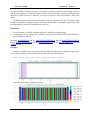
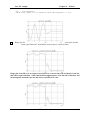
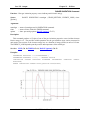
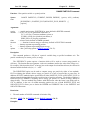
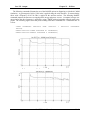
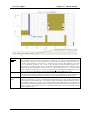
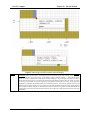
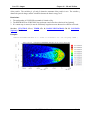
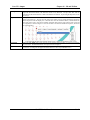
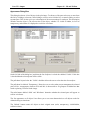
This figure illustrates electron kinematics for FILMs. Particles to the left or right of the film use
the standard MAGIC kinematics based on the Lorentz force. Particles which enter the film are passed to
the ITS Tiger kinematics subroutines, where they experience collisions with the atomic nuclei. When
MAGIC User’s Manual
14-14